Product Layouts for WooCommerce
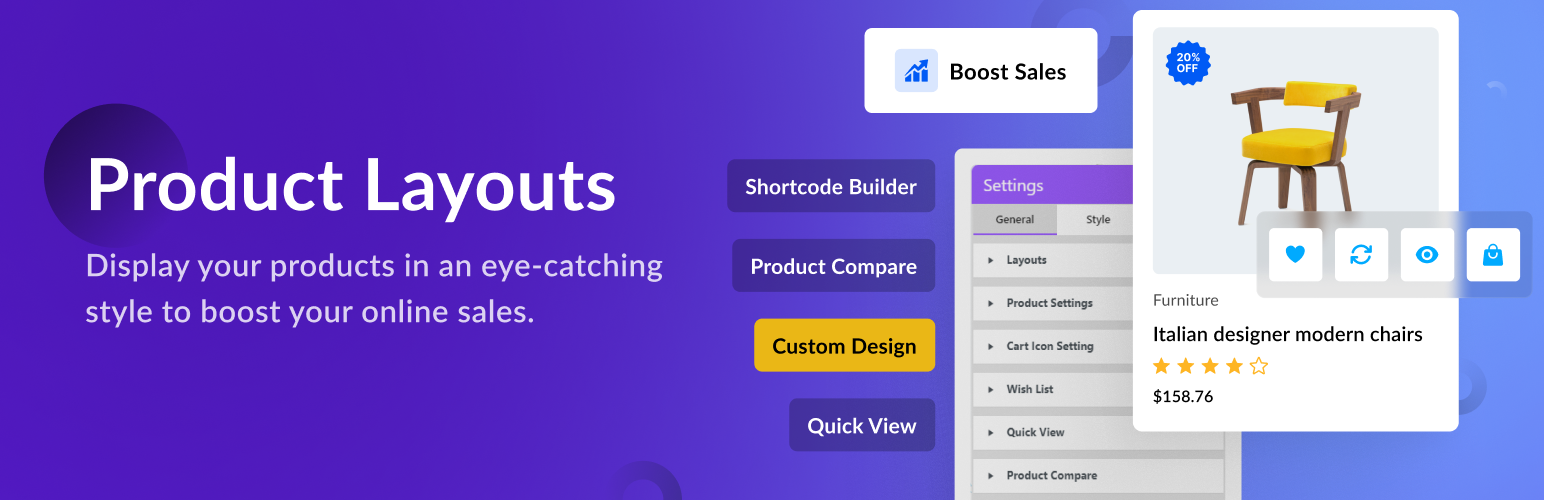
Product Layouts for WooCommerce
Description
Use Product Layouts for WooCommerce to display your products with stunning styles and layouts — no coding required.
Perfect for showcasing your store items beautifully and increasing sales.
Key Features:
- Create product grids, tables, sliders, and galleries easily.
- Fully responsive and works with all major themes and page builders.
- Use simple shortcodes anywhere — pages, posts, or widgets.
- Import demo layouts or create your own with live preview.
👁️ View Demo | 🚀 Get the Premium Version | 👩🏼💻 Get Support
Free Version
👉 General Layouts (3) View Demo
👉 Call to Action Layouts (2) View Demo
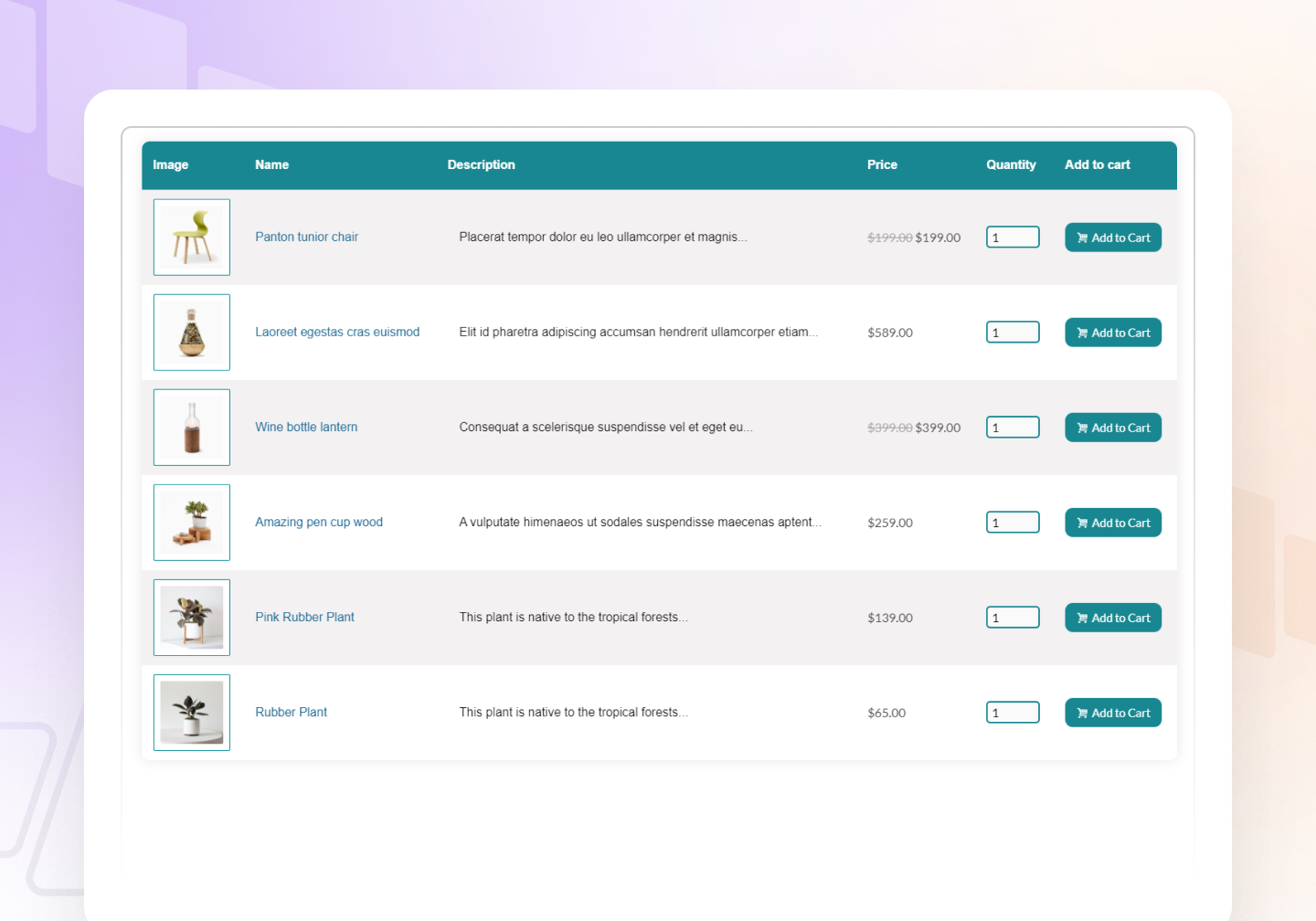
👉 Product Table Layouts (1) View Demo
👉 Product List Layouts (1) View Demo
👉 Caption Layouts (2) View Demo
👉 FlipBox Layouts (1) View Demo
💰 Pro Version
👉 All Free Features
👉 General Layouts (4) View Demo
👉 Caption Layouts (6) View Demo
👉 Product Tabs View Demo
👉 Product Carousel Slider View Demo
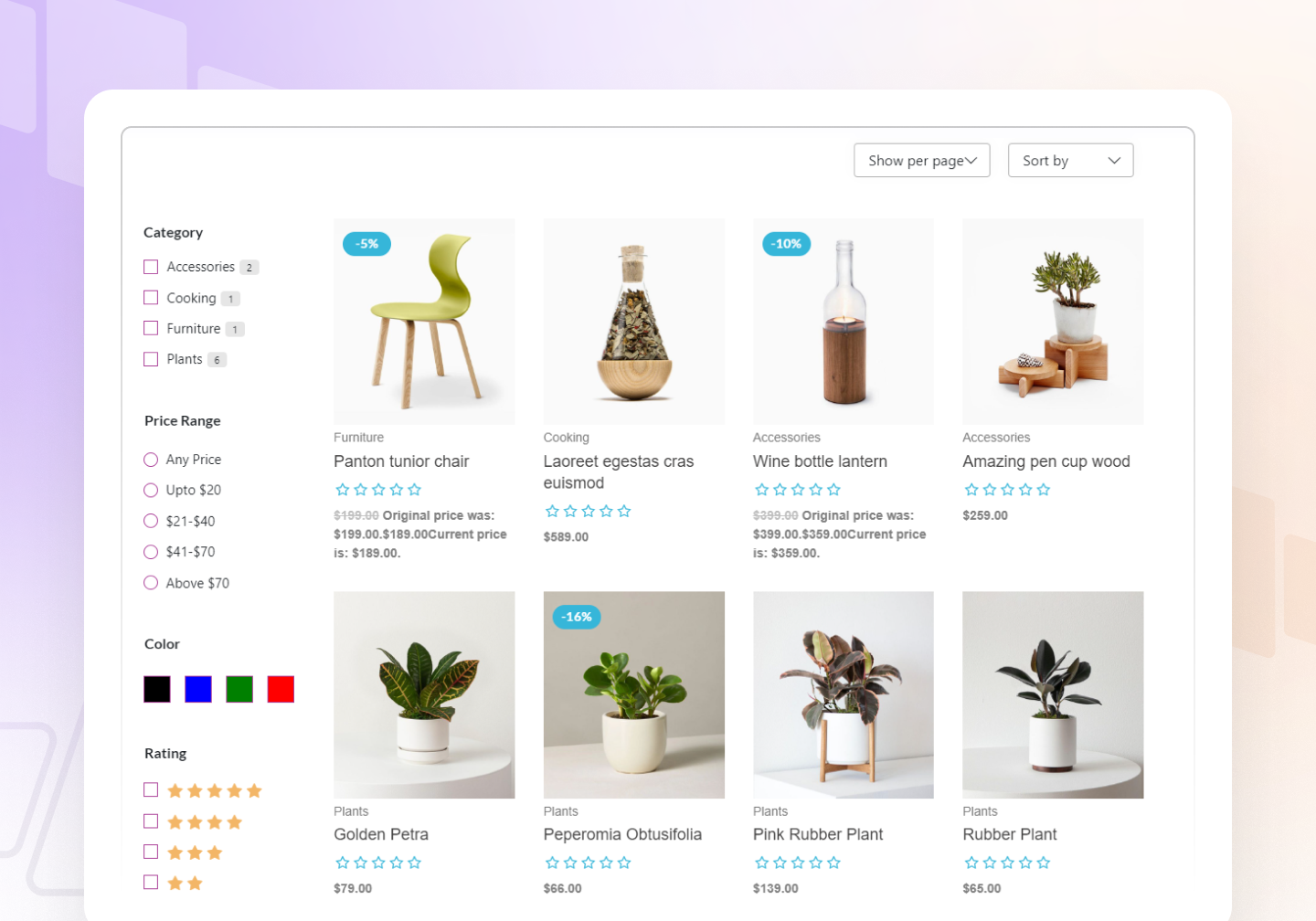
👉 Product Filter (Sort by, Show per page, Category, Price Range, Rating). View Demo
👉 Accordion (Upcoming)
👉 Product Pagination (with preset)
👉 Load More Button
👉 Category Page Design
Features
- Custom Settings – You can change layout style (Product Filter, Color, Background Color, Border, Box shadow, etc.) using custom settings.
- Font Settings – You can set font typography (Font, Font-size, Font-shadow, Line-height, letter spacing, etc.) as your own choice.
- Style Settings – You can style layout (Color, Background Color, Border, Box shadow, etc.) using style settings.
- Live Preview – Our plugin includes a Live Preview interface so users can see changes instantly. Product Layouts for WooCommerce (Product Gallery, Product Showcase, Layout Design, Product Slider, Product Grid, Product Table) is designed for real-time editing convenience.
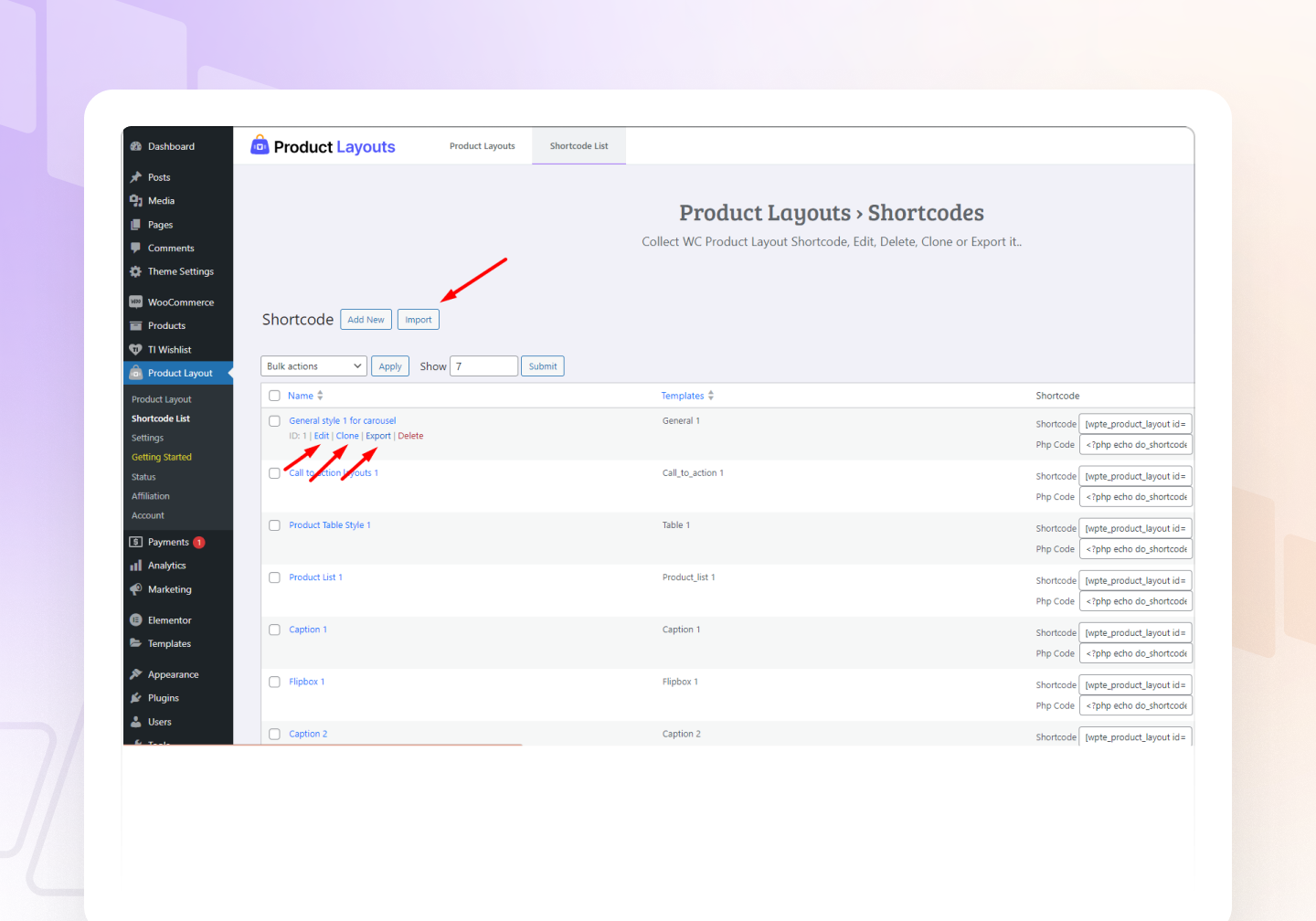
- Clone Layout – Use the Clone option to copy layout styles with one click.
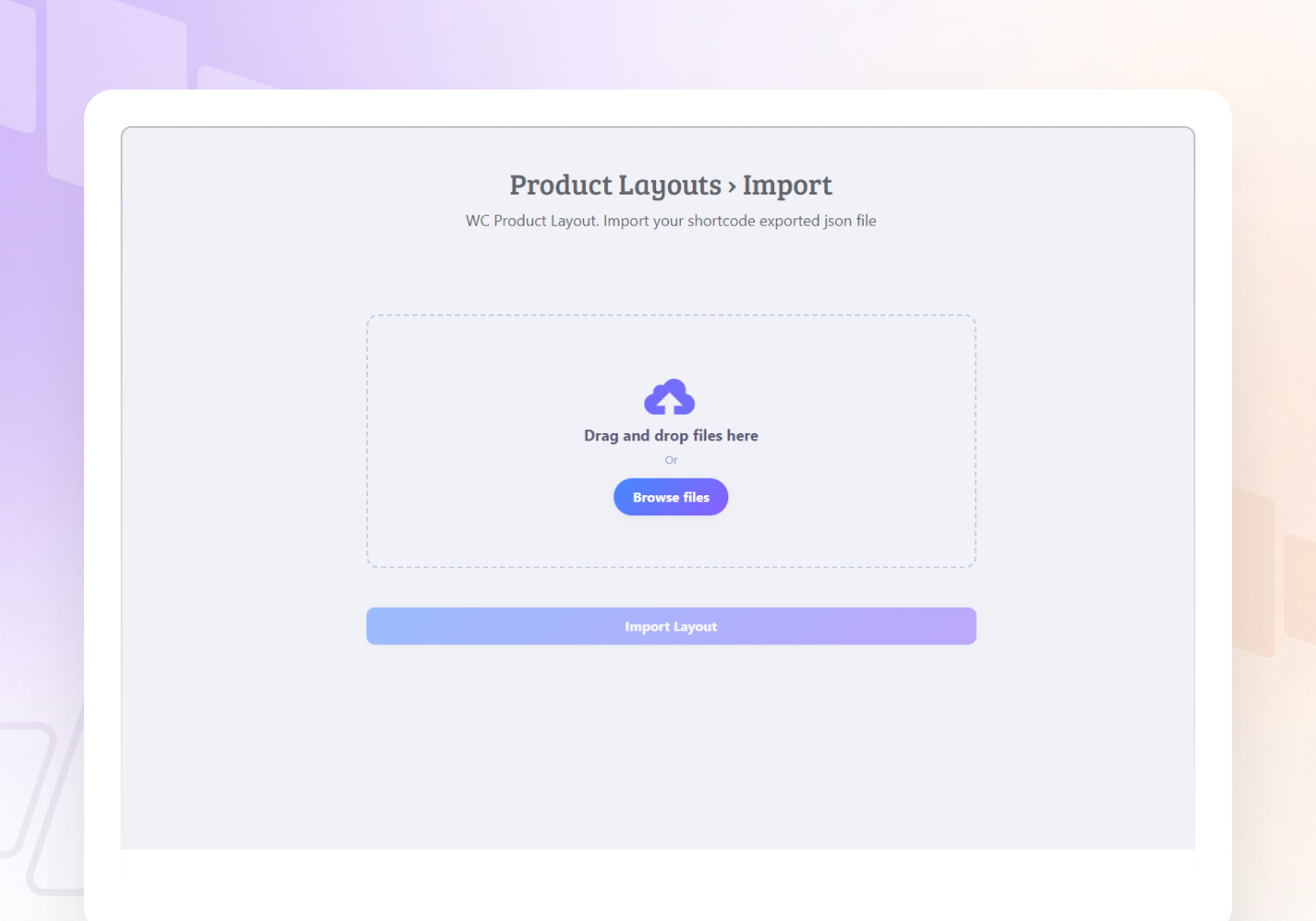
- Export and Import – Export JSON file from Shortcode list and import from Import page.
- Shortcode – Display your product using shortcode.
- Product Filter Settings – Easily filter products by Category, Type, Order By, etc.
- Icon Settings – Use icons from Icon Library (Icon Picker) for Add to Cart, Wishlist, Quick View, Compare Table buttons.
- Borders and Shadows – Apply border and box shadows everywhere.
- Color Pickers – Choose colors using color picker (Color, Gradient, Linear Gradient).
- Import Layouts from Demo – Export layouts from the demo and import directly into your plugin.
- Multi Language Supported – Translate easily with Loco Translate and reach a global audience.
👁️ View Demo | 🚀 Get the Premium Version | 👩🏼💻 Get Support
Responsive & Beautiful
Product Layouts for WooCommerce (Product Gallery, Product Showcase, Layout Design, Product Slider, Product Grid, Product Table) is fully responsive and optimized for performance — an important factor for SEO and eCommerce success.
It works smoothly across devices and displays your products beautifully with animations like sliding, fading, and folding. Customize typography, colors, alignment, and background to create professional product presentations.
👁️ View Demo | 🚀 Get the Premium Version | 👩🏼💻 Get Support
Installation
We’ve made it very simple and easy to use. The installation process of this plugin is straightforward.
= Option 1 =
- Download the plugin product-layouts.zip from WordPress Plugin Directory.
- Unzip and extract the plugin folder named product-layouts.zip.
- Place the folder into your wp-content/plugins directory.
- Go to WordPress admin Plugins Installed Plugins.
- Click Activate to enable the plugin.
= Option 2 =
- Download the plugin zip file.
- Go to WordPress admin Plugins Add New Upload Plugin.
- Upload the product-layouts.zip file.
- Click Install Now, then Activate.
If you need any help, please open a thread in the Support Forum. Don’t hesitate to inform us about any bugs or conflicts.
Screenshots
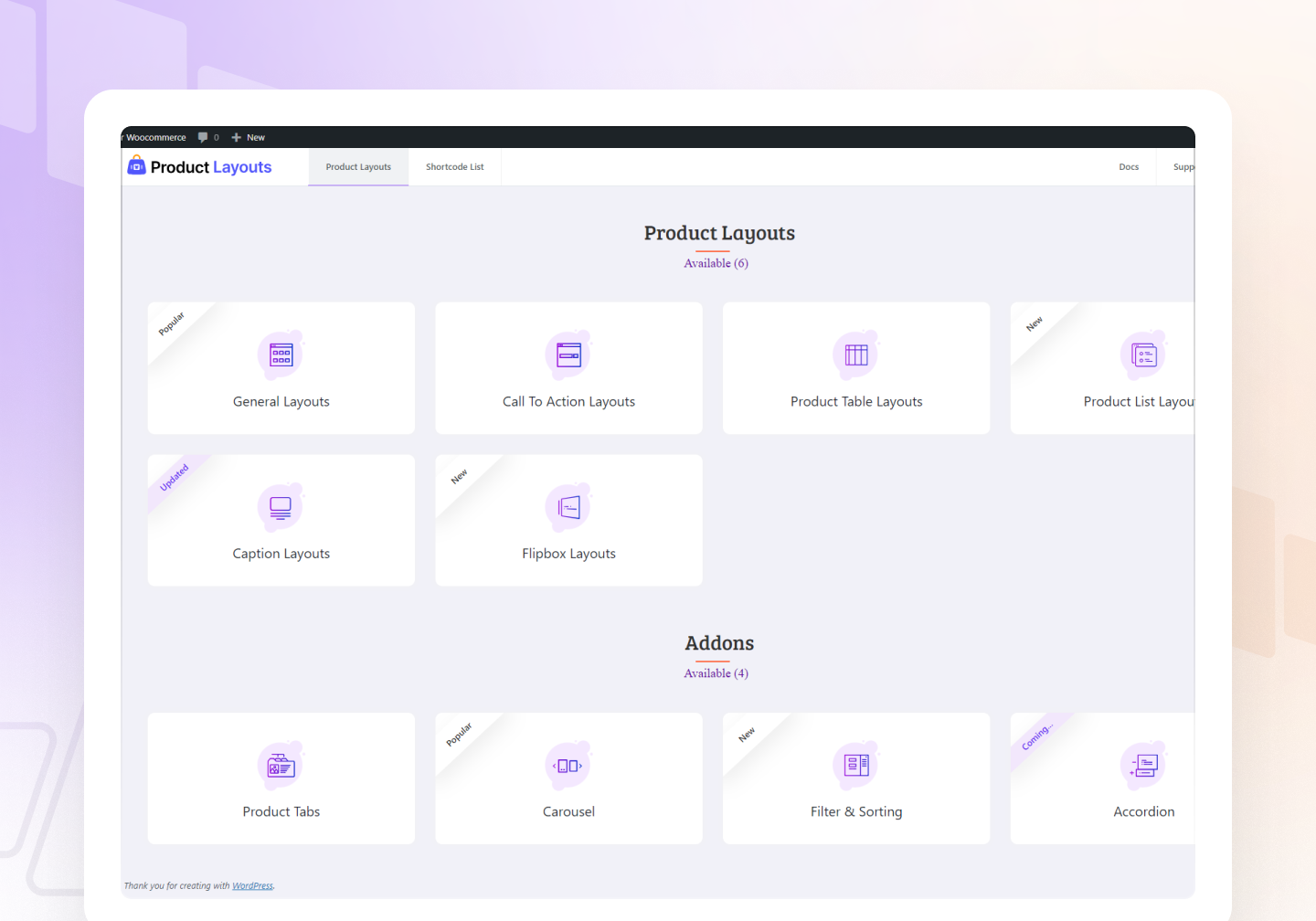
Dashboard Settings Page
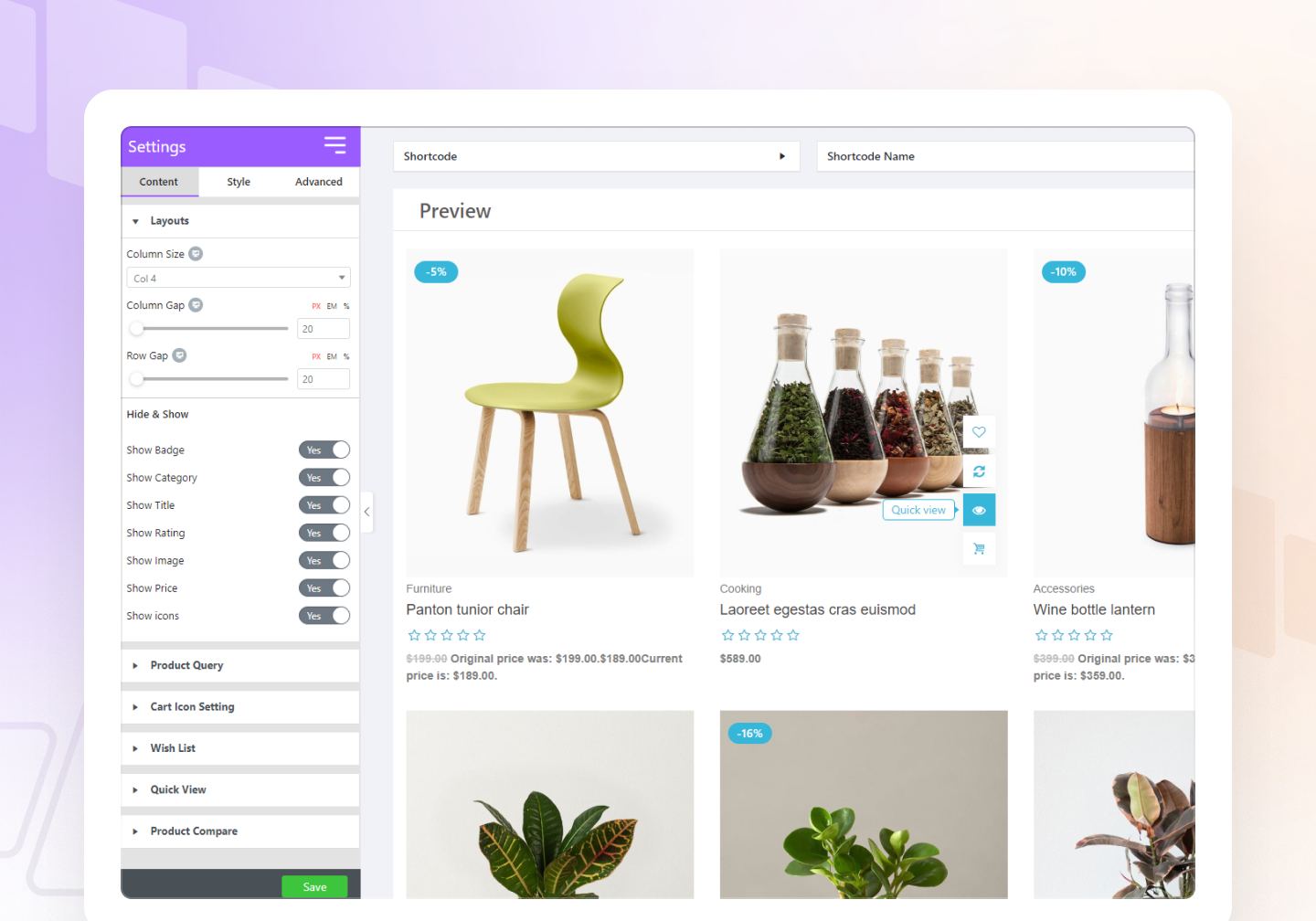
How to use per product
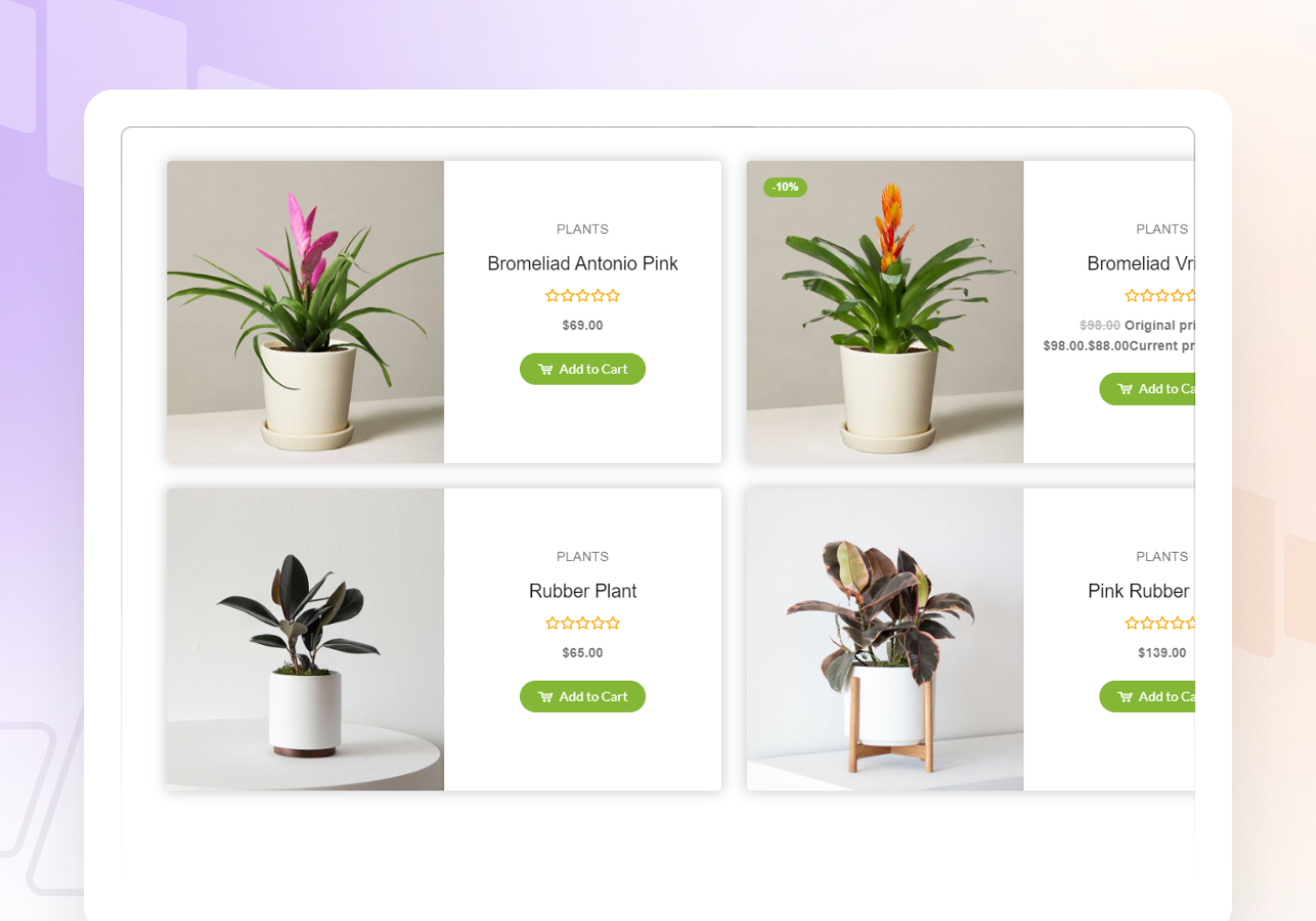
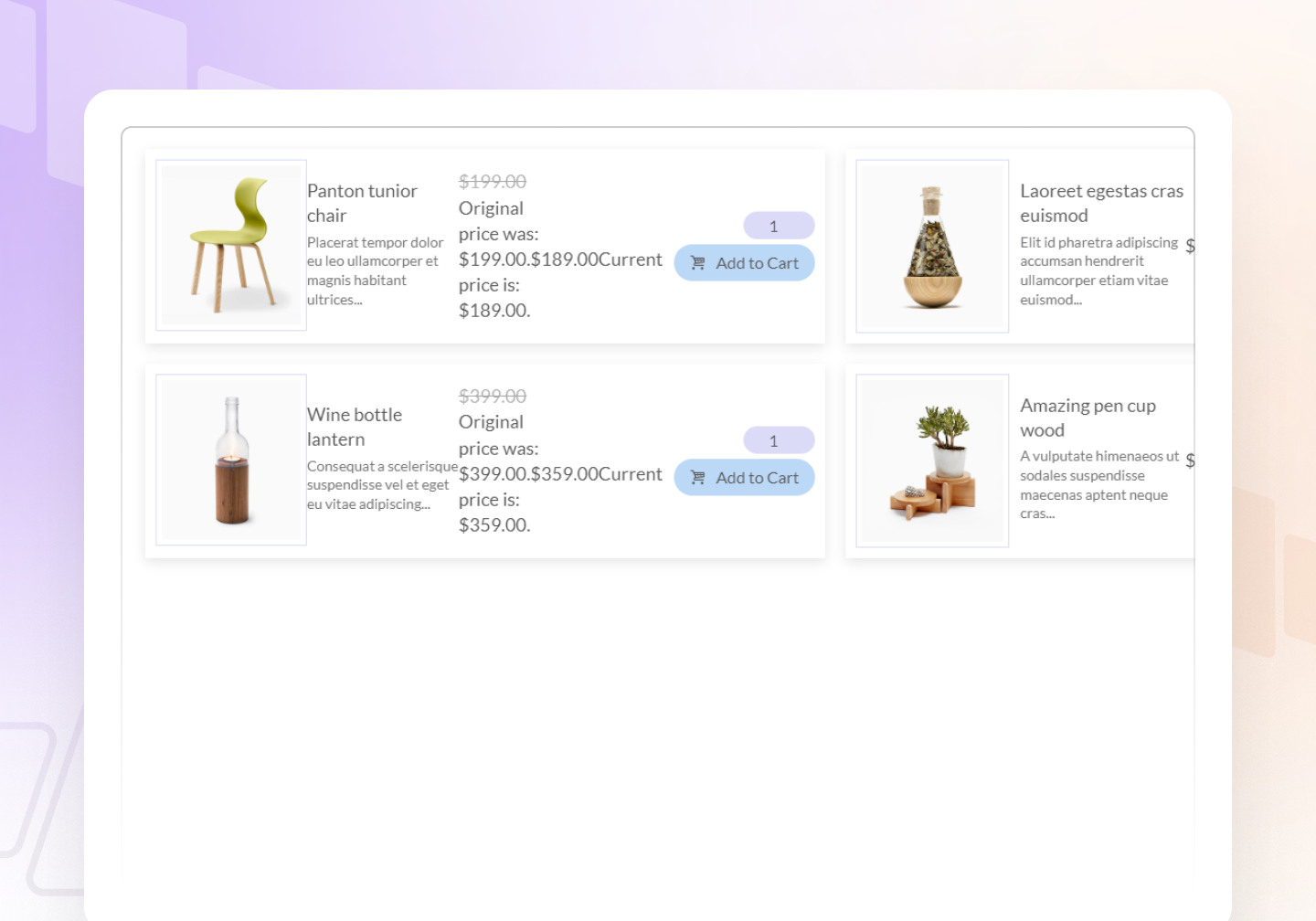
A demo layout
Faq
If you have problems with our plugin or something isn’t working, follow these steps first:
- Test with a WordPress default theme.
- Deactivate other plugins to rule out conflicts.
- Make sure all versions (plugin, theme, WordPress, WooCommerce) are updated.
If the issue remains, submit a ticket in the forum with your WordPress and WooCommerce versions and a clear description of the issue.
Yes, it automatically adjusts images and layouts for mobile and tablet devices.
Use shortcode: [wpte_product_layout id="1"] in your post or page.
Yes, you can use shortcodes in Elementor, Divi, Beaver Builder, and others. Extensions are coming soon.
Yes — choose your layout from the Shortcode List and click Clone.
Yes — export JSON from Shortcode List and import it from the Import page.
Reviews
v.good
By 
perfect
Amazing
By 
This plug in is easy to use and effective.
Nice, fast, good.
By 
Thanks, it is really good.
Love it!
By 
Very useful and flexible enough to work for us!
Great Plugin - Great Customer Service!
By 
I tried a few plugins before this one. Product Layouts for Woocommerce is the best, by far.
Awesome plugin and support
By 
Great plugin and the support is awesome!!
Brilliant After Care
By 
Had a very picky client that INSISTED the site should list the products alphabetically. No matter what, the default product listing did not want to show correctly.
Sent a request through to the support team, and within a week they had a solution ready for me. Eternally grateful!
Great product, great support! Absolutly recomended for DIVI
By 
Great product, great support! Absolutly recomended for DIVI!
I tried demo, it was already 80% i needed. I asked about one option that was missing, and would be great value for plugin, support managed it in net update like in 10 days or so. Now only thing is missing is some little things on filter, like option to hide empty filters. Also wrote to support about it. And i know they will also incorporate that in some update. If so, this will be used in every Woocommerce base website i make, because its lightweight, has good options, from box, and if it will develop in good direction, some competitors will have problem. Im already considering using this insted of Divi Woo Extended, because it already has filter incorporated, and it works. For any serious webshop, this i a must, and a lot of grid plugins, just dont have that, or just doenst work with most of the paid ajax filter plugins. Keep up the good work, and please if possible check my recomendetion for empty filter options (on/off), and number beside filters also (on/off) .
Awesome plugin
By 
Excellent plugin that is simple to use to improve the appearance of an online business.
Excellent Service
By 
Had a custom issue resolved with custom code, very good service.
Changelog
1.3.5
- New: Fixed the plugin title and description issue.
- Update: Improved plugin user experience (UX).
1.3.4
- New: Added short description feature for General layouts.
- Update: Add Caption layouts Product Excerpt length.
1.3.4
- New: Added short description feature for General layouts.
- Update: Add Caption layouts Product Excerpt length.
1.3.3
- Update: Compatible with WordPress 6.8
- Fix: Fixed Css (Style break) Issue for Layouts.
1.3.2
- Update: Compatible with WordPress 6.7.2
- Fix: Fixed script loading issue in backend
- Fix: Compatible with PHPCS and WPCS
1.3.1
- Fix: Fixed Price issue for Variable product.
- Fix: Fixed min() empty fatal error.
1.3.0
- Update: Compatible with WordPress 6.7
- Fix: Fixed data table sorting issue.
1.2.10
- Fix: Fixed BoxShadow and Border issues for FlipBox.
- Fix: Fixed BoxShadow and Border issues for Call to action.
1.2.9
- Fix: Fixed Button issue in the settings page.
1.2.8
- Update: Changed the brand name WPTOFFE to WPKIN.
- Fix: Fixed Call to action layouts button issue.
1.2.7
- Fix: Fixed WooComerce and Wishlist plugin button issue.
- Update: Improved design for settings page Archive page fields.
1.2.6
- New: Added Pot file for Multi Language Support.
- Update: Added Alphabetically order by in the product query.
- Fix: Fixed order by issue in the product query.
1.2.5
- Update: Changed settings page design.
1.2.4
- Fix: Fixed Demo url issue.
1.2.3
- Update: Allowed HTML with security for product title.
- Fix: Fixed regular and sale price messy issue.
- Fix: Fixed schedule post display issue. We removed it from query so schedule post won’t display
1.2.2
- New: Added admin notice.
- Update: Improved product query.
- Fix: Fixed conditional logic issue for Gradient color.
1.2.1
- Fix: Fixed Icon issue for flatsome theme.
- Fix: Fixed Badge Z-index issue.
- Fix: Fixed Wishlist and Cart button style issue for General layouts style 4.
1.2.0
- Fix: Fixed regular price color not changing issue.
- New: Added Price color options for product table.
- Update: Insert a shortcode after activation to avoid error.
- New: Added Swiper JS.
1.1.10
- Update: Changed Prduct query title instead of Product Settings.
1.1.9
- Fix: Refactored code to improve performance time on the editor page.
- Fix: Refactored enqueue scripts to improve performance and load faster.
- Update: Update editor page layout design.
1.1.8
- Fix: Fixed security issue.
- Fix: Fixed Coumn width issue.
- Remove: Removed google sheet code for security.
1.1.7
- New: Added system status.
- Update: Updated settings page design.
- Update: Changed Plugin Banner.
- Update: Changed Plugin Logo.
1.1.6
- New: Added H tag for product title.
- New: Added hyperlink for product image.
- Update: Changed Call to Action style 1 code formate.
- Update: Changed Call to Action style 2 code formate.
- Update: Changed Table Layout style 1 code formate.
- Update: Changed List Layout style 1 code formate.
1.1.5
- Update: Tested with WordPress 6.3
- Update: Changed General Layouts style 1 code formate
- Update: Changed General Layouts style 2 code formate
- Update: Changed General Layouts style 3 code formate
1.1.4
- New: Added Upgrade button in the top menu.
- New: Added Offer Modal.
- Fix: Fixed Vulnerabilities Security issue.
1.1.3
- New: Added Filter Addons.
- Fix: Fixed switcher function issue.
1.1.2
- New: Added Pagination in Advanced tab in editor.
- Enhancement: Added Condition in editor for tabs.
- Enhancement: Added Inner Accordion for Product Filter in Advanced tab.
- Fix: Fixed Shortcode syntax error issue.
- Fix: Fixed CSS issue.
1.1.1
- New: Added Caption layouts style 3.
- New: Added Caption layouts style 4.
- New: Added Caption layouts style 5.
- New: Added Caption layouts style 6.
- New: Added Caption layouts style 7.
- New: Added Caption layouts style 8.
1.1.0
- Enhancement: Added PHPCS and WPCS for Security
- Fix: Fixed View Cart icon showing issue using wc_cart_button_updated event.
- Fix: Added View Cart text in Tooltip.
- Fix: Fixed Caption wish list loading icon issue.
- Fix: Fixed style issue in list layout view cart button.
1.0.5
- Fix: Fixed Ajax issue.
- New: Added carousel slider.
- New: Added caption layouts style 2.
1.0.4
- New: Added Call to action layouts style 2.
- New: Added Product list layouts style 1.
- New: Added Caption layouts style 1.
- Fix: Fixed ajax issue.
- New: Added Flipbox style 1
1.0.3
- Fix: Fixed 500 error issue for PHP 8.0
- Fix: Fixed cart icon margin issue
- New: Added Product Tabs
- Enhancement: Added getting started menu instead of support menu.
- Enhancement: Added Icons in Admin Product Layouts page ( Tutorial, Doc, Demo ).
- Enhancement: Added Doc and Support url in admin top menu.
- Fix: Fixed enqueue styles loading in footer.
- Fix: Removed Some stylesheet.
- Enhancement: Added SCSS for CSS.
- Fix: Fixed responsive issue.
1.0.2
- Fix: Fixed Export issue.
- New: Added font in admin area.
- New: Added admin support page.
- New: Added include product filter option.
- New: Added exclude product filter option.
- New: Added Hide Out of Sotck Products Switcher in Editor Settings.
- New: Added Separator control
- New: Added Call to Action Style 1
- New: Added Product Table Style 1
- New: Added Product Filter
1.0.1
- New: Added Quick View
- New: Added Compare
- New: Added Wishlist
- New: Added query badge instead of old badge and fixed issue.
- Fix: Fixed Font Issue
- New: Added General Layout Style 2
1.0.0-beta
- Initial Plugin