Product page shipping calculator for WooCommerce
Product page shipping calculator for WooCommerce
Description
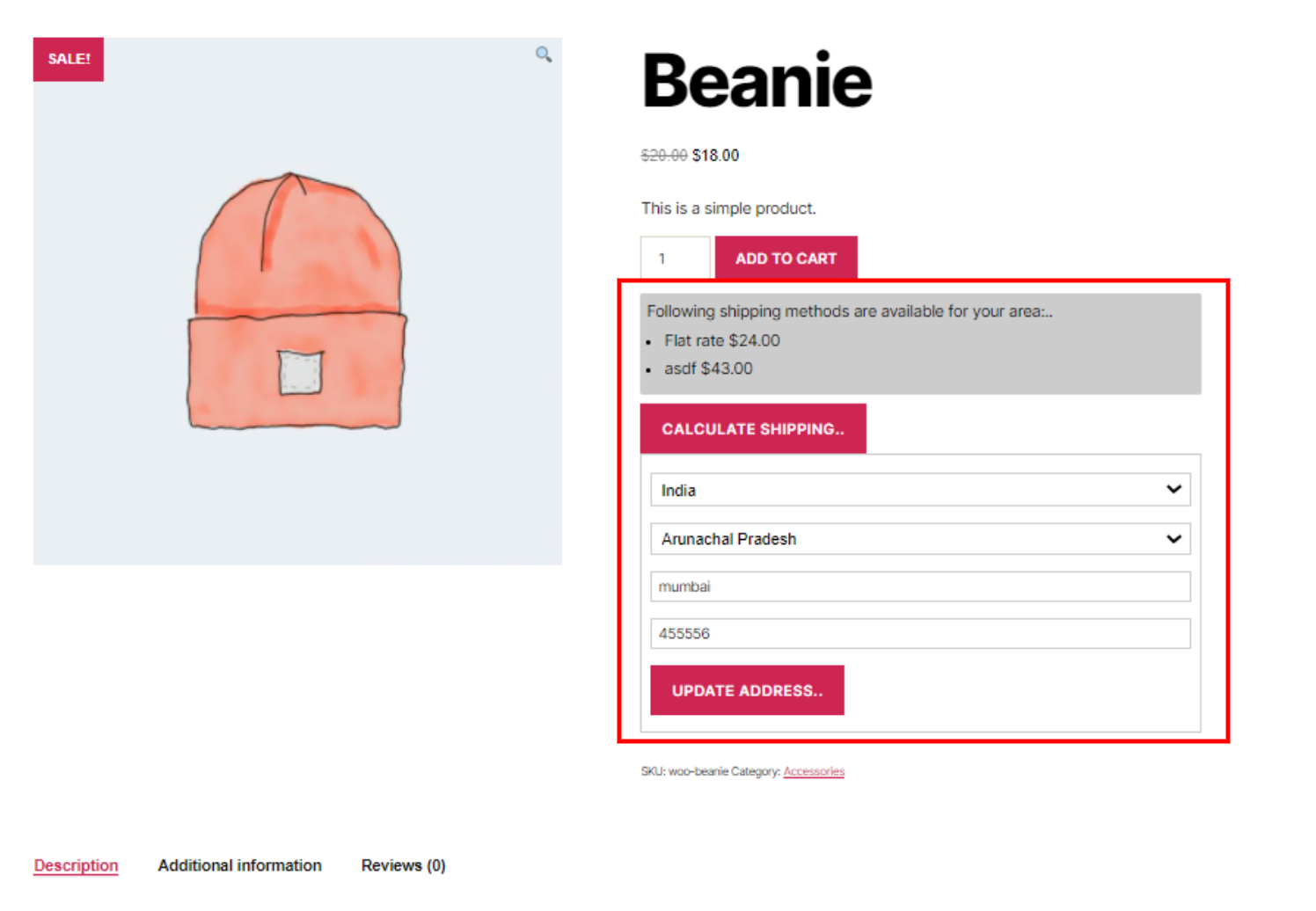
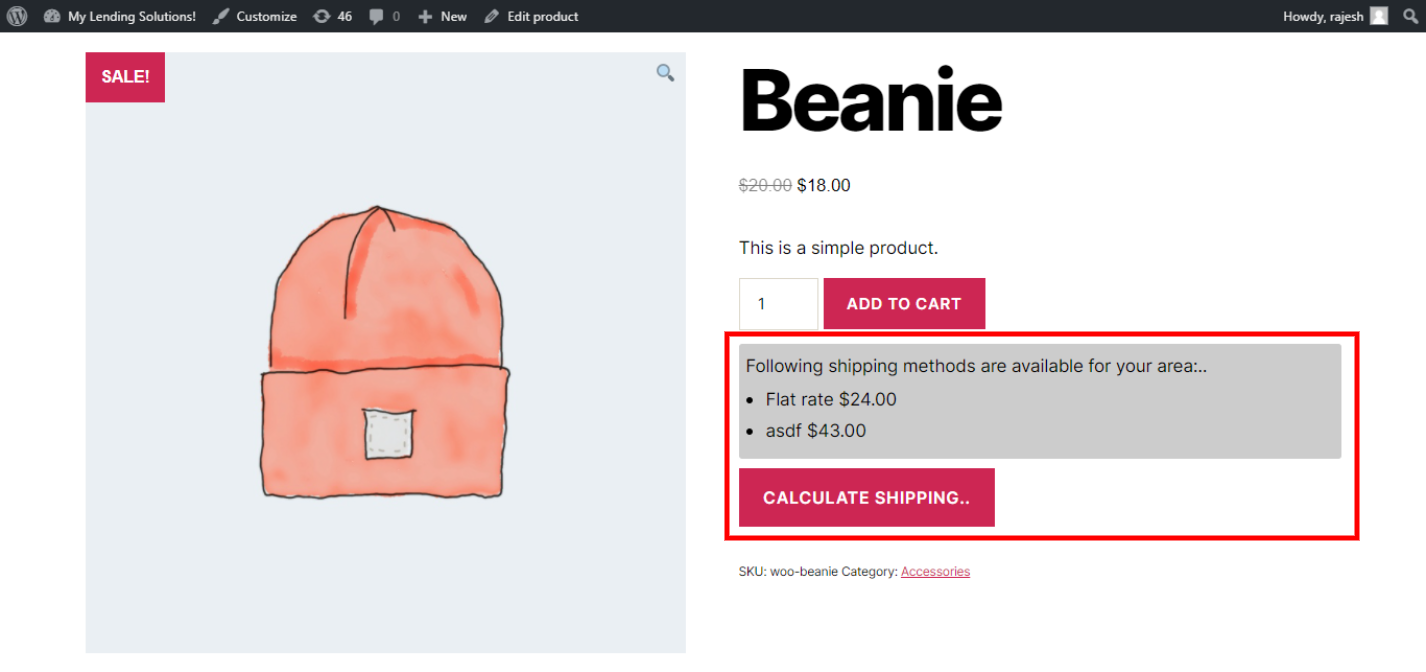
✅ Allow your customers to calculate shipping before adding the product to the cart.
✅ Check available shipping methods in your area
✅ Customers can know whether the product can be shipped to their location or not, so they don’t have to go to the checkout page to find out that you don’t ship to their area
✅ The plugin shows the available shipping methods even when a customer has not added their address; it shows methods based on the shipping zone assigned to the customer by WooCommerce
✅ They can change the delivery location and see the updated cost and shipping methods available for that particular location
✅ All calculations are done via AJAX, so no page reload is needed, and page caching will not affect it as well
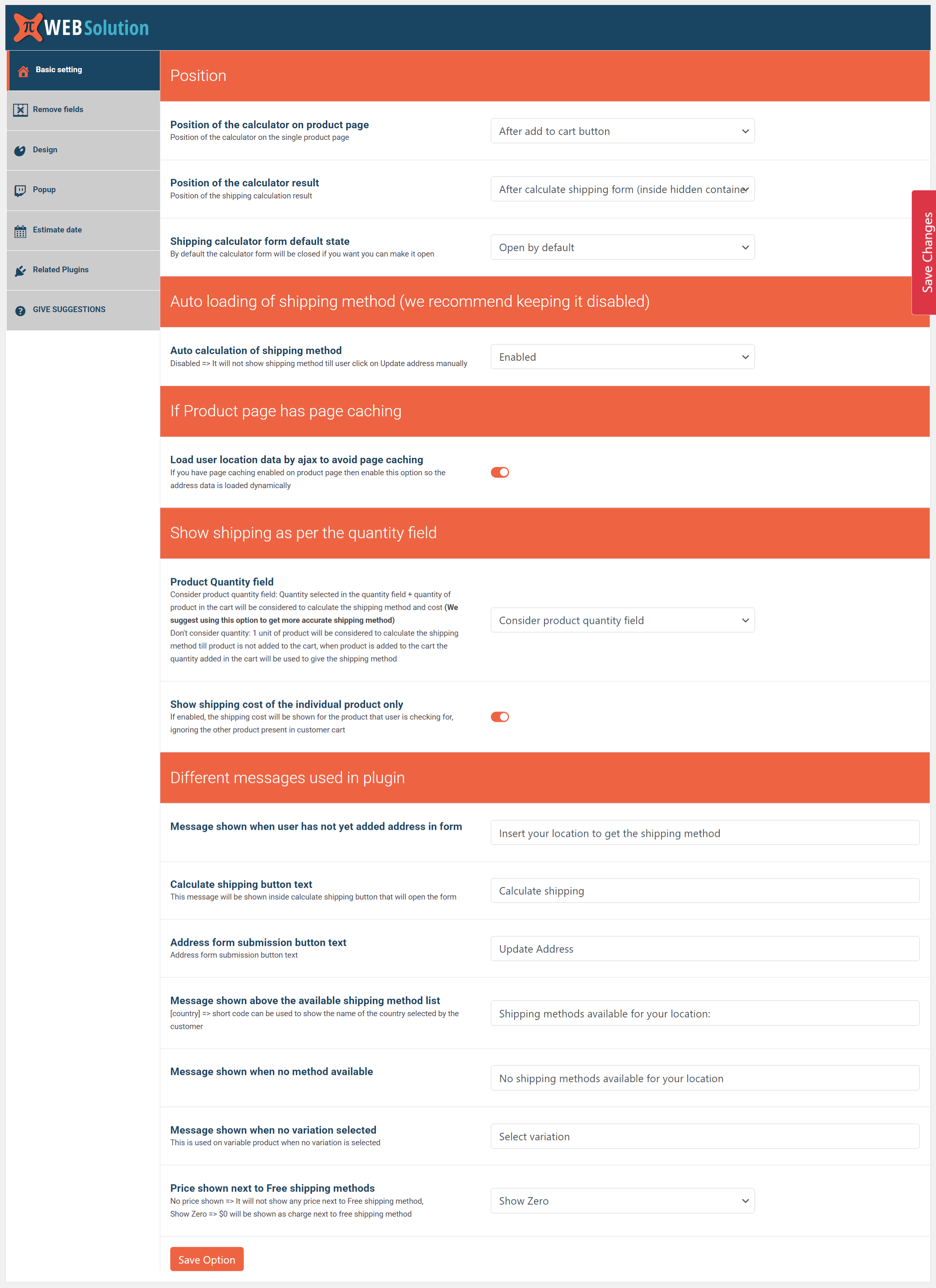
✅ Change the position of the calculator on the product page to be above the Add to cart button or below the Add to cart button
✅ [pi_shipping_calculator] If auto-insertion isn’t working for you or there is some other issue with the auto-inserted position, you can enable the shortcode option and insert it via the shortcode [pi_shipping_calculator] on the product page. To enable the shortcode option go to Basic Setting > Position of the calculator on product page > Insert by shortcode [pi_shipping_calculator]
✅ It supports WPML and Polylang
✅ Disable auto-loading of the shipping methods
✅ Select a different position for the result from the given 3 positions
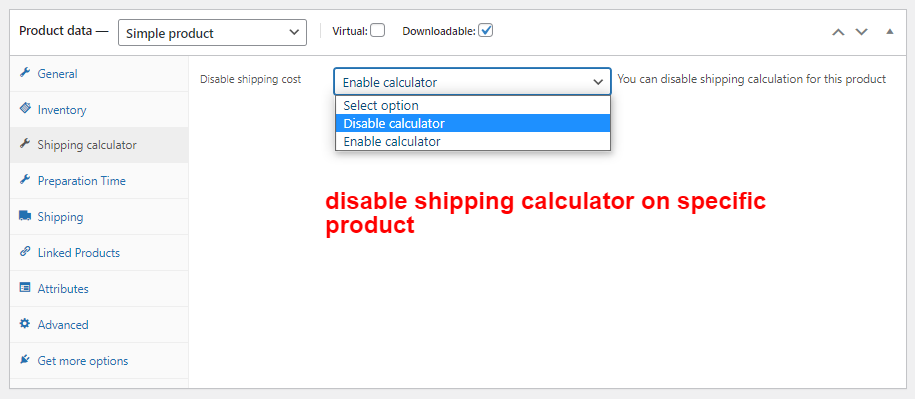
✅ Disable the shipping calculator on a specific product
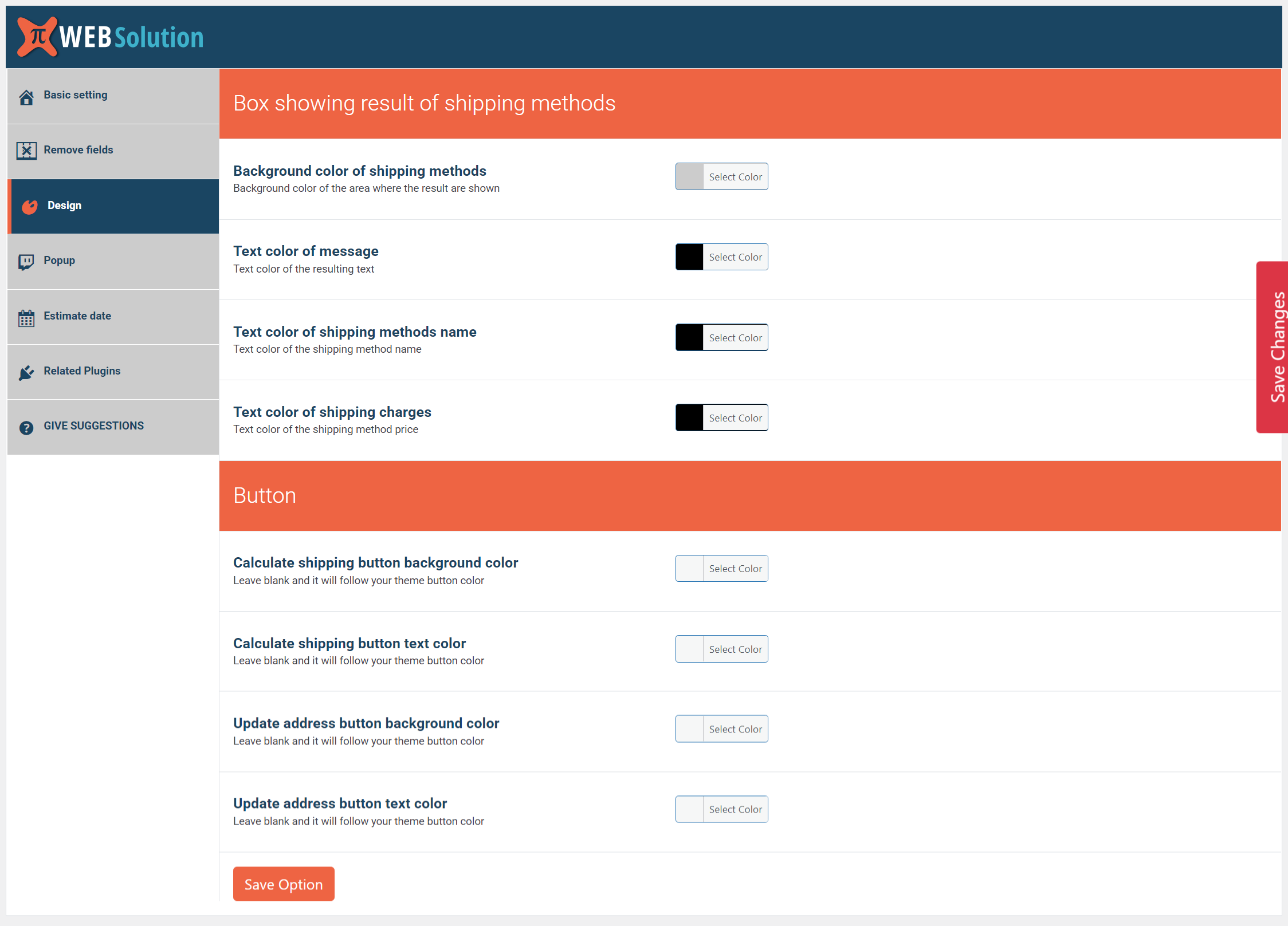
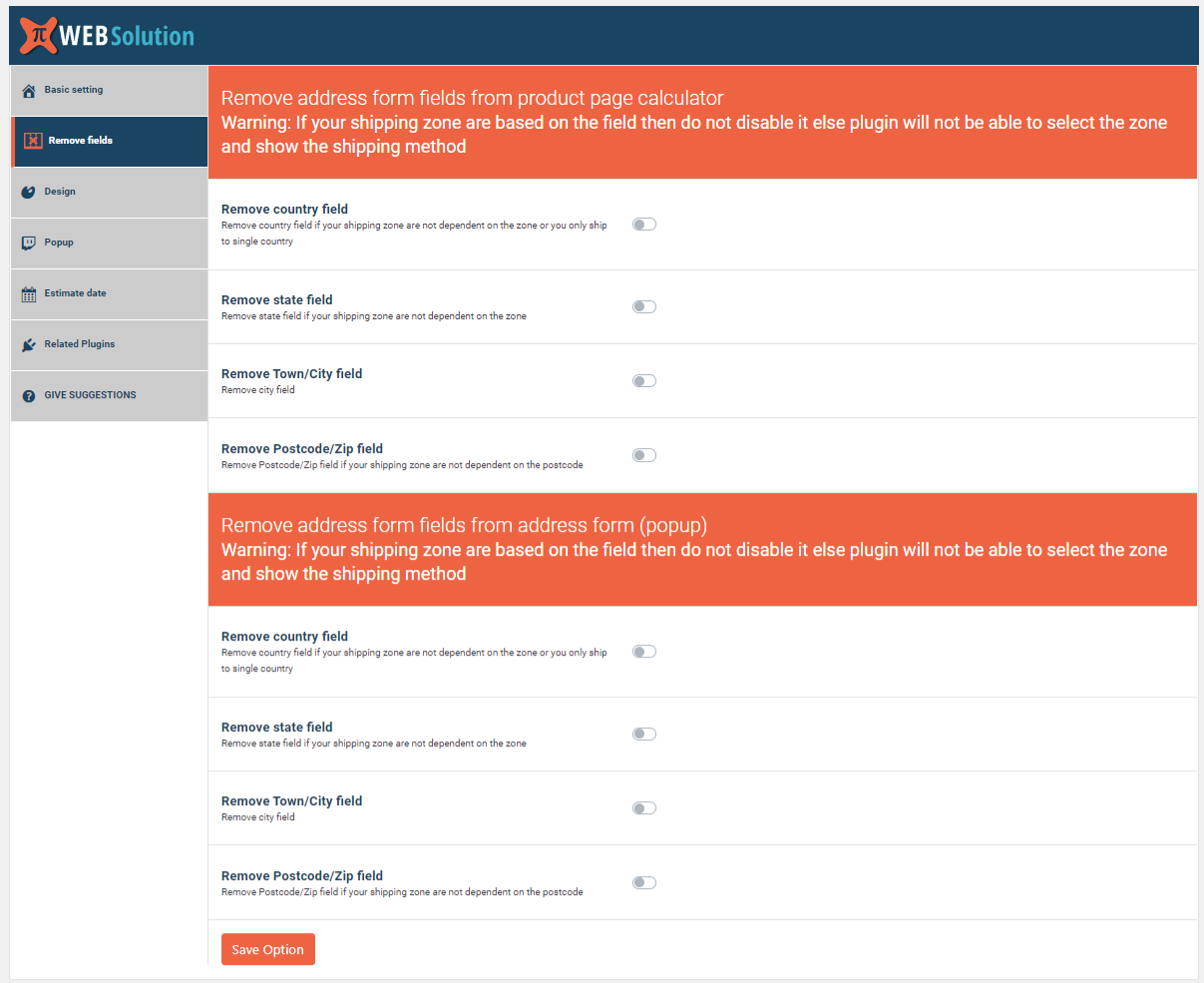
✅ Remove the state field from the calculator form or address form; do this only if your shipping zones are not dependent on the state
✅ Remove the city field from the calculator form or address form
✅ Remove the postcode field; do this only if your shipping zones are not dependent on the postcode
✅ Remove the country field from the calculator form or address form (only works when you ship to a single country)
✅ Consider the quantity the user has added in the quantity field on the product page, and show the shipping charge as per that quantity. (The “Consider quantity” option is disabled by default so you need to enable it)
When this option is enabled:
When product A is not in the cart = shipping will be shown as per the quantity set in the quantity field

When product A is present in the cart  = shipping will be shown as per the quantity set in the quantity field plus the quantity present in the cart
✅ You can configure the plugin to show the shipping cost of the product the customer is checking, ignoring the shipping cost of other products in the cart. This is useful when you have a product that has a different shipping cost than other products in the cart.
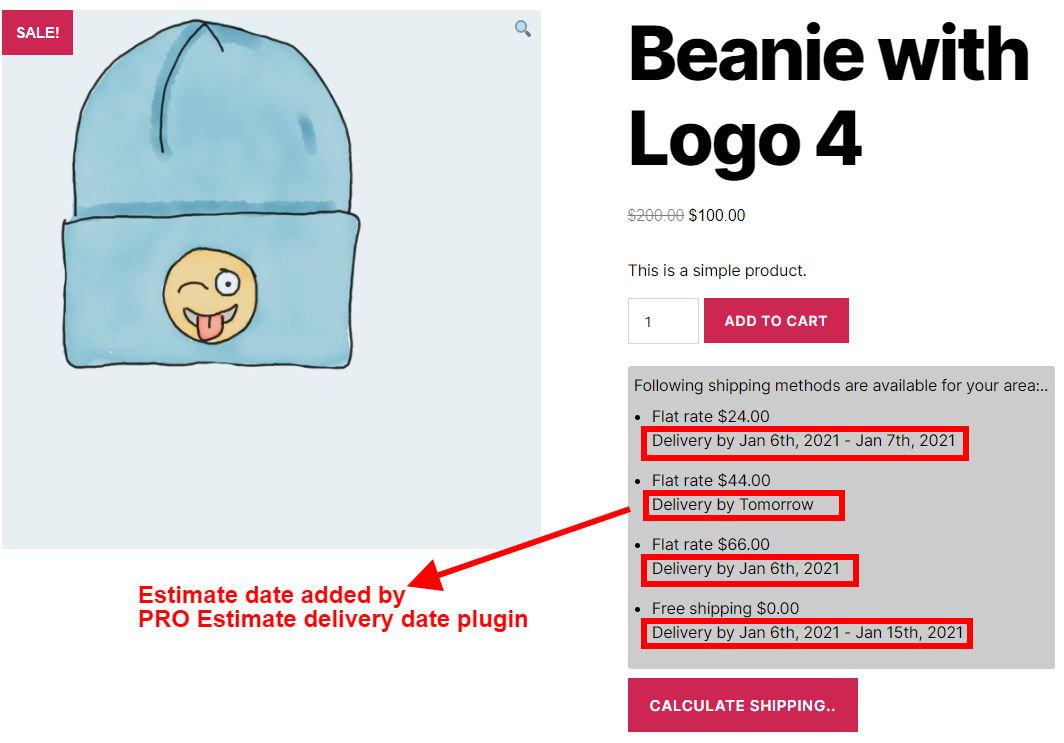
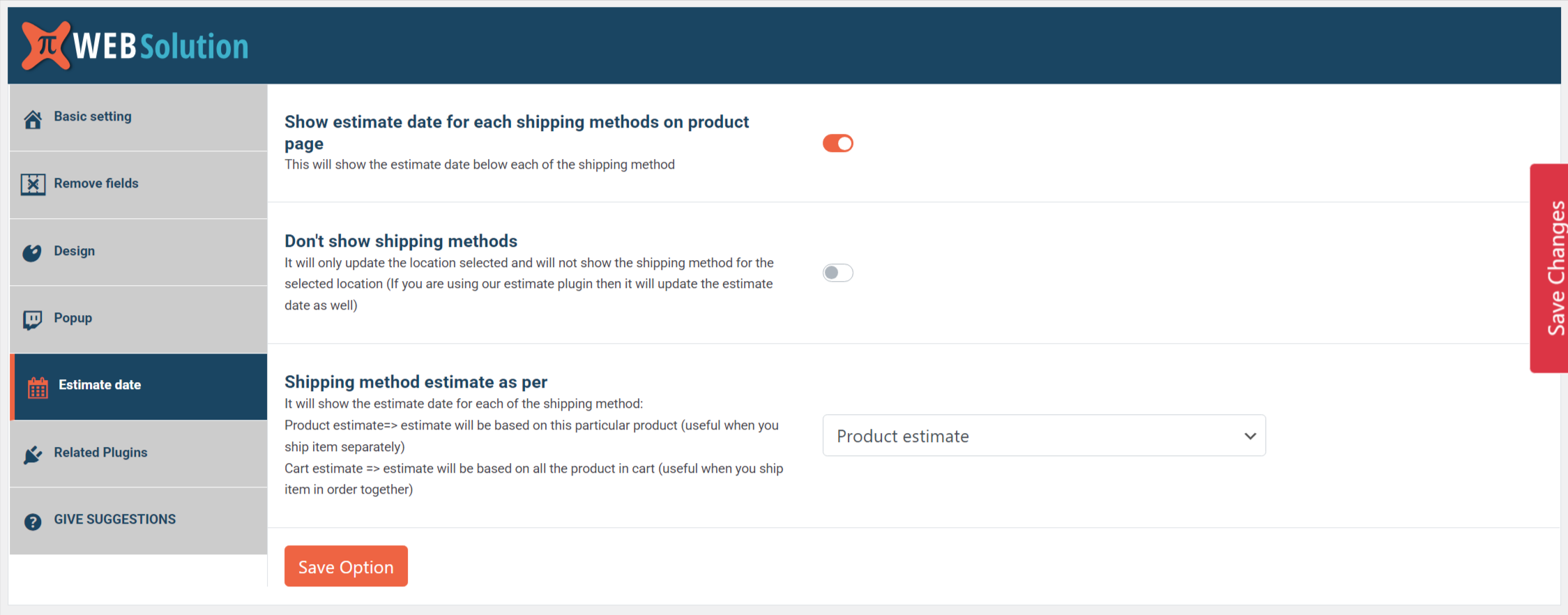
✅ This plugin is compatible with our PRO Estimate delivery date plugin, so you can show the estimated delivery date for each of the shipping methods
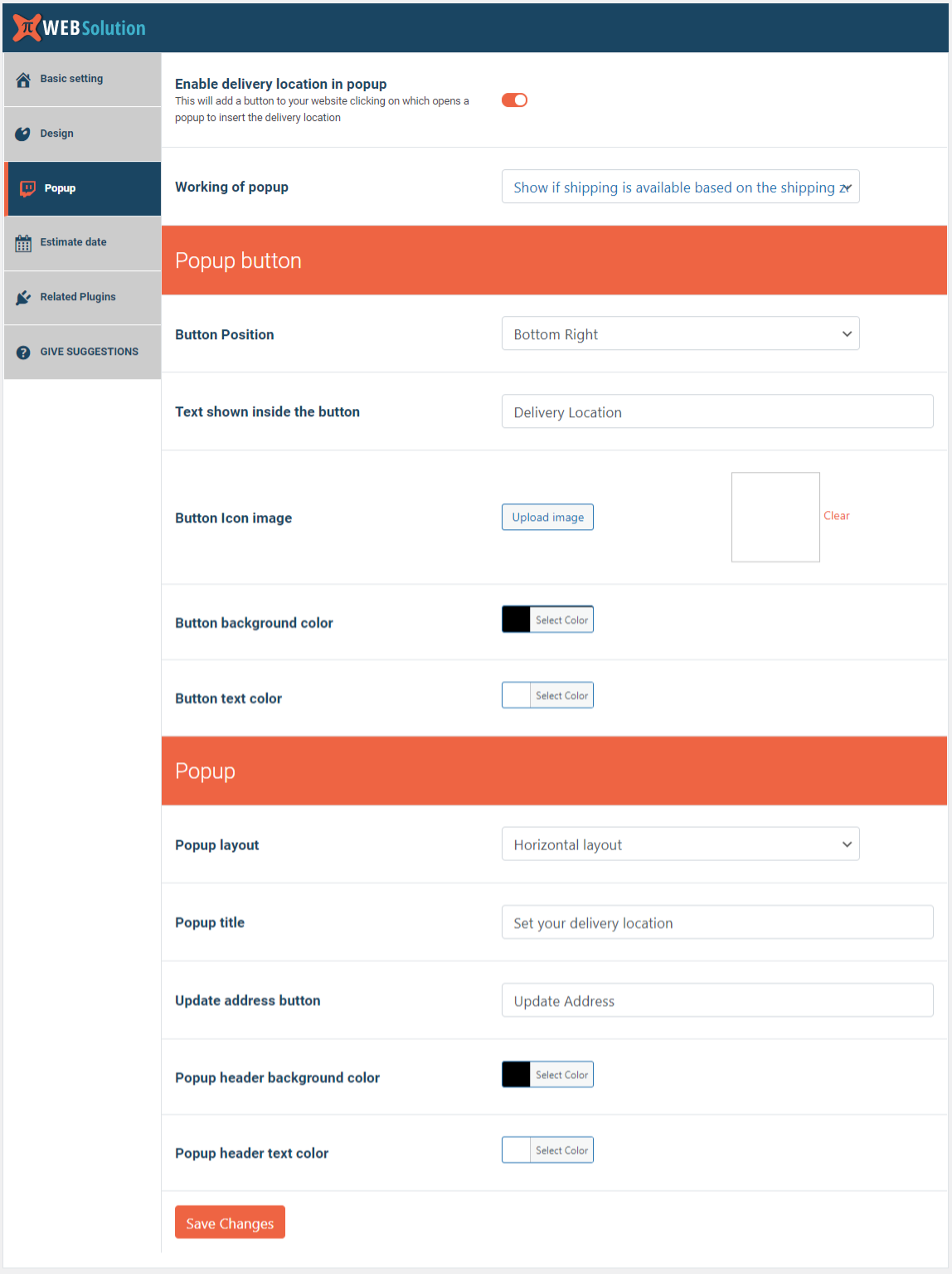
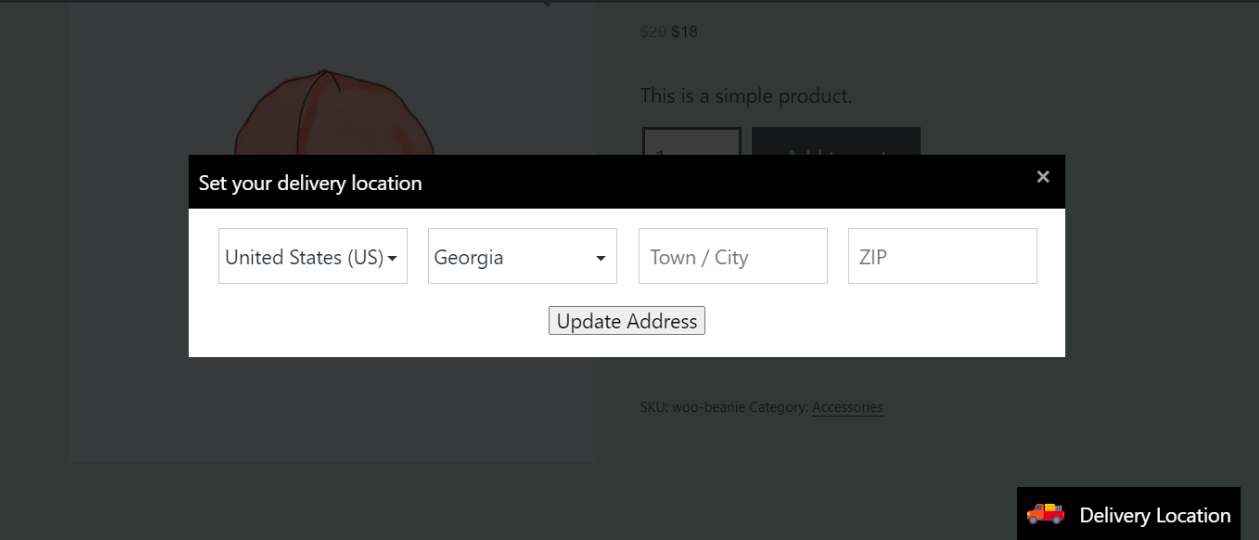
✅ Show the location selection box inside a popup
✅ Enable the option of “Load user location data by AJAX to avoid page caching” to make the calculator work properly when you have page caching enabled on the product page (you will find this option under the Basic Setting tab)
✅ Working of the popup:
Used to get location = In this mode, the form is only used to get the user’s location in the popup
Show if shipping is available = In this mode, the popup is used to take the location and also show the message whether shipping is available to that location or not.
For the plugin to show a “shipping is available” message, there should be a shipping zone present with a shipping method. If there is no shipping zone available matching the user’s location or if there is a zone but there is no shipping method then it will return the message “No shipping available for the location.”
Show if shipping is available and also show shipping methods = In this mode it will show the message plus all the shipping methods available in that zone
✅ You can add the address insertion form via shortcode as well [pi_address_form]
✅ You can check if shipping or delivery is available in a particular postcode/zip code or not
✅ Use our PRO Estimate Date and Time plugin along with this plugin to show the estimated delivery date for the customer’s location
Explore our other plugins to supercharge your WordPress website:
Privacy
If you choose to opt in from the plugin settings, or submit optional feedback during deactivation, this plugin may collect basic technical information, including:
- Plugin version
- WordPress version
- WooCommerce version
- Site URL
- Deactivation reason (if submitted)
This data is used solely to improve plugin quality, compatibility, and features. No personal or user-specific data is collected without consent.
Screenshots
Faq
Yes, you can add your language to the plugin
When you use this plugin along with our PRO Estimate delivery date plugin, then you will be able to show the estimated date for each of the shipping methods
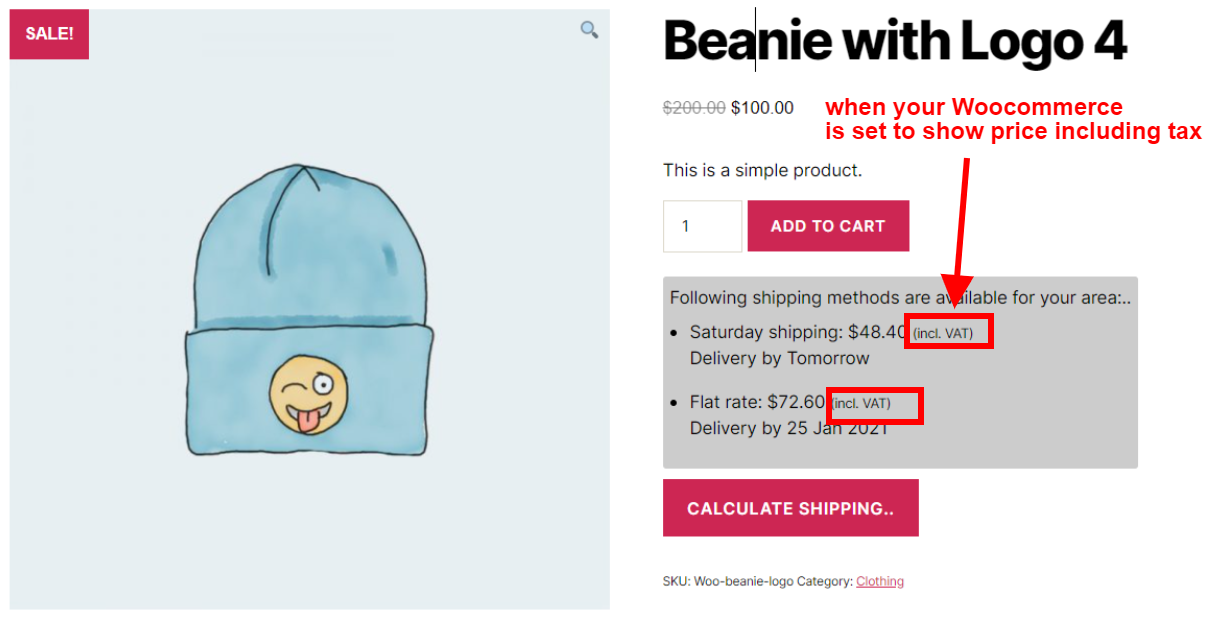
It follows your WooCommerce tax settings, so if you have set it to show prices including tax then it will show the shipping cost including tax next to the shipping method, but if you have configured it to show costs excluding tax then it will show only cost and not tax
Yes, at present we have given two position options: one is above and one is below the add to cart button on the product page.
There is an option to disable the auto-loading of estimate. Once disabled, the estimate will not load automatically; the user will have to manually get it calculated
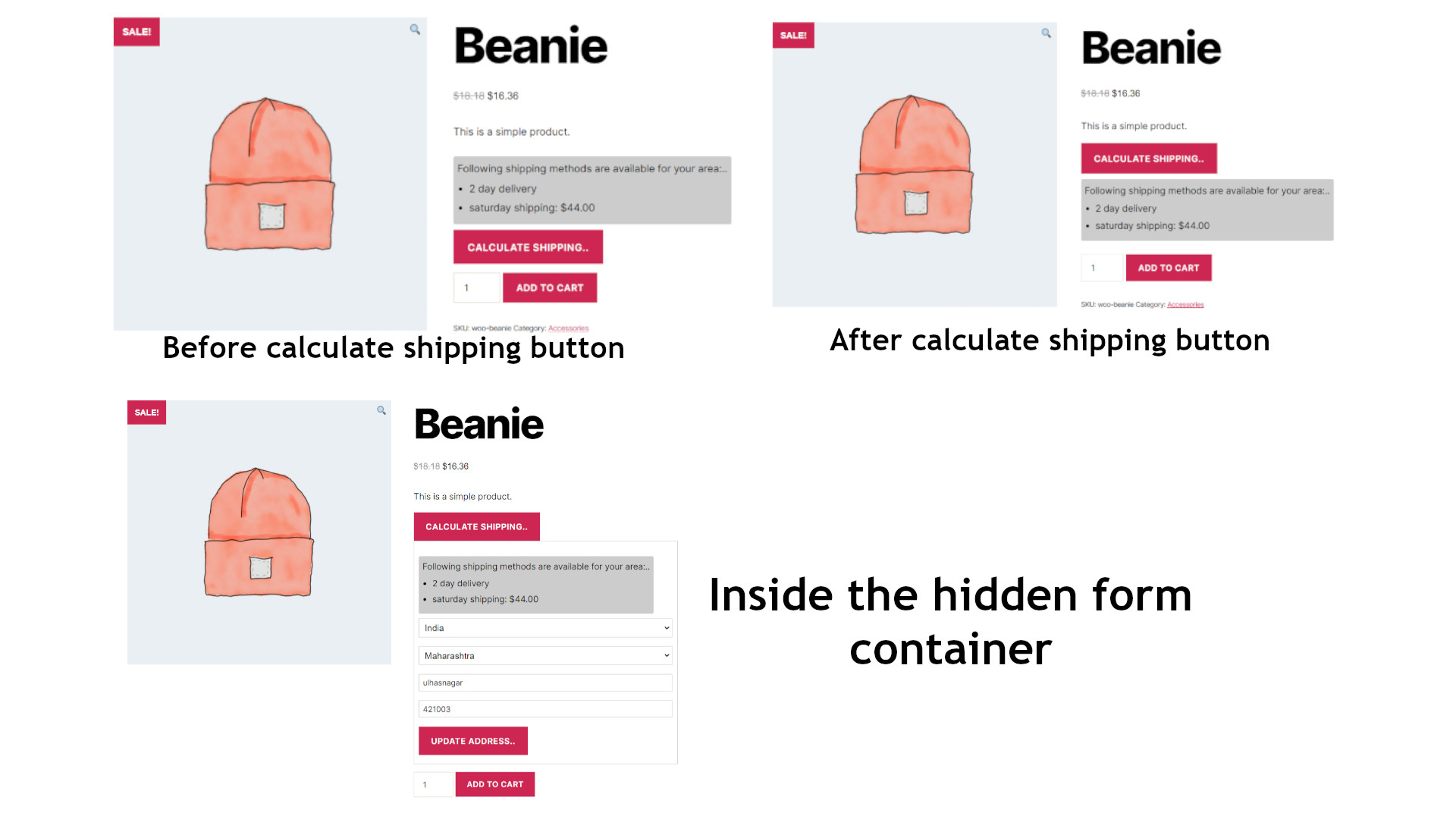
Plugin gives you 4 positions where the result can be shown,
1) After the “Calculate shipping” button
2) Before the “Calculate shipping” button
3) Before the “Calculate shipping” form (inside hidden container)
4) After the “Calculate shipping” form (inside hidden container)
The positions 3 and 4 are inside the container that is hidden until the user clicks on the “Calculate shipping” button
Set the option “Product Quantity field” to “Consider product quantity field”, then the plugin will consider the quantity set in the quantity field to show the shipping method
When this option is enabled:
When product A is not in the cart = shipping will be shown as per the quantity set in the quantity field
When product A is present in the cart = shipping will be shown as per the quantity set in the quantity field plus the quantity present in the cart
The country of the shop set in the (WooCommerce > Settings > General) is the default selected country in the calculator form
Yes you can add that by shortcode [pi_address_form] and you can set
Popup Tab > Working of popup as “Show if shipping is available and also show shipping methods” so it can show shipping method for the added address
Yes you can do that from the Remove fields setting Tab
Yes you can do that from the Remove fields setting Tab
Yes if you ship to single country only then you can remove country field as well
This option is only available when you ship to a single country only, so if you ship to a single country then go in WooCommerce > Settings > General and configure your “Shipping location(s)” to a single country. Once done then this option to remove country will be available to you
Yes you can add the calculator by shortcode [pi_shipping_calculator] on your product page.
Yes you can insert by shortcode, go to Basic Setting > Position of the calculator on product page > Select: Insert by shortcode [pi_shipping_calculator]
Enable the option of “Load user location data by AJAX to avoid page caching”; that will avoid the issue caused by page caching
Yes, it is HPOS compatible
Reviews
Free Shipping
By 
Hello, thank you for your awesome extention. I just wanted to suggest an important option for your plugin. I'm using "Hide Shipping" addon for just having that feature. Could you please add "Hide all other shipping method and when "Free Shipping" available on the cart page" feature in your addon? Great days!
Me salvou
By 
Excelente o plugin, ainda estou testando - Muito obrigado aos desenvolvedores!
Works great, plenty customizable
By 
Really helpful plugin and reduced the questions about shipping-price via e-mail to 0.
ottimo plugin
By 
Ottimo plugin, efficace nella visualizzazione per i clienti e facile da integrare. Complimenti.
Great help!!!
By 
It took me a minute to figure it out, but after a while it was great. Love it.
Perfect plugin for free and super customizable!
By 
the plugin works perfectly and it is super customizable, thank you!
Excellent
By 
First time using it, is awesome!
Lo mejor
By 
El mejor complemento muchas gracias !!!
Search bar
By 
Hola, me gustaría que implementaran un buscador en este caso estoy usando el plugin para mostrar los costos de envíos en la página del producto, una tienda online en Chile, donde solo mostramos comunas y regiones, pero como son muchas es tedioso que el usuario busque una por una. Sería bueno incluir un buscador para facilitar la UX del usuario.
Best Shipping Calculation Plugin For WordPress By Far!
By 
There are such a limited amount of plugins on WordPress that allow you to show the shipping cost of products on the product page, something that in my opinion is an absolute necessity. Thankfully this plugin does absolutely everything needed, and for free! Thanks to the team at PIWebSolution for their great work!
Changelog
1.3.49.61
- Tested for WC 10.2.1
1.3.49.47
- Tested for WC 10.0.2
1.3.49.46
- UI improvement in shipping calculator backend setting page
- WooCommerce shipping calculator tested for WooCommerce 9.9.5
1.3.49.44
- WooCommerce shipping calculator tested for WooCommerce 9.9.3
1.3.49.43
- Tested for WC 9.8.0
1.3.49.42
- Tested for WP 6.8.0
1.3.49.41
- Tested for WC 9.7.2
1.3.49.40
- Now it can handle the variation even when the default value of the variation is not defined
1.3.49.39
- Tested for WC 9.6.2
1.3.49.37
- Tested for WC 9.6.0
1.3.49.34
- plugins page revised to show our plugins
1.3.49.33
- Tested for WC 9.5.0
1.3.49.30
- Tested for WC 9.4.0
1.3.49.29
- Tested for WP 6.7.0
1.3.49.27
- Tested for WC 9.3.3
1.3.49.26
- Tested for WC 9.3.0
1.3.49.24
- Option to show shipping method based on specific product only, ignoring the product in the cart
- Now JS adds the calculated shipping cost based on the container class; this allows us to show shipping cost even if there are multiple forms present on the page
1.3.49.23
- Tested for WC 9.2.0
1.3.49.22
- Tested for WC 9.1.4
1.3.49.21
- Tested for WP 6.6.1
1.3.49.20
- Tested for WC 9.0.0
1.3.49.19
- Tested for WC 8.9.3
1.3.49.17
- Tested for WC 8.9.0
1.3.49.16
- Tested for WC 8.8.3
1.3.49.13
- unnecessary location AJAX disabled
1.3.49.12
- Tested for WP 6.5.0
1.3.49.11
- Made compatible with PHP 8.2
1.3.49.9
- AJAX request fired on page where no calculation is done fixed
1.3.49.7
- Tested for WC 8.6.0
1.3.49.6
- Tested for WP 6.4.3
1.3.49.4
- Tested for WC 8.5.2
1.3.49
- Tested for WC 8.3.0
1.3.43
- Tested for WC 8.2.0
1.3.42
- Tested for WP 6.3.1
1.3.39
- Tested for WC 8.0.2
1.3.37
- Tested for WC 8.0.1
- Made compatible with estimate date version 4.7.21.10 as one of the functions was changed
1.3.36
- Nofollow added in the button links
1.3.34
- Loading icon when processing the request
- Block form accepting input when processing the request
- Issue of direct form submitting solved
1.3.33
- Reduce AJAX requests when auto loading is disabled
- Hide button if the button text is left empty
1.3.32
- Tested for WP 6.3.0
1.3.31
- Tested for WC 7.8.2
1.3.30
- HPOS compatible
- Tested for WC 7.8.0
1.3.29
- Tested for WC 7.7.2
1.3.23
- Estimate trigger for variable product
1.3.22
- Tested for WC 7.6.0
1.3.21
- Option added to load user location data by AJAX to avoid product page caching
- Form manager updated to v3.7
- Tested for WP 6.2.0
1.3.19
- Shortcode for product page calculator added [pi_shipping_calculator]
1.3.17
- Tested for WC 7.4.0
1.3.16
- Quick save option given to save settings fast
- $rate undefined when using popup for getting location only fixed
1.3.13
- JS error fixed
1.3.12
- Changed AJAX hook from admin-ajax.php to wc_ajax
1.3.11
- Option to show zero rate next to free shipping method
1.3.7
- Made compatible with PHP 8.1