Vartable for WooCommerce
Vartable for WooCommerce
Description
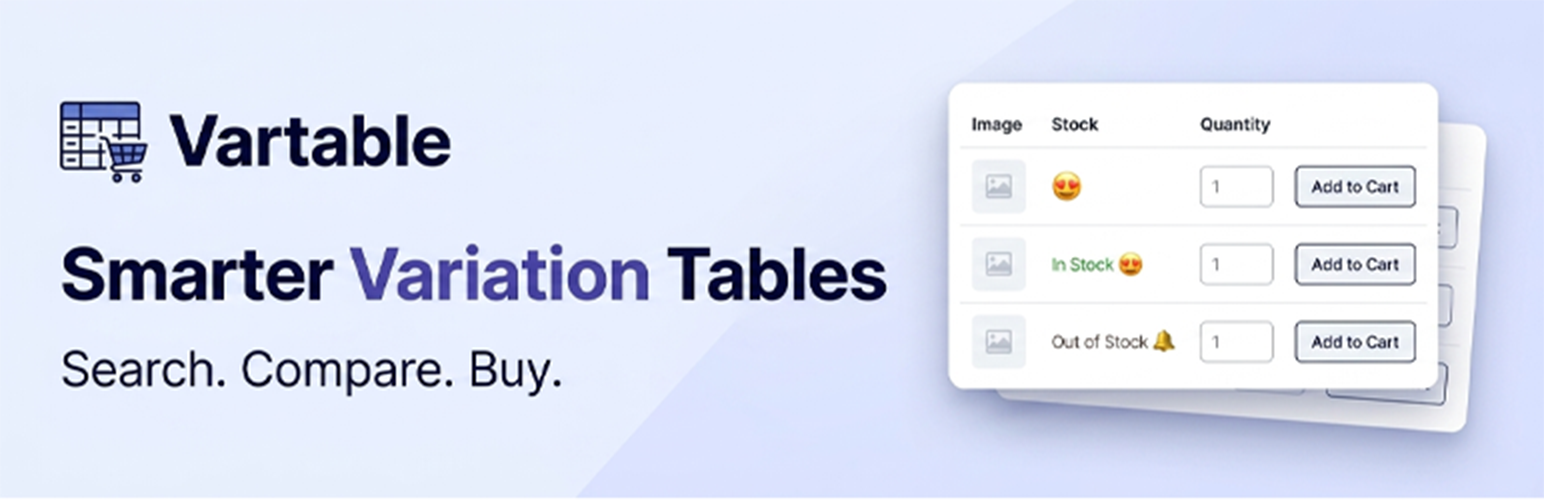
Vartable for WooCommerce is a powerful WooCommerce plugin that replaces the default variation dropdown with a fully featured, professional-looking table. Customers can see all product variations at a glance, search and filter them, and add multiple items to the cart at once.
Key Features
Table Display
* Shows all product variations in a clean, responsive table
* Auto-displays on product pages or place anywhere with a shortcode
* Supports multiple tables per site with different settings each
Columns (fully customizable)
* Image, Name, Categories, Tags, Reviews, Stock, Price, Total, SKU, Size/Variation, Quantity, Buy Button
Search & Filter
* Live search bar searches by name, SKU, price, size, stock status, categories
* Category filter dropdown — filter variations by product category
* Pagination show 5, 10, 15, 20, 25 or 50 rows per page
Styling & Templates
* 8 pre-built color templates: Soft Purple, Sage Green, Sky Blue, Warm Taupe, Burnt Orange, Silver Linen, Dusty Teal, Frost Grey
* Full color control: header, text, alternate rows, buttons, borders
* Alternate row background color + text color (fully customizable)
* Responsive design works on desktop, tablet and mobile
Cart & Buying
* Add single variation to cart directly from the table
* Bulk Add to Cart select multiple variations and add all at once
* Quantity input per row with min/max/step support
* Real-time total price calculation per row
* WhatsApp ordering automatically converts Add to Cart buttons into WhatsApp order links when a WhatsApp button/link is detected on the page
Simple Products
* Multi-Product Simple Table create a single table listing multiple simple products together (great for bulk-buy / catalog-style pages)
* Display via shortcode for full control over placement
* Add to cart, search, filter and compare all work with simple products too
Stock & Notifications
* Out-of-stock “Notify Me” button with email subscription
* Custom stock status icons (emoji supported)
* Low stock threshold setting
* Hide out-of-stock variations option
* Show/hide stock quantity
Compare Feature
* Variation comparison mode select multiple variations and compare side by side
* Floating compare bar with drawer panel
Advanced Settings
* Choose table position on product page (before/after add to cart, before/after summary)
* Show table on all products, specific products, or exclude certain products
* Show/hide sale badge, images, stock quantity
* Multi-language support (English, Urdu, Arabic, Spanish, French, German, Chinese, Japanese, Portuguese, Russian, Hindi)
Shortcode Usage
Display the variation table anywhere using:
[wcvtp_variations_table]
On a specific product page:
[wcvtp_variations_table id="123"]
Who Is This For?
- WooCommerce store owners selling products with multiple variations (sizes, colors, etc.)
- Wholesale stores needing bulk ordering
- Fashion, apparel, sports, and electronics stores
- Anyone looking for a better variation display than the default WooCommerce dropdown
Installation
- Upload the
product-variation-tablefolder to the/wp-content/plugins/directory - Activate the plugin through the Plugins menu in WordPress
- Go to Vartable for WooCommerce in your WordPress admin menu
- Click Add New Table to create your first variation table
- Configure columns, styling, and settings as needed
- The table will auto-display on your product pages, or use the shortcode
[wcvtp_variations_table]
Screenshots

Variation table displayed on a product page

Variation Comparison drawer — compare selected variations side by side

Admin panel - Pre-built color templates (Soft Purple, Sage Green, Sky Blue, Warm Taupe, Burnt Orange, Silver Linen, Dusty Teal, Frost Grey)

Variation table shown alongside the product image on the product page

Admin panel - Table styling settings (colors, spacing, typography, image size)

Admin panel - Column management (drag to reorder, toggle to enable/disable)

Admin panel - Display settings (stock options, status icons, sale badge, variation images)

Admin panel - Stock Alerts (Notify Me subscriptions)

Admin panel - My Tables overview (manage multiple tables, shortcodes, duplicate/edit/delete)
Faq
Yes. WooCommerce must be installed and active for this plugin to work.
Yes! Use the shortcode [wcvtp_variations_table id="YOUR_PRODUCT_ID"] on any page, post or widget.
Yes. You can create multiple tables with different settings and assign them to specific products using the product selection option.
No. While the plugin was originally built for WooCommerce variable products, it now also supports simple products — both as part of a Multi-Product Simple Table and on individual simple product pages.
Yes. The table is fully responsive and adjusts for desktop, tablet and mobile screens.
Yes. Enable the “Bulk Add to Cart” option and customers can select quantities for multiple variations and add them all in one click.
You can enable or disable: Image, Name, Categories, Tags, Reviews, Stock, Price, Total, SKU, Size/Variation, Quantity, and Buy Button.
Yes. Full color control is available — header background, header text, alternate row colors, button colors, border color. You can also choose from 8 pre-built templates.
Yes. The plugin includes translation support and works with RTL languages including Urdu and Arabic.
When a variation is out of stock, a “Notify Me” button appears. Customers can enter their email to be notified when the product is back in stock.
Yes. Enable the compare mode and customers can select multiple variations to view them side by side in a comparison drawer.
It lets you select multiple simple (non-variable) WooCommerce products and display them together in a single bulk-buy table. The table automatically appears on each selected product’s page so customers can compare them easily, and it can also be placed anywhere else using the shortcode.
Yes. If a WhatsApp button or link is detected on the product page, the plugin can automatically convert the table’s Add to Cart buttons into WhatsApp order links, prefilled with product, quantity, price and total details.
Reviews
Vartable ( The Best WooCommerce Variation Table Plugin)
By 
I have been using Vartable for WooCommerce and it completely transforms
the product variation experience. Instead of boring dropdowns, all
variations are displayed in a clean, professional table with search,
filter, notify me and compare features built right in.
What impressed me most is the Bulk Add to Cart feature. Customers can
add multiple variations at once with quantity input per row and
real-time price calculation perfect for wholesale stores.
The design is fully responsive with 6 beautiful color templates,
and the shortcode makes placement flexible anywhere on the site.
Multi-language support including Urdu and Arabic is a great bonus
for regional stores.
Overall, Vartable is a MUST-HAVE plugin for any WooCommerce store
with variable products. Clean, fast, and feature-packed.
Highly recommended!
Changelog
1.0.3
- New Feature: Simple Products Multi-Product Table. Select multiple simple products to display together in one bulk-buy table — automatically shown on each selected product’s page (for easy comparison), and also placeable anywhere via shortcode.
- New Feature: WhatsApp ordering automatically converts Add to Cart buttons into WhatsApp order links when a WhatsApp button is detected on the page.
- Added 2 new color templates (now 8 total): Dusty Teal and Frost Grey.
- Redesigned existing color templates with a refreshed palette: Soft Purple, Sage Green, Sky Blue, Warm Taupe, Burnt Orange, Silver Linen.
- Product search in admin now returns both variable and simple products for “Only Selected Products” mode.
- Add to Cart (single + bulk) now supports simple products alongside existing variable product support.
- Compare feature works seamlessly with simple product rows.
- Improved category/tag search indexing for multi-product tables.
- Minor UI text and admin save-indicator improvements.
- All existing variable product functionality is fully preserved no breaking changes.
1.0.0
- Initial release
- Variable product variation table display
- 12 customizable columns
- Live search with full-text indexing
- Category filter dropdown
- Pagination support
- 6 pre-built color templates
- Full color customization (header, rows, buttons, borders)
- Alternate row text color control
- Bulk Add to Cart functionality
- Per-row quantity inputs with min/max/step
- Real-time total price per row
- Out-of-stock Notify Me button with email subscription
- Variation comparison mode
- Auto-display on product pages
- Shortcode support
- Multiple tables support
- Product selection (all / include / exclude)
- 11 language translations
- Mobile responsive layout
- Stock status icons (emoji)
- Sale badge support
- Low stock threshold
- Hide out-of-stock option
- Settings export/import
- Cache management