Productive Commerce – Wishlist, Compare & MiniCart
Productive Commerce – Wishlist, Compare & MiniCart
Description
Productive Commerce augments WooCommerce with multiple e-commerce features, including Wishlist, Product Comparison, Quick View, and Mini-Cart. This plugin is designed to enhance e-commerce websites by boosting conversion rates, streamlining the shopping journey, and fostering customer loyalty through improved customer interaction, engagement, and decision-making.
Why Choose Productive Commerce?
- Enhance WooCommerce functionalities, optimizing user interactions and shopping experience.
- Seamlessly add products to Wishlist from any catalog and product page.
- Easily add products to Comparison from catalogs and product page.
- Facilitate side-by-side product comparisons.
- Global site access to Mini Cart & Mini Wishlist popups.
- Share Wishlist and Comparison pages easily through social media and email.
- Comprehensive branding tools including Elementor widgets and Gutenberg blocks.
- Consistent user experience across popups, buttons, and pages for Wishlist, Comparison, Quick View, and MiniCart.
- The exact variations chosen for variable products are represented accurately in Wishlist and Comparison pages.
- Provide real-time updates with synchronized notification icons for status alerts.
Notable Pro-Only Features
- Analytics – Manage data easily using the built-in wishlist management dashboard in WordPress.
- Gain deep insights into how guests and registered customers interact with the wishlist.
- Understand customer journeys by identifying which pages drive wishlist activity.
- Identify sales leads by uncovering the cart value of customer wishlists.
- Re-engage customers by identifying empty wishlists for targeted action.
- Forecast inventory using live wishlist data and real-time stock levels.
- Increase retention with always-accessible Mini-Wishlist popups.
- Increase retention with always-accessible Mini-Comparison popups.
- **Manage product quantities in the wishlist and comparison.
- Maintain brand consistency with custom Elementor widgets and Gutenberg blocks.
- Quick View explore product details and swiftly add items to the cart from catalog and shop pages.
Plugin Pages
Plugin Features
The highlighted features on this page are only a subset of the plugin’s features. A comprehensive feature list can be found on the plugin’s page here. Check out the Free vs Pro section for a detailed comparison of both versions.
👉 Main functionalities in FREE edition
– Mini Cart (all features)
– Wishlist (limited functionality)
– Product Comparison (limited functionality)
👉 Main functionalities in Pro edition only
– Wishlist (all features)
– Product Comparison (all features)
– Mini Cart (all features)
– Quick View (all features)
👉 Full product details and Free vs Pro comparison
For a complete list of features, visit the plugin’s page here. For an in-depth comparison between the two versions, see the Free vs Pro section.
Attribution
swiperjs, The Most Modern Mobile Touch Slider
https://github.com/nolimits4web/swiper
License: MIT Licensed
License URL: https://github.com/nolimits4web/swiper?tab=MIT-1-ov-file
Installation
Automatic Installation
- Access your WordPress admin.
- Navigate to Dashboard => Plugins => Add New.
- Enter “Productive Commerce” in the search bar.
- Click “Install” and then “Activate”.
- Visit Productive… => “Productive Commerce”, to configure plugin settings.
► For comprehensive installation guidance, please consult the plugin’s documentation. It offers step-by-step instructions for both manual and automatic installations.
Screenshots
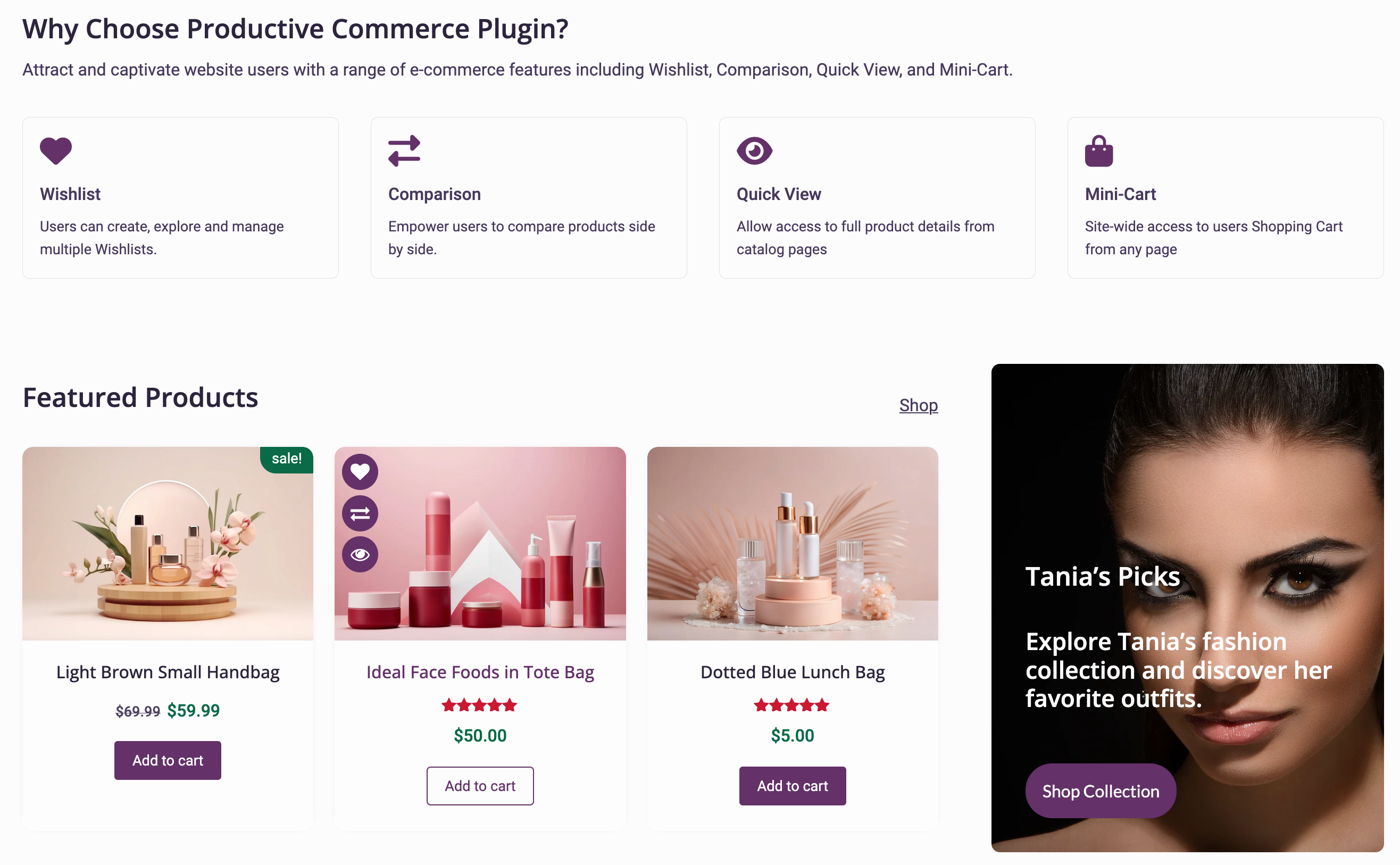
Plugin overview
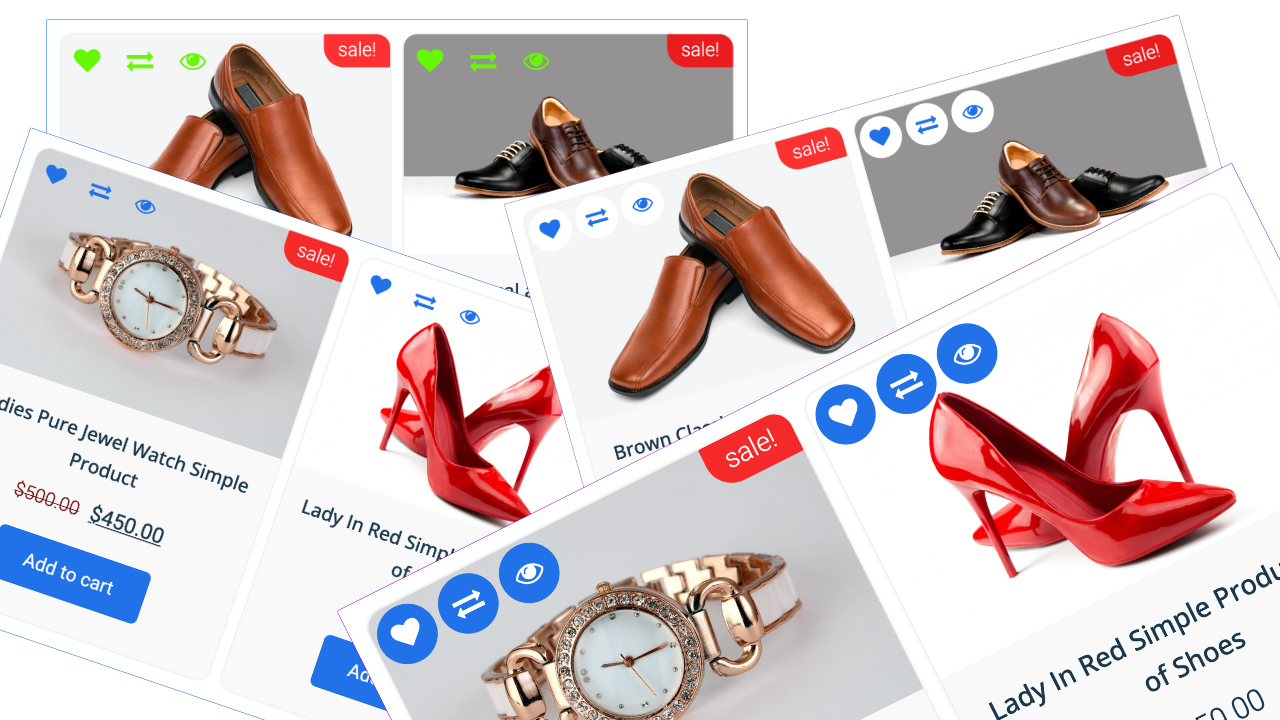
Product archive "Add to..." icons
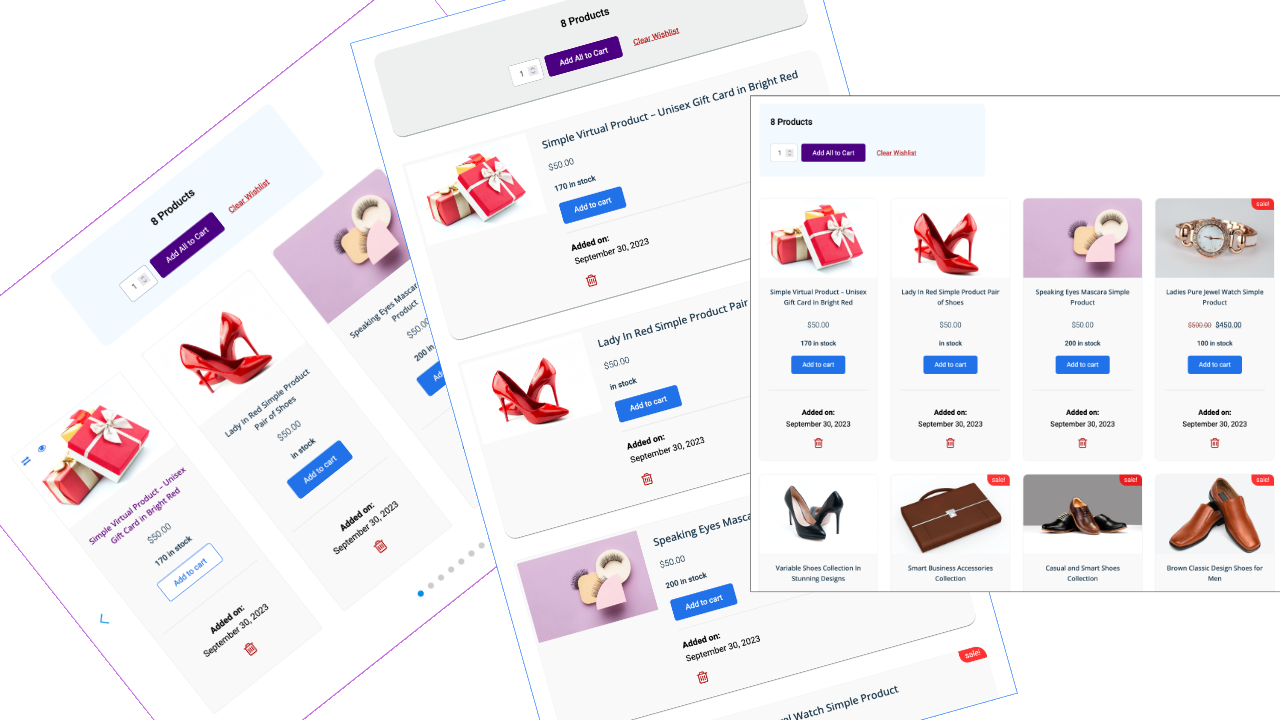
Wishlist page in various designs

Comparison page in two designs

Catalog Page with Wishlist, Compare and Quick View icons

Quick View

Mini-Cart

Mini-Wishlist

Mini-Compare
Faq
Upon activation, the plugin automatically creates a “Product Wishlist” page with the slug “product-wishlist”. This is a standard WordPress page and can be accessed and edited like any other page on your site.
Certainly! While the plugin automatically creates a Wishlist page, you can modify its slug or set a different page as your Wishlist page. To manually set a new Wishlist page:
1. Go to Admin and create a page.
2. Add “[productive_wishlist]” as the page content.
3. Navigate to Productive… => Productive Commerce => Wishlist.
4. Choose your preferred page for “Customer Wishlist Page”.
5. Save the changes at the page bottom.
After selecting your Wishlist page, ensure you save the permalink settings. Navigate to settings => permalinks in admin and click “save settings”.
Just add the shortcode “[productive_wishlist]”.
Upon activation, the plugin automatically creates a “Product Comparison” page with the slug “product-comparison”. Like the Wishlist page, it’s a standard WordPress page.
Yes! While the plugin creates a Comparison page by default, you can edit its slug or set a different page. To manually set a new Comparison page:
1. Go to Admin and create a page.
2. Add “[productive_comparison]” as the page content.
3. Navigate to Productive… => Productive Commerce => Comparison.
4. Choose your preferred page for “Customer Comparison Page”.
5. Save your changes at the page bottom.
After choosing your Comparison page, you need to update the permalink settings. Navigate to settings => permalinks in admin and click “save settings”.
Just use the shortcode “[productive_comparison]”.
Yes, the plugin offers multiple distinct features (Wishlist, Comparison, Quick View, Mini Cart, and Mini Wishlist). Each can be individually activated or deactivated. Configure the settings in WordPress admin under Productive… => Productive Commerce. Furthermore, Wishlist and Comparison can be enabled specifically for Product Pages, Catalogs and Archives, or both, providing flexibility and empowerment in the admin interface.
To incorporate the Wishlist header button and counter, use the shortcode “[productive_wishlist_button]” or the action hook “do_action(‘productive_wishlist_button’)”.
Use the shortcode “[productive_comparison_button]” or the action hook “do_action(‘productive_comparison_button’)” to embed the Comparison header button and counter.
Integrate the Mini Cart header button, subtotal, and counter using the shortcode “[productive_minicart_button]” or the action hook “do_action(‘productive_minicart_button’)”.
The plugin is engineered to integrate seamlessly with your existing theme’s design. However, if you encounter any compatibility issues, please reach out, and we’ll assist you.
Reviews
Great plugin with outstanding support
By 
I've been using Productive Commerce for my WooCommerce store and I'm very satisfied. The features are solid and the plugin integrates well with my theme.
I recently encountered a bug, but I contacted the support team (Sola) and they fixed it within 48 hours. Excellent responsiveness and professionalism.
Recommended for anyone looking for wishlist, compare, and quick view features.
Changelog
v1.1.47, released on 2026-09-19th
- (Compatibility): Verified compatibility with Productive Global Framework v1.0.35.
- (Improvement): Aligned project structure with repository guidelines.
- (Fix): Resolved user-identified bug in Productive Global Framework.
- (Fix): Addressed minor bugs.