ProductReels – Shoppable Video Reels for WooCommerce

ProductReels – Shoppable Video Reels for WooCommerce
Description
ProductReels turns your WooCommerce product videos into shoppable video reels. Show product demos, customer UGC, reviews and unboxings as a video carousel, story bubbles, a video grid or a floating popup. Shoppers open a reel in a fullscreen, swipeable player and add the tagged product to the cart without leaving the video.
Short vertical video is how people shop on Instagram, TikTok and YouTube Shorts. ProductReels brings that format to your store.
100% free. No Pro version, no license key, no locked features.
Key features
- Shoppable videos: tag WooCommerce products in any reel, or add custom call-to-action buttons.
- Add to cart from video: product cards with price, rating, variations, Add to cart or Direct Checkout.
- 5 video layouts: carousel, grid, marquee, stacked cards and floating popup, each in rectangle or circle (story) shape.
- Live visual editor: preview every change on desktop, tablet and mobile before you publish.
- Video analytics: views, clicks and click rate per widget, reel and product button.
- Any video source: Media Library, MP4/WebM URLs, YouTube Shorts and Vimeo.
- Place anywhere: shortcode, Gutenberg block or Elementor widget.
- Fast: scripts load only on pages with a reel, and videos lazy-load.
Shoppable video layouts for every page
- Product page video carousel: a sliding row of reels on WooCommerce product pages.
- Homepage reel slider: your best product videos on the homepage, shop or landing pages.
- Story-style reels: round video bubbles for categories, collections and new arrivals.
- Video gallery grid: many reels at once for lookbooks and gallery pages.
- Marquee: an endless, auto-scrolling ribbon of reels that pauses on hover.
- Stacked cards: reels as a layered card stack.
- Floating video popup: a small reel in the corner that appears on load, after a delay or on scroll.
Visual widget editor with live preview
Pick a layout and shape, then work through simple steps: Reels (drag to reorder), Layout, Look, Player, Product card, Advanced and Place it. The live preview uses the same code as your store, so what you see is what shoppers get. Build a widget once and reuse it on any page.
Fullscreen shoppable video player
Swipe, scroll or use the keyboard to move between videos. Shoppers see product cards and a product panel with images, variations and the buy button. The player supports a seek bar, volume control and loop, and the back button closes it. It is built for mobile shopping.
Video analytics that show what sells
See total views, clicks, click rate and your top reels, plus clicks for every product and CTA button. A view counts after one second of real playback and is rate-limited per visitor, so the numbers stay honest.
Fast, accessible and privacy-friendly
- Loads only where a widget appears. The player, YouTube and Vimeo scripts load only when needed.
- No jQuery and no extra copy of React.
- Full keyboard support, screen reader labels, reduced motion and RTL. Translation-ready.
- No visitor data sent to us. IP addresses are never stored.
- Works with any theme, and without WooCommerce too (product tagging needs WooCommerce).
External services
ProductReels sends no data about your site or visitors to ProductReels servers. Third-party services are contacted only when you use videos hosted by them.
Vimeo: when an administrator adds a Vimeo URL, ProductReels requests the video’s poster and duration from https://vimeo.com/api/oembed.json (only that URL is sent). When a visitor opens a Vimeo reel, the player SDK loads from https://player.vimeo.com/api/player.js, with Do Not Track enabled where supported. Terms, Privacy.
YouTube: YouTube thumbnails load from https://img.youtube.com/vi/.... When a visitor opens a YouTube reel, the IFrame Player API loads from https://www.youtube.com/iframe_api. Terms, Privacy.
Neither SDK loads until a visitor opens a reel from that provider. Media Library and self-hosted videos use no third-party service. The productreels_allow_provider_lookup filter turns off the Vimeo lookup.
Source code and credits
Readable source is included in admin/src, public/src, block/src and src/shared. See README.md to build and THIRD-PARTY-NOTICES.txt for licenses.
Credits: Inter typeface by Rasmus Andersson (SIL OFL 1.1, admin only), Lucide icons (ISC), dnd-kit (MIT).
Installation
- Go to Plugins Add New Plugin, search for ProductReels, then install and activate it.
- Go to ProductReels Reels Add reel. Add a video and tag products or add a button.
- Go to ProductReels Widgets Create widget. Choose a layout, add reels and customize.
- Place the widget with the shortcode (e.g.
[productreels id="1"]), the Gutenberg block or the Elementor widget.
Screenshots
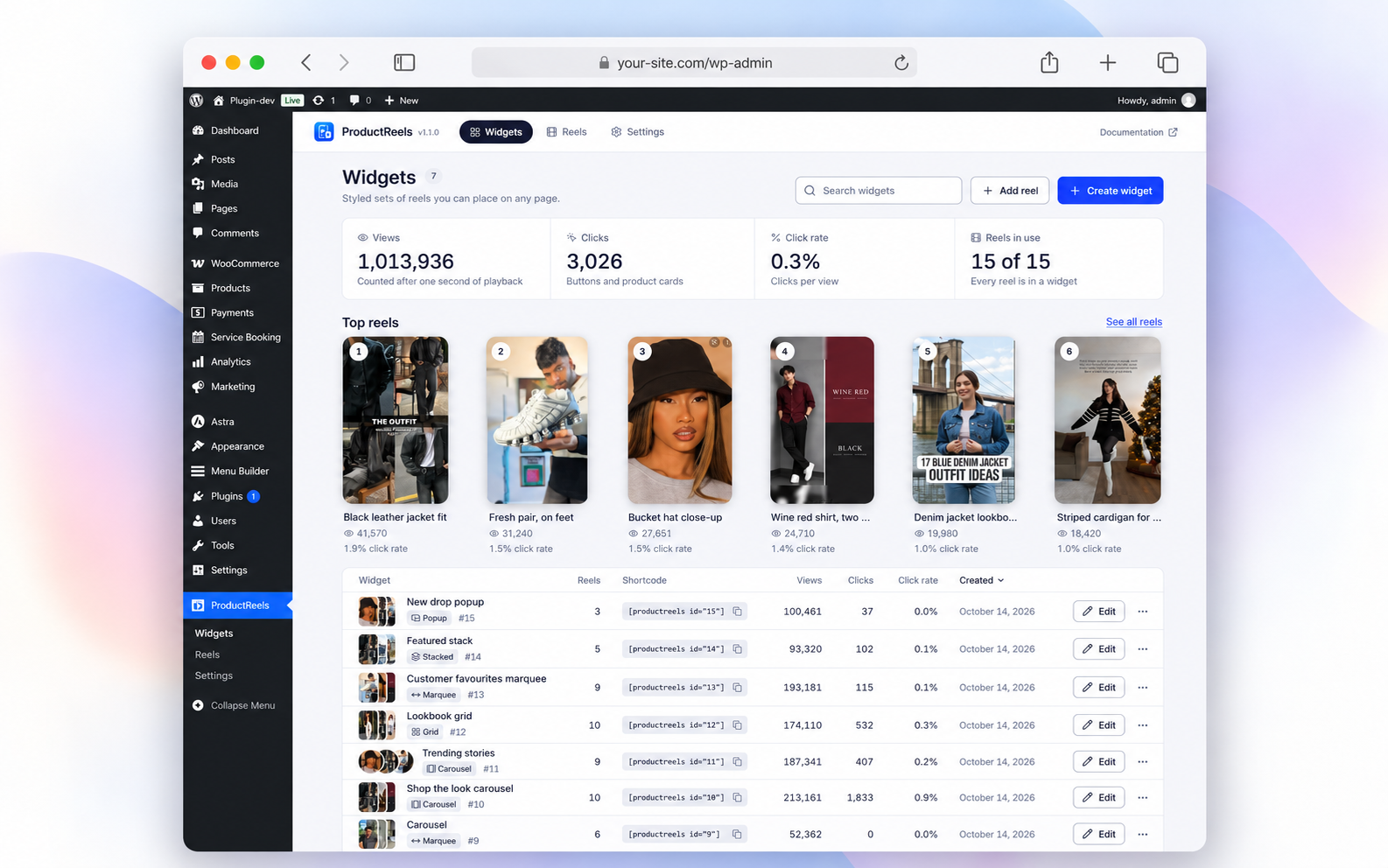
Widgets overview dashboard showing total views, clicks, click rate, reels in use, top reels, and widget list.
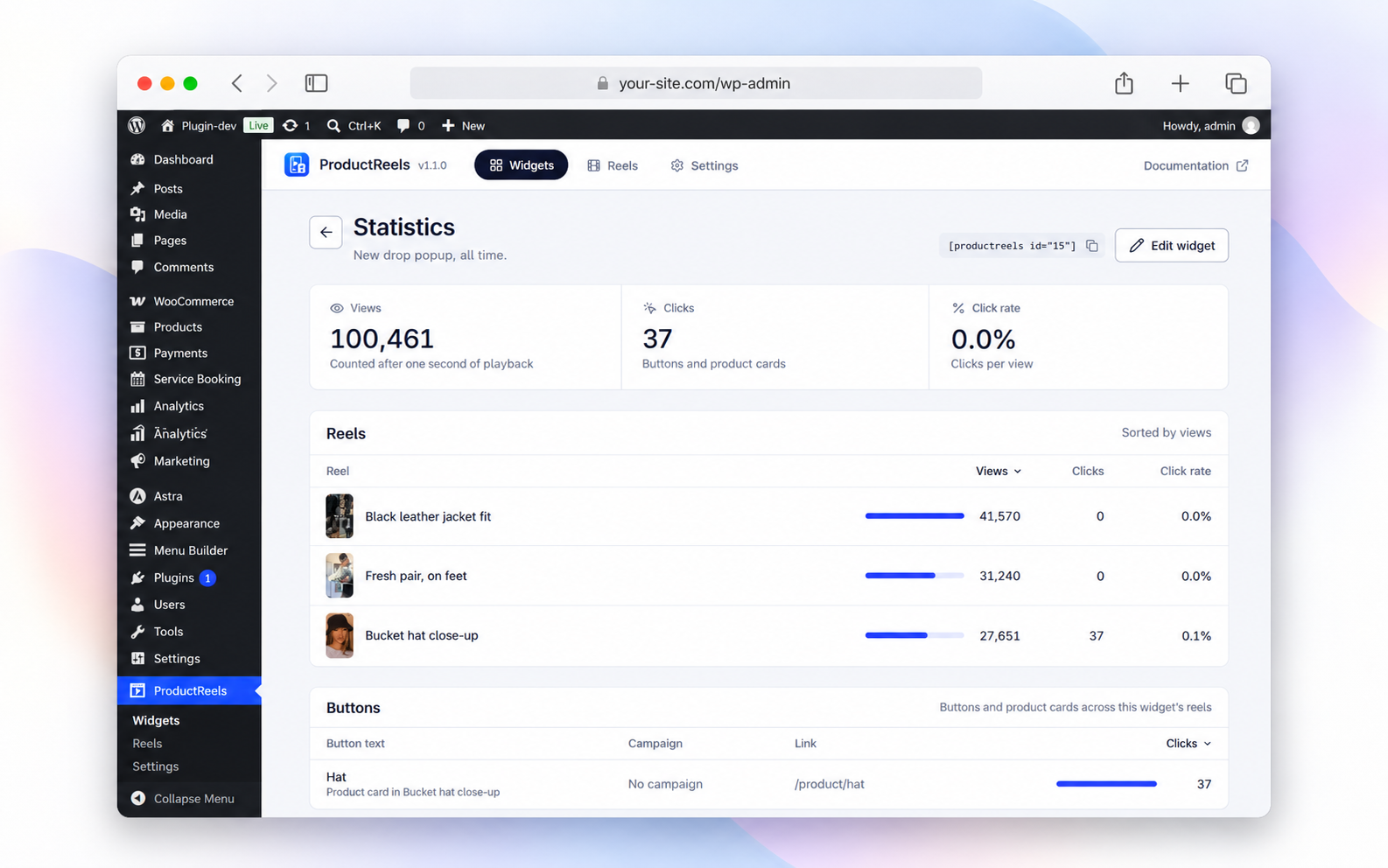
Detailed widget statistics with views, clicks, click rate, top-performing reels, and product button performance.
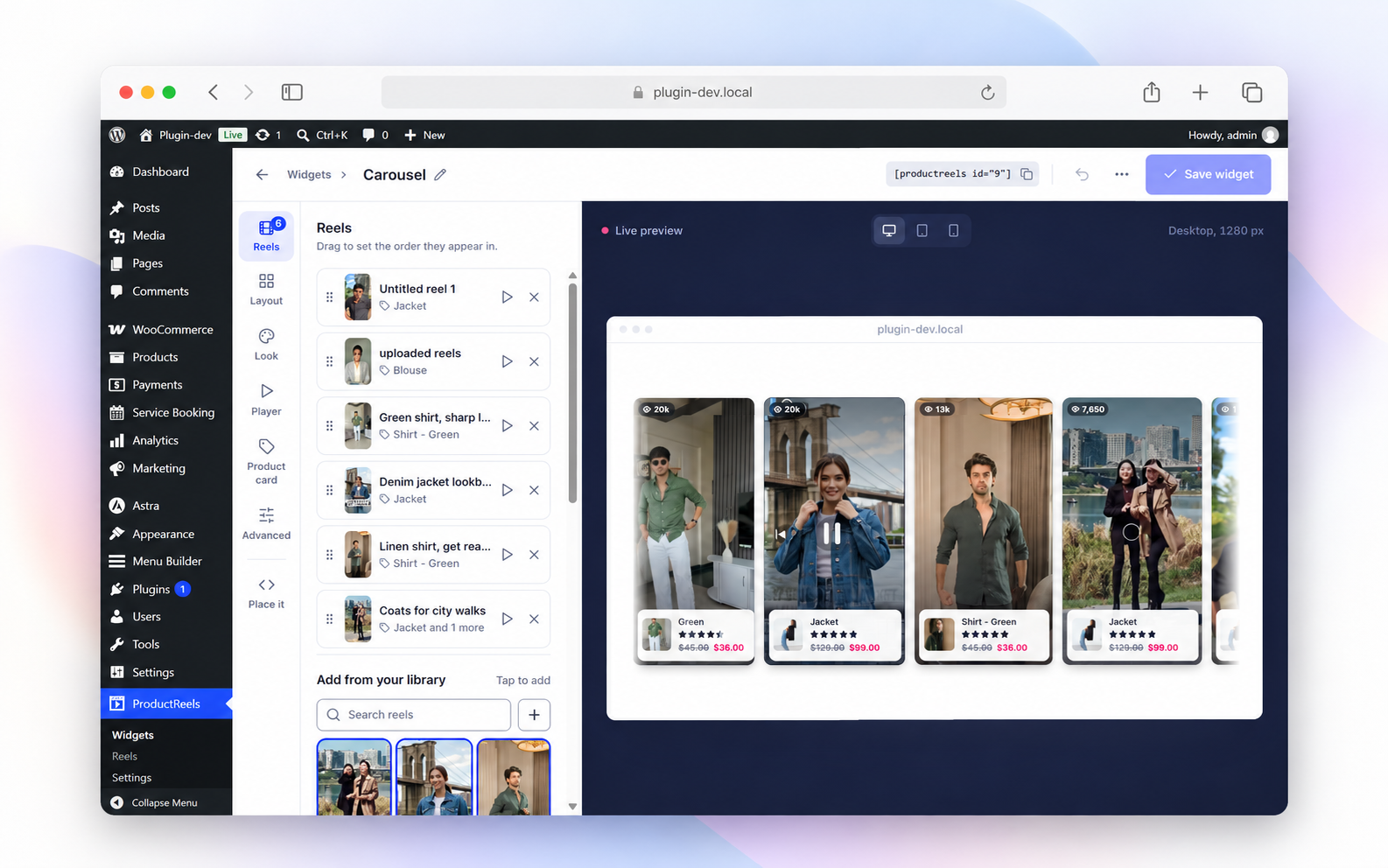
Drag-and-drop reel management with live preview while building a carousel widget.
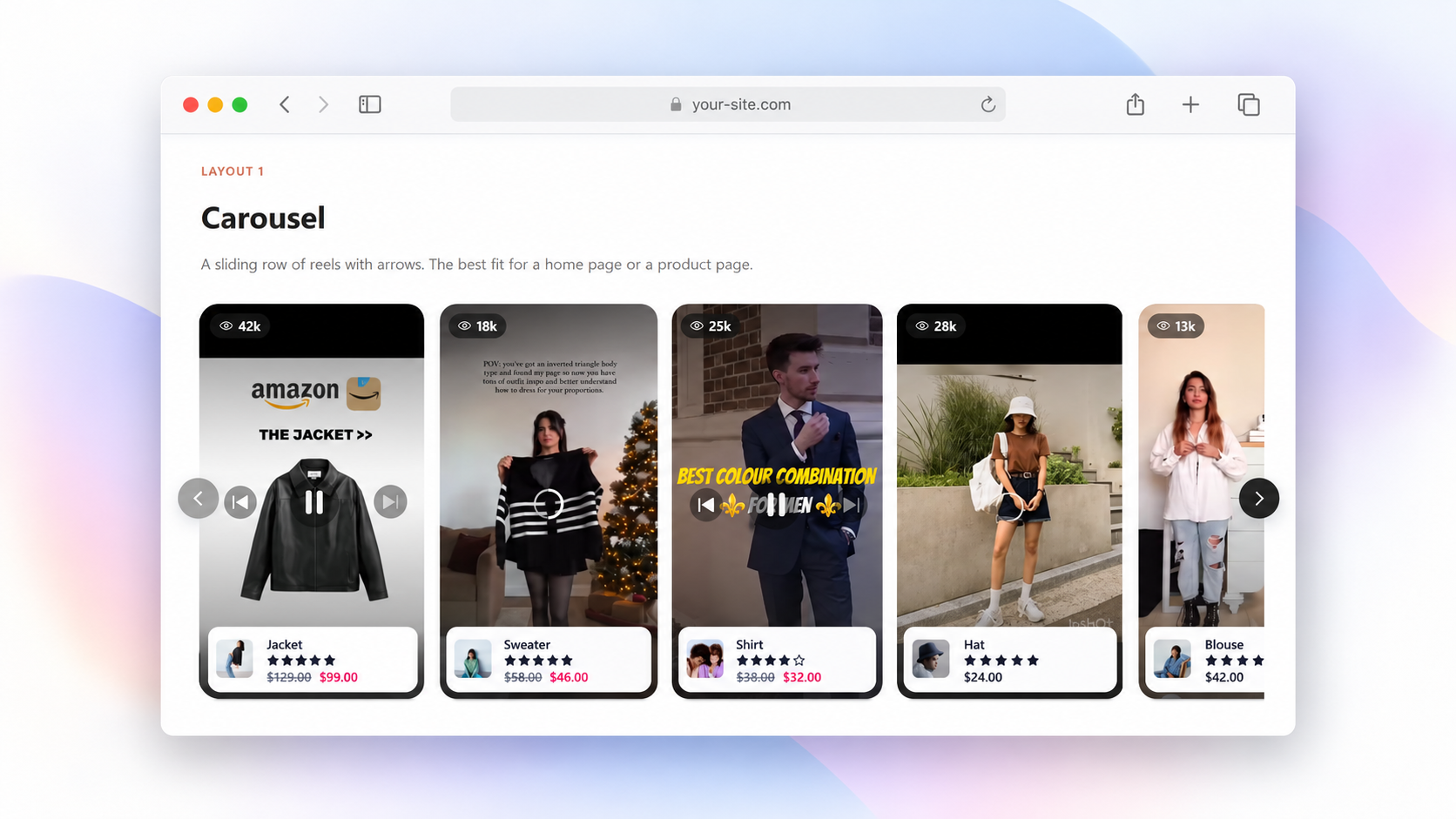
Carousel layout showing swipeable product reels with product cards and navigation arrows.
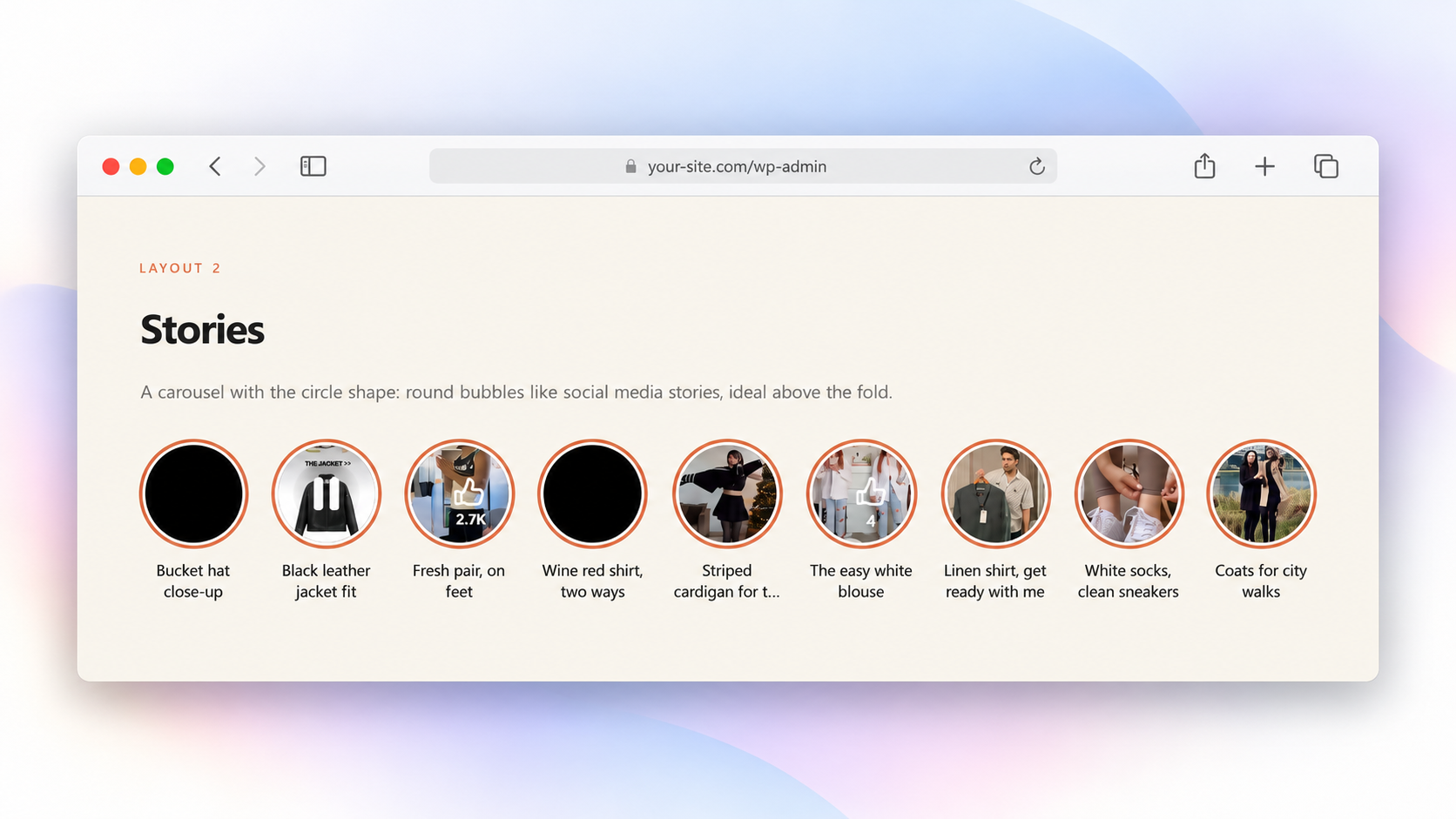
Stories layout with social-style circular reel bubbles for quick browsing.
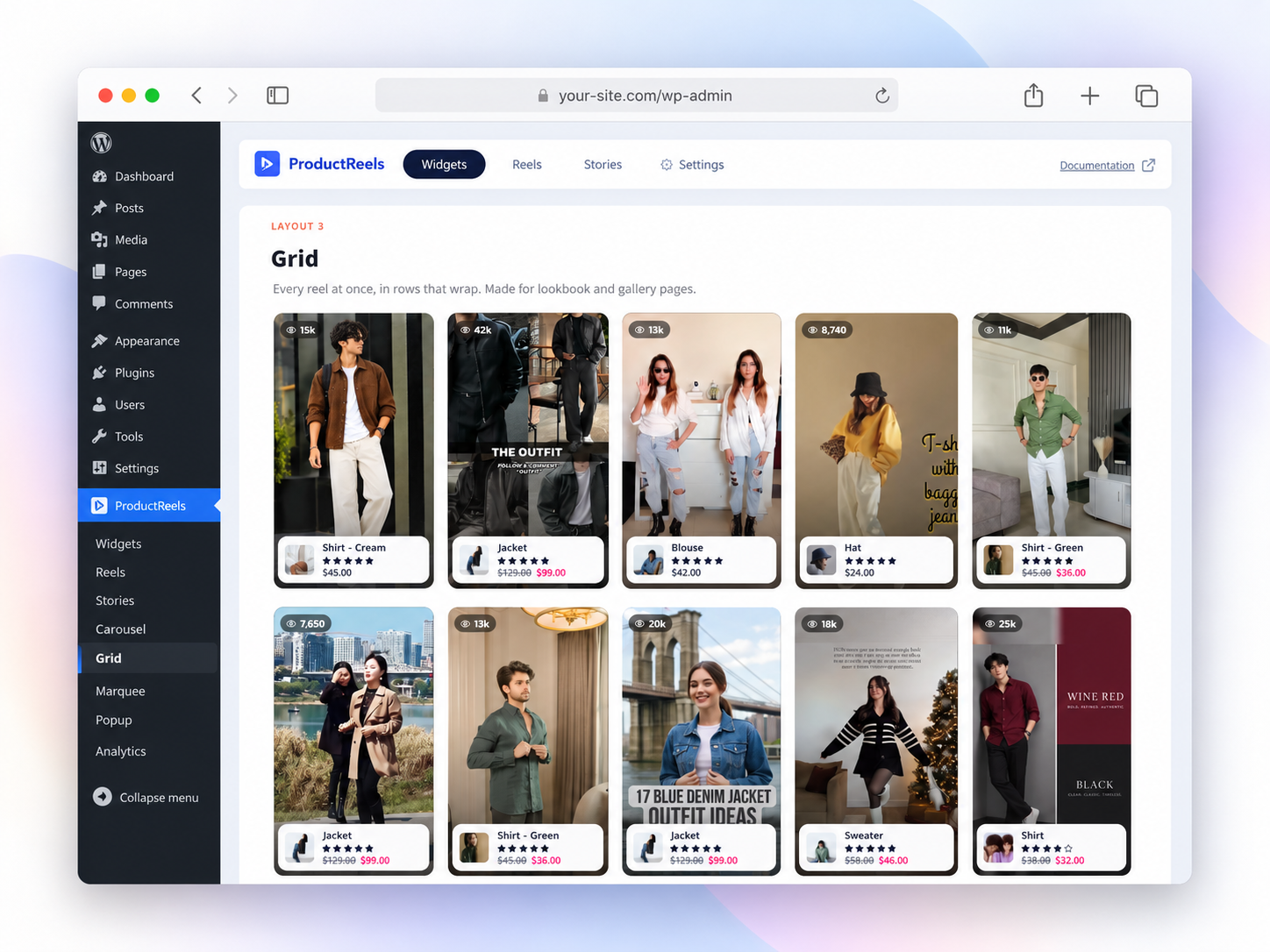
Grid layout showing multiple reels at once for gallery and lookbook pages.
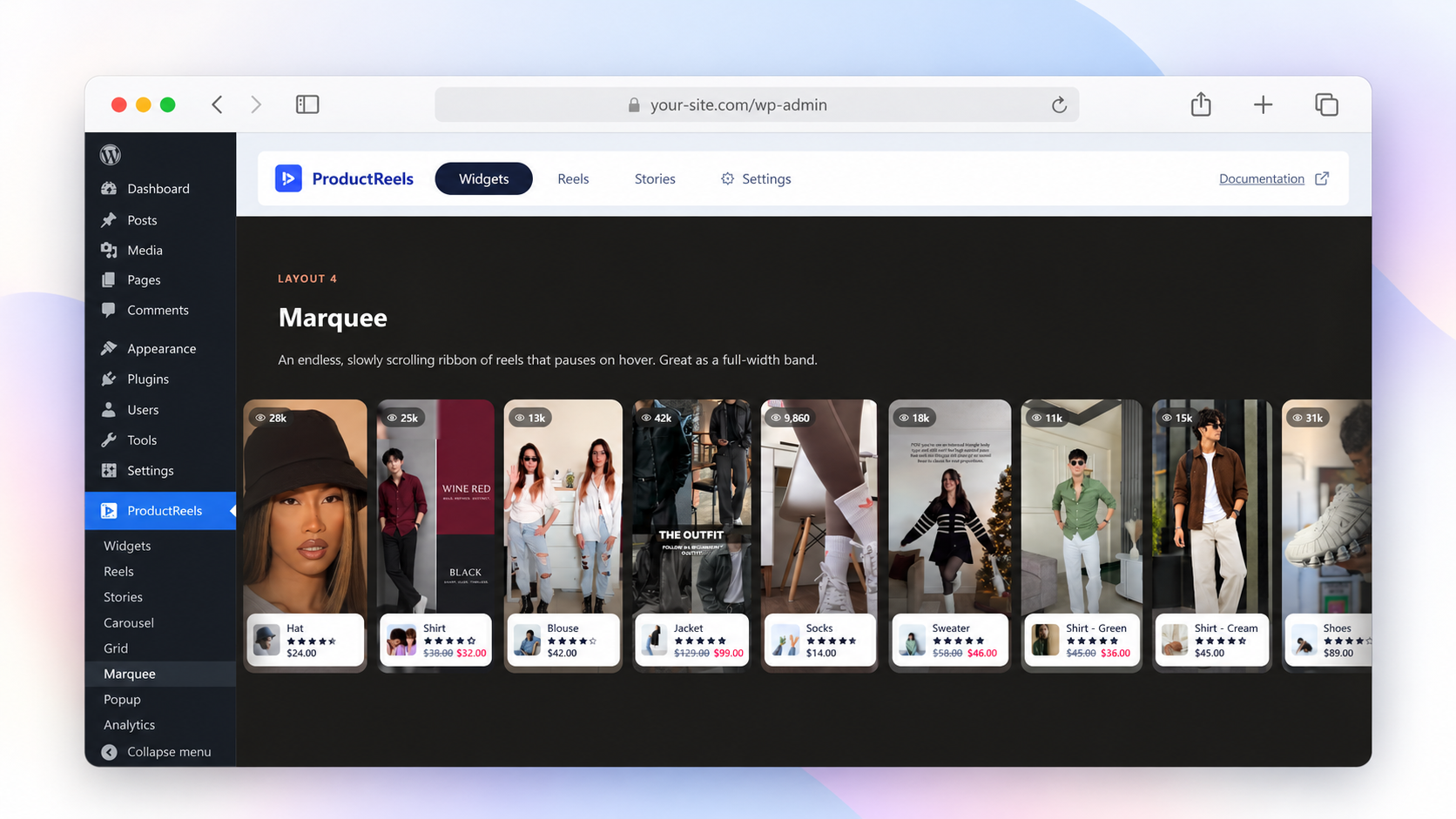
Marquee layout with an endless scrolling ribbon of shoppable video reels.
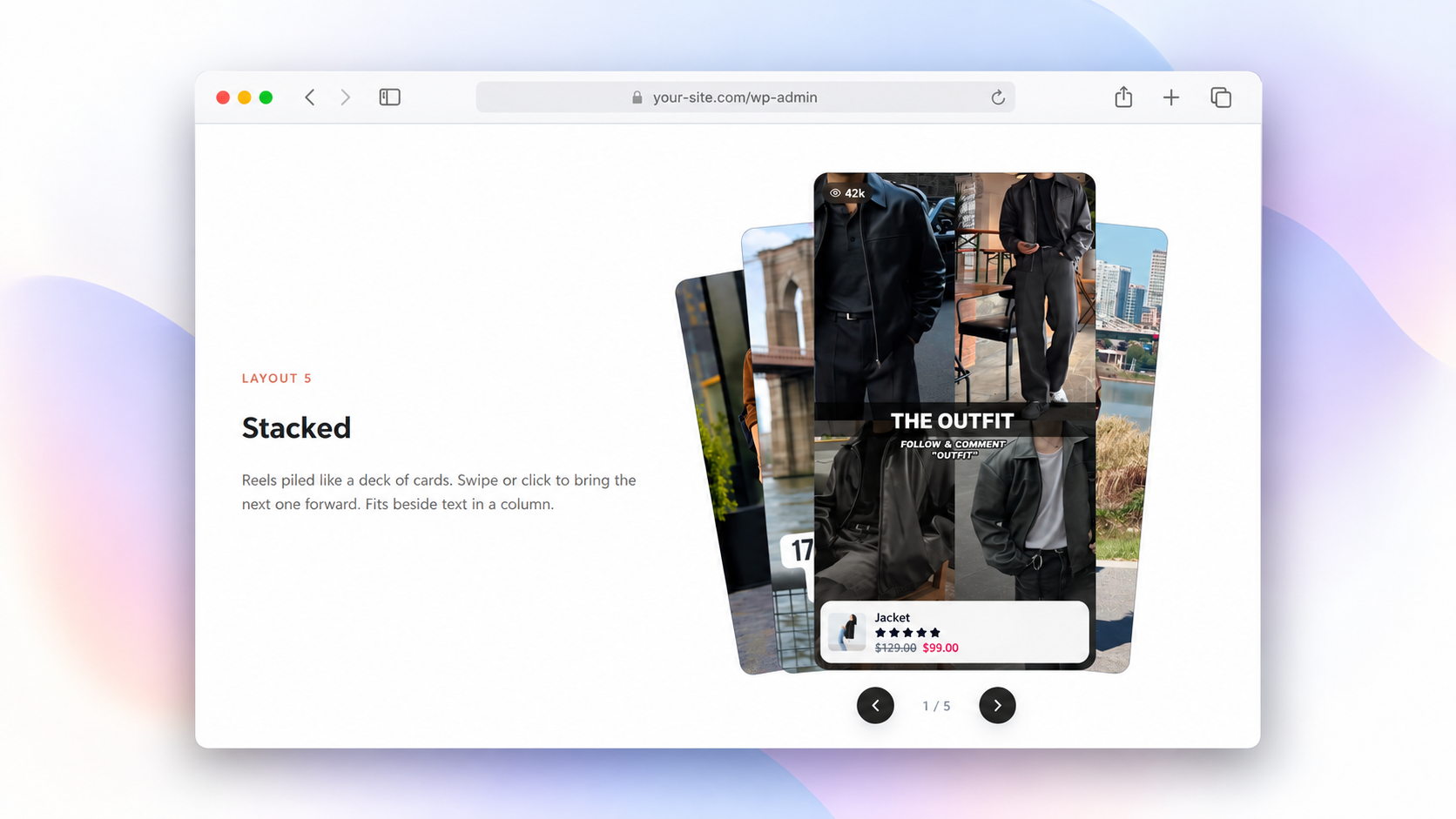
Stacked card layout for showcasing reels in an eye-catching layered format.
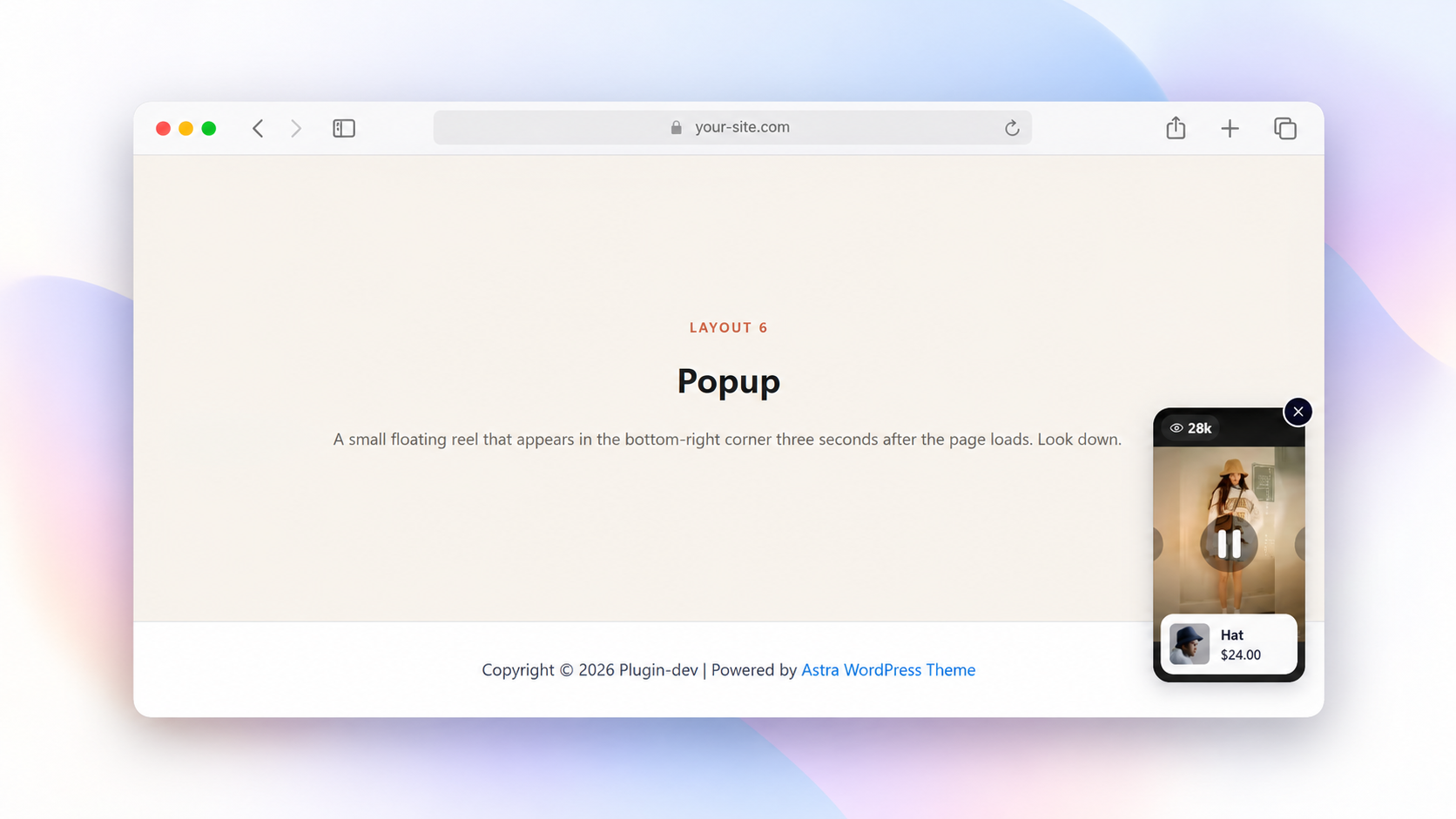
Popup layout with a floating reel that appears in the corner of the page.
Faq
A video linked to the products in it. Shoppers watch a reel, see the tagged WooCommerce products and add them to the cart without leaving the video.
Create a carousel or story widget and place it on the product page with the shortcode, block or Elementor widget. You can also use the floating popup.
Yes. Use the circle shape for story bubbles. Every reel opens in a vertical, swipeable fullscreen player.
Not directly. Upload videos you own as MP4 files, or use YouTube Shorts, Vimeo or any MP4/WebM URL.
Yes. Every feature is free, with no Pro version or license key.
No. Scripts load only on pages with a widget, the player loads when first opened and videos lazy-load.
Yes. It includes a Gutenberg block and an Elementor widget, and the shortcode works in any theme.
Yes. Video reels, galleries, CTA buttons and analytics work on any WordPress site. Product tagging and add to cart need WooCommerce.
Data is kept by default. To remove everything when deleting the plugin, turn on Delete all data on uninstall in ProductReels Settings.
Reviews
Changelog
1.1.0
- New: Redesigned admin with clearer Widgets, Reels and Settings screens.
- New: Step-by-step widget editor with live desktop, tablet and mobile preview.
- New: Pick a reel’s cover by scrubbing through its frames.
- New: Drag-and-drop video upload with progress.
- New: Reel filters (tagged products, buttons, unused) and bulk delete.
- New: Top reels and “reels in use” on the Widgets screen.
- New: Product search by name or SKU.
- New: Live widget preview inside the block editor.
- New: Product panel in the player with images, options and buy button.
- Improved: Refreshed reels, product cards and player. Saved styles are kept.
- Improved: Keyboard access, screen reader support, RTL and reduced motion.
- Fixed: Player label translations now load.
- Fixed: Stacked layout on narrow phones.
1.0.0
- Initial release.