User Profile Builder – Beautiful User Registration Forms, User Profiles & User Role Editor
User Profile Builder – Beautiful User Registration Forms, User Profiles & User Role Editor
Description
Profile Builder is the all in one user profile and user registration plugin for WordPress.
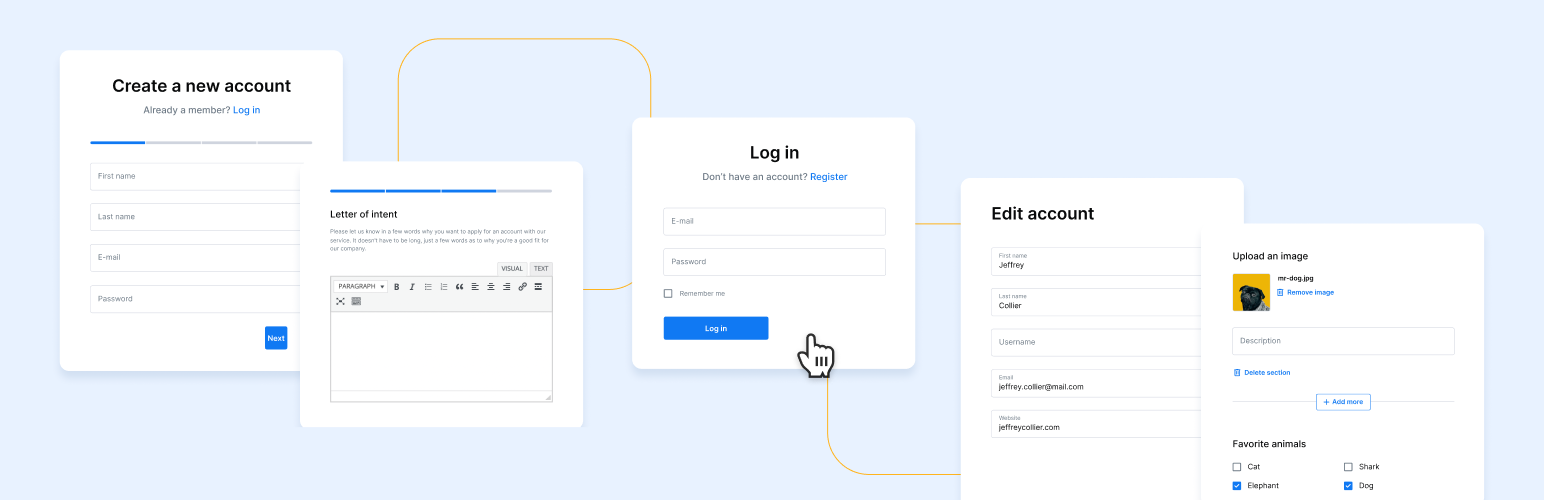
Elegant and reliable user registration and user profile plugin for creating front-end user registration, login and edit profile forms with custom fields.
It also lets you restrict content based on user role or logged in status and manage user roles and capabilities using the built in Role Editor.
Elevate your user experience and boost sign-ups with beautiful GDPR-compliant registration and login forms, customized user profiles, and all the user management tools you need in one robust solution.
Free Demo | Compare Free vs Pro | Documentation
Professionally Designed Login and Registration Forms
Personalize your website by incorporating front-end user login and user registration forms, providing users with a convenient way of signing up or accessing their profiles.
This is ideal for:
* Online Communities & Associations
* Online Courses
* News and Resource Websites
Modern and Elegant User Profiles, Listings, and Directories
From creating user profiles and a member directory to listing job offers or your community services, Profile Builder gives you the tools you need to monitor your users, control how and where they log in, as well as implement security measures to protect all those involved. This is ideal for:
* Business Directory
* Member Directory
* Job Boards
* Consultancy Services
Lock Your WooCommerce Shop and Content for Members Only
Take control of user access throughout your website, define users’ viewing permissions, and regulate their ability to purchase your products. You can do this based on user role or logged-in status, and you can also manage user roles and capabilities using the built-in role editor. This is ideal for:
* Private Websites
* Private Content
* Private WooCommerce Stores
* Members-Only WooCommerce Stores
How to Add User Registration, Login, User Profile and Password Recovery Forms
You can use the following shortcode list or available plugin blocks to quickly display the user forms on your website:
- [wppb-register] – to register users via a front-end register form that you can customize with .
- [wppb-edit-profile] – to grant users front-end access to their user profile (requires user to be logged in).
- [wppb-login] – to add a front-end login form.
- [wppb-logout] – to add logout functionality.
- [wppb-recover-password] – to add a password recovery form.
- [wppb-restrict] Content to restrict [/wppb-restrict] – to restrict content of any type
Profile Builder Features
- drag & drop to reorder user profile fields
- add Avatar Upload field for users to manage their avatar on your website
- enable Email Confirmation (on registration users will receive a notification to confirm their email address)
- Email Customizer – Personalize all emails sent to your users or admins; customize default WordPress registration email
- choose between login with only Username, Email or both
- enforce WordPress password requirements by setting up a minimum password length and minimum password strength (using the default WordPress password strength meter)
- assign users a specific role at registration (using [wppb-register role=”desired_role”] shortcode argument for the register form)
- redirect users after login, register and edit-profile using redirect_url shortcode argument ( e.g [wppb-login redirect_url=”www.example.com”] )
- add register and lost password links below the login form (using [wppb-login register_url=”www.example.com” lostpassword_url=”www.example.com”] shortcode arguments)
- customizable user login widget
- add a custom stylesheet/inherit values from the current theme or use the default one built into this plugin
- Admin Bar Settings: choose which user roles view the admin bar in the front-end
- extended functionality available via Add-ons
- Roles Editor: add, edit, remove or clone user roles and capabilities
- reCAPTCHA support for Profile Builder and WordPress default forms
- User Role Select field on register and edit profile forms
- Content Restriction: restrict content based on current users role or logged in status
- Restrict WooCommerce shop page and products
- Restrict Gutenberg blocks
- Invisible reCAPTCHA support for both Profile Builder forms as well as default WordPress forms
- Private Website: setup a WordPress private site that is visible only to members or logged in users
- GDPR: collect users consent about the data you collect about them under the new GDPR law requirements
- Form Designs: enable beautiful designs for your forms fully customizable by you
PROFILE BUILDER PRO
The Pro version has the following extra features:
- Create Extra User Fields (Hidden Input, Agree to Terms Checkbox WYSIWYG, Upload fields, User Role Select, Country Select, Timezone Select Upload, Map, HTML, Phone, Datepicker, Timepicker, Colorpicker, Custom Validation field, Currency Select, CPT Select, Taxonomy Select)
- Support for Conditional Fields
- Use AJAX for form processing
- Front-end User Listing (create fully customizable member directories, sorting included)
- Create Multiple User Listings
- Custom Redirects
- Multiple Registration Forms (set up multiple registration forms with different profile fields for certain user roles)
- Multiple Edit Profile Forms
- Repeater Fields – add repeater fields or groups of fields to your user profile
- Admin Approval (approve new users from dashboard or via email)
- Create a Map of Users Locations
- 17 Premium Add-ons (e.g. custom redirects, user listing, multiple registration forms etc.)
- Access to Premium Support and Documentation
- 1 Year of Plugin Updates, New Features and Priority Support
Find out more about Profile Builder PRO
Add-ons
For more functionality check out Profile Builder Add-ons page
Free Add-ons
- GDPR Communication Preferences – allows your users to give consent on the communication preferences
- Custom Login Page Templates – customize the default WordPress login page with your own design.
- Client Portal – create private pages for your website users that only an administrator can edit.
- Custom CSS Classes on Fields – add custom CSS classes for fields
- Import and Export – allows you to import and export all Profile Builder Settings data
- Passwordless Login – allow your users to login without a password
- Maximum Character Length – set a maximum character length for custom input or textarea fields
- Labels Edit – easily edit all Profile Builder labels
Premium Add-ons
- Form Fields in Columns – create beautiful and responsive custom form layouts by placing different fields on the same row
- WooCommerce Sync – integrates Profile Builder with WooCommerce, allowing you to manage Shipping and Billing fields from WooCommerce with PB and more
- Social Connect – enable social login on your website, users can login with Facebook, Google, Twitter(X) or LinkedIn.
- Multi-Step Forms – allow users to build multi-step forms for Registration and Edit Profile forms.
- Custom Profile Menus – add custom menu items like Login/Logout or just Logout button and Login/Register/Edit Profile in iFrame Popup
- Field Visibility – select which user profile fields are visible in the frontend
- MailChimp – allow users to subscribe to your Mailchimp lists directly from the Register or Edit Profile forms
- Campaign Monitor – allow users to subscribe to your Campaign Monitor lists directly from the Register or Edit Profile forms
- MailPoet – allow users to subscribe to your MailPoet lists directly from the Register and Edit Profile forms
- bbPress – allows you to integrate Profile Builder with the popular forums plugin, bbPress.
- BuddyPress – allows extending BuddyPress user profiles with Profile Builder user fields.
The Ultimate Membership Bundle
Combine user registration, memberships, and recurring revenue in one powerful plugin bundle called the Ultimate Membership Bundle.
Get access to Profile Builder Pro and Paid Member Subscriptions Pro together. These two plugins are designed to work perfectly together, offering you a powerful toolkit for managing and expanding your user base while generating revenue through paid memberships and recurring revenue.
Documentation
Please visit the documentation page for this plugin
Website
For more details visit our website
Profile Builder in your Language
We’re focusing on translating Profile Builder in as many languages as we can. So far, the translations for 17 languages are almost complete, but we still need help on a lot of other languages, so please join us at translate.wordpress.org
You will be able to download all the available language packs as well as help us translate Profile Builder in your language.
For more information please visit cozmoslabs.com
NOTE:
This plugin adds/removes user fields in the front-end. Both default and extra profile fields will be visible in the back-end as well.
Installation
- Upload the profile-builder folder to the ‘/wp-content/plugins/’ directory
- Activate the plugin through the ‘Plugins’ menu in WordPress
- Create a new page and use one of the form shortcodes or blocks available. Publish the page and you’re done!
Screenshots
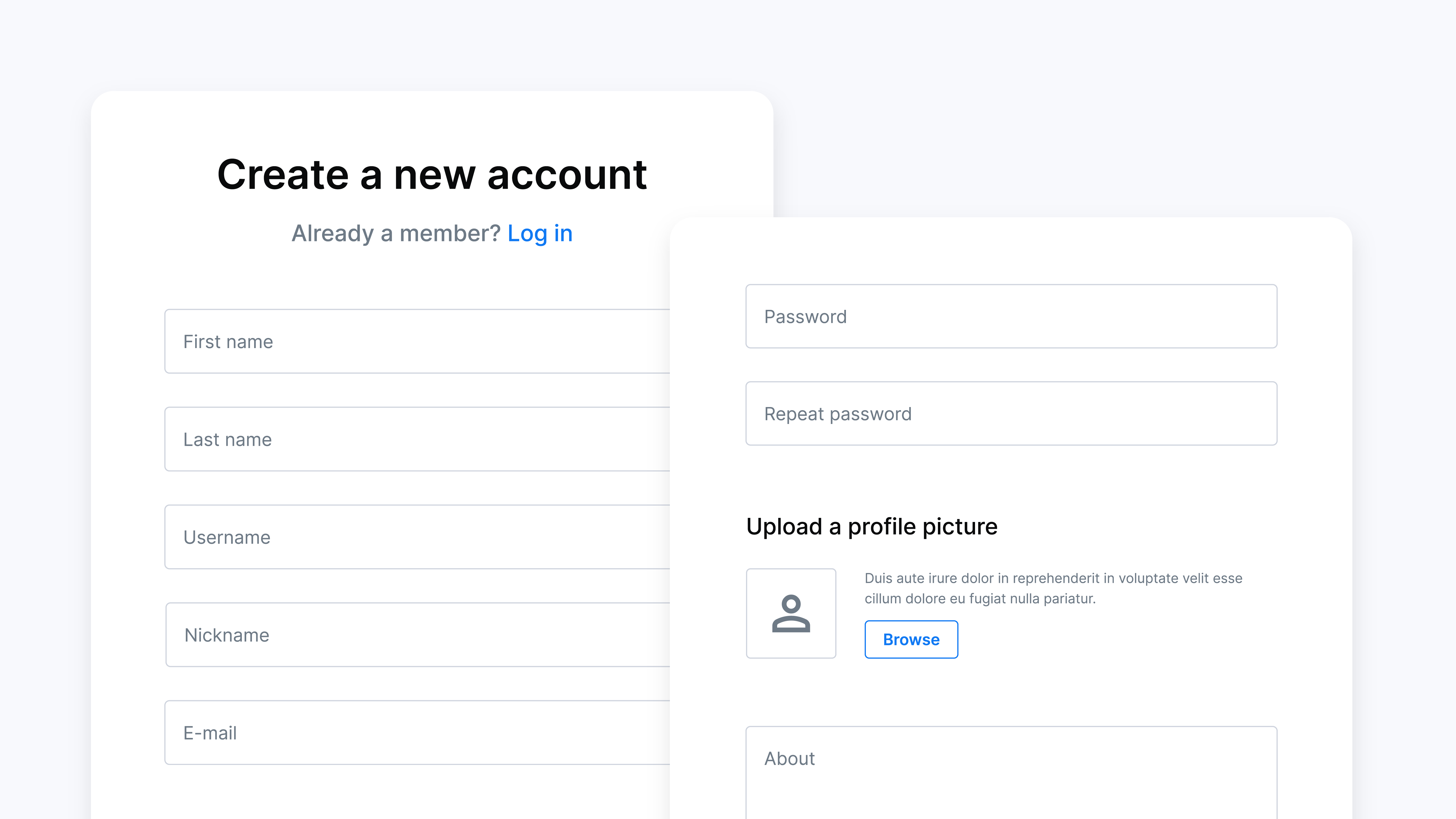
User Registration Form Style preview
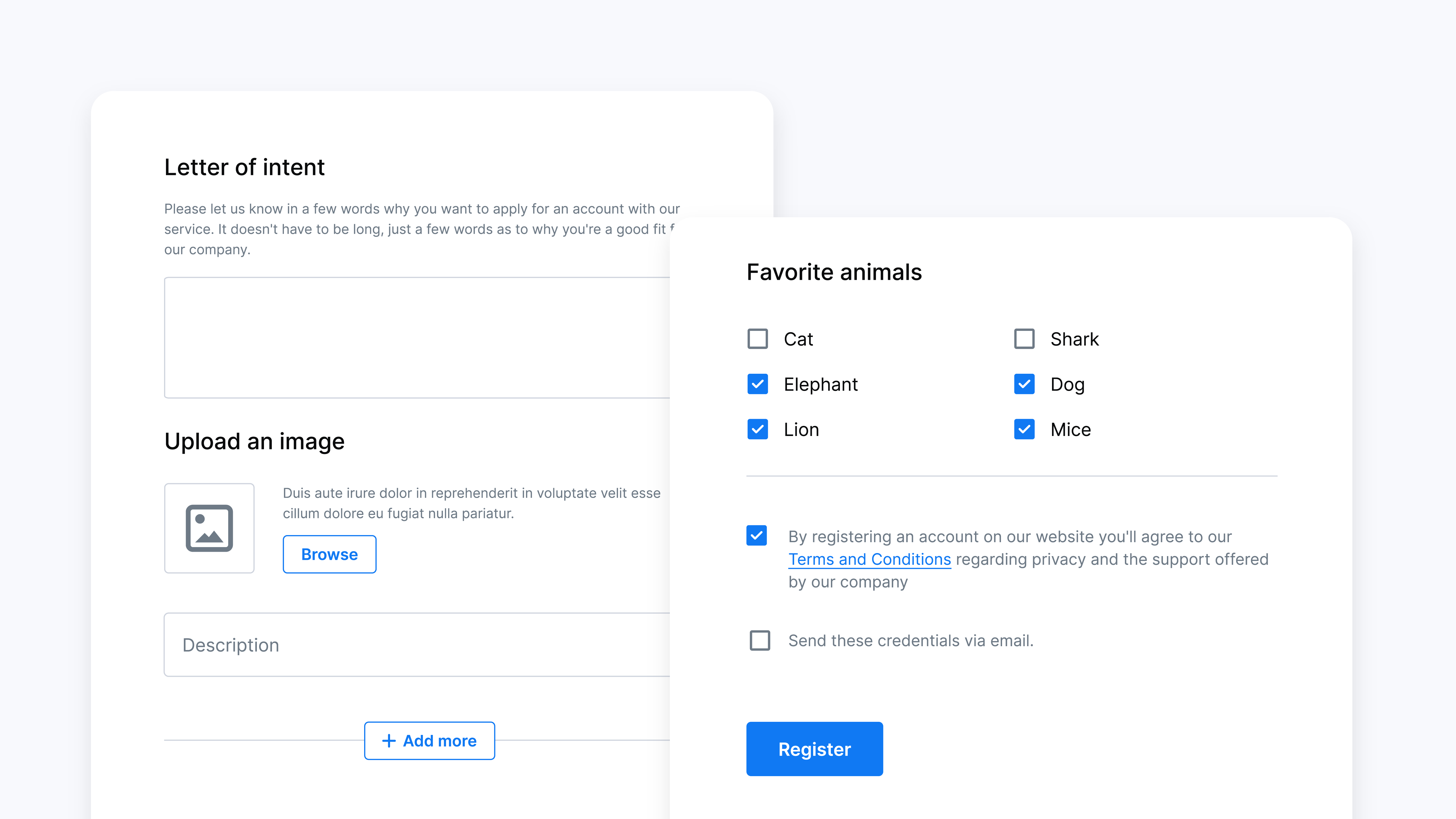
Register Form - Front-end User Registration Page with Custom Fields
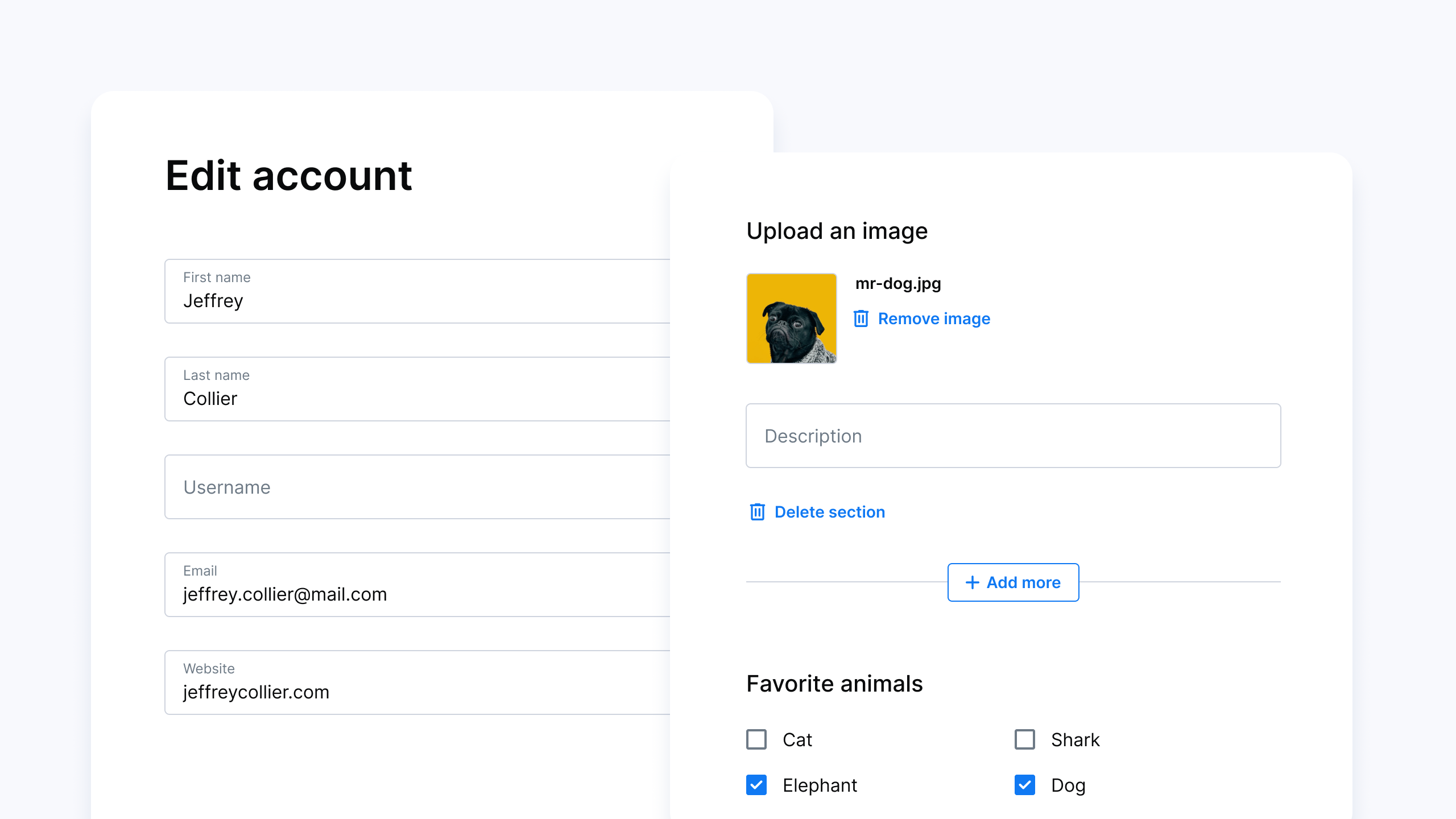
Edit Profile Form Style Preview
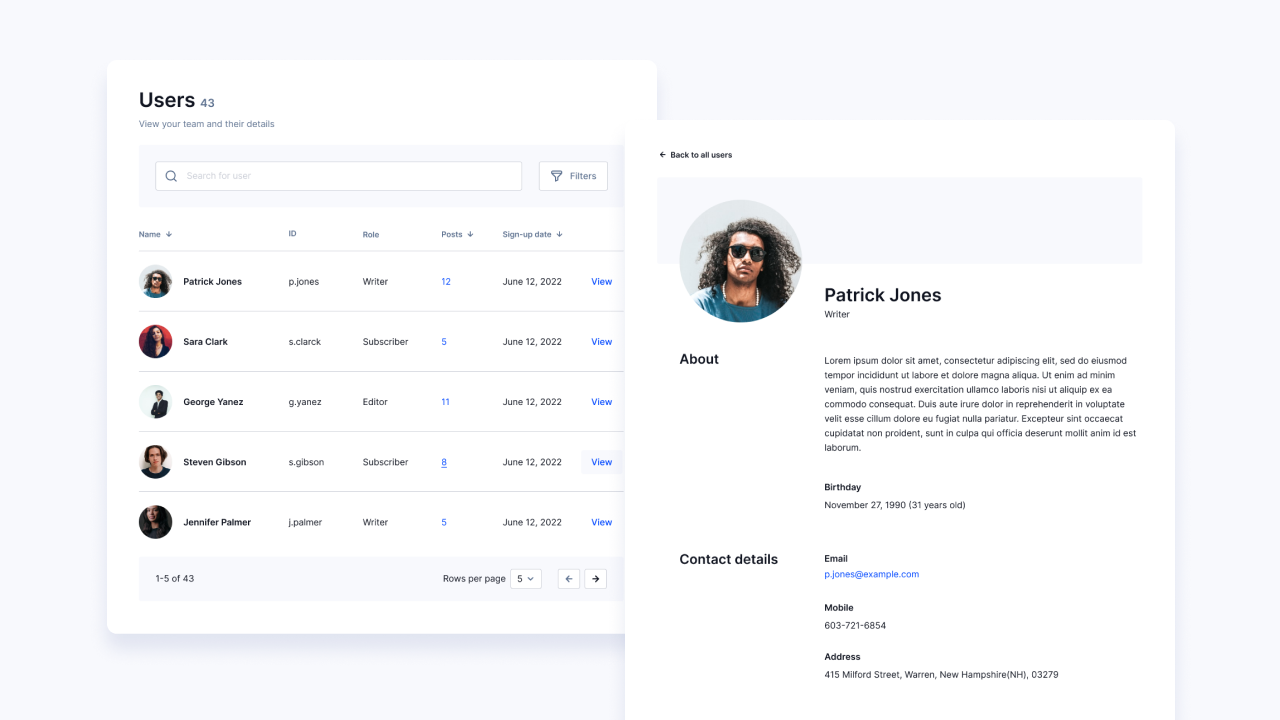
User Listing and Individual User Profile Page (available in Pro)
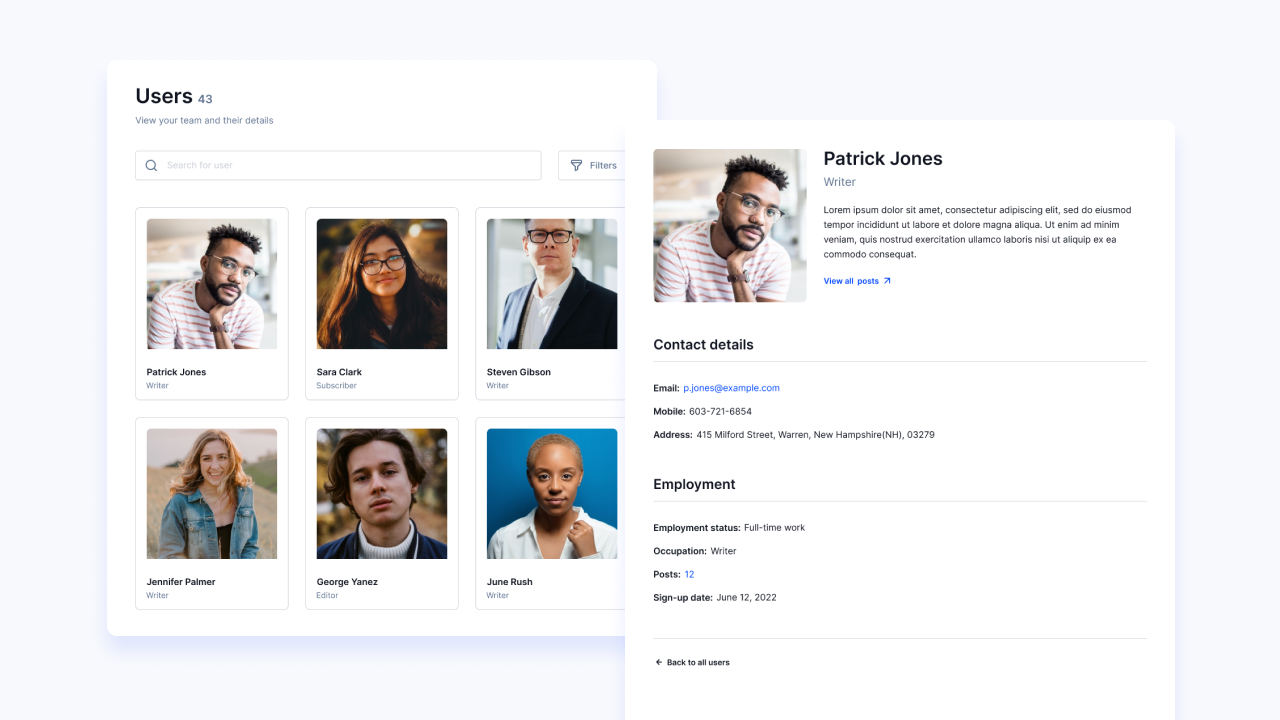
Member Directory template with search and filtering options (available in Pro)
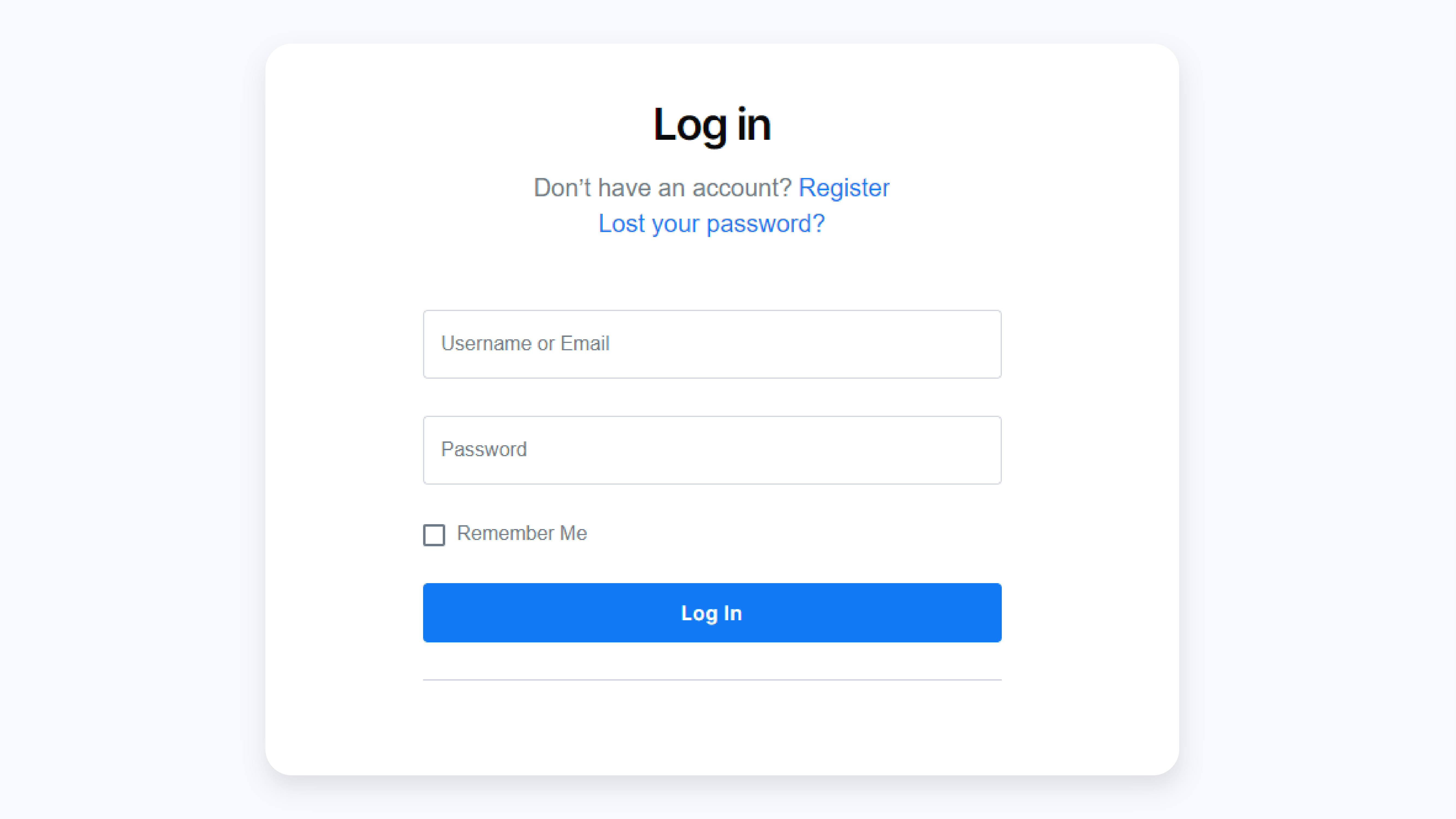
Login Form - Front-end User Login Page
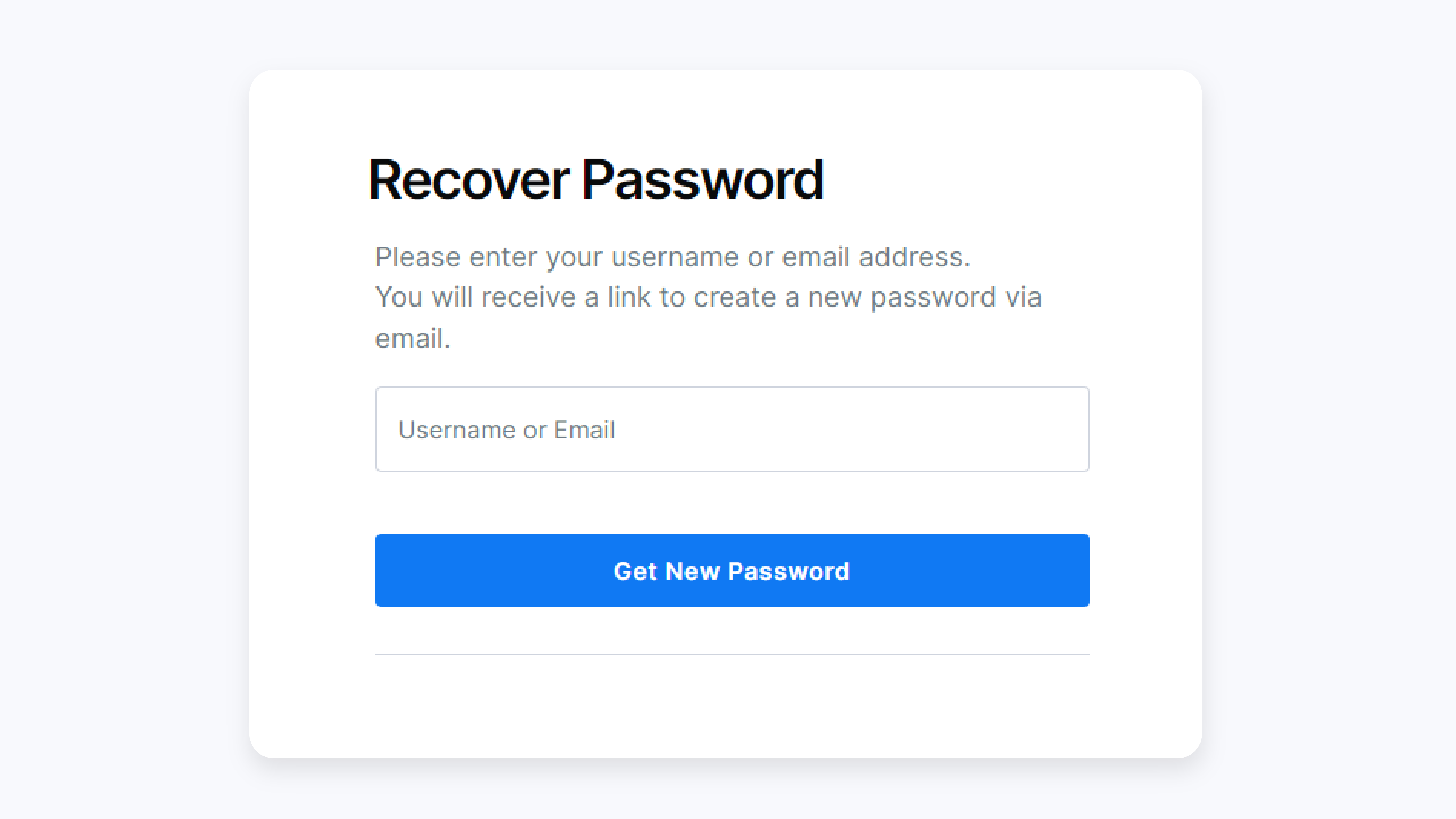
Recover Password Page

Basic Information page for Profile Builder, user registration plugin

General Settings in Profile Builder user profile plugin
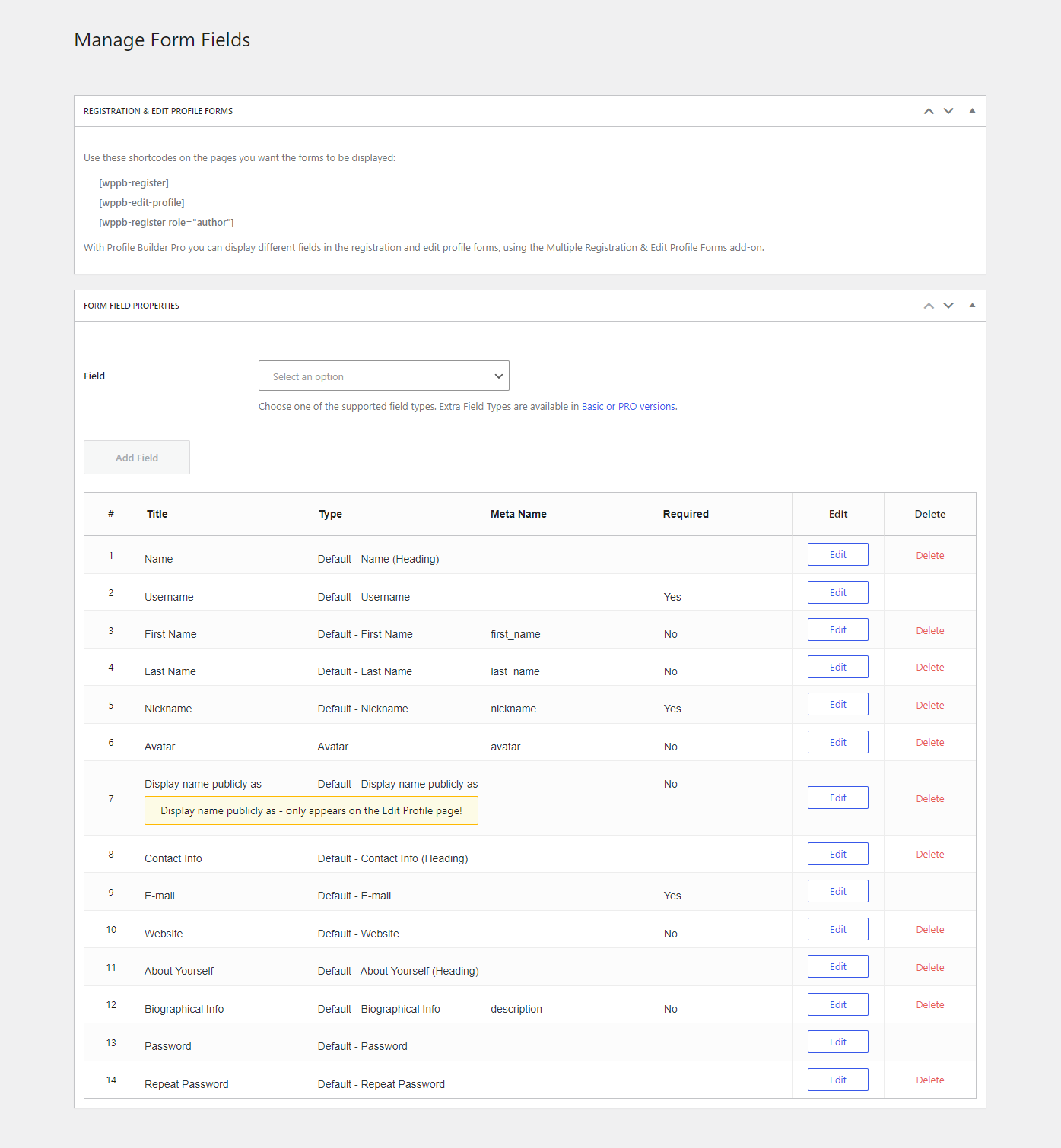
Manage User Registration Form Fields (Add, Edit or Delete)

Drag & Drop to Reorder User Profile Fields

Content Restriction settings for User Profile Builder, user registration plugin

Private website settings - restrict access to entire site
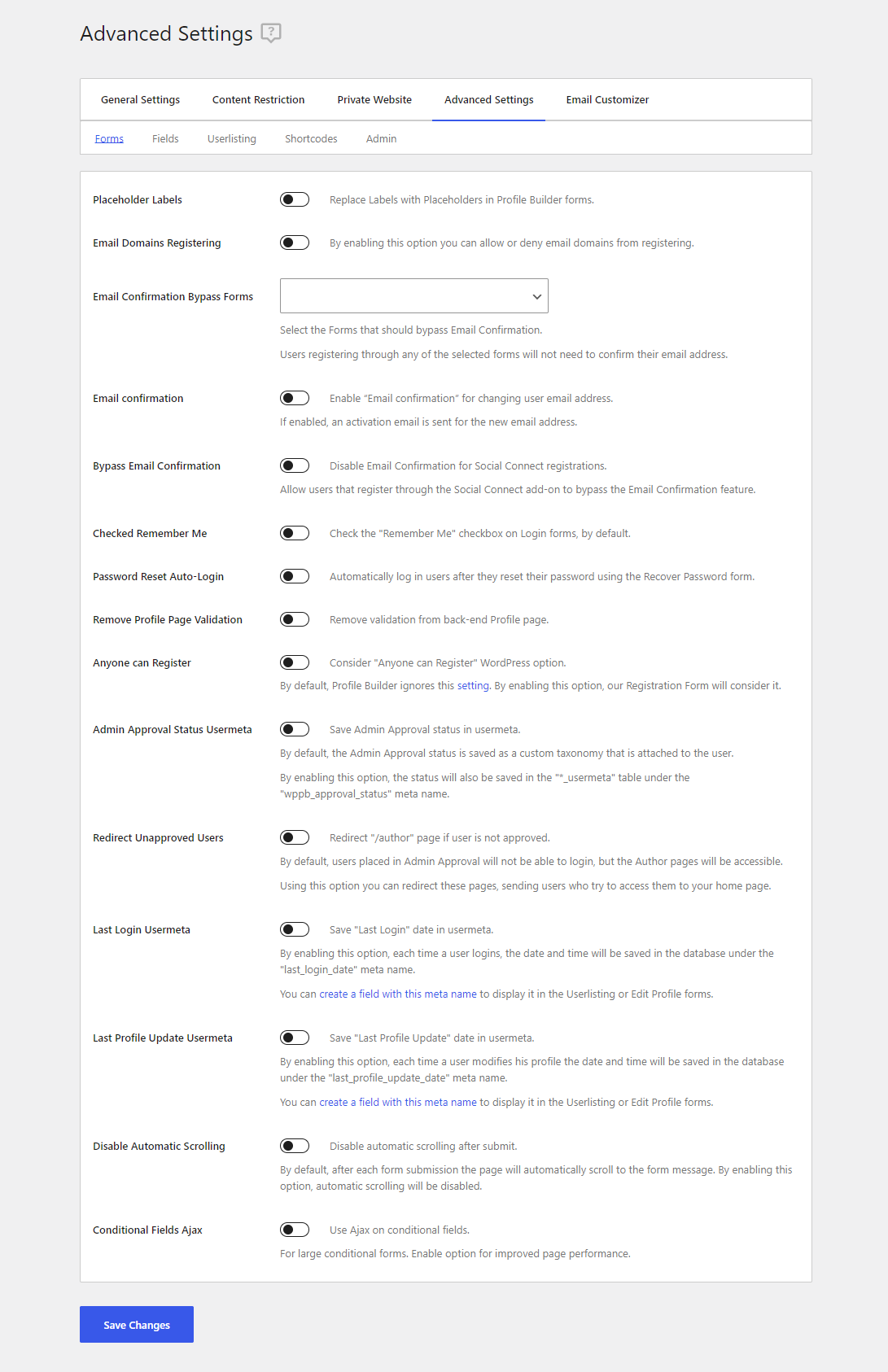
User Profile Builder Advanced Settings
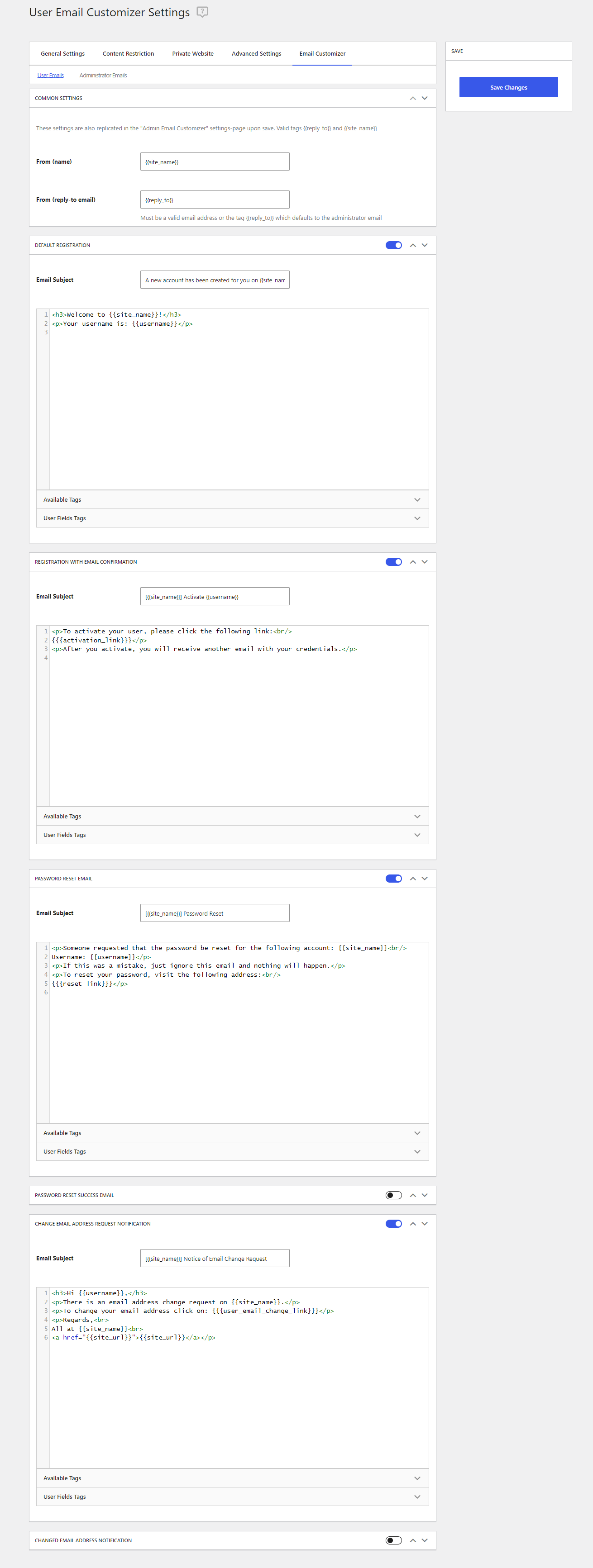
Settings for Customizing User Emails
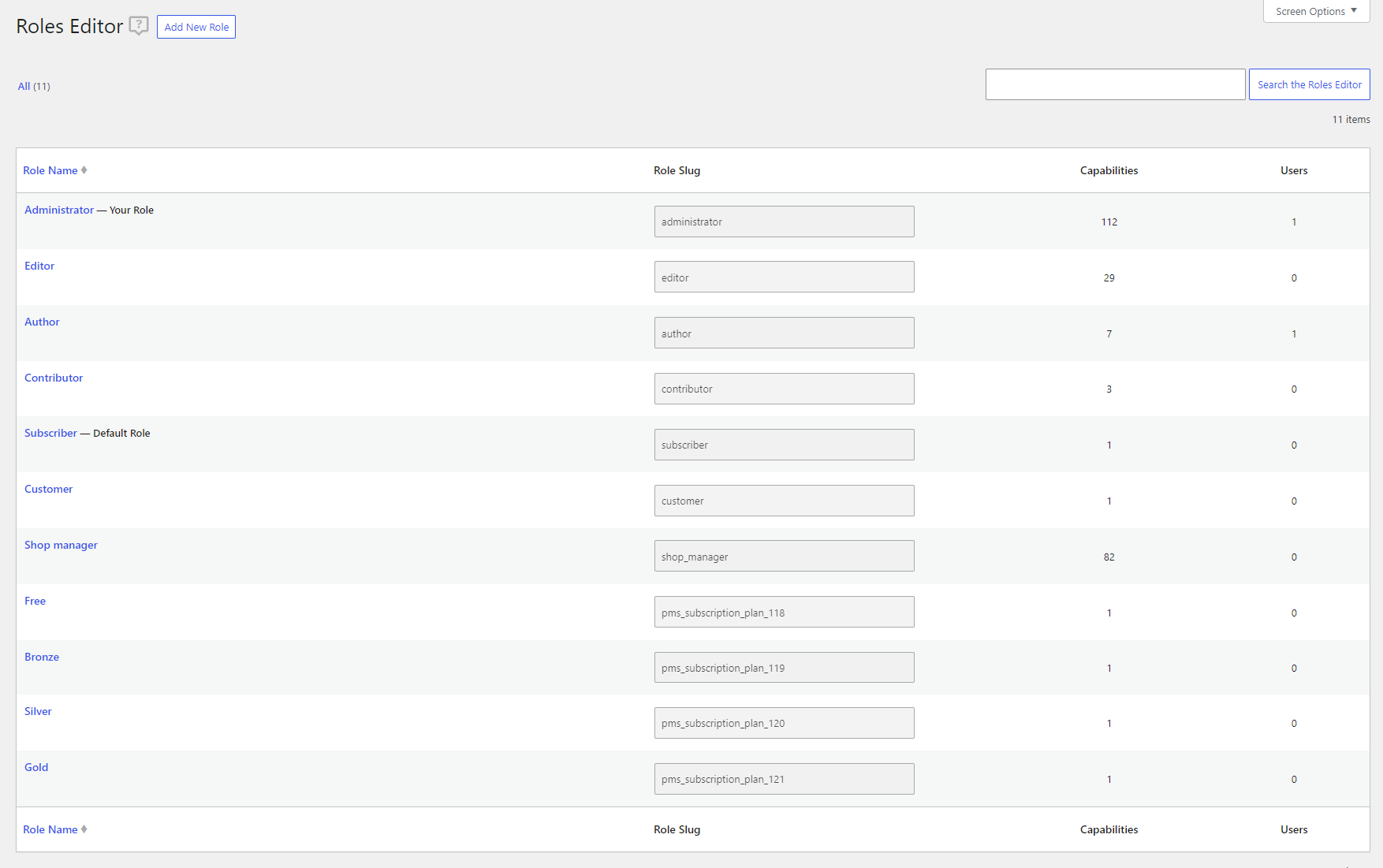
User Roles Editor - create custom user roles or edit existing roles and capabilities
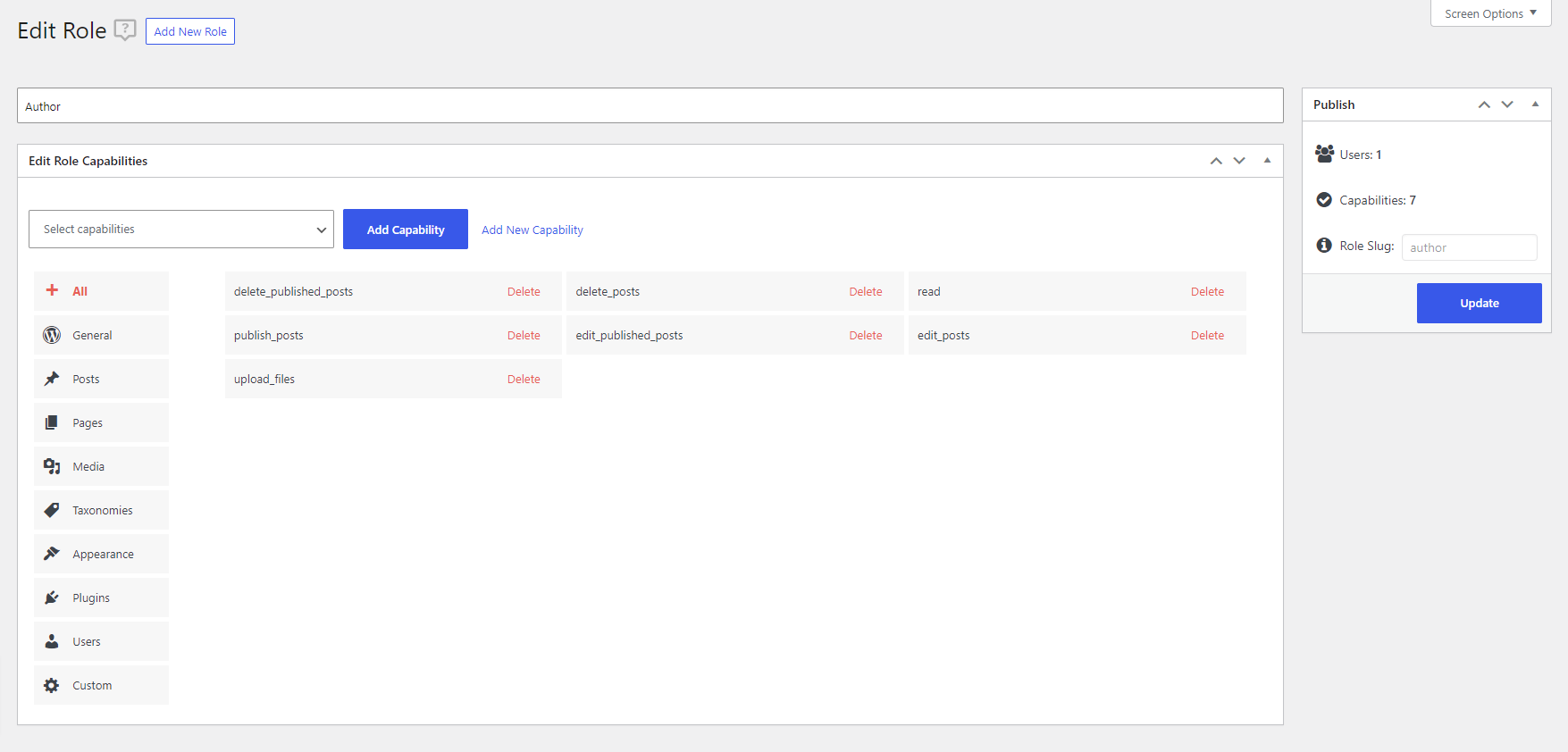
Edit or Add New User Role
Faq
You simply need to add the available plugin blocks or the following shorcodes: [wppb-register] & [wppb-edit-profile] to a page and publish it. You can also use the plugin setup wizard to create the pages for you.
Yes, Profile Builder is fully compatible with Elementor, Divi, WordPress Block Editor, Brizy, Visual Composer and more.
User Profile Builder can be found in the default menu of your WordPress installation below the Users menu item.
Profile Builder can only remove the default user fields in the front-end of your site/blog, it doesn’t remove them from the back-end.
For more information please check out the documentation section from Profile Builder – front-end user registration plugin.
Reviews
Intuitive Convenient and Great support
By 
This plugin significantly sped up my development process by a lot. It is intuitive to use. And the customer support is quick to response. Excellent plugin that served its purpose to its fullest.
Great for Member Sites and Intranets
By 
This plugin is great for Member Sites and Intranets. Very intuitive, flexible, with good documentation. Lots of Addons for different features.
Solid and Reliable
By 
I've been using Profile Builder Pro for WordPress for a while now, and overall I'm very pleased with what it offers. It’s a powerful and flexible tool for creating front-end user registration, login, and profile management, and it integrates smoothly into my existing setup. The customization options are excellent, and the plugin has proven to be stable and reliable in day-to-day use.
The only drawback for me is that some parts of the UX feel a little outdated. Nothing that affects core functionality, but certain interface elements could benefit from a more modern design and workflow. That said, once you get used to it, everything works as expected.
If you're looking for a dependable user profile and registration solution for WordPress, Profile Builder Pro is a strong choice.
Very good plugin
By 
I recommend this plugin, which is very comprehensive and works well. The support is super fast and always finds a solution.
Superb Plugin
By 
You can't get much better than this plugin - keep up the good work Paul.
Easy to Update
By 
Thanks WordPress for the easy update to Profile Pro!
Profile Builder is a reliable, well-built plugin
By 
Profile Builder has been extremely useful for our woo commerce. It makes managing user registration, login, and profiles incredibly simple, even without any coding knowledge. The interface is clean, intuitive, and integrates seamlessly with WordPress.
I especially appreciate the flexibility it offers — from creating custom registration and profile forms to managing roles and permissions. The short code system is very handy and saves a lot of time.
Overall, Profile Builder is a reliable, well-built plugin that delivers exactly what it promises. Highly recommended for anyone who wants to add professional user management features to their WordPress site.
Excellent plugin !
By 
I manage a WordPress site for a genealogy association with a few hundred members. This plugin and its add-ons are therefore particularly useful to me. It has allowed me to create registration forms for people who want to join. I also use it for content restriction to filter access to certain pages or for Woocommerce products. I also generate user lists. In short, this plugin does a lot of things and it is very effective. I should add that I recently had a compatibility issue with a theme, the support team reacted very well, found the solution and even integrated it into the latest version of the plugin. Congratulations to them.
Claude
Amazing, simple, powerful, and thoughtfully designed
By 
Truly amazing. Functions perfectly. Easy and intuitive to set up. Clear and customizable CSS.
Top shelf plugin made by true professionals. HIGHLY recommended.
Less work for me to maintain members
By 
I use this plugin in a member area, And its very helpfull to me.
Changelog
3.15.4
- Enhancement: Improved the way custom fields are stored
- Fix: Issue with Exclude Restricted Posts from Queries feature only restricting a select set of posts
- Fix: Add transient caching to Exclude Restricted Posts from Queries when it applies to default WooCommerce queries
- Fix: Exclude Restricted Posts from Queries not applies correctly to the WooCommerce products shortcode
- Misc: Allow admins to select any Registration From when excluding them from Email Confirmation
- Misc: Added a filter that can be used to enforce Email only reset requests in combination with the Allow Users to Login with option
Click Here to view the full changelog.