Protect Uploads

Protect Uploads
Description
The uploads directory is where the files of the WordPress library are stored. Unfortunelty, this directory is not protected. A person who wants to see all your library could list it instantly going to : http://yourwebsite/wp-content/uploads . This plugin will hide the content by adding an index.php file on the root of your uploads directory or by setting an htaccess which will return a 403 error (Forbidden Access).
- Depending on your server setting, the htaccess option could be disabled.
New Features in Version 0.6.0:
- Image Watermarking: Add text watermarks to your uploaded images with customizable position, opacity, and font size.
- Right-Click Protection: Prevent users from right-clicking to download or save your images.
- Password Protection: Secure individual media files with passwords. Multiple passwords can be set for each file with custom labels.
- Access Logging: Track who accesses your password-protected files with detailed logs including IP address and user agent.
Available languages:
- English
- Français
- Español
- Italian (thanks to Marko97)
Installation
- Upload
protect-uploadsfolder to the/wp-content/plugins/directory - Activate the plugin through the ‘Plugins’ menu in WordPress
- Configure protection options in Settings Media Protect Uploads
Note: GD library is needed for watermarking functionality and being able to create a .htaccess file in uploads directory.
Screenshots
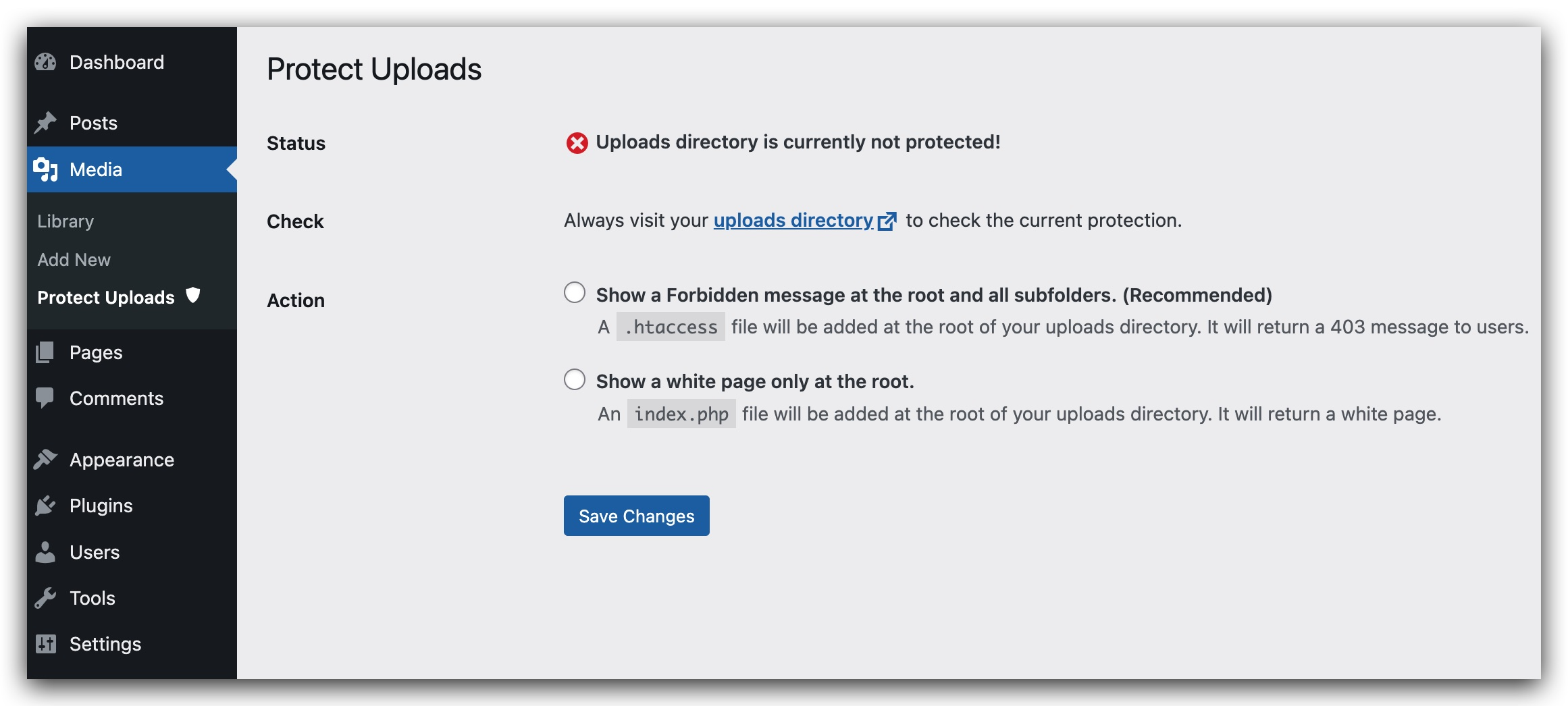
Administration Page for the plugin.
Faq
- Enable password protection in Settings Media Protect Uploads
- Edit any media file in your Media Library
- Scroll down to the “Password Protection” section
- Add one or more passwords with descriptive labels
When enabled, watermarking automatically adds text to images when they are uploaded. You can customize:
– The watermark text (defaults to your site name)
– Position (top-left, top-right, bottom-left, bottom-right, center)
– Opacity (0-100%)
– Font size (small, medium, large)
Yes, password protection works for all media file types including PDFs, images, videos, and documents.
Reviews
Thanks!
By 
Thanks!
Doesn't work at all
By 
Tried with "Protect with index.php files"
Tried with "Protect with .htaccess file"
Neither one works. PDF happily appears in another browser where I'm not logged in, it's got a little menu, it loads completely, and the crooks are off and away with my property. WordPress 6.2.
Thanks. Have a nice day.
Don't be fooled by fake reviews.
By 
This plugin is not malware.
The 'malware' you claim is a 'fake plug-in' created by a web server being hacked.
A year after downloading this plug-in from the official WordPress.org , my site is still very fine and secure. Don't be fooled by fake reviews.
Simple and basic but perfect!
By 
Still works great on wp 5.8
By 
Thank you for a great plugin
By 
Considered ok
By 
Works as intended
By 
Worked like a charm!
By 
Good job
By 
Changelog
0.6.0
- Added image watermarking with customizable text, position, opacity, and font size
- Added right-click protection to prevent image downloads
- Added password protection for individual media files
- Added access logging for password-protected files
- Added multiple password support with custom labels
- Added security enhancements throughout the plugin
- Improved file serving with better security checks
- Added font size control for watermarks
- Enhanced error handling and logging
0.5.2
- Removed unused css
0.4
- Fix potential security issues.
- Remove recursive loop that creates indexes.
0.3
- Simplify UI admin.
- check presence of index.html.
- Remove option value managing current protection status.
- Reorganizing code and making it more modular and simple.
- Remove useless pieces.
0.2
- Add security check to form in admin page.
- Add sidebar for admin page
- Add Italian translation (thanks to Marko97).
- Try to fix the wrong message saying that Protection is disabled eventhough it is actually working.
0.1
- Initial release