Puckettworks Super Simple Sticky Sidebar

Puckettworks Super Simple Sticky Sidebar
Description
Installation
- Upload the
puckettworks-super-simple-sticky-sidebarfolder to/wp-content/plugins/. - Activate the plugin through the
Pluginsmenu in WordPress. - Go to
Settings -> Puckettworks Super Simple Sticky Sidebarto configure your content and appearance.
Screenshots
screenshot-1.png
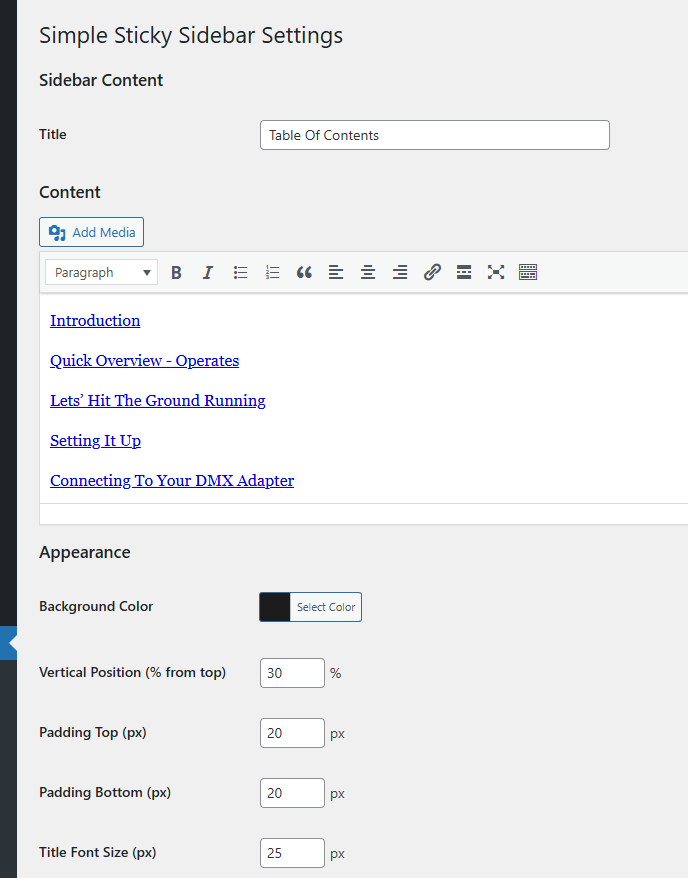
screenshot-2.png
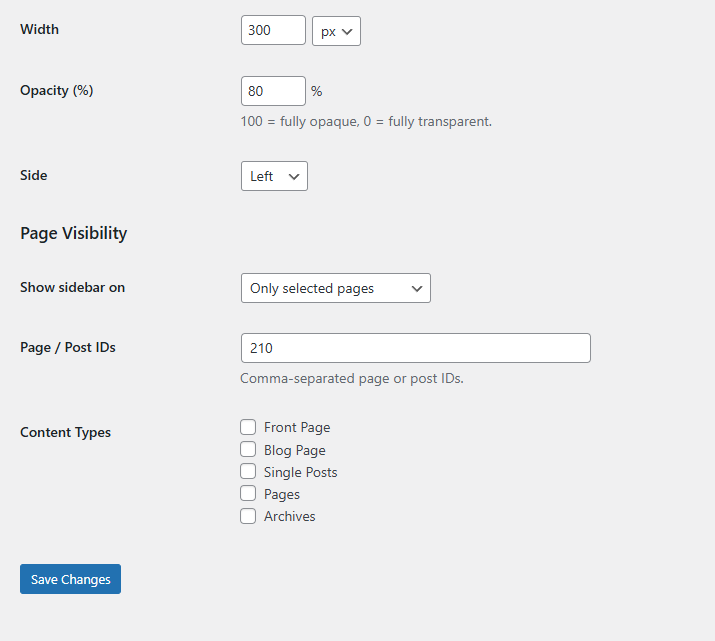
screenshot-3.png
Faq
Go to Settings -> Puckettworks Super Simple Sticky Sidebar in your WordPress admin dashboard.
Yes. The visual editor supports rich formatting, and you can switch to the Text tab to enter raw HTML.
Yes. Under “Page Visibility” you can choose to show the widget on all pages, only selected pages, or all pages except selected ones. You can target by page/post IDs or by content type.
Yes. A small toggle button lets visitors collapse and expand the panel. The collapsed state is remembered across page loads using local Storage.
Reviews
Changelog
1.0.1
- Fixed right-side positioning not applying correctly.
- Fixed bottom padding not rendering on content.
- Added opacity setting.
- Upgraded content field from plain text area to WordPress visual editor.
- Improved output escaping for WordPress Plugin Check compliance.
1.0.0
- Initial release.
1.0.1
- Fixes right-side positioning, adds opacity control and visual editor for content.
= 1.0.2=
* Updated readme.txt description