Puddinq Dashboard
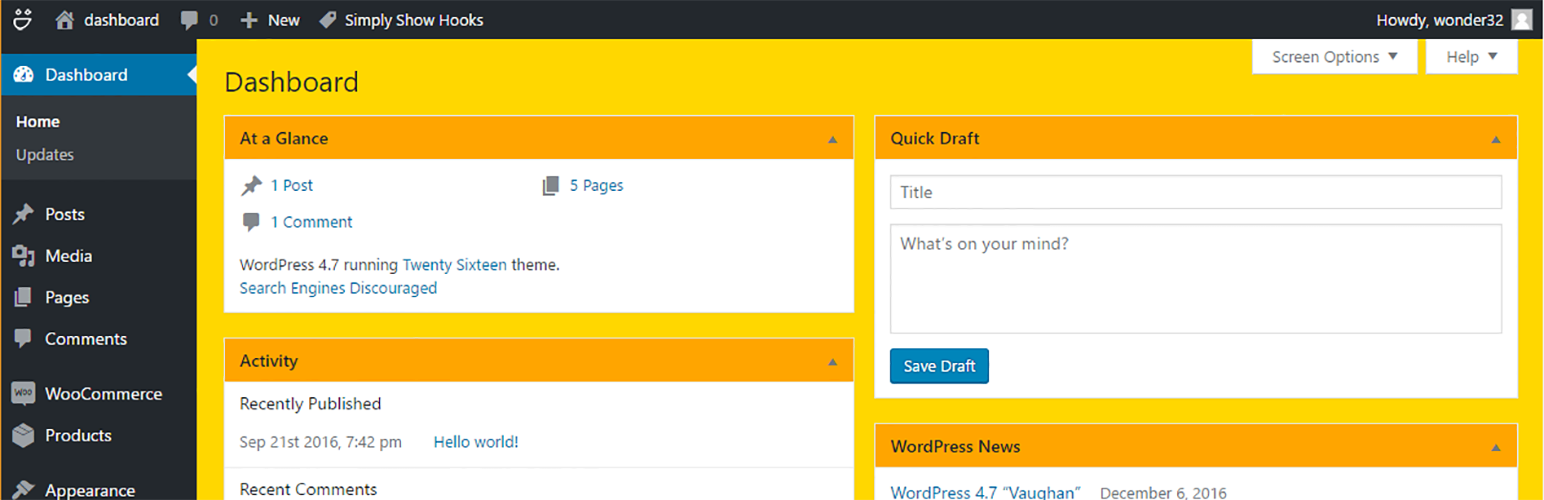
Puddinq Dashboard
Description
Puddinq Dashboard is a lightweight facelift for the admin dashboard. Hide widgets, customeize styling.
- Hide widgets
- Change logo in adminbar
- Change the color of the dashboard
- Change widget bead and body color
Translations
- English : English
- Dutch: Nederlands
Additional Info
Just a little leightweight plugin…
Credits
- Thanx to Stefan Schotvanger
Installation
3 ways
- Use the plugin upload functionality to upload the zip and install the plugin.
- Extract to contents of the zip to the plugins directory of your installation.
- Find the plugin and press install (WordPress plugins)
Screenshots

After installation go to the settings page ( settings -> puddinq dashboard)

Activate widgets, logo or color change and select an image or color

Effect
Faq
Aprt from the admin bar, visible at the frondend (logo option)
No, the plugin is only active in the backend.
If you deactivate the plugin all settings are removed.
Reviews
Hides my widgets and sets a sunny tone
By 
The colors cheer you up a bit and are not irritating on the eyes, hiding widgets brings zo calm to the dashboard wiev.
Changelog
0.1.2
repair plugin and test wp 7.0
0.1.1
- Check for WordPress 5.4
0.1.0
- Version confusion
0.0.9
- Compability check WordPress 5.2
0.0.8
- Compability check
0.0.7
- Select your custom colors with colorselectors
- Reset colors to puddinq default
0.0.6
- First optional puddinq dashboard widget with custom piture.
- Media upload field fill dashboard widget
0.0.5
- Media upload field to replace logo
0.0.4
- Corrected settings field
0.0.3
- Checks for all widgets
- All widgets can be blocked
0.0.2
- Nicer settingsscreen
- Better code (no errors)
- Better descriptions (phpdoc)
0.0.1
- Settings screen
- Initial functions
- Tested