Puddinq order list
Puddinq order list
Description
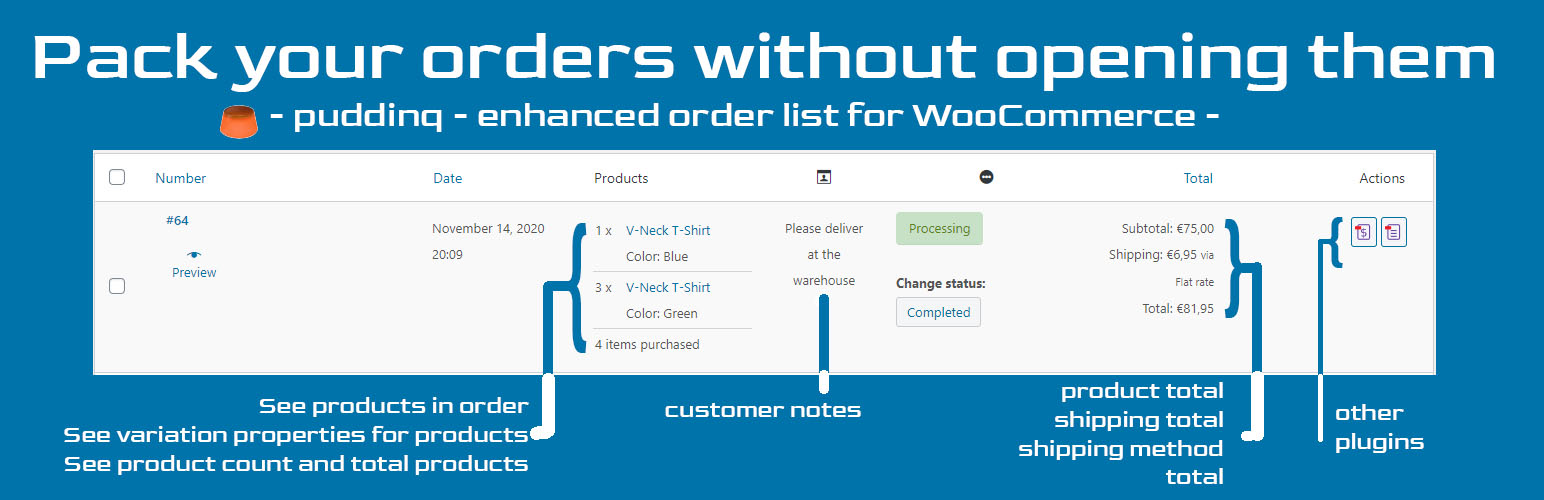
This plugin enhances the WooCommerce admin order list by adding a column that displays ordered products (including variation data), transport details, and customer notes at a glance—no need to open orders.
Key Features:
– View order products with variations directly in the order list.
– See transport and customer notes without clicking into orders.
– Works with packing slip plugins to print directly from the order list.
– Improves efficiency for shop owners and fulfillment teams.
Translations
- English : English
- Dutch: Nederlands
Installation
- Upload the plugin folder to
/wp-content/plugins/. - Activate the plugin through the ‘Plugins’ menu in WordPress.
- Go to WooCommerce > Orders to see the new column.
Screenshots

screenshot-1.png - One row in the order screen.

screenshot-2.png - Screen without plugin activated.
Faq
On the top of the admin order screen there is a little tab ‘Screen Options’ (WordPress default). You can select columns there and set the number of orders.
Yes, this plugin is fully compatible with HPOS.
The WooCommerce structure is not altered. Plugins depending on that should work fine.
If you deactivate the plugin all effects stop, and plugin data is removed.
Reviews
Works just like it says
By 
Changelog
0.2.8
- compatibility check for WooCommerce 10.8.1
0.2.7
- fix plugin-check warnings
0.2.6
- comply to WordPress 6.9 standards
0.2.4
- Better descriptions.
- Better looks.
0.2.3
- Updated version ‘WooCommerce High Performance Order Storage’ (HPOS) compatible.