Puzzle Gate – Login Security with Smart Puzzle CAPTCHA

Puzzle Gate – Login Security with Smart Puzzle CAPTCHA
Description
Puzzle Gate is a next-generation WordPress security plugin that replaces annoying traditional CAPTCHAs with an intelligent, interactive puzzle system. Unlike conventional image/text CAPTCHAs that rely on external services and frustrate users, Puzzle Gate offers a fast, self-hosted solution that’s both highly secure and surprisingly user-friendly.
Why Website Owners Choose Puzzle Gate:
Blocks Automated Login Attacks – Advanced puzzle logic stops bots before they can even attempt authentication
Zero External Dependencies – No Google services, no tracking, complete privacy compliance
Lightning Fast – Adds just 200ms to your login page load time
Mobile-First Design – Works perfectly on all devices without compromising security
GDPR/Privacy Compliant – No external API calls, no user data sharing
Accessibility Focused – Screen reader compatible with alternative input methods
How It Works (The Smart Way):
- Interactive Puzzle Challenge – Users arrange randomized symbols into logical order
- Server-Side Validation – Each puzzle is uniquely generated and hashed for maximum security
- Automatic Bot Blocking – Failed attempts trigger puzzle regeneration
- Seamless Login Experience – Humans solve it in seconds, bots can’t crack it
Puzzle data is generated server-side, hashed securely, and expires automatically to prevent replay attacks.
Features
Core Security
- Drag-and-drop puzzle CAPTCHA system
- Server-side validation with WordPress salts
- Automatic puzzle expiration (configurable)
- Brute-force attack protection
- Nonce-based replay attack prevention
Administration & Control
- Simple settings panel in WordPress admin
- Adjustable puzzle difficulty (4-12 symbols)
- IP whitelisting capabilities
- Failed attempt threshold configuration
User Experience
- Fully responsive design
- Mobile-optimized interface
- Keyboard navigation support
- Screen reader compatibility
- Visual feedback for interactions
Technical Excellence
- 100% self-hosted solution
- No external API dependencies
- Lightweight codebase
- Regular security updates
- Compatible with most security plugins
Admin Configuration
Puzzle Gate includes a settings page where administrators can:
- Enable or disable the puzzle CAPTCHA
- Set puzzle difficulty (number of symbols)
- Enable the puzzle only after X failed login attempts
- Whitelist trusted IP addresses
Documentation
Full documentation is available on our website:
Puzzle Gate Documentation
Troubleshooting
- Ensure the Puzzle Gate plugin is activated and your WordPress version is at least 5.2.
- Deactivate other plugins to check for conflicts.
Installation
- Upload the
puzzle-gatefolder to the/wp-content/plugins/directory
OR install via the WordPress Plugins screen. - Activate the plugin through the Plugins menu.
- Go to Settings Puzzle Gate to configure options.
- Log out and visit the login page to see the puzzle in action.
Screenshots
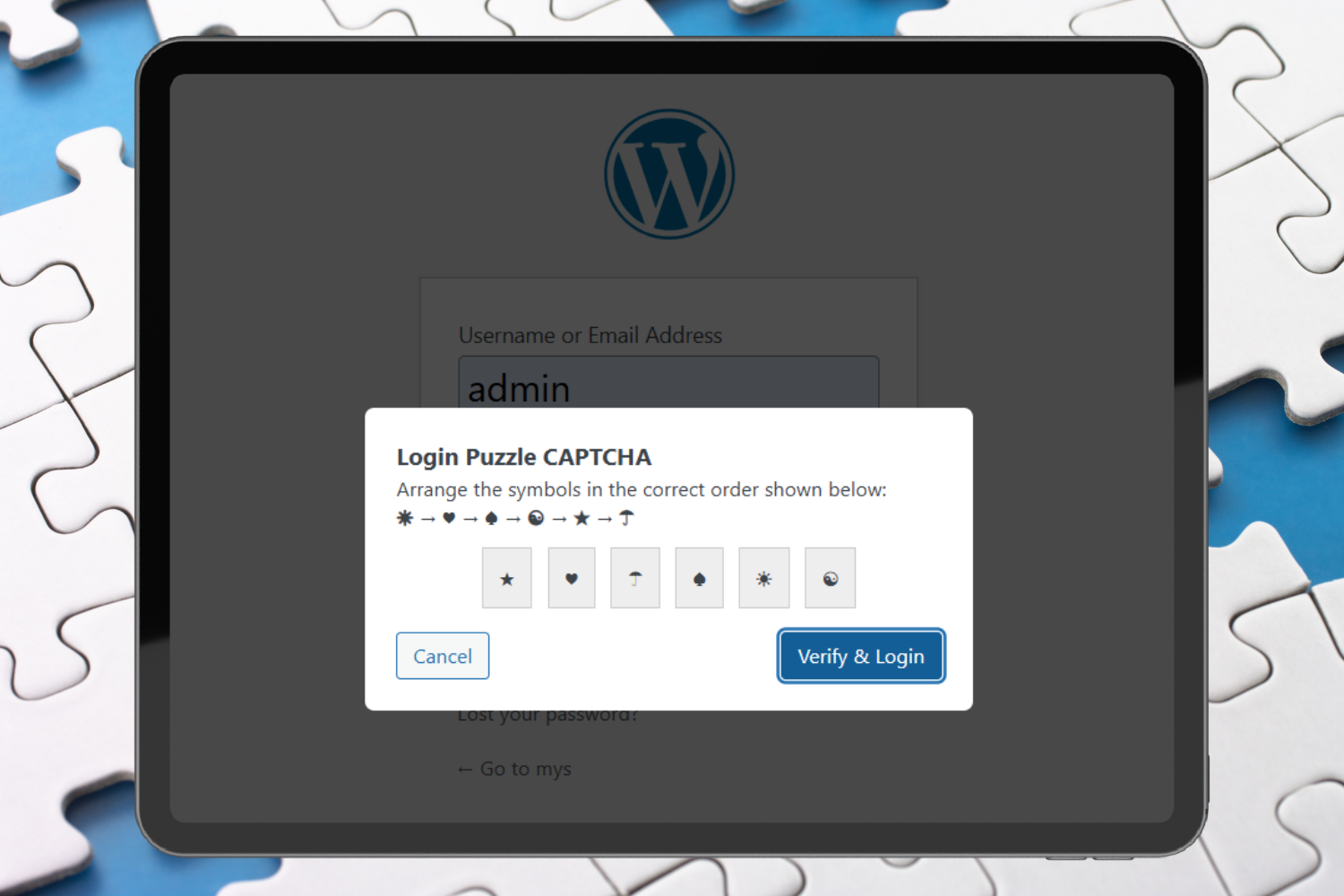
Puzzle Gate
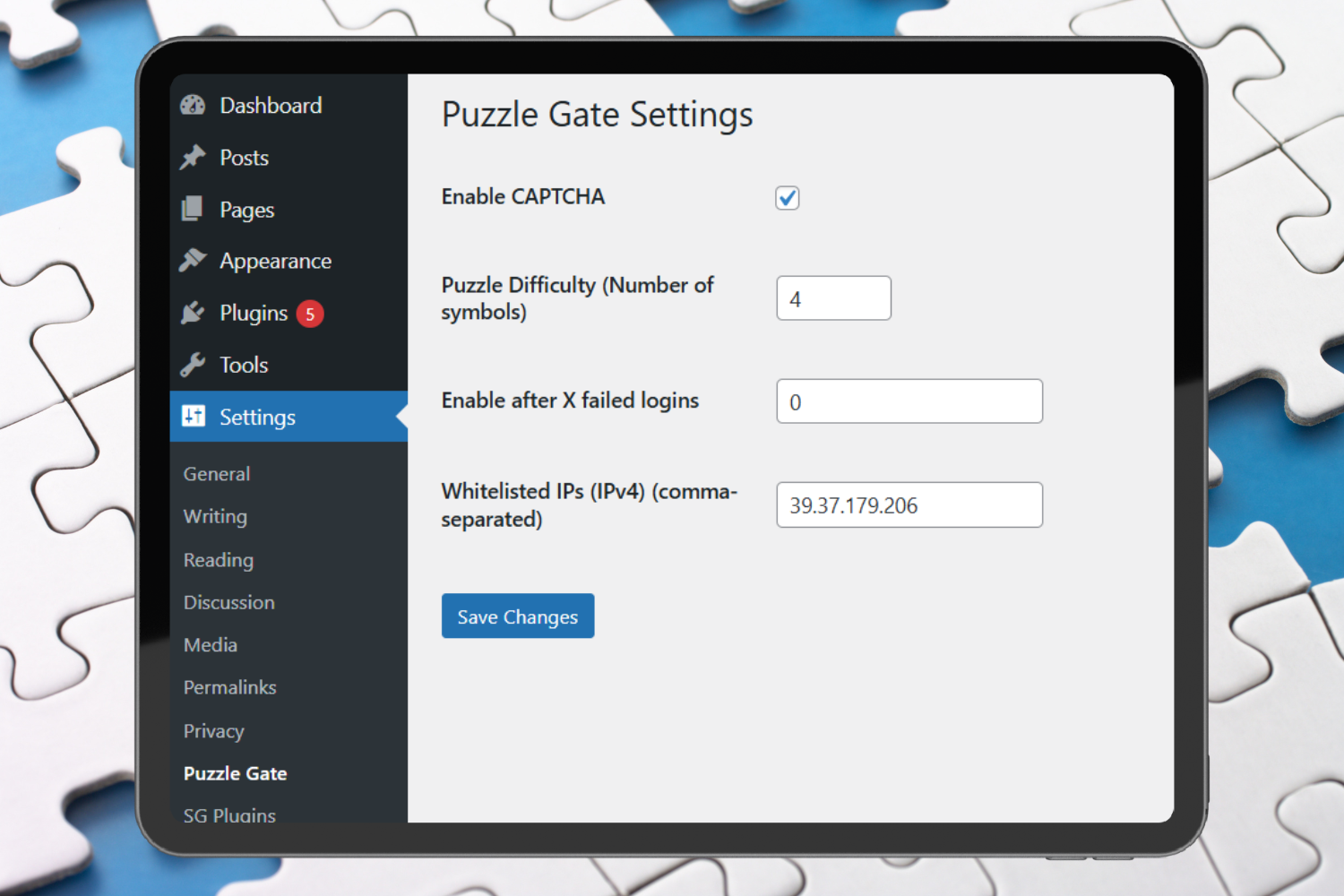
Settings
Faq
No. The puzzle is lightweight and optimized to load quickly.
The puzzle logic, nonce binding, expiration, and hashing make automated solving extremely difficult.
The puzzle is regenerated and must be solved again before login is allowed.
Yes. The puzzle is fully responsive and automatically switches to a dropdown-based interface on mobile devices.
Reviews
Changelog
1.0.1
- Performance optimizations on the login page
- Minor UI and accessibility improvements
- Code cleanup and stability fixes
1.0.0
- Initial release
- Puzzle #1: Order the Symbols
- Admin settings panel
- Accessibility fallback
- Secure nonce-based validation