QSO Statistics for Wavelog

QSO Statistics for Wavelog
Description
QSO Statistics for Wavelog retrieves the QSO statistics of your own Wavelog instance and displays them anywhere on your site via shortcodes.
- Total number of QSOs and QSOs of the current year
- QSOs per mode: SSB, FM, AM, CW, RTTY, PSK, FT8, FT4, JS8 and all digital modes combined
- Multiple station IDs can be combined, totals are summed up
- Results are cached (1–1440 minutes, default 10) to keep the load on your Wavelog instance low
- Visitors never see technical error messages; administrators do
This plugin is not affiliated with or endorsed by the Wavelog project.
Available shortcodes
[wavelog_totalqso]– total number of all QSOs[wavelog_totalqso_year]– total number of QSOs in the current year[wavelog_ssbqso]– SSB QSOs[wavelog_fmqso]– FM QSOs[wavelog_amqso]– AM QSOs[wavelog_cwqso]– CW QSOs[wavelog_rttyqso]– RTTY QSOs[wavelog_pskqso]– PSK QSOs (including variants like PSK31)[wavelog_ft8qso]– FT8 QSOs[wavelog_ft4qso]– FT4 QSOs[wavelog_ft8ft4qso]– FT8 and FT4 QSOs summed up[wavelog_js8qso]– JS8 QSOs[wavelog_digiqso]– all digital mode QSOs (FT8, FT4, PSK, RTTY, JS8, etc.)
External services
This plugin connects to the Wavelog instance you configure in the settings. Wavelog is a self-hosted logbook application for amateur radio, so this is usually your own server.
- What is sent: your Wavelog API key and the configured station ID(s), as a POST request to
<your Wavelog URL>/index.php/api/get_wp_stats. - When: whenever a page with one of the shortcodes is rendered and no cached result is available (at most once per configured cache duration; after an error at most once every 2 minutes).
- What is received: aggregated QSO counts. No data about your visitors is sent.
The terms and privacy policy of the Wavelog instance are those of its operator. Information about the Wavelog software: https://github.com/wavelog/wavelog
Installation
- Install the plugin via Plugins Add New or upload the ZIP file, then activate it.
- Go to Settings Wavelog.
- Enter your Wavelog URL (https only), an API key (please use a read-only key) and your station ID, which is “1” in most cases. Multiple station IDs can be separated by commas (e.g. 1,3,10).
- Add one of the shortcodes to any page, post or block.
Requires Wavelog 2.0.1 or newer.
Screenshots
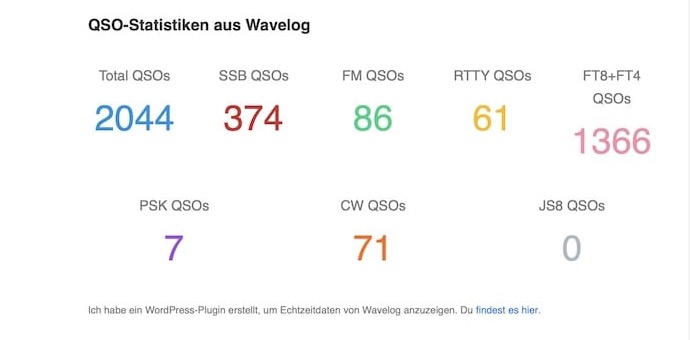
QSO statistics on a website, built with the shortcodes inside a block with groups.
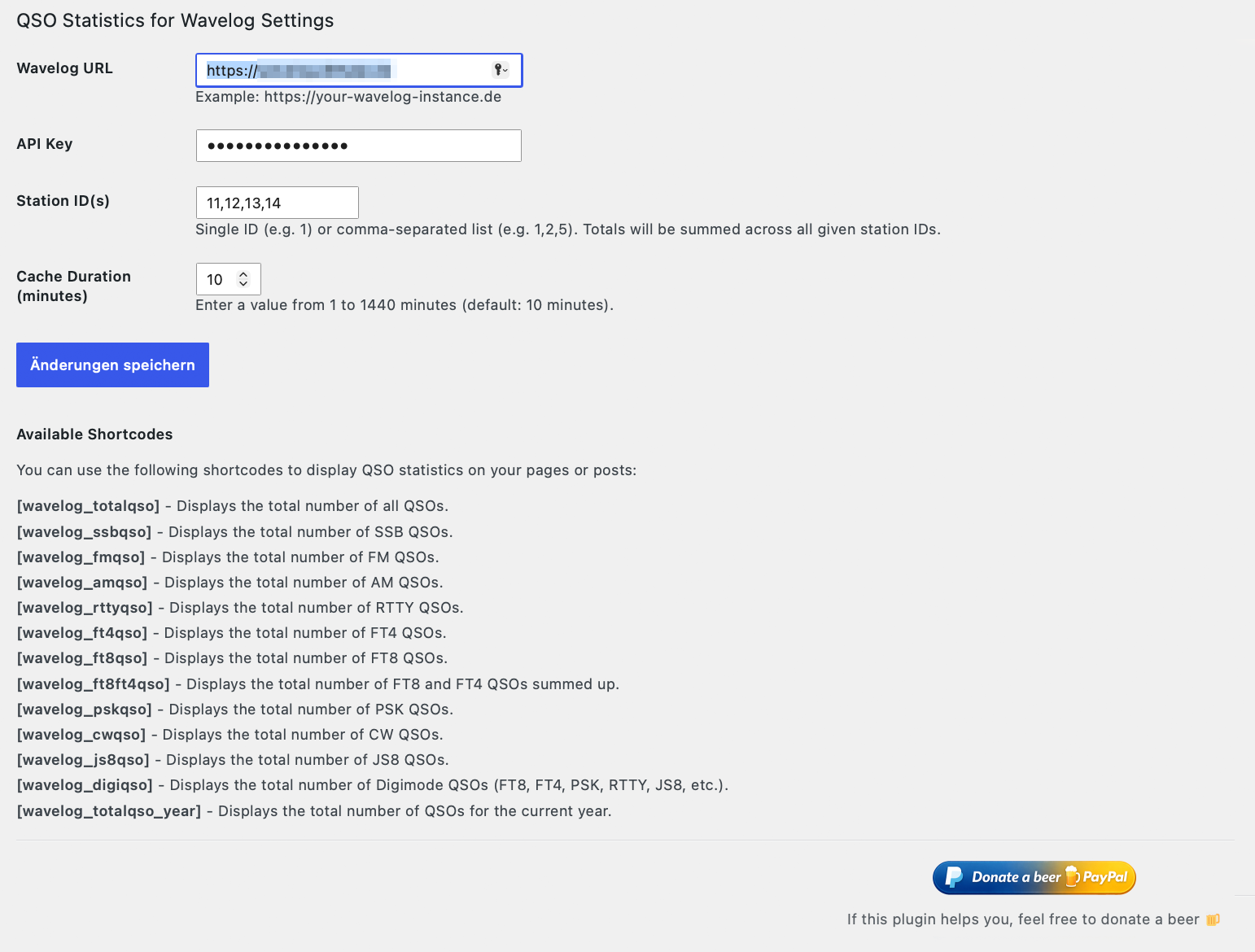
The settings page: Wavelog URL, API key, station ID(s) and cache duration.
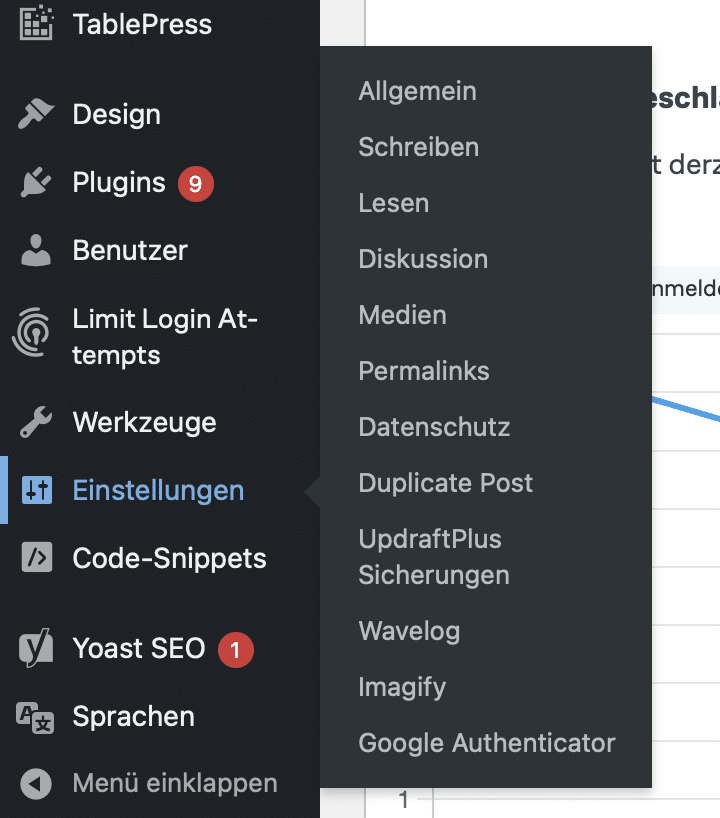
The settings page can be found under Settings → Wavelog.
Faq
Results are cached to reduce API calls. Changes in Wavelog show up after the configured cache duration (default 10 minutes).
The data could not be retrieved. Log in as an administrator and open the page: you will see the actual error message instead of the dash.
Create a read-only API key in Wavelog. The plugin only reads statistics.
Reviews
Changelog
2.4.4
- Updated screenshot of the settings page. No functional changes.
2.4.3
- German banner for the plugin page on de.wordpress.org. No functional changes.
2.4.2
- New icon, banner and screenshots for the WordPress.org plugin page. No functional changes.
2.4.1
- First release in the WordPress.org plugin directory. No functional changes.
2.4.0
- Prepared for the WordPress.org plugin directory: new name “QSO Statistics for Wavelog”, readme.txt, complete plugin header.
- All texts in the admin area and error messages are translatable.
- Settings are removed from the database when the plugin is deleted.
2.3.0
- API errors are cached for 2 minutes; API timeout reduced from 15 to 5 seconds.
- Technical error messages are only shown to administrators; visitors see “–”.
- All settings are sanitized on save (https-only URL, cache 1–1440 minutes, numeric station IDs).
- The API key field is now a password field.
2.2.1
- Multiple station IDs possible.
- The main plugin file no longer changes its name with every version.