QtyFlow – Quantity Buttons & Live Total Price for WooCommerce

QtyFlow – Quantity Buttons & Live Total Price for WooCommerce
Description
QtyFlow turns the plain WooCommerce quantity field into a polished buying experience. It works on your existing product pages, with no shortcodes or template edits needed.
It enhances WooCommerce’s own add to cart form instead of replacing it. Stock limits, minimum and maximum quantities, variations and fields added by other plugins keep working.
Works with every core product type
- Simple products: quantity buttons and a live “quantity × price” total.
- Variable products: the total updates the moment a variation is chosen, using that variation’s price, sale price and stock limits.
- Grouped products: the total adds up every item the customer selects.
- External / affiliate products: left untouched, as they should be.
Features
- Touch-friendly + / − quantity buttons on product, cart and (optionally) shop pages.
- Live total price that respects your tax display settings and currency format.
- Sale savings: crossed-out regular total plus “You save X (Y%)”.
- Instant Ajax add to cart that refreshes the mini cart, with an automatic fallback to the normal form when an expired security token is detected before adding.
- Automatic cart updates when quantities change. No more “Update cart” button.
- Quantity selector next to “Add to cart” on shop and category pages.
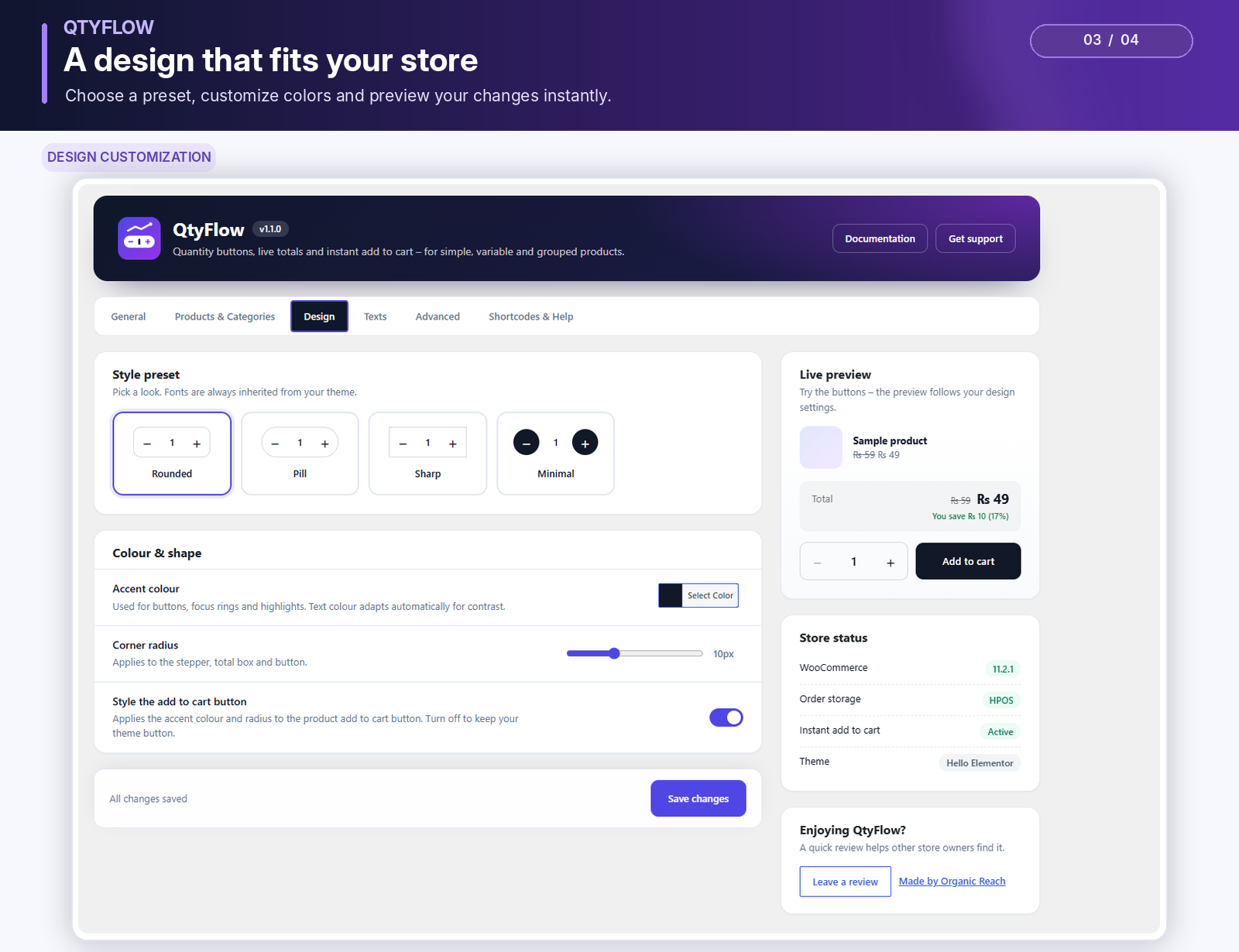
- Four style presets, an accent colour and a corner radius, with a live preview in the settings.
- “QtyFlow Buy Box” block with a product search, plus shortcodes for Elementor and other page builders.
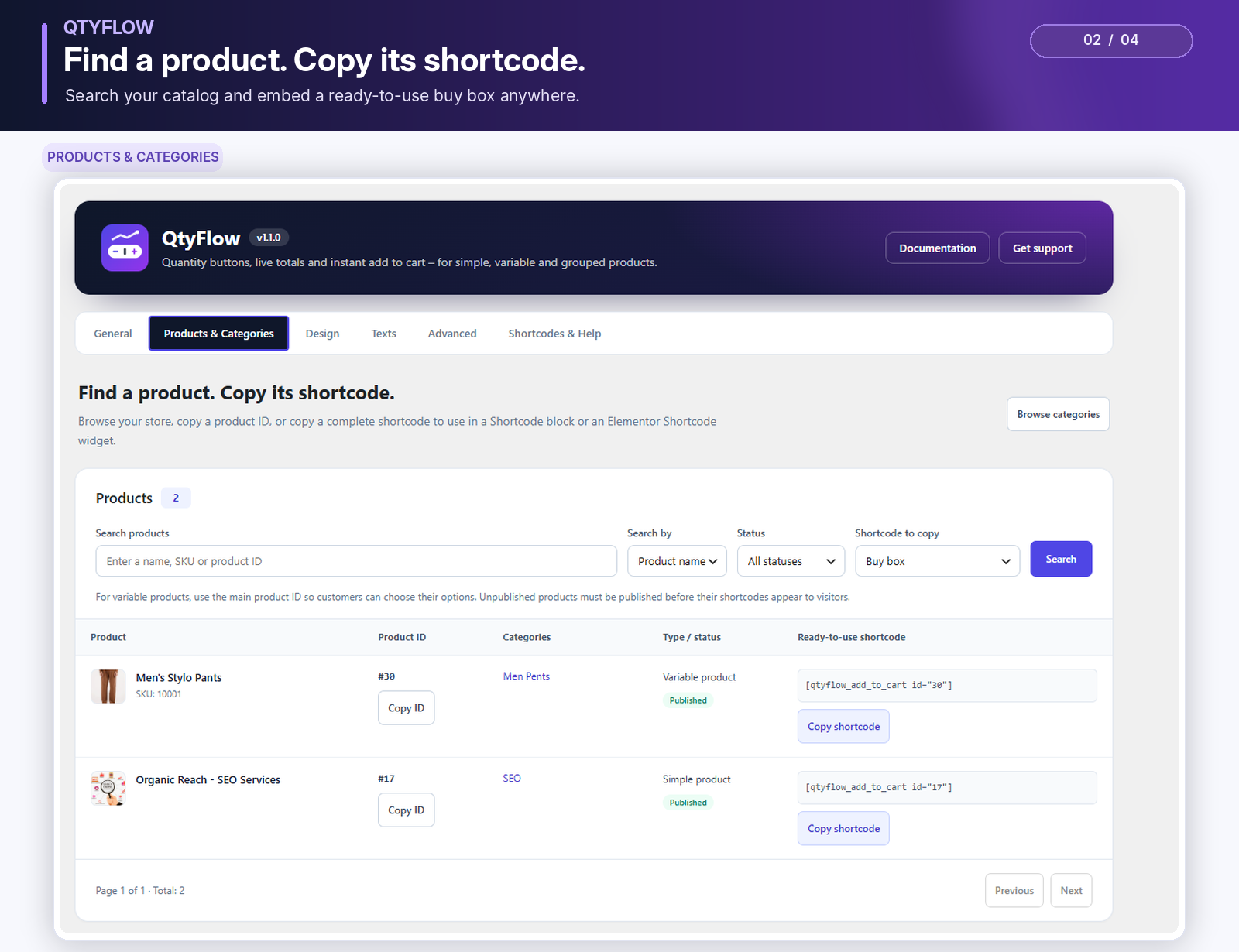
- Products & Categories tab with paginated product/category lists, name/SKU/ID search, category filters and one-click ID or shortcode copying.
- Detects themes that already add their own + / − buttons and never doubles them.
- Accessible: keyboard friendly, screen-reader labels, live regions and reduced-motion support.
- HPOS compatible, translation ready, RTL friendly. No external requests and no tracking.
Shortcodes
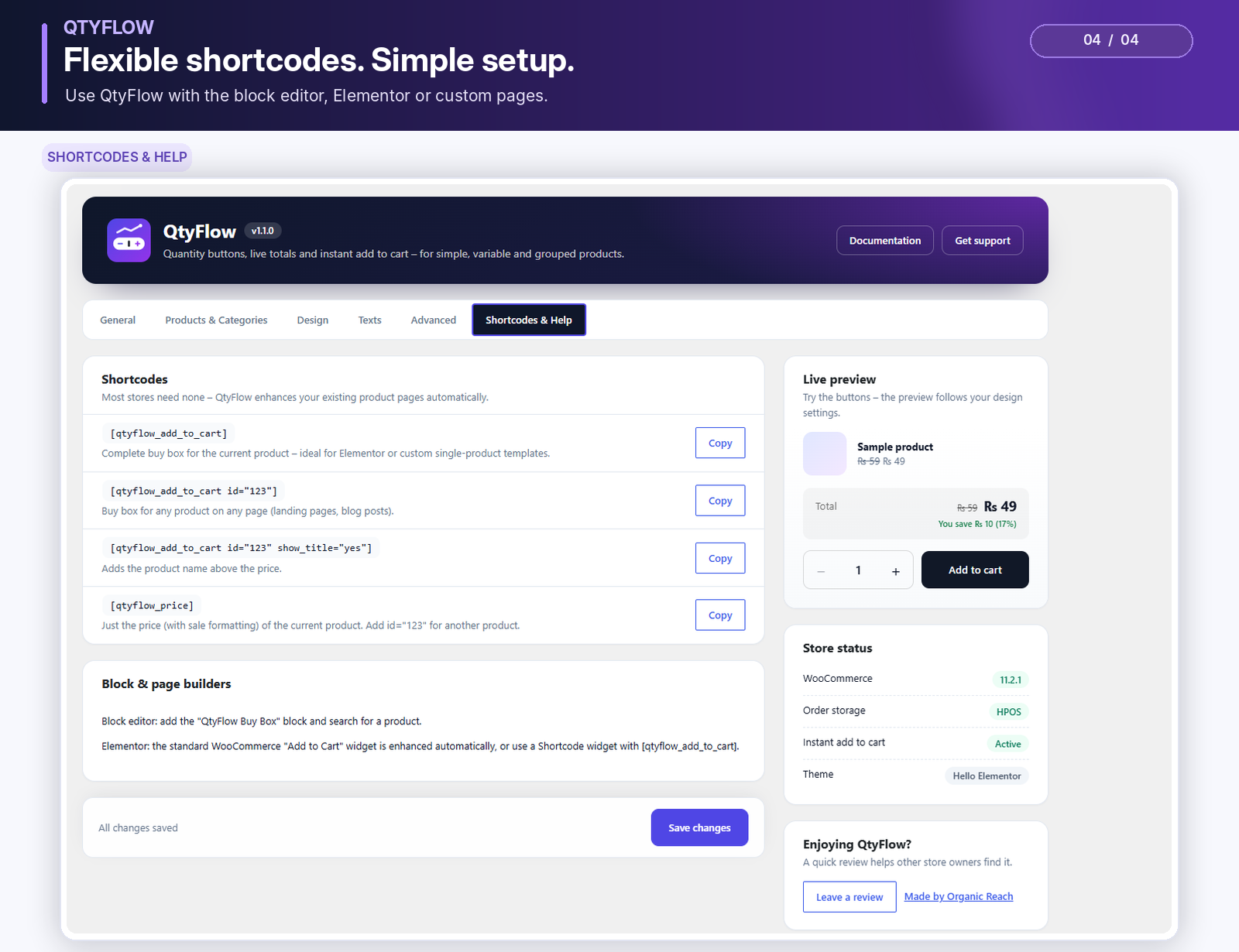
[qtyflow_add_to_cart]shows the complete buy box for the current product.[qtyflow_add_to_cart id="123" show_title="yes"]shows the buy box for any product, on any page.[qtyflow_price id="123"]shows just the price, with sale formatting.
Find product IDs under WooCommerce QtyFlow Products & Categories. Choose Buy box, Buy box with product name, or Price only, then copy the complete shortcode next to a product. Paste it into a WordPress Shortcode block or an Elementor Shortcode widget.
The Categories section shows category IDs and slugs and lets you filter the product list. Category IDs are for reference; QtyFlow shortcodes use product IDs. For variable products, use the main product ID so customers can select a variation.
Installation
- Install and activate WooCommerce.
- Go to Plugins Add New, search for “QtyFlow”, then install and activate it.
- Open a product page. The quantity buttons and live total are already there.
- Optional: adjust the design and behaviour under WooCommerce QtyFlow.
Screenshots
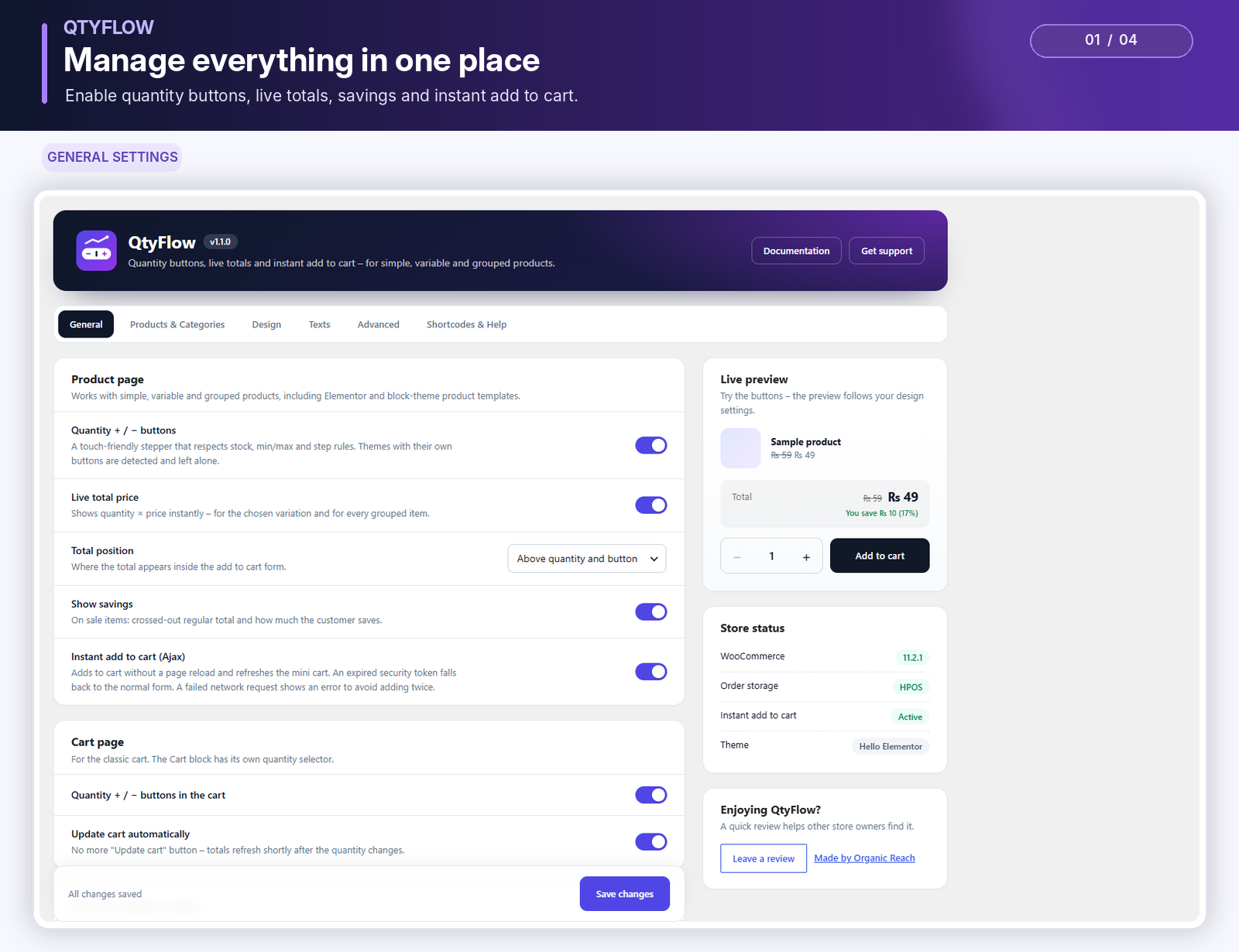
Product page with quantity buttons, live total and savings.
Variable product: the total follows the selected variation.
Grouped product: the total adds up all selected items.
Settings with style presets and a live preview.
Faq
Yes. The total follows the selected variation, and for grouped products it adds up every item with a quantity above zero.
QtyFlow detects them and leaves them alone. The live total and Ajax add to cart still work.
If a cached page delivers an outdated security token, QtyFlow submits the normal WooCommerce form instead. If a network request fails after submission, it shows an error instead of automatically sending the purchase again.
QtyFlow is compatible with them. The Cart block has its own quantity selector, so the cart-page stepper and auto update apply to the classic cart.
Yes. The WooCommerce “Add to Cart” widget in Elementor Pro templates is enhanced automatically. You can also place [qtyflow_add_to_cart] in a Shortcode widget.
No. Everything runs on your own site.
Reviews
Changelog
1.1.0
- Add the Products & Categories tab next to General.
- Browse paginated products and categories with product name, SKU, ID, status and category filters.
- Copy product/category IDs and ready-to-use buy-box or price shortcodes.
- Protect catalogue requests with permission checks, security tokens, validated parameters and bounded queries.
- Improve clipboard fallback, keyboard tab navigation and separation between catalog browsing and settings changes.
1.0.1
- Align all PHP and JavaScript translation domains and block metadata with the WordPress.org plugin slug.
- Correct the WordPress.org support and review links.
- Load classic-cart automatic updates independently of the quantity stepper setting.
- Respect disabled and read-only quantity fields and explicit zero maximum quantities.
- Prevent shortcodes and blocks from revealing unpublished product prices, including variations of unpublished products.
- Apply the Buy Box block’s alignment, spacing and custom CSS classes to its rendered wrapper.
- Clarify when Ajax add-to-cart can safely fall back to the normal form.
1.0.0
- Initial release.