QuickShipD Product Video for WooCommerce
QuickShipD Product Video for WooCommerce
Description
QuickShipD Product Video adds a video slide to your WooCommerce product gallery — alongside your existing images, not replacing them.
Paste a YouTube or Vimeo URL, or upload your own MP4/WebM from the Media Library, and the video appears as a gallery slide with a thumbnail and play button.
Features
- YouTube + Vimeo embedding — paste a URL, video appears in the gallery
- Self-hosted video — upload MP4, MOV, or WebM from the Media Library
- Gallery integration — video appears alongside product images as a gallery slide
- Gallery ordering — drag to set where the video appears (before featured image, after featured image, or after all images)
- WooCommerce Block gallery support — works with the Product Gallery Block
- VideoObject SEO schema — outputs structured data for Google video rich snippets
- Play tracking — counts how many times each product video is played
- Variation support — set a different video URL per product variation
- Custom video thumbnail — choose your own thumbnail image from the Media Library
- Playback controls — configure autoplay, mute, loop, and player controls
- HPOS compatible — works with WooCommerce High-Performance Order Storage
Performance
Assets are only loaded on single product pages that have a video. Less than 2 KB of CSS and JavaScript. YouTube and Vimeo player scripts load only when a visitor clicks play.
VideoObject SEO Schema
The plugin automatically outputs a schema.org VideoObject JSON-LD block on product pages with videos. This can enable Google to display video thumbnails in search results.
By QuickShipD
Made by the same team that built QuickShipD — estimated delivery dates for WooCommerce.
External Services
This plugin connects to external services in the following situations:
YouTube
When a product has a YouTube video URL, the plugin loads the video thumbnail image from YouTube’s image servers (img.youtube.com) to display it in the gallery slide. No data about your site or visitors is sent to YouTube during thumbnail loading. The YouTube player (youtube.com) is loaded inside an iframe only when a visitor clicks the play button.
Vimeo
When a product has a Vimeo video URL, the plugin makes a server-side request to the Vimeo oEmbed API (https://vimeo.com/api/oembed.json) to retrieve the video thumbnail URL. Only the Vimeo video ID is sent in this request. The result is cached on your server for seven days to minimise API calls. The Vimeo player (player.vimeo.com) is loaded inside an iframe only when a visitor clicks the play button.
Self-hosted videos
Self-hosted video files (MP4, WebM, etc.) uploaded to your own Media Library are served directly from your server. No external service is involved.
Installation
- Upload the
quickshipd-product-videofolder to/wp-content/plugins/ - Activate the plugin through the Plugins menu
- Open any product, go to the Product Video tab, paste a URL, and save
Settings
WooCommerce Product Video. Configure autoplay, mute, loop, SEO schema, and play tracking.
Screenshots
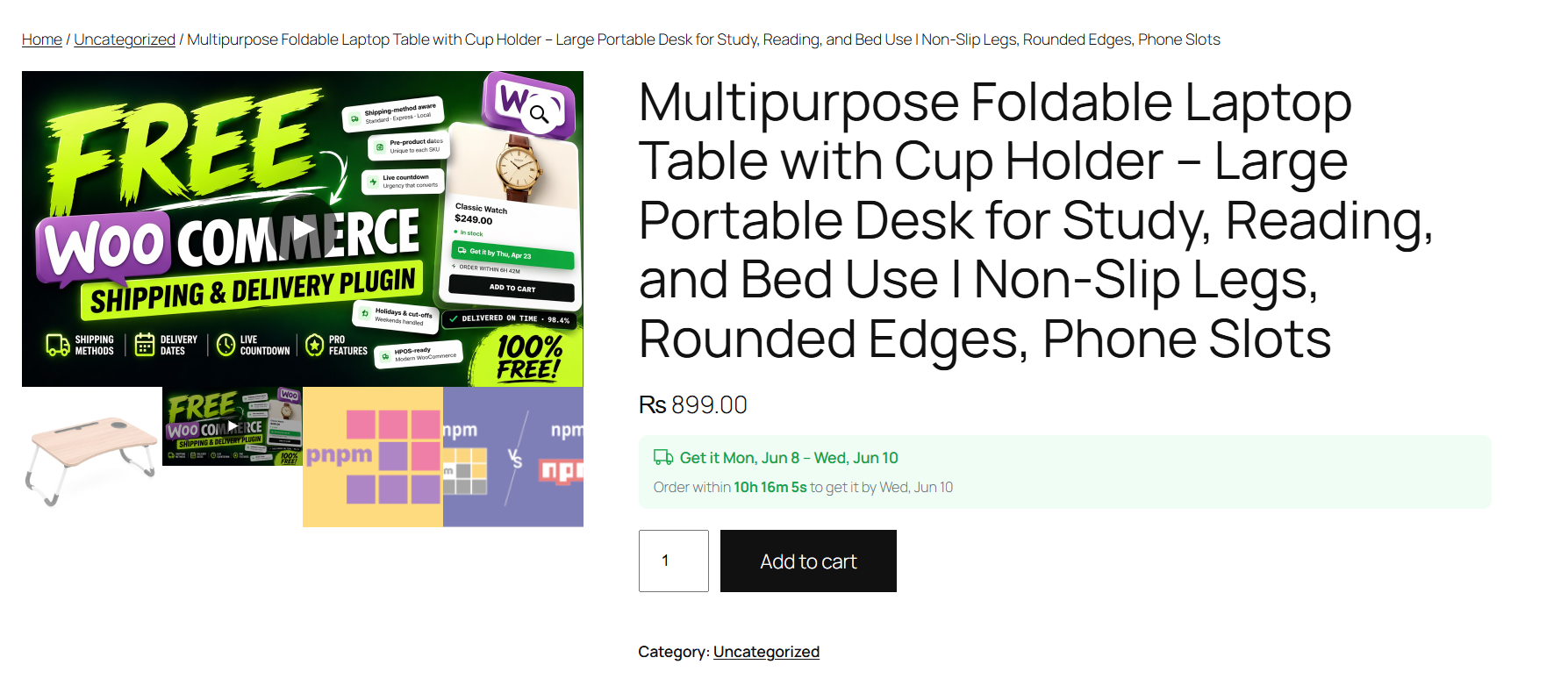
Product page with video in the gallery alongside product images
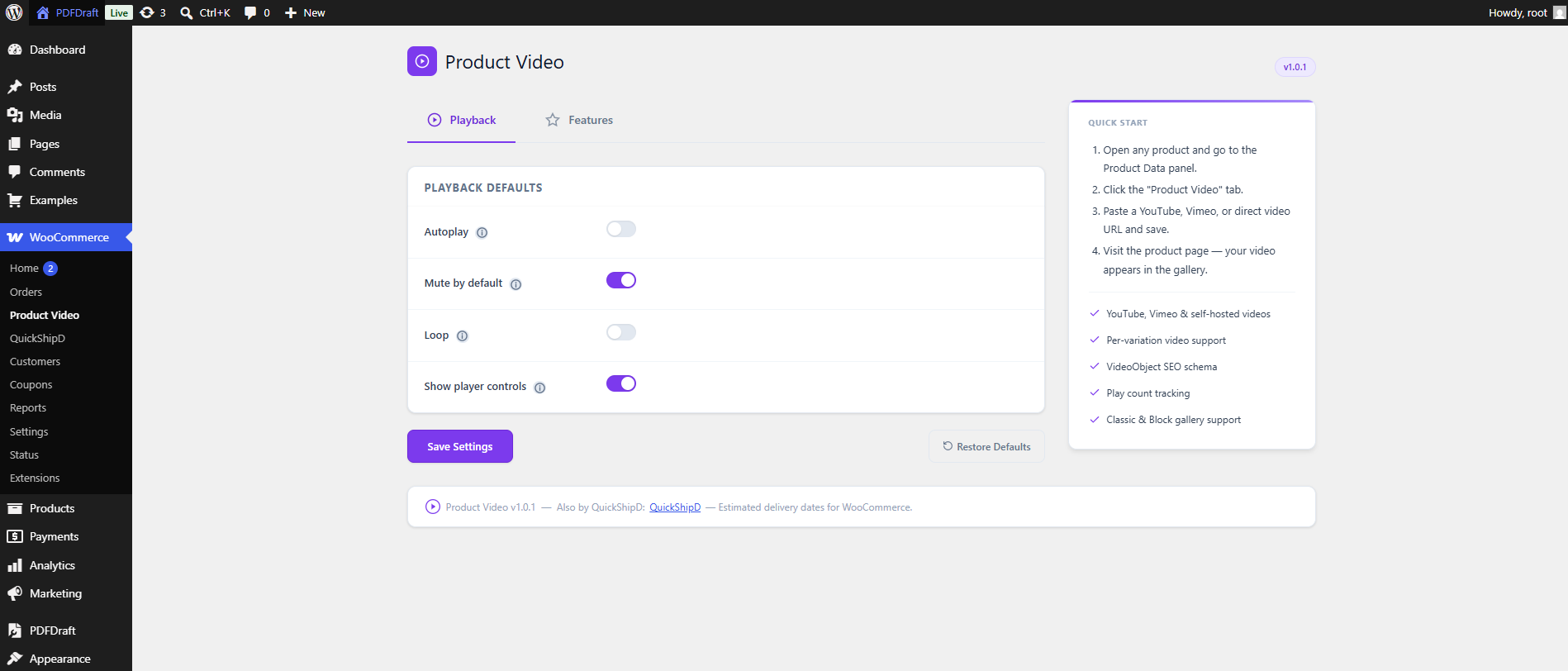
Product Video Settings — the Product Video playback settings
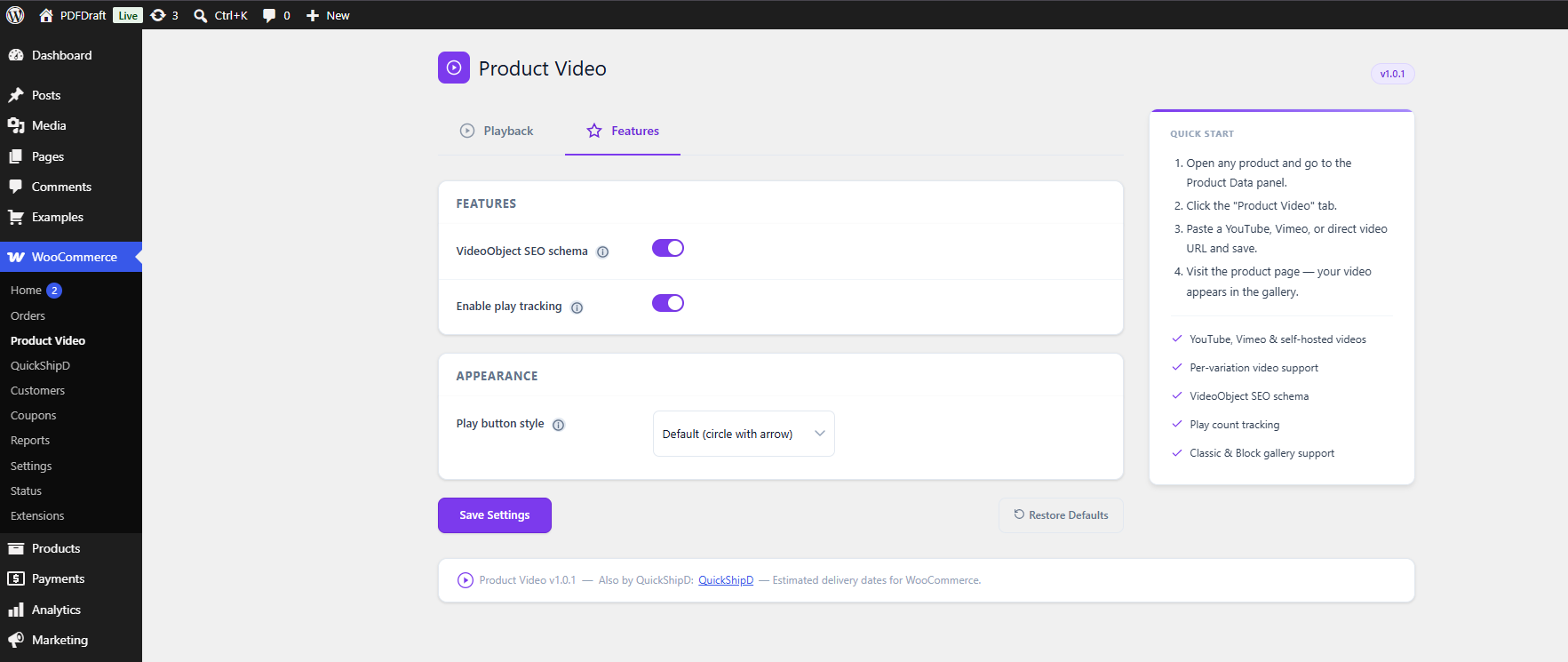
Product Video Settings — features section
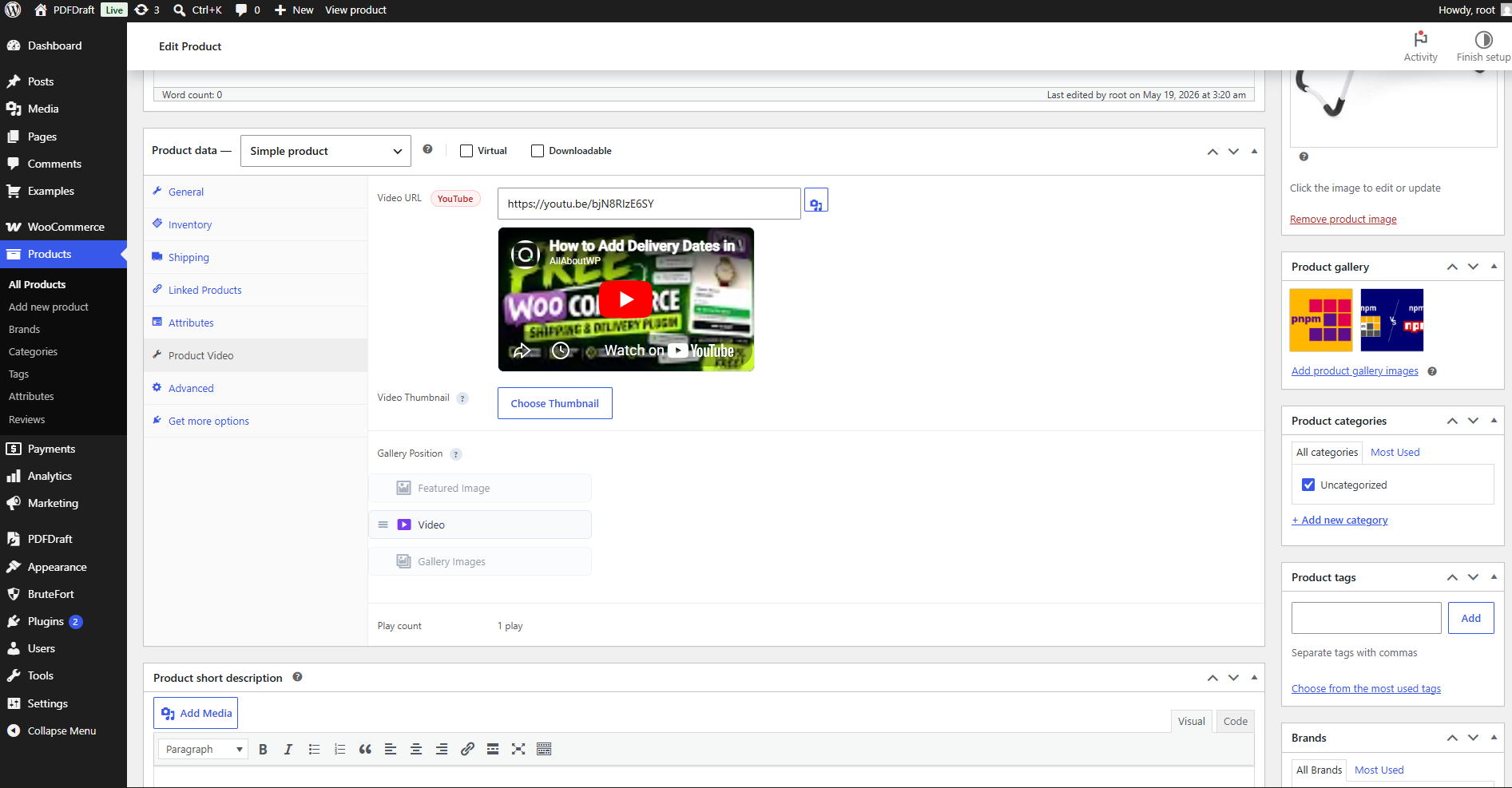
Individual product settings.
Faq
YouTube, Vimeo, and self-hosted files (MP4, MOV, WebM, OGG).
No. The video appears as an additional slide in the gallery alongside your existing images.
The plugin works with any theme that uses the standard WooCommerce product gallery. Tested with Storefront, Astra, GeneratePress, Flatsome, and OceanWP.
Yes. Both the classic WooCommerce gallery and the Product Gallery Block (introduced in WooCommerce 8.2) are supported.
It is structured data that tells search engines your product page contains a video. The plugin generates this automatically — no configuration required.
Yes. Each variation has its own Video URL field. When a customer selects a variation the gallery video updates automatically.
Copy templates/video-gallery-item.php from the plugin to yourtheme/quickshipd-product-video/video-gallery-item.php.
Reviews
Changelog
1.0 – 03/06/2026
- Initial release
- YouTube, Vimeo, and self-hosted product videos in the WooCommerce gallery
- Video Thumbnail picker for self-hosted videos
- Gallery position control (before featured image / after featured image / after all images)
- VideoObject SEO schema and play tracking
- Variation video support with thumbnail and type updates on variation change
- Vimeo thumbnail retrieval via oEmbed API