QuickShipD — Estimated Delivery Date for WooCommerce
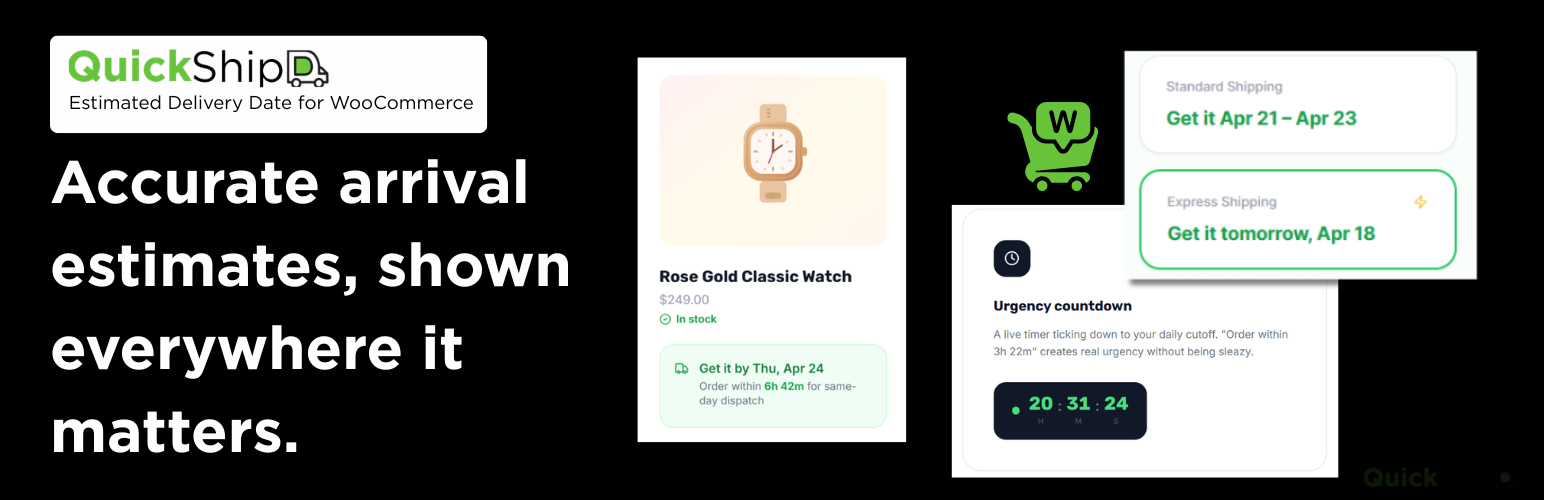
QuickShipD — Estimated Delivery Date for WooCommerce
Description
Add delivery dates to your WooCommerce store with clear, accurate shipping estimates.
QuickShipD is a powerful yet lightweight WooCommerce shipping and delivery date plugin that helps you show estimated delivery dates, shipping timelines, and order cutoffs directly on your store. Instead of leaving customers guessing, you can display messages like:
- “Get it by Tue, Apr 22”
- “Arrives Apr 21 – Apr 23”
- “Order within 5h 30m 23s for same-day dispatch”
This improves transparency, builds trust, and helps customers make faster buying decisions.
Whether you run a dropshipping store, local delivery business, or standard WooCommerce shop, QuickShipD makes it easy to add delivery date functionality without coding or complex setup.
Set your delivery rules once and automatically show accurate shipping estimates across product pages, cart, and checkout.
Key Features
Dynamic Delivery Dates
Show estimated delivery dates based on your shipping schedule:
- Minimum and maximum delivery days
- Automatic business day calculations
- Clean delivery date ranges
Example:
“Get it Tue, Apr 22 – Wed, Apr 23”
Shipping-Aware Estimates
Delivery dates update based on selected shipping methods:
- Standard shipping
- Express shipping
- Variable delivery speeds
Customers instantly see faster delivery options when switching methods.
Countdown Timer (Order Cutoff)
Create real urgency with a live timer:
- “Order within Xh Ym Zs”
- Based on your actual cutoff time
- Updates in real time
Display Across Your Store
Control where delivery dates appear:
- Product pages
- Cart (per item)
- Checkout
Maintain delivery visibility throughout the buying journey.
Smart Holidays & Non-Dispatch Days
Handle real-world shipping constraints automatically:
- Pick the weekdays you do not dispatch on, weekends or any others
- Add single dates or same-year date ranges with date pickers
- Mark holidays to repeat every year
- Ensure delivery dates remain accurate without manual updates
No need to constantly adjust your schedule – QuickShipD handles it for you.
Custom Text & Styling
Match delivery messages to your store design:
- Custom text templates (“Get it by {date}”)
- Flexible date formats
- Color and style controls
No coding required.
How It Works
QuickShipD uses a simple setup system:
- Install and activate the plugin
- Set delivery days and cutoff time
- Choose where to display delivery dates
- Save settings
Delivery dates appear instantly across your store.
Easy Setup & Management
Manage your delivery settings without complexity:
- Update delivery schedule anytime
- Adjust cutoff times easily
- Enable or disable display per page
- Clean interface focused on quick setup
No technical knowledge required.
What You Can Do with QuickShipD
QuickShipD is designed for practical WooCommerce use cases:
- Show Delivery Dates on Product Pages -> help customers decide faster
- Add Urgency with Countdown Timer -> increase conversions
- Display Delivery Info in Cart & Checkout -> maintain trust
- Set Realistic Delivery Ranges -> avoid overpromising
- Automatically Handle Holidays & Non-Working Days -> keep estimates accurate
Who Is It For?
QuickShipD is ideal for:
- WooCommerce store owners
- Dropshipping businesses
- Stores with variable delivery times
- Local delivery businesses
- Anyone wanting to improve conversions with better delivery visibility
Why Delivery Dates Matter
When customers don’t know when their order will arrive, they hesitate.
QuickShipD helps you:
- Reduce cart abandonment
- Build trust with clear expectations
- Improve conversion rates
- Provide a better shopping experience
Built for WooCommerce
- Designed specifically for WooCommerce
- Works with product, cart, and checkout pages
- Compatible with modern WooCommerce setups
- Lightweight and performance-friendly
Video Tutorial
Watch the QuickShipD setup and walkthrough video:
Installation
- Install and activate WooCommerce (this plugin depends on it). If WooCommerce is not installed, WordPress will prompt you to install it when you activate QuickShipD.
- Install QuickShipD: upload the
quickshipdfolder to/wp-content/plugins/, or install from the plugin zip via Plugins Add New Upload Plugin. - Activate QuickShipD through the Plugins screen.
- Go to WooCommerce QuickShipD and set your min/max delivery days, cutoff time, and any holidays or excluded weekdays.
Screenshots

Product page — delivery estimate text with optional countdown timer below the Add to Cart button.

Admin settings — Delivery tab — min/max days, cutoff time, excluded weekdays, and holiday management.

Cart page — per-item estimated delivery dates displayed as a cart item data row.

Shipping method integration — QuickShipD min/max day fields added to a flat rate shipping method instance inside WooCommerce Shipping Zones.
Faq
No. QuickShipD is built only for WooCommerce. It declares WooCommerce as a required plugin (WordPress 6.5+). If WooCommerce is inactive, QuickShipD shows an admin notice with a link to install WooCommerce and does not load its storefront features.
Yes. [quickshipd] renders the estimate wherever you place it, which is the fix for Elementor, Divi, and other builders that never fire the standard WooCommerce hooks.
Without product_id it needs a product in context, so it works on product pages, in a builder’s product template, and inside product loops. On a normal page, post, or widget there is no product to read and it prints nothing, so pass one: [quickshipd product_id="123"]. Add context="shop" for the compact style with no countdown. The Help tab in the plugin settings has the full table.
Yes. Go to WooCommerce QuickShipD Display Orders & Emails. Turn off “Save on the order” to store nothing at all, or leave it on and untick individual emails under “Show in these emails”. Developers can also use the quickshipd_save_order_item_date and quickshipd_show_in_email filters.
Yes — QuickShipD does not break the block-based checkout. Full block checkout integration (rendering the estimate inside the block) is on the roadmap for v1.1.
No. The delivery date is calculated in PHP on page load — no external API calls, no database queries beyond standard wp_options reads. Frontend assets (CSS + JS) are under 2 KB combined and are only loaded on pages where the delivery estimate is shown.
Yes — set Min delivery days and Max delivery days to the same value in WooCommerce QuickShipD Delivery. The plugin automatically switches to the single-date template (“Get it by {date}”).
PDF invoice and packing slip plugins read the order line meta directly, so unticking an email under WooCommerce QuickShipD Display Orders & Emails will not remove it from a printed slip. Turn off Save on the order to stop storing it altogether, or use the quickshipd_save_order_item_date filter to skip it for specific orders. Existing orders keep whatever they were given at checkout.
Set Minimum delivery days to 0 in WooCommerce QuickShipD Delivery, and set the Order cutoff time to your last dispatch run of the day. Delivery days are counted after dispatch, so 0 means the parcel arrives on the day it goes out. Use 0 and 0 for a single same-day date, or 0 and 1 if a late order might slip to tomorrow. Orders placed after the cutoff, or on a non-dispatch day, automatically move to the next dispatch day.
Go to WooCommerce QuickShipD Delivery Holidays. Add a single date or a date range with the date pickers, optionally enable Repeats every year for annual holidays, then click Add. Ranges must stay within the same calendar year.
Yes — go to WooCommerce QuickShipD Style Text Templates. Three templates are available: single-date text, date-range text, and countdown text. Each supports simple placeholders: {date}, {start}, {end}, {countdown}.
Yes — open the product in the WooCommerce product editor, go to the Shipping tab, and check “Disable delivery estimate for this product”. You can also set per-product min/max days in the same tab.
Yes. The delivery date is hidden until a variation is selected; then a lightweight AJAX request fetches the correct estimate for that variation.
Yes — a small vanilla JS script (no jQuery) ticks the countdown every second and hides it when it reaches zero. If JavaScript is disabled, the static delivery date text remains visible; only the countdown is affected.
No QuickShipD will always have a complete free version.
Yes. QuickShipD makes no external HTTP requests, stores no personal data, and sets no cookies.
QuickShipD reads the WordPress timezone setting (Settings General) and uses it for all calculations. After changing your timezone, you may need to clear any page-caching plugins.
The plugin uses WordPress’s date_i18n() function, so day and month names are automatically translated to your active locale. It is compatible with WPML, Polylang, and similar translation plugins.
Reviews
Fantastic All Round
By 
Fantastic Author with great support when bugs are reported - top developer!
AMAZING
By 
really good plugin, fast support and regular updates to fix and tweak issues.
Great plugin
By 
easy, clear and essential but complete.
great support. Thanks
Best Plugin for Estimated Delivery Date
By 
Great plugin! Easy to configure, works perfectly with WooCommerce, and shows accurate estimated delivery dates. It has improved our customer experience. Highly recommended
Best Plugin for Estimated Delivery Date
By 
Very good plugin. The estimated delivery date and delivery time show correctly on my WooCommerce store. The video tutorial helped me a lot to set everything up.
Helpful
By 
Thanks. Makes my product pages look much more appealing. QuickShipD is my go-to for estimated delivery dates on my WooCommerce store. But I'd be even more thankful if there was a date picker as well. Will be checking in for updates.
Changelog
1.0.7 – 11/09/2026
- Fix – Countdown timer ran faster the more variations a shopper selected, skipping seconds on variable products.
- Fix – Switching variations quickly could leave the delivery date of the previous variation on screen.
- Fix – Selecting a variation requested the delivery date twice.
- Fix – Checkout loading placeholder could stay on screen when the shipping method was reselected or the checkout refresh failed.
- Fix – Checkout loading placeholder stopped appearing after the first checkout refresh on the classic checkout.
1.0.6 – 19/08/2026
- Fix – Per shipping method delivery days ignored on the storefront. Introduced in 1.0.5.
- Feature – Control whether the estimate is saved on orders, and which emails show it.
- Feature – Filters
quickshipd_save_order_item_dateandquickshipd_show_in_email. - Feature – Help tab rebuilt, with a same-day delivery guide and more troubleshooting.
- Tweak – Non-dispatch days and email chooser are now multi-selects.
- Fix – Admin styles now load after WooCommerce’s.
- Fix – Help tab Copy buttons failed silently on http admin.
1.0.5 – 17/08/2026
- Feature –
[quickshipd]shortcode works anywhere, supportsproduct_idandcontext. - Feature – Help tab added to settings.
- Fix – Orders on non-dispatch days now estimate from dispatch day.
- Fix – Styles/scripts load only where estimate displays.
- Fix – Icons keep size even if stylesheet missing.
- Fix – Countdown timer does not run on non-dispatch days, or after cutoff in preview.
- Tweak – “Exclude weekends” merged into “Non-dispatch days”, with auto-migration.
- Tweak – Only calculator/display code loads on storefront.
1.0.4 – 14/08/2026
- Fix – Delivery dates showed one day early on sites in UTC+ timezones.
- Fix – Uninstall now removes the style options and shipping method overrides it previously left behind.
1.0.3 – 04/08/2026
- Feature – Delivery estimate now shows in order emails, admin orders, and My Account.
1.0.2 – 04/08/2026
- Feature – Holidays UI: add single dates or same-year ranges with optional yearly recurring (replaces textarea).
- Fix – Live admin preview now respects holidays and excluded weekdays.
1.0.1 – 08/07/2026
- Fix – Exclude weekends and non delivery days data not saving.
1.0.0 – 08/07/2026
- Initial release.
- Declares WooCommerce as a required plugin (
Requires Plugins: woocommerce). Requires WordPress 6.5+ so the dependency UI is available. - Product page, cart, and checkout display.
- Countdown timer (vanilla JS, no jQuery).
- Shipping method–aware delivery dates (free tier differentiator).
- Per-product min/max days and disable flag.
- Recurring yearly holiday support.
- Custom excluded weekdays.
- Order cutoff time with hour and minute precision.
- Live admin preview.
- Full REST API endpoint.
- HPOS and block checkout compatibility declarations.
- WordPress.org–compliant: no tracking, no external requests, GPLv3 or later.