QuickTools for WooCommerce

QuickTools for WooCommerce
Description
QuickTools for WooCommerce enhances your WooCommerce admin and storefront with lightweight sales tools. Use the Control Center under WooCommerce QuickTools to enable or disable each feature independently.
Key Features
- Control Center: Modern admin panel to toggle every feature on or off.
- Sold column (Products): Sortable units-sold badge column on the Products list.
- Stock Qty column (Products): Sortable color-coded stock quantity badge on the Products list.
- Total Sold (Storefront): Premium Total Sold UI on shop/archive loops and single product pages (separately toggleable).
- Previous Orders column (Orders): Previous-order status badges matched by billing phone (with/without country code). Works with classic orders and HPOS.
- Performance-minded: Disabled features are not loaded; CSS/JS enqueue only on relevant screens.
Installation
- Upload the
quicktools-for-woocommercedirectory to the/wp-content/plugins/directory. - Activate the plugin through the ‘Plugins’ menu in WordPress.
- Ensure that WooCommerce is installed and activated to use this plugin.
Screenshots

Control Center — enable or disable each QuickTools feature from WooCommerce → QuickTools.
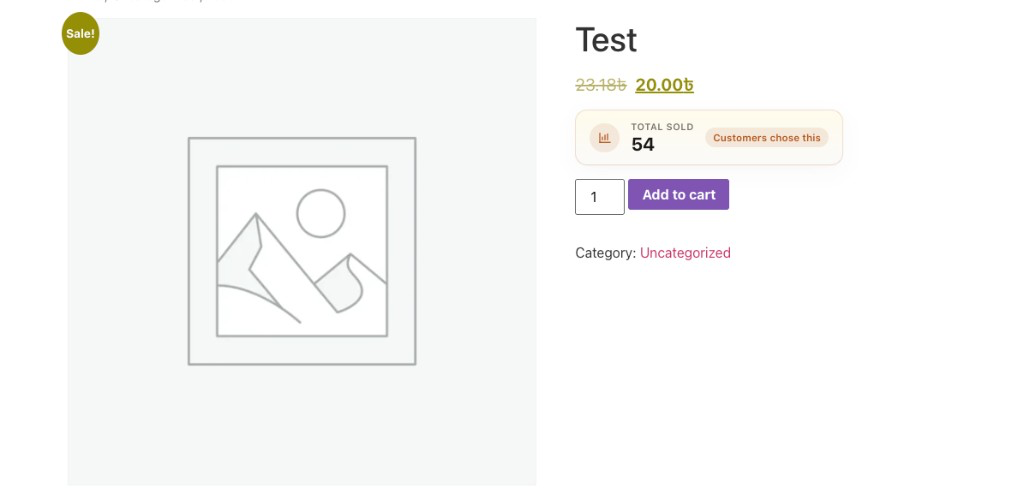
Total Sold metric card on the single product page.
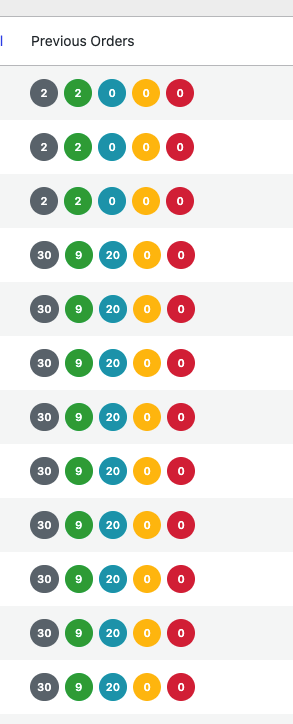
Previous Orders status badges on the orders list.
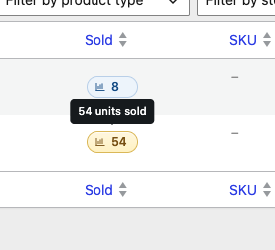
Sold column badges with tooltips on the products list.
Faq
It adds product sales visibility (admin + storefront) and previous-order status badges on the orders list, matched by billing phone.
Yes. QuickTools for WooCommerce requires WooCommerce to be installed and activated.
Yes. The Previous Orders column registers on both the classic and HPOS orders screens and reads billing phone from HPOS address tables when enabled.
Yes. Go to WooCommerce QuickTools and toggle each feature. Disabled features are not loaded.
Open an issue on the plugin’s GitHub repository.
Reviews
Changelog
1.2.0
- Added Stock Qty column showing color-coded, sortable stock quantity badges on the Products list (toggleable in the Control Center).
1.1.0
- Added QuickTools Control Center (WooCommerce QuickTools) with per-feature enable/disable toggles.
- Premium Total Sold UI for admin and storefront.
- Disabled features are not loaded; assets load only when needed.
- Settings saved via the WordPress Settings API with capability and sanitize checks.
1.0.0
- Initial release.
- Total Sold on products list, shop loop, and single product.
- Previous Orders column (billing phone) with legacy + HPOS support.
- Security and performance hardening: capability checks, escaped output, request-level query cache, conditional asset loading.