Radius Booking — Booking Calendar for Appointments & Services
Radius Booking — Booking Calendar for Appointments & Services
Description
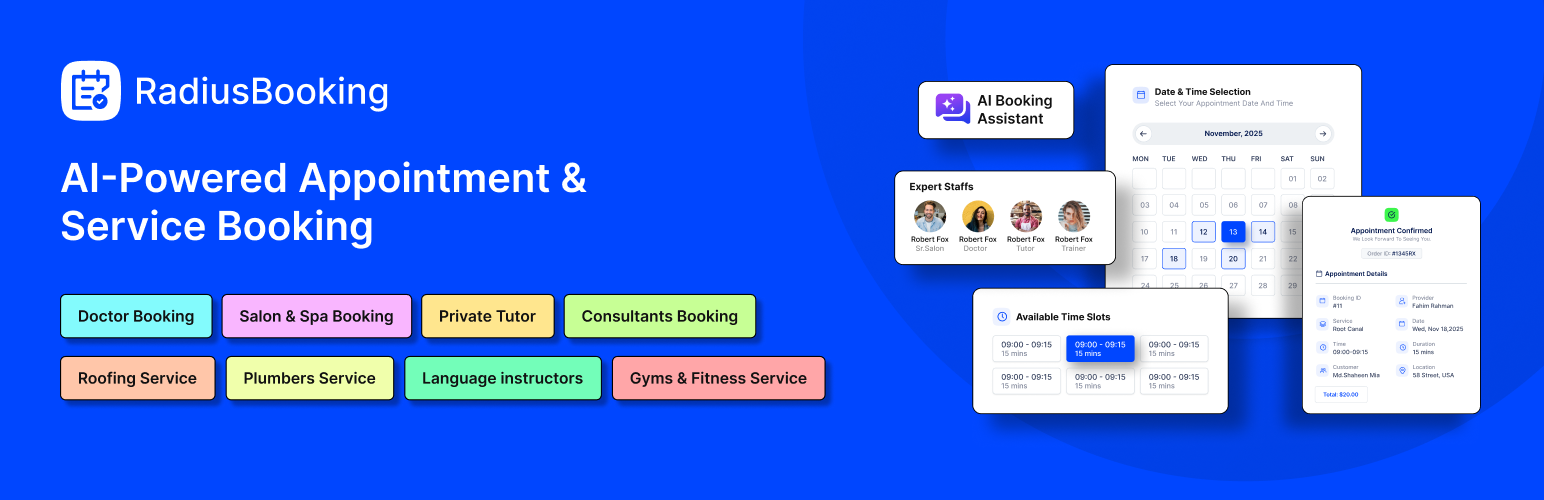
RadiusBooking is the WordPress booking plugin designed to handle appointments, manage staff schedules, and keep customers happy, all while trying to grow. RadiusBooking is the WordPress booking plugin designed to handle all of this automatically.
Whether you run a busy salon, medical practice, consulting firm, or home services company, RadiusBooking replaces phone calls, paper calendars, and back-and-forth emails with a streamlined appointment booking system that works 24/7.
What makes RadiusBooking different?
Our AI-powered booking assistant lets customers schedule appointments through natural conversation. Instead of clicking through forms, they simply tell the chatbot what they need—and the booking happens automatically. It’s appointment scheduling that feels human.
👉 Plugin Demo | Documentation 👈
🌟 Who is the RadiusBooking WordPress Booking Plugin For?
RadiusBooking serves any business that relies on appointments and scheduled services. Here’s how different industries use our service booking plugin:
Salons & Spas
Hair stylists, nail technicians, massage therapists, and estheticians use RadiusBooking to let clients book their preferred services and staff members online. No more missed calls during busy appointment times.
Healthcare Providers
Doctors, dentists, clinics, chiropractors, and therapists streamline patient scheduling with automated confirmations and reminders. HIPAA-conscious businesses appreciate the secure customer management features.
Home Services
Roofing contractors, plumbers, electricians, HVAC technicians, and cleaning services use the booking calendar for WordPress to let homeowners request service appointments directly from their websites.
Education & Tutoring
Private tutors, music teachers, language instructors, and academic coaches manage student sessions efficiently. Recurring appointment features make weekly lessons simple to schedule.
Fitness & Wellness
Personal trainers, yoga studios, pilates instructors, and gym facilities handle class bookings and one-on-one training sessions. Multiple staff calendars keep everyone’s schedule organized.
Consultation Businesses
Consultants, lawyers, accountants, financial advisors, and marketing agencies offer professional appointment booking directly through their WordPress sites. Accept deposits to reduce no-shows.
Coaches & Advisors
Life coaches, business mentors, career counselors, and wellness advisors provide seamless booking experiences that match their professional brand.
The common thread? Every service business saves hours each week when appointment scheduling runs on autopilot.
🌟 Why Choose Radius Booking?
Simple for Your Customers
Your clients can book appointments quickly without confusion. The clean interface works perfectly on phones, tablets, and computers.
Powerful for Your Business
Manage your entire booking operation from one dashboard. Track appointments, staff schedules, services, and payments in one place.
AI That Actually Helps
The Pro version includes intelligent features that learn from your booking patterns. Get smart recommendations and automated optimizations that save you time.
🚀 Key Features
RadiusBooking’s free version includes everything you need to start accepting appointments today.
Schedule Settings
Configure your business hours with precision. Set time and date formats that match your locale, define weekly schedules, mark special dates, and block off days when you’re unavailable. Your booking calendar automatically reflects your real availability.
Calendar View
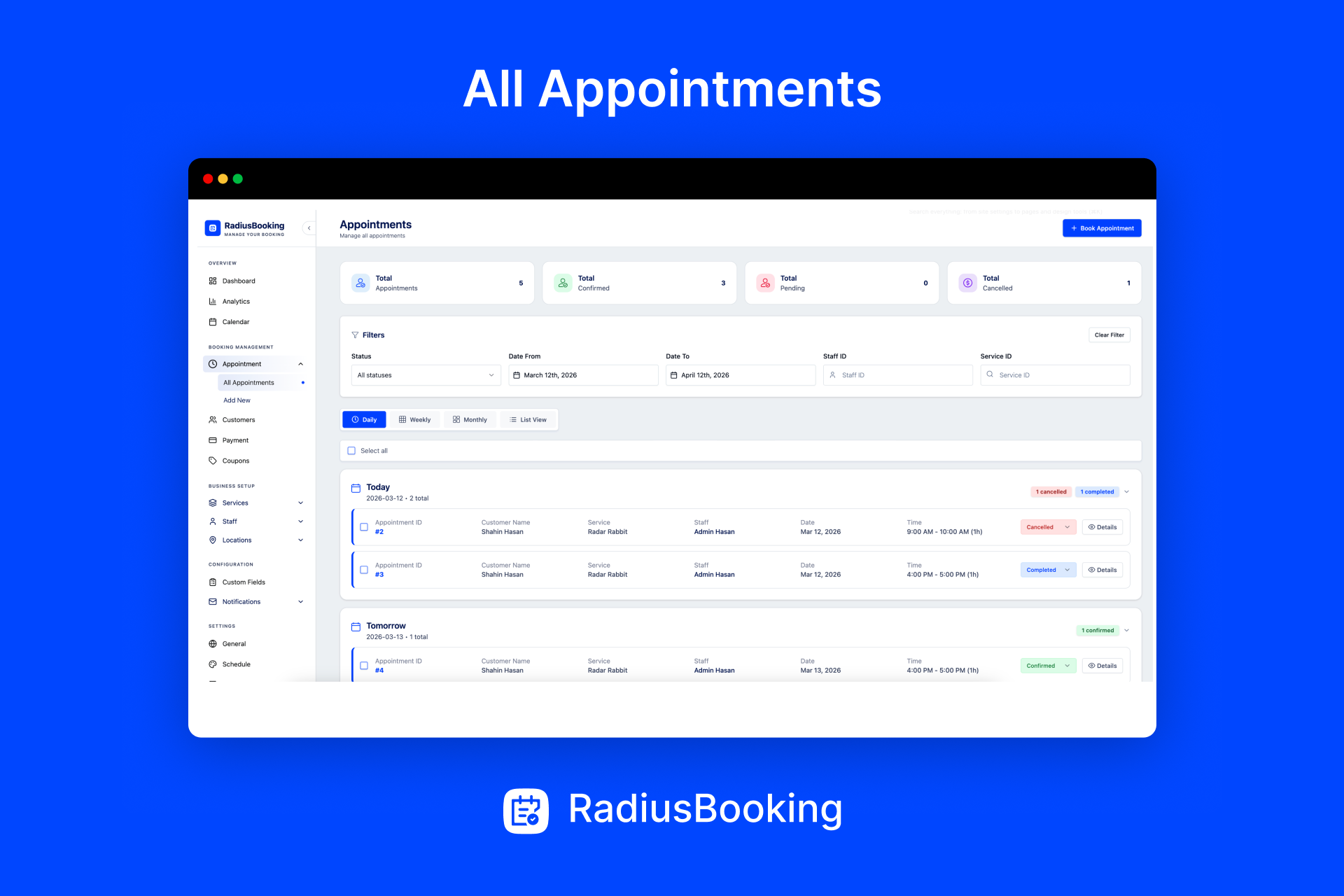
See your entire appointment landscape at a glance. The visual calendar interface displays all bookings across staff members, making it easy to spot openings, identify busy periods, and plan your week effectively.
Appointment Management
Take control of every booking from one central dashboard. View appointment details, reschedule when needed, mark completed sessions, and maintain a complete history of customer interactions.
Customer Management
Build lasting relationships with organized customer records. Store contact information, track booking history, add notes, and understand your clients’ preferences—all from the customer management panel.
Payment Processing
Get paid when appointments are booked, not after. Accept online payments through PayPal integration, or offer offline payment options for customers who prefer to pay in person. Flexible payment settings adapt to how your business operates.
Service Management
Create your complete service menu with detailed listings:
- Define unlimited services with descriptions
- Organize services into logical categories
- Set accurate duration for each service type
- Configure pricing (fixed or variable)
- Add buffer time between appointments for preparation
- Enable service-specific integrations
Staff Management
Coordinate your entire team from one system:
- Add unlimited staff members with individual profiles
- Assign specific services to each team member
- Set personalized working hours per staff member
- Configure individual off-days and vacation schedules
- Create special schedules for holidays or events
Email Notifications
Keep everyone informed automatically. When a booking is made, confirmed, or changed, RadiusBooking sends email notifications to:
- Business administrators
- Assigned staff members
- Customers
Customize notification content to match your brand voice.
Integrations
Connect RadiusBooking with tools you already use:
- Google Calendar — Sync appointments to staff Google Calendars
- Google Meet — Auto-generate video meeting links for virtual appointments
- Zoom — Create Zoom meetings automatically (Pro)
- Apple Calendar — Sync with Apple Calendar (Pro)
Form Customization
Make the booking form look like it belongs on your website. Customize:
- Color schemes and accent colors
- Button styles and shapes
- Field labels and placeholder text
- Typography and text styling
- Layout and form flow
Multilingual Support
Reach customers worldwide. RadiusBooking is fully translation-ready, supporting multilingual websites through standard WordPress translation methods.
Customer Dashboard
Give customers their own booking portal. The customer dashboard lets clients:
- View upcoming appointments
- Review past booking history
- Reschedule or cancel bookings (if permitted)
- Manage their profile information
Staff Dashboard
Empower your team with dedicated access. Staff members can:
- View their personal appointment calendar
- See customer details for upcoming sessions
- Manage their availability settings
- Track their schedule without admin access
AI-Powered Booking Assistant
This is where RadiusBooking truly stands apart. Our AI chatbot technology enables conversational appointment booking—customers simply describe what they need in natural language, and the assistant handles the rest.
Instead of navigating forms, customers might type: “I need a haircut with Sarah next Tuesday afternoon.” The AI understands the request, checks availability, and completes the booking conversationally.
It’s appointment scheduling that feels effortless.
💎 Pro Features
Unlock advanced capabilities to scale your booking operations.
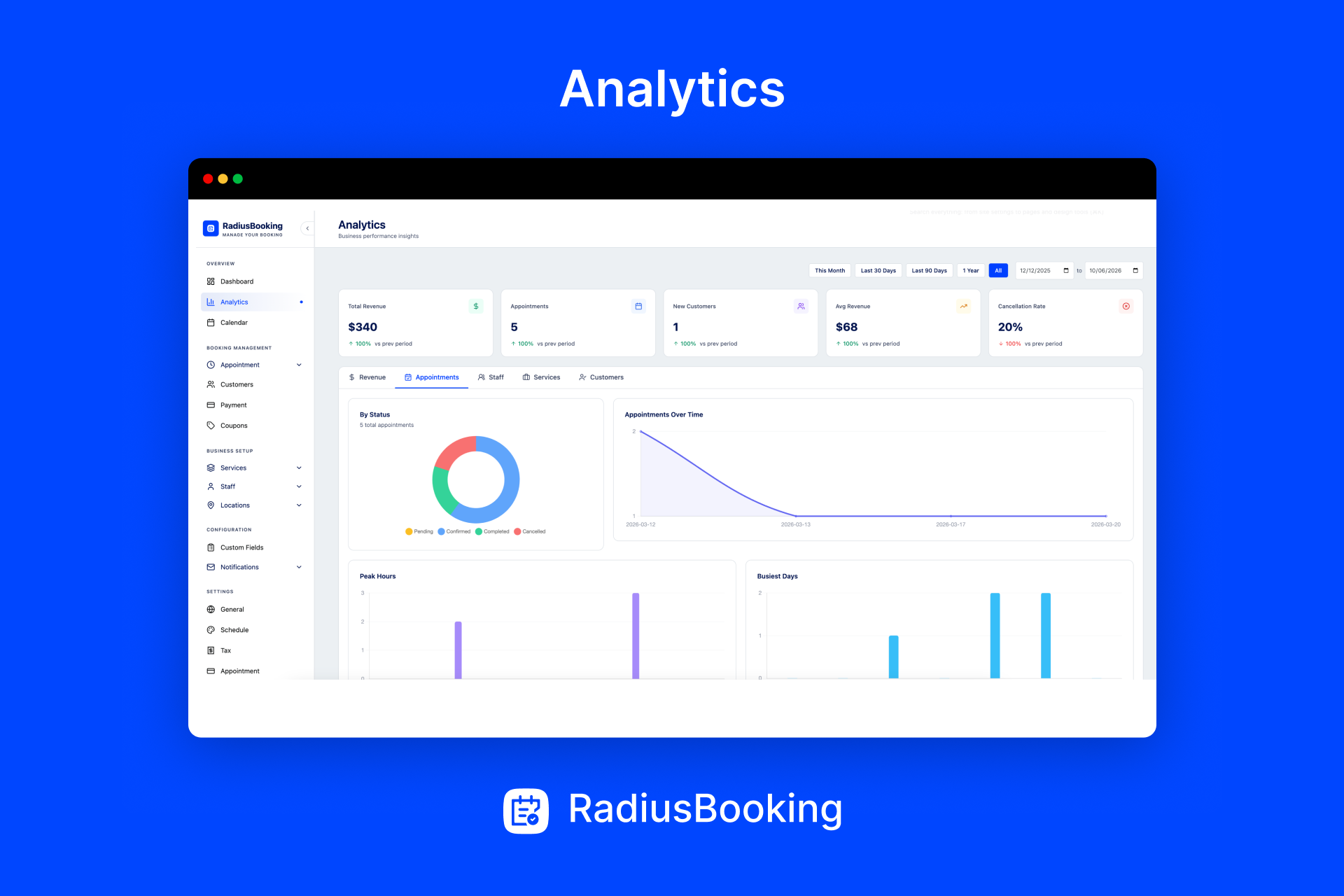
Advanced Analytics
Make data-driven decisions with comprehensive reporting:
- Revenue Analytics — Track earnings by service, staff member, time period, or location
- Appointment Metrics — Monitor booking volume, cancellation rates, and peak times
- Staff Performance — Compare productivity across team members
- Service Insights — Identify your most popular and profitable offerings
- Customer Analytics — Understand booking patterns and client value
Export reports and visualize trends to optimize your business strategy.
Coupons & Discounts
Drive bookings with promotional offers:
- Create percentage-based or fixed-amount discounts
- Set minimum order requirements for coupon activation
- Limit total uses or uses per customer
- Configure expiration dates for urgency
- Apply coupons to specific services or all bookings
Multi-Location Management
Operate multiple branches from one WordPress installation. RadiusBooking’s multi-location feature lets you:
- Manage separate locations with individual settings
- Assign staff to specific branches
- Display location-specific availability
- Track performance across all locations
- Maintain unified customer records
Perfect for franchises, regional businesses, or practices with multiple offices.
Custom Fields
Collect the information you need. Add custom fields to booking forms for:
- Special requests or notes
- Required intake information
- Preferences and specifications
- Medical or consultation questionnaires
- Any data specific to your services
Tax Management
Handle tax compliance professionally. Configure tax rules for your services including:
- Tax rates by service category
- Location-based tax calculations
- Tax display preferences
- Exemption handling
Recurring Appointments
Serve regular customers effortlessly. Enable recurring booking options so clients can schedule:
- Weekly standing appointments
- Bi-weekly sessions
- Monthly check-ins
- Custom recurrence patterns
Ideal for ongoing services like tutoring, therapy, training, or maintenance contracts.
Deposit Payments
Secure bookings with upfront payments. The deposit feature lets you:
- Require partial payment at booking time
- Set deposit amounts (percentage or fixed)
- Reduce no-shows with financial commitment
- Improve cash flow predictability
- Collect remaining balance at service time
Stripe Payment Gateway
Accept credit card payments securely. Stripe integration provides:
- Seamless checkout experience
- Support for all major credit cards
- Secure, PCI-compliant processing
- Automatic payment confirmations
- Refund management
Premium Integrations
Expand your toolkit with Pro integrations:
- Zoom — Automatically create Zoom meeting rooms for virtual appointments
- Apple Calendar — Sync staff schedules with Apple Calendar and iCloud
⚙️ How to Use RadiusBooking
Getting RadiusBooking onto your WordPress pages takes seconds using shortcodes, Elementor widgets, or Gutenberg blocks.
Display your service list:
[rtrb_service_list]
Add the booking form:
[radius_booking_form]
Page Builder Support
Elementor Users: Drag and drop RadiusBooking widgets directly into your Elementor designs. Customize appearance using familiar Elementor controls.
Gutenberg Users: Insert RadiusBooking blocks into the WordPress block editor. Configure settings right in the editor without switching between pages.
Place booking components anywhere—dedicated booking pages, service pages, contact pages, or even in sidebars and footers.
Key Benefits
Automate Appointment Scheduling
Stop managing appointments manually. RadiusBooking handles booking requests, confirmations, and calendar updates automatically—even while you sleep.
Save Hours Every Week
Reclaim time spent on phone calls, emails, and calendar management. Redirect that energy toward serving customers and growing your business.
Improve Customer Experience
Give customers the self-service booking experience they expect. Modern consumers want to book appointments instantly, on their schedule, without waiting for callbacks.
Accept Payments Upfront
Secure revenue at booking time. Online payments through PayPal and Stripe reduce no-shows and improve cash flow.
Scale With Your Business
Start with the free version for basic booking needs. Upgrade to Pro as you add staff, locations, and advanced requirements. RadiusBooking grows alongside your business.
Book Through Conversation
The AI-powered booking assistant removes friction from scheduling. Customers describe what they need naturally, and intelligent automation handles the details.
🛠 Support and Documentation
Need help? Access comprehensive resources:
Join our Facebook Community to connect with other users and get tips.
🔥 WHAT’S NEXT
If you like The Post Grid Plugin, then consider checking out our other WordPress Plugins:
-
Classified Lisitng – Best Classified ads and Directory WordPress Plugin
-
Variation Swatches – Woocommerce Variation Swatches plugin converts the product variation select fields into radio, images, colors, and labels.
-
Variation Gallery – Woocommerce Variation Gallery plugin allows to add UNLIMITED additional images for each variation of product.
-
ShopBuilder – Elementor WooCommerce Builder Addons with 84+ widgets and 10+ modules.
-
Food Menu – Restaurant Menu & Online Ordering using WooCommerce.
Installation
Automatic Installation
- Log in to your WordPress admin dashboard
- Go to Plugins > Add New
- Search for “Radius Booking”
- Click Install Now and then Activate
Manual Installation
- Upload the plugin files to
/wp-content/plugins/radius-booking/or install directly through the WordPress plugin screen - Activate the plugin through the ‘Plugins’ screen in WordPress
- Navigate to RadiusBooking settings to configure your business details
- Add services and staff members
- Place the booking form on any page using shortcodes or blocks
- Start accepting appointments
Screenshots
Booking calendar front-end view — Clean interface for customers to select appointments
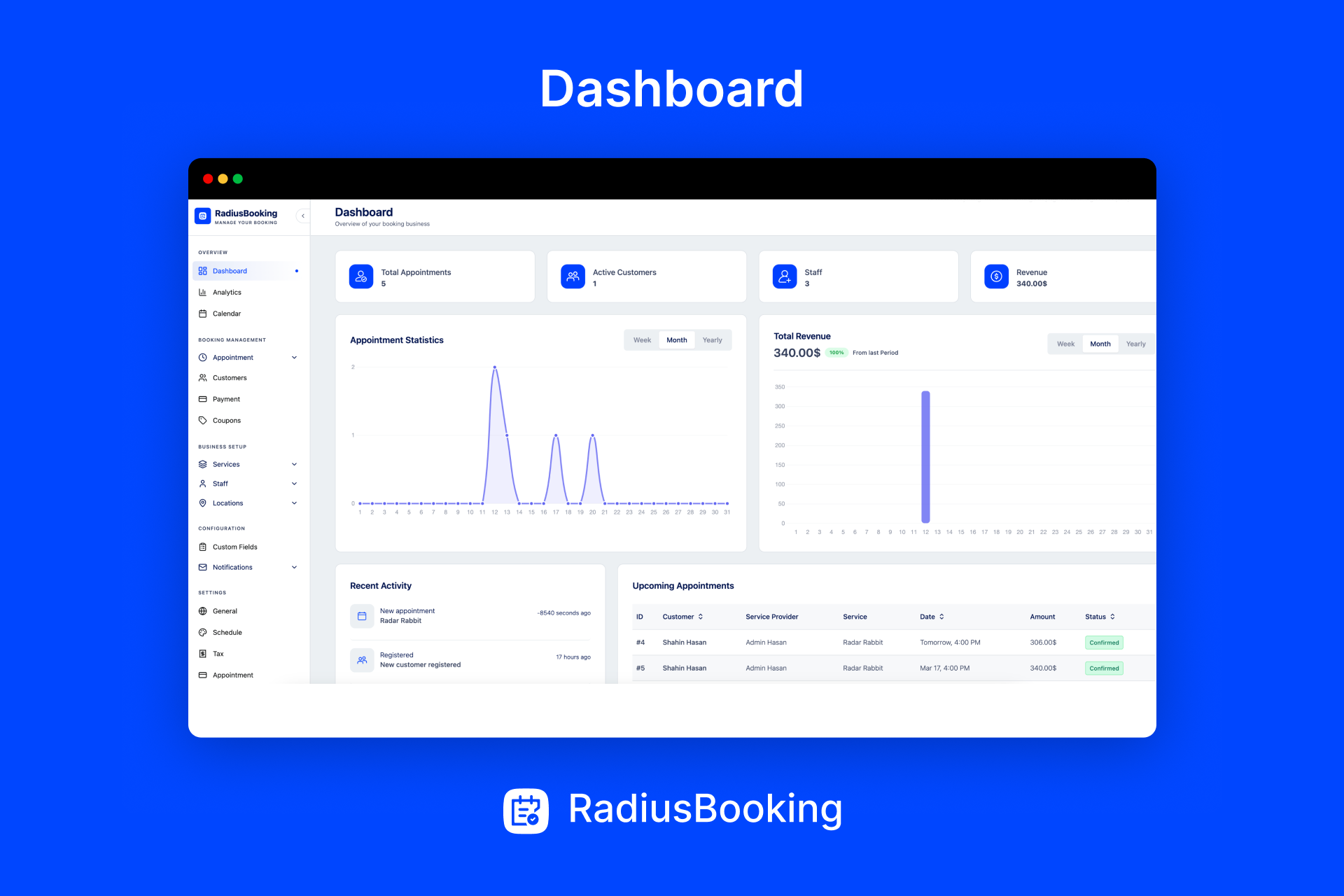
Admin dashboard — Overview of your bookings and key metrics
Service management — Create and organize your business services
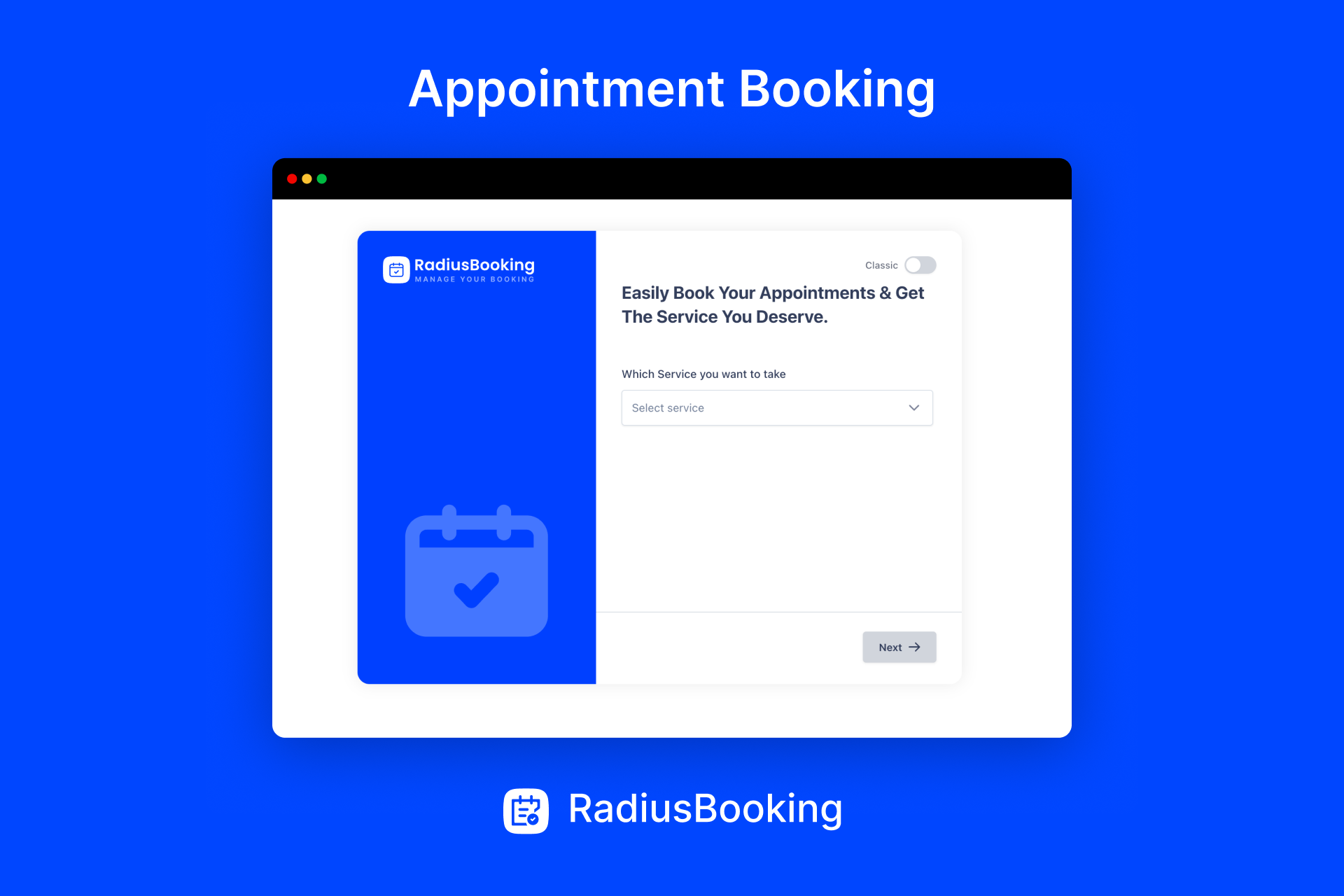
Staff management — Add team members and set their availability
Faq
The best WordPress booking plugin depends on your specific needs, but RadiusBooking offers a comprehensive solution for service-based businesses. It combines essential features like staff scheduling, payment processing, and calendar management with unique AI-powered conversational booking—making it an excellent choice for salons, clinics, consultants, and service providers who want modern appointment scheduling.
Adding appointment booking to WordPress with RadiusBooking takes three steps: Install the plugin from the WordPress repository, configure your services and staff schedules, then add the booking form to any page using the shortcode [radius_booking_form] or the included Gutenberg blocks and Elementor widgets.
Yes. RadiusBooking supports online payments through PayPal in the free version and adds Stripe integration in the Pro version. You can require full payment at booking, collect deposits, or allow customers to pay later. Offline payment options are also available for businesses that prefer in-person transactions.
Absolutely. RadiusBooking includes complete staff management features. Add unlimited team members, assign specific services to each person, set individual working hours, and manage off-days separately. Customers can book with their preferred staff member based on real-time availability.
Yes. RadiusBooking provides a visual calendar interface where you can see all appointments at a glance. View bookings by day, week, or month. Filter by staff member or service type. The calendar makes it easy to understand your schedule and spot availability.
RadiusBooking is specifically designed for service businesses like salons and clinics. Features like staff scheduling, service duration settings, buffer times between appointments, and customer management address the exact needs of appointment-based businesses in beauty, wellness, and healthcare industries.
Yes, with RadiusBooking Pro. The recurring appointments feature lets customers schedule regular bookings—weekly, bi-weekly, monthly, or custom intervals. This is ideal for ongoing services like therapy sessions, training programs, tutoring, or maintenance appointments.
Yes. RadiusBooking includes an AI-powered booking assistant that enables conversational appointment scheduling. Customers can book by typing natural requests like “I need a consultation next week.” The AI understands intent, checks availability, and completes bookings through friendly dialogue.
Reviews
Changelog
1.0.5
- Integration with Classified Listing
- Fix: Appointment Form AI issue
1.0.4
- Initial release
- Appointment booking calendar
- Service and staff management
- Email notifications
- Booking form builder
- Custom fields support
- Basic analytics dashboard
- Google Calendar sync
- Multi-location support
- Shortcode and block editor support
- Mobile-responsive design