Rapls PDF Image Creator – PDF Thumbnails & Featured Images

Rapls PDF Image Creator – PDF Thumbnails & Featured Images
Description
Rapls PDF Image Creator automatically generates thumbnail images when you upload PDF files to your WordPress Media Library. The plugin uses ImageMagick (Imagick PHP extension) to convert the first page of a PDF into an image.
👉 Setup guide & troubleshooting: How to fix CMYK black thumbnails and PDF/X issues
Why this one
On a server with an older Ghostscript, a PDF page can come back completely white — and Ghostscript does not report it as an error. Anything that hands the page over and stores whatever comes back saves that white image, including WordPress’s own PDF preview. It looks like a thumbnail. It looks like the job worked.
Measured on a live shared host running Ghostscript 9.27, in a single upload: the built-in preview came back with a standard deviation of 0, one flat colour across every pixel. This plugin’s thumbnail of the same page, in the same request, came back at 0.31.
- It looks at what came back. A page that renders as flat white is refused, not stored. WordPress shows its PDF icon and the Status tab says why, which is more use than a white square
- It works around the cause. Ghostscript 9.27 and earlier fail on an image inside a transparency group — the kind of file PowerPoint and Illustrator produce. Retried with transparency switched off, the same page went from 11,018 bytes of white to 624,109 bytes of picture. Only ever as a retry: a page that rendered the first time is never touched
- Every check is a measurement. Whether this server can read a PDF, render CMYK, or select a page other than the first is answered by doing it, not by reading a version number. The Status tab names the Ghostscript device your ImageMagick uses
- It tells you what to ask your host. “No PDF support”, “the page is too large”, “the uploads folder is not writable” and “the file is missing” are four problems with four different answers, and they no longer look the same
- Real colour management, without the weight. CMYK is converted through ICC profiles rather than the arithmetic shortcut that turns greens fluorescent. The bundled sRGB profile is 3 KB, not the 64 KB kind that ends up embedded in every registered size
- Nothing starts a process. No exec(), no shell. It works on locked-down shared hosting
Key Features
- Automatic Generation – Thumbnails are created instantly when PDFs are uploaded
- Featured Image Support – Generated thumbnails are automatically set as the PDF’s featured image
- Multiple Sizes – Images are generated in all registered WordPress image sizes
- Media Library Integration – Display thumbnails instead of default PDF icons
- Editor Integration – Insert PDF links with thumbnail images into your posts
- Bulk Generation – Generate thumbnails for all existing PDFs at once
- Flexible Output – Choose from JPEG, PNG, or WebP formats
How It Works
- Upload a PDF file to the Media Library
- The plugin automatically converts the first page to an image
- The image is registered as the PDF’s featured image
- Use shortcodes or template functions to display the thumbnail
Generated Files
When you upload my-document.pdf, the plugin creates:
- my-document-pdf.jpg (Full size cover image)
- my-document-pdf-1024×768.jpg (Large)
- my-document-pdf-300×225.jpg (Medium)
- my-document-pdf-150×150.jpg (Thumbnail)
- Additional sizes based on your theme settings
Shortcodes
[rapls_pdf_thumbnail id="123"]– Display thumbnail image[rapls_pdf_thumbnail_url id="123"]– Output thumbnail URL[rapls_pdf_clickable_thumbnail id="123"]– Thumbnail linked to PDF[rapls_pdf_download_link id="123"]– Download link with thumbnail
Template Functions
rapls_pic_get_thumbnail_url( $pdf_id, $size )– Get thumbnail URLrapls_pic_get_thumbnail_id( $pdf_id )– Get thumbnail attachment IDrapls_pic_get_thumbnail_image( $pdf_id, $size, $attr )– Get thumbnail HTMLrapls_pic_has_thumbnail( $pdf_id )– Check if PDF has thumbnailrapls_pic_generate_thumbnail( $pdf_id, $force )– Generate thumbnail
Requirements
- WordPress 5.0 or higher
- PHP 7.4 or higher
- ImageMagick with Imagick PHP extension and PDF support
Most shared hosting providers have ImageMagick available. Check the Status tab in plugin settings to verify your server meets the requirements.
Using Template Functions
Display a PDF thumbnail in your theme:
$pdf_id = 123;
if ( rapls_pic_has_thumbnail( $pdf_id ) ) {
    echo rapls_pic_get_thumbnail_image( $pdf_id, 'medium' );
}
Link thumbnail to PDF file:
$pdf_id = 123;
if ( $thumbnail_id = get_post_thumbnail_id( $pdf_id ) ) {
    echo '<a href="' . esc_url( wp_get_attachment_url( $pdf_id ) ) . '" target="_blank">';
    echo wp_get_attachment_image( $thumbnail_id, 'medium' );
    echo '</a>';
}
Display All PDFs Attached to a Post
$pdfs = get_posts( array(
    'post_type'      => 'attachment',
    'post_mime_type' => 'application/pdf',
    'post_parent'    => get_the_ID(),
    'posts_per_page' => -1,
) );

foreach ( $pdfs as $pdf ) {
    if ( rapls_pic_has_thumbnail( $pdf->ID ) ) {
        printf(
            '<a href="%s">%s</a>',
            esc_url( wp_get_attachment_url( $pdf->ID ) ),
            rapls_pic_get_thumbnail_image( $pdf->ID, 'thumbnail' )
        );
    }
}
Available Filter Hooks
rapls_pdf_image_creator_thumbnail_page– PDF page to use (default: 0)rapls_pdf_image_creator_thumbnail_max_width– Maximum widthrapls_pdf_image_creator_thumbnail_max_height– Maximum heightrapls_pdf_image_creator_thumbnail_resolution– Rendering resolution in DPI (default: 150)rapls_pdf_image_creator_thumbnail_quality– Image quality (1-100)rapls_pdf_image_creator_thumbnail_format– Output formatrapls_pdf_image_creator_thumbnail_bgcolor– Background colorrapls_pdf_image_creator_thumbnail_image_attributes– Image tag attributesrapls_pdf_image_creator_custom_insert_html– Custom insert HTMLrapls_pdf_image_creator_hide_thumbnails_in_library– Hide in Media Libraryrapls_pdf_image_creator_policy_paths– ImageMagick policy.xml paths to search when diagnosing blocked PDF support
Color Conversion Filters
rapls_pdf_image_creator_color_conversion–auto(default),iccornaive.naiverestores the pre-1.1.0 colorsrapls_pdf_image_creator_icc_paths– Array of absolute paths to search, per profile type (srgb/cmyk)rapls_pdf_image_creator_rendering_intent– AnImagick::RENDERINGINTENT_*value (default: relative colorimetric)rapls_pdf_image_creator_flatten_background– Background transparency is flattened onto (default: the configured background, orwhitefor JPEG)
Pointing the plugin at a specific pair of profiles:
add_filter( 'rapls_pdf_image_creator_icc_paths', function( $paths, $type ) {
    if ( 'cmyk' === $type ) {
        return array( '/srv/icc/JapanColor2011Coated.icc' );
    }
    return $paths;
}, 10, 2 );
Available Action Hooks
rapls_pdf_image_creator_before_generate– Before thumbnail generationrapls_pdf_image_creator_after_generate– After successful generationrapls_pdf_image_creator_generation_failed– When generation fails
Bundled third-party assets
sRGB2014.icc
An ICC colour profile from the International Color Consortium’s profile
registry (https://www.color.org/srgbprofiles.xalter), used as the destination
profile when converting CMYK PDF pages to sRGB, and attached to the generated
image.
Licence, from https://registry.color.org/profile-library/ :
“This profile is made available by the International Color Consortium, and may
be copied, distributed, embedded, made, used, and sold without restriction.
Altered versions of this profile shall have the original identification and
copyright information removed and shall not be misrepresented as the original
profile.”
Shipped unaltered. Compatible with GPL-2.0-or-later.
No other profile is bundled. CMYK profiles are read from the host when one is
present and are never redistributed.
Installation
- Upload the
rapls-pdf-image-creatorfolder to/wp-content/plugins/ - Activate the plugin through the ‘Plugins’ menu in WordPress
- Go to Settings > Rapls PDF Image Creator
- Check the Status tab to verify ImageMagick is available
- Upload a PDF to test thumbnail generation
Screenshots
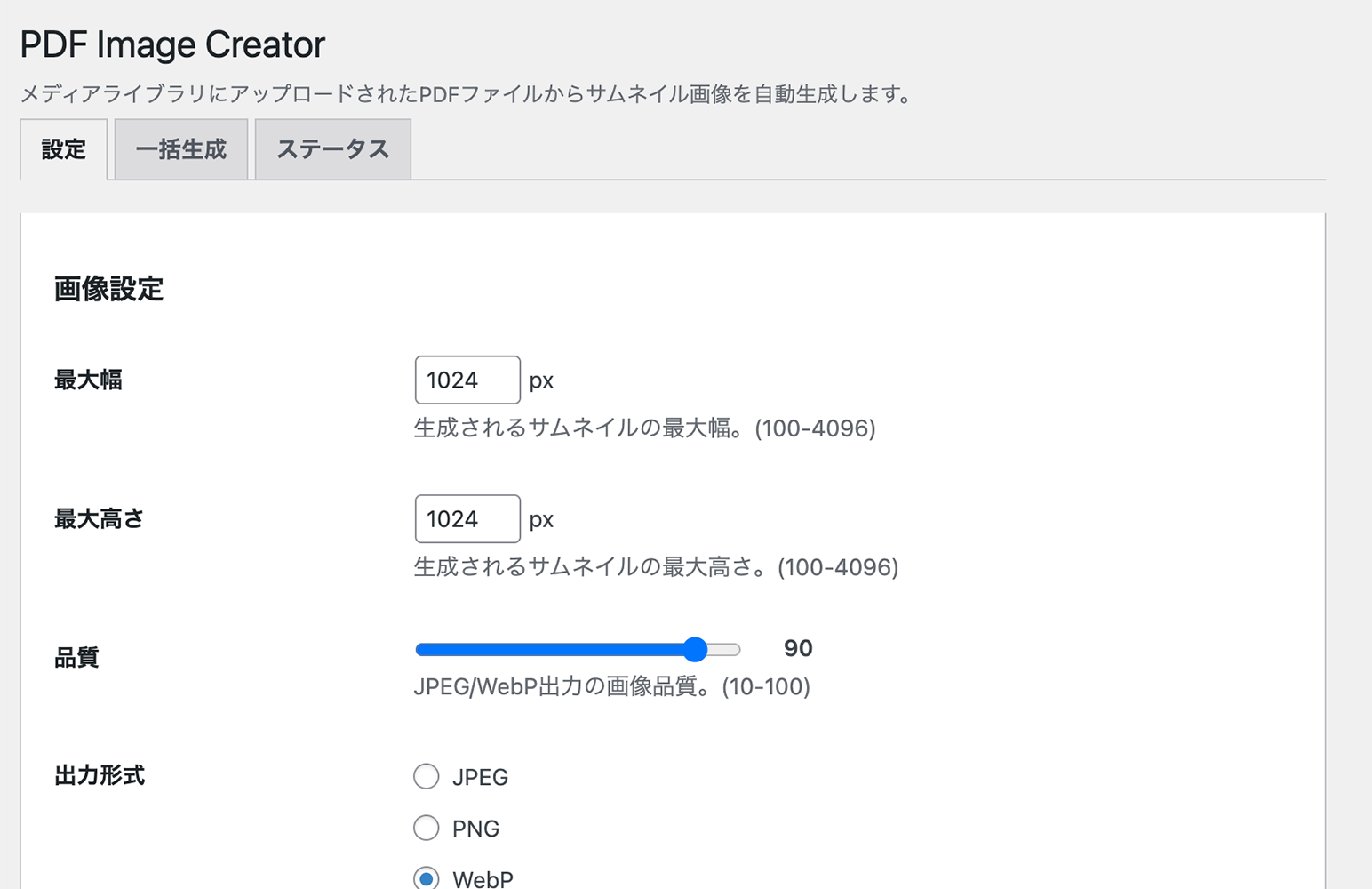
Settings page - Configure image size, quality, and format options
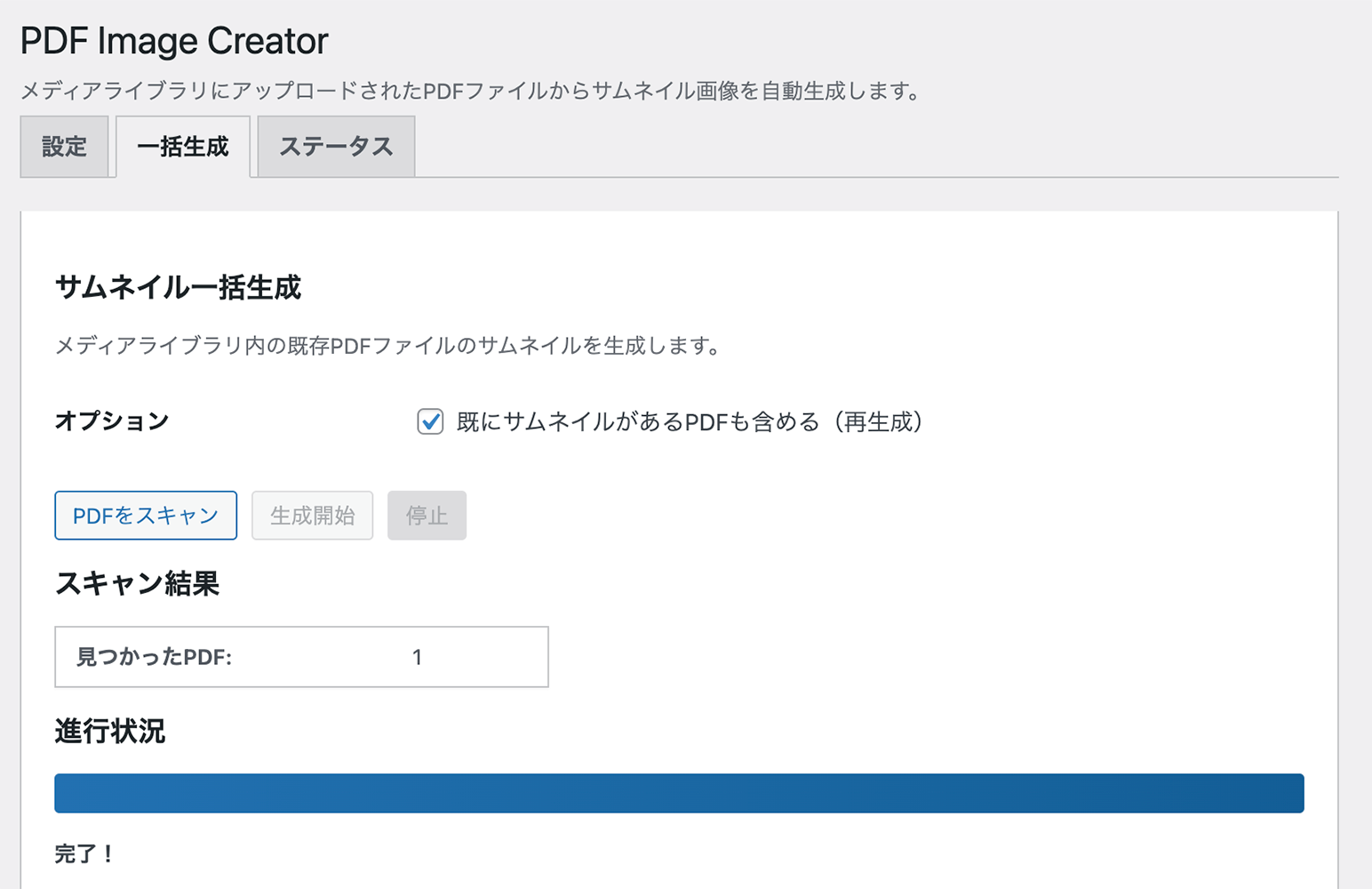
Bulk Generate tab - Generate thumbnails for existing PDFs
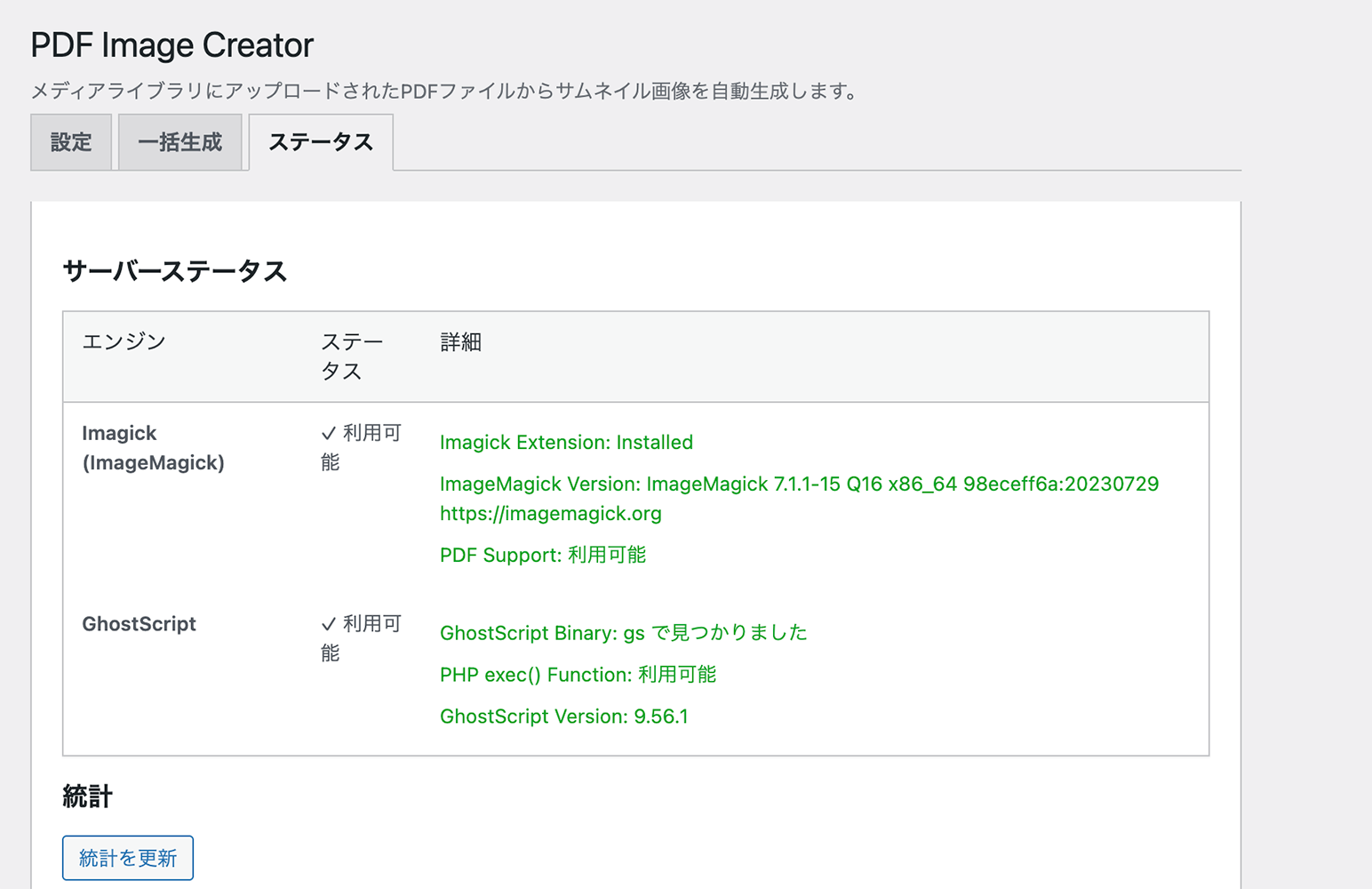
Status tab - View ImageMagick availability and server capabilities
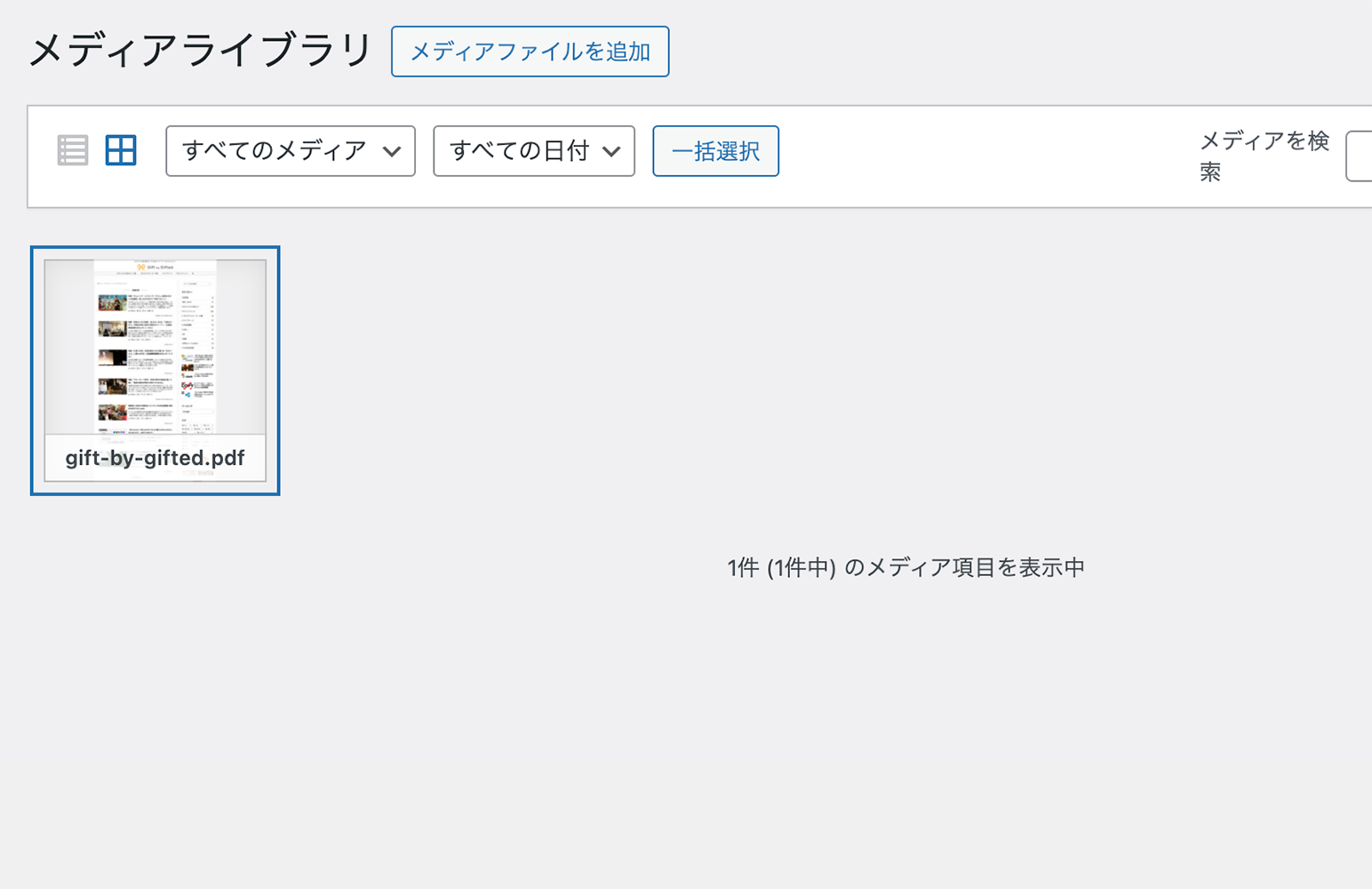
Media Library - PDFs display with generated thumbnail icons
Faq
A full guide with setup instructions, the fix for the infamous “black thumbnail” problem (CMYK / PDF/X), and real-world usage tips:
- Rapls PDF Image Creator — Setup & Troubleshooting Guide
- Source code on GitHub
- Developer’s blog — Rapls Works
You need ImageMagick with the Imagick PHP extension and PDF support. Most shared hosting providers have this available. Contact your hosting provider if you need to enable it.
Go to Settings > Rapls PDF Image Creator > Status tab. The plugin will show whether ImageMagick is available and properly configured.
For detailed troubleshooting including common server setup issues, see the setup guide.
Check Settings > Rapls PDF Image Creator > Status. If it reports ImageMagick 6, that is the cause.
ImageMagick 6 can render a PDF it judges to be CMYK through Ghostscript’s bmpsep8 device, which writes a separation BMP that ImageMagick’s own BMP reader cannot decode. Depending on the exact ImageMagick and Ghostscript versions, the read either fails outright or returns an empty raster — which becomes a blank white thumbnail. ImageMagick 7 uses a different device and is unaffected.
Not every ImageMagick 6 build is affected: on Xserver’s 6.9.13-25 a CMYK page renders correctly. Since 1.3.2 the Status tab renders a test page and reports what this server actually does, rather than warning on the version number.
The plugin cannot work around this, because ImageMagick picks the device from the PDF’s own content and no Imagick API call overrides it. Ask your hosting provider to upgrade to ImageMagick 7, or to change the ps:cmyk delegate in delegates.xml from bmpsep8 to pamcmyk32.
RGB PDFs are not affected, which is why only some of your PDFs fail.
If the PDF uses CMYK colours and no ICC profile is available on your server, the plugin falls back to a simple arithmetic conversion, which exaggerates greens and blues. Check Settings > Rapls PDF Image Creator > Status to see whether ICC colour management is active. Installing a CMYK profile on the server, or pointing the rapls_pdf_image_creator_icc_paths filter at one, restores accurate colours.
Thumbnails are not regenerated automatically, because regenerating every PDF on a large site during an update is not something a plugin should decide to do. Go to Settings > Rapls PDF Image Creator > Bulk Generate and regenerate them.
If you would rather keep the previous colours, pin the old behaviour:
add_filter( 'rapls_pdf_image_creator_color_conversion', function() {
    return 'naive';
} );
Yes. Go to Settings > Rapls PDF Image Creator > Bulk Generate tab to scan and generate thumbnails for all existing PDFs.
Those two settings only scale the rendered page down. They never enlarge it. The size the page is rendered at comes from Rendering Resolution instead, which was fixed at 150 DPI before version 1.2.0 — an A4 page at 150 DPI is about 1240×1754 pixels, and no maximum above that could produce anything bigger.
Raise Rendering Resolution (Settings > Rapls PDF Image Creator > Image Settings) and the rendered page grows with it; the maximum dimensions then cap the result as before. Bear in mind that memory use during generation grows with the square of the resolution, so raise it in steps if your server is small.
Go to Tools > Site Health. The “PDF thumbnail generation” test says whether this server can render PDFs, and if not, what to ask your hosting provider for. The same report is on the Status tab of the plugin’s settings page, and Site Health > Info has a Rapls PDF Image Creator section you can copy into a support request.
There are two different server problems, and they need different requests:
- The Imagick PHP extension is not installed. Ask your host to install and enable it. It is the PHP binding for ImageMagick.
- ImageMagick is installed but its security policy forbids reading PDFs. Many hosts ship a
policy.xmlthat denies the PDF coder, a precaution left over from a 2018 Ghostscript vulnerability. Ask your host to give the PDF coder read rights. The plugin shows the path of the file responsible.
The plugin tells these apart for you, so you do not have to guess which request to make.
JPEG, PNG, and WebP. Configure your preferred format in the Image Settings tab.
By default, yes. To keep generated images as regular attachments, enable “Keep Images on Uninstall” in Display Settings before uninstalling.
Yes. Use the rapls_pdf_image_creator_thumbnail_page filter:
add_filter( 'rapls_pdf_image_creator_thumbnail_page', function( $page, $pdf_id ) {
    return 1; // Use second page (0-indexed)
}, 10, 2 );
Go to Settings > Rapls PDF Image Creator > Insert Settings. Choose from Image only, Title link, or Custom HTML with placeholders like {thumbnail}, {pdf_url}, {pdf_title}.
Reviews
Works great — just missing a DPI setting
By 
Does exactly what it promises: PDF thumbnails are generated automatically on upload, and everything runs smoothly. One feature would make it perfect for me: the ability to set the rendering DPI. Right now, thumbnails come out at the PDF's native size at 72 DPI, so larger output isn't possible even with higher max dimensions. As soon as a DPI option is available, I'll be using this on my own site. Great work!
素晴らしいプラグインをありがとうございます
By 
pdf-thumbnail-generatorだとショートコードで画像がでてくるのですが、ショートコードは難解で、
PDF Image Generatorだと古く、アップデートしたものもあったのですがあまり思うように動きませんでした。
こちらのプラグインはエラーがあっても、報告だしたら、作者の方がすぐに対応いただけましたので、本当にありがたいです。
末永い運用をお願いしたいです。宜しくお願い致します。
Exactly What I Needed
By 
I was stuck after my old plugin disappeared, but this one filled the gap perfectly. Easy to use and very reliable. Highly recommended.
Changelog
1.4.4
- Fixed: with automatic generation switched off, WordPress’s own PDF preview was not deleted. The plugin looked for it in the uploads folder itself instead of the PDF’s year/month folder, so the preview stayed on disk while it disappeared from the Media Library, each new upload of the same name left another one, and a file of the same name directly in the uploads folder could be deleted instead. Previews left behind by earlier versions are not removed
1.4.3
- Fixed: the Edit Media screen showed a blank white preview for a PDF whose thumbnail was fine everywhere else. WordPress draws its own preview of every PDF at upload, and it draws it without this plugin’s retry for Ghostscript’s blank-page fault — so for exactly the files that retry exists for, WordPress’s own preview is white. The Edit Media screen asks for an image in a way that found that preview, and the plugin only stepped in when WordPress found nothing. A PDF with a generated thumbnail now shows that thumbnail wherever WordPress asks for its image. Existing thumbnails do not need regenerating
- Changed: translations are no longer bundled. They come from translate.wordpress.org, which WordPress installs by itself. The plugin also no longer prevents WordPress from loading them: until now it blocked that catalogue in favour of its own copy
1.4.2
- Added: a request for a review, shown once. It waits a week after activation, and it only appears if the plugin has actually produced a thumbnail on this site — someone who has been looking at a PDF icon for a week because their server has no PDF support has nothing to review and every reason to resent being asked. It appears on this plugin’s own settings screen and nowhere else. Whichever button you use, including the notice’s own close button, the answer is recorded and it does not come back. A filter, rapls_pdf_image_creator_show_review_prompt, turns it off for good
1.4.1
- Added: a page that comes back blank is now rendered a second time with Ghostscript’s transparency handling switched off, and kept if that produces a picture. Ghostscript 9.27 and earlier fail on an image inside a transparency group — the sort of file PowerPoint and Illustrator produce — and return a blank page without raising an error. Measured on Xserver: the same file went from 11,018 bytes of white to 624,109 bytes of picture, on every Ghostscript device tried. There is no way to hand ImageMagick an extra Ghostscript switch on that host, because its ImageMagick calls Ghostscript as a linked library and ignores delegates.xml entirely; what works is the GS_OPTIONS environment variable, which Ghostscript reads while starting up. It is a retry and never the first attempt, because switching transparency off changes how a file that uses transparency correctly is drawn. The Status tab reports it when it happens, because the real fix is for the host to update Ghostscript. A filter, rapls_pdf_image_creator_ghostscript_options, changes the options or turns the retry off
- Fixed: regenerating a thumbnail gave the new file the name the old one had, so browsers went on showing the old image. Deleting the previous thumbnail freed its filename and the next one took it — same URL, same cached picture. This hit exactly the wrong people: you regenerate a thumbnail because the one you have is wrong, and the screen kept showing the wrong one. Measured on a live site, where a blank thumbnail that had been correctly regenerated still looked blank until the file was renamed by hand. A replacement now gets a filename of its own; a first generation keeps the plain name
1.4.0
- Added: when a scan finds nothing because every PDF already has a thumbnail, the result offers a button to scan again including them. Telling someone to go and tick a box further up the page is a poor answer when the screen can just do it — and that box resets on every page load, so it is easy to have ticked already and lost
- Fixed: Bulk Generate reported “PDFs found: 0” without saying why. Three different situations produced the same number — an empty Media Library, every PDF already done, and something actually wrong — and only one of them is a problem. It now says which
- Fixed: the filter that hides generated images from the Media Library was also being applied to Bulk Generate’s own scan. The plugin was arguing with itself, and the argument was invisible from the screen where it showed up
- Added: a page that renders as a blank white image is now refused rather than stored. Ghostscript can fail to parse a PDF, report it on its own error output where nobody sees it, and hand back a correctly sized white page — nothing raises an error, the conversion “succeeds”, and a white thumbnail is saved. That is the worst outcome, because it looks like an answer. WordPress now shows its PDF icon instead, and the Status tab explains that this is almost always a Ghostscript too old for the file. Measured: Ghostscript 9.27 does this to a PowerPoint export that Ghostscript 10.04 renders correctly. A filter, rapls_pdf_image_creator_refuse_blank_page, keeps the old behaviour for anyone whose first page really is blank
- Added: when a page comes back as a single flat colour, the plugin reads it a second way — the whole file, then the page taken out of the sequence — before accepting that the page is blank. Whether this rescues anything depends on the server; it is a safety net, not a fix for any known case. The cost is bounded: it runs only after a flat result, and the answer is remembered per server
- Added: when a thumbnail cannot be generated, the Status tab now says why. Until now a failed generation returned nothing at all — the PDF simply had no thumbnail and no screen anywhere explained it, which is the most common question this plugin gets asked
- Added: failures are classified. “The server has no PDF support”, “this page is too large for ImageMagick to open”, “the uploads folder is not writable” and “the file is missing” are four different problems with four different answers, and they no longer look the same
- Fixed before release: the Page Selection test reported “not working” on every server. It asked for one page at a time by putting a scene number in the filename handed to readImageBlob(), which ignores it and returns the whole file — so the test compared a two-page read against another two-page read. It now reads once and steps through the pages, which is also one Ghostscript run instead of two
- Added: a Page Selection row on the Status tab. The setting to pick which page becomes the thumbnail has been here since the beginning and nothing ever checked that it worked; the plugin now renders two pages of a test file built in memory and reports whether they came out different
- Added: a “Check this server again” button on the Status tab. Measurements are remembered for twelve hours, which is too long to wait after a host says they have enabled something
- Added for developers:
rapls_pdf_image_creator_before_resizeruns on the rendered page after transparency is flattened and before it is resized. The conversion options now also carryattachment_idandsource_path, so a listener can tell which attachment it is looking at - Changed for developers:
rapls_pdf_image_creator_generation_failednow fires on every failure rather than only on a conversion error, and passes a machine-readable code and the engine result as third and fourth arguments. Existing two-argument listeners are unaffected - Fixed: the CMYK test on the Status tab could report “may produce a blank image” without saying that it had not actually been able to run the test. It captured the reason and then discarded it, so the one answer that means “I do not know” was also the one that gave you nothing to act on. It now says it was not tested, and what stopped it
- Added: the Status tab now names the Ghostscript device your ImageMagick uses for CMYK PDFs, read from delegates.xml. Two servers reporting the same ImageMagick 6 version can behave differently, and the device is what tells them apart —
bmpsep8is the one that produces blank thumbnails,pamcmyk32is fine. It turns “some ImageMagick 6 builds” into a request your host can act on - Added: Ghostscript’s own
default_cmyk.iccis now searched for. Any server that can render a PDF has Ghostscript on it, so this is the one CMYK profile present almost everywhere — on a server with no colour profiles at all, finding it moves the conversion from the arithmetic fallback to real colour management. Measured on a mixed CMYK/RGB brochure that is a 32 delta-E difference: the greens stop coming out fluorescent - Added: an sRGB profile is bundled, so the output side of the conversion no longer depends on the host having one
- Fixed: the Color Management row reported only one missing profile. The conversion needs a CMYK and an sRGB one, and being told about the first meant you could not tell whether finding a single profile would be enough
- Fixed: the policy.xml reader counted rules inside
<!-- -->as active. The 1.3.1 changelog said this was fixed; the fix went into the standalone probe in tools/ and never reached the copy that ships. Hosting providers usually unblock PDF by commenting the deny rule out rather than deleting it, so an already-unblocked server could have the wrong policy file named in the explanation - Fixed: the same test treated an empty result as inconclusive rather than as the failure it is. Reading a separation BMP on ImageMagick 6 sometimes throws and sometimes returns an image with no pixels, and the second case is exactly what becomes a blank white thumbnail — it is now reported as broken, tested, with what to ask your host
1.3.2
- Changed: the ImageMagick 6 CMYK warning is now measured rather than assumed. It used to appear on every ImageMagick 6 server on the strength of the version number alone. Measured on Xserver’s ImageMagick 6.9.13-25, a CMYK page renders correctly, so that warning was wrong there
- The Status tab now renders a CMYK test page — one inch of solid cyan, built in memory — and reports what actually came back. A blank result is stated as tested and confirmed, with what to ask the host; a correct result says so, while noting that complex PDF/X files can still take a different path
- Result cached for 12 hours and re-tested when the ImageMagick version changes
1.3.1
- Fixed: the availability check was asking the wrong question.
Imagick::queryFormats('PDF')reports which coders were compiled in, not whether the security policy permits them — verified on ImageMagick 7.1.1, where a policy.xml denying the PDF coder still leaves PDF in queryFormats while reading one throwsNotAuthorized. On such a server 1.3.0 reported “PDF thumbnails can be generated” and then failed silently on the first upload, which is the exact problem 1.3.0 set out to solve - Fixed: a server with ImageMagick but without Ghostscript was also reported as working, for the same reason
- Changed: availability is now decided by handing ImageMagick an actual PDF — a blank one-inch page built in memory, no file written and no process started by the plugin — and reading the exception.
NotAuthorizedmeans the policy; a Ghostscript failure means the delegate. The result is cached for 12 hours and re-checked when the ImageMagick version changes - Fixed: the policy.xml reader counted rules inside
<!-- -->as active. Hosting providers usually unblock PDF by commenting the deny rule out rather than deleting it, so an already-fixed server could be reported as still blocked
1.3.0
- Added: a “PDF thumbnail generation” test in Tools > Site Health, plus a Rapls PDF Image Creator section under Site Health > Info. This is where people look first when something does not work, and where support requests get copied from
- Added: activating the plugin on a server that cannot render PDFs now says so on the next admin screen. Previously activation succeeded in silence, uploads produced no thumbnail, and nothing anywhere explained why
- Added: a PDF upload that fails because no engine is available is now recorded and reported, instead of failing silently
- Changed: “ImageMagick is not available” is now two distinct messages. A missing Imagick extension and an ImageMagick security policy that forbids reading PDFs are different server problems needing different requests to a hosting provider, and the plugin now names which one it is — including the path of the policy.xml responsible
- Changed: the Status tab, the admin notice and Site Health all explain what to ask the host for, rather than only reporting a failure
- Fixed: the activation routine kept its own copy of the default settings, which had gone out of date and did not include the rendering resolution added in 1.2.0
- Added: filter
rapls_pdf_image_creator_policy_paths, for builds that keep policy.xml somewhere unusual
1.2.1
- Fixed: twelve strings in the admin screens were shown in English under a translated locale. The bundled Japanese translation had drifted from the code — it still carried fourteen entries for a Status tab that no longer exists, and had none for the strings that replaced them, for the Bulk Generate error messages, or for the review link
- No functional change; translation files only
1.2.0
- Added: Rendering Resolution setting (Settings > Image Settings), so the DPI the PDF page is rasterized at is no longer fixed at 150. Raising it is what produces a larger thumbnail — the maximum width and height only scale the rendered page down, never up, so raising them alone had no effect once the page already fit
- Added: filter
rapls_pdf_image_creator_thumbnail_resolution, for setting the DPI per attachment - Note: the default is 150, which is what every previous version used, so thumbnails do not change until you raise it. Existing thumbnails are not regenerated automatically; use the Bulk Generate tab
1.1.1
- Display name updated: the plugin is listed as “Rapls PDF Image Creator – PDF Thumbnails & Featured Images” so that the directory search finds it by what it does, not only by its brand name.
- The description in the plugin header no longer differs from the one in this readme, and neither now simply repeats the title. No functional change.
1.1.0
- Fixed: CMYK PDFs produced thumbnails with oversaturated colors — greens and blues in particular came out close to fluorescent. The conversion to sRGB now goes through ICC profiles when the server has them, instead of the arithmetic formula that ignores ink behavior
- Fixed: transparent regions are now flattened onto the configured background explicitly, which addresses the “black thumbnail” problem without touching the color space. Choosing a transparent background with JPEG output now falls back to white, since JPEG cannot store transparency
- Changed: replaced the deprecated flattenImages() call with mergeImageLayers(), which behaves correctly under ImageMagick 7
- Added: the Status tab now reports whether ICC color management is active and which profiles are in use
- Added: the Status tab warns when the server runs ImageMagick 6, which renders CMYK PDFs through Ghostscript’s bmpsep8 device and produces a blank white thumbnail. This is a limitation of ImageMagick 6 that the plugin cannot work around; the notice explains what to ask your host for
- Added: filters
rapls_pdf_image_creator_icc_paths,rapls_pdf_image_creator_rendering_intent,rapls_pdf_image_creator_color_conversionandrapls_pdf_image_creator_flatten_background - Note: existing thumbnails are not regenerated automatically. Use the Bulk Generate tab to refresh them. To keep the previous colors, pass ‘naive’ to the
rapls_pdf_image_creator_color_conversionfilter - No ICC profile is bundled and no external program is invoked; profiles are read from the server at run time
1.0.9.10
- Fixed: PHP Fatal error “Argument #5 ($attr) must be of type array, string given” in MediaLibrary::filterAttachmentImage() on PHP 8 when WordPress core (or another plugin) calls wp_get_attachment_image() with the default string $attr value
- The wp_get_attachment_image filter callback now accepts both string and array $attr values, matching the WordPress core filter signature
1.0.9.9
- Fixed: “Undefined array key \”width\”” / “Undefined array key \”height\”” PHP warnings in wp-includes/media.php when a PDF (or a generated image attached via the PDF) is rendered as a featured image on post-list views (regression introduced in 1.0.9.8)
- PDF attachment metadata now also exposes top-level “width” and “height” derived from the full-size preview so core’s srcset and image-size helpers no longer hit undefined keys
1.0.9.8
- Fixed: “Undefined array key \”file\”” PHP warning in wp-includes/media.php when a PDF embedded as an image is displayed on WordPress 6.9.x and earlier
- PDF attachment metadata now exposes a top-level “file” key so WordPress core’s srcset handling no longer accesses an undefined key (core added its own guard in WP 7.0)
1.0.9.7
- Tested up to WordPress 7.0
- Verified compatibility with WordPress 7.0 (block editor, Site Health, REST API)
1.0.9.6
- Fixed: When “Auto Generate” is OFF, WordPress core’s built-in PDF preview is now also suppressed so no thumbnail is created on upload
- Added wp_generate_attachment_metadata filter to remove core-generated -pdf.jpg files when auto-generation is disabled
1.0.9.5
- Updated Plugin URI to new plugin page (https://raplsworks.com/plugins/rapls-pdf-image-creator/)
1.0.9.4
- Fixed: Resolved PHP warnings for missing .l10n.php translation files on WordPress 6.5+
- Added PHP-optimized translation file (ja.l10n.php) for faster translation loading
- Load translations directly from plugin directory to bypass global path warnings
- Clear translation file cache on deactivation/uninstall to prevent stale file references
1.0.9.3
- Fixed: Resolved PHP warnings for missing .l10n.php translation files on WordPress 6.5+
- Added PHP-optimized translation file (ja.l10n.php) for faster translation loading
- Restored load_plugin_textdomain() to ensure translations load from plugin directory
1.0.9.2
- Added review link in Status tab support section
- Updated Plugin URI to new guide page
1.0.9
- Fixed: PDF/X-1:2001 format PDFs now generate correct thumbnails instead of black images
- Added CMYK to sRGB colorspace conversion for print-optimized PDFs
1.0.8
- Fixed: PDF attachment details now show PDF URL instead of thumbnail URL
- Fixed: Generated thumbnails show source PDF URL in attachment details
- Fixed: “Copy URL to clipboard” copies PDF URL for both PDF and thumbnail
- Fixed: Generated thumbnails properly hidden in AJAX media library queries
- Removed deprecated load_plugin_textdomain() call (auto-loaded since WordPress 4.6)
- Updated Japanese translations to follow WordPress translation style guide
1.0.6
- Added support link (Buy Me a Coffee) in Status tab
- Fixed PHP 7.4 compatibility (removed readonly properties and match expressions)
- Improved security: error_log() only runs when WP_DEBUG is enabled
- Removed flush_rewrite_rules() from activation/deactivation hooks
- Simplified AJAX URL handling using admin_url()
- Added wp_kses_post() sanitization for custom HTML output
1.0.5
- Removed GhostScript engine support (WordPress.org security requirement)
- Now uses ImageMagick (Imagick PHP extension) exclusively
- Added clear server requirements check in Status tab
- Improved admin notices for missing ImageMagick support
- Simplified settings by removing engine selection
1.0.4
- Changed namespace to Rapls\PDFImageCreator for uniqueness
- Updated all prefixes to rapls_pic_ for WordPress.org compliance
- Changed shortcode names from pdf_* to rapls_pdf_*
- Removed file path exposure from AJAX error responses
- Updated meta keys to use rapls_pic prefix
1.0.3
- Renamed plugin to “Rapls PDF Image Creator”
- Updated plugin slug to “rapls-pdf-image-creator”
- Removed deprecated imagedestroy() for PHP 8.0+ compatibility
1.0.2
- Fixed translators comment placement for WordPress.org compliance
1.0.1
- Fixed WordPress Plugin Check compatibility issues
- Improved security with proper input sanitization
- Fixed CORS issue with AJAX on non-standard ports
- Updated to WordPress coding standards
1.0.0
- Initial release
- Auto-generate thumbnails on PDF upload
- ImageMagick engine support
- Bulk thumbnail generation
- Featured image support
- Block editor integration
- Shortcodes and template functions
- Configurable image settings
- Japanese translation included