ReadyGo Express Buy Button for WooCommerce

ReadyGo Express Buy Button for WooCommerce
Description
ReadyGo Express Buy Button adds a “Buy Now” button to your WooCommerce products that takes shoppers directly to checkout, skipping the cart step. Fewer clicks means fewer abandoned carts and more completed orders, especially for single-item and impulse purchases.
Every option is included for free, with no paid upgrade or locked features.
What you get, free
- Buy Now button on product pages that jumps straight to checkout (or the cart, your choice).
- Works with simple and variable products (the button waits until a variation is chosen).
- Replace the Add to Cart button, or show Buy Now beside it.
- Buy only this item option that empties the cart first, so a Buy Now is a clean single-item purchase.
- Sticky mobile button that stays in view as shoppers scroll.
- Optional Buy Now button on shop and category pages for simple products.
- Per-product control: hide the button on any product from its edit screen.
- Set the button text and colors to match your theme.
Lightweight and self-hosted. It loads assets only on product, shop and category pages, and nothing leaves your store.
Installation
- Upload the plugin to /wp-content/plugins/, or install it from the Plugins screen.
- Activate it.
- Go to WooCommerce > Buy Now Button to set the text, placement and behavior.
Screenshots
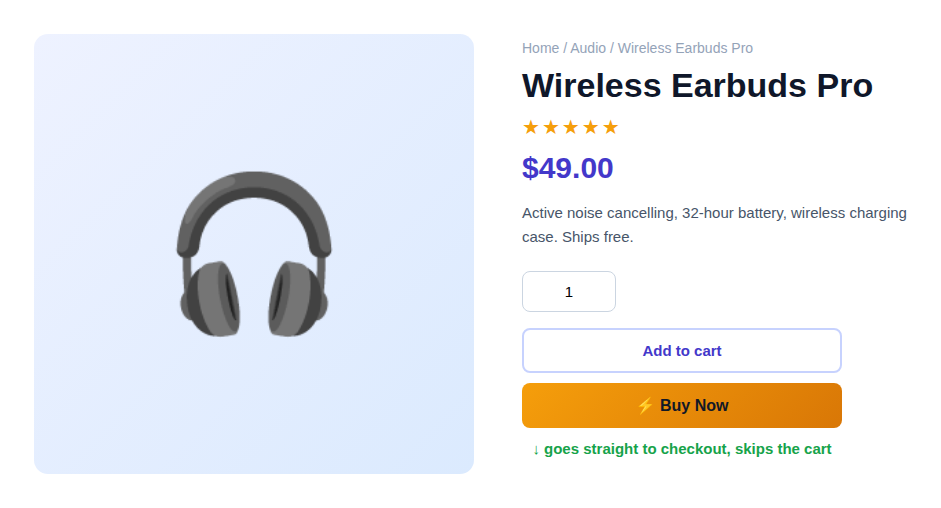
Buy Now button beside Add to Cart on a product page.
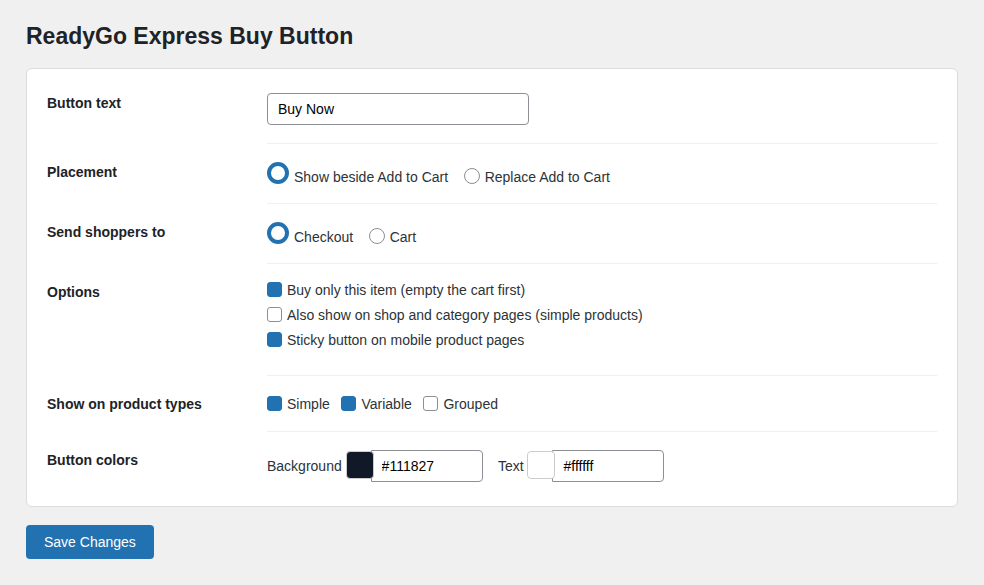
Settings: button text, placement, destination, product types and colors.
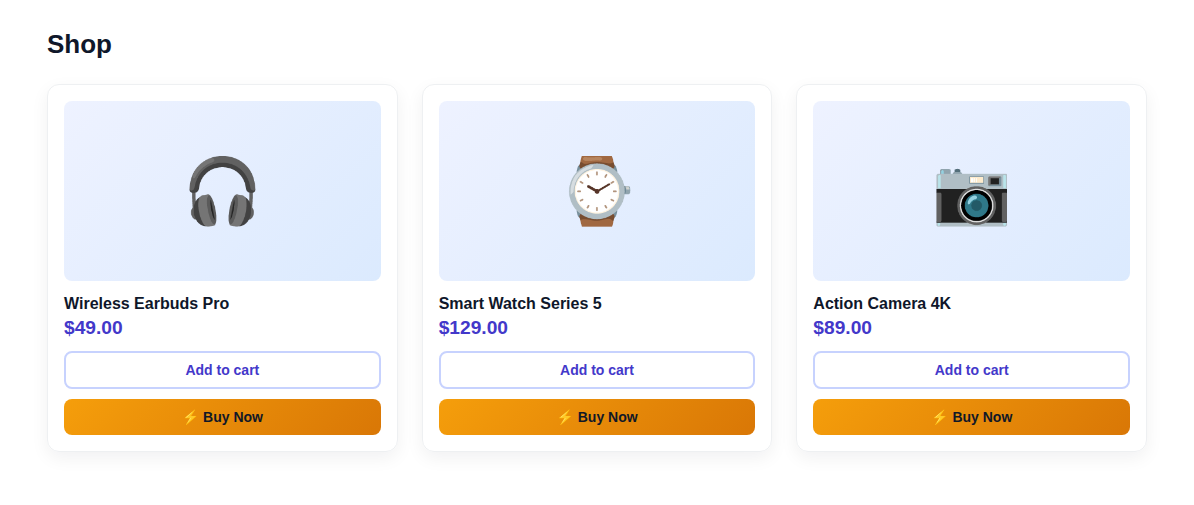
The Buy Now button on shop and category listings.
Faq
Yes. On a variable product the Buy Now button stays disabled until a valid variation is selected, then it adds that variation and goes to checkout.
Yes. Choose “Replace Add to Cart” in the settings, or keep both buttons side by side.
Only if you enable “Buy only this item”. Otherwise the product is added to the existing cart and the shopper is sent to checkout.
Yes. Each product has a “Hide Buy Now button” checkbox under Product data > General.
No. The small CSS and JS load only on product, shop and category pages.
Reviews
Changelog
1.0.0
- Initial release.