Recipe Card Blocks Lite
Recipe Card Blocks Lite
Description
The Ultimate WordPress Recipe Plugin for your Food Blog
Trusted by thousands of food bloggers to rank higher in Google with structured recipe data.
Recipe Card Blocks is a powerful WordPress recipe plugin that adds beautiful recipe cards to the block editor & Elementor to help you create SEO-optimized recipes on your food blog.
🥑 View Demo 🥑
⭐️ Recipe Card Blocks PRO ⭐️
📩 Subscribe to our newsletter for updates
Did you find this plugin helpful? Please consider leaving a 5-star review.
📌 WHY RECIPE CARD BLOCKS?
- Schema.org markup that Google reads — get rich snippets with recipe name, image, ratings, and cook time directly in search results
- Works with Gutenberg, Elementor & AMP — no lock-in to a single page builder
- AI Recipe Generator included for free — generate complete recipes with AI
- Import from WP Recipe Maker — switch in one click without losing your recipes
📌 INCLUDED BLOCKS
- Recipe Card (with Schema.org Markup)
- Recipe Details
- Ingredients
- Directions
- Nutrition Facts
- Recipe Card Widget for Elementor
📌 FREE FEATURES
- AI Recipe Generator 🆕
- Star Ratings 🆕 — readers rate your recipes, and the ratings show up in Google search results
- Comment Ratings 🆕 — readers rate recipes directly in comments
- Cook Mode 🆕 — keeps the reader’s screen awake while they cook
- Elementor Support with dedicated recipe widget
- Schema.org Structured Data (JSON-LD)
- 3 Recipe Card Styles
- Inline Structured Data Validator
- AMP Support
- Bulk Add Ingredients and Directions
- Video integration
- Import recipes from WP Recipe Maker
- WPML Support
- Recipe Shortcode
- Works with any theme
- GDPR-compliant
⭐️ PRO FEATURES ⭐️
Boost your SEO & Traffic:
- Ratings Analytics — rating distribution, activity over time and your top rated recipes
- Recipe Index Block — searchable recipe catalog that keeps visitors on your site
- Recipe Roundups 🆕 — curate themed recipe collections that rank for long-tail keywords
Engage your readers:
- Adjustable Servings — readers scale ingredient quantities in real-time
- Unit Conversion (US Metric) 🆕 — switch between measurement systems with one click
- Rating Modal & Written Reviews — readers leave a written review along with their rating
Grow your blog:
- Recipe Submissions 🆕 — accept user-submitted recipes
- WooCommerce Integration 🆕
- Grow.me Save Recipe Button 🆕
- Social Call-to-action (Facebook, Instagram, Pinterest)
- Advanced Pinterest Settings — custom Pin image & description
Professional design:
- 5 Recipe Card Styles (vs 3 in free)
- 4 Color Schemes + Unlimited Custom Colors
- Equipment Block — showcase tools needed for each recipe
- Image Gallery & Lightbox in Directions
- Food Labels 🆕
- Print Preview with customizable credit text
- Premium Support
⭐️ Get the PRO version! ⭐️
📌 Where I can view a Demo?
You can view the Recipe Card Block live here.
🙌 FOLLOW US
100% GDPR COMPLIANT
This plugin is 100% GDPR compliant. It doesn’t integrate any Google Fonts.
Recipe Card Blocks does not collect any information outside your WordPress installation, therefore it’s 100% GDPR compliant.
Installation
Simply search for the plugin name “Recipe Card Blocks” via the Plugins -> Add New page in the Dashboard of your WordPress website and click the install button. Once installed, click on the blue Activate button.
After installation, create a new post or edit an existing one using the block editor (Gutenberg), and when adding a new block, look under Recipe Card Blocks section to find the “Recipe Card” block.
Screenshots
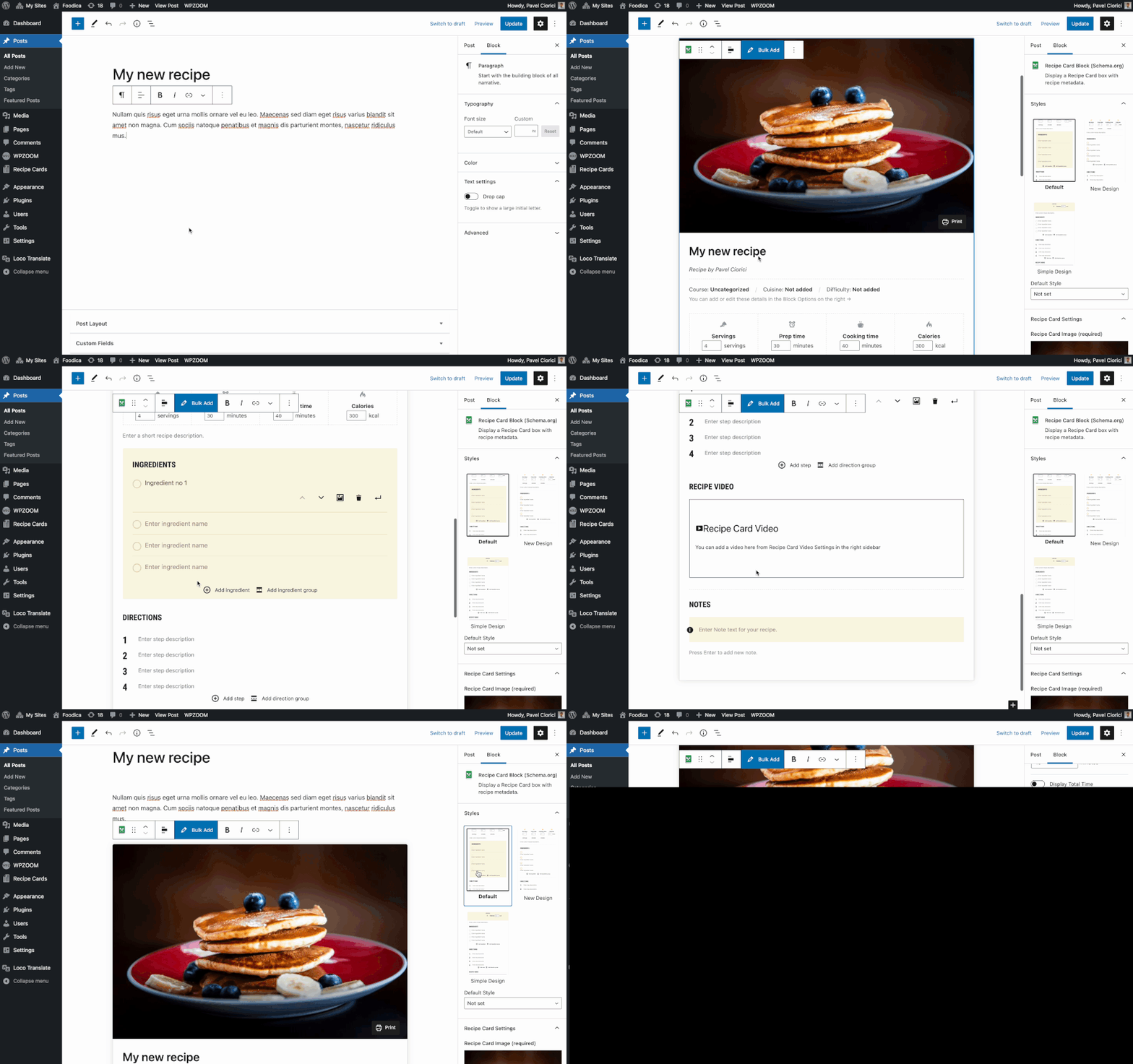
Adding a recipe card to the editor
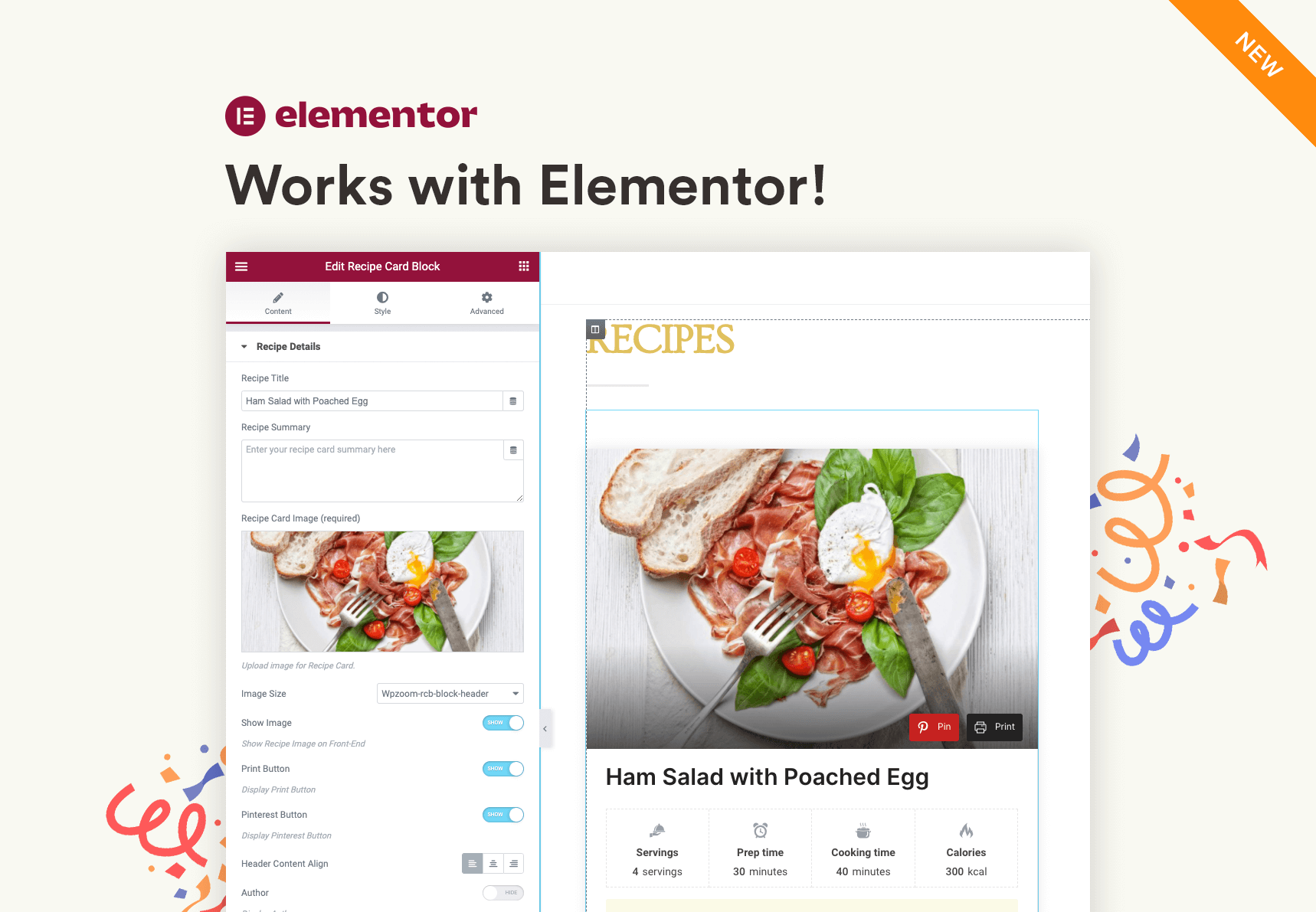
Recipe Card widget in Elementor
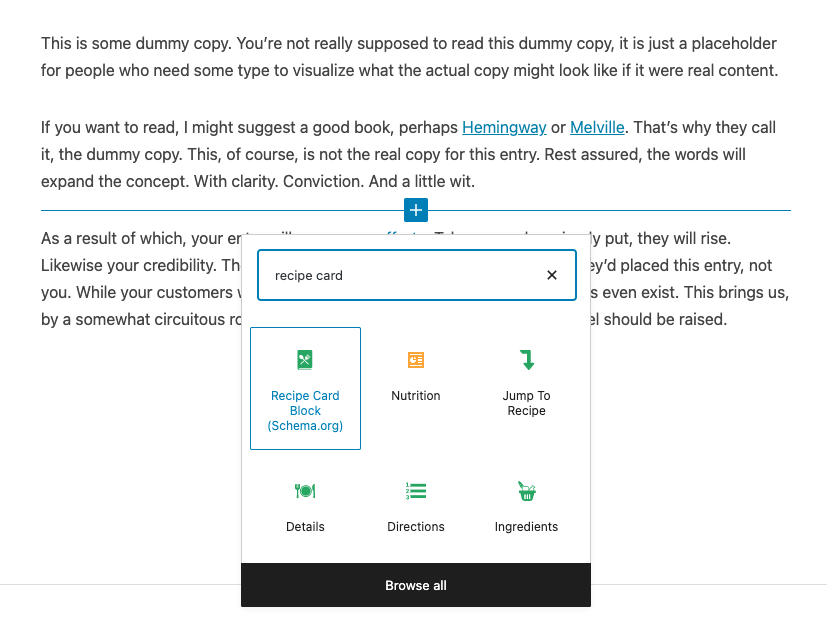
All blocks included
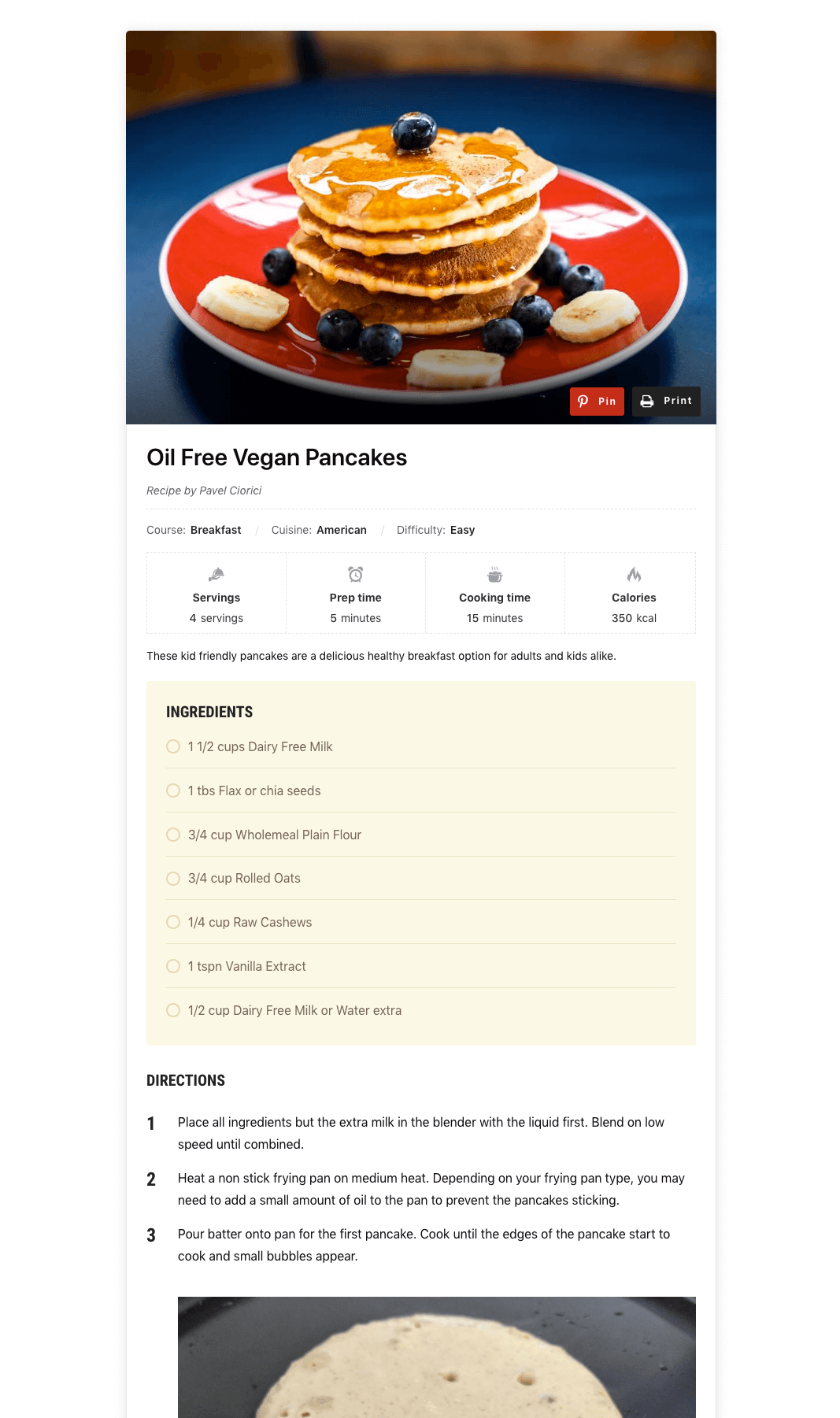
Preview of the Recipe Card Block
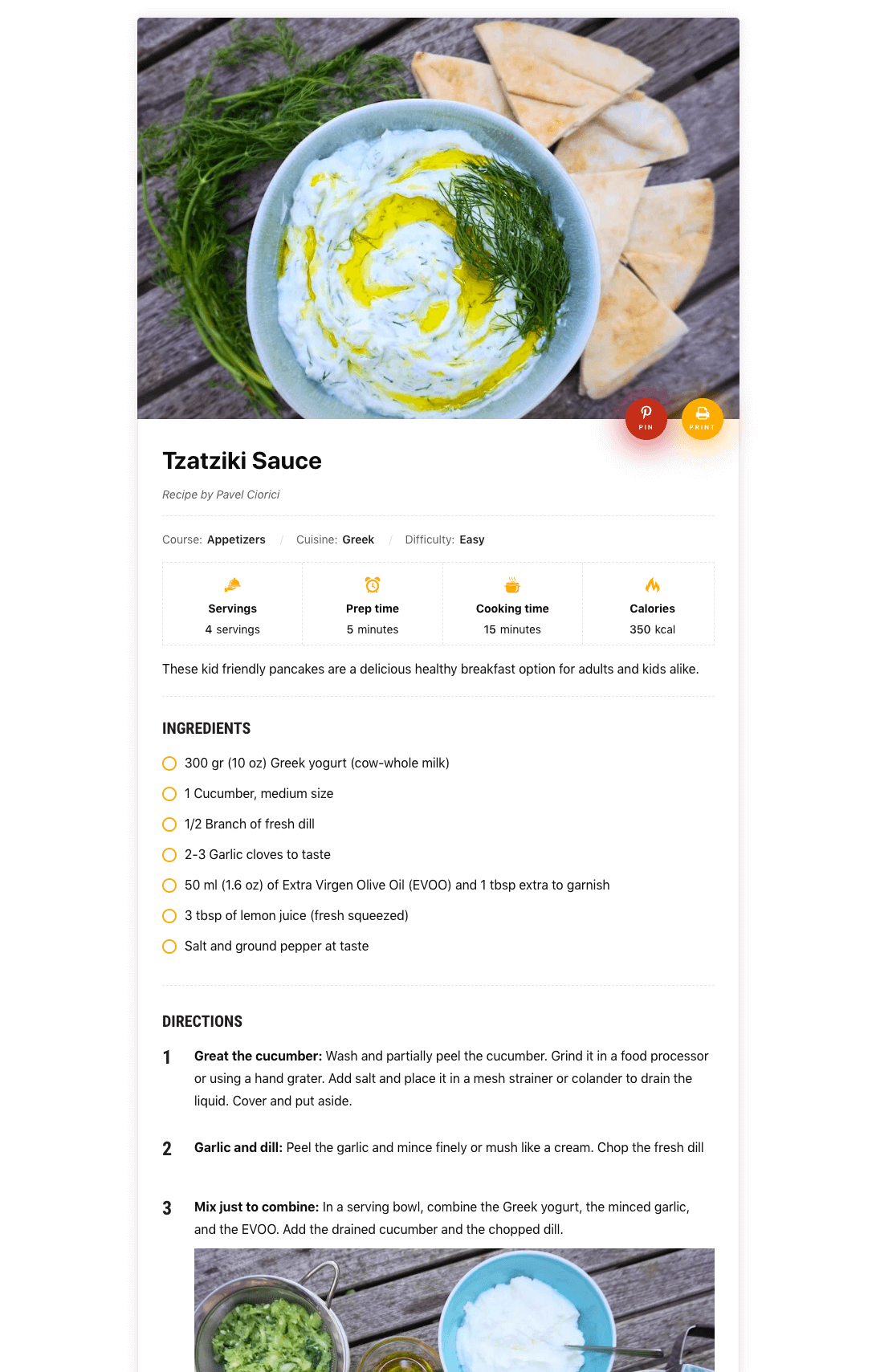
Additional Design for Block
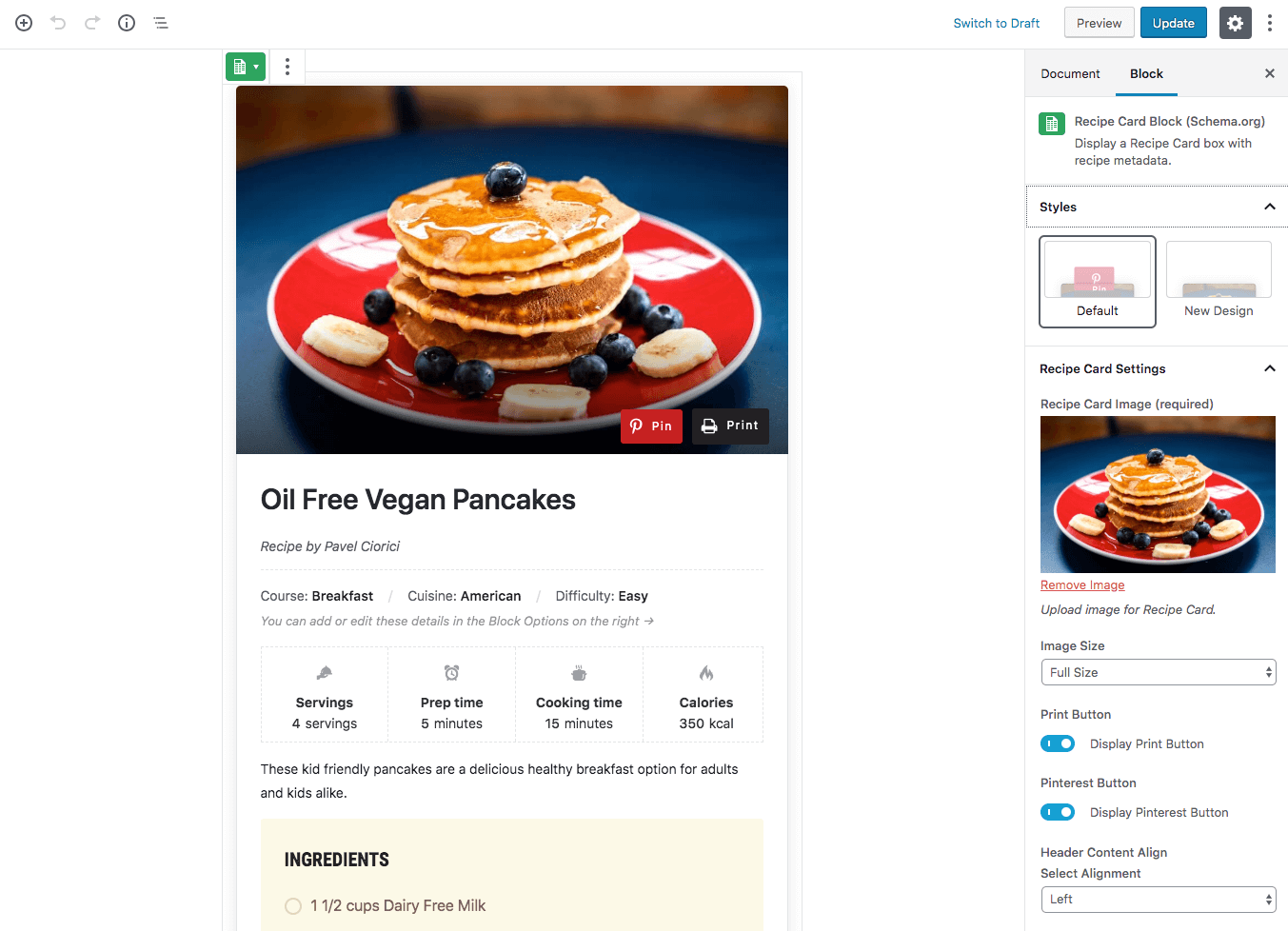
Block Editor
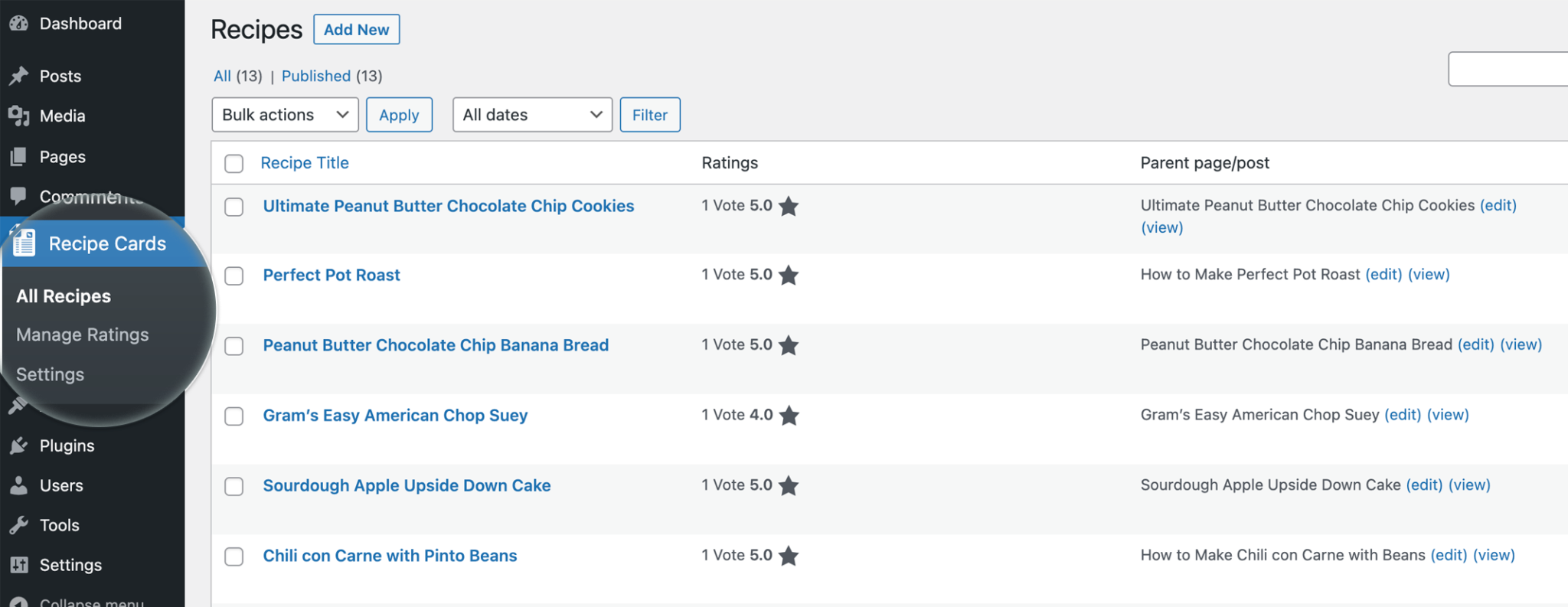
Recipes Page
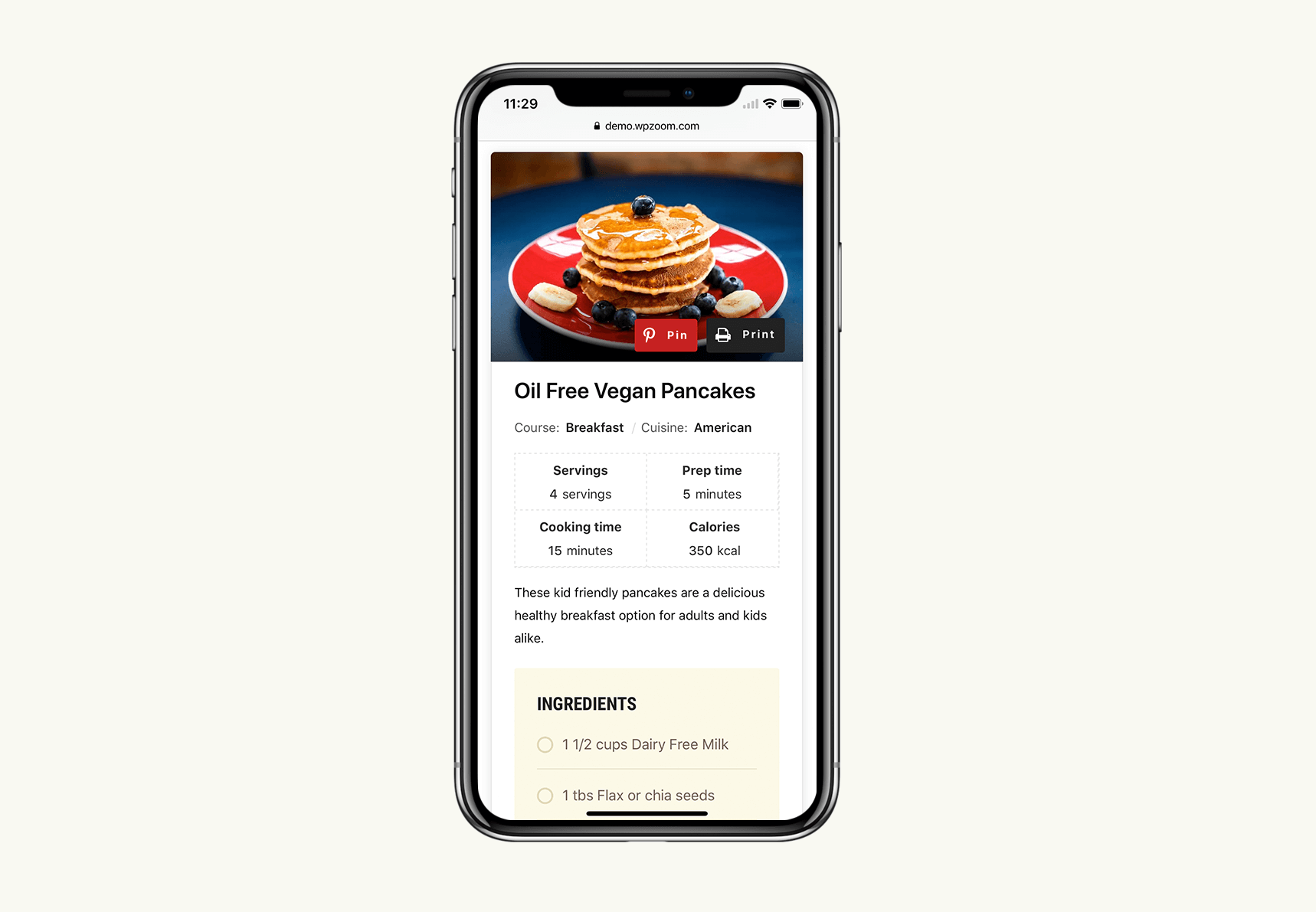
Mobile Design
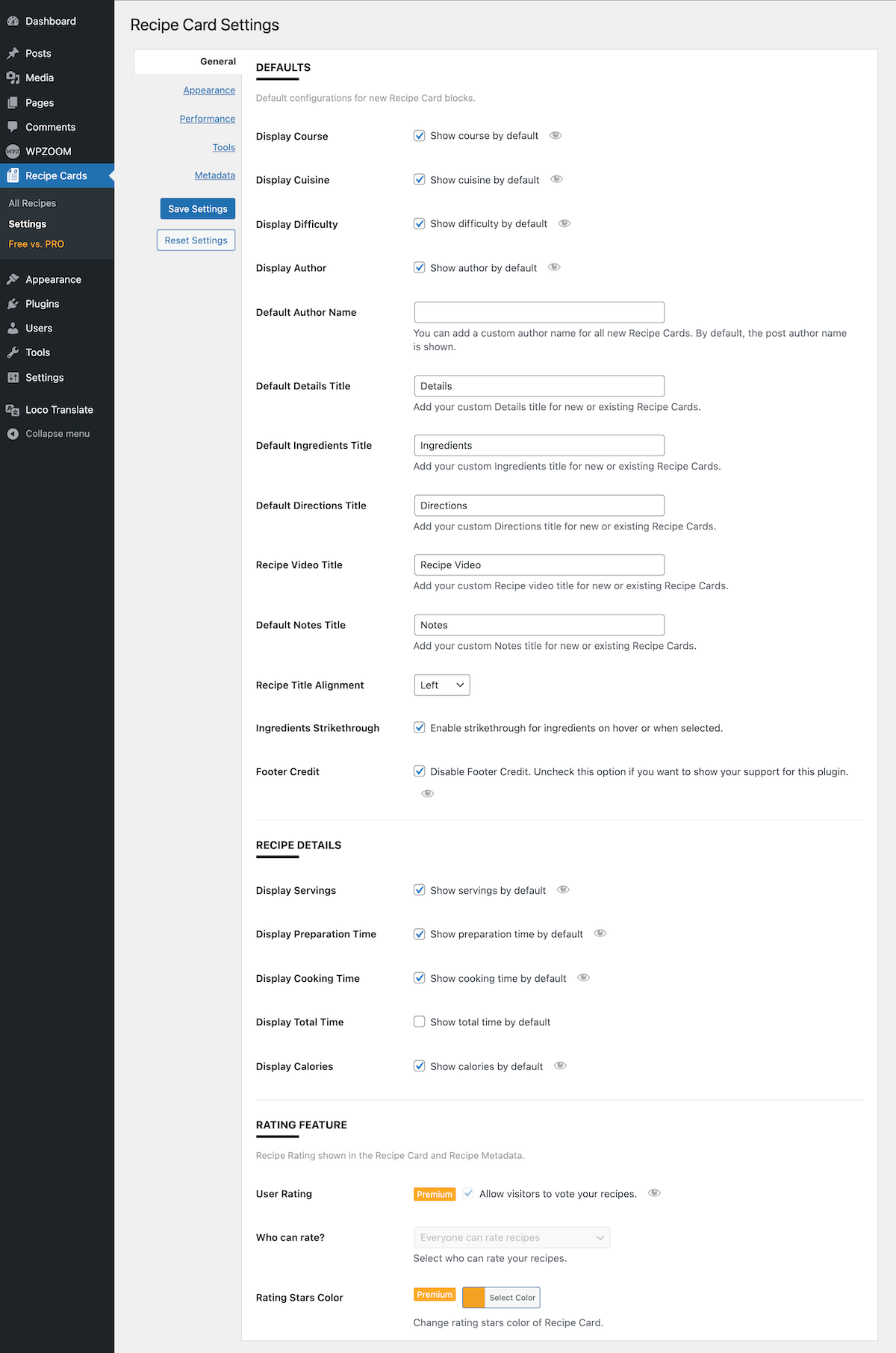
Settings page
Faq
Make sure you haven’t disabled the new block editor using the Classic Editor plugin, as these blocks work only with the new editor.
Yes, you can find documentation for this plugin with more instructions on our website.
Yes, our plugin includes an intuitive and easy-to-use tool that allows you to import recipes created using the WP Recipe Maker plugin.
How to import recipes from other plugins
Star ratings are enabled by default. Once at least one visitor rates a recipe, the plugin adds an aggregateRating to the recipe’s structured data, which is what Google needs before it can show stars. Google decides if and when to display them, and it can take a while for your pages to be re-crawled. You can check that the markup is correct with Google’s Rich Results Test.
Each rating stores the rating value, the recipe ID, the date and the visitor’s IP address, plus the user ID for logged-in visitors. The IP address is used to stop the same visitor rating a recipe twice and to rate-limit submissions. If a visitor submits a written review, the name, email and review text are stored too. All of it stays in your own database and is never sent anywhere. See the suggested text under Tools > Privacy for wording you can use in your privacy policy.
Reviews
Importing recipes
By 
Importing recipes are from just one plugin and it's in pro version!!!
Importing recipes from other plugins is a feature to attract users it should not be a pro feature!
Edited: 5 Star for the new update...
Good Plugin, but Business Plan Needs Adjustment
By 
I believe the plugin has potential, but the business plan misses the mark. As a user, I prioritize basic features like rating, which is crucial for a recipe plugin. Additionally, the ability to import recipes from an old plugin is a must for users seeking alternatives due to abandonment issues with their previous plugin (in my case, Cooked Pro).
Without these fundamental features, it's hard for users to even consider trying the plugin. My suggestion is to focus on providing a solid foundation with essential functionalities. If users are satisfied with the basic features and witness positive growth on their websites, they would be more inclined to explore the Pro version, which offers advanced features like reading mode, timer, recipe submissions, etc.
Amazing plugin
By 
Amazing plugin and a great support. I use it for my recipe at my food blog.
Lumayan
By 
Lumayan cukup membantu bagiku sih ini.
ok
By 
Spectacular Plugin
By 
Easy Clean Recipe Card Plugin with the BEST Customer Support
By 
Very fast support!!!! Perfect!
By 
Elegant and flexible
By 
Recipes Done Right
By 
Changelog
3.6.4
- Security: Fixed a security issue in the star ratings. Thanks to Jasper Weijts for the report.
- Security: The recipe print page no longer shows unpublished posts. Thanks to Ryan Fabella for the report.
3.6.3
- Minor bug fixes
3.6.2
- Minor bug fix
3.6.1
- Minor bug fixes
3.6.0
- New: AI Assistant tab under Recipe Cards > Settings. It connects your recipes to Yamidoo, a free AI chat that answers readers’ questions about the recipe they are on: substitutions with amounts, scaling, unit conversions, timing and storage. One button installs and activates the Yamidoo plugin from WordPress.org.
- New: “Ask about this recipe” button in the recipe card, just above the ingredients. It opens the chat with that recipe already in context and the question started for the reader. It is switched on automatically when Yamidoo is activated, and stays hidden on sites without it.
- Improved: The AI Settings tab now explains that its settings control the AI Recipe Generator, and links to AI credits.
3.5.0
- New: Star ratings. Visitors can rate your recipes, and the rating is added to the recipe’s structured data as
aggregateRatingso Google can show star ratings in search results. - New: Comment ratings. Readers can leave a star rating along with their comment, and those reviews are added to the recipe schema.
- New: Ratings screen under Recipe Cards for approving, unapproving and deleting ratings.
- New:
[wpzoom_rcb_rating]shortcode and a Recipe Rating block for showing the stars anywhere. - New: Cook Mode. A toggle on the recipe card that keeps the reader’s screen from going to sleep while they cook. Enable it under Recipe Cards > Settings > Miscellaneous.
- New: Ratings settings tab, including the rating mode, star colour, and where the stars appear.
- New: Privacy policy suggestions, plus personal-data export and erase support for ratings.
- New: SEO column on the All Recipes screen.
- Note: This release stores the IP address of each visitor who submits a rating in order to prevent duplicate votes. See the Ratings settings if you would rather not collect ratings at all.
3.4.19
- Minor bug fixes
3.4.18
- Minor bug fixes
3.4.17
- Minor bug fixes
3.4.16
- Improved: Full compatibility with WordPress 7.1
- Minor style fixes in the editor
3.4.15
- Multiple improvements and fixes
3.4.14
- Minor bug fixes
3.4.13
- Bug fix with the recipe importer
3.4.12
- Minor bug fix
3.4.11
- Minor bug fix
3.4.10
- Improvements to the Nutrition Facts block
3.4.9
- Minor bug fix
3.4.8
- Improvements to the Recipe AI Generator
3.4.7
- CSS bug fix
3.4.6
- Added a tooltip for cooking details.
- Fixed an issue with keywords in the recipe schema.
3.4.5
- Minor fixes
3.4.4
- Minor bug fixes
3.4.3
- Minor bug fix with the Ingredients and Directions blocks
- Added a new option to change the heading tag for recipe title.
3.4.2
- WordPress 6.7 notice fix
- Added a button to refresh the number of AI credits
3.4.1
- Added the Print button to recipes without an image
- Minor fixes
3.4.0
- NEW: Generate Recipes & Recipe Image using AI
- Multiple bug fixes
3.3.2
- Bug fix with the recipe importer
3.3.1
- Fixed a bug with the Schema markup in the Elementor widget
- Minor bug fixes
3.3.0
- New: Import recipes from WP Recipe Maker
- New: Create a Draft Post when creating a new recipe card post.