Responsive Sliding Menu

Responsive Sliding Menu
Description
Responsive Sliding Menu allows you to generate a shortcode to integrate into your site via a page builder (Elementor, Oxygen, Divi, Gutenberg…) or via PHP.
A preview of the rendering is available in the WordPress plugin settings interface.
In particular, you can modify the colors, font sizes or even the icon of the burger menu (responsive). You can also use Elementor Widget RSM Menu to display (or not) your Responsive Sliding Menu.
A brief Markdown Example
- Modify Responsive Sliding Menu settings
- Save the changes
- Copy/paste the [responsive_slider_menu] shortcode into your page builder
- You can also copy/paste the instruction in your PHP header.php file
Installation
- Download the Responsive Sliding Menu plugin ZIP file
- Unzip the plugin in the /wp-content/plugins folder
- On the WordPress plugins page, select the plugin and activate it
Screenshots
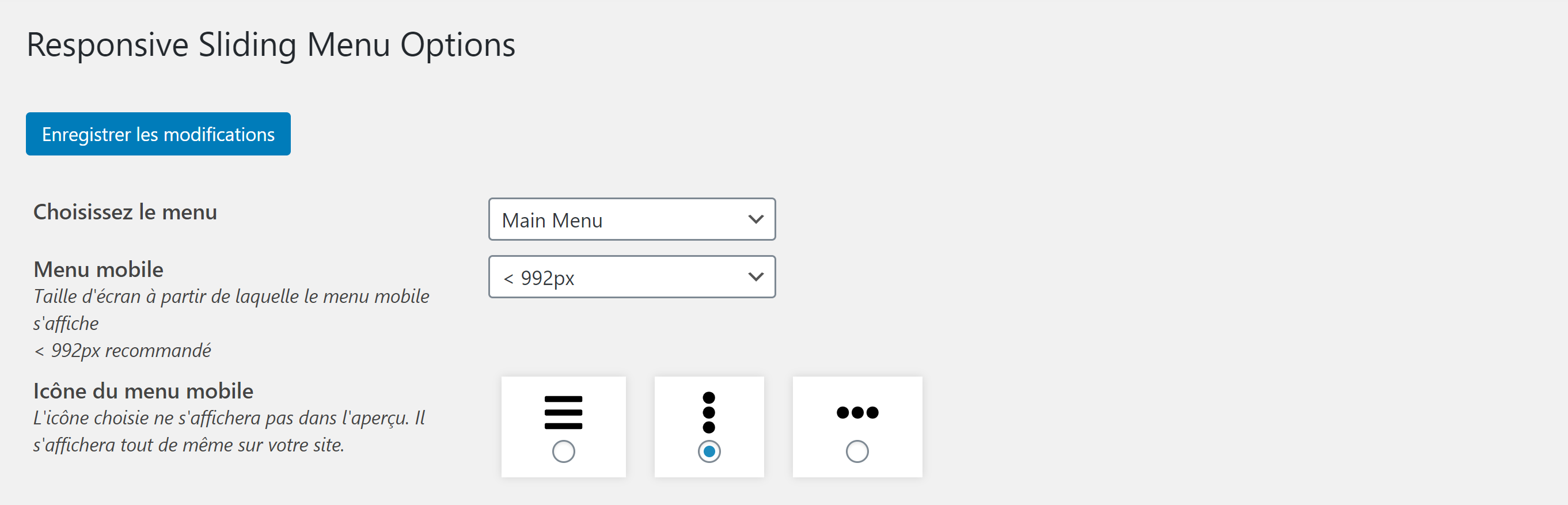
Modify the general settings of Responsive Sliding Menu

Menu preview on the plugin page

Change the menu style

Overview of the submenu and sub-submenu

Icon of the burger menu chosen on the frontend

Display of the menu in mobile version on the frontend
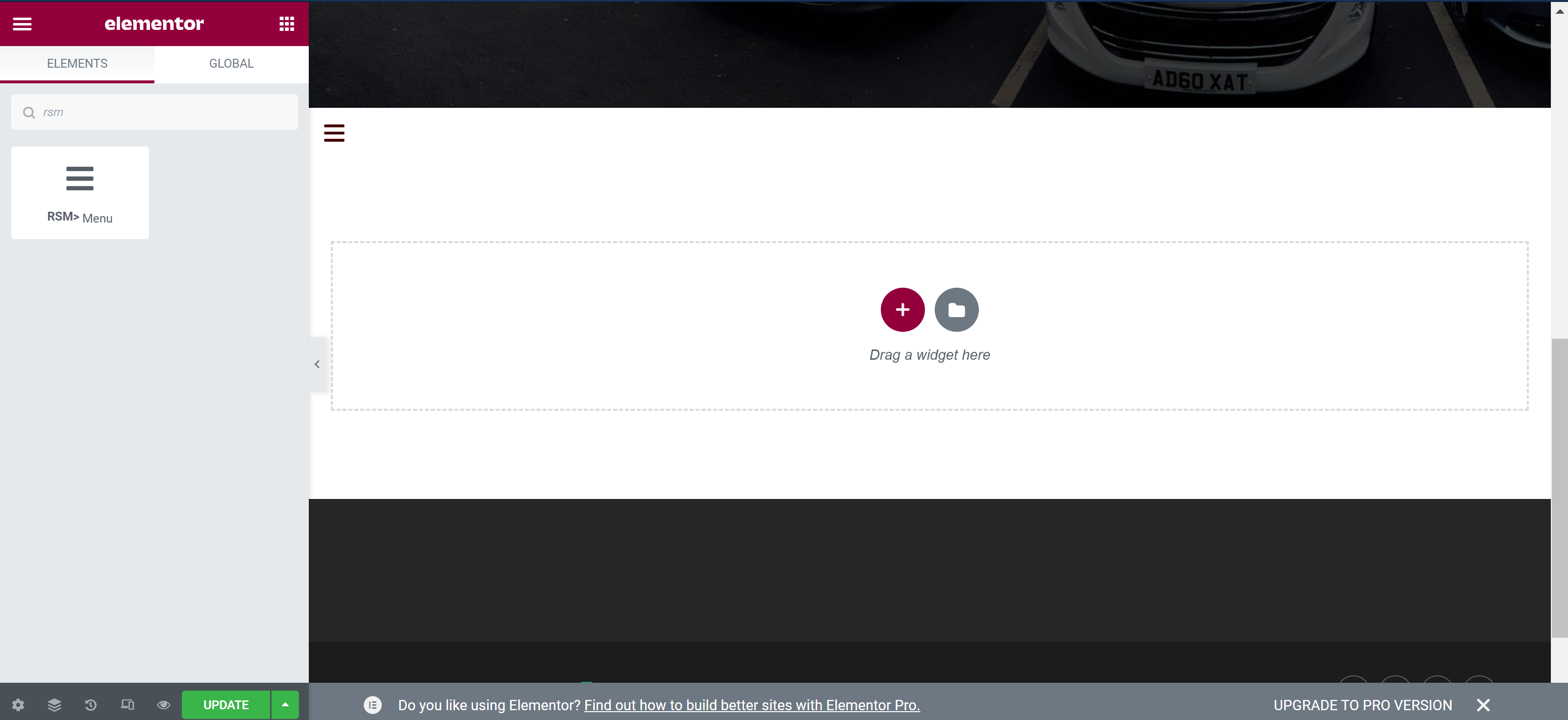
Choose to display RSM using Elementor
Faq
In plugin v1, you can change menu colors, font sizes, mobile burger menu icon, screen size from which mobile menu will display.
It is not yet possible to modify the inside of the menu that opens sideways, but we are working on it for the next version
The menus are found in Appearance>Menus. You just need to select or create a menu to modify its content.
Don’t forget to save your changes!
Responsive Sliding Menu only displays 3 menu levels. If your submenus itself contains submenus, these will not be displayed.
If you have other display concerns, please contact us plugins@lekcie.com
Reviews
Thank you for this simple but much useful plugin
By 
It solved my responsive menu problem with just few clicks. Thank You
Thank you for this wonderful plugin
By 
Thank you for this wonderful plugin
todo bien
By 
fair enough
By 
perfeito
By 
Responsive in Both Senses of the Word
By 
naggy
By 
Get rid of the Nag Banner!
By 
Raw product (cырой продукт)
By 
Très bien
By 
Changelog
1.4.6
- compatibility check with WP core 6.6.1
1.4.5
- fix: replacing elementor deprecated functions
- fix: minor css bug – close icon
- compatibility check with WP core 6.4.3
1.4.4
- code fix: adding condition on size of array
- php8 compatibility check
1.4.3
- compatibility check with WP core 5.9
- fix: review banner hides when clicked
1.4.2
- compatibility check with WP core 5.8.2
1.4.1
- compatibility check with WP core 5.8.1
1.4.0
- feature: Elementor compatible – allows to add RSM widget using Elementor widgets
- compatibility check with WP core 5.8
1.3.2
- patch: loads dashicons
1.3.1
- CSS box shadow mobile menu
- add chevrons to submenus
- remove fontawesome
1.3.0
- change fontawesome with dashicons
- add “always” and “never” choices to mobile menu icon
1.2.0
- translation ready
- CSS fix
1.1.0
- add a review notice after 7 days
1.0.4
- compatibility check with WP core 5.7.2
- edit US pot file
- JS translation
- fix backend css
1.0.3
- compatibility check with WP core 5.7.1
- add language pot file
- add EN_US language mo file
- fix css transitions
1.0.2
- compatibility check with WP core 5.6.1
1.0.1
- compatibility check with WP core 5.5
1.0.0
- plugin creation