REST API Custom Fields

REST API Custom Fields
Description
This plugin enhances WordPress REST API v2 responses about metadata.
Installation
- Upload “rest-api-custom-fields” folder to the “/wp-content/plugins/” directory.
- Activate the plugin through the “Plugins” menu in WordPress.
- New item “REST API Custom Fields” appears in the admin menu (under the Settings menu). There you can select which metadata you want to contain in the REST API response.
Screenshots
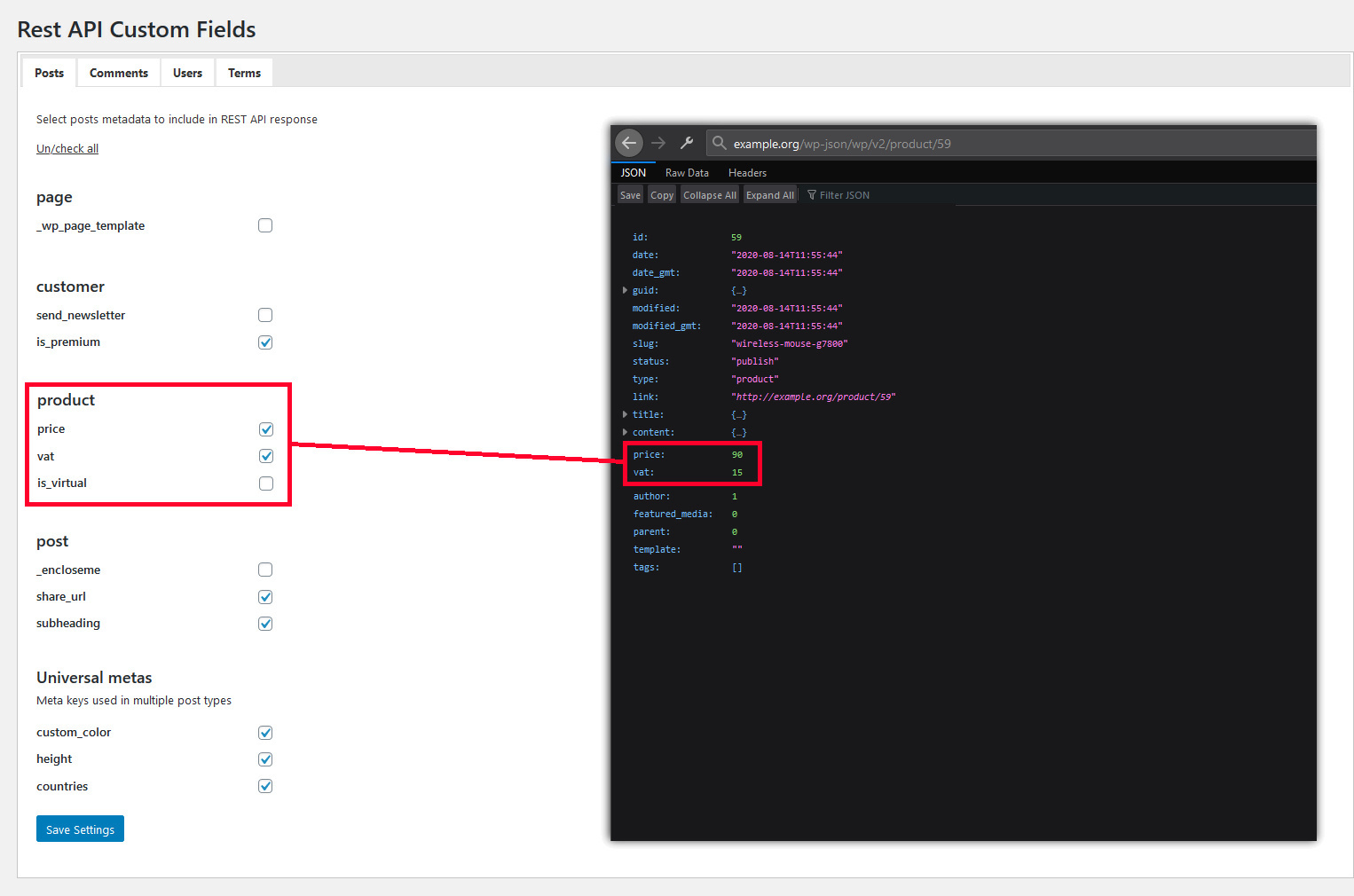
Settings pane
Reviews
Heaven sent!
By 
Simple but great plugin. It allowed me to add everything I needed from my CPT fields to the WP rest API v2. Thank you guys!
Excellent tool, but needs to be deactivated...
By 
This is truly excellent. It makes adding fields to the Rest API easy.
However, there's the slight issue that it slows down every. single. page. by 3-5 seconds because it makes a terribly slow SQL query on EVERY admin page.
So I use it when I need it.
Then I quickly deactivate it.
Time saver
By 
Simple to use, does what is says.
Absolutely amazing.
By 
Extremely simple to use and effective, just plain plug-and-play style. Thank you very much for the amazing app.
Great Plugin!
By 
Spared me a lot of headache. Thank you!
Fantastic plugin
By 
Hey bro, you created an awesome plugin. Your plugin solved all my issues, thank you so much, my friend.
Simple, Fast, Exactly fits my needs
By 
I don't need anything else then to include some fields in my API and this simple plugin let me set it up in a very intuitive way.
Site slowed after plugin installation
By 
I love the Integromat tool, but the WordPress plugin doesn't work for me. Once installed the whole site is slow.
I did every possible test, even a fresh install of WordPress on another server, but the problem is the same.
It was necessary to delete the plugin. I will wait for future versions to see if the issue is resolved.
Changelog
1.3
- It is now possible to expose custom fields of custom post types
1.2
- Exposed values can now contain arrays
- Attributes representing custom fields moved directly under the top-level node in the response
1.1
- Fixed db prefix
1.0
- Init version