Restrict Dates Add-On for Gravity Forms

Restrict Dates Add-On for Gravity Forms
Description
A simple and nice plugin to add date restrict dynamically in gravity forms default date picker field. If the installation is okay, go to gravity forms dashboard. Add a date field on your form. Open date field and you will see to Enable Restrict date options checkbox. Click that checkbox and configure as you want. And save form. You’re done!
View Pro Demo | Documentation | Buy Pro
Features
- Minimum date set to a current and specific date
- Maximum date set to a current and specific date
- Disable manually input (read-only option)
- Week/Off day disable
- Disable specific dates (new)
- Week start day (new)
Premium Features
- Link date fields (NEW)
- Business day mode (NEW) – Skip disable days when calculate next available date.
- Prevent submission with disabled dates
- Timezone support
- Language Support
- Custom validation text
- Date calculation
- Date modifiers
- Inline Datepicker
- and more…
Requirements
- PHP 5.6
- Gravity Forms 2.5 or 2.8 or latest
Installation
Installation is fairly straight forward. Install it from the WordPress plugin repository.
Screenshots
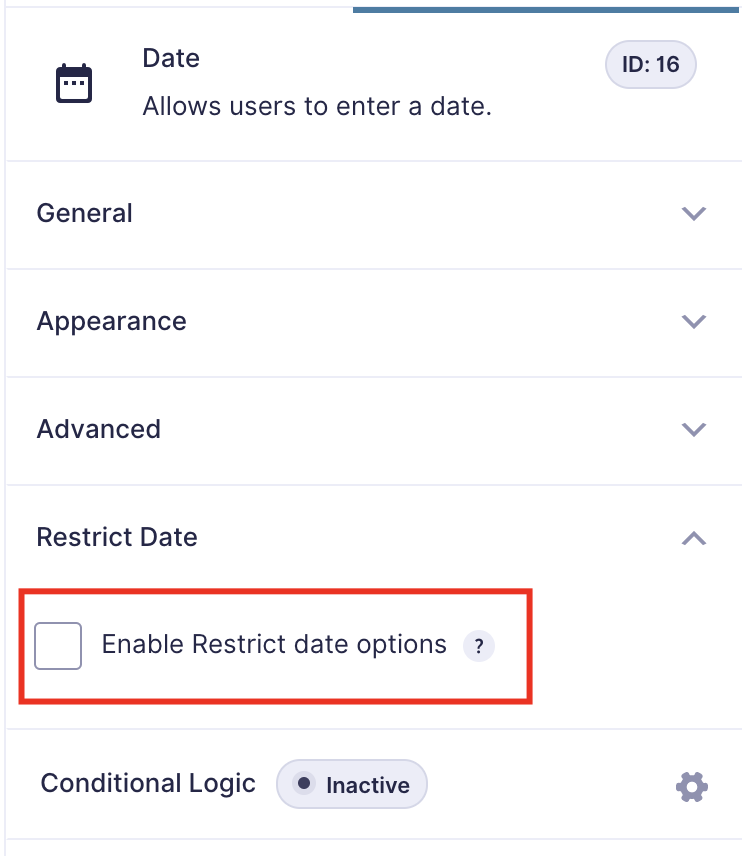
Click to enable restrict date

You can see all options

Set options as your requirements

Options of the Pro version
Faq
Yes. You can disable any weekday (for example, Saturday and Sunday) to prevent users from choosing those dates.
Absolutely. You can define both a minimum and maximum selectable date. For example, allow only dates from “tomorrow” to “30 days from today.”
Yes. Each date field can have its own restriction settings — all managed individually within the Gravity Forms editor.
Currently, restrictions are applied per field of gravity forms.
Yes, Its supproted but only in the pro version.
Reviews
Works out of the box, perfect !
By 
Easy to install and use. Works with all datepickers of Gravity Forms. Great. Thanks to the developer !
Thank you very much
By 
It works correctly in versions 6.X.X and with PHP8.1. Thank you very much my friend!
Works like a charm 🙂
By 
Works like a charm 🙂 A+++++
Such a nice plugin
By 
Good Plugin
By 
Changelog
1.2.5
- Added support for the new Gravity Forms 3.0+ datepicker via the gform/datepicker/pre_init filter
- Retained backwards compatibility with the legacy jQuery UI datepicker for Gravity Forms < 3.0
- Fixed an off-by-one date parsing issue (UTC shift) when setting custom minimum and maximum dates
- Dropped the runtime jQuery dependency for the new datepicker integration
1.2.4
- Update Freemius SDK
- Minor bug fix
1.2.3
- Update Freemius SDK
- Minor bug fix
1.2.2
- Update Freemius SDK
- Minor bug fix
1.2.1
- Add start day of calendar
- Add Freemius SDK
- Release Pro version
1.2.0
- Disable specific dates
- Fix bugs
1.1.0
- Add week/off day disable option
1.0.0
- Initial Release