WowRevenue – Product Bundles & Bulk Discounts
WowRevenue – Product Bundles & Bulk Discounts
Description
💲 Increase AOV with product bundles & discount campaigns.
📈 Boost your revenue without increasing the marketing cost.
💕 A plugin by WPXPO, that empowers 60K+ businesses!
📞 Dedicated support team with 4.9/5 customer satisfaction on Trustpilot!
😲 Free Demo | 🔥 WowRevenue Pro | 📃 Documentation
WowRevenue – Increase your Order Value with Product Bundles & Strategic Discount Campaigns
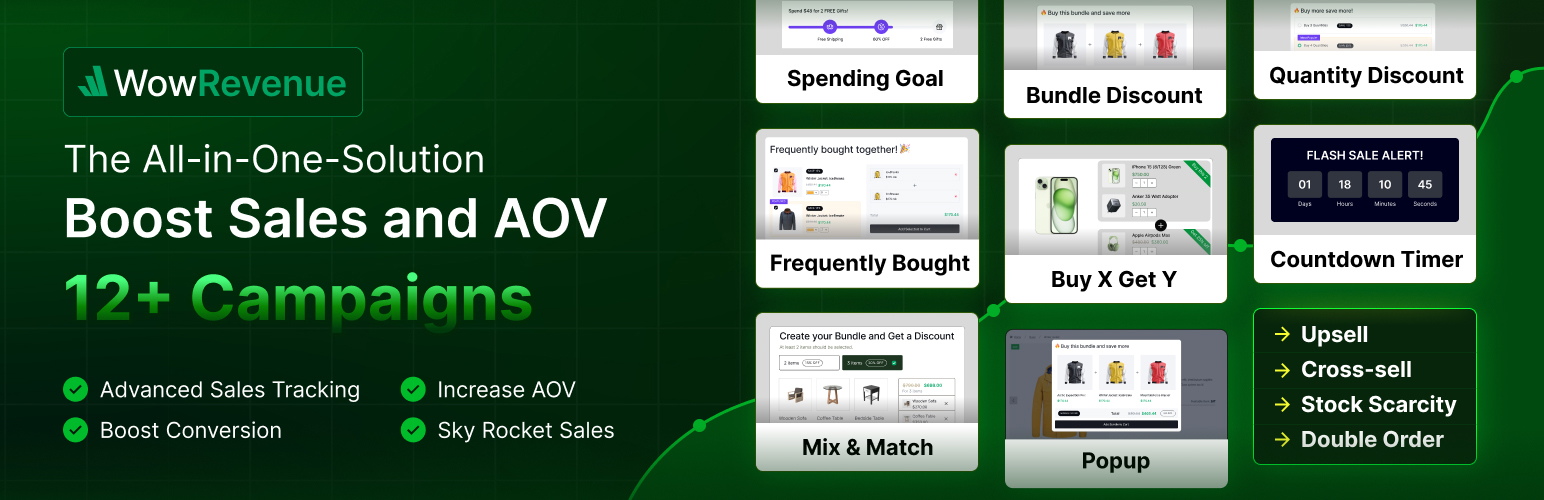
WowRevenue is a proven solution specially crafted to boost the WooCommerce store’s revenue by increasing the average order value. Its effective marketing campaigns help you start upselling and cross-selling instantly. As a result, you can enjoy better revenue without increasing the number of customers. So you don’t need to spend more on customer acquisition.
✅ Dynamic Discounts Rules
✅ Product Bundles
✅ Mix and Match Bundles
✅ Quantity/Volume Discount
✅ Buy X Get Y Offers
✅ Frequently Bought Together
✅ Double Order
✅ Spending Goal
✅ Stock Scarcity
✅ Countdown Timer
✅ Next Order Coupon
✅ Buy X Get Y Bundle (Coming Soon)
Explore how you can increase your WooCommerce store’s revenue.
How 🤔 Can WowRevenue help you?
All of WowRevenue’s campaigns are designed and developed to boost your revenues and average order value. Here are the best possible use cases for the campaigns.
This campaign helps to create attractive discount offers for specific, multiple, or all products at once. It is highly effective for creating upselling, cross-selling, and down-selling offers.
The Product Bundles campaign allows shoppers to bundle similar products and offers dynamic discounts. So, when shoppers are exploring a specific product, they will be encouraged to purchase bundles.
Let your customers create their own product bundle using WowRevenue’s Mix and Match Product Bundle campaign. Offer multiple discounts and encourage buyers to get more products.
This campaign helps to offer discounts based on product quantity and set different pricing tiers. So the customers who regularly purchase the same items will be encouraged to increase their order quantity.
You can offer slow-moving items for free or at a low price by using the Buy X Get Y campaign. Here are some examples:
✔ Buy X Get Y Free
✔ Buy One Get One
✔ Buy 2 Get 1 Free
BOGO
BOGO also known as Buy One Get One allows you to offer a product for free with specific products that the customers want to purchase.
It helps to create spending goal bars with multiple offers (discount, free shipping, and free gift) and place them at the top bar, footer, or on the sidebar.
The Free Shipping Bar campaign helps to set an amount and a visual progress bar. So the customer can know how much they need to spend for free shipping. You can also display upselling products in the free shipping bar.
The Frequently Bought Together campaign helps to promote cross-selling items that are directly related to products that a shopper is considering to purchase. So the shoppers can choose the items they require and purchase them together.
The Double Order Plus campaign helps to encourage shoppers to double, triple, or 4x their order and get a discount.
Upsell
Upselling means offering products at a low price which is similar to the products that a buyer is considering to purchase. WowRevenue has multiple upsell campaigns including:
✔ Product Bundles
✔ Mix and Match Product Bundles
✔ Quantity-based/Bulk Discount
✔ Spending Goal
Cross-sell
Cross-selling refers to the strategy of offering sub-items related to the main items that a buyer wants to purchase. You can showcase cross-selling items on the cart page or on the product pages.
Explore how you can create different campaigns and increase your AOV!
Increase Conversion with FOMO
WowRevenue also offers exclusive ways to create FOMO (fear of missing out) to ensure a better success rate. Be sure to check them out.
Animated Add to Cart: It animates the Add to Cart button to encourage the shoppers to add products to the cart sooner rather than later.
Countdown Timer: You can create limited-time offers and add a countdown timer. So the shoppers will feel they might miss the offer if they don’t act now.
Free Shipping: Free shipping is a proven tactic to increase conversions and the average order value.
Placement Flexibility to Maximize Sales
WowRevenue lets you place offers on different pages on your WooCommerce stores so that customers are encouraged to buy more products than they initially intended to.
Product Page: Showcase attractive offers on your selected product pages.
Cart Page: Increase cart size and boost sales effortlessly by setting up offers on cart pages.
Checkout Page: Showcase irresistible offers on checkout and create a FOMO to encourage even more sales.
Thank You Page Offers: Implement post-purchase upsell to further entice customers to spend more.
Customize Positioning & Look for More Engagement
WowRevenue helps you create attractive offers, and empowers you to control their in-page positioning and look for more engagement. The rest is up to you, explore the following opportunities and make the best use of them.
Customize Positioning:
WooCommerce Pages: While creating a campaign, you can choose the page on which you want to display it.
Pop-Up: You can also showcase special offers in pop-up. It ensures that potential buyers see it and encourages them to grab it.
Floating: Displaying the offers in a sticky floating bar would increase engagement and ensure all visitors see the offers.
Manage & Monitor Campaigns Effortlessly
With WowRevenue, you have full control over how you create and launch campaigns in your WooCommerce store.
Schedule The Offers Ahead of Time to Maximize Sales: Plan your campaigns and set scheduled sales that suit your marketing strategy.
Real-Time Analytics To Track Performance: A/B test campaign performance and optimize your strategy accordingly. Track analytics such as average order value, impressions, and conversion rate to find out what’s working and what’s not.
Other Wow Plugins!
We have more useful plugins for WooCommerce and WordPress users. Take a look at them:
💝 WowStore: An all-in-one solution to build gorgeous-looking and professional WooCommerce stores with various conversion-focused features.
📦 WholesaleX: A collection of dynamic features for setting advanced pricing and discounts based on user roles. You can use it for creating complete B2B or B2B+B2C hybrid stores.
🧲 WowOptin: The next-generation opt-in plugin for collecting leads, increasing sales, and boosting conversions. It is powered by a canvas-like opt-in builder and advanced placement & targeting options.
📃 PostX: PostX is a News Magazine plugin powered by a dynamic site builder for Gutenberg. With its rich library of Templates, you can build any kind of News, Magazine, or Blogging site with three simple steps.
Author
Developed by WPXPO. Contribute to Revenue on Bitbucket and join the party.
📗 Translations
Revenue plugin is compatible with WPML Plugin and also it works perfectly with loco translate plugin.
You can Translate Revenue on translate.wordpress.org.
Installation
Minimum Requirements
- WordPress 5.0.0 or greater
- PHP version 7.3 or greater
- MySQL version 5.6 or greater
Automatic installation
Automatic installation is the easiest option as WordPress handles the file transfers itself and you don’t even need to leave your web browser.
- Go to your WordPress Plugin installation menu (Dashboard > Plugins > Add New)
- In the search field type “Revenue” and press enter.
- “Install Now” and then click “Active”
Manual installation
For Manual installation, you download our product from WordPress directory uploading it to your web-server via your FTP or CPanel application.
- Download the plugin and unzip it
- Using an FTP program or CPanel upload the unzipped plugin folder to your WordPress installation’s wp-content/plugins/ directory.
- Activate the plugin from the Plugins menu (Dashboard > Plugins > Installed Plugins) within the WordPress admin.
Upgrading
Automatic update working great for this plugin. If you customize the plugin make sure to store a backup before update.
Sometimes because of the permalink issue during the plugin update, just go to WordPress > Settings > Permalinks and hit the ‘Save’ button.
Screenshots

Dashboard

Campaign List

Campaign Builder

Buy X Get Y Discount

Bundle Discount

Frequently Bought Together

Quantity Discount

Product Mix and Match

Normal Discount

Capture repeat customers in Thank You Page

Cross-selling on Cart Page
Faq
Yes, WowRevenue is designed and developed in a way that both beginners and experts can use it with ease.
No, you don’t need any coding knowledge to use WowRevenue.
Yes, we have a dedicated team for WowRevenue to provide on-demand support and assistance.
Reviews
Game-Changer for Woo Bundles & Smart Discounts
By 
WowRevenue caught my eye right away with how effortlessly it crafts mix-and-match bundles that customers actually grab, turning single-item browsers into multi-product checkouts. Those BOGO promotions and tiered quantity breaks hit just right for clearing inventory, while the sticky free shipping bar keeps carts growing—I've seen steady AOV lifts without the usual discount fatigue.
Simple, effective, and great for bundles
By 
This plugin makes it easy to create product bundles and quantity-based discounts. The setup is quick, the interface is clean, and everything works smoothly with WooCommerce. Very practical for boosting conversions.
Clear Insights, Better Decisions
By 
WowRevenue helped me understand what’s actually performing in my store. Clean dashboard and stats that make sense.
Solid idea, but still needs polishing
By 
I’ve been testing WowRevenue on a WooCommerce site for a few weeks, mainly focusing on features like Coupon Code after purchase, Frequently Bought Together, Free Shipping, and Buy X Get Y offers.
The concept is really good — having all these sales and marketing tools in one plugin can simplify a lot of things. Some features, like the post-purchase coupon and free shipping rules, worked without issues and are easy to configure.
Others, like “Buy X Get Y” and “Frequently Bought Together”, still feel a bit limited. The logic sometimes didn’t trigger exactly as expected, and there aren’t many options to customize the display or fine-tune conditions. The interface is clean, but documentation is quite minimal — you’ll need to test and adjust settings manually to understand how everything connects.
Overall, WowRevenue is a promising plugin with useful ideas, but it still needs more stability, detailed documentation, and a few usability improvements before it feels production-ready.
Awesome support
By 
I would like to give special thanks to the guys from the WPXPO team. They responded immediately to my support ticket and fixed an incompatibility issue in just a few hours. I am truly happy to be the owner of several of their products and wish them every success! 🙂
Finally, a Revenue Plugin That Actually Works!
By 
I've tried several third-party apps before to boost sales and upsell products, but they never integrated well with WordPress and WooCommerce - always felt clunky and disconnected. WowRevenue is a total game changer because it's built specifically for WooCommerce and works seamlessly within WordPress. The product bundles and mix-and-match features are amazing - my customers love creating their own bundles, and I've seen my average order value go up significantly. The Buy X Get Y campaigns are super easy to set up, and the quantity discounts encourage repeat customers to buy more. Everything just works smoothly without any weird conflicts or performance issues.
What I really appreciate is how flexible it is. I can place offers on product pages, cart pages, checkout, and even thank you pages. The countdown timer and stock scarcity features create that FOMO effect that genuinely increases conversions. The free shipping progress bar has been particularly effective - customers actually add more items to their cart to reach the free shipping threshold. The analytics dashboard is straightforward too, so I can see what's working and what needs tweaking.
Honestly, this plugin is a keeper. It does exactly what it promises - increases revenue without needing to spend more on ads or customer acquisition. If you're running a WooCommerce store and want to boost your sales with upselling and cross-selling, don't waste time with external apps that don't integrate properly. WowRevenue is the real deal. Five stars, highly recommend!
Feels like a good discount plugin
By 
I've been using this plugin for quite sometime now. The support team is very quick with their responses. The plugin itself is very clean - I really like the way how it works for me.
Outstanding Platform for Maximising Revenue
By 
It is a game-changer! The plugin is user-friendly, and the features are proven to increase revenue. The customer support is responsive and fair enough.
Highly recommend for anyone looking to optimise their earnings efficiently!
great product
By 
great product
Amazing Team and Plugins
By 
The customer support for WOWrevenue is exceptionally responsive and reliable. The plugin itself performs well, and on the rare occasion that an issue arises, the support team is quick to address and resolve it.
Changelog
2.0.7 – 27 November 2025
- Improvement: Improved global saved styles functionality.
- Improvement: Enhanced RTL support and responsiveness.
- Improvement: Removed default height in the Campaign Builder.
- Improvement: Refactored codebase for better maintainability.
- Improvement: Improved shortcode compatibility — campaigns now display correctly when inserted via shortcode.
- Fix: Fixed issue where volume discount skip caused the “Add to Cart” button to malfunction.
- Fix: Resolved free shipping bar styling issue affecting the entire site drawer.
- Fix: Fixed countdown timer and stock scarcity conflicts with other campaign types.
- Fix: Corrected stock scarcity progress bar visibility issue on the Woodmart theme shop page.
2.0.6 – 19 November 2025
- New: Added full RTL (Right-to-Left) layout support.
- New: Enhanced responsiveness across the builder and all other pages.
- Fix: Resolved the opacity slider issue in the color picker.
- Fix: Fixed checkbox and tier styling issues, including conflicts with “Most Popular” tags.
- Improvement: Improved touch event handling for better mobile interaction.
- Improvement: Improved price updates and dynamic interactions for campaign popups and floating views.
- Improvement: Better theme compatibility — refined styles to work smoothly with popular themes including the Twenty Twenty-Five theme.
2.0.5 – 16 November 2025
- Fix: Resolved the issue occurring in the Buy X Get Y campaign.
- Fix: Corrected multiple campaign rendering issues on the cart page.
- Improvement: Ensured campaign heading toggle works consistently across all campaigns.
- Improvement: Updated campaign heading on/off functionality for improved usability.
2.0.4 – 13 November 2025
- Improvement: Updated Free Shipping Upsell product display — now shows both regular (strikethrough) and discounted prices in the cart.
- Improvement: Refactored Free Shipping campaign code for cleaner and more maintainable structure.
2.0.3 – 11 November 2025
- Fix: Added mini cart support for upsell offer product pricing.
- Improvement: Resolved data escaping issue.
2.0.2 – 02 November 2025
- Fix: Resolved variation selection issue for variable products.
- Fix: Corrected variation handling when trigger products are filtered by category.
- Improvement: Enhanced bundle pricing logic to update total price and savings badge text dynamically.
- Improvement: Readme Content Updated.
2.0.1 – 29 October 2025
- Fix: Synced variation values in variable products to match WooCommerce variable product data.
- Fix: Corrected regular and sale price handling for “Frequently Bought Together” variation products.
- Fix: Improved toggle styling logic — added a custom class for active/inactive button states, removed unnecessary focus styles, and integrated showTemplateSelection state into the builder header.
- Improvement: Enhanced builder dropdown functionality by resolving outside click event handling.
- Improvement: Updated Contents in builder.
2.0.0 – 20 October 2025
- New: Grid and List for better discount showcasing.
- New: Builder restructure and redesign.
- New: Overall plugin performance optimization.
- New: Template system created and added for all campaigns.
- New: New discount styling system for discount campaigns.
- New: Preset color palette added as style settings.
- New: New templates can be created and saved for discount campaigns.
- New: Device-wise typography setup.
- New: Device-wise campaign appearance customization.
- New: Campaign visibility options added for different devices (Laptop, Tablet, Mobile).
- New: Campaign Grid option for product visibility.
- New: Added Variable Product Support.
- New: Given Support for in-page, floating, and pop-up design dynamically.
1.2.14 – 30 September 2025
- Fix: Resolved conflict issues in Bundle Discount when the same product was included multiple times.
- Fix: Corrected coupon creation permission issue.
1.2.13 – 15 September 2025
- Improvement: Added full translation support for the Add to Cart button on the frontend.
- Improvement: Improved performance and efficiency of campaign graph queries.
1.2.12 – 18 August 2025
- Fix: Resolved hidden issue with Builder Editing component.
1.2.11 – 10 August 2025
- Fix: Resolved user input issue in bundle discount.
- Improvement: Optimized defaults and applied min/max limits to discount values.
1.2.10 – 06 August 2025
- Fix: Enabled required product issue in Mix and Match campaign.
- Fix: Set default discount value in free shipping logic.
- Fix: Set minimum/default to 1 for min_quantity and discount to avoid zero-value issues.
1.2.9 – 30 July 2025
- New: Introduced a confirmation modal to warn users of unsaved changes when navigating back on the campaign page.
- Improvement: Enhanced campaign analytics with updated detail metrics.
- Fix: Resolved issue where Double Order campaigns rendered multiple times when using shortcodes.
- Fix: Corrected initial display of “undefined %” in Double Order campaigns.
- Fix: Fixed issue where the campaign name was not appearing if only one campaign existed.
- Fix: Addressed NaN display and incorrect discount calculation on initial page load.
- Fix: Resolved fatal error encountered after activating the Revenue plugin.
- Fix: Eliminated warning triggered during initial rule creation with Spending Goal campaigns.
- Fix: Enabled proper scrolling when campaign content overflows the container.
- Fix: Suppressed warning when no products are assigned to a campaign.
- Fix: Synchronized countdown timer and scheduled settings with the calendar correctly.
- Fix: Corrected broken variable product links in campaign trigger products.
- Fix: Selecting all campaigns now properly marks the header checkbox; unselecting also works as expected.
- Fix: Resolved product duplication issue when using the “Add to Cart” button.
- Fix: Fixed increment/decrement functionality for product quantities within campaigns.
- Fix: Addressed initial date selection issue in the campaign calendar.
- Fix: Fixed Floating issue in cart page.
- Fix: Resolved issue where end time options were not displayed when start time was unset.
1.2.8 – 20 July 2025
- New: Introduced a new Overview page.
- New: Updated the License page design and functionality.
- New: Added a new Support section.
- Fix: Resolved mobile menu not closing issue.
- Fix: Fixed scrolling issue in the Builder Products section.
- Fix: Fixed double order campaigns message issue and fixed corner case.
- Fix: Resolved layout issues with the Create Campaign modal on larger screens.
1.2.7 – 22 June 2025
- Improvement: Optimized the Campaign Page for faster loading.
1.2.6 – 19 June 2025
- Fix: Edit Cart Page Warning issue fixed.
1.2.5 – 02 June 2025
- Improvement: Added compatibility with Cart Block.
- Improvement: Added compatibility with Checkout Block.
- Fix: Resolved issue with out-of-stock products in Bundle Discount campaigns.
- Fix: Corrected “Most Popular” checkbox selection issue in Volume Discount.
- Fix: Fixed issue where normal discounts did not behave like quantity-based discounts.
- Fix: Resolved shortcode support issue for Cart Block.
1.2.4 – 25 May 2025
- Fix: Next Order Coupon Usage limit per user Condition Issue Fixed
- Fix: Free Shipping Position Wise display Issue Fixed
- Fix: Bundle Discount Campaign Out of Stock Issue Fixed
1.2.3 – 19 May 2025
- New: Next Order Coupon Campaign Added
1.2.2 – 08 May 2025
- New: Added support for WooCommerce Shop Manager role.
- New: Introduced “Fixed Price” as a discount type in volume discount campaigns.
1.2.1 – 05 May 2025
- New: Countdown Timer Campaign Added
1.2.0 – 24 April 2025
- New: Stock Scarcity Campaign Added
- Fix: Mix & Match Grid View error issue
- Fix: Buy X Get Y not working when X and Y are same