Rivio – AI Cart Recovery & Marketing Email Automation (Beta)
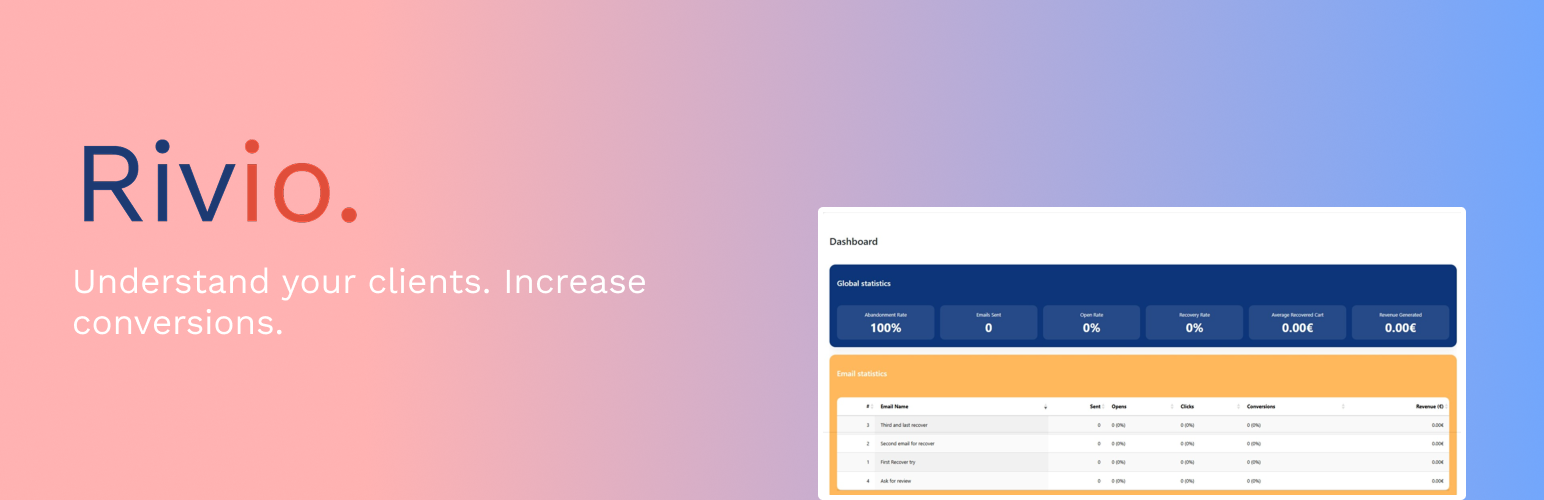
Rivio – AI Cart Recovery & Marketing Email Automation (Beta)
Description
Rivio is an all-in-one marketing automation plugin for WooCommerce, designed to maximize conversions through intelligent cart recovery, AI-generated emails, real-time UX enhancements, and advanced analytics.
Rivio also gives you clear insights into why customers abandon their carts, where they drop off, and what actions you can take to fix it. You can monitor key metrics such as website loading speed, monthly abandonment rate trends, and overall conversion performance.
The plugin brings together abandoned cart automation, AI-powered email generation, social proof tools, advanced analytics, behavioral insights, admin notifications, and upcoming behavior-based recommendations — all in a simple, plug-and-play solution.
✨ Key Features
• Smart cart recovery tools
Popups, timers, exit-intent email capture, beautiful templates and high-converting UX.
• AI-generated high-converting emails
Automatic recovery emails, review requests, or follow-ups — personalized to your brand and products.
• Plug & play installation
Extremely simple setup with automatic activation of all features.
• Advanced analytics
Detailed KPIs: abandoned carts, recovery rates, email performance and more.
• Real-time social proof
Display recent purchases to increase trust and boost conversions.
• Full email logging
View all emails sent, their content, time, and status.
• Admin notifications
Instant alerts when a cart is successfully recovered.
• Fully GDPR compliant
Built-in consent checkbox on every popup + anonymized data handling.
**• Coming Soon **
Understand why your customers leave and where
Monitor your website loading speed
Track the evolution of your cart abandonment rate
And much more — stay tuned
Rivio is built to evolve into a complete WooCommerce automation suite.
External Services
This plugin connects to an external service in order to provide features that cannot be performed locally, in particular analytics features that rely on a proprietary algorithm.
Service: Pixelio API
Provider: Pixelio
Service URL: https://api.pixelio.be/
Purpose of the service:
The service is used to analyze abandoned cart events and to provide automated recovery features such as email delivery verification, statistics, recommendations, and insight analysis.
Data sent:
– A unique identifier for the WordPress site.
– Cart-related events (add, remove, abandon).
These data relate only to the cart itself (product IDs, prices, cart contents) and do not include any personal user data. All other information remains stored locally.
– Anonymized product information (product ID and price), when required.
– The user’s email address, only if it is voluntarily provided for beta registration.
– Data required to generate a free API key in order to access the service.
– Email templates created via the service, which are also stored remotely.
– Artificial intelligence features are used only upon explicit user request and are limited to generating email templates.
When data is sent:
– Cart and product data are synchronized automatically via a cron task (approximately every 5 minutes).
– Other data (such as email templates) is sent or retrieved only when the user interacts with the plugin or modifies these elements.
Terms of Service:
https://pixelio.be/rivio-terms
Privacy Policy:
https://pixelio.be/rivio-privacy
Arbitrary section
Roadmap
- Full automation workflows
- AI-based product recommendations
- Advanced behavior tracking
- Enhanced social proof
- User segmentation
Compilation
SCSS Compilation
To compile the SCSS files, follow the steps below.
Step 1 – Make sure Sass is installed
If Sass is not installed yet, install it globally:
npm install -g sass
Step 2 – Run the compilation command
Use the following syntax:
sass [inputFolderPath]/[EXAMPLE.scss] [outputFolderPath]/[EXAMPLE.css]
Example (from the plugin root folder)
sass ./admin/assets/css/utils/pixelio_cart_abandon_recovery_more_all_admin_pages.scss \
./admin/assets/css/utils/pixelio_cart_abandon_recovery_more_all_admin_pages.css
This command compiles the SCSS file into a CSS file in the same directory.
JavaScript Compilation
To compile the JavaScript files using Webpack, run the following command from the plugin root folder:
npx webpack –watch
Notes
–watch automatically recompiles files when changes are detected.
Make sure all dependencies are installed beforehand:
npm install
Installation
- Upload the
rivio-cart-recoveryfolder to/wp-content/plugins/. - Activate the plugin through the “Plugins” menu in WordPress.
- Open the Rivio settings tab inside WooCommerce.
- Configure your recovery and AI email settings — all tools activate automatically.The plugin includes the minified files for production, but the human-readable source code is available in the /admin/assets/js, in /dist/bundle.js and also in /frontend/assets/js directory.
Screenshots

Dashboard with analytics

Abandoned carts list

Email capture popup

Cart page timer

AI email editor

Plugin settings

Email logs

Social proof display

Admin recovery notification

GDPR consent settings

Faq
Yes. Rivio uses standard WooCommerce hooks and works with most modern themes. If you encounter any issues, contact us — we’ll make it work.
Yes! Once configured, Rivio automatically tracks carts, displays popups, and sends recovery emails.
Free version (no API key): emails are sent, but without analytics.
Free version with API key: you get 100 emails per month for free and unlock full analytics capabilities.
The AI only uses the necessary product and cart data to generate the email. All sensitive information is fully anonymized.
No. The plugin is optimized to perform lightweight operations, uses efficient database calls, and only loads what is necessary to avoid any performance issues.
Yes, simply disable the automatic mode. You can then fully customize the content, design, timing, and number of recovery emails from the plugin settings.
Yes! The plugin features a dashboard showing cart recoveries, email performance, and other key metrics. (Available with a free API key)
By joining the beta, you can use all plugin features without limits. In return, we ask you to provide weekly feedback, including reporting bugs or sharing your impressions. This helps us improve the plugin before the official release. All your data remains secure.
Reviews
Changelog
0.1.0
- Initial release.
- Smart cart tracking.
- Intelligent popups.
- AI-generated recovery emails.
- Advanced statistics dashboard.
- Social proof module.
- Email logging.
- Admin notifications.
- GDPR compliance.