Rolevault for Ninja Forms

Rolevault for Ninja Forms
Description
Control which users and roles can access specific Ninja Forms admin sections, including forms, submissions, settings, import/export, and more.
No need to create custom roles or modify existing capabilities. Just select the users or roles and toggle the sections they need.
This plugin supports the Ninja Forms core plugin only. Third-party Ninja Forms add-ons (for example Conditional Logic, PDF Submission, Layout & Styles, File Uploads) ship their own admin UI and capabilities and are not gated directly by this plugin. The toggles above only affect the matching core Ninja Forms admin screens.
Video Overview
Watch a quick tour of the plugin below.
Support
Having an issue or a question? Open a support ticket here: https://wordpress.org/support/plugin/rolevault-for-ninja-forms/
Features
- Per-user access: Assign NF section access to individual users
- Per-role access: Assign NF section access to entire user roles
- Fine-grained control: Forms, Submissions, Settings, Import/Export, Add New, System Status, Extensions, Licenses
- Automatic section dependencies (Add New requires Forms, etc.)
- Works with existing user roles, no role capability changes needed
- Lightweight, single option in wp_options table
Installation
- Upload the
rolevault-for-ninja-formsfolder to/wp-content/plugins/ - Activate the plugin through the ‘Plugins’ screen
- Go to Ninja Forms > Access Control to configure
- Select users or roles and enable the sections they should access
Screenshots
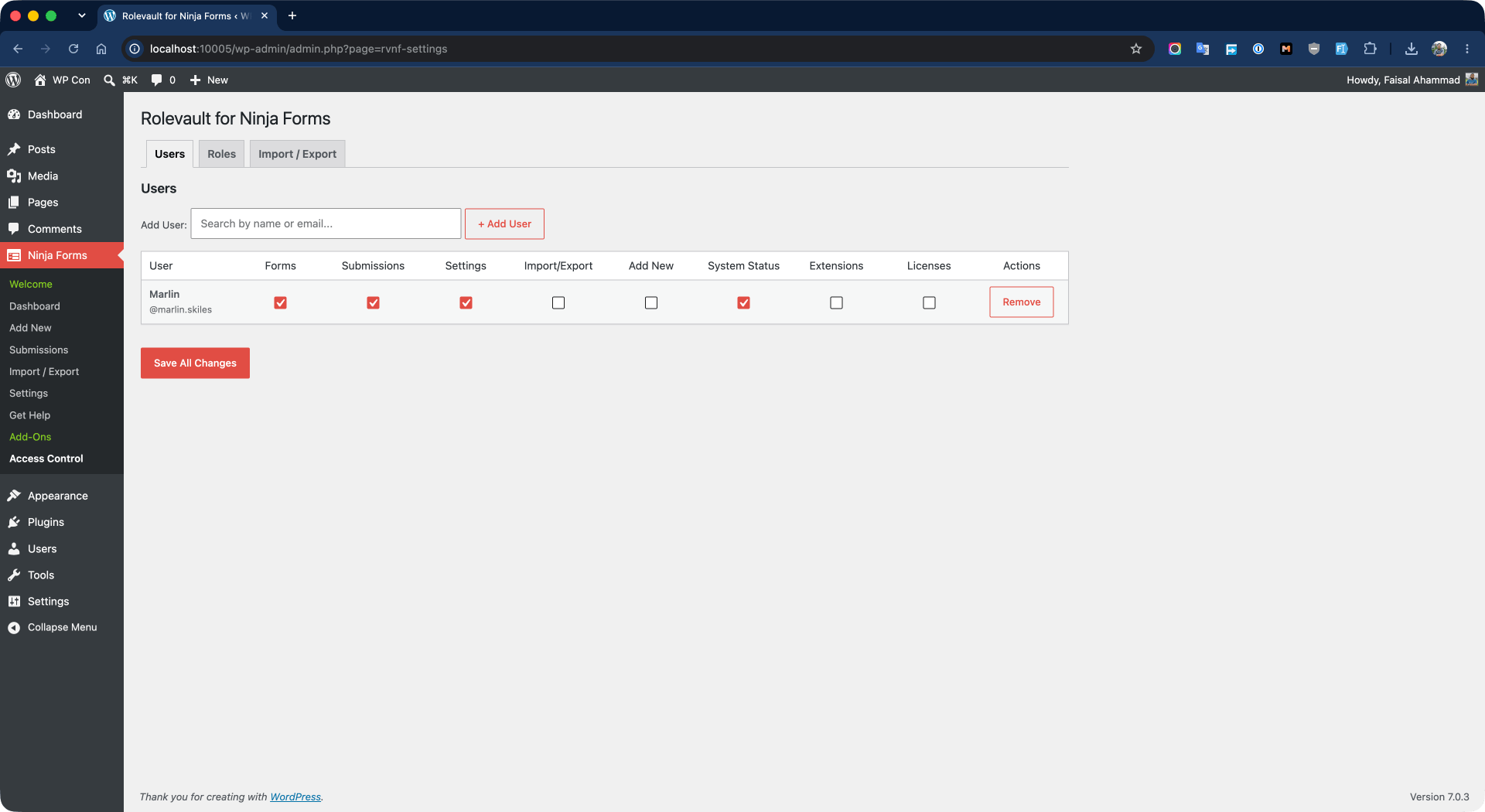
Users settings page. Add a specific user and assign Ninja Forms access rules for that user.
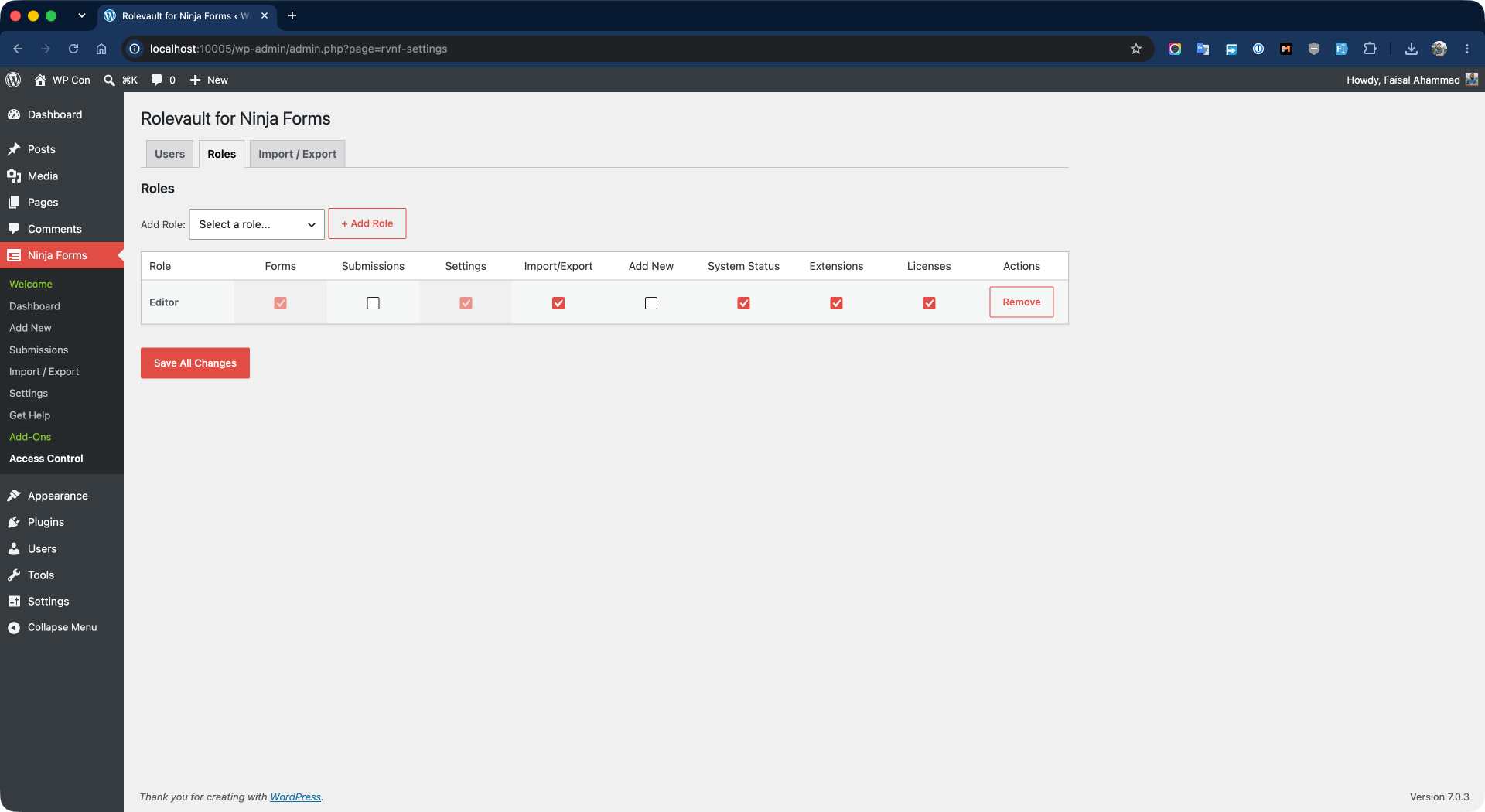
Roles settings page. Add a specific user role and assign Ninja Forms access rules for that role.
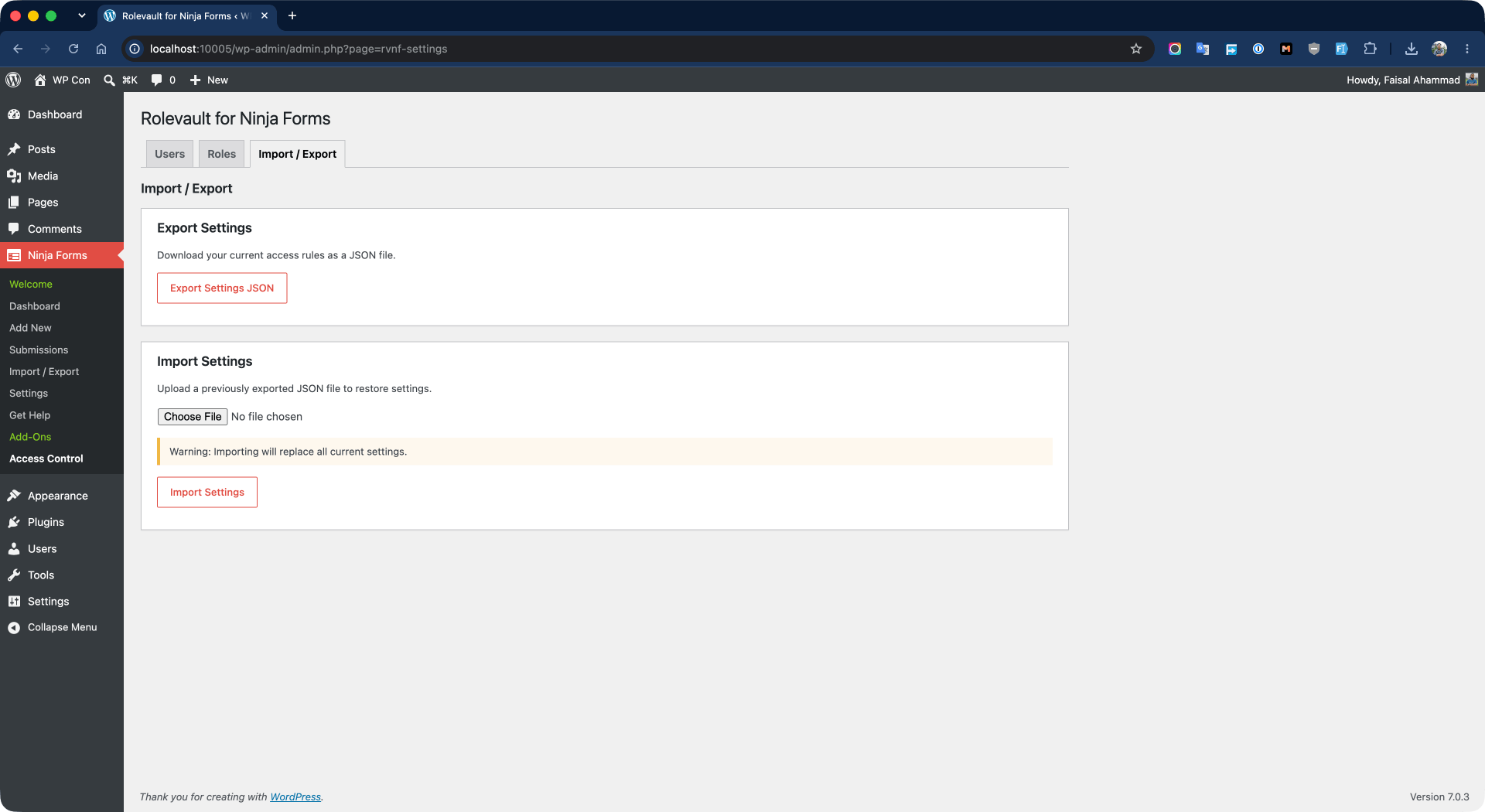
Import/Export page. Import or export the plugin's settings and configuration.
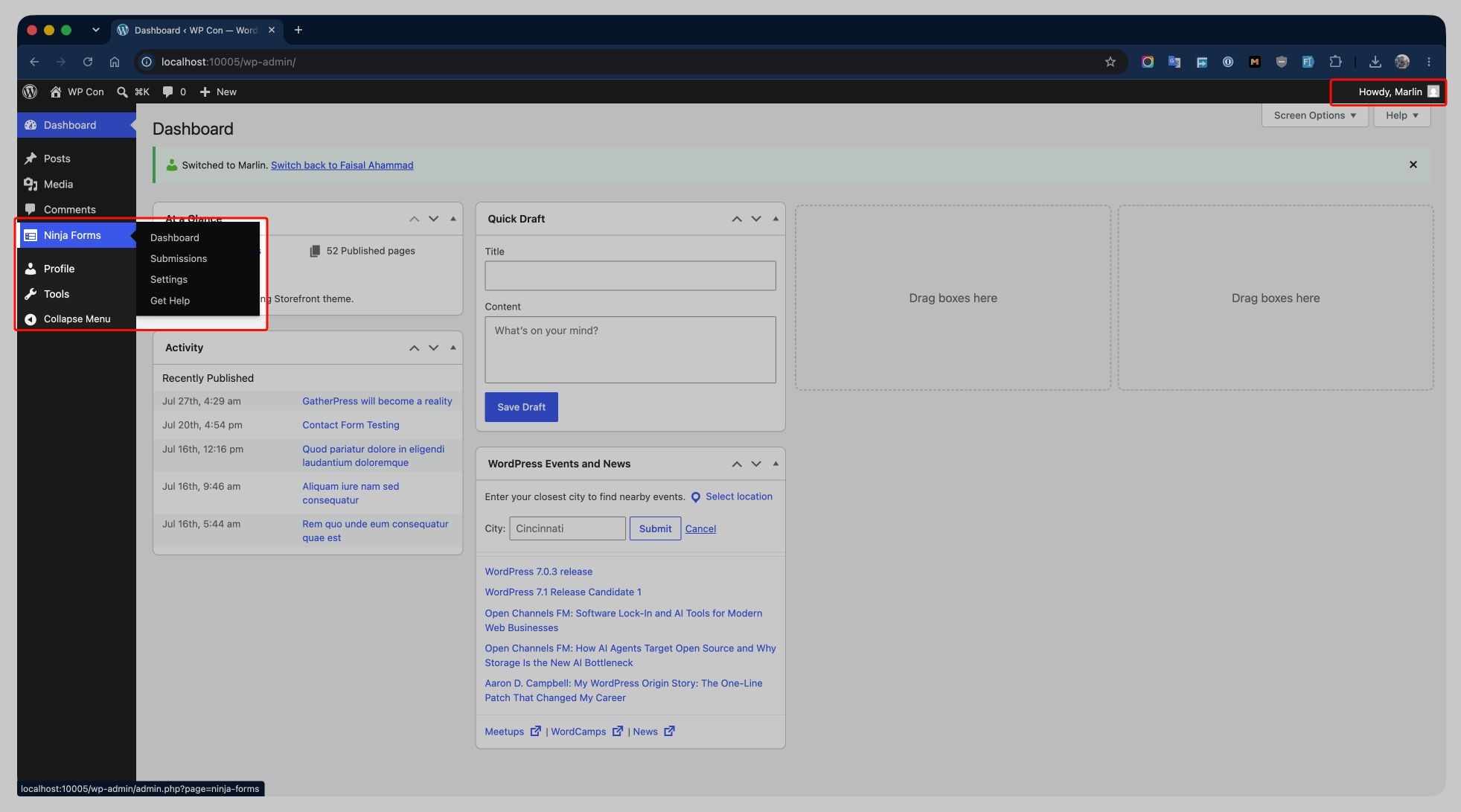
Dashboard view for a user who has been granted specific Ninja Forms access.
Faq
Yes, but configuration is per-site (not network-wide).
No. Administrators already have manage_options which bypasses NF’s section checks. This plugin is for non-admin users.
No. This plugin only gates the core Ninja Forms admin sections listed above. Add-on screens are managed by their own capabilities and are not directly controlled by this plugin’s per-user or per-role toggles.
Please open a support ticket on the plugin’s WordPress.org support forum: https://wordpress.org/support/plugin/rolevault-for-ninja-forms/
Reviews
Changelog
1.1.0
- Fix: Users list showed “User #ID” with no username after importing settings. Names and usernames now display correctly after import and save.
1.0.0
- Initial release (renamed from “User Role Control for Ninja Forms” per WordPress.org review naming guidance).
- Per-user and per-role access control for 8 Ninja Forms sections.
- AJAX user search and selection.
- Role checkbox selection with automatic section dependencies.