RT Webhook for Contact Form 7
RT Webhook for Contact Form 7
Description
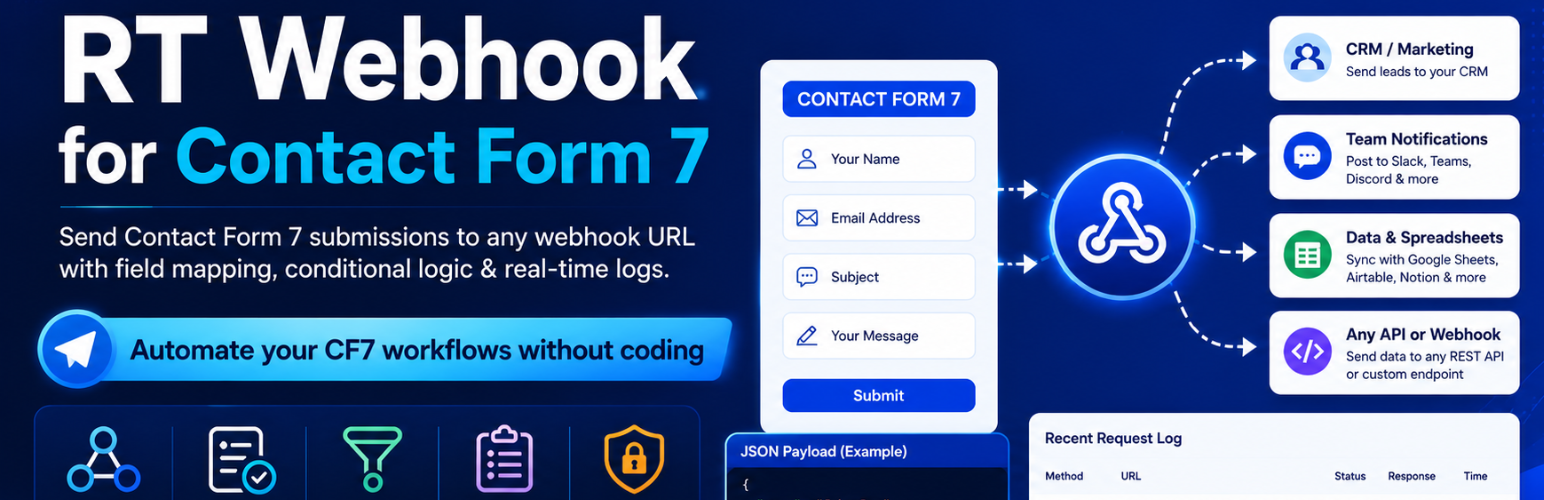
RT Webhook for Contact Form 7 is the most flexible webhook integration plugin for CF7. Connect your WordPress contact forms to hundreds of external services and automate your entire lead and notification workflow — without writing a single line of code.
Whether you want to push new leads to your CRM, trigger Zapier automations, fire Make.com (formerly Integromat) scenarios, post to a Slack channel, or send data directly to your own REST API endpoint — this plugin gives you complete control over what data is sent, when it is sent, and how it is formatted.
Why Choose RT Webhook for Contact Form 7?
Most CF7 webhook plugins send a fixed payload with no customisation. RT Webhook for Contact Form 7 is built differently:
- You choose exactly which fields go into the JSON payload using a visual dropdown interface — no shortcodes to memorise, no manual tag copying.
- You control when the webhook fires using per-webhook conditional logic rules based on field values — send only the submissions that matter.
- You inspect every request with a built-in logging panel that shows the full URL, HTTP method, request headers, JSON payload, status code, and raw server response body for the last 10 submissions.
- You secure your endpoints by adding any custom HTTP header — Bearer tokens, API keys, or any proprietary header your service requires.
Key Features
Multiple Webhooks Per Form
Create as many webhooks as you need for a single Contact Form 7 form. Send a new lead to your CRM, notify your team on Slack, and update a Google Sheet — all triggered by the same form submission, simultaneously.
Dynamic Field Mapping
Map any CF7 form tag (text, email, select, radio, checkbox, textarea, and more) to a custom JSON key using an intuitive row-based interface. The JSON payload your endpoint receives looks exactly the way your API expects it — no extra sanitisation required on the receiving end.
Conditional Logic
Prevent unnecessary or irrelevant webhook calls with built-in per-webhook conditional rules. Fire a webhook only when a specific field equals, does not equal, or contains a defined value. Perfect for routing leads by service type, country, budget range, or any other field value.
Custom HTTP Headers
Add any number of custom HTTP headers to each webhook — Authorization: Bearer your-token, x-api-key: your-key, Content-Type overrides, or any proprietary header required by your endpoint. Stored and managed securely in WordPress post meta.
HTTP Method Support
Choose between POST, GET, or PUT to match your API’s specification. GET requests append all mapped fields as query-string parameters; POST and PUT send a JSON body with a 45-second timeout.
Built-in Request Logging
Debug failed webhooks with confidence. The Logs panel records the last 10 requests per webhook: endpoint URL, HTTP method, request headers, JSON payload, HTTP status code, and the raw response body. Logs can be cleared at any time with a single click.
React-Powered Admin UI
The admin interface is built with React and WordPress UI components for a fast, modern experience. Create, edit, enable, disable, and delete webhooks without page reloads. RTL layout is fully supported.
Draft / Publish Workflow
Each webhook can be saved as a draft while you configure it, then published when ready — preventing accidental webhook fires during setup.
Popular Use Cases
- Send CF7 leads directly to HubSpot, Salesforce, Zoho CRM, or Pipedrive
- Trigger Zapier Zaps on form submission — connect to 6,000+ apps
- Fire Make.com (Integromat) scenarios to run complex multi-step automations
- Post new contact form submissions to a Slack or Microsoft Teams channel
- Sync form entries with Airtable, Notion, or Google Sheets via their REST APIs
- Send form data to n8n or Pipedream self-hosted automation workflows
- Route leads to different CRM pipelines based on the service or product selected
- Hit your own custom backend REST API or internal webhook receiver
- Trigger email sequences in ActiveCampaign, Mailchimp, or ConvertKit
How It Works
- Install and activate this plugin. Contact Form 7 must be installed and active.
- Go to RTWC Webhooks in your WordPress admin sidebar.
- Click Add Webhook, give it a name, and select the CF7 form to connect.
- Enter your webhook endpoint URL and choose the HTTP method (POST / GET / PUT).
- Open the Field Mapping tab and map CF7 form tags to your desired JSON keys.
- Optionally configure Conditional Logic to control when the webhook fires.
- Optionally add Custom Headers such as
Authorization: Bearer your-token. - Set the status to Published and save.
- Submit your form — then check the Logs tab to see the full request and response.
Technical Details
- Hooks into
wpcf7_before_send_mail— the standard CF7 action, ensuring webhooks fire reliably after form validation. - Webhooks are stored as the custom post type
rtwc_webhookwith all settings in post meta. - The admin UI communicates via a fully RESTful internal API at
/wp-json/rtwc/v1/— endpoints for listing, creating, updating, and deleting webhooks, as well as fetching CF7 forms and their field tags. - All REST endpoints require the
manage_optionscapability — administrator access only. - REST routes are loaded on both admin and frontend requests, ensuring reliability in all server request contexts.
- Outbound HTTP requests use WordPress’s native
wp_remote_request()with a 45-second timeout. - All input is sanitised with WordPress core functions before saving or transmitting.
Compatibility
- Works with Contact Form 7 — the most widely used WordPress form plugin (5M+ active installs).
- Compatible with any HTTP webhook receiver: Zapier, Make.com, n8n, Pipedream, Slack, Discord, HubSpot, Salesforce, Airtable, Notion, ActiveCampaign, and more.
- Tested with WordPress 5.0 through 6.9.
- PHP 7.4 or higher required.
- RTL (right-to-left) layout supported.
- Compatible with all major WordPress themes and page builders including Elementor, Divi, and Gutenberg.
Installation
Automatic Installation
- Log in to your WordPress admin panel.
- Navigate to Plugins Add New.
- Search for RT Webhook for Contact Form 7.
- Click Install Now, then Activate.
Manual Installation
- Download the plugin .zip file.
- Go to Plugins Add New Upload Plugin.
- Upload the .zip file and click Install Now.
- After installation, click Activate Plugin.
After Activation
- Make sure Contact Form 7 is installed and active. The plugin will not function without it.
- Navigate to RTWC Webhooks in your WordPress admin sidebar.
- Create your first webhook, connect it to a CF7 form, and configure your settings.
Screenshots

Webhook List — Overview of all webhooks with name, connected form, endpoint URL, and status controls.

General Settings — Set the webhook name, CF7 form, endpoint URL, HTTP method, and publish status.

Field Mapping — Map CF7 form tags to custom JSON keys using dropdown selectors. Add and remove rows as needed.

Conditional Logic — Enable a rule with field, operator (Equals / Does Not Equal / Contains), and value inputs.

Custom Headers — Add multiple name-value HTTP header pairs for authentication and API access.
Faq
Yes. RT Webhook for Contact Form 7 is an add-on that requires the free Contact Form 7 plugin to be installed and activated. It hooks into CF7’s submission process to capture and forward form data.
It works with any service that can receive an HTTP POST, GET, or PUT request — including Zapier, Make.com (Integromat), n8n, Pipedream, Slack incoming webhooks, Discord webhooks, HubSpot, Salesforce, Zoho CRM, Airtable, Notion, Google Sheets (via Apps Script), ActiveCampaign, Mailchimp, ConvertKit, and any custom REST API endpoint.
Yes. There is no limit on the number of webhooks you can attach to a single form. Each webhook has its own URL, HTTP method, field mapping, conditional logic, and custom headers — completely independent of each other.
Yes. The Conditional Logic feature lets you set a rule per webhook so it only fires when a specific field value matches your condition. Available operators are Equals, Does Not Equal, and Contains.
POST, GET, and PUT are supported. When GET is selected, all mapped field values are appended to the URL as query-string parameters. POST and PUT send the data as a JSON body.
Use the Custom Headers tab. Add a header with the name Authorization and the value Bearer your-token-here, or add x-api-key with your key. Multiple custom headers are supported per webhook.
Open the Logs tab for that webhook. It records the last 10 webhook requests: full endpoint URL, HTTP method, all request headers, the exact JSON payload, the HTTP response status code, and the raw response body. You can also clear the log history at any time.
When Field Mapping is configured, the payload contains only the fields you mapped, using the custom key names you defined. For example, mapping CF7 tag your-email to the key email produces {"email": "user@example.com"}. If no mapping is set, the full raw CF7 posted data array is sent.
Yes. Each webhook supports a Draft status. Configure your URL, field mapping, headers, and conditional logic while in draft, then switch to Published when it is ready to fire.
No. The webhook fires via wpcf7_before_send_mail, which does not interrupt or abort normal CF7 mail delivery. Your existing CF7 email notifications remain completely unaffected.
Yes. All endpoints under /wp-json/rtwc/v1/ require the manage_options capability and are accessible only to WordPress administrators. Unauthenticated or lower-privilege requests are rejected.
Yes. The plugin works on standard WordPress Multisite installations when activated per-site or network-activated.
Reviews
Changelog
3.0.0
- Major architecture refactor —
RTWC_CF7,RTWC_Admin, andRTWC_Handlernow use the singleton pattern for safe, predictable instantiation. - Admin class and REST routes now load on both admin and frontend requests, resolving failures in certain hosting environments.
- Added dedicated REST endpoint to clear webhook logs (
DELETE /wp-json/rtwc/v1/webhooks/{id}/clear-logs). - Improved CF7 field-tag scanner reliability for complex form layouts.
- General stability and performance improvements.
2.0.0
- Added support for multiple webhooks per form — unlimited webhooks per CF7 form.
- Introduced visual Field Mapping with CF7 tag dropdown selectors.
- Added Conditional Logic with Equals, Does Not Equal, and Contains operators.
- Added Custom HTTP Headers — unlimited name-value pairs per webhook.
- Added Request Logging — last 10 requests per webhook with full request and response detail.
- Added GET and PUT HTTP method support in addition to POST.
- React-based admin UI with WordPress component styling.
- RTL stylesheet included.
- Draft / Publish workflow for webhooks.
1.0.0
- Initial release — single webhook per form, POST method, basic JSON payload.