Simple Product Sync for WooCommerce

Simple Product Sync for WooCommerce
Description
The Simple Product Sync for WooCommerce plugin allows you to connect multiple WooCommerce stores via the REST API and to sync products between them.
Features
✅ Instantly sync new products to selected stores, and then sync product updates.
✅ Choose what specific product data to sync, for example, you can exclude Price or Status.
✅ Two-directional product sync is supported.
✅ The plugin also allows you to automatically delete synced products when the original product is deleted.
✅ Debug logging – all the syncing information is available in WooCommerce > Status > Log.
Pro features
🔥 An unlimited number of WooCommerce stores can be connected (only one in the free version of the plugin).
🔥 The Auto Mode allows you to sync products to all connected stores automatically (without selecting them).
🔥 Product metadata (custom fields) synchronization (you can also exclude specific meta keys from syncing in the plugin settings).
🔥 Change product prices (or other product data) dynamically when syncing to a specific store.
🔥 Syncing products without SKU.
🔥 Bulk syncing multiple products from the Products > All Products page.
🔥 WP-CLI commands
Installation
Automatic Install
- Log into your WordPress dashboard and go to Plugins > Add New
- Search for “Simple Product Sync for WooCommerce”
- Click “Install Now” under the Rudrastyh Product Sync for WooCommerce plugin
- Click “Activate Now”
Manual Install
- Download the plugin from the download button on this page
- Unzip the file, and upload the resulting
rudrastyh-product-sync-for-woocommercefolder to your/wp-content/pluginsdirectory - Log into your WordPress dashboard and go to Plugins
- Click “Activate” under the Simple Product Sync for WooCommerce plugin
Screenshots
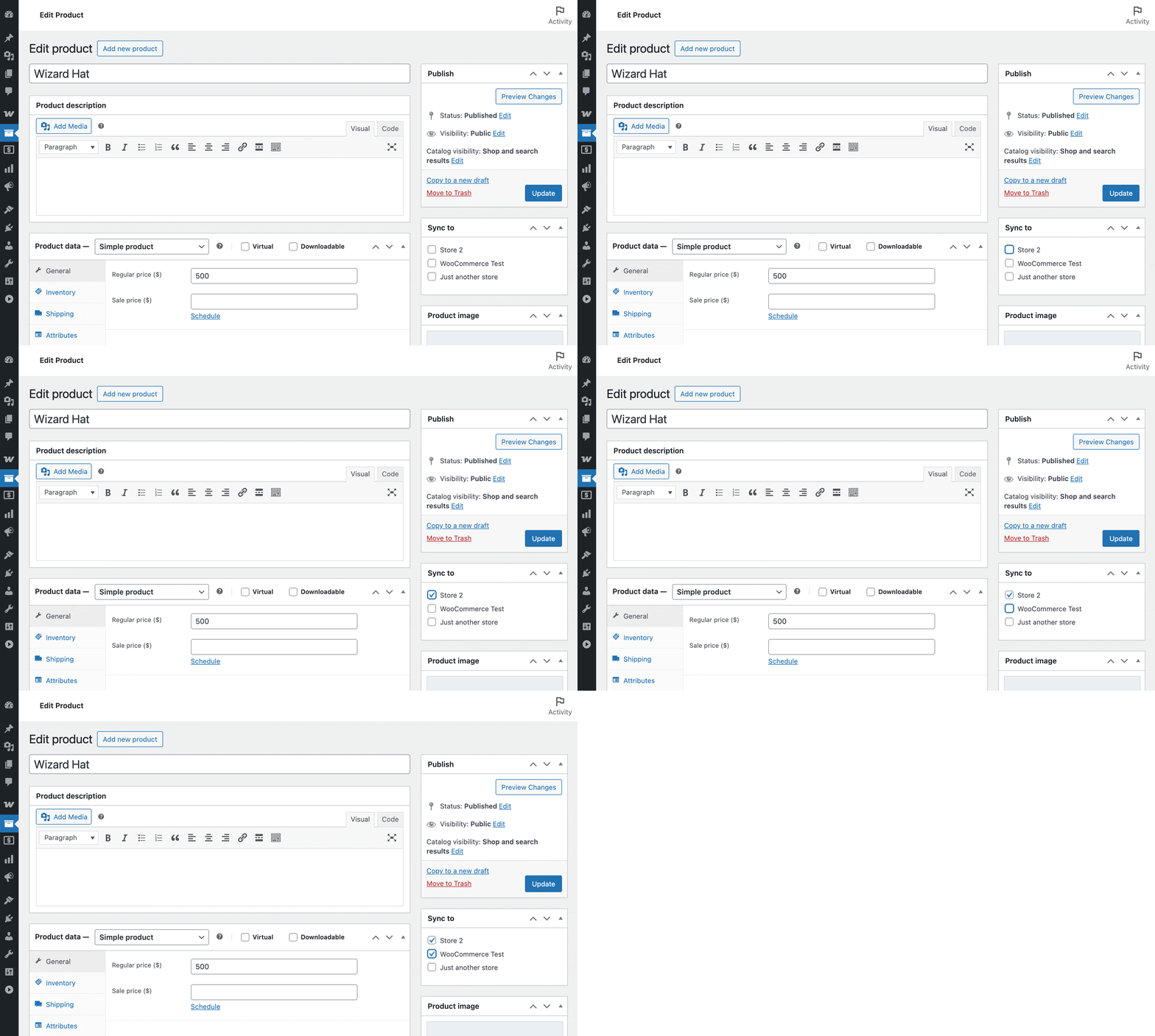
Select stores to which you want to sync this product.
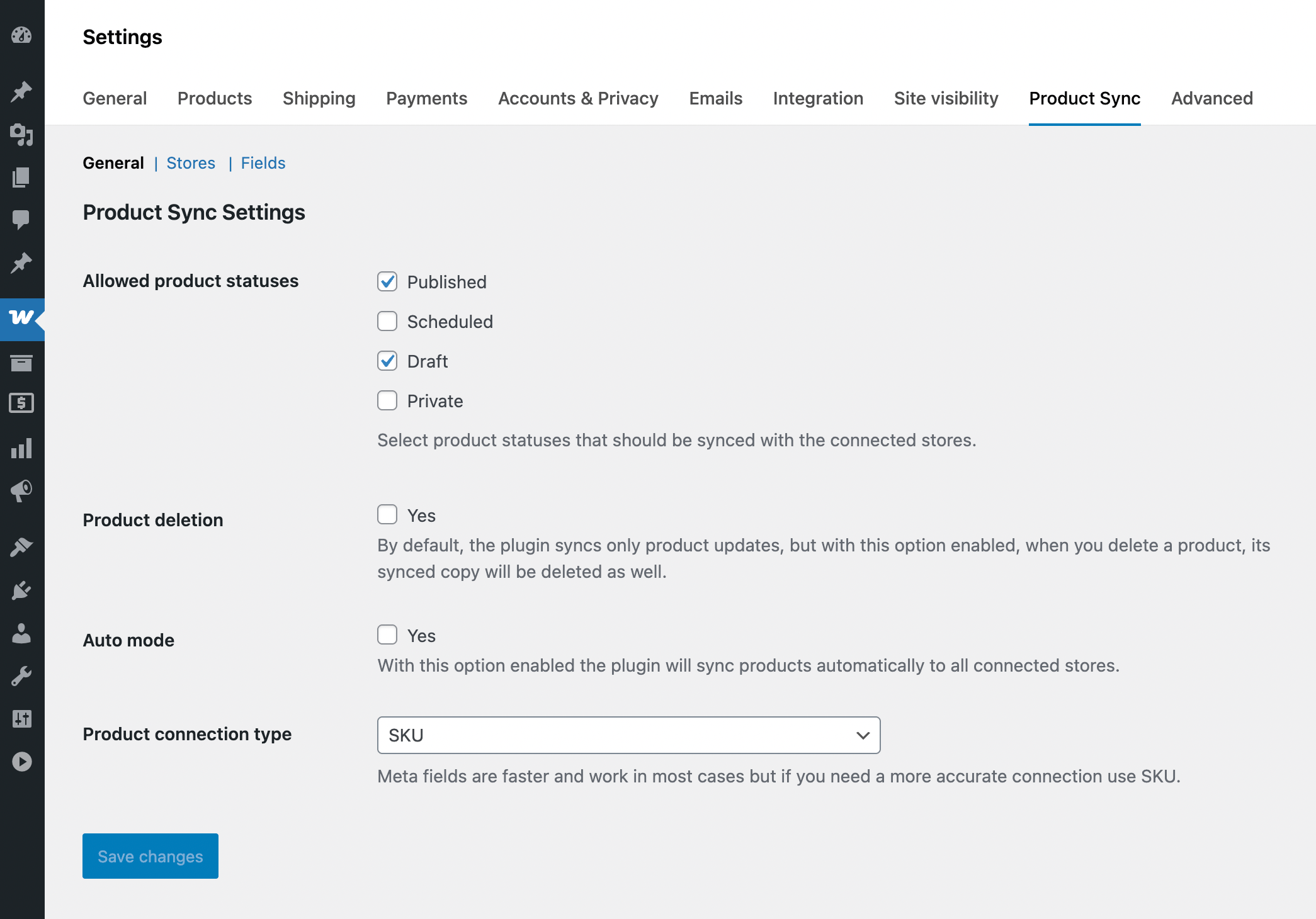
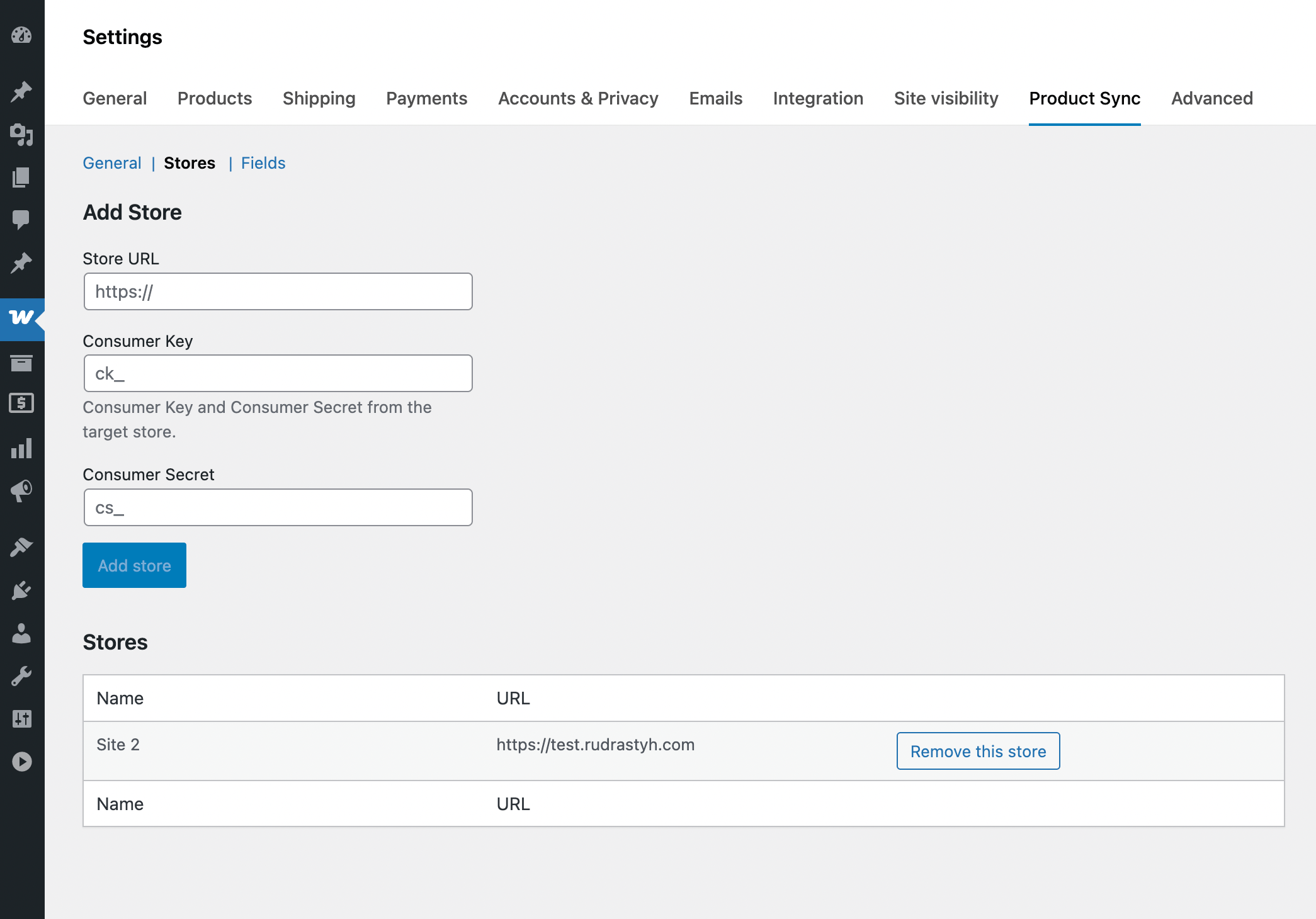
Stores can be connected on this page, you need to provide Consumer Key and Secret.
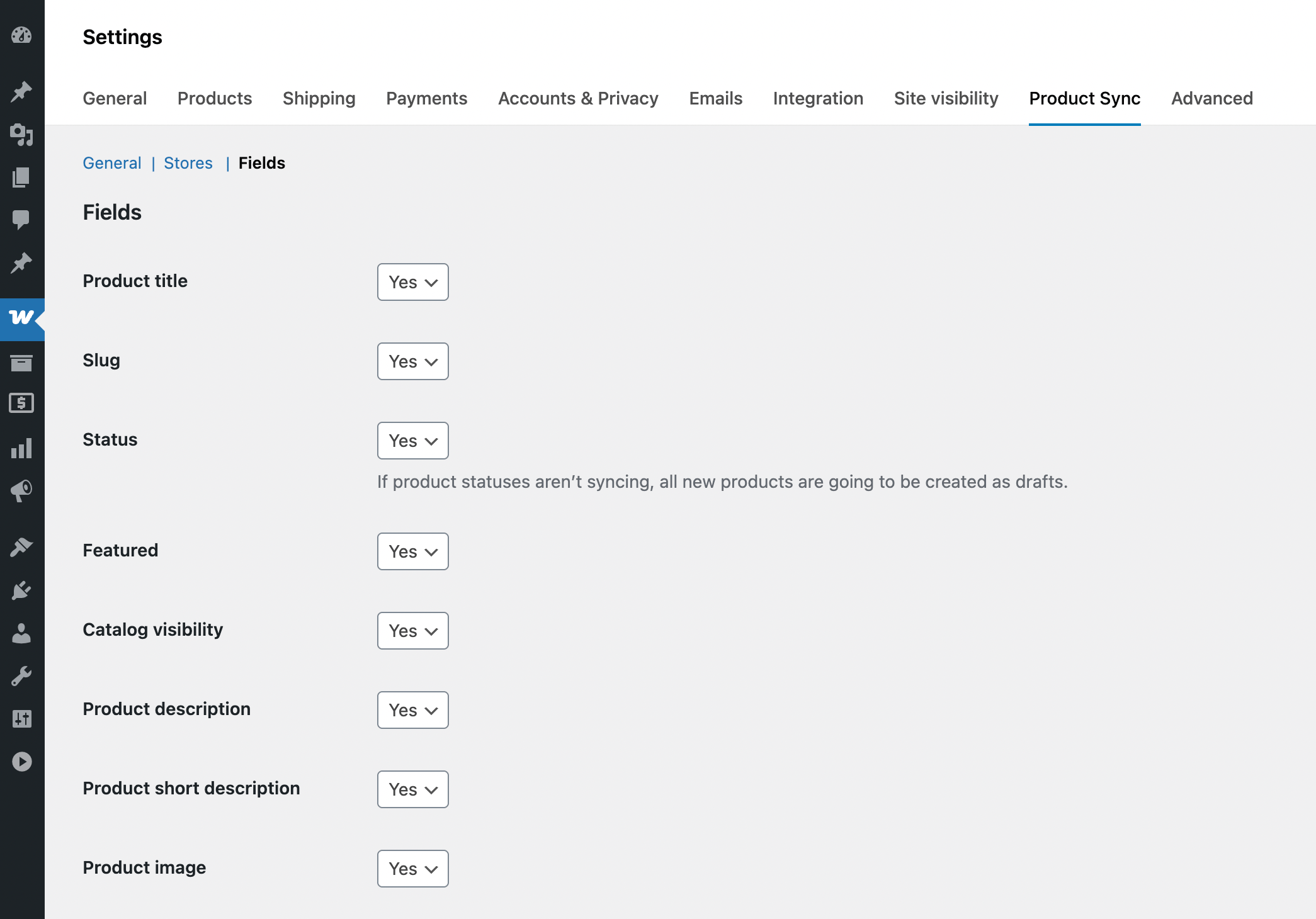
Exclude any product data from syncing
Faq
Yes, but if you are going to sync from localhost to a remote server, products with images will not be synced. It is not supported by default by the WooCommerce REST API. But you can consider using the PRO version of the plugin where it is fully supported.
Yes. But in this case you need to install the plugin on both sites and add each one in the plugin settings.
Reviews
Works as expected
By 
the plugin does exactly what it should – it helps me to keep the product data updated between my two Woo stores.
it'd be nice to sync ACF custom fields though, but I guess that's what a pro version is for
Changelog
1.2.1
- Minor bug fixes
1.2
- Improved plugin logging (logs are available in WooCommerce > Status > Logs)
- Added: Translation support for log messages
- Minor UI improvements
1.1
- Added: Synced products are now connected by SKU
- Fixed: An issue when syncing product data changes happened only on the second product update
1.0
- Initial release