Simple Media Library Folders

Simple Media Library Folders
Description
Simple Media Library Folders allows you to create folders in the WordPress media library. This is a free version of the plugin, which is also packed with all necessary features and provides a seamless workflow.
Features
✅ An unlimited number of folders
✅ Nested folders
✅ Download any folder as a ZIP archive in one click
✅ Instantly search for a folder using the search feature
✅ No annoying notifications
✅ The plugin does not affect your site performance in any way
✅ One-click import from other plugins (currently available are: Filebird, HappyFiles, Real Media Library, Wicked Folders, WP Media Folder by Joomunited, and Folders by Premio)
Pro features
⚡️ Add folders for CPT (Custom Post Types)
⚡️ Remove all media files together with a folder feature
⚡️ Custom default folder (previously selected folder is also supported)
⚡️ Configurable folder management capabilities for each user role
⚡️ Show folders in a list view
⚡️ Show folder tree in media modals (instead of dropdown filter)
⚡️ Individual folder permissions (by a username or by a user role)
⚡️ Multisite Shared Media Library support
Installation
Automatic Install
- Log into your WordPress dashboard and go to Plugins > Add New
- Search for “Simple Media Library Folders”
- Click “Install Now” under the Simple Media Library Folders plugin
- Click “Activate Now”
Manual Install
- Download the plugin from the download button on this page
- Unzip the file, and upload the resulting
rudrastyh-simple-media-library-foldersfolder to your/wp-content/pluginsdirectory - Log into your WordPress dashboard and go to Plugins
- Click “Activate” under the Simple Media Library Folders plugin
Screenshots
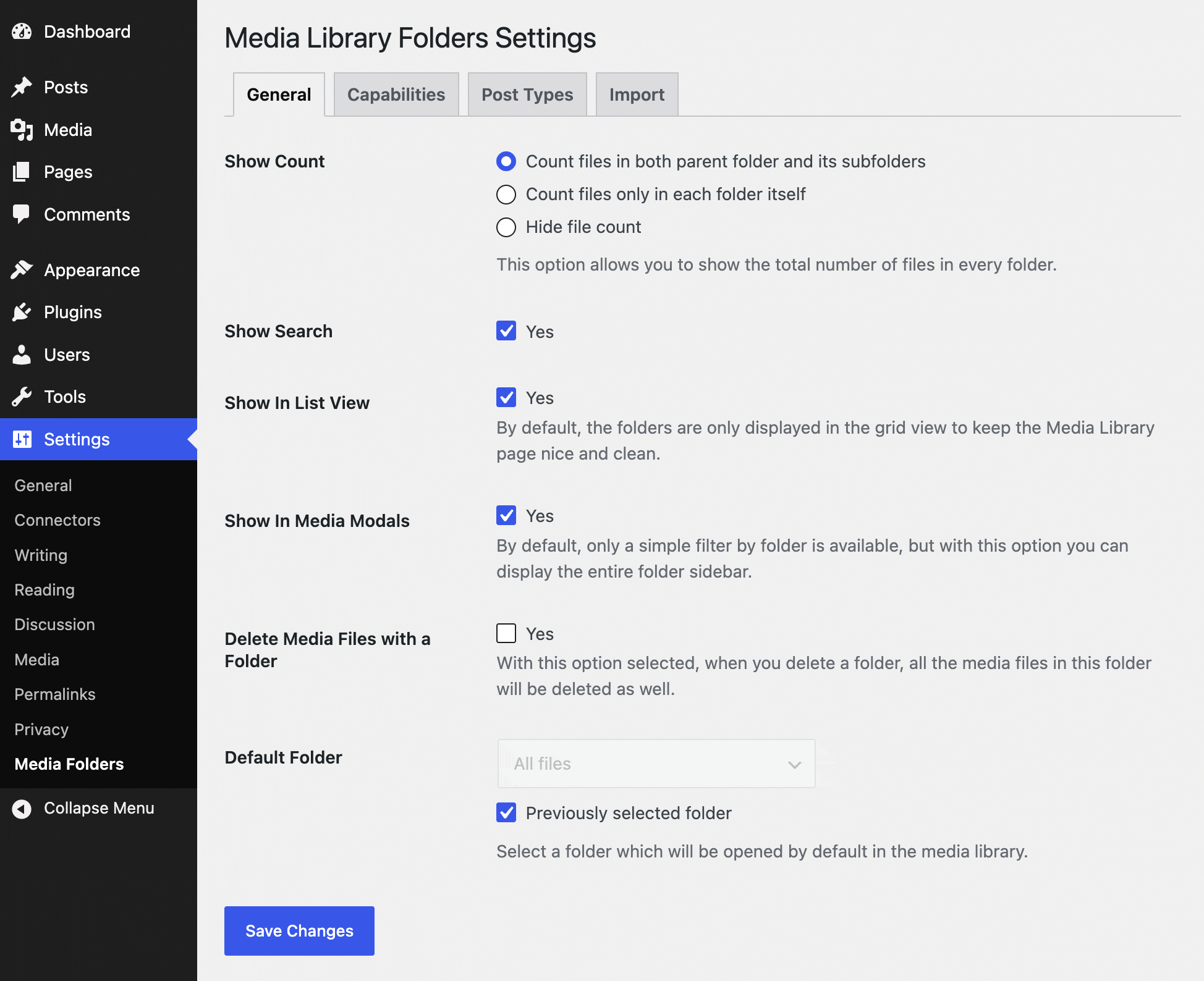
Plugin settings
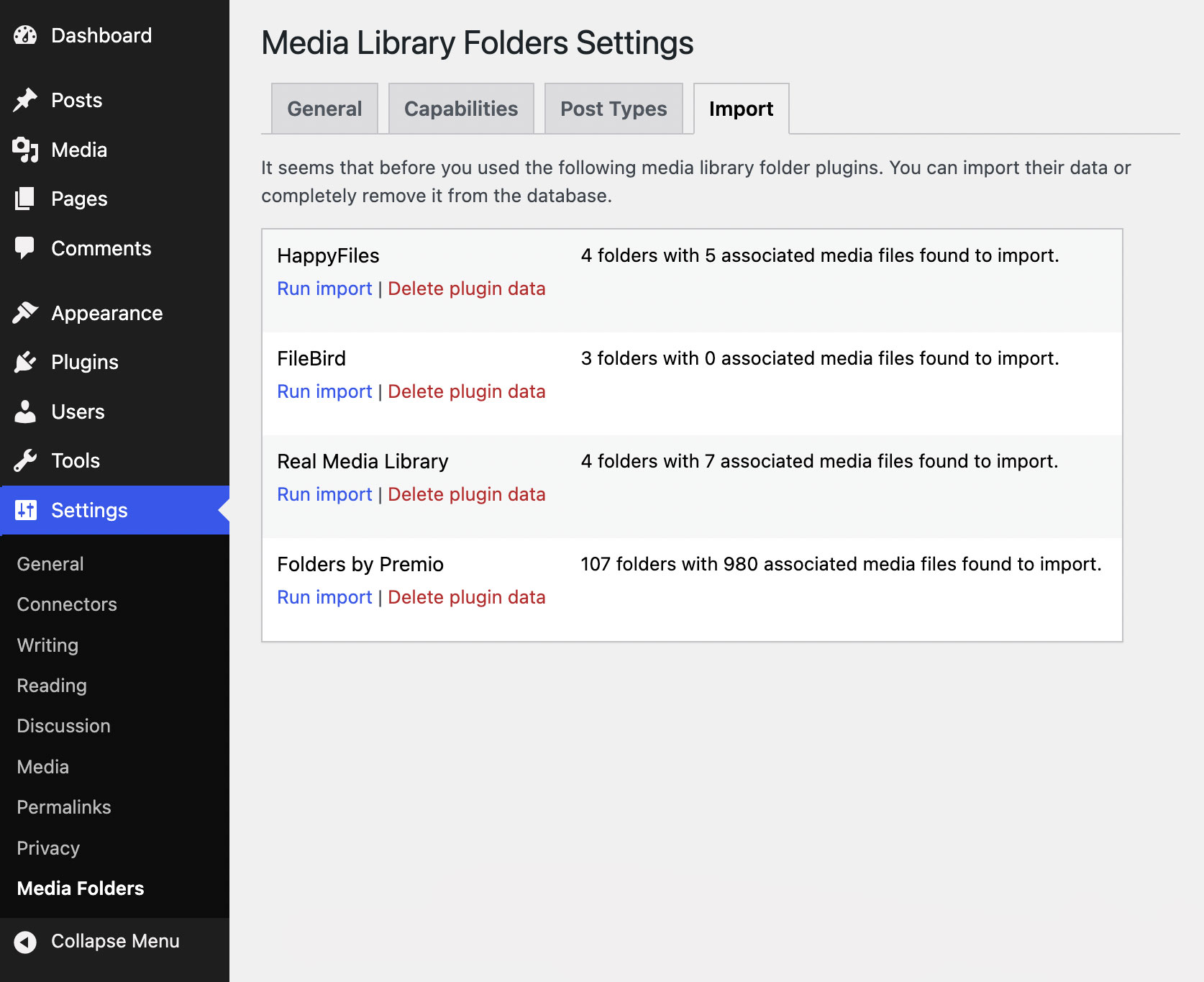
The Import tab is only displayed in settings if data from other media folder plugins is found in the database

Simple Media Library Folders
Faq
No, there is not. Feel free to create as many folder as you’d like.
Yes. The one-click import is supported from the following media folder plugins: Filebird, HappyFiles, Real Media Library, Wicked Folders, WP Media Folder by Joomunited, and Folders by Premio.
Both Lite and Pro versions of the plugin support nested folders up to 5 levels deep.
No, it will not happen. Permalink structure remains untouched.
By default, the plugin only removes the folder itself. The files remain untouched. However, the Pro version of the plugin allows you to delete all files along with the folder (the appropriate checkbox is available in the plugin settings).
No, only the folder itself will be deleted.
Yes, you can hide or show it anytime without a page refresh using “Screen Options” in the top right part of the screen.
Yes, but if you want to use it together with Multisite Shared Media Library, you will need the PRO version.
Yes, the plugin allows you to do that, but this option is only available in the Pro version of the plugin.
Yes, the plugin configuration and the folders you created using the Lite version of the plugin will remain unchanged.
You need to deactivate the Lite version of the plugin, then to install and activate the Pro version (as a separate plugin).
Yes, the Simple Media Library Folders plugin is GDPR compliant. The plugin neither collects or sends data from your website anywhere.
Reviews
simple and great plugin
By 
simple and great plugin
thanks for making it
Simple And Robust
By 
This plugin is simple to use and easy to setup as well.
I am reading Misha's blog and found this plugin useful. It helps my multisite network as well.
No fluff, no crap: just the functionality we need
By 
I was very excited to see this plugin hit the repo, as I've experimented with tons of other plugins in this space and this one finally checks all the boxes we needed without a bunch of other crap.
It's simple - using WordPress native APIs and fitting seamlessly into the user interface.
It's clean - not filling your dashboard full of banners, ads, notices, or features you didn't ask for.
It works - letting you categorize media items into folders, and use those folders to find the media you're looking for when selecting media.
The developer is competent, established, responsive, and helpful.
I wish more plugins in the repo were like this one!
It's a bad plugin
By 
This plugin is useless—one thing doesn't work, then another.
Don't waste your time downloading and installing it.
Developer: Before you release a plugin to the community, test it thoroughly.
- A JavaScript error was fixed in version 1.4.4.
- I uploaded files by folder, but after refreshing the page, the results disappeared.
- Drag-and-drop doesn’t work; after dragging files into a folder, they’re not there.
I uninstalled the plugin—I don’t want to put my website at risk or feel like I’m just a tester.
Great Plugin for Managing the Media Library
By 
At excellent plugin for organizing the WordPress media library with folders. Keep up the good work!
As always...
By 
as always, Misha's plugins do not disappoint
Changelog
1.5.5
- Fixed: A database error PHP notice which was related to importing folders from other plugins
- Performance improvements
1.5.4
- Added: Sticky folder sidebar which can be helpful in cases when you have a lot of media in the WordPress media library
1.5.3
- Fixed: An unnecessary media library refresh when editing folders via the media modal
1.5.2
- Fixed: An issue with parent folders when creating new folders via the media modal
1.5.1
- Fixed: An issue where the parent folder selection was not updated after adding a new folder
- Fixed: An issue where a page refresh was sometimes required after adding a new folder
- Fixed: Minor CSS issues in WordPress 7.1+
1.5
- Added: A more convenient way to manage attachment folders when editing it via the modal
- Added: Editing a folder or adding a new one now works without a page refresh
- Changed default capabilities for folders
- Fixed: An issue with the media library not properly refreshing when moving a media file between folders
- CSS styles are optimized for WordPress 7.1+
1.4.4
- Fixed: An error in the browser console when adding new folders
1.4.3
- Bug fixes
1.4.2
- Some improvements in the plugin settings pages
1.4.1
- Minor UI changes
1.4
- Added: It is now possible to select multiple folders using checkboxes
1.3
- Added: A button, which allows you to download files from any folder as a ZIP archive
- Some CSS fixes for the upcoming WordPress 7.0 version
1.2
- Added: A tool that allows you to import media library folders from other plugins
1.1
- Added: It is now possible to hide or show folders sidebar via the Screen Options
- Fixed: An issue with SVG arrow icons not being properly displayed for nested folders
- Fixed: PHP Warning inside pre_get_posts action hook
- Fixed: A folder selection when editing media in the modal window is properly displayed as a dropdown list now
- Fixed: Capability issues: the plugin now uses two capabilities for folder management: upload_files and edit_files
1.0
- Initial release