RuleHook: Advanced Shipping Rules for WooCommerce
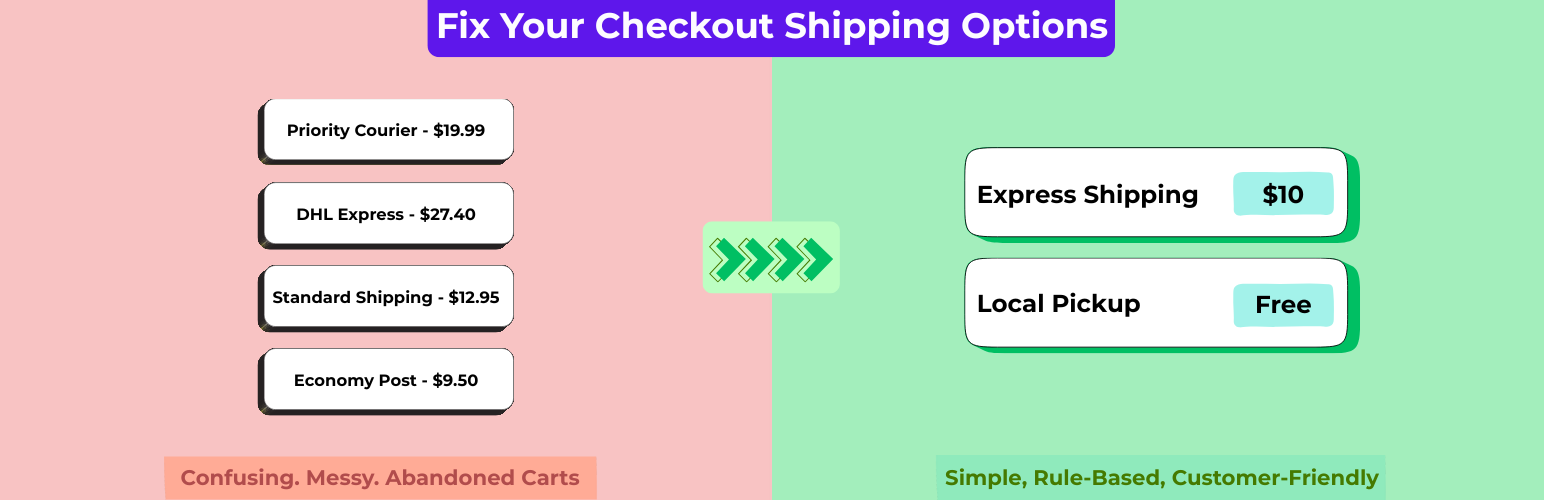
RuleHook: Advanced Shipping Rules for WooCommerce
Description
RuleHook Connector seamlessly integrates WooCommerce with RuleHook, a SaaS platform that gives you precise control over shipping logic.
Out of the box, WooCommerce shipping rules are limited. With RuleHook, you can define unlimited conditions and actions to tailor shipping methods to your exact business needs.
Examples of what you can do:
– Offer Free Shipping for orders over $100 except bulky items.
– Apply different rates based on weight brackets, volume, or dimensions.
– Restrict certain methods for specific countries, states, or zip codes.
– Add handling fees or surcharges dynamically.
– Show or hide methods depending on user role, product category, or cart contents.
If WooCommerce shipping zones frustrate you, RuleHook Connector unlocks the flexibility you need — without hacks or bloated plugins.
Features
– Full integration with RuleHook SaaS.
– Unlimited shipping rules with AND/OR logic.
– Supports weight, subtotal, dimensions, quantity, product tags, categories, attributes, user roles, locations, and more.
– Fine-grained control: show, hide, rename, or adjust shipping methods dynamically.
– Fast evaluation engine built for scale.
– Works with existing WooCommerce shipping zones.
👉 Learn more and create your first rules at RuleHook.com
Integration & Source Code
This plugin connects your WooCommerce store to the RuleHook platform (https://rulehook.com), a service that provides dynamic shipping rate logic based on custom conditions and rules.
When connected, the plugin communicates with the RuleHook API to:
– Authenticate your WooCommerce store.
– Sync shipping zones, shipping methods, and order/cart data when evaluating rules.
– Retrieve calculated shipping rates that match your configured rules on the RuleHook dashboard.
Data Sent
The plugin may send the following data to the RuleHook API during operation:
– Store URL and store name (for identification)
– Shipping zones, methods, and related settings
– Destination country, state, postcode, and cart details (for rate calculation)
– API credentials generated during the “Authorize This Site” process
No customer personal data (such as names, email addresses, or phone numbers) is transmitted.
Purpose
This data exchange is required for the plugin to calculate and display dynamic shipping rates in WooCommerce based on your rules defined in RuleHook.
Service Provider
The external service is provided by RuleHook
Source Code
The full source code for this plugin, including unminified JavaScript and CSS files, is publicly available on GitHub:
https://github.com/wsenjer/rulehook-connector/
Installation
- Upload the
rulehookfolder to the/wp-content/plugins/directory. - Activate the plugin through the Plugins menu in WordPress.
- Go to WooCommerce Settings Shipping RuleHook.
- Connect your store to RuleHook and start creating rules.
Screenshots

RuleHook dashboard with rule editor.

Example of dynamic shipping rates at checkout.
Faq
Yes. The plugin connects your WooCommerce store to the RuleHook service. Sign up at RuleHook.com.
No, the plugin is just the connector. All rule management happens inside your RuleHook account.
No. RuleHook is designed for performance. Rules are evaluated quickly and cached to keep checkout smooth.
You can recreate your existing methods as RuleHook rules, then extend them with advanced conditions.
Reviews
Changelog
2.0.0
- Added: rules can hide, rename and reprice rates from your other shipping plugins (for example Australia Post live rates), once you turn on rules for store rates in RuleHook’s store settings. Until then the connector works exactly as before.
- Added: with store rates on, RuleHook is called once per shipping calculation, after every shipping plugin has added its rates. Repriced rates get their taxes recalculated.
- Added: if RuleHook is unreachable, slow (3 seconds by default, adjustable with the
rulehook_external_rates_timeoutfilter) or returns an error, your store’s own rates are shown unchanged. - Added: shipping zones and their methods are included in the store sync, so rules can target them before your first order.
- Added: a “Scan shipping rates” button that finds the services your shipping plugins offer in each zone.
- Added: the
RULEHOOK_API_URLconstant andrulehook_api_urlfilter, to point the connector at another RuleHook server. - Changed: with store rates on, “Hide other methods” runs in RuleHook and keeps the store rates the rule targets, instead of hiding every non-RuleHook rate.
1.1.1
- Fixed: shipping rate subtitles showed raw HTML (
<br><small>) instead of formatted text. - Fixed: every rate with a subtitle showed the same subtitle; each rate now shows its own.
- Fixed: subtitles disappeared when WooCommerce served cached shipping rates.
- Removed: the connector-side “rename method” action, which never ran. Renamed labels already come from RuleHook in the rate itself.
1.1.0
- Added: product categories and stock status to sync payload.
- Added: product attributes to sync payload.
- Fixed: Refactor session handling to use transients and add weight/dimension units to payload.
1.0.1
- Update primary and secondary theme colors for rebranding
1.0.0
- Initial Release.