SaleNook for WooCommerce

SaleNook for WooCommerce
Description
Use SaleNook for WooCommerce > Delete Settings to decide whether plugin data should be removed when the plugin is deleted. If the cleanup option is enabled, deletion resets only SaleNook settings, sessions, notifications and logs. WordPress/WooCommerce content is never deleted.
This public version bundles the Outfit font locally and applies it across the plugin settings UI, logs UI, dashboard, login screen, modals, tables, forms, and tabs without loading Google Fonts or any external font CDN.
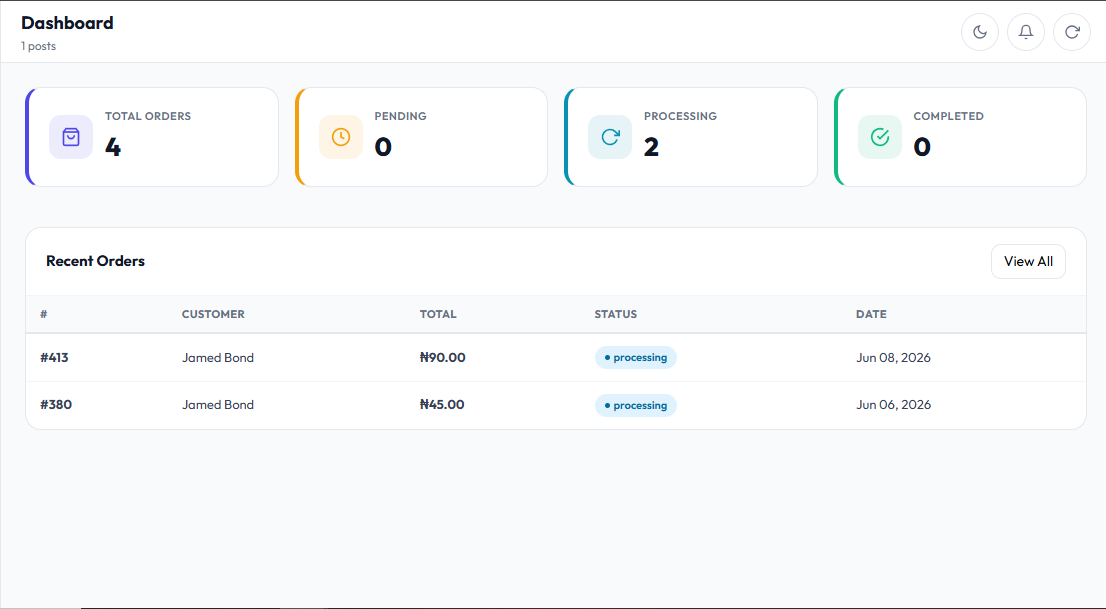
SaleNook for WooCommerce adds a clean external dashboard for WooCommerce store management. It includes a branded login screen, WooCommerce order views, product views, sales reports, blog post tools, profile management, notifications, and activity logs.
Main features:
- Dashboard overview for WooCommerce stores
- Orders list, order details, CSV/PDF invoice export, and controlled order actions
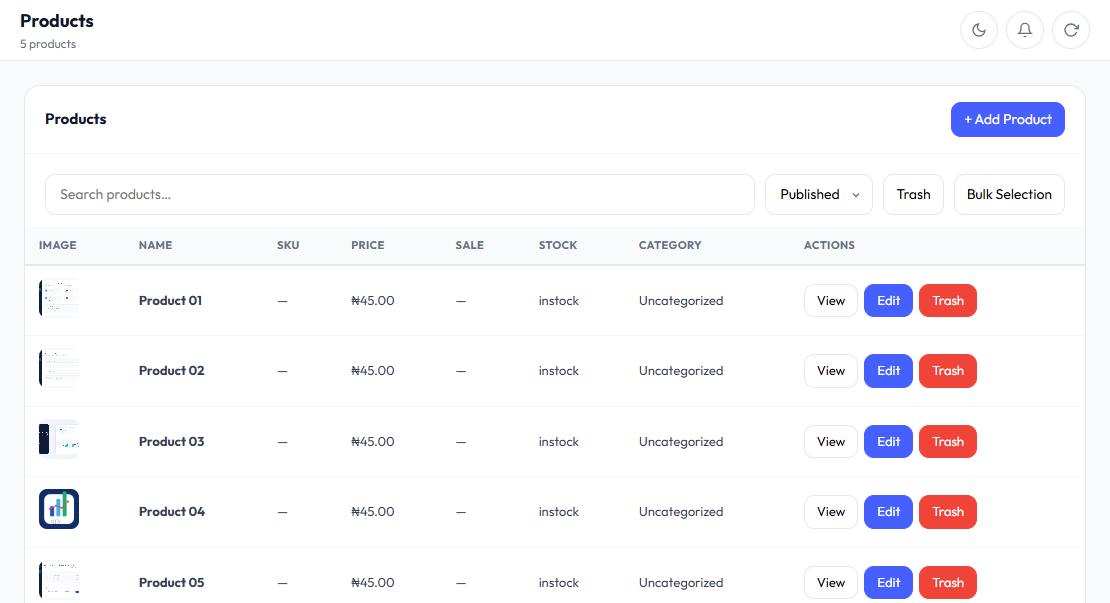
- Products list, product details, categories, and controlled product actions
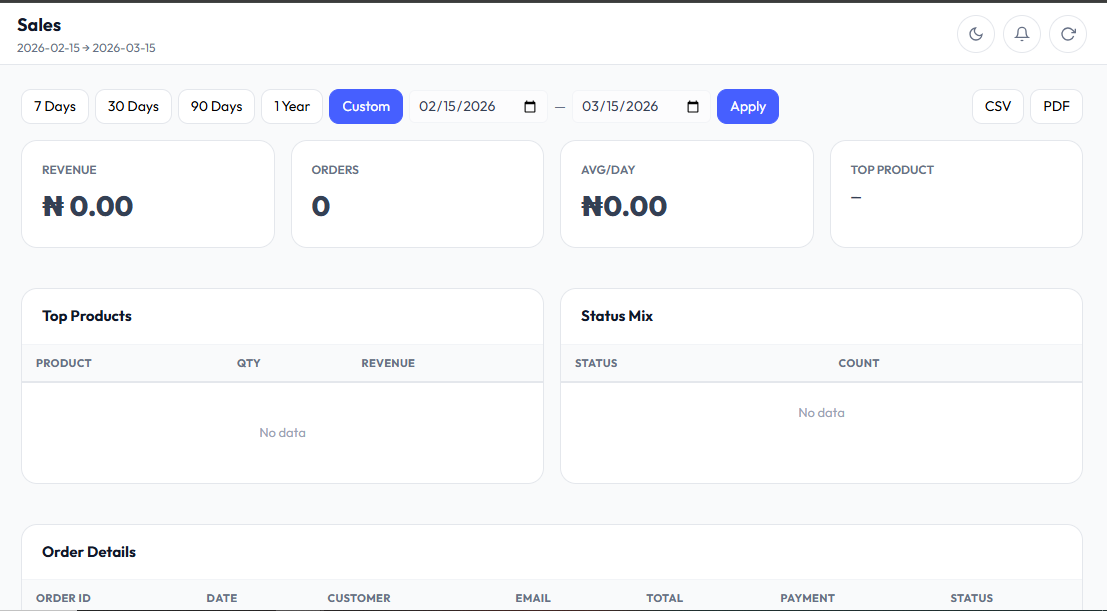
- Sales reports with CSV, XLSX, and PDF export
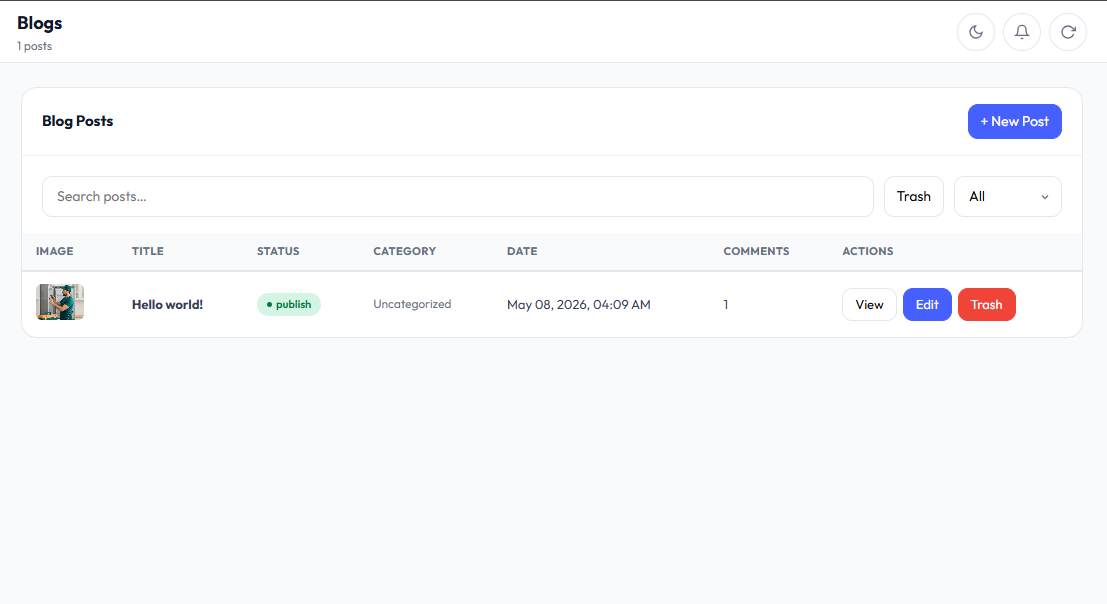
- Blog post listing and controlled post actions
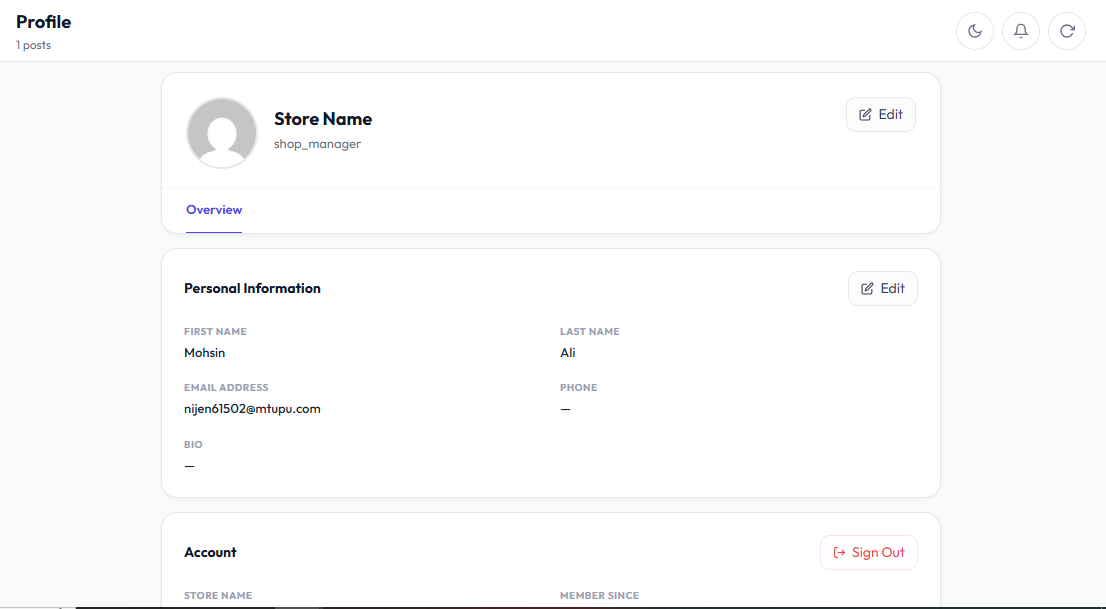
- Profile and avatar management
- Notification center with read, read-all, and clear controls
- Activity logs for dashboard actions
- Custom dashboard URL slug
- Cache-bypass headers for dashboard and REST requests
- 8-hour session handling with slug/reactivation session invalidation
This public version does not include features for installing, activating, deactivating, or deleting other plugins.
Privacy
SaleNook for WooCommerce stores plugin settings, dashboard session metadata, profile metadata, notification read/dismissed state, and activity logs. Activity logs may include user display name, action name, action details, timestamp, and IP address. The plugin does not send this data to an external service.
Bundled Assets
Bundled font: Outfit, licensed under the SIL Open Font License 1.1. See assets/fonts/OFL.txt.
Bundled scripts are lightweight local helper files included with this plugin under GPLv2 or later. This public version does not load Chart.js, jsPDF, XLSX, Google Fonts, or other assets from an external CDN.
Installation
- Upload the
salenook-for-woocommercefolder to/wp-content/plugins/. - Make sure WooCommerce is installed and active.
- Activate the plugin through the WordPress Plugins screen.
- Open SaleNook for WooCommerce in the WordPress admin menu.
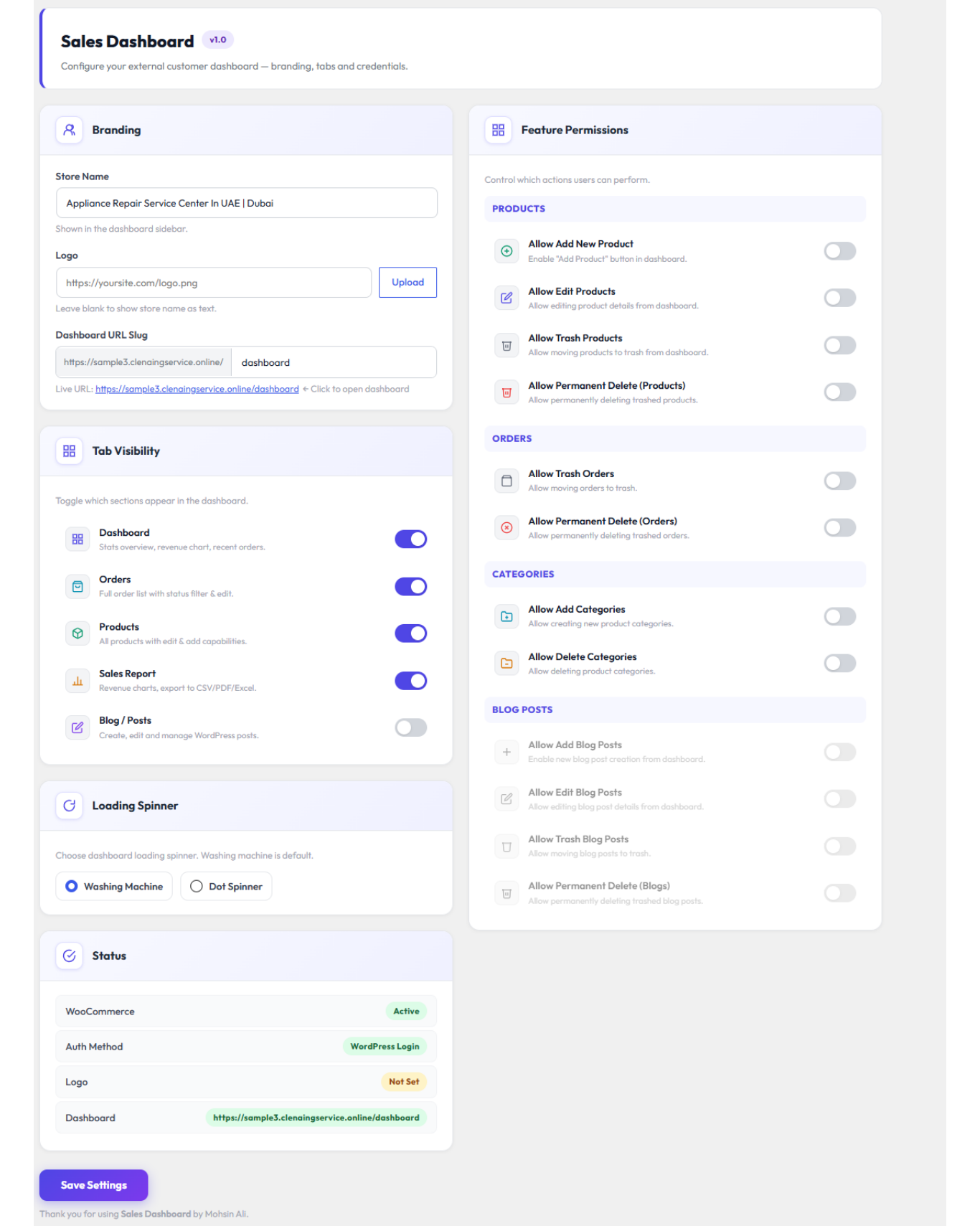
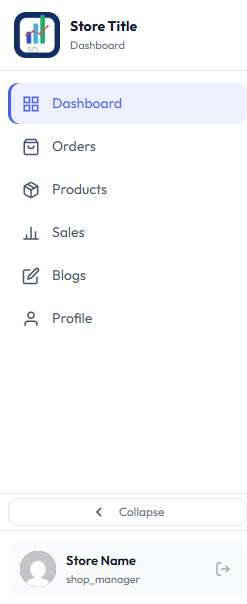
- Configure the admin form label, login logo, dashboard slug, tabs, and permissions. The dashboard sidebar title/logo can be managed from the Profile screen.
- Open the generated dashboard URL.
Screenshots
Dashboard overview with WooCommerce sales summary, recent orders, and key metrics.
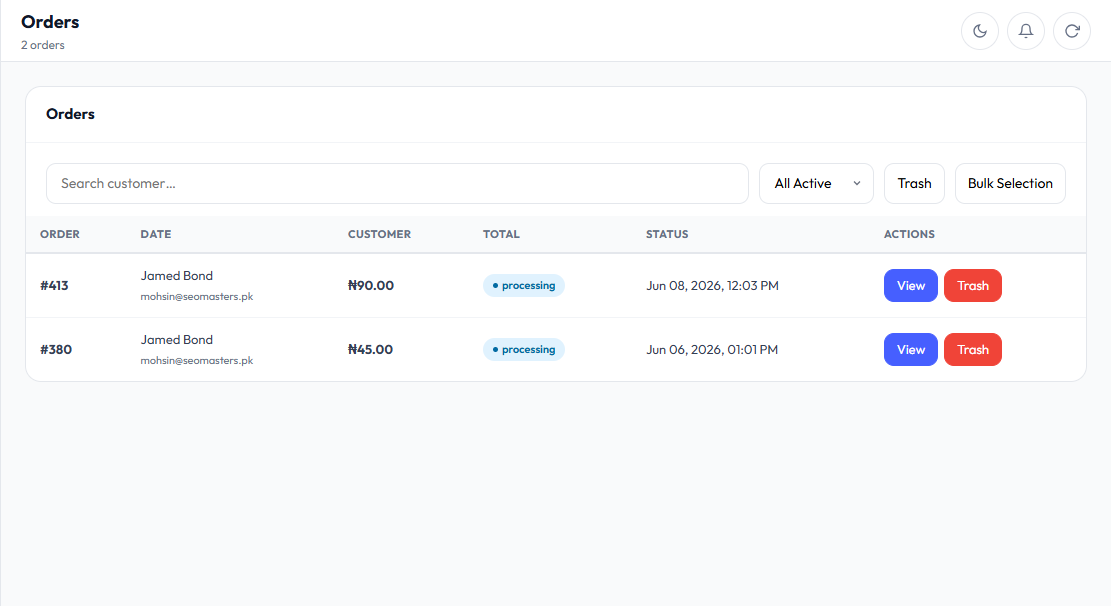
Orders list with status filters, search, and bulk actions.
Order detail view with invoice export options.
Products list with category filters and bulk actions.
Sales reports with date range picker and CSV/PDF export.
Plugin settings — admin form label, login logo, dashboard slug, tabs, role permissions, and profile-managed dashboard title/logo.
Branded login screen with custom background image support.
Activity logs panel showing user actions with timestamps.
Faq
Open SaleNook for WooCommerce > Delete Settings, leave the cleanup checkbox unchecked, save, then deactivate and delete the plugin from the WordPress Plugins screen.
Open SaleNook for WooCommerce > Delete Settings, check the cleanup option, save, then deactivate and delete the plugin from the WordPress Plugins screen.
It resets only SaleNook settings, sessions, notifications and activity logs, then clears plugin cache. WooCommerce orders, products, sales data, WordPress users, posts, pages and media are not deleted.
Yes. WooCommerce is required because the dashboard uses WooCommerce orders, products, and sales data.
No. The public WordPress.org-ready version does not include plugin activation, deactivation, upload, install, or delete features.
Yes. It stores dashboard activity logs such as login, logout, profile updates, and dashboard actions.
Yes. Activity logs may include IP addresses for security and audit purposes.
Reviews
Changelog
1.0
- Initial stable release with dashboard, orders, products, sales reports, blog posts, profile management, notifications, logs, cache bypass, and session handling.