Sales Counter For WooCommerce

Sales Counter For WooCommerce
Description
Sales Counter For WooCommerce is a high-impact conversion optimization plugin designed to display elegant, real-time sales velocity metrics on your product pages. By showcasing actual purchase behavior or combining it with custom strategic multipliers, this plugin leverages powerful social proof to turn casual browsers into confident buyers.
The Problem It Solves For Store Owners
Many WooCommerce stores suffer from high cart abandonment and silent product pages. When customers don’t see activity, they hesitate to buy.
This plugin completely solves that by:
* Building Instant Trust: Showing buyers that other people are actively ordering items.
* Creating Healthy FOMO: Low-stock alerts let buyers know that if they wait, they will miss out.
* Overcoming the “Cold Start” Struggle: New or niche products can utilize virtual modifiers to display base traction numbers while real orders accumulate.
How It Works
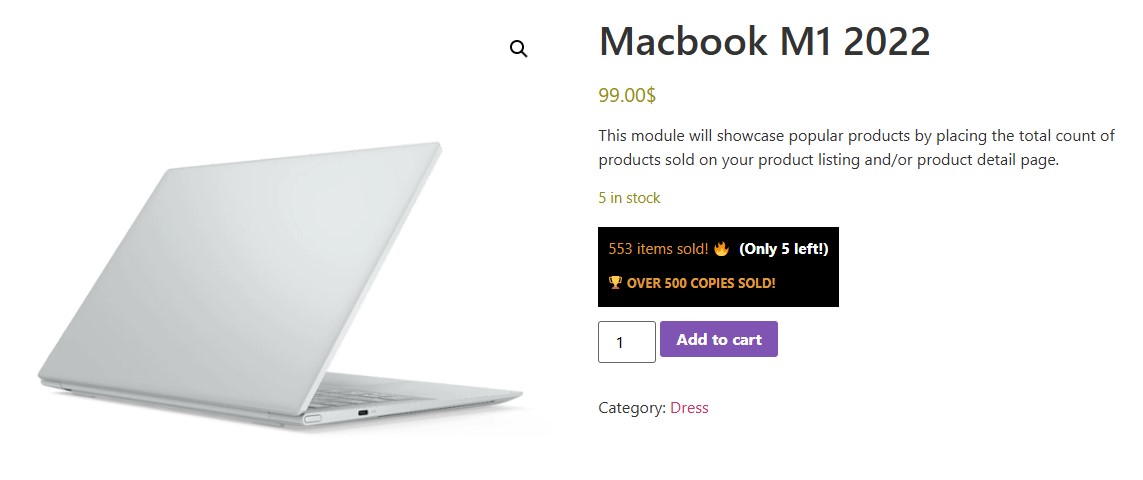
Once activated, the plugin securely hooks directly into the WooCommerce order loop. It automatically calculates the item quantities sold and displays a clean, minimalist metric row right on the frontend page layout. Store owners can configure everything from a central admin panel—choosing whether to calculate all-time sales or target specific high-velocity time frames.
Features
Free Features
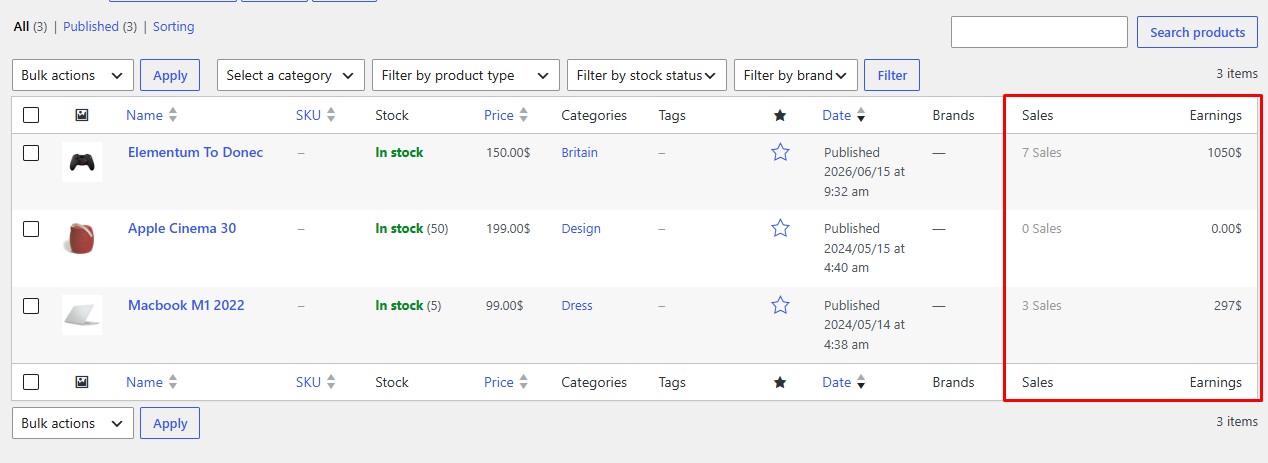
- Real-time Order Tracking: Automatically fetches and displays transaction quantities from processing and completed WooCommerce orders.
- Flexible Placement Hooks: Integrates cleanly with default WooCommerce product page structures.
- Custom Text Labels: Set your own phrasing (e.g., “12 items sold!”, “Bought by 25 happy customers”).
- Dismissible Review Banner: Built-in settings page framework to gather feedback without interfering with management workflows.
Premium Features (Unlock via Pro)
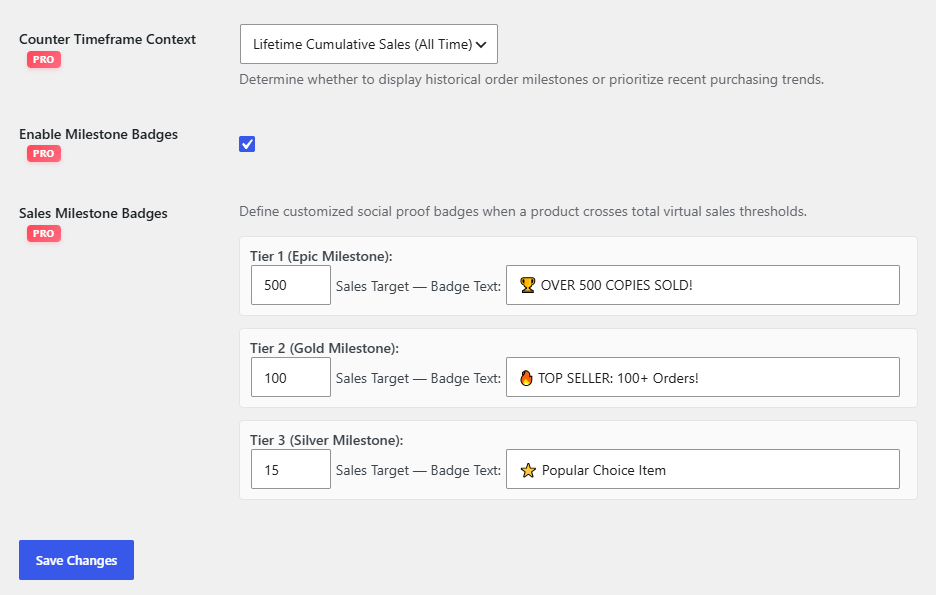
- Timeframe Queries (24h / 7d Filters): Show sales velocity inside high-impact windows (e.g., “sold in the last 24 hours!”) to maximize buyer momentum.
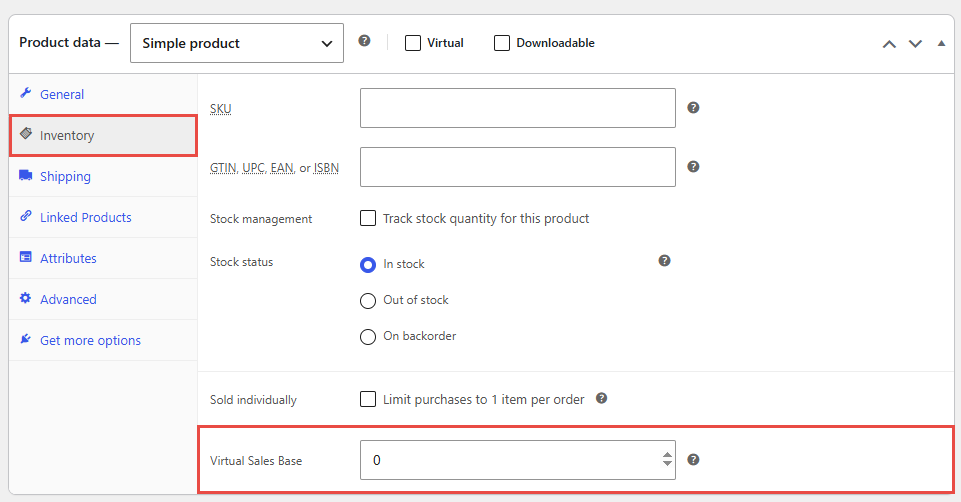
- Advanced Virtual Sales Blenders: Match fallback targets using three distinctive logic switch options:
- Global Rule Only: Applies a universal base offset to all products.
- Product Override: Set unique product-level base counts inside individual inventory tabs.
- Combine All Stack Mode: Perfectly layer real sales data + global offsets + individual product overrides together.
- Category Bulk Modifiers: Assign custom baseline offsets directly to whole categories to manage bulk configurations instantly.
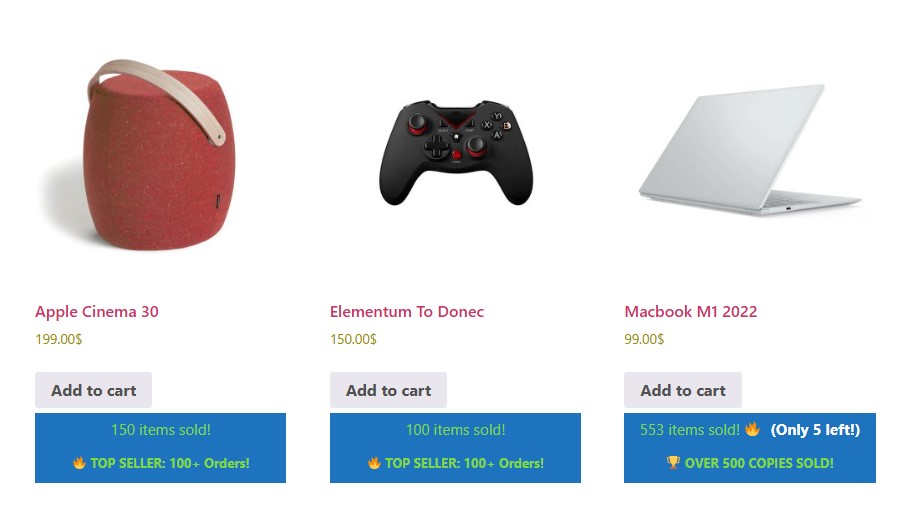
- Dynamic Milestone Badges: Reward top sellers and trending gear by auto-injecting styled high-priority milestone blocks (e.g., “🏆 OVER 500 COPIES SOLD!”).
- Low-Stock Urgency Triggers: Keep inventory moving with automatic flame badge injections when quantities drop below your custom target thresholds (e.g., “🔥 Only 2 left!”).
Installation
From your WordPress Dashboard
- Navigate to Plugins > Add New.
- Search for
Sales Counter For WooCommerce. - Click Install Now, then Activate.
Manual Installation
- Download the plugin ZIP archive from WordPress.org.
- Extract the folder and upload
sales-counter-for-woocommerceto your/wp-content/plugins/directory. - Go to Plugins > Installed Plugins in your dashboard and click Activate.
Screenshots
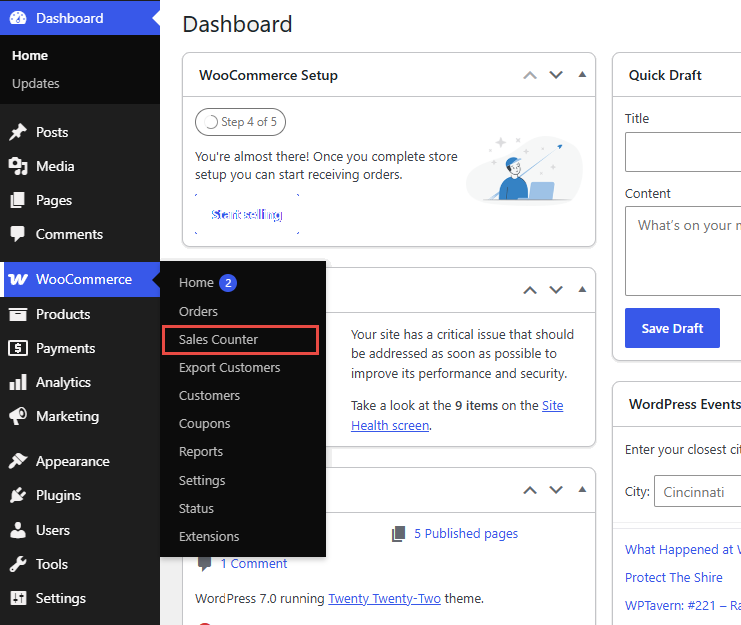
screenshot-1
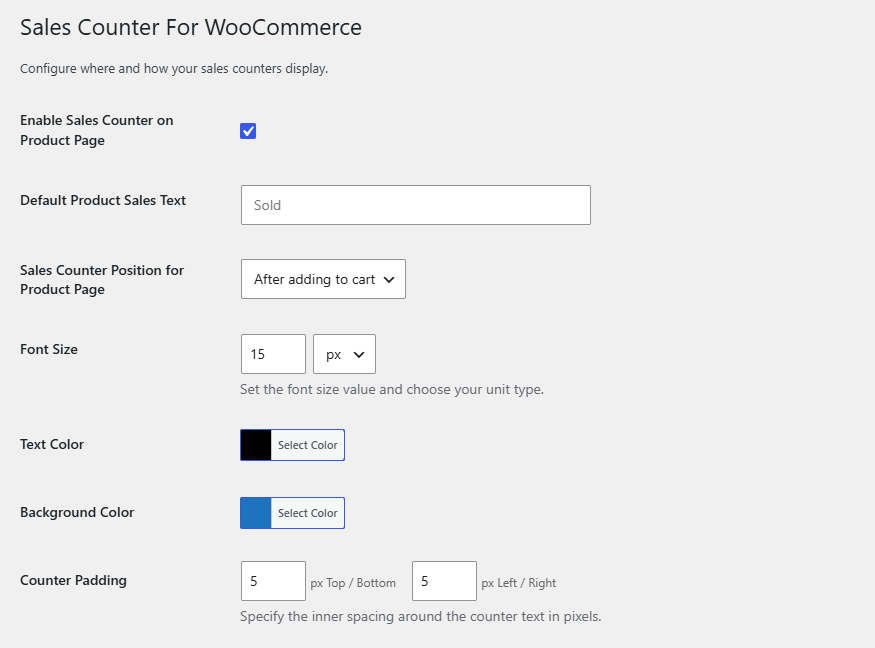
screenshot-2
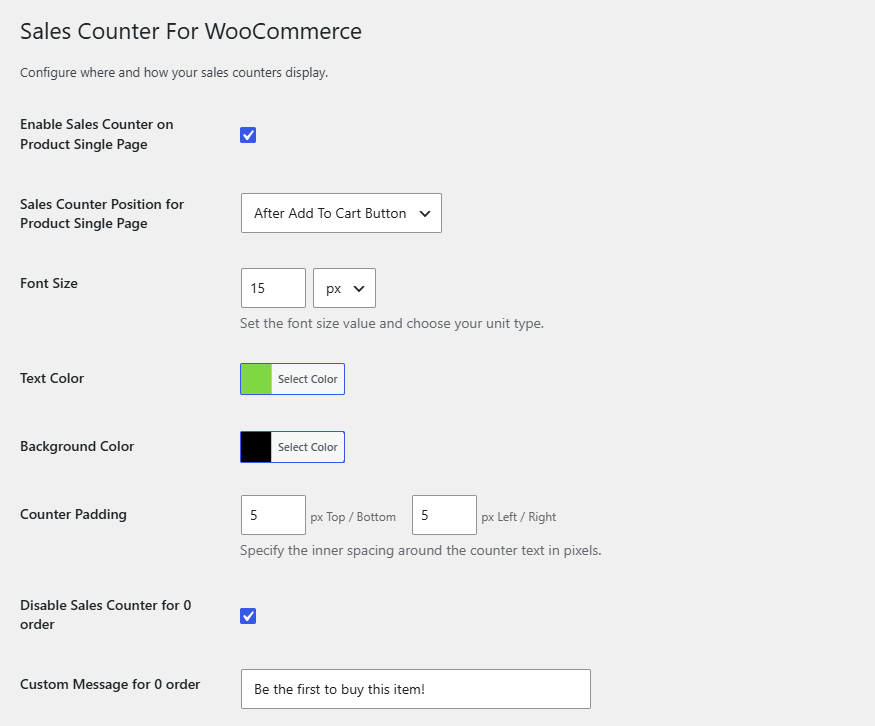
screenshot-3
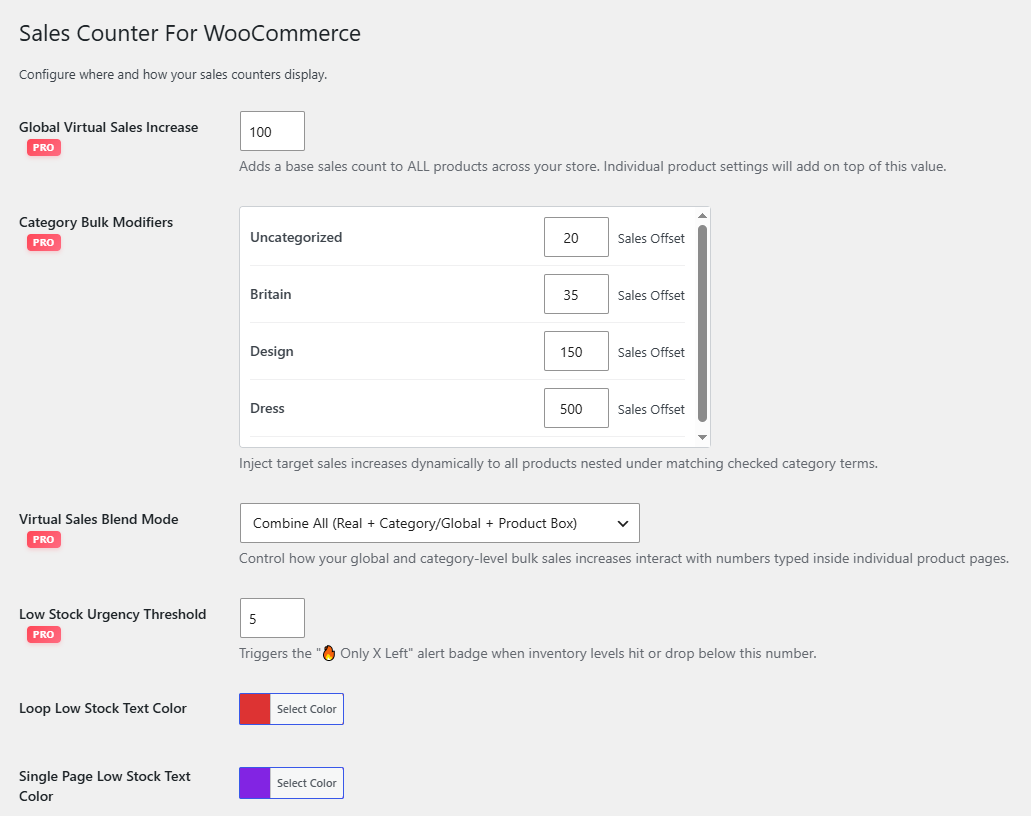
screenshot-4
screenshot-5
screenshot-6
screenshot-7
screenshot-8
screenshot-9
Faq
Not at all. The Pro timeline filters utilize optimized direct WPDB index queries to sum quantity meta quickly, ensuring ultra-fast load times even on busy high-volume stores.
Yes! Using the Pro version’s Product Override or Combine All modes, any value you add inside the product inventory sheet will display immediately on the frontend even before the first real sale occurs.
Yes. The plugin assigns clear CSS hook definitions (.scw-milestone-epic, .scw-milestone-gold, .scw-milestone-silver) so you can quickly append custom aesthetic styles or theme color matches inside your customizer.
Reviews
Great and simple solution
By 
Thanks for this plugin
Changelog
1.0.8
- Fix Support Link Issue
- Add New Color Option
- Stock Manage Tet Color
- Add Customization Option
1.0.7
- Fix Support Link Issue
- Add New Color Options
1.0.6
- Update Readme.txt
- Fix Insecure WooCommerce Check
- Fix ttributes & Redundant Escaping
- Add “Fake/Virtual” Sales Modifier
- Add Dynamic Real-Time Timeframes (“Sold in the last 24 hours”)
- Add “Low Stock” & Sales Synergy Indicator
- Add Shortcode Support for Custom Placement
- Update Option Page
1.0.5
- Update Option Page
1.0.4
- Update Compatibility issue
1.0.3
- Fix Sanitization Issue.
1.0.2
- Update Option Page.
- Fix localized Issue.
1.0.1
- Update Option Page
1.0.0
- Initial release