Saral Login Shield

Saral Login Shield
Description
Saral Login Shield protects your WordPress login three ways: it asks for a code from your phone after the password, moves the login page to an address only you know, and stops password-guessing bots. Direct visits to wp-login.php and /wp-admin get a 404 page (or a redirect of your choice).
Two-factor login
- After the password, users enter a 6-digit code from an authenticator app such as Google Authenticator, Microsoft Authenticator, Authy or 1Password. No phone number, outside service or account is needed: the codes are made on your site and on the phone.
- Each user turns it on in their profile in under a minute. You can require it for administrators.
- 10 one-time backup codes for a lost phone, and “Don’t ask again on this device for 30 days”.
- Works with the normal login page and with front-end login forms that use WordPress’s login, such as WooCommerce’s My Account page.
- Logins from apps through XML-RPC need an application password once two-factor login is on, so a stolen password alone can’t be used there either.
Hide the login page
- Change your login URL to any slug you like. New sites get a random one, such as
/login-k3x9qa. - Block direct access to wp-login.php and /wp-admin for logged-out visitors (404 or redirect).
- No core files are modified. Works in sub-directory installs, with WP-CLI and cron, and with front-end forms that post to admin-post.php.
Stop password guessing
- Limit login attempts: after 5 failed logins within 20 minutes (you can change both), the IP address is locked out for 20 minutes. Even the correct password is refused during a lockout. It also covers logins through XML-RPC.
- Turn off XML-RPC: one switch blocks
xmlrpc.php, which bots use to guess passwords without ever visiting the login page. - Works behind Cloudflare and proxies: choose where the visitor’s IP address comes from, so visitors aren’t all locked out together.
See who logs in
- Login activity: every login, failed login, lockout and recovery email, with the username, IP address and browser. Filter by event, and unblock a locked-out IP address with one click.
- New IP alerts: administrators get an email when their account signs in from an IP address it hasn’t used before.
Never get locked out of your own site
- Forgot your login URL? Go to
yoursite.com/?login-recovery, enter your administrator email address and the login URL is emailed to you. The page answers the same way for every address, so it doesn’t reveal who your administrators are, and it sends at most 3 emails an hour.
What it doesn’t do: Saral Login Shield doesn’t scan for malware or act as a firewall, so keep using strong passwords and regular updates.
More details and screenshots: Saral Login Shield on saraltechies.com
Third-party code: The setup QR code is drawn in the browser by qrcode-generator 1.4.4 by Kazuhiko Arase, included unchanged in assets/js/qrcode.js under the MIT license. It runs only on the profile page while two-factor login is being set up, and sends nothing anywhere. “QR Code” is a registered trademark of DENSO WAVE INCORPORATED.
Installation
- Upload the
saral-login-shieldfolder to the/wp-content/plugins/directory. - Activate the plugin through the Plugins menu in WordPress.
- A new, random login URL is set on activation and shown at the top of your dashboard. Go to Settings Saral Login Shield to change it to one you will remember.
- Bookmark your new login URL before leaving the settings page.
- To turn on two-factor login, go to Users Profile, scroll to Two-factor login and follow the three steps.
Screenshots
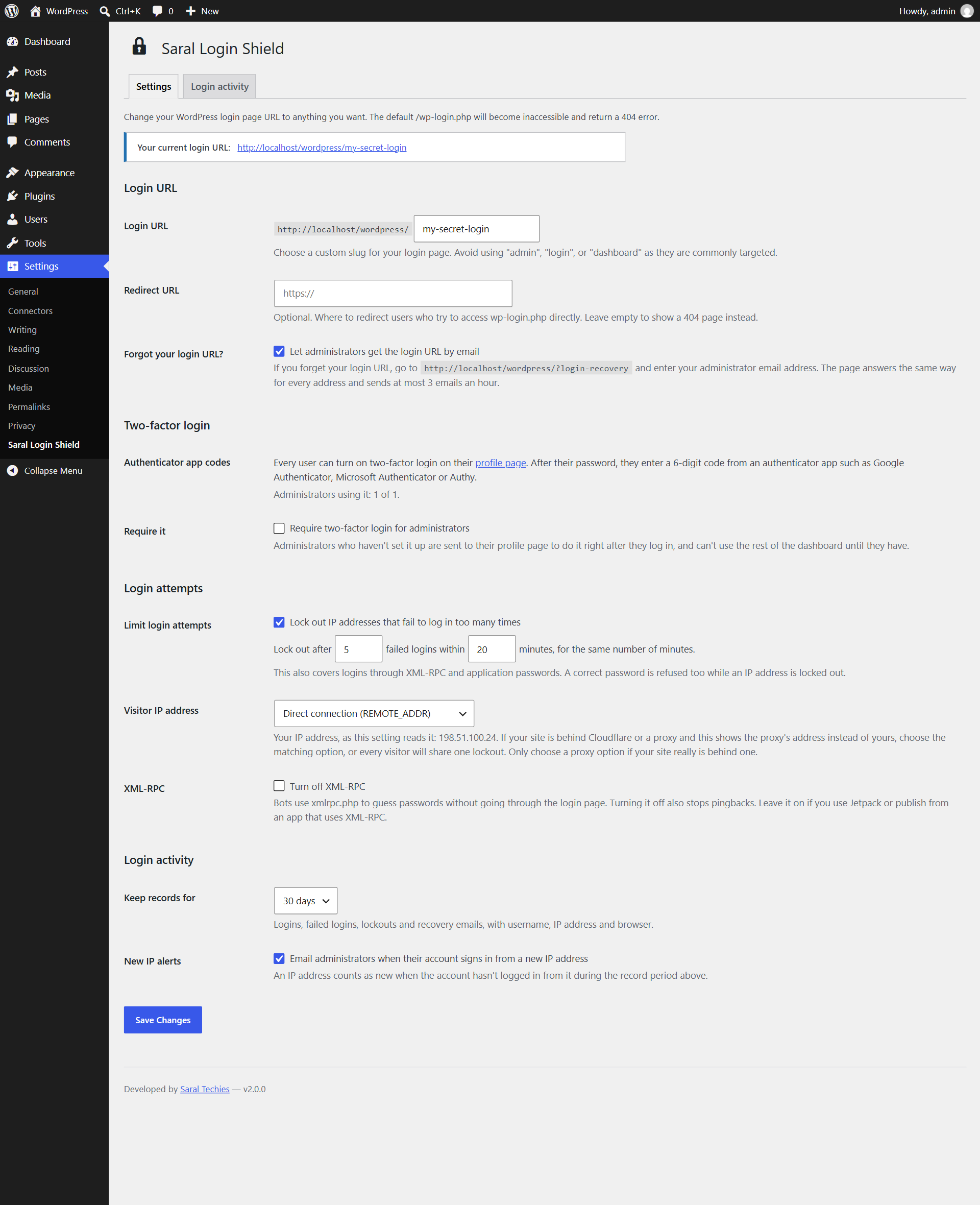
Settings → Saral Login Shield: your login URL, two-factor login, login attempt limits, XML-RPC and new IP alerts.
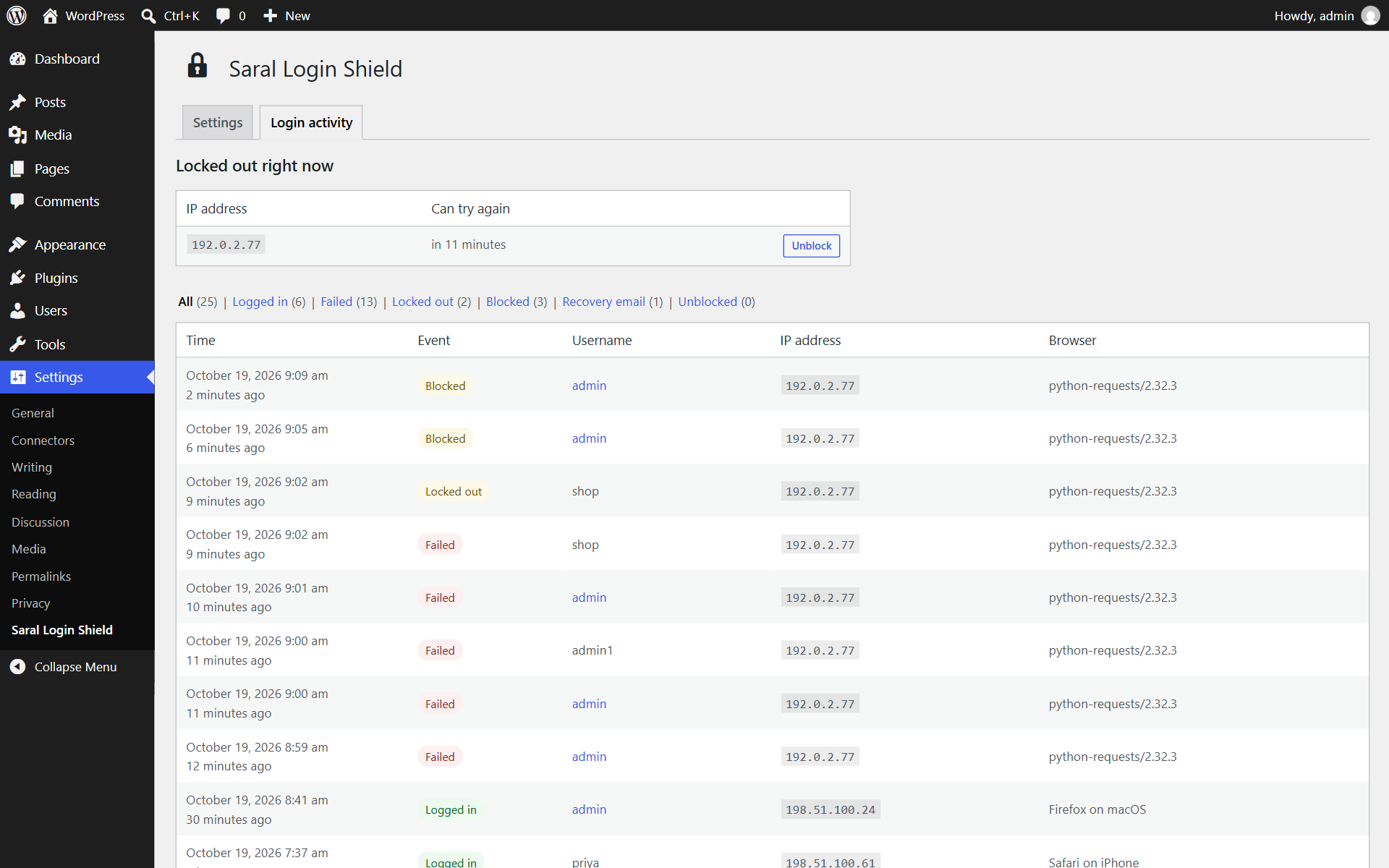
Login activity: every login, failed login and lockout, with one-click unblocking.

After activation, your new random login URL is shown at the top of the screen. Bookmark it.
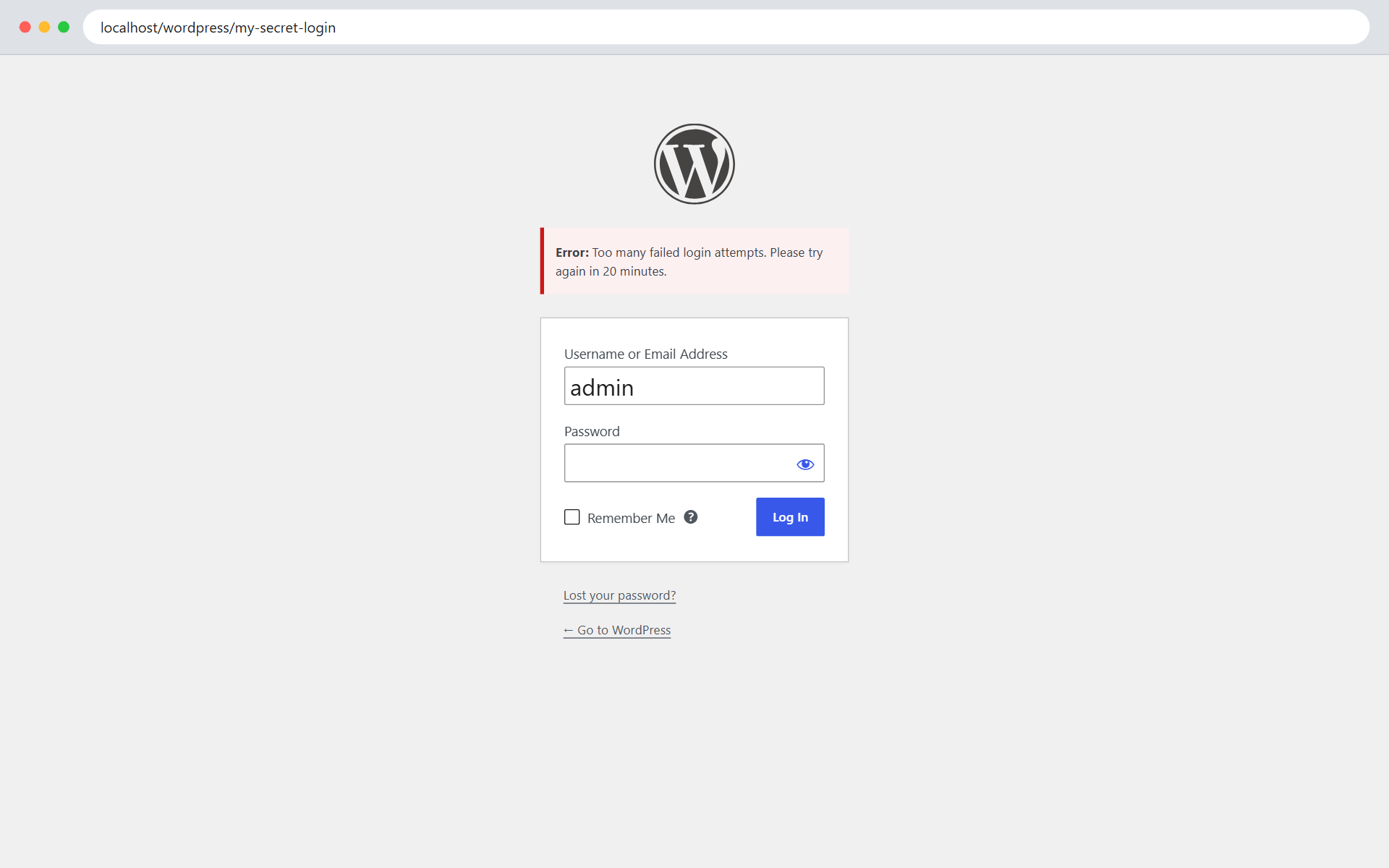
The normal WordPress login form at your own login URL, refusing an IP address after too many failed logins.

Forgot your login URL? Get it by email at yoursite.com/?login-recovery.
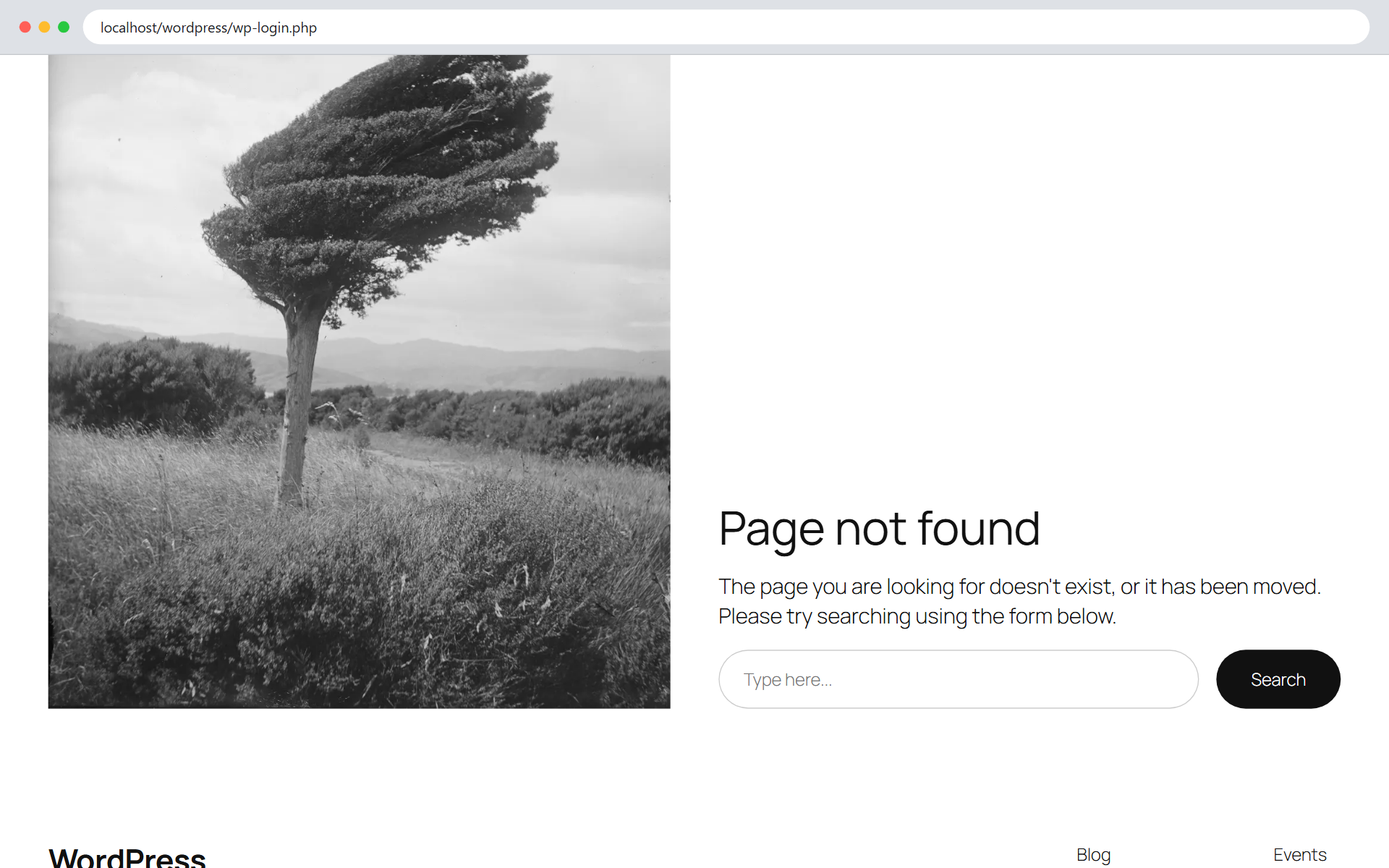
Anyone who opens wp-login.php directly gets your theme's 404 page (or the redirect URL you set).

Setting up two-factor login on the profile page: scan the QR code and enter a code.
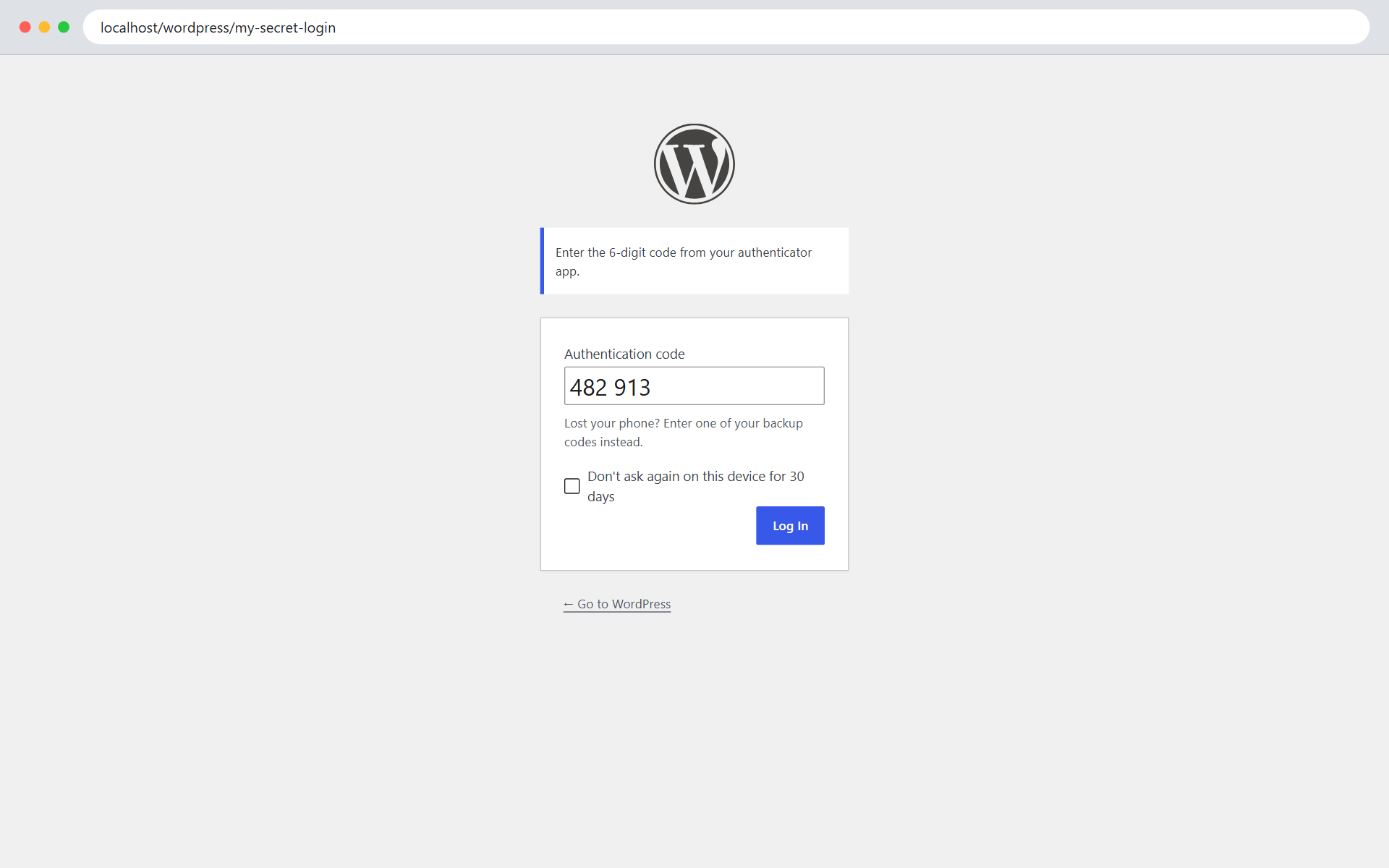
After the password, two-factor login asks for the code from the authenticator app.
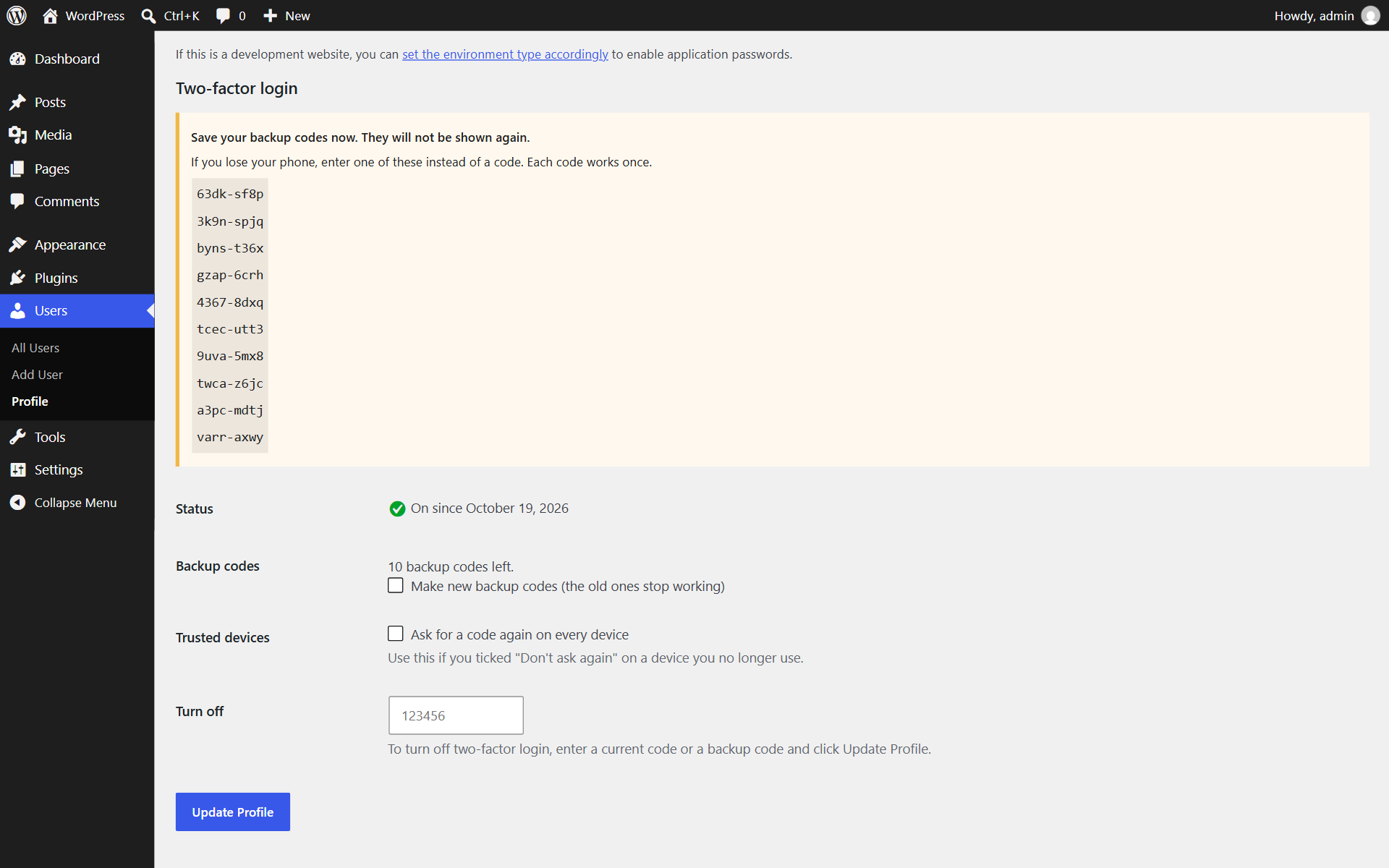
Backup codes are shown once after setup, for when a phone is lost.
Faq
Direct requests to /wp-login.php will return a 404 page (or redirect to a URL you specify). Your login form is only accessible at your custom slug.
Go to Users Profile and scroll to Two-factor login. Install an authenticator app on your phone, add an account in the app by scanning the QR code shown (or typing the setup key), then enter the 6-digit code the app shows and click Update Profile. Save the 10 backup codes you are given. To require it for every administrator, tick Require two-factor login for administrators under Settings Saral Login Shield.
Enter one of your backup codes instead of the 6-digit code. Each backup code works once. After logging in, set up two-factor login again on your new phone from your profile. If you have no backup codes left, another administrator can turn it off for you under Users Edit user. If you are the only administrator, add define( 'SARALSHIELD_DISABLE_2FA', true ); to wp-config.php, log in, and remove the line once you have set it up again.
Yes, for login forms that use WordPress’s own login function, such as WooCommerce’s My Account page: after the password, the code prompt is shown before the login is completed. Login forms that check passwords in their own way, or that log in through AJAX without loading a new page, are not supported.
The codes depend on the time, so check that your phone’s clock is set automatically. A code that has just been used can’t be used again, so wait for the next one if you set up two-factor login a few seconds ago.
Go to yoursite.com/?login-recovery (or yoursite.com/your-folder/?login-recovery if WordPress is in a sub-folder) and enter the email address of an administrator account. The login URL is emailed to that address. If email isn’t working on your site, deactivate the plugin by renaming its folder over FTP; this restores /wp-login.php.
Wait for the lockout to end (20 minutes by default), or log in from another network, such as your phone’s mobile data, and unblock your IP address under Settings Saral Login Shield Login activity. Lockouts are per IP address, so other people can still log in. For IPv6, a lockout covers the visitor’s /64 network, which is usually one home or office connection.
Yes. Under Settings Saral Login Shield Visitor IP address, choose Cloudflare or your proxy’s header. Otherwise every visitor appears to come from the proxy’s IP address, and one lockout would block everyone. The settings page shows the IP address it currently reads, and warns you when it detects Cloudflare. Only choose a proxy option if your site really is behind that proxy, because otherwise visitors can fake the header.
Turn it off unless something on your site needs it. Jetpack and some publishing and mobile apps use XML-RPC; most sites don’t. The block editor and the REST API are not affected.
For each login, failed login, wrong two-factor code, lockout and recovery email: the time, the username entered, the IP address and the browser. For users with two-factor login, it stores their secret key (encrypted with your site’s security keys) and their backup codes (hashed like passwords). Records are deleted after 30 days (you can choose 7, 30, 90 or 365 days), and everything is removed when you delete the plugin. A suggested paragraph is added to Settings Privacy for your privacy policy. The plugin doesn’t contact any outside service; emails are sent through your site’s normal email.
New installs get a random login URL such as /login-k3x9qa, shown in a notice after activation and on the Settings Saral Login Shield page. You can change it there at any time. Sites updating from 1.0.0 keep the login URL they already have.
Each site has its own login URL and settings. Users are shared by every site of a network, so the login log and lockouts are shared too: an IP address locked out on one site is locked out on all of them. Only super admins see the login activity, and the main site’s setting decides how long records are kept. It has had less testing on multisite than on single sites, so try it on a staging copy first.
Yes. Saral Login Shield Pro is an add-on sold on saraltechies.com. It adds IP allow and block lists, bans for repeat offenders, CAPTCHA (including WooCommerce’s forms), two-factor login for any role with codes by email, “Was this you?” emails for new devices, a password policy with forced resets, session control, a security check, security alerts and reports. Everything in this plugin stays free and keeps working without it.
Reviews
Changelog
2.4.0
- For developers: add-ons that offer another way to get two-factor codes now get backup codes and trusted devices for their users too, and saralshield_2fa_trust_days sets how long “Don’t ask again on this device” lasts for a user (0 turns it off). New public methods: turn_off(), forget_devices(), new_backup_codes() and forget_backup_codes(). Nothing changes for sites without such an add-on.
2.3.0
- The Pro tab describes what Saral Login Shield Pro 1.1 adds: two-factor codes by email, “Was this you?” emails, required new passwords and a security check.
- For developers: hooks that let an add-on offer another way to get two-factor codes, such as by email, to users without an authenticator app (saralshield_2fa_method, saralshield_2fa_prompt, saralshield_2fa_check_code, saralshield_2fa_texts and saralshield_2fa_profile_rows), and saralshield_new_ip_alert to turn off the new IP address email for a user. Nothing changes for sites without such an add-on.
2.2.0
- The Pro tab shows what happened on your site in the last 30 days (failed logins, lockouts, addresses that keep coming back, logins as “admin”) next to what Saral Login Shield Pro would do about each.
- Short “Pro” hints under the two-factor, login attempt and alert settings, and on the Login activity tab when addresses are locked out again and again.
- One notice on the Dashboard and Plugins screens, only when the login has had at least 50 failed logins or 5 lockouts in 30 days and the plugin has been in use for 2 weeks. “Remind me in 3 months” and “Don’t show this again” put it off or turn it off for good. All of this is hidden once Pro is installed, and the numbers come from your own log: nothing is sent anywhere.
2.1.1
- A Pro tab on the settings page and a “Pro features” link in the plugins list describe what Saral Login Shield Pro adds. Both are hidden once Pro is installed.
2.1.0
- Fix: users who still have to set up two-factor login can submit front-end forms that post to admin-post.php again, instead of being sent to their profile.
- The two-factor setup notice no longer says it’s only for administrators, as add-ons can require it for other roles.
- For developers: hooks for add-ons: saralshield_settings_tabs and saralshield_render_tab_{tab} (settings page tabs), saralshield_event_labels (activity log events), saralshield_logged (an event was recorded), saralshield_limit_exempt (exempt an IP address from the attempt limit), saralshield_2fa_required (who must set up two-factor login) and saralshield_2fa_disabled.
2.0.2
- Security: IPv6 visitors are now limited by their /64 network instead of their single address. A connection usually gets a whole /64, so before, an attacker could move to a new address after each lockout.
- Security: login attempts or two-factor codes sent at the same moment no longer get past the limit. Each attempt is recorded before its password or code is checked.
- The activity screen’s “Locked out right now” list shows IPv6 lockouts as networks, such as 2001:db8:1:2::/64.
2.0.1
- Security: a browser or username with certain non-English characters could stop failed logins being recorded, which turned off the login attempt limit and the recovery email limit. Every attempt is now recorded.
- Security: logging in to any account no longer resets the failed-attempt count of that IP address, so it can’t be used to keep guessing on sites with open registration.
- Security: if the site’s security keys (salts) are changed, two-factor codes are refused instead of checked against a key that can’t be read. Users see a message to use a backup code and set it up again.
- Security: with the X-Forwarded-For option, the address added by your proxy (the last one) is used, not the first one, which visitors can set.
- Security: an application password now only skips two-factor login for its own user. Before, one XML-RPC request could use an application password for one account to skip two-factor login for another account whose password was known.
- Security: wrong two-factor codes are also limited per account (10 in 15 minutes), so codes can’t be guessed from many IP addresses.
- Security: administrators who must set up two-factor login can’t use application passwords until they have.
- Security: the hidden login URL no longer shows up in redirects from wp-login.php (with FORCE_SSL_ADMIN), wp-signup.php and wp-activate.php, from wp-admin addresses written another way (such as //wp-admin/), or in the form of password-protected posts.
- Fix: the “session expired” login pop-up in the dashboard now closes after logging in again.
- Fix: logging in works when WordPress is installed in its own folder (WordPress Address different from Site Address).
- Fix: a locked-out IP address no longer gets an error and a log entry just for opening the login page.
- Multisite: only super admins see the network-wide login activity and can unblock IP addresses, and uninstalling cleans up every site.
2.0.0
- New: two-factor login with an authenticator app (Google Authenticator, Microsoft Authenticator, Authy, 1Password and others), set up from each user’s profile by scanning a QR code.
- New: 10 one-time backup codes, and “Don’t ask again on this device for 30 days”.
- New: require two-factor login for administrators. Those who haven’t set it up are sent to their profile page after logging in.
- New: administrators can turn off two-factor login for a user who lost their phone; the user is emailed. Emergency switch: SARALSHIELD_DISABLE_2FA in wp-config.php.
- New: wrong two-factor codes are shown in Login activity and count towards the login attempt limit.
- New: Two-factor column in the Users list.
- Once two-factor login is on, XML-RPC logins need an application password.
- Fix: saving the security settings from code without every field no longer shows a PHP warning.
1.1.0
- New: limit login attempts. After 5 failed logins within 20 minutes, the IP address is locked out for 20 minutes (both adjustable). Covers the login form, XML-RPC and application passwords.
- New: turn off XML-RPC with one setting.
- New: “Forgot your login URL?” recovery page at yoursite.com/?login-recovery that emails the login URL to an administrator.
- New: login activity screen with logins, failed logins, lockouts and recovery emails, and one-click unblocking.
- New: email alert when an administrator account signs in from a new IP address.
- New: choose where the visitor’s IP address comes from, for sites behind Cloudflare or a proxy.
- New: suggested privacy policy text.
- Now requires WordPress 5.0 or later (it already used functions from WordPress 4.7).
1.0.1
- Fix: logged-out visitors can submit front-end forms that post to admin-post.php again.
- New installs get a random, hard-to-guess login URL instead of /login.
- Saving an empty login URL now keeps the current one and shows a message, instead of switching to /login.
- The activation notice with your new login URL now stays available for 10 minutes.
- Added the plugin homepage and corrected the author name.
- Tested with WordPress 7.1.
1.0.0
- Initial release.