Variation Swatches for WooCommerce – Color, Image & Label Swatches
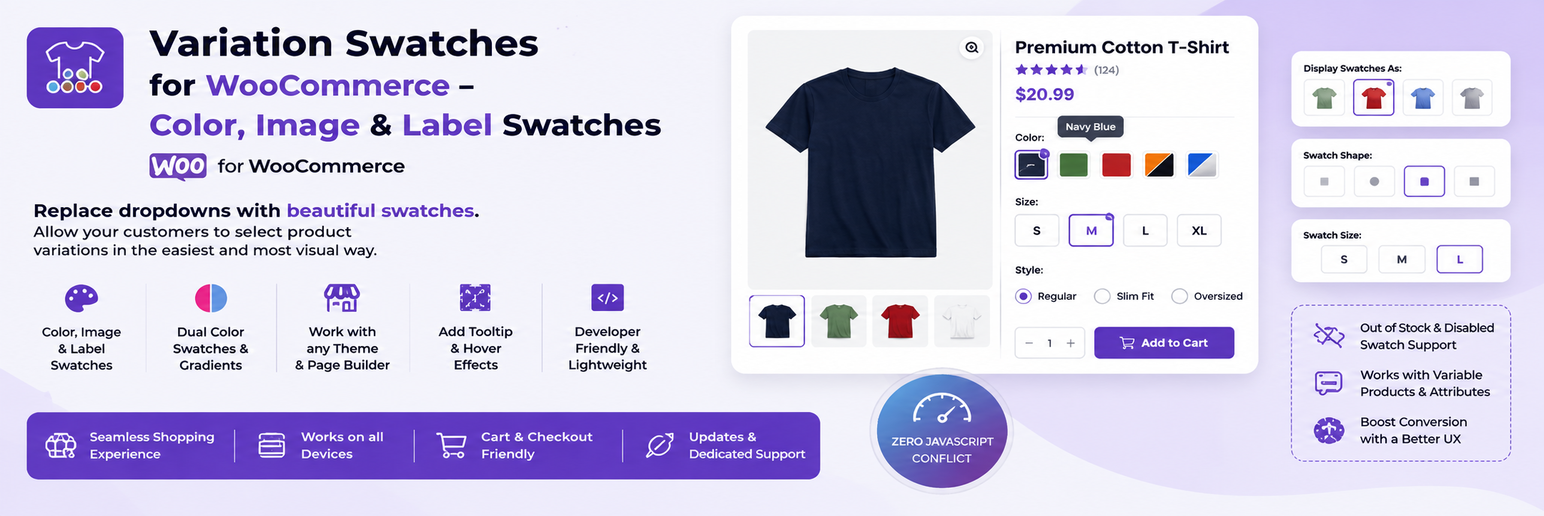
Variation Swatches for WooCommerce – Color, Image & Label Swatches
Description
Variation Swatches for WooCommerce replaces the default dropdowns on variable products with color, image, label and radio swatches. Shoppers see every option at a glance, choose faster and get a clearer product page on desktop and mobile.
You pick a swatch type for each global product attribute term under Products Attributes, and the variation swatches appear on the product page and on shop and archive pages. Everything listed below is included in the free plugin, with no key or account needed.
📖 View Documentation | 🌐 WebTend
Swatch types
- Color swatches, including dual (split) color swatches
- Image swatches, uploaded per attribute term
- Label (button) swatches for sizes and other text options
- Radio swatches
- Square, rounded or circle shapes, with an optional shape per attribute term
- A different swatch type for a single product, set on the product’s attribute panel
Shop & archive pages
- WooCommerce variation swatches on shop, category and other archive pages
- A “+N more” badge when a product has more options than fit
- Works inside the WooCommerce Product Collection and All Products blocks
Stock handling
- Out-of-stock variations can be blurred, blurred with a cross, or hidden
- An optional “Notify me” message with your own text and link when a shopper picks an unavailable option
Design controls
- Swatch size, border and selected-state colors, checkmark, tooltip colors and size
- Tooltip position: top, bottom, left or right
- Optional custom CSS
Smart Variation Finder (optional)
A search box above the swatches on product pages. Shoppers can type words such as “dark blue large” and the matching options are selected. It runs in the browser and is switched off until you enable it.
Accessibility
Swatches use radio roles with ARIA states, work with the keyboard and show a visible focus outline. Animations respect reduced motion.
Compatibility
- Declares HPOS and Cart and Checkout Blocks compatibility
- Built on standard WooCommerce hooks, so it is designed to work with most themes
- Re-initializes inside quick view modals and Elementor product widgets
How it works
- Go to Products Attributes, then add or edit an attribute such as Color and add its terms.
- Edit a term and choose a Swatch Type, then set the color, second color or image.
- Create a variable product that uses the attribute.
- Open the product page or the shop page. The dropdown is replaced by swatches.
- Fine-tune the look under Variation Swatches, in the General, Design & Style, Shop / Archive and Advanced tabs.
Perfect for
Fashion, furniture, cosmetics, electronics and any other store that wants clearer variation swatches for its variable products.
Documentation & support
- Documentation: https://webtend.net/docs/variation-swatches/
- Support forum: https://wordpress.org/support/plugin/sayan-variation-swatches/
- Help translate the plugin: https://translate.wordpress.org/projects/wp-plugins/sayan-variation-swatches/
Pro version
A separate Pro plugin from webtend.net adds a sticky add-to-cart bar, per-swatch badges, per-variation galleries, a bulk swatch generator and a live stock badge. The free plugin stays fully functional on its own and nothing in it is locked. Details: https://webtend.net/
Privacy
This plugin does not collect personal data and makes no external requests. It uses no third-party services, trackers or CDNs.
Installation
- Make sure WooCommerce is installed and active.
- Upload the plugin to the
/wp-content/plugins/directory, or install it from Plugins Add New. - Activate it, then edit an attribute term under Products Attributes and choose a swatch type.
Screenshots

Product page with color, image and label swatches

Plugin settings panel, General tab

Archive and shop page swatches with the "+N more" badge

Attribute term edit screen with swatch type and color picker

Smart Variation Finder search box on a product page
Faq
It uses standard WooCommerce hooks and is designed to work with most themes. If a theme replaces the variation form with its own markup, tell us on the support forum.
Yes, on standard product pages, including the Single Product widget gallery. On archive pages the swatches appear where your template runs WooCommerce’s standard product loop hooks. Please check Loop Grid and Loop Builder templates on your own site and report any problem on the support forum.
Yes. Archive swatches are added to the Product Collection and All Products blocks. Turn them on under Variation Swatches Shop / Archive.
The plugin is translation ready and ships a .pot file. Attribute term names come from WooCommerce, so they follow your multilingual plugin. Please test your own setup.
Yes. Shop and archive swatches are on by default. Change them under Variation Swatches Shop / Archive.
Choose to blur, blur with a cross, or hide them under Variation Swatches General Out-of-Stock Style. The “Notify me” message is set up in the same tab.
Yes. Go to Variation Swatches Design & Style Tooltip Position.
A small search box on product pages that picks matching swatches from typed words. Enable it under Variation Swatches General Smart Variation Finder. It works in the browser only.
Yes. The plugin declares compatibility with both. It does not change orders or the checkout.
The plugin’s CSS and JavaScript load on product, shop and archive pages and wherever a swatch is rendered, not on every page. It makes no external requests.
Partly. Color and image swatches need global attributes (Products Attributes) because the colors and images are stored on the attribute terms. A custom attribute entered on a single product can be shown as label or radio swatches, chosen in the product’s attribute panel.
On the support forum: https://wordpress.org/support/plugin/sayan-variation-swatches/
The free plugin contains every swatch type, shop and archive swatches, stock handling and design controls. The separate Pro plugin adds a sticky add-to-cart bar, per-swatch badges, per-variation galleries, a bulk swatch generator and a live stock badge.
Reviews
Changelog
1.0.6
- New: Pro Features tab under Variation Swatches with an overview of the separate Pro plugin
- New: Smart Variation Finder switch under Variation Swatches General (off for new installs, stays on for existing stores)
- New: “Delete Data on Uninstall” switch under Variation Swatches Advanced (off by default)
- New: Per-product swatch type on the product’s Attributes panel
- New: Docs and Support links on the Plugins screen and in the settings header
- Improved: CSS and JavaScript now load only on product, shop and archive pages and where swatches are shown
- Improved: The review notice counts login sessions, appears only on the Dashboard, Plugins and settings screens, and has a permanent “Don’t ask again” button
- Fixed: Settings Export / Import now works on the Advanced tab
- Fixed: Tooltip Position and the Notify Me text and link can now be changed in the settings
- Fixed: The per-term shape override is now applied on product and archive pages
- Fixed: “Show Selected Name” now works, and “Auto-convert dropdowns” now converts unset attributes to label swatches (off by default)
- Fixed: Shop managers can now save the plugin settings
- Fixed: Block archive swatches no longer appear when swatches are switched off
- Fixed: A PHP error when rendering archive swatches
- Security: Stricter custom CSS (administrators only, remote imports removed), http and https only for the Notify Me link, extra capability check when saving term swatches
- Dev: New filter
svsw_load_assetsto load the swatch assets on a custom page
1.0.5
- New: WooCommerce Product Blocks compatibility for Product Collection (WC 8.0+) and All Products blocks
- New: Out-of-Stock Notify Me message with optional link
- New: Tooltip Position setting under Design & Style
- New: Selected swatch highlight animation that respects prefers-reduced-motion
1.0.4
- New: Elementor Loop Builder compatibility for archive swatches
- New: Settings Export / Import
- New: Per-attribute term shape override
- New: Styled “Clear Selection” button
- Improved: Admin term list column shows a type badge, shape badge and a more accurate preview
1.0.3
- New: Review notice, archive “+N more” badge, attribute label next to swatches, Quick View compatibility
- Improved: Settings are read once per request instead of once per swatch
- Fixed: “Tested up to” values, plugin name and Author URI
1.0.2
- Fixed: Saving settings on one tab reset the other tabs to defaults
1.0.1
- New: Compatibility guard so the plugin runs next to Sayan Variation Swatches Pro
1.0.0
- Initial release