Screen Sharing System

Screen Sharing System
Description
Screen Sharing System is a WordPress plugin designed to facilitate online collaboration and technical support.
- Secure Screen Sharing: Connecting is as simple as using a unique 6-digit ID and password, providing a user experience inspired by industry leaders like TeamViewer.
- Full Communication: Use webcam, microphone, engage in chat discussions, and exchange unlimited files via a secure WSS connection.
- Flexible Settings: Advanced users can adjust ICE and WebSocket servers to optimize performance according to their specific needs.
- Responsive Design: Enhanced design for optimal compatibility with all devices, from smartphones to desktop screens.
This plugin is ideal for consultants, educators, technical support teams, and anyone who wants an integrated solution for real-time collaboration on WordPress.
Installation
- Download the plugin from WordPress.org or upload the ZIP file.
- Go to ‘Plugins’ in your WordPress dashboard.
- Click ‘Add New’, then ‘Upload Plugin’, and select the ZIP file.
- Install and activate the plugin.
Screenshots

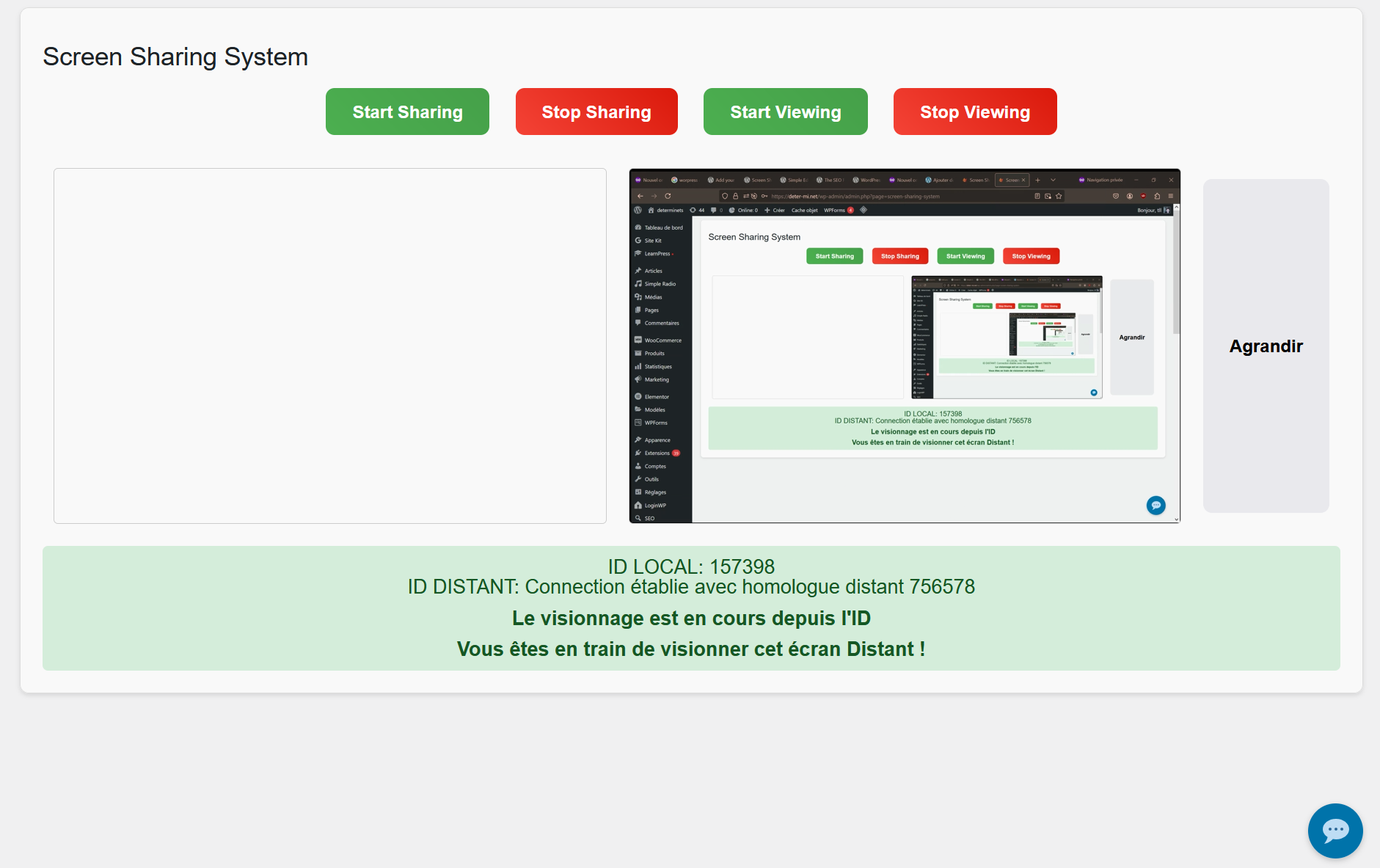
Screen sharing interface: view image

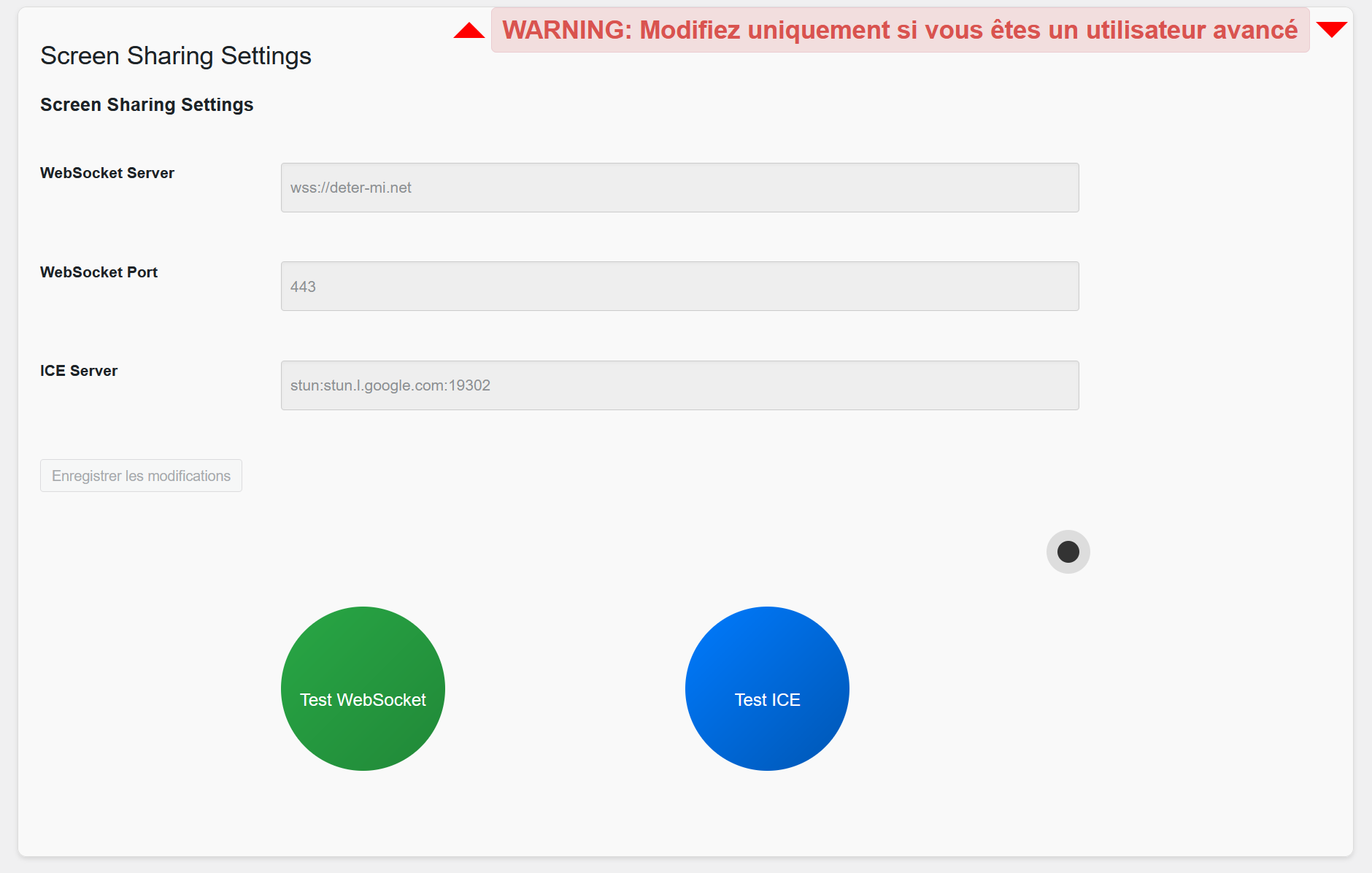
Server configuration page: view image

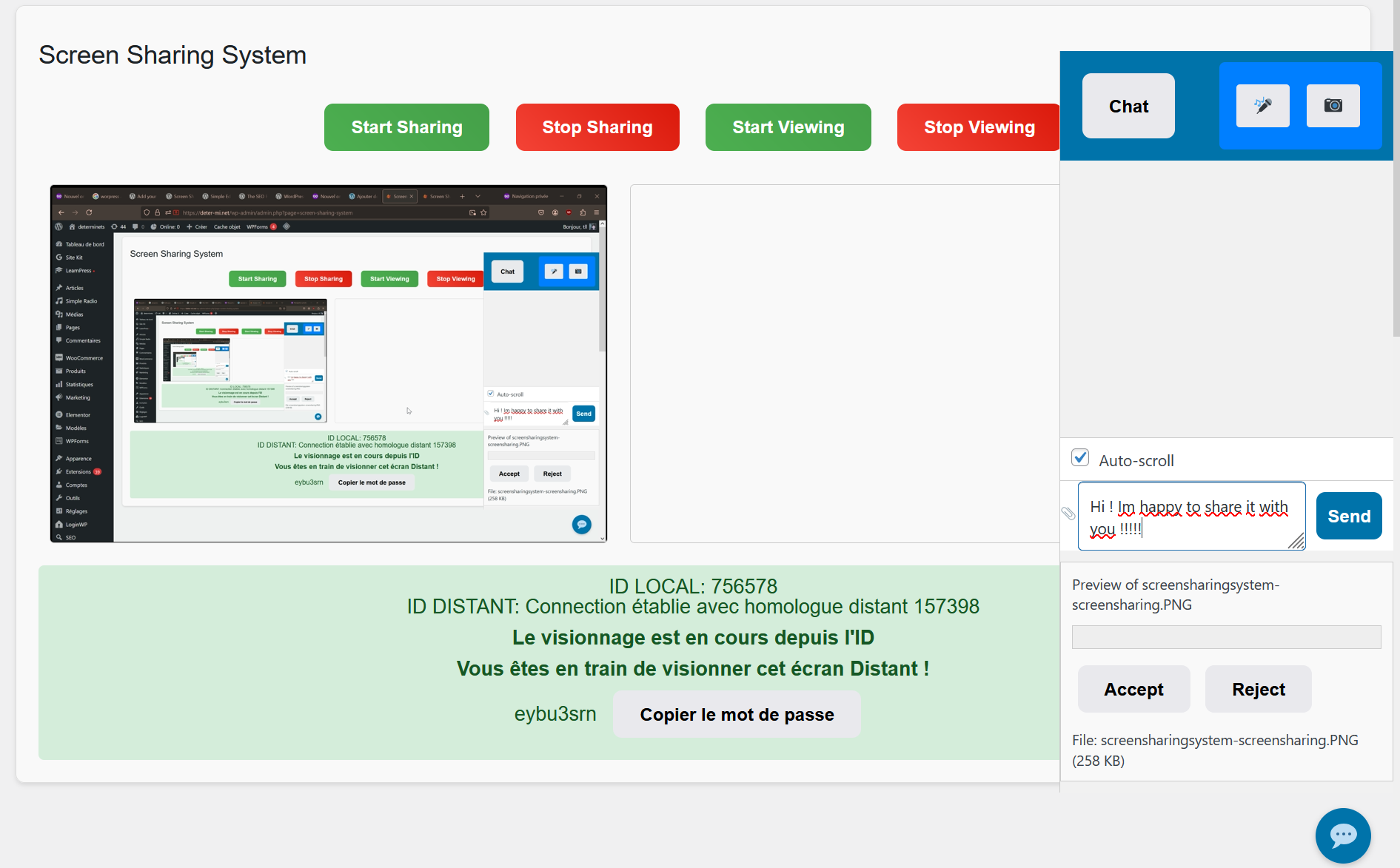
Chat and file exchange interface: view image
Faq
The plugin uses a secure WSS protocol and each session has a unique ID and password.
The plugin requires at least WordPress 5.0 and has been tested up to 6.9.
Currently, the plugin is optimized for one-on-one sessions, but additional features are in development.
Reviews
Go and download it
By 
It's my plugin and i like it because there's no one like it
Changelog
1.3.1
- 2026-06-09:
- Fixed: chat communication broken due to undefined variables (startSharingButton, stopSharingButton, startViewingButton, stopViewingButton). Refactored setButtonStates() to delegate to the existing updateUI() toggle button logic.
1.3.0
- 2026-05-27:
- Added front-end shortcode [screen_sharing_session] for embedding screen sharing outside the WordPress admin.
- Added session recording feature using the MediaRecorder API (share or view side).
- Added self-hostable Node.js signaling server with Docker support (see signaling-server/ folder).
- Verified and confirmed compatibility with WordPress 7.0.
1.2.5
- 2026-05-11:
- Deleted superfluous version define.
1.2.4
- Replaced separate Start/Stop buttons with a single dynamic toggle button and improved UI connection states.
1.2.3
- File Transfer drastically optimized.
1.2.2
- Verified and confirmed compatibility with WordPress 6.9.
1.2.1
- Added
binaryTypeconfiguration to resolve compatibility issues with Chrome when receiving blobs or ArrayBuffers.
1.2.0
- Added configuration for TURN servers, allowing better support for connections through complex NAT and firewalls.
1.1.0
- Improved responsive design for better mobile and desktop compatibility.
1.0.2
- Documentation fix.
1.0.1
- English translation.
1.0.0
- Initial version.