S.EE URL Shortener, Text & File Sharing

S.EE URL Shortener, Text & File Sharing
Description
Bring the power of the S.EE platform directly into your dashboard. Shorten URLs, share text, and upload files without leaving your site.
Features:
- URL Shortening – Generate short URLs for your posts and pages using your custom S.EE domains.
- Auto Shorten – Automatically create short URLs when you publish a post or page.
- Text Sharing – Share text snippets as plain text, Markdown, or source code via S.EE.
- File Upload – Upload files to S.EE from the Media Library or the post editor sidebar, with one-click copy in URL, HTML, Markdown, and BBCode formats.
- Auto Upload – Optionally auto-upload all new media to S.EE.
- Post List Integration – View and copy short URLs directly from the Posts/Pages list.
- Management Dashboard – Standalone tools for text sharing and file uploads with history tracking.
Requirements:
- PHP 8.2 or higher
- WordPress 6.0 or higher
- An S.EE account and API key
External services
This plugin connects to the S.EE API to provide URL shortening, text sharing, and file hosting services. All core functionality depends on this external service.
What the service is
S.EE is a platform that provides URL shortening, text sharing (paste), and file hosting services. This plugin integrates these services into the WordPress admin dashboard.
What data is sent and when
- URL Shortening: When you shorten a URL (manually or via the auto-shorten option on publish), the post permalink, optional custom slug, and post title are sent to the API.
- Text Sharing: When you share text, the text content, title, and format type (plain text, Markdown, or source code) are sent to the API.
- File Upload: When you upload a file (manually or via the auto-upload option), the file is sent to the API.
- Domain Fetching: Your API key is sent to retrieve your available domains for short URLs, text sharing, and file hosting.
- Connection Test: Your API key and base URL are sent to verify your credentials.
- Deletion: When you delete a short URL, text share, or uploaded file, the corresponding identifier is sent to the API.
No data is collected or sent without user action or an explicitly enabled automation setting (auto-shorten on publish, auto-upload on media add). No visitor/user tracking is performed.
Service links
Installation
- Upload the
sdoteefolder to/wp-content/plugins/. - Activate the plugin through the ‘Plugins’ menu in WordPress.
- Go to Settings > S.EE and enter your API key.
- Click “Test Connection” to verify your API key works.
- Select your default domains and configure automation options.
Screenshots
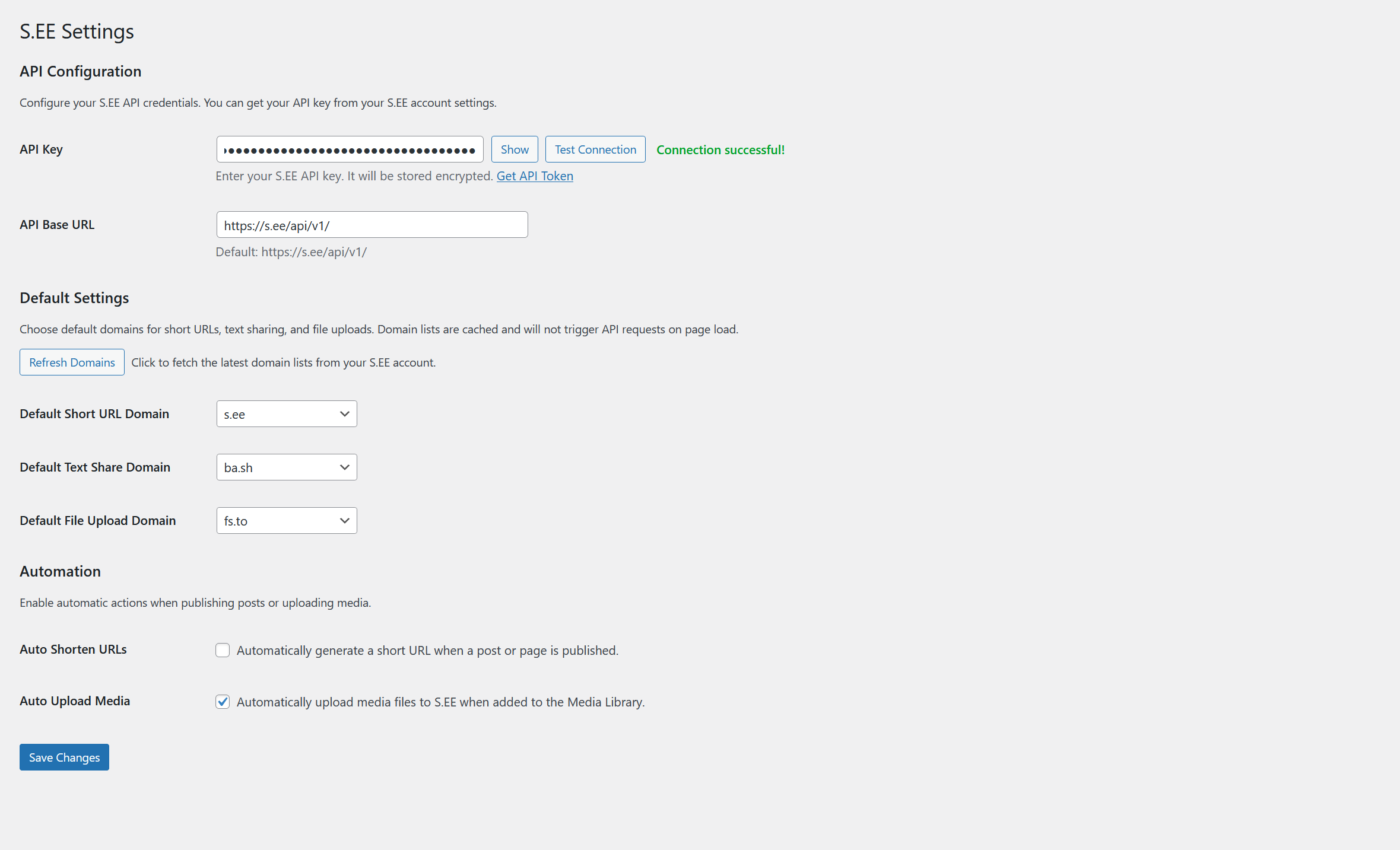
Settings page - Configure your API key, select default domains for short URLs, files, and text sharing, and enable automation options.
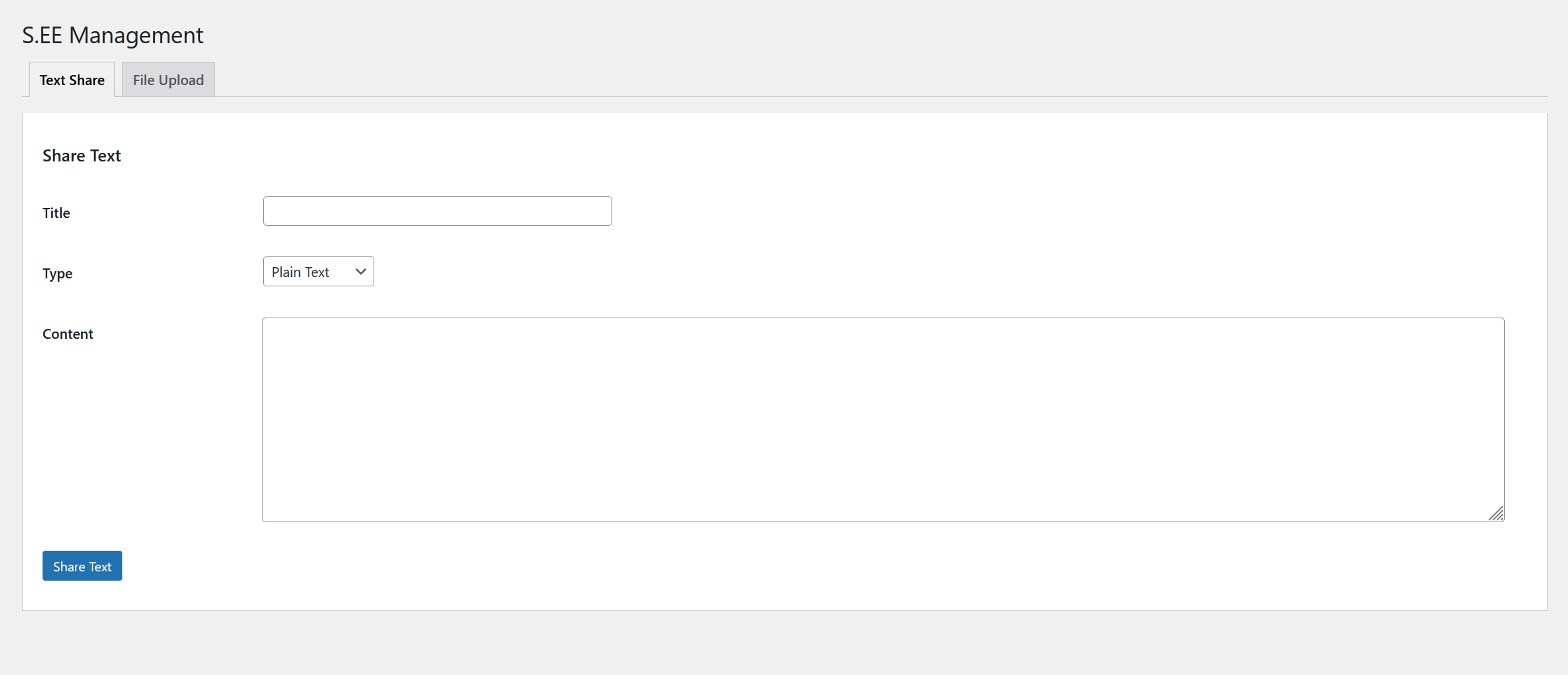
Management page - Standalone tools for text sharing and file uploads with history tracking.
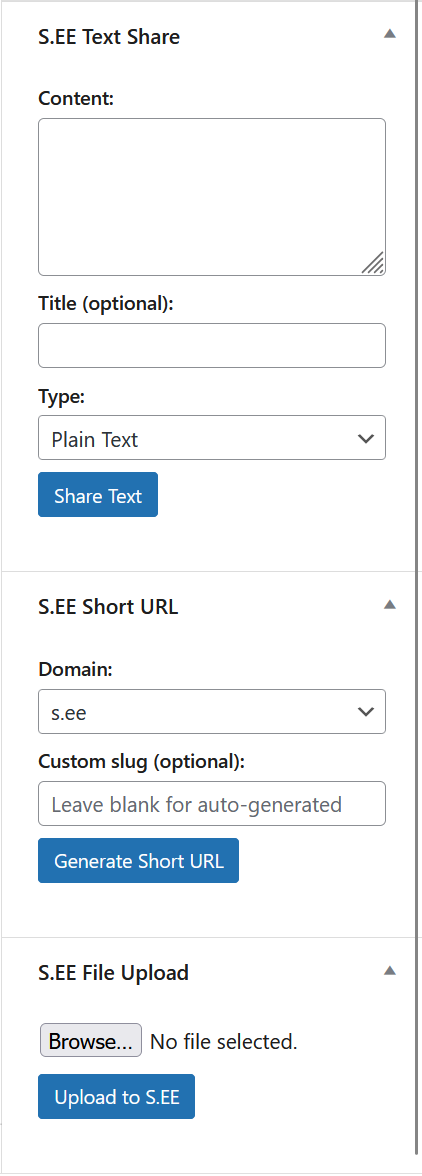
Post editor sidebar - S.EE meta boxes for text sharing, short URL generation, and file uploads with one-click copy in multiple formats.
Faq
Sign up at s.ee and generate an API key from your account settings.
Yes. Add define( 'SDOTEE_API_KEY', 'your-api-key-here' ); to your wp-config.php file. This takes priority over the database setting.
Yes. Either set it in Settings > S.EE or define SDOTEE_API_BASE_URL in wp-config.php.
Posts and Pages are supported by default.
Reviews
Changelog
1.0.4
- Published to WordPress.org Plugin Directory.
- Add plugin icons (SVG and PNG fallbacks) for WordPress.org listing.
1.0.3
- Rename all prefixes from see_/SEE_ to sdotee_/SDOTEE_ for WordPress.org compliance (minimum 4-character unique prefix).
- Rename plugin directory from see to sdotee.
- Add share page URL to file upload results.
- Add external services documentation to readme.txt per Guideline 6.
- Fix sanitize_api_key callback to handle non-scalar input gracefully.
- Move WordPress.org directory assets out of plugin zip.
1.0.2
- Change plugin text domain from ‘see’ to ‘sdotee’ for WordPress.org compatibility.
1.0.1
- Bump minimum PHP version from 8.1 to 8.2 (PHP 8.1 has reached end of life).
1.0.0
- Initial release.
- URL shortening with meta box and auto-shorten support.
- Text sharing with plain text, Markdown, and source code support.
- File upload integration with Media Library.
- Settings page with API key management and domain configuration.
- Management page for standalone text sharing and file uploads.
- Post/Page list column for short URLs.
- Full i18n support with 13 languages: English, 简体中文, 繁體中文, 日本語, 한국어, Bahasa Indonesia, Tiếng Việt, Deutsch, Français, Español, Português, Português do Brasil, and Русский.