Seers Ai | Consent Management Platform (Easy to set up GDPR/CCPA Compliant Cookie Consent)

Seers Ai | Consent Management Platform (Easy to set up GDPR/CCPA Compliant Cookie Consent)
Description
Seers Ai is an AI-powered consent management solution for GDPR, CCPA, DUA, and global data privacy laws. This free cookie consent plugin offers 1-click WordPress integration, customisable cookie banners & cookie notice, making compliance effortless, fast, and reliable.
KEY FEATURES
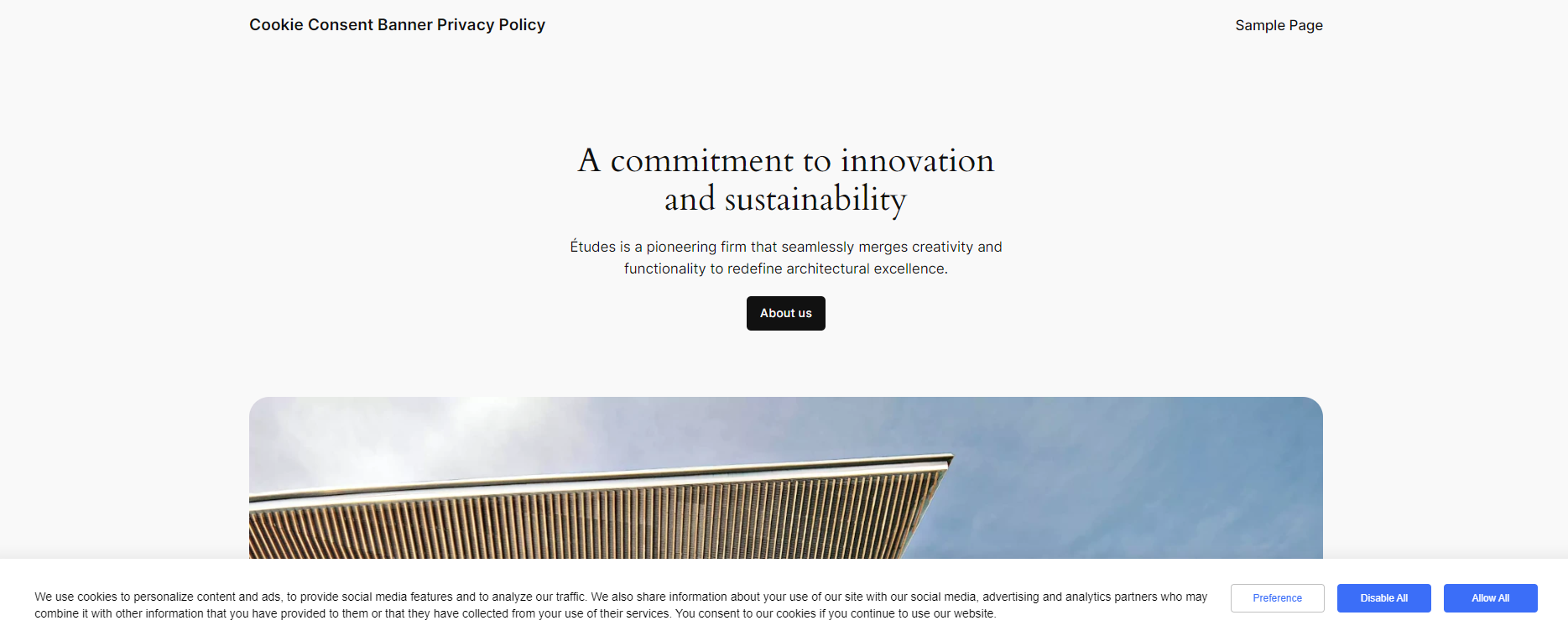
AI-Generated Cookie Banners
– 1-click auto-generated consent text & privacy link insertion.
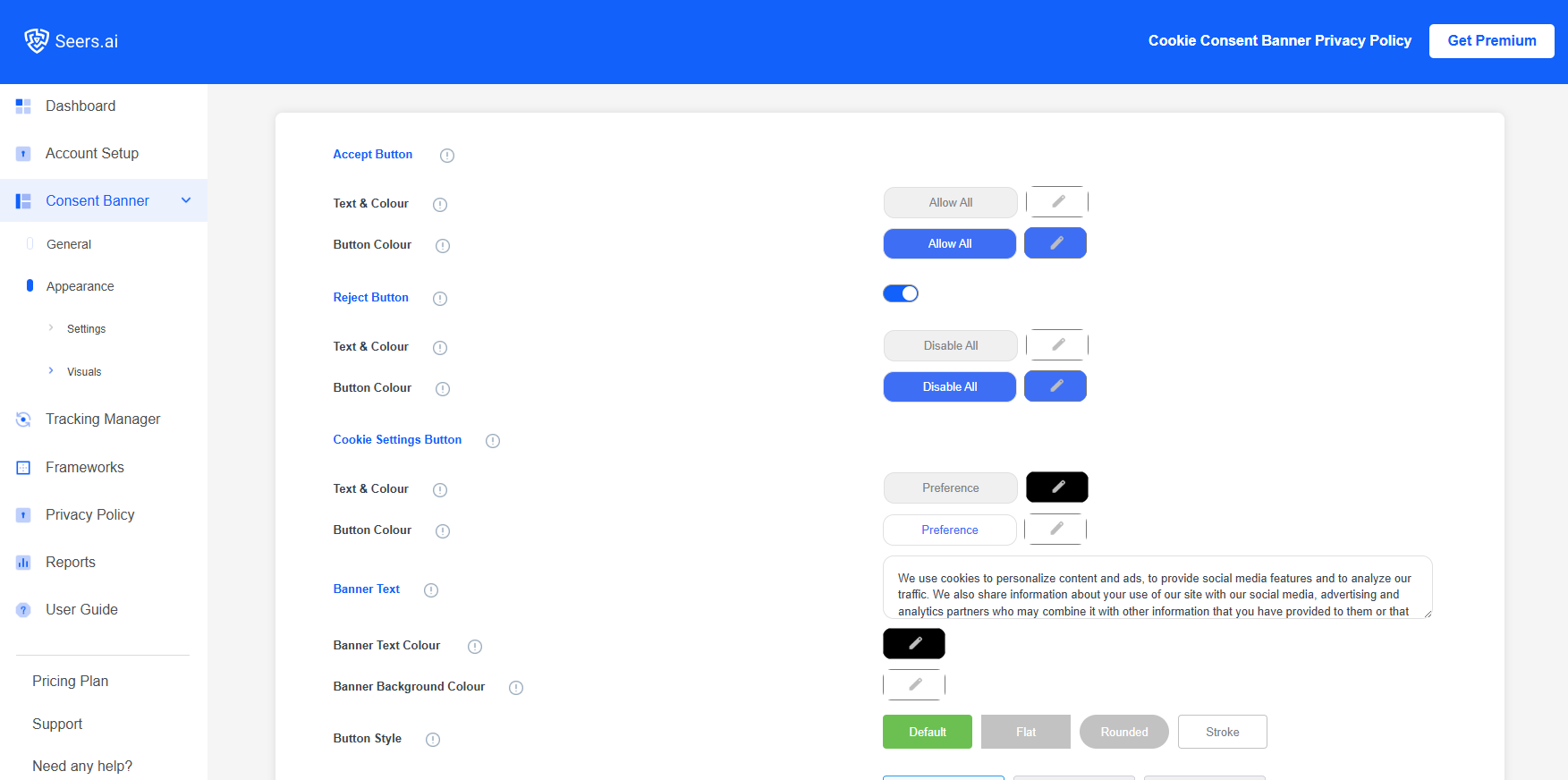
– Customisable design: fonts, colours, brand logo, styles & banner position.
– Includes “Do Not Sell/CCPA” option for user rights.
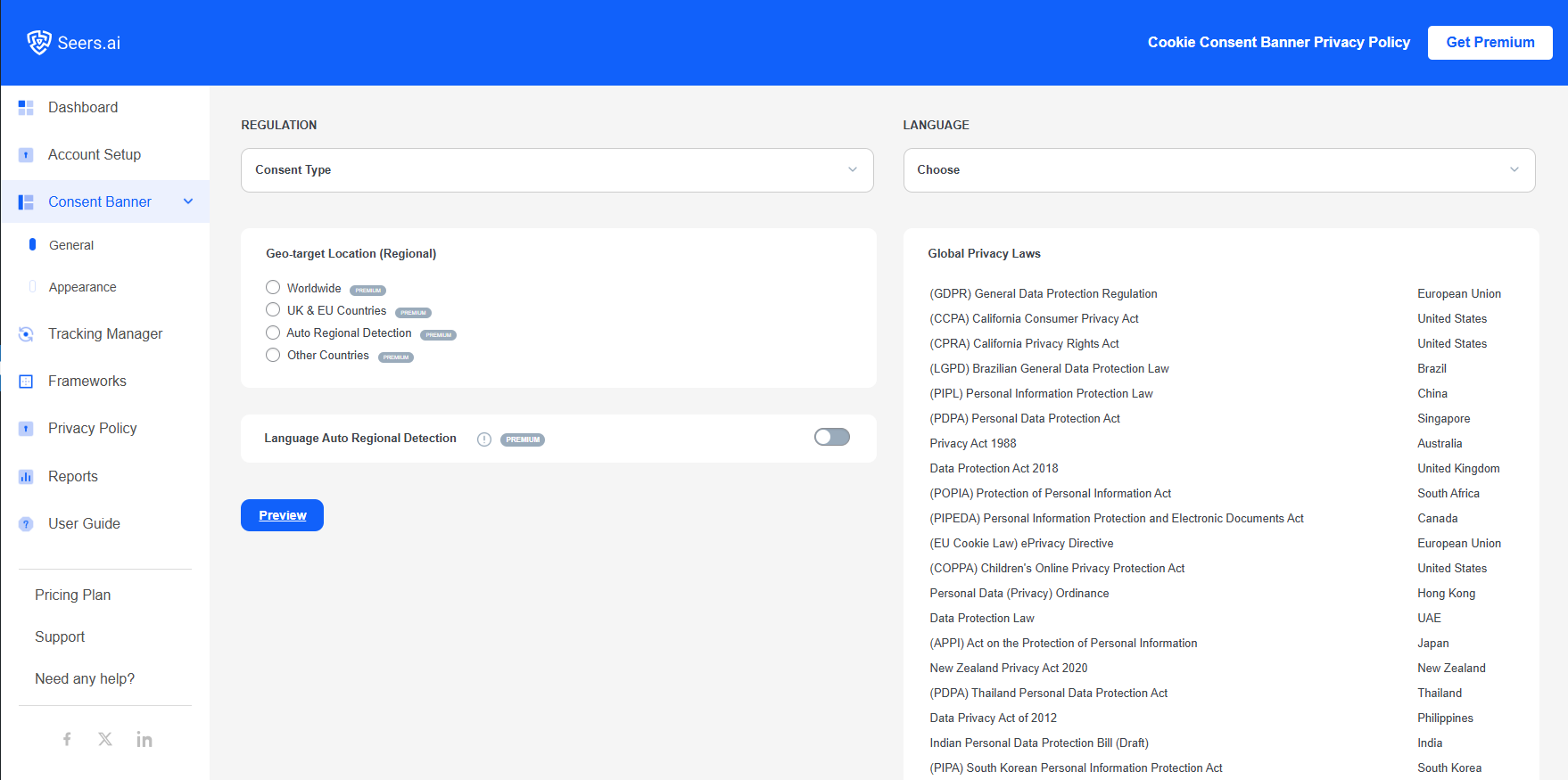
AI-Driven Region & Language Detection
– Auto-detection of visitor region with tailored compliance banners.
– Instantly translates into 28+ languages based on browser settings.
Real-Time Consent Control & Logs
– Dynamic consent management aligned with each user’s preferences.
– Automatic consent logs maintained to meet audit & compliance needs.
Seamless Frameworks Integrations
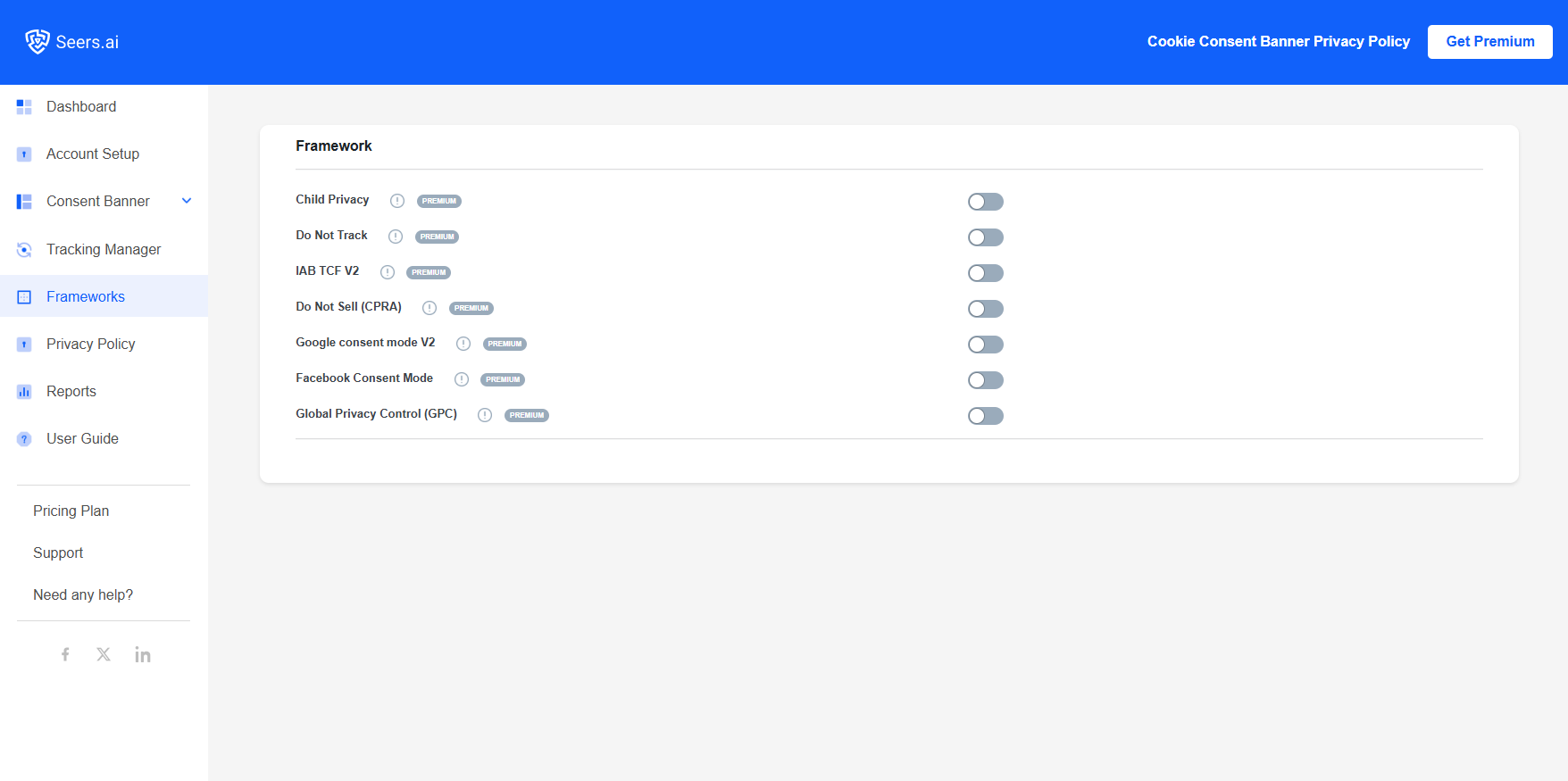
– 1-click integration with Google Consent Mode v2 and Microsoft Consent Mode, fully compatible with Google Analytics, Google Tag Manager, and ad platforms.
– Seamless WordPress API integration; drop it in, no manual setup, and instant compliance.
– Built to work with IAB Europe Transparency & Consent Framework (TCF v2.2), Global Privacy Control (GPC), and other privacy frameworks, keeping you aligned across ecosystems.
– Extends to major platforms: Shopify, Magento, Drupal, etc.
– Compatible with all browsers, including Chrome, Firefox, Safari, Explorer & Edge.
Global Data Privacy Laws
Seers AI keeps your website compliant with 150+ Global data privacy laws, including:
– General Data Protection Regulation (GDPR) – European Union
– California Consumer Privacy Act (CCPA) – United States
– California Privacy Rights Act (CPRA) – United States
– Brazilian General Data Protection Law (LGPD) – Brazil
– Data Use & Access Bill (DUA) – United Kingdom
If you want more innovative features, you can visit Seers AI Pricing Plan and choose the Premium package.
For support and queries, you may contact us at support@seersco.com
Screenshots
Faq
If your banner isn’t showing, please make sure:
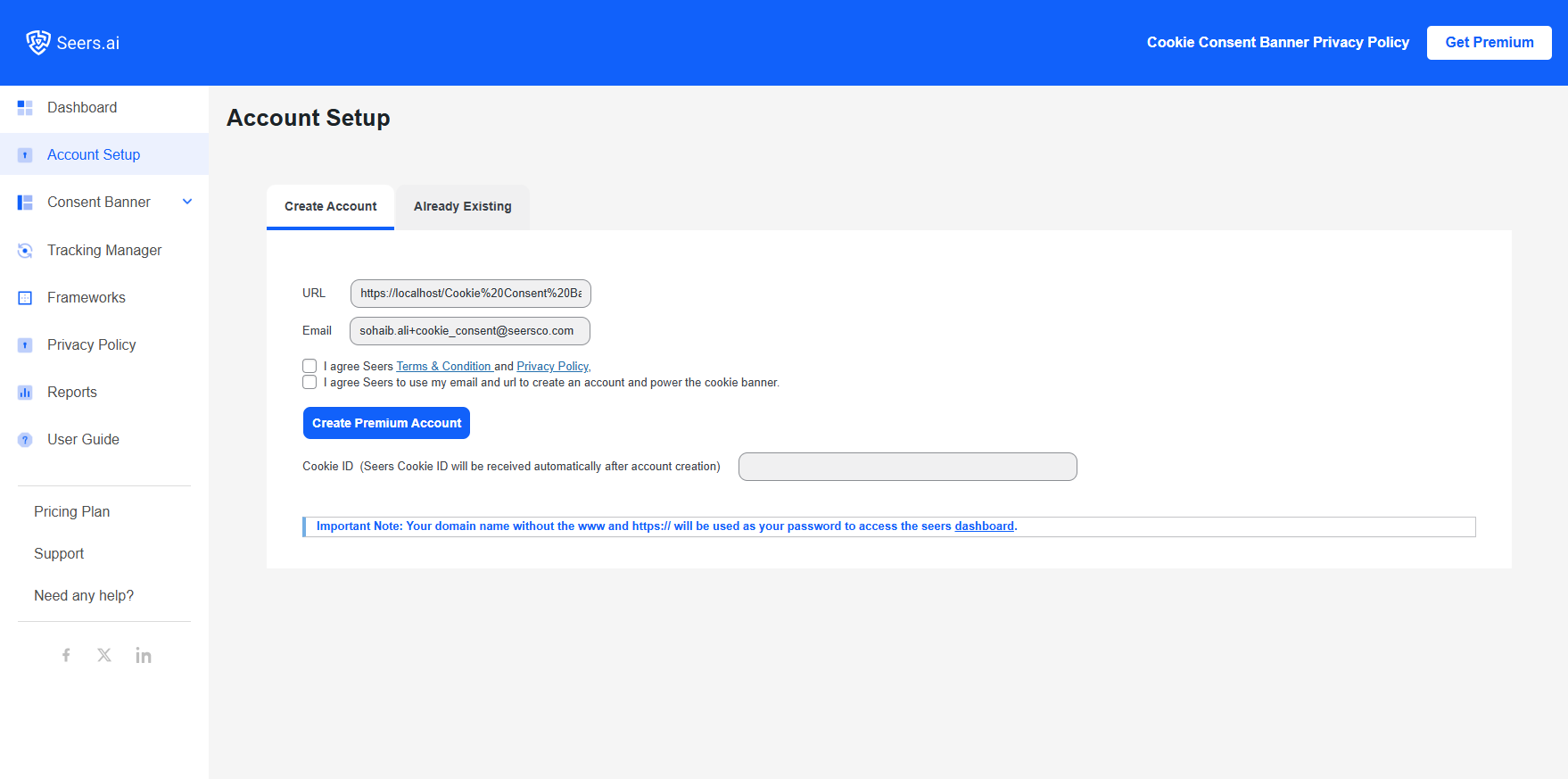
- After you have installed and activated the plugin from WordPress, you should also activate it through our wp plugin settings by providing your email address, agreeing to the terms and clicking the Activate button.
- Please be patient. It can take up to 24 hours for the complete scan of your website after activating the plugin.
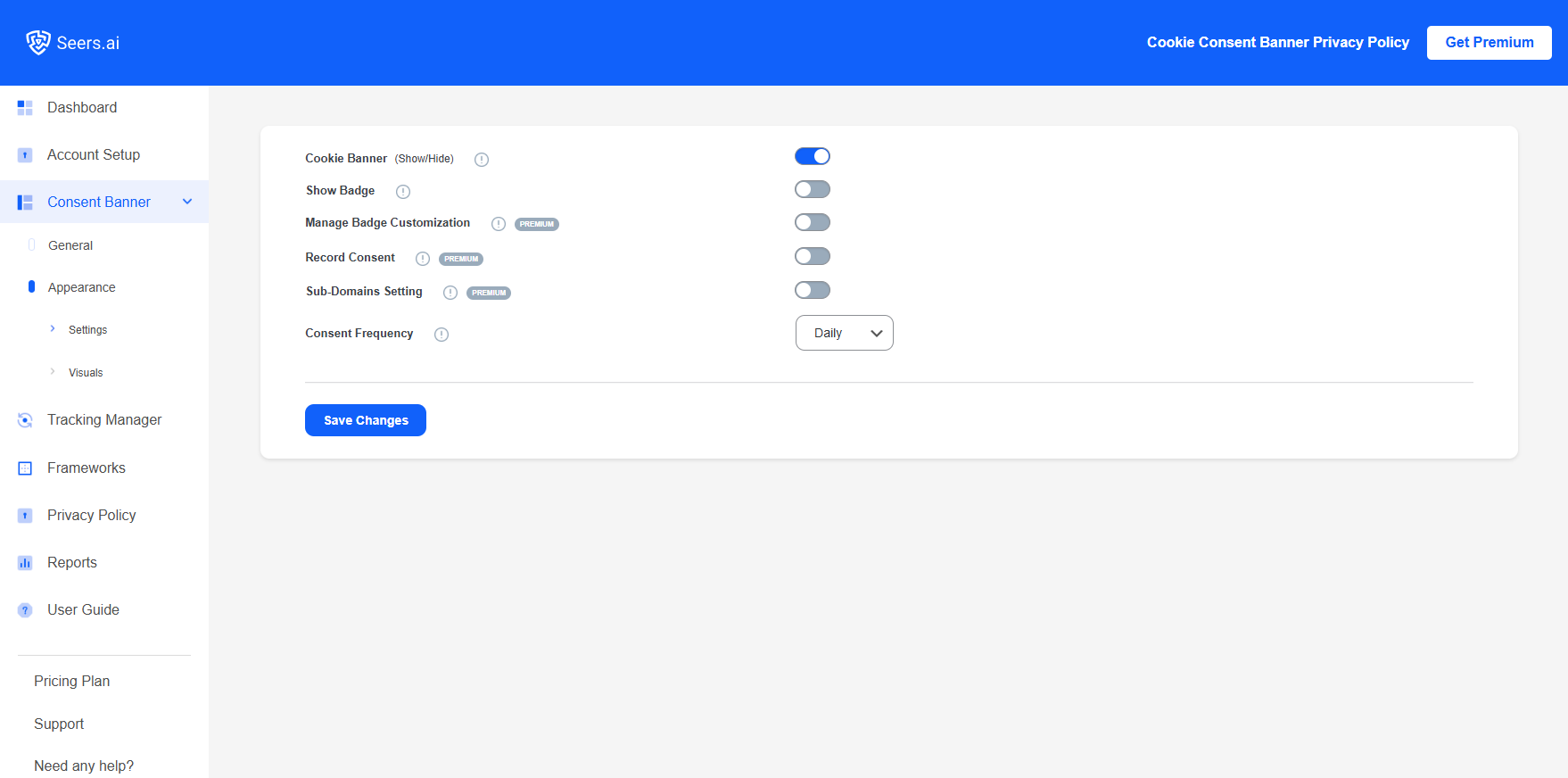
- Check whether you have switched the banner toggle off in the plugin settings. (or unchecked the banner checkbox in the Seers AI Account Dashboard of cookie banner settings)
We hope that you have successfully displayed the banner on your website after following the steps mentioned above.
If you are still unable to see your banner or for any further assistance, please contact us at support@seersco.com.
Yes, the plugin blocks all the cookies except the ones marked as necessary. If you haven’t switched prior consent ON, then all the cookies will be automatically stored until a user disables them. In the other case, when the prior consent is switched ON, all the cookies will be blocked until the user allows them.
No, as a cookie consent plugin, it is difficult to know anything about specific circumstances on your website. This plugin can help you in the overall compliance process, but can’t guarantee you full compliance with the GDPR, CCPA, LGPD and other regulations.
If you are looking for a privacy expert related to your website, you can always visit seers.ai or contact us at support@seersco.com.
Cookie consent by Seers gives Standard features for free.
Upgrade to Premium to get extra features.
No, Seers AI cookie consent is compatible with all WordPress themes.
Yes, we do not record any personal or website data in Standard Packages.
Yes, you can add at least 10 domains to manage with our Premium Packages. You can contact us.
You can reach us at support@seersco.com
For more FAQs, please visit Cookie Knowledge Bank and for any query, contact us.
A cookie scanner could, but it will simply find cookies and will not be able to assess whether the personal data is being used legally. Furthermore, finding all cookies is quite complex, and most “cookie scanners” do not find all of them.
Seers AI GDPR/CCPA Cookie Consent will automatically decide this based on the regulations of the region or sub-regions from which the majority of your visitors come.
In terms of the CCPA, you must always disclose which cookies you are using, but there is no obligation to ask for consent.
No, technical compliance capabilities such as automatic script blocking, consent purpose categories, and consent record storage are not available in the plugin-only version. Only the Cookie Compliance integration gives you access to these features.
Reviews
Free??
By 
You are calling this free?? Full of paywalls. Totally useless unless you have a webpage with only few visitor in a month
GDPR Compliance with Seers WordPress GDPR Plugin
By 
Seers WordPress GDPR Plugin boasts a user-friendly interface that simplifies the compliance process. The installation and setup are straightforward, and the plugin seamlessly integrates into the WordPress dashboard.
NOT FOR POPIA
By 
Perfect Cookies Management
By 
Working perfectly fine and quick support
By 
Complete GDPR Solution
By 
Highly Recommended Plugin
By 
Excellent Plugin
By 
Helpful GDPR Plugin
By 
So much ease to comply
By 
Changelog
VERSION 9.4.1
• Update readme and banner image of plugin page
VERSION 9.4.0
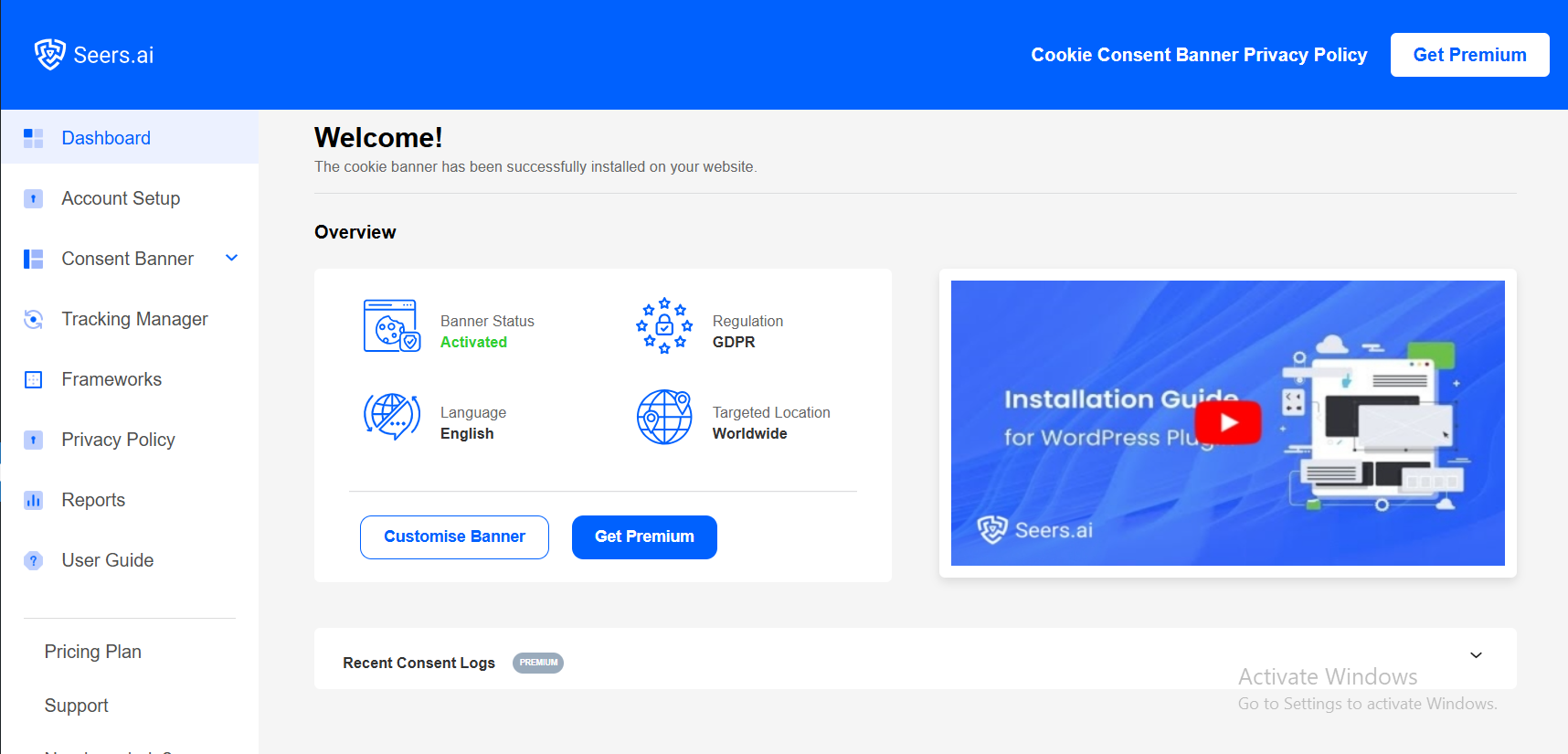
• Enabled registered plugin users to connect directly to the Seers dashboard
VERSION 9.3.2
• Small refinements to the pop-up user interface
VERSION 9.3.1
• Popup Banner Styling fix
• Popup Banner Logo changed
VERSION 9.3.0
• Integration with WP Consent API
VERSION 9.2.1
• Tested on WordPress version 6.8.1
VERSION 9.2.0
• Logo changed for Seers.ai
• Update site URL to seers.ai
• Tested on WordPress version 6.7.2
VERSION 9.1.0
• YouTube video changed with thumbnail
• Fix pop-up not loadingin some scenarios
VERSION 9.0.4
• Readme add License field
VERSION 9.0.3
• Readme file YouTube link changed
VERSION 9.0.2
• Tested on WordPress version 6.6.2
• Changes in Plugin Readme file and Screenshots
VERSION 9.0.1
• Seers logo fixed on backend UI
VERSION 9.0.0
• New user-friendly UI/UX in the backend implemented
• Included new banners according to cmp.seeersco.com
VERSION 8.1.5
• Test with WordPress version 6.6.1
VERSION 8.1.4
• CSS changes on preferences popup
VERSION 8.1.3
• now using the capability of customize to allow you to update data ajax calls
VERSION 8.1.2
• On Ajax calls for the administrator, make sure the logged-in user is an administrator
VERSION 8.1.1
• Secure the Ajax calls by nonce
VERSION 8.1.0
• Fix in Cross-Site Request Forgery (CSRF) vulnerability
VERSION 8.0.6
• Fix hiding banner on free users
VERSION 8.0.5
• Fix plugin on WordPress older version from 4.7.0 to 3.8.0
VERSION 8.0.4
• Minor fix on left and right banner positions in mobile view
VERSION 8.0.3
• Minor bug fixing in Privacy Policy save
• Banner Layout position top and modal
VERSION 8.0.2
• Minor bug fixing in Activate and Deactivate
• Minor bugs on the home page loading again and again
VERSION 8.0.1
• Minor bugs fixing in “Advance Features” tab
VERSION 8.0.0
• Added Banner positions Banners (Top, Bottom), Modal, Tooltip (Bottom Right, Bottom Left)
• Integrated the oAuth in APIs for security purpose
VERSION 7.1.1
• Fix in CSS of the button type stroke
VERSION 7.1.0
• admin panel setting UI/UX changes
VERSION 7.0.0
• Change the script to cdn
• On the WP-Login, create an account, our plugin will merge all changes from seersco.com
• Backend style is changed
VERSION 6.2.4
• Consent key must get empty on error message from API
VERSION 6.2.3
• Cookie not saving on saving consent
VERSION 6.2.2
• Arabic language styling fix
• Scottish language added
• badge is now enable on premium user
VERSION 6.2.1
• Errors of multilanguage fixed
• Added more languages
VERSION 6.2.0
• Update multilanguage using localization
• Minor errors messages fixed
VERSION 6.1.0
• Adjust font size dynamically.
VERSION 6.0.0
• Updated direct banner on WordPress
• API preference button color added
• Settings admin portion changed how to create account at Seers
• Popups added
VERSION 5.6.1
• Support Not interested updated
VERSION 5.6.0
• Support and FAQs updated
VERSION 5.5.1
• Feedback email updated
VERSION 5.5.0
• Resolved confliction with Jetpack.
• Change the title of the menu item.
VERSION 5.4.1
• Setting messages updated and enable banner button text changed
VERSION 5.4.0
• Backend of plugin changed with images.
VERSION 5.3.1
• Activation button changed.
VERSION 5.3.0
• jQuery is replaced by vanilla JavaScript
• WooCommerce confliction updated using JavaScript
VERSION 5.2.2
• Setting message changed
• Setting Activate button location changed
• Features guidelines of plugin is changed
VERSION 5.2.1
• Update Admin Page content.
VERSION 5.2.0
• Adds privacy policy toggle switch.
• Negative days in Expiry days
VERSION 5.1.0
• Add option of Upgrade to premium.
VERSION 5.0.2
• Add video of how to do settings of banner.
VERSION 5.0.1
• Minor changes in multilanguage
VERSION 5.0.0
• Setting tab included for granual level setting
• Policy tab includes for adding a policy link
• Help tab for more user friendly support
VERSION 4.8.0
• Changed from CURL to HTTP API
• Change sanitize function where required
• Changed proper wp functions where required
VERSION 4.7.3
• Feedback from changes
VERSION 4.7.2
• Feedback from user included
• Activation Bar disappears after settings are completed.
VERSION 4.7.0
• Multilingual Banner support
VERSION 4.6.1
• Language po files updated
• Translations functions added
VERSION 4.6.0
• Prefix of database added
VERSION 4.5.0
• Add thumbnail to setting page video
• Add Language files
• Add Activation Bar
VERSION 4.4.0
• Updated CSS
• API
VERSION 4.2.0
• Change Cookie ID with Domain Group ID.
• Add link to get Domain Group ID.
• Adds congratulations message.
• Adds support email.
• Tested with WordPress 5.4.2
VERSION 4.1.1
• Escape Characters Checks implemented.
• Tested with WordPress 5.4.2
VERSION 4.1.0
• Change to way how to paste Script.
• Setting ID message on Settings page.
• Tested with WordPress 5.4.2
VERSION 4.0.0
• Major structural changes in plugin.
• Setting Control shows in Admin Menu.
• Setting Link added.
• Tested with WordPress 5.4.2
VERSION 3.30
• Compatibility issues fixed related to Gutenberg.
• Minor improvements.
• Notices fixed.
• Tested with WordPress 5.4.1
VERSION 3.20
• Bug fixed related to mobile landscape view.
• Tested with WordPress 5.4
VERSION 3.10
• Security fixes.
• Minor improvements.
VERSION 3.00
• Bug fixes and improvements.
VERSION 2.90
• Improvement related to image upload inside banner for branding of organisation.
• Improvement related to cookie saving.
VERSION 2.80
• Minor fix related to banner popup.
VERSION 2.70
• Bug fixed related to banner load speed.
• Minor fixes and improvements.
VERSION 2.60
• Cron Job of website scan task improvements.
VERSION 2.50
• Speed improvements.
• Bug fixed related to Page Level Cookie on all browsers.
VERSION 2.40
• Max loaded popups limit increased.
VERSION 2.30
• Code improvements.
VERSION 2.20
• Google Chrome and Internet explorer compatibility issue fixed.
• Popup speed improvements.
VERSION 2.10
• Code improvements.
VERSION 1.90
• Popup notifications section improvements.
• Fixed compatibility issues with Beaver Builder (page builder) plugin.
• Fixed compatibility issues with Divi Builder (Page uilder) Plugin.
• Speed improvements, related to banner popup.
• Unneeded CSS code removed.
VERSION 1.80
• Bug fixed related to banner.
• Added new parameter to banner.
• Typo fixes.
VERSION 1.70
• Added new feature to add custom JS and CSS codes.
• Big fixed related to banner loading events.
VERSION 1.60
• Added async image preloading to make Image popup loads faster.
• Code improvements and minor bug fixes.
VERSION 1.50
• Banner speed improvements.
• Banner triggering events synchronisation.
VERSION 1.40
• Fixed banners button loading.
VERSION 1.30
• WP compatibility issue fixed.
VERSION 1.20
• Banner closing issue fixed.
• Speed improvements.
VERSION 1.10
• Code optimization.
• Bug fixed, related to Unsubscribe link in the newsletter.
INITIAL UPLOAD 1.0