seKeyword

seKeyword
Description
This Plugin lets you set some shortcodes and display content depending on what search engine the visitor came from and what the person searched for.
This way you can make sure you can show your visitor content they are looking for.
Installation
- Upload
index.phpto the/wp-content/plugins/sekeyworddirectory - Activate the plugin through the ‘Plugins’ menu in WordPress
* or
1. Search for sekeyword via Plugins – Add New in the admin area
2. Click on Install
3. Activate plugin
Screenshots
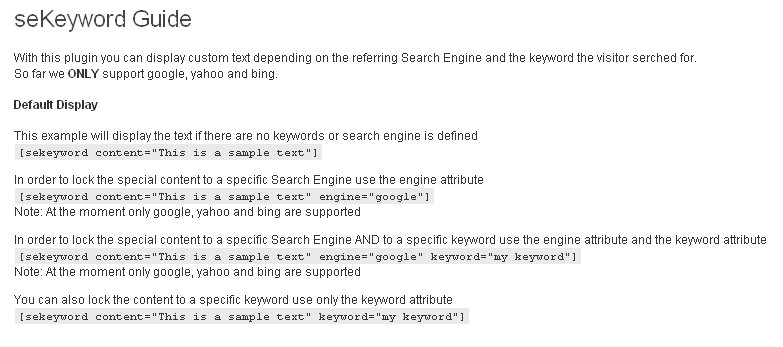
seKeyword Plugin Guide.
Faq
Why do I need this plugin?
With this plugin you can target people better and deliver to them content that they are looking for.
Reviews
Changelog
1.1
- re-written the logic
- introduced {KEYWORD} and {ENGINE} variables.
1.0
- Initial release