Send Users Email – Email Subscribers, Email Marketing Newsletter
Send Users Email – Email Subscribers, Email Marketing Newsletter
Description
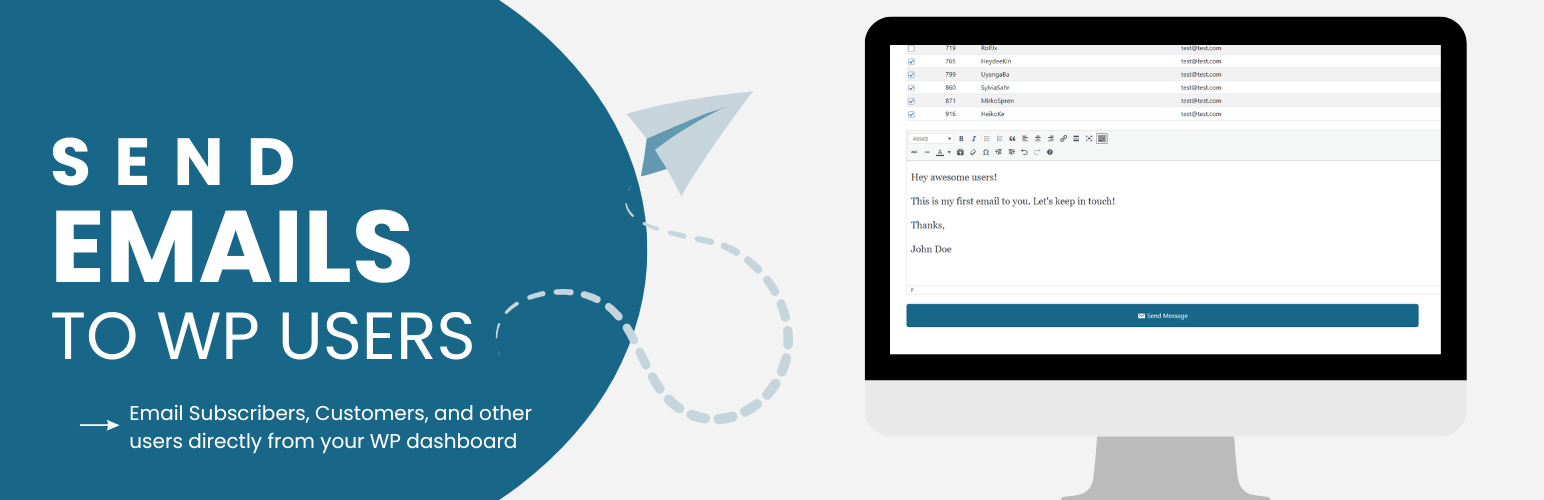
Send Users Email turns your WordPress user base into a mailing list. Compose a message once and send it straight to individual users, entire roles, or a single external email address — no separate mailing list service required.
The free version covers everything you need for one-off announcements and support emails: personalized placeholders, custom CSS styling, social media links in the footer, branded headers, and a 15-day log of everything sent (plus any delivery errors) for troubleshooting.
The PRO version turns the plugin into a full email marketing tool: an email queue that paces sends to stay within your provider’s limits, scheduling for future delivery, custom user groups and external contact lists, a library of pre-designed templates (or your own custom HTML template), subject-line placeholders, per-user email subscription opt-out, your own SMTP server for better deliverability, and extended 90-day logs.
This plugin uses the wp_mail function to send emails, so it works alongside any other email plugin (e.g. SMTP plugins) that also hooks into wp_mail.
⚡ PRO Version (Free Trial) for emailing groups, external lists and batch campaigns
📚 Documentation | 🌟 PRO Features | 🔥 Get PRO
Free Version Features
- Send to Individual Users: Select one or more specific users from your site and send them a personalized email.
- Send to User Roles: Send a single email to everyone in a chosen role (Administrator, Editor, Subscriber, etc.), or combine multiple roles in one send.
- Send to a Single Email Address: Quickly compose and send a one-off email to any external address, without it needing to be a registered user.
- Personalization Placeholders: Insert tags such as the recipient’s username, first/last name, display name, user ID, or email address so every message feels personal.
- Subject & Body via the WordPress Editor: Compose your message with the familiar WordPress rich text (TinyMCE) editor.
- Custom CSS for Email Styling: Add your own CSS in Settings to restyle the default responsive email template to match your brand.
- Branded Email Header: Set a logo, custom email title, and tagline that appears at the top of every email.
- Social Media Icons: Add links to your social profiles (Facebook, Twitter/X, LinkedIn, Instagram, etc.) shown in the email footer.
- From / Reply-To Settings: Configure the sender name, sender email, and reply-to address used for outgoing emails.
- Role-Based Sending Permissions: Decide which roles, besides Administrators, are allowed to send emails through the plugin.
- Email Preview: Preview how an email will look — including placeholder substitution — before sending it.
- Error Logging: Failures from
wp_mailare automatically logged with details so you can diagnose delivery problems. - Email Logs (15 Days): Sent emails and errors are kept for 15 days, viewable by date from the admin area.
PRO Features
- All Free Features Included: Everything above, plus the tools below.
- Email Queue System: Send large batches of email gradually (a configurable number every 5 minutes via WP-Cron) to stay within your provider’s sending limits and improve deliverability.
- Use Queue by Default: Optionally make every send go through the queue automatically, without choosing it each time.
- Email Scheduling: Schedule queued emails to go out at a specific future date and time instead of immediately.
- Queue Activity & Logs: Track queue throughput with activity charts and a dedicated 30-day queue email log, with automatic cleanup of old queue records.
- User Groups: Create custom groups of users (independent of WordPress roles) and add members via a searchable multi-select, then email a group directly.
- External Lists: Build and manage contact lists of email addresses that aren’t WordPress users — import them in bulk via CSV and email the whole list.
- Email Templates: Save reusable templates (subject + message) so recurring emails can be sent again in a couple of clicks.
- Pre-Designed Email Themes: Choose from 15+ ready-made color and layout styles (Blue, Green, Dark Mode, Modern, Serif, Plain Text, and more) — no CSS required.
- Bring Your Own HTML Template: Upload a fully custom HTML/CSS email layout and set it as your default template.
- Default Email Theme: Pick which theme or custom template loads automatically for every new email you compose.
- Subject Line Placeholders: Personalize subject lines with the same placeholder tags used in the email body.
- Per-Email Title & Tagline: Override the global header title/tagline on a per-email basis when you need a different look for a specific campaign.
- Email Subscription Management: Let users opt in or out of your emails from their profile, with the option to override their preference on a specific send.
- Your Own SMTP Server: Configure a custom or third-party SMTP server (host, port, credentials, TLS/SSL) for more reliable delivery than default PHP mail.
- Extended Email Logs: Keep a configurable history of sent emails — 90 days by default — for auditing and review.
- Clutter-Free UI: A streamlined, modern admin interface designed to keep larger campaigns easy to manage.
📚 Documentation | 🌟 PRO Features | 🔥 Get PRO
Also check out our other plugins on WordPress.org:
– YASR – Star Rating Plugin for WordPress
– Google Reviews Plugin for WordPress
Credits
- unDraw – Illustrations
- Bootstrap – UI
- DataTables – Tables
Installation
This section describes how to install the plugin and get it working.
- Upload the plugin files to the
/wp-content/plugins/send-users-emaildirectory, or upload the plugin zip file by going to Upload Plugin section on your WordPress dashboard - Activate the plugin through the ‘Plugins’ screen in the WordPress dashboard
Screenshots

Admin dashboard providing basic overview of users in the system.
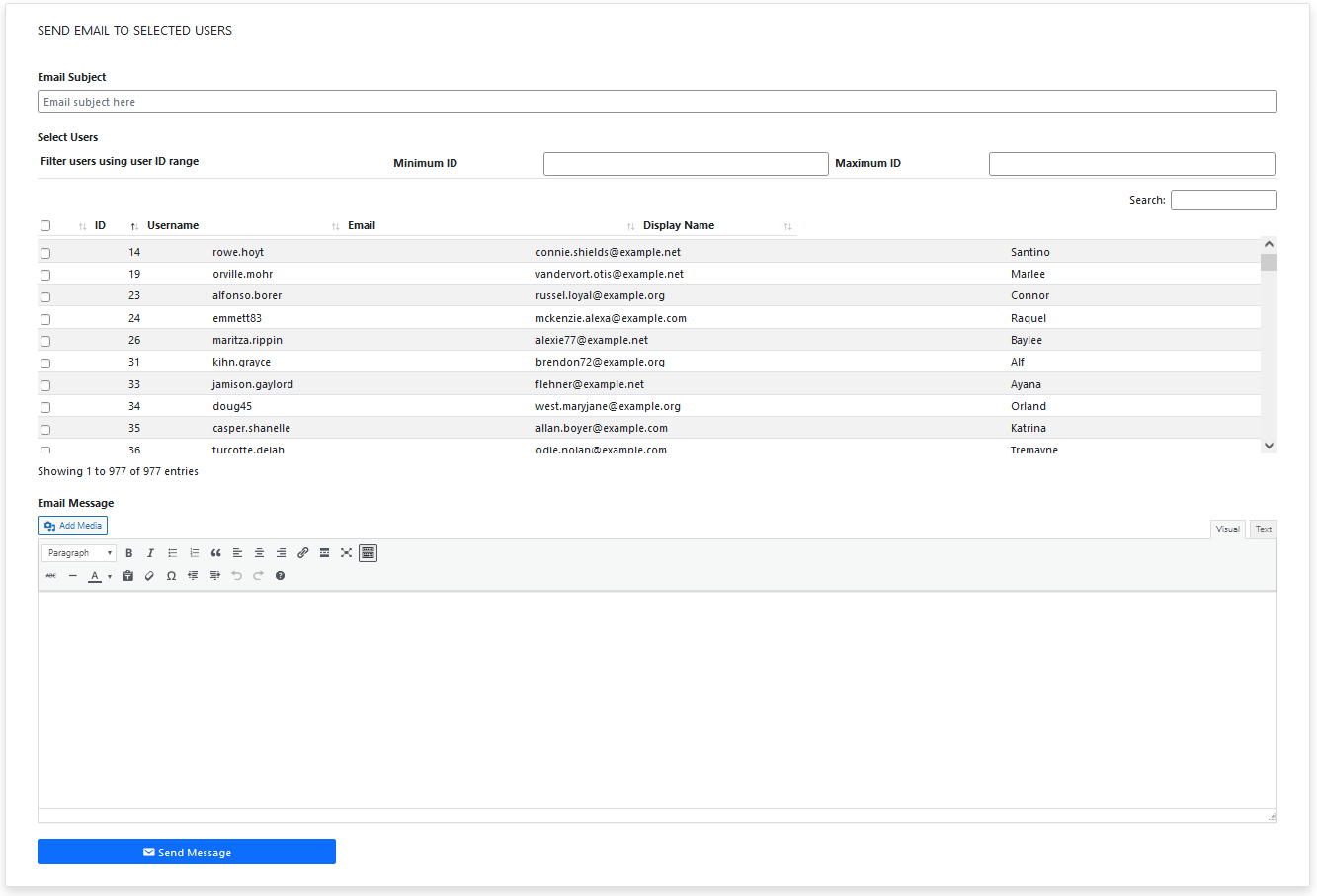
Send email to individual users
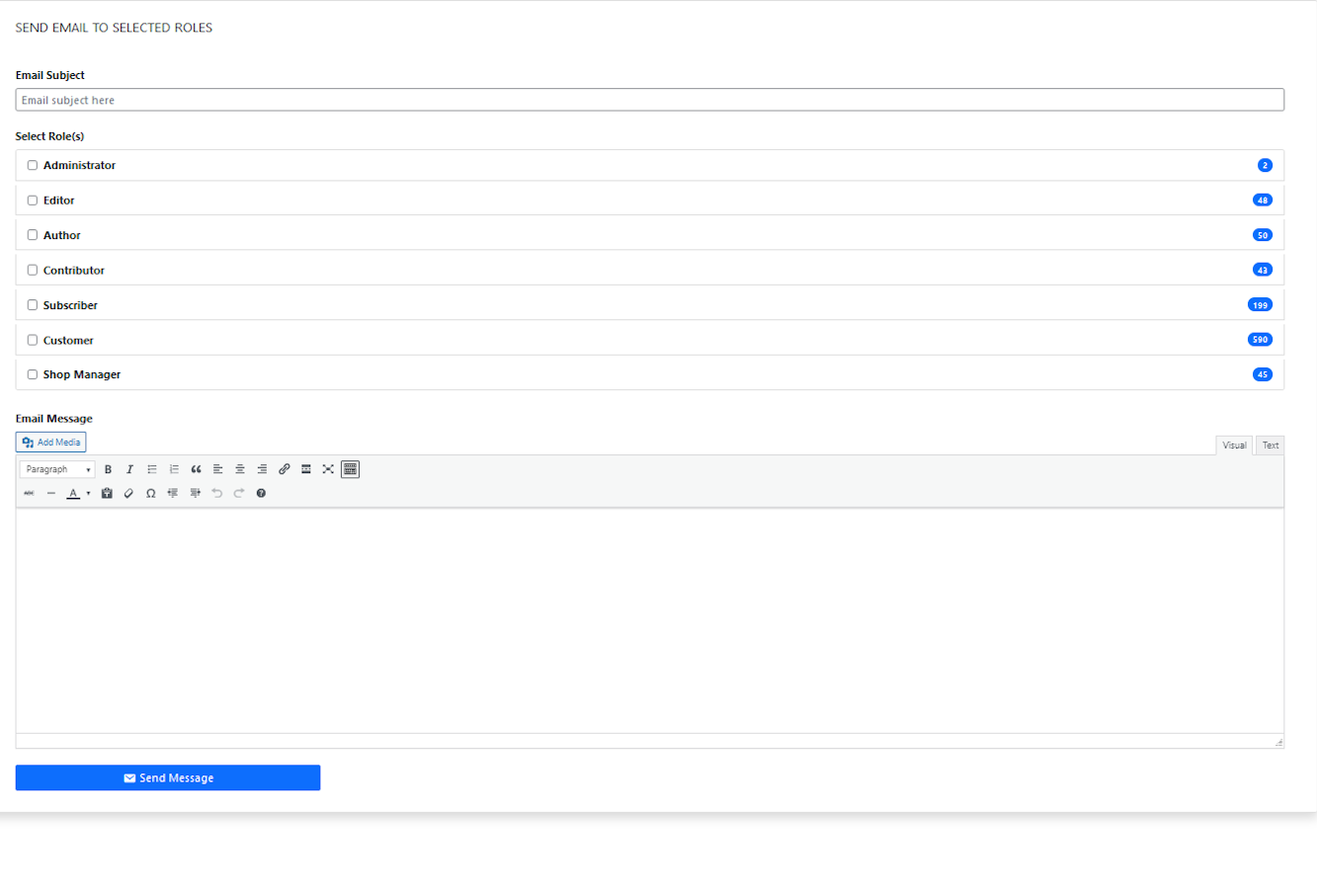
Send email by selecting roles
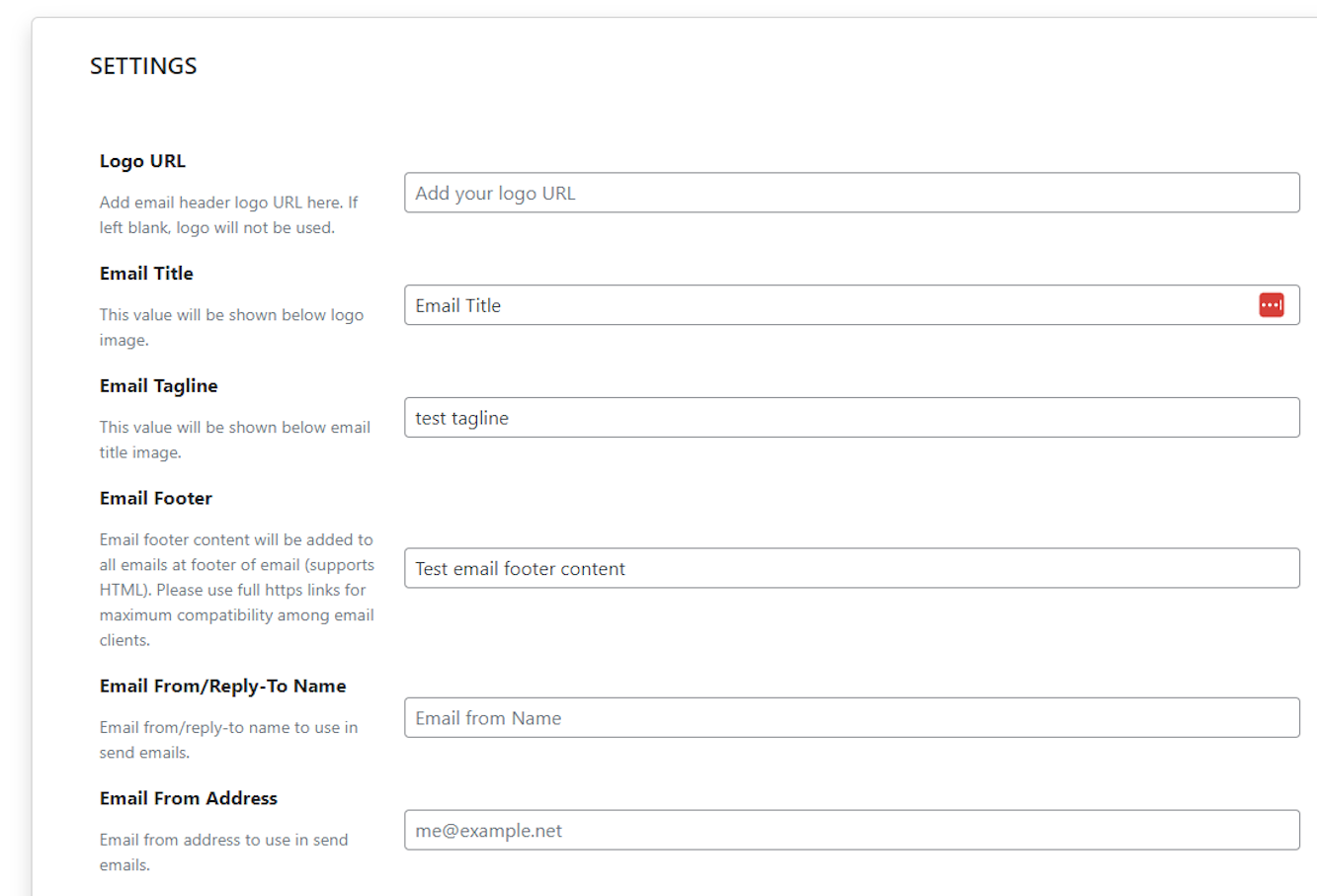
Settings area (01)
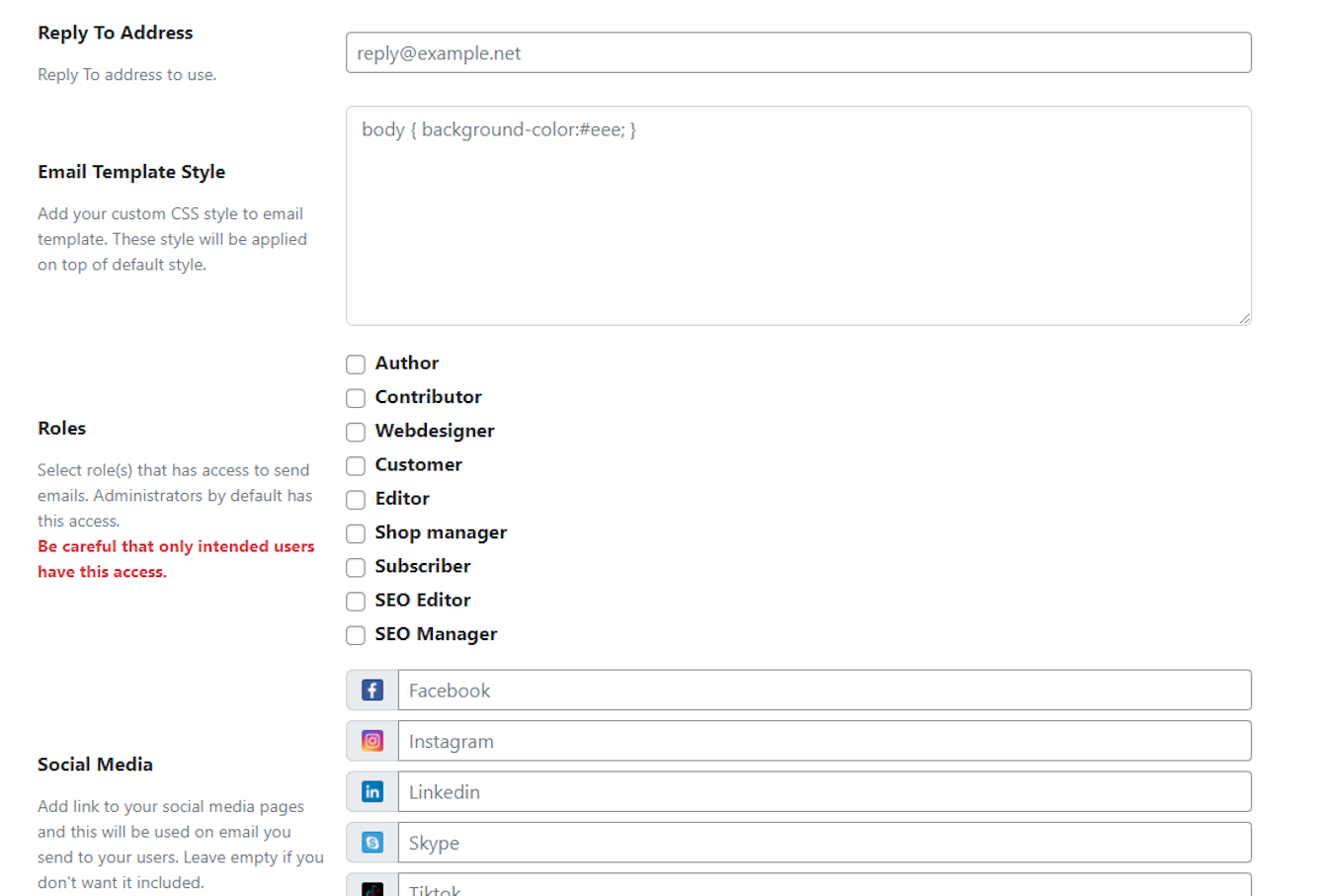
Settings area (02)
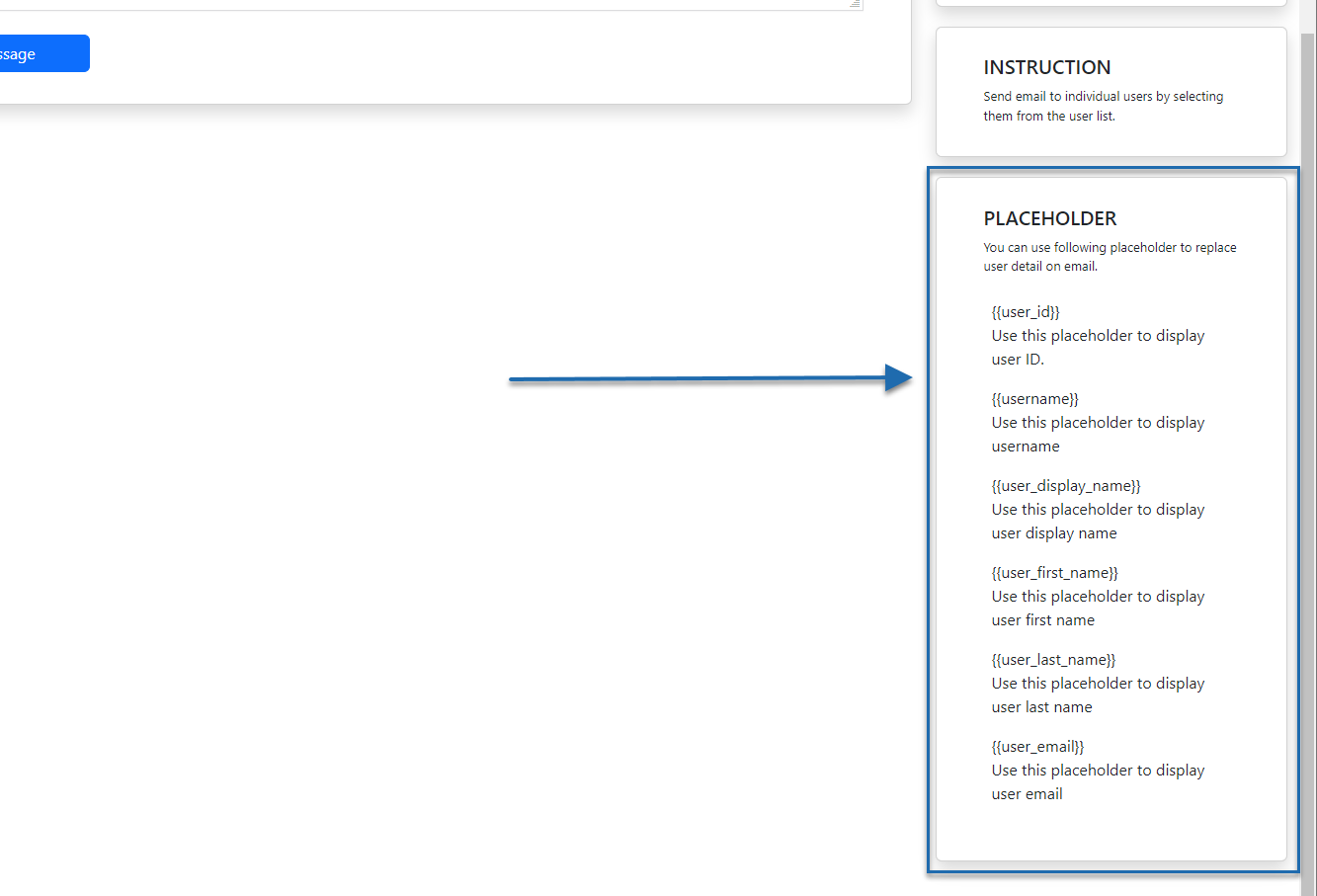
Tags for email personalization
Faq
Absolutely. Go to the Email Users page of the plugin and select the user you want to email.
Yes. You are able to choose one or multiple roles at a time and email them.
Yes, the free version lets you send to any single external email address. With the PRO version you can also build and import full external contact lists.
Emails are processed immediately and there is no delay. However, depending on your hosting or mail service provides, there might be a slight delay in delivery. The PRO version however has an option to send emails via queue, so they do not get sent all at once.
This plugin only acts as a bridge between your site and your email service provider. It’s up to the email provider to deliver or block sent emails. If your delivery is not consistent, please contact your email provider support or hosting to see if you are hitting their limit. The plugin does attempt to let you know when your emails are not sent. If this happens, please check your logs or email service provider usage for any issues.
Since, processing is happening immediately, a low max execution time in your server’s PHP settings might terminate the process. Try increasing the value for max execution time. You can do this yourself or contact your hosting provider to do it on your behalf. With PRO version of the plugin, you can avoid this issue by adding your emails to the sending queue so that they are sent in multiple batches with the help of WP cron.
With the PRO version, users can opt in or out of emails from their profile, and you can override that preference on a per-send basis when needed.
Yes, this is a PRO version feature. You can configure your own or a third-party SMTP server (host, port, credentials, TLS/SSL) for improved deliverability.
Please post refer to our support form.
Absolutely. Try it out at https://tastewp.org/plugins/send-users-email/. Please note that this service doesn’t allow outgoing email so you will just be trying out the interface and general idea of the features.
It works with most major providers, but you should check with your email service if they have specific sending limits.
Yes, both the free and PRO version allow email personalization using placeholders. The PRO version also extends personalization to the subject line.
Errors will be logged for you to review, so you can identify and address any issues.
The queue system ensures your emails are sent gradually, preventing your account from being flagged for sending too many emails at once and improving delivery success.
Scheduling is available only in the PRO version.
Yes, with the PRO version you can create custom user groups, independent of WordPress roles, and email them directly.
With the PRO version you can save any email as a template and reuse it later, or pick from a library of pre-designed email themes.
The free version logs emails for 15 days, while the PRO version keeps logs for 90 days (adjustable).
Reviews
Superb plugin
By 
I wanted a replacement for my old email plugin. This one does everything I need to help me send out paid for content.
A recent issue was sorted out. I did think that I had been abandoned as didn’t get an update for 9 hours. Had I known the support guy was on night shifts and would continue with the issue when back on shift, it would have saved me a lot of stress. The problem was sorted that evening, in plenty of time to send out emails the next morning. Just some constructive criticism to give users that sort of info. No one likes to think they are being ignored.
Overall, I highly recommend this plugin
Great experience
By 
Working as intended and for everything we need on our web.
This Plugin Is PERFECT!
By 
I have been working WordPress for more than 2 decades. This is the best email plugin I have ever used. Kudos to the developers.
Disappointing and Confusing Experience with the Pro Version
By 
I recently upgraded to the pro version of this plugin, specifically to gain the ability to stylize the emails I send to my users. Unfortunately, this experience has been nothing short of disappointing.
The plugin does allow for custom CSS to be added to the email templates, but that’s where the usefulness ends. The setting area merely states, “Add your custom CSS style to the email template. These styles will be applied on top of a default style,” but there’s no documentation or information provided on what the default style even looks like. This makes it nearly impossible to know how my customizations will interact with the existing design.
Moreover, the plugin offers various themes, but it’s impossible to preview or understand how these themes actually look. The themes seem to be purely color-based, without any accessible visual guides or examples to help users make an informed choice. The whole process is extremely user-unfriendly and confusing.
In the end, I feel like I wasted my money on a pro version that doesn’t deliver on the promise of better email customization. The lack of clear documentation and the inability to preview themes makes this plugin a frustrating experience.
ERROR LOG
By 
the plugin is not work probly i get this message error log [2024-07-11 10:35:42]: ERROR | SMTP Error: Could not connect to SMTP host. Failed to connect to server | To: noadisfa@mi.o | Subject: Hello
noraldaim.com
Plugin does not work
By 
Hi,I did test 4 time with 2 way, array to 96 users and seconds way only to 1 email.
Both notification was successful, but email does not receive
Excellent
By 
Excellent plugin! I'm using the Pro version and would award five stars if the plugin could also send emails to User Groups! Otherwise a very easy plugin to use for non-techie users!
Useless and inaccurate descreption
By 
The free version basically is useless with very basic functionality founds in any plugin. Additionally the author does not mention that it only sends one email regardless of how many users you select , which is kind of deceiving people. Uninstalled
Excellent
By 
Excellent plugin. It is what I need to send emails to my costumers!
Great job!
Excellent!
By 
does what it says thank u!!!!
Changelog
2.0.2 (2026-06-18)
- Upgrades Freemius SDK
- Added translations
= 2.0.1 (2026-06-11)
* Minor bugfixes
2.0 (2026-04-23)
- New user interface design
- Added new email design templates
- Added external list import functionality
- Added email to external list functionality
- Added email to single email functionality
- Upgraded Freemius SDK
1.6.1 (2025-06-26)
- Bugfix: user group editing
- Feature: Support default WooCommerce templates
- Feature: Unsubscribe option
1.6 (2025-06-19)
- New feature descriptions
- Hotfix for template tag replacement
1.5.15 (2025-05-27)
- Hotfix for escaping html in emails
1.5.14 (2025-05-22)
- Hotfix for custom CSS output
- Compliance with wp.org standards
- Fremius SDK upgrade
1.5.13 (2025-04-02)
- Hotfix for compatibility with PHP 7.4
1.5.11 (2025-03-27)
- Added fields for custom email title and tagline
1.5.9 (2024-11-20)
- Added preview mode for email template
1.5.8 (2024-10-30)
- Added feature to bulk add users to groups
= 1.5.7 (2024-10-24)
* Freemius SDK update
1.5.6 (2024-10-23)
- CSS harmonization
- Beta features for SMTP settings
1.5.5
- Freemius SDK update
1.5.4 (2024-07-07)
- Compatibility check with latest WP
1.5.3 (2024-07-07)
- Bug fixes
- Freemius SDK update
1.5.2 (2024-04-11)
- Bug fixes
- Freemius SDK update
1.5.1 (2024-01-15)
- Freemius SDK update
1.5.0 (2023-12-06)
- Freemius SDK update
- Bug fixes
1.4.4 (2023-11-14)
- Bug fixes
- WordPress version stability test
- Freemius SDK update
1.4.3 (2023-10-05)
- Officially support PHP 8.0 (should work on higher version as well but not fully tested yet)
1.4.2 (2023-09-05)
- Freemius SDK update
- WordPress compatibility check with version 6.3
1.4.1 (2023-07-05)
- Freemius SDK update
1.4.0 (2023-06-16)
- Added feature to log error if wp_mail fails to send email
- Added feature to log sent email of last 15 days
- Bug fix: Email content image alignment not working fixed
- Freemius SDK update
1.3.9 (2023-05-10)
- Validation added to check if Email from/reply to email and name are set
- Max execution time warning relocated
- Bug fixes: Caption shortcode removed from mail content
- Freemius SDK update
1.3.8 (2023-04-23)
- Cleanup user interface
- Max execution time warning added
- Freemius SDK update
- Minor bug fixes
1.3.7 (2023-04-21)
- Freemius SDK update
- Minor bug fixes
1.3.6 (2023-04-15)
- Freemius SDK update
- User Email page, add render slow warning if there are many users
- Minor bug fixes
1.3.5 (2023-03-01)
- Added ability to hide table columns on user email page
- Minor bug fixes
1.3.4 (2023-02-06)
- Minor bug fix
1.3.3 (2023-01-11)
- Bug fix: Single and double quote escaping fix on email subject
1.3.2 (2023-01-06)
- Bug fix: Paragraph break and line break issue fix removing excess spacing
1.3.1 (2022-12-25)
- UX improvement to better report failed email send attempt
- Feature to add Social media link on email template
- Bug fix: New line to break tag addition
1.3.0 (2022-12-21)
- UX improvement
- Minor bug fixes
1.2.1 (2022-12-10)
- UX improvement for error/success message
- user_id placeholder added
1.2.0 (2022-12-06)
- Pro Version release
- Freemius integration
- Minor bug fixes
1.1.2 (2022-10-26)
- Settings page access bug fix and UX improvements
1.1.1 (2022-10-24)
- Minor bug fix on roles capability feature
1.1.0 (2022-10-24)
- Added support to select roles to use send users email
1.0.6 (2022-09-10)
- Added HTML tag support in email footer
1.0.5 (2022-07-31)
- Added username column to users display table
1.0.4 (2022-06-19)
- Added filter to user selection with ID range
1.0.3 (2022-05-28)
- Added ability for users to style email template
- minor bug fixes
1.0.2 (2022-02-12)
- Username placeholder added to email template
- Email From/Reply-To settings added
1.0.1 (2021-11-17)
- Settings bug fix and style changes
1.0.0 (2021-10-01)
- Initial release