SEO Fury – Lightning-Fast SEO + GEO: Schema, Redirects, llms.txt & More
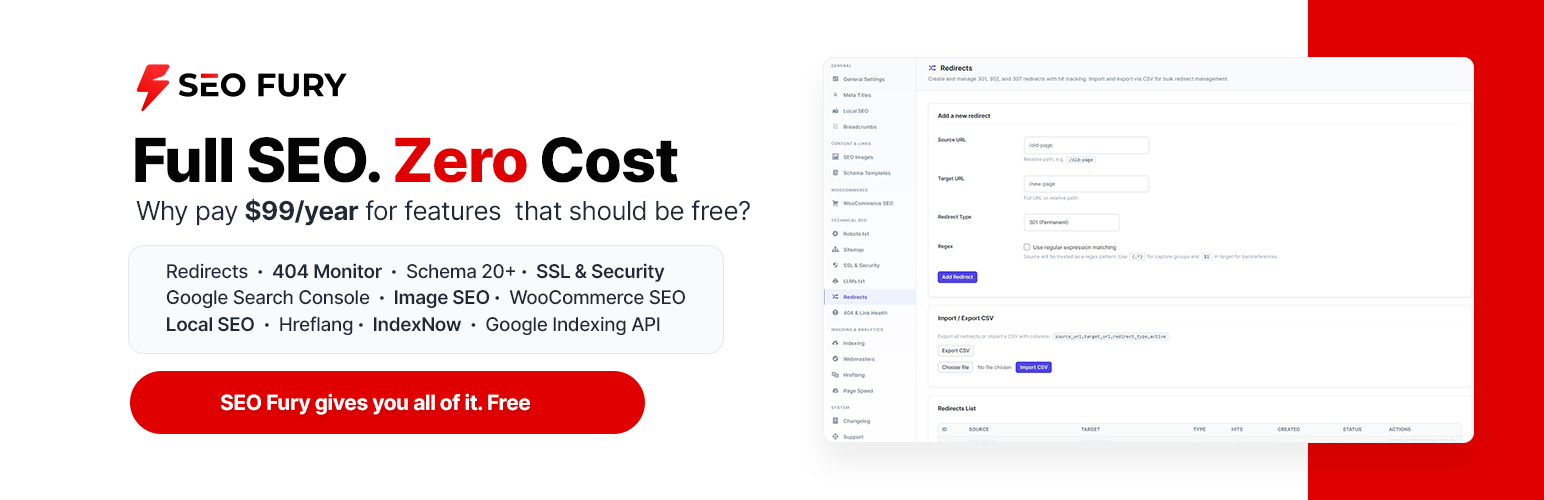
SEO Fury – Lightning-Fast SEO + GEO: Schema, Redirects, llms.txt & More
Description
SEO Fury is a complete WordPress SEO toolkit built for speed. 50+ features, 0ms frontend impact, no bloat.
SEO + GEO in one plugin. Classic search optimization AND Generative Engine Optimization: llms.txt tells ChatGPT, Perplexity and other AI assistants what your site is about, 20+ schema types make your content quotable by AI Overviews, and AI crawler control decides which bots may read you. Rank on Google — and get cited by AI.
Most SEO plugins make you choose: either a lightweight tool with missing features, or a full-featured beast that slows your site. SEO Fury gives you everything — schema, sitemaps, redirects, analytics, readability analysis, and more — without adding a single millisecond to your page load time.
Why SEO Fury?
- 50+ features, zero bloat — Every feature loads only when needed. No unnecessary scripts on your frontend.
- Unlimited redirects & 404 monitoring — No artificial limits. Manage as many redirects and 404 logs as your site needs. For free.
- Google Search Console built in — Connect GSC directly in the free version. View clicks, impressions, and positions inside WordPress.
- IndexNow built in — Notify Bing, Yandex and other IndexNow engines the moment you publish. Free, not locked behind a paywall.
- Advanced readability analysis — Flesch Reading Ease score, passive voice detection, transition words check, keyword synonym matching — features other plugins charge for.
- 20+ schema types with visual builder — Article, Product, FAQ, How-To, Recipe, Event, LocalBusiness, and more. No code required.
- One-click migration — Import from Yoast SEO, Rank Math, All in One SEO, and SEOPress in seconds. Keep your meta titles, descriptions, redirects, and schema.
- A dashboard you arrange yourself — drag the tiles and cards into the order you want, hide the ones you never read, and switch on a Search Console graph, your top search queries and your latest PageSpeed results. Saved per user account, in a redesigned admin with a light / dark / auto theme.
- 7 languages included — English plus Russian, German, French, Spanish, Italian and Portuguese translations ship with the plugin.
- White Label ready — PRO users can fully rebrand the plugin for client sites.
Core Features (All Free)
Meta & Content Optimization
- Meta titles & descriptions with 15+ dynamic variables
- Focus keyword analysis with synonym and morphological matching
- Secondary keywords tracking with presence indicators
- SEO score (0-100) with 13 on-page checks
- Readability score with Flesch Reading Ease (English + Russian)
- Passive voice detection and transition words analysis
- SERP preview — desktop, mobile, Facebook, and Twitter/X
- Open Graph & Twitter Cards with image customization
- Canonical URL management
Technical SEO
- XML & HTML sitemaps with per-post-type control
- News & Video sitemaps (YouTube/Vimeo auto-detection)
- Unlimited 301/302/307 redirects with regex and hit tracking
- Unlimited 404 error monitoring with referrer tracking and IP logging
- Auto-redirect on URL slug change — never lose link equity
- Robots.txt visual editor with per-bot rules
- SSL & HTTPS security module — force HTTPS, fix mixed content, HSTS headers
- .htaccess editor with syntax highlighting and backup
- Hreflang tags — auto-detect WPML, Polylang, TranslatePress, or set manually
Schema & Structured Data
- 20+ schema types with visual builder — no coding needed
- Schema Templates — create once, apply to multiple posts
- LocalBusiness & Organization schema for homepage
- WooCommerce Product schema with price, stock, reviews
- Breadcrumbs with JSON-LD markup and shortcode support
Author Box (E-E-A-T)
- Author profile on every user: photo, job title, company, credentials, areas of expertise, 12 social networks and extra profile URLs
- Author box under the content (per post type), or anywhere via
[seo_fury_author],seo_fury_author_box()— works with Elementor, Bricks, Mosaic, Divi and theme templates - The same profile feeds the Person in your Article schema (sameAs, jobTitle, knowsAbout, worksFor, hasCredential) and a ProfilePage on author archives
- Responsive, dark-mode aware, no jQuery
Local SEO
- Business profile — name, type, address, phone, e-mail and price range, output as LocalBusiness schema
- Opening hours for the whole week — fill Mon-Fri, Mon-Sat or every day in one click, then adjust any day or mark it as a day off
- Geo coordinates and service area for local search
- Works alongside the homepage Organization schema
Analytics & Indexing
- SEO panels on the WordPress dashboard (Dashboard Home) — overall score, redirects, unresolved 404s, images without alt text, a site-health checklist and the issues worth fixing first
- Customizable dashboard — reorder and hide widgets: SEO score, redirects, 404s, images without alt, Search Console graph, top queries, PageSpeed results, site-health checklist
- Google Search Console integration (OAuth 2.0) — free
- IndexNow — notify Bing, Yandex on publish/update
- Google PageSpeed Insights — Core Web Vitals scores in WordPress
- Site Verification — Google, Bing and Yandex, plus a custom meta tag for any other service
Image SEO
- Auto alt text from post title and filename templates
- Title attribute generation
- Customizable template with variables: {post_title}, {filename}, {site_name}
Tools & Utilities
- LLMs.txt — control how AI models access your content
- SEO Revisions — version history for meta fields with diff viewer
- Frontend SEO Inspector — admin bar button to inspect any page
- Import/Export — backup settings as JSON, restore on another site
- Elementor integration — full SEO panel inside the page builder
SEO Fury vs. Competitors
What you get in the free version of SEO Fury, and what the others ask you to pay for:
- Redirects — SEO Fury: unlimited. Yoast: Premium only. Rank Math: limited.
- 404 monitor — SEO Fury: unlimited. Yoast: Premium only. Rank Math: limited.
- Google Search Console — SEO Fury: included. Yoast: Premium only. Rank Math: PRO only.
- IndexNow — SEO Fury: included. Yoast: Premium only. Rank Math: included.
- Schema types — SEO Fury: 20+. Yoast: basic. Rank Math: 15+.
- Hreflang — SEO Fury: included. Yoast: Premium only. Rank Math: PRO only.
- Flesch reading score — SEO Fury: included. Yoast: included. Rank Math: not available.
- Passive voice check — SEO Fury: included. Yoast: included. Rank Math: not available.
- Keyword variations — SEO Fury: included. Yoast: Premium only. Rank Math: not available.
- Image SEO (auto alt text) — SEO Fury: included. Yoast: not available. Rank Math: basic.
- llms.txt for AI assistants — SEO Fury: included. Yoast: not available. Rank Math: not available.
- White label — SEO Fury: PRO. Yoast: not available. Rank Math: Agency only.
- Starting price — SEO Fury: free, PRO from $3/month. Yoast: $99/year. Rank Math: $6.99/month.
PRO Features (Addon)
Unlock advanced capabilities with SEO Fury PRO:
- AI Content Generator — Write, expand and rewrite content, and generate meta titles, descriptions, social text and focus keyword suggestions for any post or page — with 6 AI providers (OpenAI, Claude, Gemini, Mistral, DeepSeek, OpenRouter)
- AI Image Generator — Create images with DALL-E 3, Stability AI, Flux Pro, and 4 more providers
- AI Image Optimization — Bulk optimize alt text using AI based on post context
- Rank Tracker — Monitor keyword positions across Google, Bing, Yahoo with trend charts
- Index Status Tracker — Check if pages are indexed in Google, Yandex, Bing
- Google Analytics (GA4) — Tracking code, dashboard widget, visitor analytics
- Yandex Metrika & Bing UET — Regional analytics integration
- Backlink Checker — Monitor backlinks via Ahrefs, Moz, DataForSEO, or Majestic
- Link Assistant — Internal linking suggestions while you edit
- Content Decay Detection — Alerts when content needs refreshing
- SEO Audit — 75+ checks across content quality, E-E-A-T, crawlability, rendering and structured data. Runs on the server, so you can close the tab and come back later, and a repeat scan only re-checks the pages you edited
- Search Console Reports — up to 365 days of search performance in the admin, plus the same figures as a scheduled e-mail report
- AI Search Traffic — Track visits from ChatGPT, Perplexity, Claude, Gemini
- White Label — Fully rebrand for client sites
- Priority Support — Direct access to the development team
Plans start at $3/month. Lifetime option available ($300).
Getting Started
- Install and activate SEO Fury
- Go to SEO Fury General Settings to configure basics
- Use the Migration Wizard if switching from another SEO plugin
- Edit any post to see the SEO metabox with analysis, schema builder, and social preview
Full documentation at seo-fury.com.
External Services
This plugin connects to external services in specific situations. No data is sent without user action.
Admin screens make no third-party requests at all: the charting library (Chart.js 4.4.7, MIT) ships inside the plugin.
IndexNow API
When you use the IndexNow feature, the plugin sends your page URLs to the IndexNow API.
- Service URL: https://api.indexnow.org/indexnow
- What is sent: Your site URLs and IndexNow API key
- When: Only when you manually submit URLs or enable automatic submission on publish
- IndexNow Terms of Use
- IndexNow Privacy Policy
Google PageSpeed Insights API
When you use the PageSpeed analysis feature, the plugin sends your page URL to Google’s PageSpeed Insights API.
- Service URL: https://www.googleapis.com/pagespeedonline/v5/runPagespeed
- What is sent: The URL of the page being analyzed
- When: Only when you manually click “Analyze” in the PageSpeed tab
- Google API Terms of Service
- Google Privacy Policy
Google Search Console API
When you connect Google Search Console, the plugin fetches search performance data via the official Google API.
- Service URL: https://searchconsole.googleapis.com/webmasters/v3
- What is sent: OAuth tokens and property URL
- When: Only when you view the GSC tab or fetch data manually
- Google API Terms of Service
- Google Privacy Policy
Google Indexing API (PRO only)
When you submit URLs for indexing, the plugin sends page URLs to Google’s Indexing API.
- Service URL: https://indexing.googleapis.com/v3/urlNotifications:publish
- What is sent: Your page URLs and Google API credentials
- When: Only when you manually submit URLs or enable auto-submit on publish
- Google API Terms of Service
- Google Privacy Policy
Google Sitemap Ping
When enabled in sitemap settings, the plugin notifies Google that your sitemap has been updated.
- Service URL: https://www.google.com/ping
- What is sent: Your sitemap URL
- When: Only when enabled AND content is published or sitemap settings change
- Google Terms of Service
- Google Privacy Policy
SEO Fury Services (PRO only)
The PRO addon connects to SEO Fury servers for license validation, support tickets, and updates.
- Service URL: https://api.seo-fury.com
- What is sent: License key (hashed), support ticket content, plugin version
- When: License activation, support ticket submission, update checks
- SEO Fury Terms of Service
- SEO Fury Privacy Policy
Installation
- Upload the
seo-furyfolder to/wp-content/plugins/, or install directly through the WordPress plugins screen (search “SEO Fury”). - Activate the plugin through the ‘Plugins’ screen in WordPress.
- Go to SEO Fury in the admin sidebar to configure settings.
- (Optional) Install the SEO Fury PRO addon for advanced features.
Screenshots

SEO meta box in the post editor — title, description, focus keyword, SEO score with Flesch readability.

Schema markup builder — visual interface for 20+ schema types.

Redirect manager — create and manage 301/302 redirects with hit tracking.

XML Sitemap settings — per-post-type and taxonomy control.

Robots.txt editor — visual rule management with per-bot presets.

404 Monitor — track and fix broken URLs with one-click redirect creation.

Page Speed — Core Web Vitals scores from the PageSpeed Insights API with improvement opportunities.

Google Search Console — view search performance inside WordPress.

Readability analysis — Flesch score, passive voice, transition words check.

Hreflang — auto-detect WPML, Polylang and TranslatePress, or set alternate language URLs manually.

Faq
Yes. The free version includes 50+ features with no artificial restrictions. Unlimited redirects, unlimited 404 monitoring, Google Search Console, IndexNow, schema markup, sitemaps — all included. No trial, no expiration, no credit card required.
No. SEO Fury loads admin features only in the dashboard. The frontend output is minimal — just essential meta tags, schema markup, and sitemap endpoints. Benchmarks show 0ms impact on page load time.
Yes. The built-in Migration Wizard imports all your SEO data from Yoast SEO, Rank Math, All in One SEO, and SEOPress with one click. Meta titles, descriptions, redirects, and schema are all preserved.
Yes. Automatic Product schema with price, stock status, and reviews. Custom SEO title templates for products, categories, and tags.
Yes. Full compatibility with Gutenberg, Classic Editor, and Elementor. The Elementor integration includes a dedicated SEO panel inside the builder.
The free version includes advanced readability analysis (Flesch score, passive voice, transition words). PRO adds AI content generation, meta title and description writing, focus keyword suggestions, AI image creation, and AI-powered alt text optimization — with 6 AI providers (OpenAI, Claude, Gemini, Mistral, DeepSeek and OpenRouter, which in turn opens up any model in its catalogue).
The free version works forever with no license. PRO licenses are per-site, starting at $3/month. A Lifetime option ($300) gives you all features forever with no recurring payments.
GEO — Generative Engine Optimization — is about being found and quoted by AI assistants, not only by search engines. ChatGPT, Perplexity, Claude and Google’s AI Overviews read pages, and they favour content that is clearly structured and easy to cite. SEO Fury helps on three fronts: llms.txt tells AI assistants what your site is about and which pages matter, 20+ schema types make your facts machine-readable, and the robots.txt editor lets you decide which AI crawlers (GPTBot, ClaudeBot, PerplexityBot, Google-Extended and others) may read your content at all. All of it is in the free version.
Everything listed under “Core Features” above is free forever, including redirects, the 404 monitor, Search Console, IndexNow, schema, sitemaps, readability analysis and llms.txt. PRO adds the AI tools (content, images, alt text), Rank Tracker, Index Status Tracker, the site-wide SEO Audit, Link Assistant, Content Decay, Backlink Checker, analytics integrations (GA4, Yandex Metrika, Bing UET), historical Search Console reports and white labelling. The free plugin never nags for a licence key and never expires.
No. The free version only contacts external services when you explicitly trigger an action: IndexNow submissions, PageSpeed analysis, or Google Search Console data fetching. No background telemetry, no license checking.
Reviews
Best SEO Plugin for WordPress 🔥🔥
By 
I tried a lot SEO plugins, from free, to cheap and expensive, and now I´m found SEO-Fury.
One word = awesome 😍
- The UI/UX is very user friendly and logically structured
- all features that you need, GSC connector, and many more
- Many helpful hints to optimize your content for AI readiness
- many more, just try it 👍
The most important thing I like on SEO Fury is the quick responsiveness of the developer.
If you have report a problem, you get a solution very quick
If you have a feature idea, you get it very often within a few days.
Overall a great plugin with high potential to beat out the top dogs like YOAST or AISEO 🚀
Удобный и стильный дизайн, много бесплатных функций.
By 
Ещё не до конца разобрался. Но интерфейс мне нравится. Он гораздо более современный и удобный чем у известных аналогов.
Спасибо.
Finally a lightweight SEO plugin that just works
By 
I switched from Yoast after years of using it — too bloated, too slow. SEO Fury does everything I need without the overhead. Schema markup, sitemap, redirects, 404 monitor — all in one clean interface. Setup took 5 minutes with the migration wizard. My site feels faster and I haven't lost any rankings. Highly recommend for anyone tired of heavy SEO plugins.
Changelog
1.2.2
- Changed: the plugin screen now fills the whole area under the WordPress admin bar — no page title above it, no grey margin or white frame around it, and the logo lives at the top of the left menu. Makes a big difference with the dark theme (requested by a PRO customer). The filter
seo_fury_admin_full_width(return false) restores the framed layout. - Changed: admin notices and “Settings saved” messages now appear inside the content column, under the search bar, instead of above the plugin.
- Added: a small “★★★★★ Rate SEO Fury on WordPress.org” pill in the top bar. Closing it (or rating) hides it for good; not shown in white-label mode.
- Added: Italiano and Português (Brasil) in General Settings Plugin Language — both catalogues shipped for a while but were missing from the list.
- Added: the Dashboard is now a real board — drag any widget by its grip to move it, drag its right edge (or pick Small / Medium / Large / Full width in the gear menu) to resize it, and hide it from the same menu. “Add widget” lists everything that is hidden. KPI tiles drag from anywhere, cards from their title. Every widget can be renamed and has its own display settings: the SEO score as gauge or number, the 404 counter for all time / 7 / 30 days, the Search Console summary with a choice of metrics and the previous-period comparison, the chart as lines or bars with either series, top queries / pages and the 404 list with selectable columns, rows and period, Site health as “problems only”. Layout, sizes and settings are saved per user.
- Added: Preferences tab (last in the menu): hide the plugin sections you never use, drag the rest into your own order, and collapse the sidebar to icons only — the arrow at the bottom of the menu does that too. Per user.
- Changed: on the plugin screen the WordPress admin menu stays in place too and scrolls on its own when it is taller than the window (its fly-out submenus still open next to the hovered item).
- Changed: the Changelog tab shows Free and PRO as a switch instead of one long page — with PRO active the PRO section used to sit below eight Free releases.
- Changed: the top-bar search field no longer draws a bordered box inside its pill (the generic input styles were winning).
- Fixed: dropdowns closed as soon as you scrolled inside them, so options past the fold (for example the last plugin languages) could not be picked.
- Fixed: the pinned left menu could not always be scrolled to its last items — its height was fixed to the window, so whenever something sat above the plugin (a notice, an update nag, the old title) the bottom of the menu ended below the screen, and the mouse wheel over the menu did not move the page either. The menu is now sized to what is really visible below its top edge and scroll-chaining to the page is back.
1.2.1
- Added: the left menu now stays on screen while you scroll. It is pinned under the WordPress admin bar, scrolls on its own when it is taller than the window, and after opening a tab the menu is scrolled to that tab — no more scrolling back down to pick the next tool (requested on the public ideas board).
- Added: a Changelog tab (System group) that shows what changed in each release of SEO Fury Free and, when the add-on is active, PRO — the installed version is marked. The sidebar footer links to it and to your SEO Fury account.
- Added: a “My account” button in the top bar that opens dashboard.seo-fury.com (licenses, AI credits, support, ideas). Hidden together with the other branding when white-label mode is on.
- Fixed: in dark mode the result boxes on the License tab (activation / update check) kept their light-theme dark text, so the message was unreadable.
1.2.0
- Added: Author Box (E-E-A-T). Every user gets an author profile under Users Profile — photo from the Media Library, job title, company (with URL), credentials / experience, areas of expertise, 12 social networks and extra profile URLs, plus a “never show a box for this user” switch.
- Added: the author box itself — auto-inserted under (or above) the content per post type, or placed anywhere with the
[seo_fury_author]shortcode (id,layout,show,heading) or from PHP withseo_fury_author_box()/seo_fury_get_author_box(), so Elementor, Bricks, Mosaic, Divi and theme templates can all use it. New Author Box settings tab (elements to show, heading, position, post types) and a per-post “hide” switch in the SEO metabox Advanced. - Added: the profile feeds structured data automatically — the Person inside your Article schema gains @id, url, image, jobTitle, description, worksFor, sameAs, knowsAbout and hasCredential (values typed manually in the post’s Schema tab are kept), and author archives get a ProfilePage + Person block.
- Changed: with PRO 1.5.0 the Author Box tab unlocks three more layouts (centered, compact, minimal), a fixed light/dark colour scheme and an accent colour; the post editor gets guest authors / another user and a “Reviewed by” expert (schema reviewedBy); a Gutenberg block and an Elementor widget render the box with a live preview.
- Changed: new hooks for developers —
seo_fury_author_data,seo_fury_author_box_layouts,seo_fury_author_box_html,seo_fury_author_box_enqueue,seo_fury_metabox_advanced_tab.
1.1.20
- Changed: the SEO column in the post list no longer draws the editor score next to the PRO audit badge (two different numbers in one cell); with PRO active the editor score is listed inside the badge popup instead, with an explanation of how the two scores differ. New filter seo_fury_seo_column_handled.
1.1.19
- Fixed: with PRO active, the “Internal Linking” card on General Settings was just a description with nothing to click. It now links to the Link Assistant tab and explains where the editor suggestions live.
- Changed: in Webmasters, Google Search Console is now the first (and default) sub-tab; Site Verification moved second — verification is a one-time setup, the console is what you come back for.
- Fixed: dark mode never re-coloured two of the grey text tokens, so explanatory text that used them (for example the “How to read the results” notes in PRO Title Experiments) stayed dark on dark. Both tokens now follow the theme.
1.1.18
- Fixed: the five status tiles on SSL & Security (certificate, expiry, HTTPS redirect, mixed content, HSTS) kept their pastel backgrounds in dark mode while the text turned light, so they were unreadable. They now use the shared toned tiles that follow the theme.
- Fixed: the “Search settings…” box in the top bar was a placeholder left over from the interface redesign — you could not type into it. It is now a real search: it finds every tab, sub-tab and setting by name (also from the option key), opens the right screen, unfolds collapsed sections and scrolls to the field. Press / or Ctrl/Cmd+K to focus it.
- Fixed: in dark mode, chart axes and legends (Search Console, dashboard, Reports) kept Chart.js’s light-theme grey and plain links kept the WordPress blue — both nearly invisible on the dark cards. Charts now follow the theme (and re-draw when you toggle it) and links use the accent colour.
1.1.17
- Added: a “Blocked IPs” sub-tab in 404 & Link Health. The block list used to sit below the 404 log where it was easy to miss; it now has its own tab with a live counter, an “Unblock” button per address, a field to block an address by hand, and the reason for each block (including scores from the PRO IP Reputation module).
- Added: “Block Expiry” setting (404 Monitor settings) — release blocked addresses automatically after 7, 30, 90 or 365 days. Home and mobile connections change IP every few days, so a permanent block eventually hits an innocent visitor; blocking an address again restarts the clock. Default stays “never” for existing sites.
1.1.16
- Changed: the IP lookup button (🌐) in the 404 log now opens the address on AbuseIPDB, so one click shows both who owns the network and whether the community has already reported that IP for abuse — handy before hitting “Block”. The URL can still be swapped with the
seo_fury_404_ip_lookup_urlfilter. - Fixed: the Support tab ticket thread was unreadable in dark mode — messages were dark text on dark bubbles. Bubbles now set their own text colour and use borders that match the dark theme.
1.1.15
- Added: an IP lookup button (🌐) in the 404 log opens the address on an external who-is service in a new tab, so you can see which network — a cloud provider, a crawler, a hosting company — is hitting the site. The URL can be swapped with the
seo_fury_404_ip_lookup_urlfilter. - Fixed: the “Active” and “Resolved” tiles in 404 Statistics kept their light pink/green backgrounds in dark mode while the neighbouring tiles turned dark. All four now use the shared stat-tile design and follow the theme.
- Fixed: in dark mode, text that had no colour of its own (plain table cells, numbers in PRO module tiles) inherited the WordPress default and was almost invisible on the dark cards. The plugin now sets a legible base text colour for its dark theme.
1.1.14
- Added: the 404 log can be sorted — click any column header (URL, hits, first/last seen, IP, status) to order the table A–Z / Z–A or by the most hits; the server returns the top 100 entries for the chosen order.
- Added: a “Last IP” column in the 404 log, with the address of the most recent request to each missing URL, and an IP column in the CSV export.
- Added: block an IP address straight from the 404 log (🚫 button). Every front-end request from a blocked address is stopped before WordPress loads the page, with a status code of your choice — 403, 410, 429 or 400. A “Blocked IP Addresses” card lists the blocks with the number of requests stopped and an Unblock button. Logged-in administrators and your own address can never be blocked, and private ranges are refused.
- Added: the Service schema can carry an optional price and currency (output as an Offer), and the Video schema has an Embed URL field for YouTube/Vimeo players next to the direct file URL.
- Added: support for the PRO “Generate with AI” button in the Schema Generator — the AI fills the existing schema fields from the page content for review.
- Improved: the SEO Data Migration wizard now lists all four supported plugins (Yoast SEO, Rank Math, All in One SEO, SEOPress). Plugins with no data in your database are shown greyed out with a “Not found” tag, so you can see at a glance what can be imported.
- Fixed: with “Plugin Language” set to English, the PRO addon’s menu items and section headers could still appear in the site language. The English override now covers the PRO text domain as well, so the whole admin follows the setting.
- Fixed: the “Save Changes” button on several settings screens used the WordPress core label, so it stayed in the site language even with the plugin set to English. All save buttons now use the plugin’s own translatable label.
- Fixed: the Permalink field and the Google preview in the “Edit SEO Snippet” window kept showing the URL the page had when the snippet was first saved. A slug changed later (Quick Edit, or the placeholder “chernovik” slug rebuilt on publish) never made it into the window. Both now always show the page’s current permalink.
- Fixed: a page created in the block editor could be published with the slug “chernovik” (or “auto-draft”) instead of one built from its title. With URL transliteration on, the plugin used to give the still-untitled auto-draft a slug made from the “Draft” placeholder, and a title typed later in Latin never replaced it. Auto-drafts are no longer touched, and posts that still carry the placeholder slug get a proper one from their title on the next save — in any language.
- Changed: an empty slug on a draft is left empty, exactly as WordPress does, and built from the title at publish time (with transliteration) instead of being frozen at the first save.
1.1.13
- Fixed: the “Search performance over time” chart on the dashboard showed only clicks, with impressions missing, on sites where the chart library could not be downloaded from its CDN. Chart.js now ships with the plugin, so the chart always renders — and the simplified fallback draws both series as well.
- Fixed: “Load URLs from sitemap” in IndexNow did nothing — the button and the server were using different names for the same request.
- Fixed: the AI content toolbar in the post editor was loaded from a path that does not exist, so its Generate / Expand / Rewrite buttons never appeared for PRO users.
- Security: support ticket requests now also require administrator rights, not only a valid security token.
- Changed: every dropdown in the plugin is now drawn by SEO Fury itself instead of the operating system, so the open list matches the rest of the interface in both light and dark mode. Keyboard control (arrows, Enter, Esc) and screen-reader support are unchanged.
- Changed: one shape for every control — sub-tabs are a flat underline bar instead of the old folder tabs, and buttons, text fields and dropdowns now share the same height, corner radius and focus ring.
- Changed: collapsible panels no longer show the browser’s default triangle next to their own icon; each panel has a single chevron that turns when it opens.
- Changed: opening hours in Local SEO are compact and much faster to fill in — enter a time once and apply it with “Mon-Fri”, “Mon-Sat” or “Every day” (the remaining days are marked as days off automatically), mark any day off with a checkbox, and type times in shorthand (“9” becomes 09:00, “930” becomes 09:30).
- Fixed: icons inside coloured buttons could be invisible, because the icon kept an accent colour on a same-coloured button.
1.1.12
- Added: SEO Fury panels on the WordPress dashboard (Dashboard Home) — “SEO overview” (average SEO score, active redirects, unresolved 404s, images without alt, pages without a description, plus a site health checklist) and “Needs attention” (the concrete items worth fixing, with the latest 404 errors). Both can be switched off in General Settings or hidden individually via Screen Options.
- Changed: the Search Console dashboard panel now shows the change against the previous 28-day period and matches the new panel styling.
- Changed: redesigned the SEO data migration wizard — clearer three-step flow, live counters for imported / skipped / failed posts, elapsed time and an estimate of the time left, a “stop after this batch” button, a next-steps checklist, dark mode support and full keyboard access. The activity log now groups repeated batch results into one updating row instead of printing a line per batch.
- Added: a short “why are you deactivating?” form on the Plugins screen, with a few reasons and an optional comment. Answering is optional — Skip, Esc or closing the dialog deactivates immediately and sends nothing, and the dialog states exactly what is sent.
- Fixed: most of the admin interface stayed in English on translated sites. WordPress prefers the community translation from translate.wordpress.org over the one bundled with the plugin, and that community file covers only part of the plugin — for Russian it defines about half the strings, none of them on the dashboard. Both files are now loaded, so the community translation still wins for every string it covers and the bundled catalogue fills the rest.
- Fixed: five strings in the post editor (duplicate title/description warnings, schema field loading, broken links, secondary keywords) were never translatable and always appeared in English.
- Fixed: completed the translations — roughly 800 strings that had been added to the plugin over time were missing from the catalogues. German, Spanish, French, Italian, Portuguese (BR) and Russian are complete again.
1.1.11
- Fixed: canonical URL could be frozen as the ?p=ID address. The Canonical field was pre-filled with the permalink, which for an unpublished post is the ?p=ID form; saving the metabox stored it, and the published page kept it as its canonical. The field now shows the permalink only as a placeholder, an entered value equal to the post’s own address is no longer stored, and pages that already carry a stored ?p=ID canonical output the real permalink again.
- Changed: the automatic canonical tag is output for published posts only; a custom canonical is always output.
1.1.10
- Fixed: SEO analysis, readability and extra SEO checks in the post editor now work on pages built with page builders (Mosaic, Elementor, Divi, Brizy, Beaver Builder and others). When the WordPress editor is empty, the checks read the text from the rendered page instead of reporting the content as too short.
1.1.9
- Fixed: meta tags on archive pages (blog home, categories, tags, custom taxonomies, author, search, date, 404) were silently stripped before output — robots, description and Open Graph tags on those pages are now emitted again.
- Fixed: per-taxonomy and per-post-type “Custom Robots Meta” (noindex, nofollow, etc.) now reaches the page.
- Fixed: per-post-type robots settings were ignored for any post that had been saved with the SEO metabox open; per-page overrides now apply only when a value is actually set.
1.1.8
- Added: a small, fully dismissible review request on plugin screens after two weeks of use.
- Changed: new plugin listing title and description, GEO section in the readme, tested up to WordPress 7.1.
1.1.7
- Added: two new dashboard widgets — Top pages (Search Console) and Latest 404 errors.
- Added: the dashboard now previews the extra widgets available in SEO Fury PRO.
- Changed: readability and cannibalization feature keys registered for the PRO addon.
1.1.6
- Fixed: the Position column of the Dashboard top queries table could overflow the card in some interface languages.
- Fixed: a manually edited draft slug was reverted and rebuilt from the post title when URL transliteration was enabled.
- Fixed: several labels in the schema editor did not follow the selected interface language.
- Fixed: selecting English as the plugin language could still show a translated interface.
1.1.5
- Added: the Dashboard is now yours to arrange. “Customize dashboard” lets you drag the tiles and cards into the order you want and hide the ones you never read; the layout is saved per user account.
- Added: a Search Console graph on the Dashboard — clicks and impressions over the last 28 days, the same chart as the Webmasters screen, without leaving the overview.
- Added: two more Dashboard widgets you can switch on — your top search queries of the last 28 days, and the results of your latest PageSpeed checks. Plus a tile counting pages that score below 50.
- Improved: with Search Console connected, the Webmasters screen no longer spends a whole card on the Disconnect button. Status and Disconnect now sit in the one-line bar next to the property and date range, leaving the space to your actual data.
- Improved: German, Spanish, French, Italian, Portuguese and Russian translations cover the new screens.
- Fixed: around 300 German, Spanish, French, Italian and Portuguese translations never actually appeared — any phrase containing a quotation mark was stored in a form the plugin could not match, so those strings fell back to English. They now show translated.
- Fixed: four Search Console messages carried translations copied from unrelated strings in German, Spanish, French and Russian — for example a proxy error that read “Failed to restore revision”. They are translated properly now.
1.1.4
- Added: attach screenshots to a support ticket, when you open it and in any reply. Up to 3 images, 5 MB each.
- Fixed: the overall SEO score gauge stretched into an oval on a score of 100 and its number sat above centre. The value and the “/100” label are now stacked, so the gauge stays a circle at every score.
- Improved: PageSpeed failures are now explained in plain language instead of showing Google’s raw error. A page that never paints, an unreachable URL, a key with an HTTP-referrer restriction, or an API that was never enabled each get a message saying what to change.
- Fixed documentation: the Google Indexing API was listed among the free features, but it ships in the PRO addon only — the free plugin shows an upgrade notice on that tab. Site Verification was listed as covering Baidu and Pinterest; it has fields for Google, Bing and Yandex plus a custom meta tag for anything else.
1.1.3
- Fixed: the overall SEO score was clipped inside its circle when the value reached three digits.
- Fixed: Search Console tiles in the editor sidebar were cut off at narrow widths — they now wrap to a 2×2 grid.
1.1.2
- Fixed: breadcrumbs skipped the blog index page. When your posts live on a separate page, that page is now the last item in the trail (omitted when the blog is your front page, since Home already covers it).
- Changed: the sortable SEO column on the Posts and Pages lists moved into its own module.
1.1.1
Changed:
- 404 Monitor & Redirects — compact action buttons. The per-row actions (Find, Redirect, Resolve, Edit, Toggle, Delete) are now icon-only buttons with hover tooltips, so long URLs have more room and the tables no longer wrap awkwardly.
Fixed:
- Dark mode polish. Fixed a range of screens that didn’t fully adapt to dark mode — light cards/boxes that stayed white (Sitemap, Robots.txt, Page Speed, Search Console, and others) and faint hint text (
.description) that blended into the dark background. Light mode is unchanged. - Action button icons are now properly centered.
1.1.0
Added:
- Redesigned admin (2026) with dark mode — a refreshed “command center” interface: a new Dashboard landing screen with at-a-glance KPIs (average SEO score, active redirects, unresolved 404s, images without alt) plus Search Console performance and a site-health checklist, a modern grouped sidebar, and a light / dark / auto theme toggle that follows your system preference.
- Overall SEO Score — the three editor analysis panels (on-page SEO, readability, extra checks) are now combined into a single 0–100 score shown at the top of the SEO box, and surfaced as a sortable “SEO” column on the Posts and Pages list so you can see at a glance which content needs attention.
- Bulk Alt Text — a one-click tool (SEO Images tab) that scans your Media Library for images missing alt text and writes real, permanent alt text to each attachment using your template, in batches.
- Redirect Tester — enter any URL in the Redirects screen to see which rule (exact or regex) would fire and the exact target, without performing the redirect or counting a hit.
- Submit sitemap to IndexNow — one button submits every published URL from your sitemap post types to IndexNow in batches.
- SEO plugin conflict detector — a dismissible warning when another SEO plugin (Yoast, Rank Math, AIOSEO, SEOPress, The SEO Framework) is active alongside SEO Fury, which would cause duplicate meta tags.
- Duplicate meta detector — the editor warns when another post already uses the same custom SEO title or meta description (templates are ignored), linking to the conflicting posts.
- robots.txt preview & linter — preview the fully-composed robots.txt and get warnings for common mistakes (Disallow: / blocking the whole site, duplicate User-agent blocks, directives before any User-agent, missing Sitemap).
- Search Console: period comparison, CSV export & per-post stats — compare the current period with the previous one (with up/down deltas), export the Top Queries / Top Pages tables to CSV, and see clicks/impressions/CTR/position for the post you’re editing right in the SEO box.
- Six more schema types with full forms — Person, Organization, Course, Book, SoftwareApplication, and LocalBusiness now have proper generator fields and valid JSON-LD output (previously placeholders).
Security:
- Fixed stored XSS in the Redirects, 404 Monitor, and IndexNow admin tables. Visitor- and user-controlled values (redirect source/target URLs, 404 paths from request headers, submitted IndexNow URLs) are now HTML-escaped before being rendered in the dashboard.
- Hardened JSON-LD schema output with
JSON_HEX_TAG/JSON_HEX_AMPso a custom schema value can no longer break out of the<script type="application/ld+json">block. - 404 Monitor now reads the client IP from
REMOTE_ADDRby default and only trusts forwarded headers (X-Forwarded-For,CF-Connecting-IP) when the new “Behind a Proxy / CDN” option is enabled — prevents IP spoofing and log poisoning. - CSV exports (Redirects and 404 Monitor) now neutralize spreadsheet formula injection (cells starting with
=,+,-,@). - The .htaccess editor now rejects directives that could enable PHP execution or proxy requests to an external server (
AddHandler/SetHandler ...php,php_flag engine,Action,RewriteRule [P]), showing exactly which line was blocked instead of silently stripping it. - Stored credentials (Google Search Console tokens) now use authenticated encryption (AES-256-CBC + HMAC, versioned). Decryption fails cleanly when the WordPress salt is rotated instead of emitting ciphertext as a credential — Google Search Console simply prompts to reconnect.
- Settings import now sanitizes every value before saving, so an import file cannot inject markup into an option that is later rendered.
- PageSpeed results received from the browser are now sanitized before storage, and audit titles from the API are escaped before display.
- Redirects: a regex rule whose target host is built from a back-reference (e.g.
https://$1) is now confined to your site, closing an open-redirect vector. Static cross-domain redirects still work as intended. - robots.txt Crawl-delay values are now validated as numeric, preventing extra directives from being injected via the field.
Fixed:
- Migration Wizard now correctly imports redirects from Yoast Premium, Rank Math, All in One SEO, and SEOPress. They were previously written to a non-existent table and silently lost.
- Front-end SEO title, meta description, Open Graph, and Twitter tags now resolve the full set of template variables (category, author, focus keyword, post type, WooCommerce fields, advanced date patterns, and more) instead of emitting literal
%variable%text. - Fixed mismatched variable names in the post editor insert menu (e.g.
%seotitle%%seo_title%,%wcshortdesc%%wc_shortdesc%) so inserted variables resolve correctly. Templates saved with the old names remain compatible via automatic aliasing. - Custom JSON-LD now resolves variables after the JSON is parsed, so values containing quotes no longer corrupt the markup and drop the schema.
- Rank Math posts that carried only robots directives (no title or description) are now included in migration.
- The .htaccess editor no longer falsely rolls back valid changes on hosts that block loopback self-requests; it saves the change and warns that the automatic safety check could not run.
- XML sitemaps now paginate beyond 1,000 URLs (
sitemap-{type}-2.xml, etc.), so large sites no longer drop URLs from the sitemap. Existing single-file URLs are preserved as page 1. - Removed the dead Google sitemap “ping” (the endpoint was retired in 2023 and only 404’d), saving an outbound request on every content save.
- Video sitemap now escapes a literal
]]>inside titles/descriptions so it can’t break the XML. - Schema markup: fixed invalid
@typecasing for LocalBusiness, SoftwareApplication and other multi-word types; Recipe now includes the required image; Event uses your store currency instead of a hardcoded USD; WooCommerce back-ordered products map toBackOrder; JobPosting location is now a properPostalAddress; the%org_name%variable reads the correct Local SEO option; the Organization node now has an@idso publisher/seller references resolve; and duplicate BreadcrumbList / Organization / WebSite nodes are de-duplicated. - IndexNow key verification now works on subdirectory installs, and the previous key file is removed when you regenerate the key.
- IndexNow auto-submit is now debounced per URL, so a bulk edit or import no longer fires repeated blocking submissions for the same page.
- 404 Monitor caches its table-existence check, avoiding a database query on every 404 during bot/scanner traffic.
- 404 Monitor no longer logs non-page 404s emitted by REST, AJAX, cron, or feed sub-requests.
- Image SEO no longer adds a second
altattribute to images that already use a single-quotedalt(which produced invalid HTML). - LLMs.txt now escapes special characters in titles and links, so a title containing
]or)can no longer break or hijack the generated Markdown. - Taxonomy sitemaps now paginate beyond 1,000 terms, matching post-type sitemaps.
- Google Search Console no longer dead-ends with a blank “Invalid OAuth state” screen when the connection session expires — it returns a friendly “please connect again” message, and the state token is now a stronger per-user random value.
- Schema: Recipe instructions given as multiple lines are emitted as structured
HowToStepitems; the breadcrumb generator omitsitemon the current page per Google’s guidance; and YASR star ratings no longer overwrite anaggregateRatingalready set by the schema generator. - The canonical tag now also suppresses canonicals from Rank Math and SEOPress (in addition to Yoast and AIOSEO), preventing duplicate canonical tags when another SEO plugin is active.
- WordPress’s built-in sitemap is now reliably disabled when SEO Fury’s sitemap is enabled (the previous hook ran too late).
- 404 notification emails now build correct links on subdirectory installs instead of doubling the path.
- PageSpeed history now keeps the most recently checked results instead of pruning …