SEO Repair Kit – Spam Monitor, Meta Manager, Schema Manager, Internal Linking, SEO Content Monitoring, GSC Integration
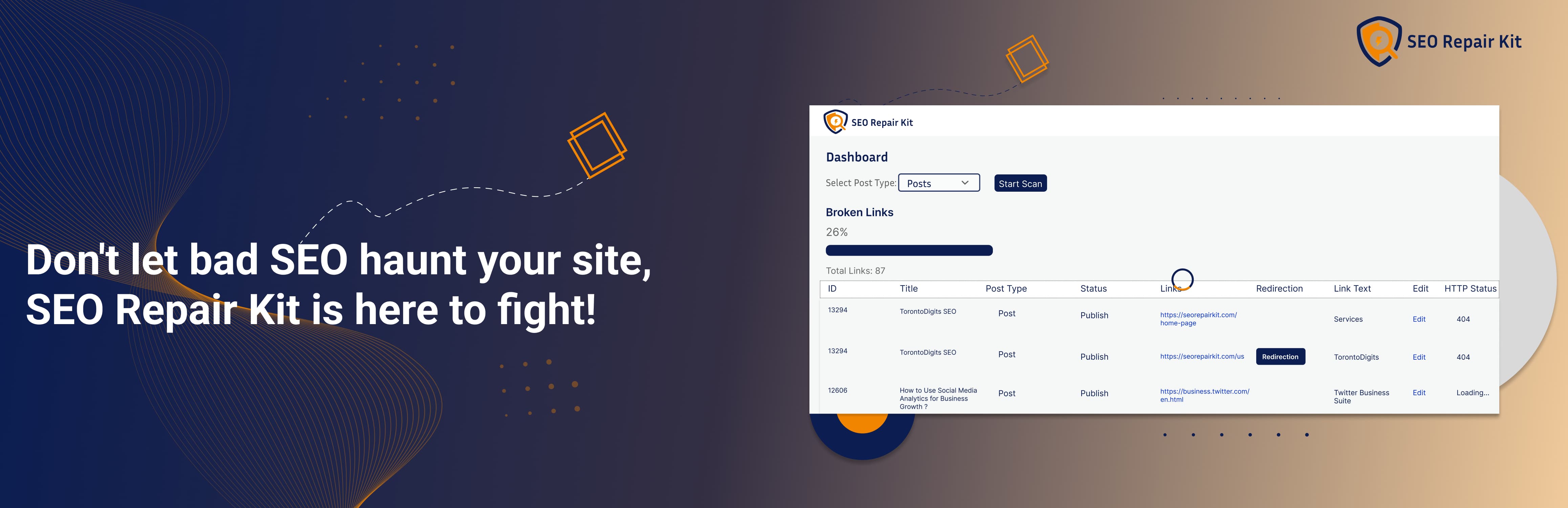
SEO Repair Kit – Spam Monitor, Meta Manager, Schema Manager, Internal Linking, SEO Content Monitoring, GSC Integration
Description
SEO Repair Kit by TorontoDigits helps WordPress site owners monitor, identify, and fix practical SEO issues from one dashboard.
It combines link health monitoring, 404 tracking, redirects, metadata management, sitemap controls, image alt-text checks, Search Console insights, schema tools, Internal Linking, bot management, automated reports, and indexed-spam monitoring.
SEO Repair Kit is designed for site owners, developers, marketers, content teams, and agencies that want actionable SEO tools without managing several separate workflows.
Core Features
Links Manager
* Scan links, review statuses, export findings, and create redirects
* Access Link Scan, 404 Monitor, Auto Scan, Notifications, and Smart Redirects
Auto Scan
* Schedule link scans with flexible intervals, scope, batch, timeout, and history settings
Notifications
* Send automated scan reports and broken-link or clean-scan alerts by email
* Configure recipients and email notification preferences
* Review alert history from the Links Manager
Smart Redirects
* Create eligible archive redirects from broken singular URLs and manage generated records
Redirection + 404 Monitoring
* Create and manage 301/302 redirects
* Track redirect hits and logs
* Monitor 404 errors with actionable details
* Convert recurring 404 URLs into redirects quickly
Meta Manager
* Manage SEO titles, descriptions, robots directives, templates, and editor overrides
KeyTrack (Search Console Insights)
* View Search Console clicks, impressions, CTR, position, page/query trends, and reports
Schema Manager (Pro)
* Build and manage JSON-LD schema with visual controls
* Map WordPress content to supported schema properties
* Preview configured schema before output
Internal Linking (Paid Module)
* Find contextual internal-link opportunities
* Review orphan content, approved links, target keywords, and reports
* Use Auto Linking, Gutenberg suggestions, and AI/semantic workflows when enabled
AI Chatbot (Pro)
* Get contextual SEO Repair Kit guidance directly inside WordPress
* Ask questions about plugin features and common SEO workflows
Sitemap Manager
* Include/exclude post types and taxonomies from WordPress core sitemap
* Keep wp-sitemap.xml focused on important content
* Note: this controls only core WordPress sitemap output
Bot Manager
* Edit and validate robots.txt
* Generate and manage llms.txt
* Allow/block selected AI crawlers
Alt Text Manager
* Identify images missing alt text
* Update alt text records efficiently
Spam Monitor (Pro)
* Scan indexed Google results for suspicious URLs, configure rules, review history, schedule scans, and send alerts
Custom SERP-provider connections and other advanced Spam Monitor capabilities require the paid module.
Weekly SEO Summary
* Receive scheduled email summaries with key SEO status metrics
* Includes Search performance, link health, Spam Monitor status, image alt coverage, and redirect insights
Configurations & Usage
After activation, open SEO Repair Kit from the WordPress admin menu.
Initial Setup & Onboarding
- After activating the plugin, you’ll be guided through an interactive onboarding process.
- During onboarding, you can configure:
- Post types to scan for broken links
- Enable/disable KeyTrack feature
- Set up link scanning schedule (manual, weekly, or monthly)
- Select default schema types to use
- Configure notification preferences (weekly reports, KeyTrack alerts, broken links notifications)
- Enable alt text scanning
- Enable redirection management
- Review Spam Monitor module settings when available
- Review Internal Linking module access and settings when available
- Set notification email address
- Complete the onboarding to save your preferences, or skip and configure later in Settings.
Dashboard Overview
Open SEO Repair Kit from the WordPress admin menu to view site health, plan status, reports, and quick-access tools including Internal Linking when available.
Links Manager
Go to “SEO Repair Kit” > “Links Manager” to manage link health from one place. It includes Link Scan, 404 Monitor, Auto Scan, Notifications, and Smart Redirects.
Link Scan
Use the Link Scan tab to manually scan selected post types, review link URLs, HTTP status codes, link context, and quickly export broken links or create redirects from scan results.
Auto Scan
Use the Auto Scan tab to schedule automatic link scans. Enable Automation, choose the scan interval, set link scope, scan coverage, batch limits, request timeout, email alerts, and save settings.
Important: Automation must be enabled before scheduled scans can run.
Notifications
Use the Notifications tab to review automated scan email history, including scan time, trigger type, checked links, broken links, email status, subject, and recipients. Reports are sent for broken-link scans and clean scans when alerts are enabled.
Smart Redirects
Use Smart Redirects to create eligible 301 archive redirects for broken internal singular URLs. Enable supported post types, review generated records, reset records, and manage linked redirects in Redirection Manager.
Alt Text Manager
Open SEO Repair Kit > Image Alt Missing to find images without alt text, update records individually or in bulk, and filter by post type or status.
Redirection Manager
Open SEO Repair Kit > Redirection to create, edit, delete, import, and export 301/302 redirects with status controls, optional regex support, hit tracking, ordering, and logs.
404 Error Monitor
Open SEO Repair Kit > 404 Manager to review requested URLs, referrers, user agents, IPs, counts, and timestamps. Filter logs and create redirects directly from recurring 404s.
Sitemap Control
Open SEO Repair Kit Sitemap Control to choose which post types and taxonomies appear in the WordPress core sitemap. If the sitemap does not refresh, resave WordPress permalinks.
Bot Manager
Open SEO Repair Kit > Bot Manager to manage robots.txt, generate llms.txt, and configure supported AI crawler access.
KeyTrack – Keyword Performance Tracking
Install Google Site Kit, connect Search Console, then open SEO Repair Kit > KeyTrack to review clicks, impressions, CTR, position, pages, queries, thresholds, reports, charts, and exports.
Schema Manager (Pro Feature)
With the required Pro module active, open SEO Repair Kit > Schema Manager, choose a schema type, configure its field mappings, and save the schema.
Configured schema is output as JSON-LD on applicable pages.
Internal Linking (Paid Module)
With an active Internal Linking module, open SEO Repair Kit > Internal Linking to index content, review link opportunities, manage target keywords, configure Auto Linking, check orphan content, and use Gutenberg suggestions. If the module is inactive or expired, Internal Linking is locked while existing data remains preserved.
Spam Monitor (Pro Feature)
Open SEO Repair Kit > Spam Monitor to scan indexed Google results, configure spam rules, review risky URLs, manage cleanup notes, view alerts, and schedule reports. Free users can use the trial provider; paid access unlocks supported custom SERP providers.
Meta Manager
Open SEO Repair Kit > Meta Manager to configure global meta, content type templates, taxonomy/archive settings, robots directives, canonical URLs, and per-page metadata. Gutenberg and Elementor editor controls are supported.
AI Chatbot (Pro Feature)
With an active Pro license, open SEO Repair Kit > AI Chatbot for plugin guidance, SEO workflow help, schema setup, redirection fixes, and KeyTrack insights.
External Services
Some SEO Repair Kit features integrate with external services. These services are used only for functionality that requires external data or processing.
SEO Repair Kit Licensing / Module Entitlement
SEO Repair Kit may contact its licensing service to validate paid module access, including Schema Manager, Internal Linking, AI Chatbot, and supported Spam Monitor functionality.
Google Site Kit / Google Search Console
KeyTrack uses Google Site Kit to access connected Google Search Console performance data such as clicks, impressions, CTR, queries, pages, and average position.
Learn more:
Google Site Kit
Third-Party SERP Providers
When configured in supported paid workflows, Spam Monitor may send SERP requests to the selected provider. Requests may include the domain, search parameters, and provider credentials required to retrieve search-result data.
Serper.dev: https://serper.dev/
SerpApi: https://serpapi.com/
DataForSEO: https://dataforseo.com/
SEO Repair Kit Cloud / AI Workflows
When paid AI-assisted workflows are configured, SEO Repair Kit may send required content or metadata to the configured SEO Repair Kit cloud/API endpoint.
Settings Configuration
- Go to “SEO Repair Kit” > “Settings” in the admin menu.
- Post Types Settings:
- Select which post types to scan for broken links
- Choose from all public post types
- Save your selection
- 404 Monitoring Settings:
- Enable or disable automatic 404 error tracking
- 404 errors will be logged when enabled
- Weekly Report Email Settings:
- Enable or disable weekly SEO summary emails
- View last report status and timestamp
- Reports are sent to your admin email address
- Save all settings to apply changes.
Weekly SEO Summary Email
- Enable weekly reports in Settings (enabled by default).
- Reports are automatically sent every week to your admin email.
- Each report includes:
- Search performance metrics from KeyTrack
- Broken links analysis and health scores
- Image alt text optimization status
- Redirection statistics and analytics
- Spam Monitor status and scan-risk highlights when available
- Pro plan status and upgrade information
- Reports are sent in beautiful HTML format with:
- Visual charts and metrics
- Actionable insights
- Direct links to fix issues
- Dashboard access links
- View the last report status in Settings to verify delivery.
Troubleshooting
- If KeyTrack shows no data, confirm Google Site Kit is installed and connected to the correct Google Search Console property.
- If Spam Monitor scans or provider settings are unavailable, verify the active module, configured SERP provider, and scan settings.
- If schema is not output, confirm Schema Manager is active and the schema assignment applies to the current content.
- If Internal Linking is locked, confirm the Internal Linking paid module is active and refresh license status from the plugin license screen.
- If links are not detected, confirm the relevant post type is included in the scan settings.
- If
llms.txtredirects to the homepage, resave the Bot Managerllms.txtconfiguration and ensure SEO Repair Kit is installed.
Installation
- Download the plugin zip file.
- Go to your WordPress admin panel and navigate to Plugins > Add New.
- Click “Upload Plugin” and select the
seo-repair-kit.zipfile. - Click “Install Now” and then “Activate Plugin”.
- After activation, you’ll be guided through an onboarding process to configure the plugin.
For manual installation, upload the seo-repair-kit directory to /wp-content/plugins/ and activate the plugin from the WordPress Plugins screen.
Screenshots

SEO Repair Kit Dashboard Overview
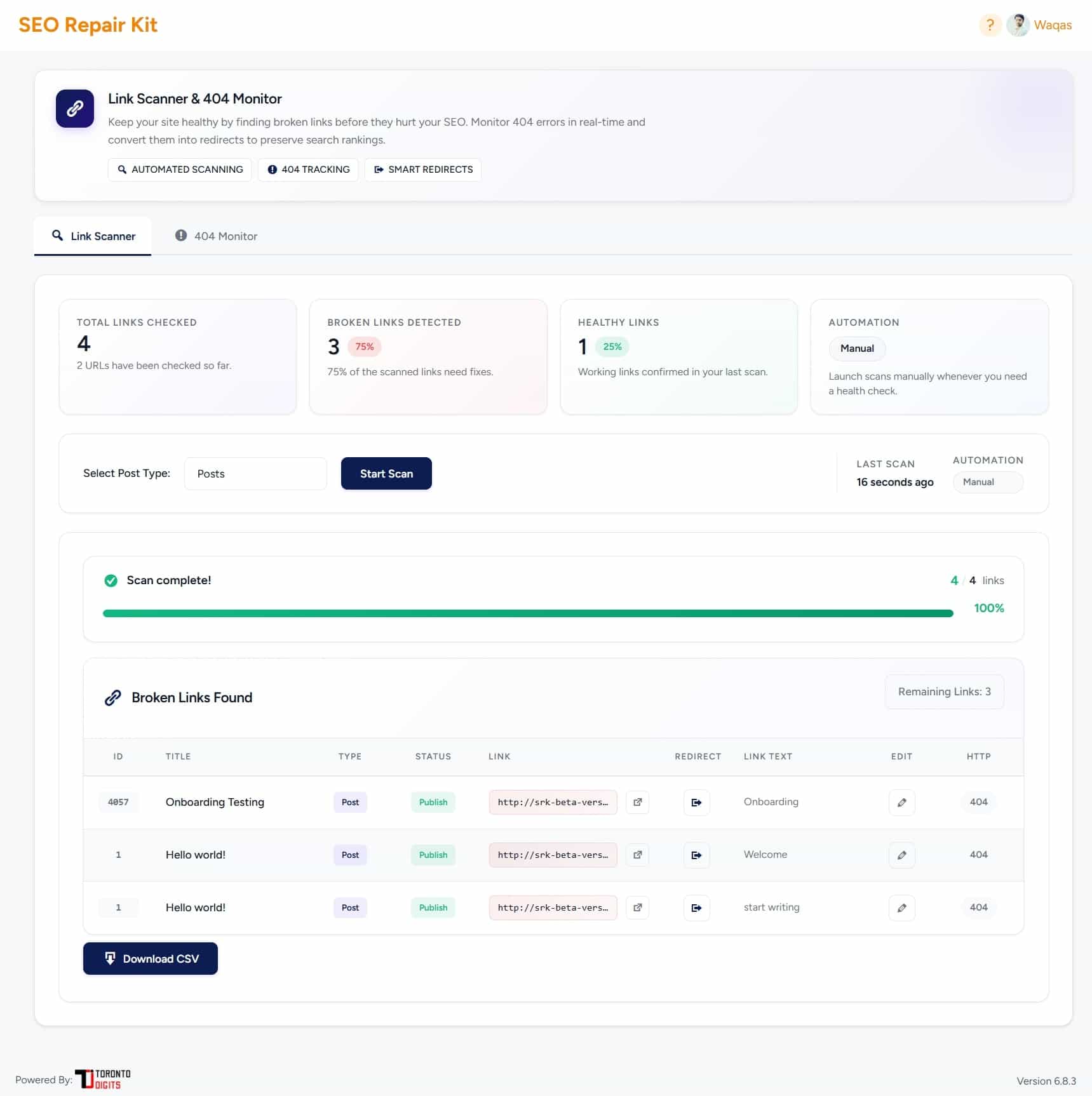
SEO Repair Kit - Links Manager
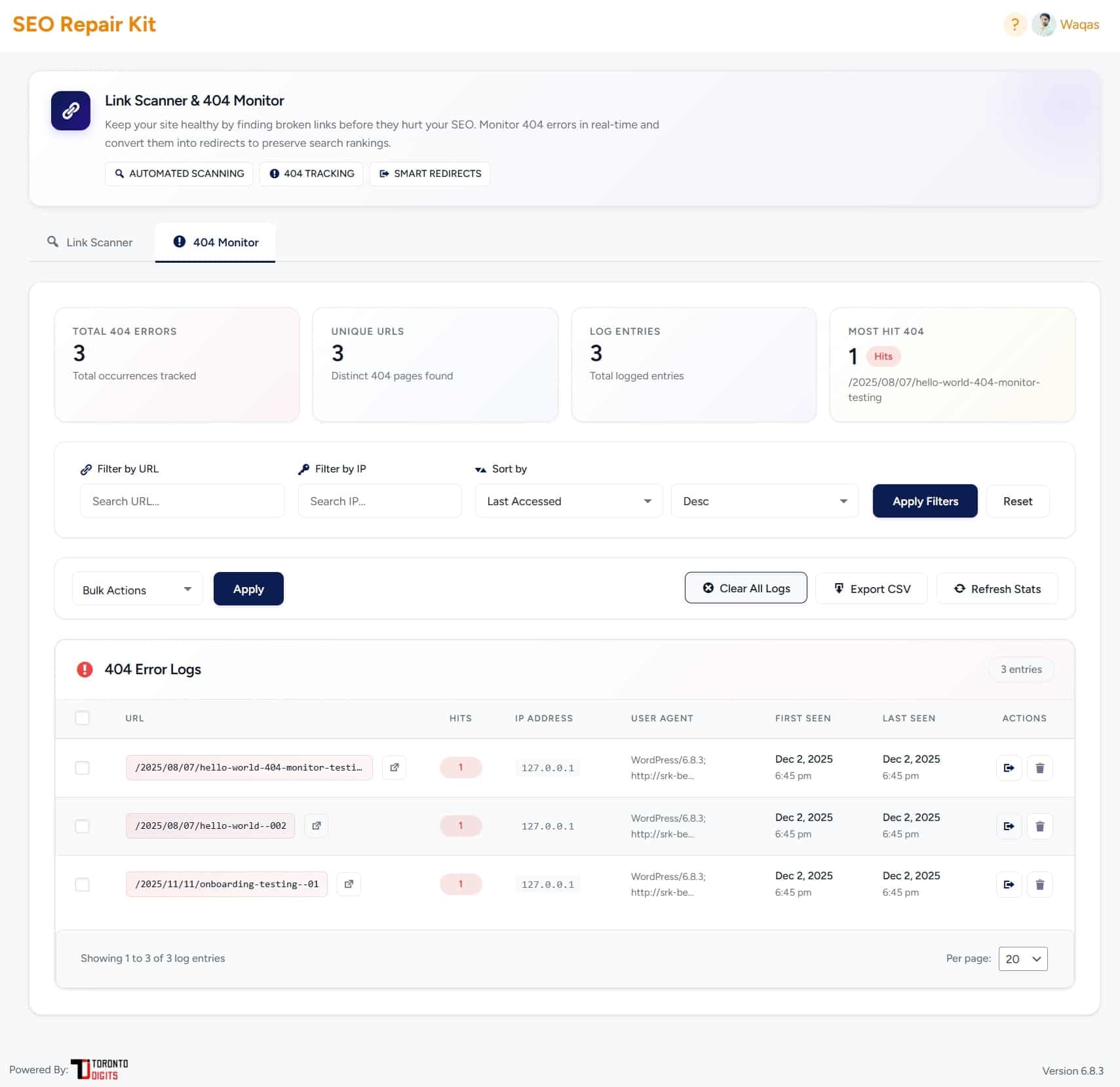
SEO Repair Kit 404 Monitor

SEO Repair Kit Auto Scan

SEO Repair Kit Notifications

SEO Repair Kit Smart Redirect

SEO Repair Kit Advanced Redirections

SEO Repair Kit Import and Export Redirections

SEO Repair Kit Spam Monitor Dashboard

SEO Repair Kit Spam Rules

SEO Repair Kit Google SERP Scan

SEO Repair Kit Search Console Cleanup

SEO Repair Kit Spam Monitor Alerts

SEO Repair Kit Scheduled Spam Monitoring Settings

SEO Repair Kit Internal Linking Dashboard

SEO Repair Kit Internal Linking Content Index

SEO Repair Kit Internal Linking Target Keywords

SEO Repair Kit Internal Linking Link Opportunities

SEO Repair Kit Internal Linking Auto Linking

SEO Repair Kit Internal Linking URL Changer

SEO Repair Kit Internal Linking Approved links

SEO Repair Kit Internal Linking Orphan Content

SEO Repair Kit Internal Linking Reports

SEO Repair Kit Internal Linking Settings

SEO Repair Kit Image Alt Text Manager

SEO Repair Kit Schema Manager

SEO Repair Kit KeyTrack Overview Dashboard

Meta Manager – Global Meta

Meta Manager – Content Types Overview

Meta Manager – Taxonomies Overview

Meta Manager – Archives Overview

Meta Manager – Advance Settings

SEO Repair Kit - Sitemap Manager

Bot Manager - Bot Manager - llms.txt Management

Bot Manager - Bot Manager - robots.txt Management

SEO Repair Kit AI Chatbot Interface

SEO Repair Kit Settings

SEO Repair Kit Upgrade to Pro

SEO Repair Kit Weekly Email Report

SEO Repair Kit KeyTrack Threshold Email Report

SEO Repair Kit Broken Links Detected Email Report

SEO Repair Kit No Broken Links Detected Email Report
Faq
Yes. You can limit scans by post type and configure scope, batch settings, and schedules to make larger scans easier to manage.
Provider requirements depend on the active Spam Monitor configuration. The paid module can support custom provider connections such as Serper.dev, SerpApi, and DataForSEO.
Yes. Schema Manager outputs configured structured data in JSON-LD format.
Yes. Google Site Kit must be installed and connected to the appropriate Google Search Console property.
Confirm Google Site Kit is installed, connected, and linked to the correct Search Console property.
Check the Spam Monitor module status, provider status, saved schedule, quota, and alert email configuration.
Confirm the Pro module is active and the schema mapping is assigned to the correct content type.
Confirm the relevant post type is selected in SEO Repair Kit settings and that the content contains scan-supported links.
Resave Bot Manager llms.txt content and confirm the site is running SEO Repair Kit.
Yes. Internal Linking requires an active paid module. If access is inactive or expired, the feature is locked and existing data is preserved.
Open the SEO Repair Kit dashboard, Links Manager, Redirection Manager, Auto Scan, 404 Monitor, Schema Manager, Internal Linking, Spam Monitor, KeyTrack, Gutenberg editor, and Settings screens to confirm they load normally. If you are upgrading from an older SEO Repair Kit version with existing data, back up the site first and run a staging migration test before updating production.
Pro and paid-module capabilities include Schema Manager, Internal Linking, AI Chatbot, and supported paid Spam Monitor functionality such as advanced SERP-provider connections.
Available free and paid functionality may vary by plugin version or active module.
You can also find helpful resources and documentation to resolve common issues on the support website.
Reviews
Very useful plugin and works very well
By 
I installed the plugin to handle 404 errors with specific redirects. The tool worked very well and helped me solve these problems.
It also has a very good post and page scan!
Great plugin
By 
I got to preview this tool at WordCamp, and I was very impressed. The team provided an excellent demo and from testing the plugin myself I would highly recommend it.
Changelog
2.1.12
- Added Internal Linking as a paid module with protected admin, AJAX, Gutenberg, indexing, and queue workflows.
- Hardened Internal Linking database migrations with versioning, locking, schema verification, bounded backfills, and semantic links support.
- Added Internal Linking to Dashboard Key Tools and Upgrade to Pro messaging.