SFTP Sync for Google Sheets

SFTP Sync for Google Sheets
Description
SFTP Sync for Google Sheets allows you to automatically export Google Sheets and upload them to any SFTP server. Use cases include:
- Daily inventory updates from Google Sheets
- Automated data feeds for e-commerce
- Syncing spreadsheet data to your server
- Backing up Google Sheets to your own server
Features:
- Easy Setup – Configure everything from the WordPress admin
- Secure API – Auto-generated API keys protect your endpoint
- REST API Endpoint – Receives files from Google Apps Script
- SFTP Upload – Automatically uploads to your SFTP server
- Activity Logs – Track all uploads and errors
- Pre-built Script – Copy-paste Google Apps Script included
- No paid services required – Uses Google Apps Script and your SFTP server
How It Works:
- Install and activate the plugin
- Configure your SFTP credentials in Settings
- Copy the provided Google Apps Script to your Sheet
- Set up a daily trigger in Google Apps Script
- Your sheet automatically syncs to your SFTP server
Installation
- Upload the
sftp-sync-for-google-sheetsfolder to/wp-content/plugins/ - Activate the plugin through the ‘Plugins’ menu in WordPress
- Go to Settings SFTP Sync
- Enter your SFTP server credentials
- Click “Test SFTP Connection” to verify
- Copy the Google Apps Script from the settings page
- Paste into your Google Sheet (Extensions Apps Script)
- Run
setupTrigger()to enable daily exports
Screenshots
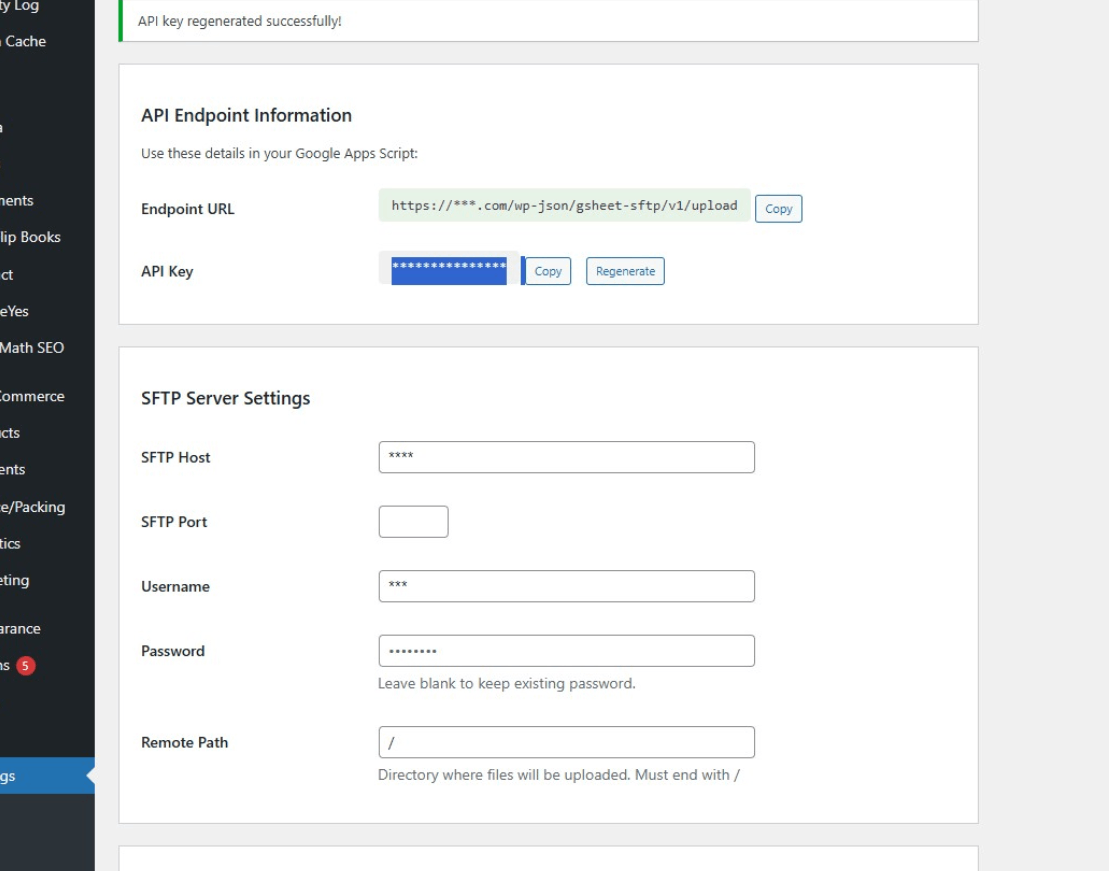
Plugin settings page with API endpoint information and SFTP server configuration
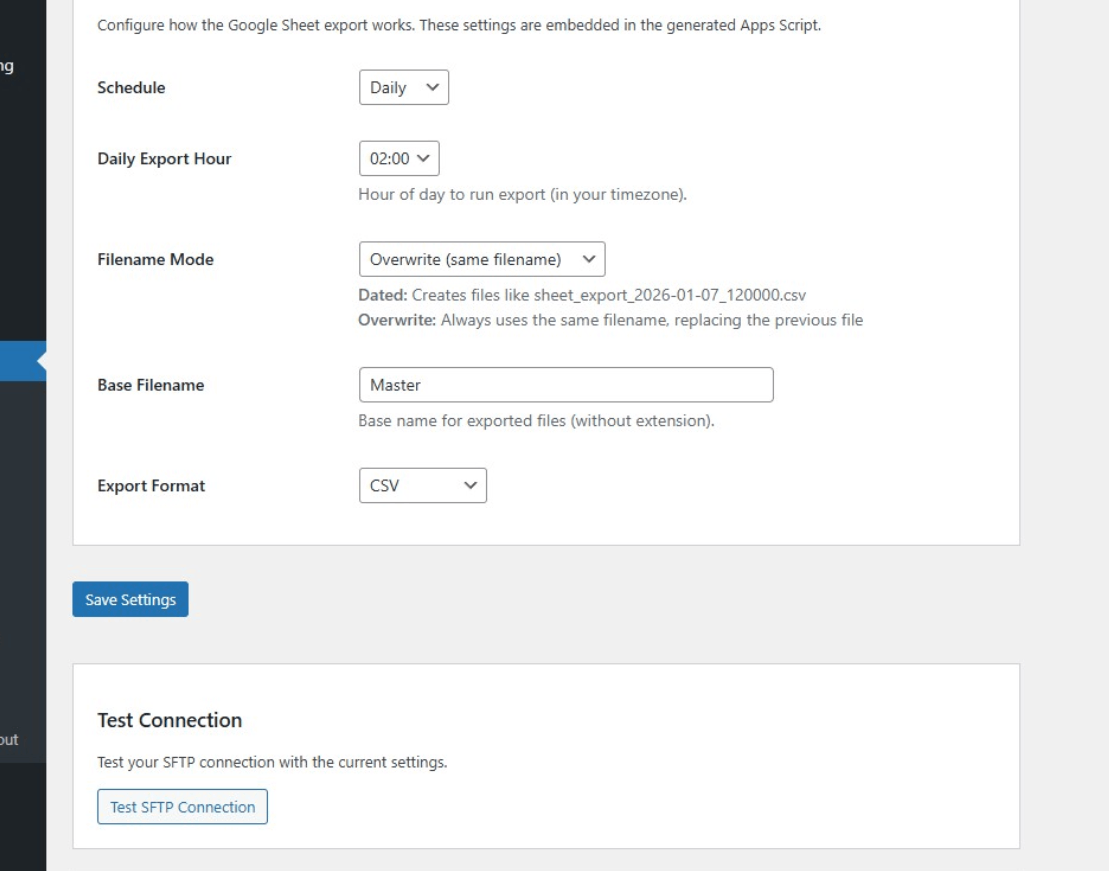
Export settings with schedule, filename mode, and format options
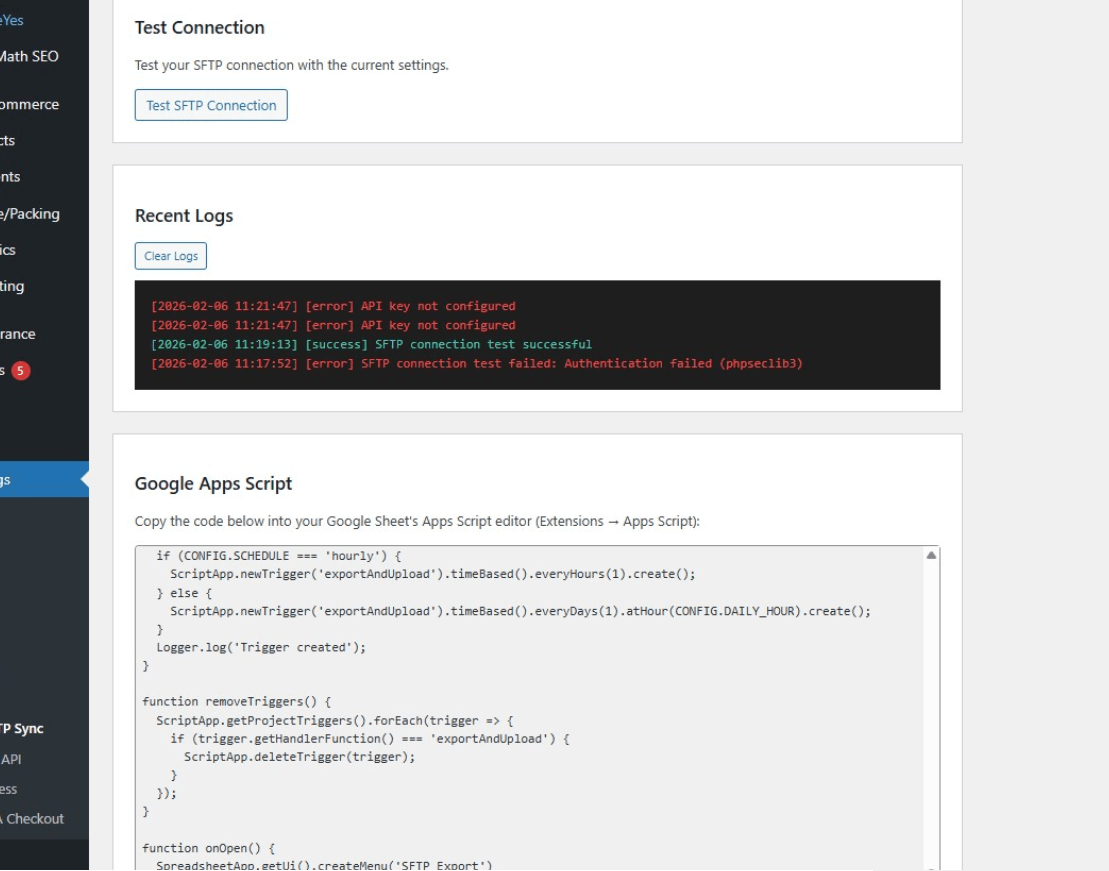
Activity logs and Google Apps Script code generator
Faq
The plugin supports both the PHP ssh2 extension and phpseclib. If neither is available, you can install phpseclib via Composer.
This solution uses Google Apps Script and your existing SFTP server. No third-party paid services are required.
Yes! Change EXPORT_FORMAT: 'csv' to EXPORT_FORMAT: 'xlsx' in the Google Apps Script configuration.
In the Google Apps Script, change SCHEDULE: 'daily' to SCHEDULE: 'hourly' for hourly exports, or modify DAILY_HOUR to change the time.
Yes. All requests require a valid API key. The key is auto-generated on activation and can be regenerated anytime.
Yes! Each Google Sheet can have its own Apps Script. They can all point to the same WordPress endpoint.
Reviews
Changelog
1.5.0
- WordPress.org initial release
- Improved code quality based on plugin review feedback
- Moved log storage to wp-content/uploads for better security
- Updated WordPress compatibility to 6.9
1.4.0
- Renamed plugin to “SFTP Sync for Google Sheets” for WordPress.org compliance
- Fixed all escaping issues (using esc_html_e, esc_html__ throughout)
- Fixed input sanitization for $_SERVER variables
- Updated text domain to sftp-sync-for-google-sheets
- Removed promotional language from descriptions
1.3.1
- Removed hidden files (.htaccess) for WordPress.org plugin directory compliance
- Logs directory now protected by index.php only (no .htaccess needed)
1.3.0
- Fixed CSV export: Now uses Google’s native CSV export instead of manual CSV building
- This fixes WP All Import not recognizing CSV headers
- CSV output is now identical to Google Sheets “File > Download > CSV”
- Updated generated Google Apps Script code
- Updated WordPress compatibility to 6.9
1.2.0
- Security: Improved password encryption using AES-256-CBC with WordPress salts
- Security: Added rate limiting (60 requests/minute) to prevent API abuse
- Added composer.json for easier phpseclib dependency management
- Added index.php security files to prevent directory listing
- Updated WordPress compatibility to 6.7
1.1.0
- Added Export Settings section in admin
- New schedule options: Daily or Hourly
- New filename mode: Dated (unique files) or Overwrite (same file each time)
- Configurable base filename and export format (CSV/XLSX)
- Apps Script now auto-configured with plugin settings
- Improved SFTP error messages for debugging
1.0.0
- Initial release
- SFTP upload via ssh2 or phpseclib
- REST API endpoint for receiving files
- Admin settings page
- Activity logging
- Google Apps Script generator