AI Agent by SiteGround
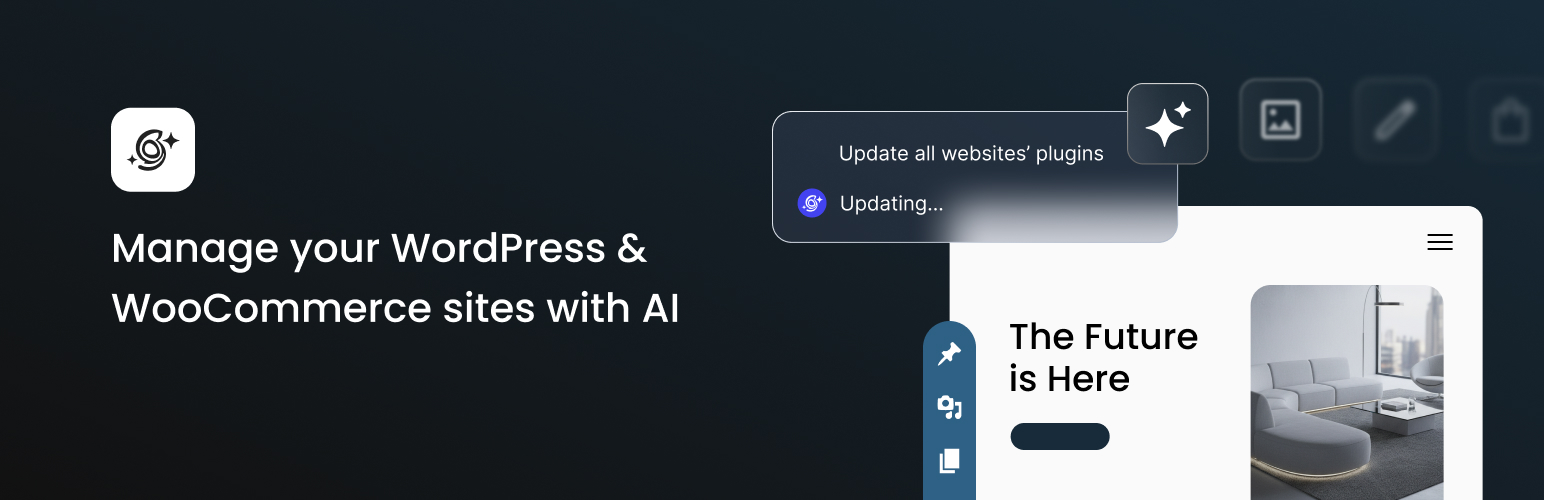
AI Agent by SiteGround
Description
The AI Agent by SiteGround plugin enables an AI agent for your WordPress and WooCommerce instances, and activates SiteGround AI connector for WordPress.
Why get this plugin?
-
Brings an AI agent directly into your WordPress workflow to assist you in streamlining site management. Regardless of your WordPress level of expertise, you can simply describe what you want in a chat and the AI agent will do it for you.
-
Lets you manage WordPress and WooCommerce through an AI chat – the faster, simpler, smarter way.
-
The AI Agent is trained on WordPress and is able to execute real, consequential tasks securely.
-
It offers a centralized chat to do all tasks – no screen hopping across the admin.
-
Saves you time and reduces manual work.
-
It also enables SiteGround AI connector for WordPress, which means you can use native AI functionalities through AI Studio. SiteGround customers get free monthly tokens.
🗝️ Key Capabilities
The AI Agent for WordPress has a wide range of capabilities, covering a large scope of WordPress and WooCommerce tasks:
Content Management
Easily generate, edit, publish, and organize content on one site or across your entire portfolio.
-
Create or edit posts and pages: Create, update, and delete posts and pages. Draft the actual content with AI-generated text and images.
-
Publish or unpublish content: Control when your posts and pages go live, or save them as drafts until they’re ready.
-
Add categories and tags: Apply, update, or remove categories and tags to keep your content organized.
-
Builds navigation menus, organizes page structure and hierarchy. It handles successfully complete taxonomy restructures – merging categories, creating new hierarchies, and reassigning posts to different tags.
-
Moderate comments: Approve, edit, or delete comments to keep discussions clean and relevant.
-
Media Library Control: Upload, retrieve, or delete images and files with a single prompt.
-
Optimise for search engines: audits for missing SEO meta data, generates meta for new WordPress posts and pages – SEO titles, meta descriptions, keywords, alt text and captions.
-
Point it at a media library with 200+ product images, and it adds the needed metadata for each one, maintaining consistent keyword usage throughout. That’s 800+ individual fields – a week and a half of mind-numbing work, finished in an afternoon.
-
Translate content: Translate posts, pages, or even your entire WooCommerce product catalogue into any language.
-
Perform bulk content changes across sites: Update text, URLs, or meta data across dozens of pages on multiple sites.
WooCommerce Management
Let the AI Agent for WordPress handle key WooCommerce tasks for your store.
-
Create and update products: Add new listings or edit product details like price, description, labels and stock.
-
Manage inventory: Adjust stock levels and availability across your catalog.
-
Handle orders: View, update, cancel, or delete orders. Retrieve customer orders and details instantly for faster order processing and support.
-
Track store performance: Ask the agent for sales reports, top-performing products, coupon usage, and trends for any date range.
-
Translate your product catalogue: Expand into new markets by translating your full WooCommerce catalogue, with HTML formatting and technical specifications preserved.
Plugins & Themes
Maintain your WordPress installation effortlessly and keep your entire site portfolio up to date at once.
-
Install or remove plugins: Add new or clean up unused plugins in seconds.
-
Manage themes quickly: Install, update, or delete themes with a single prompt.
-
Audit plugins and themes: Ask for a list of all installed plugins or themes with their version numbers and update status, so you can spot outdated or unnecessary extensions.
-
Update plugins and themes across all sites: Push updates to your entire portfolio with one command, with no separate wp-admin logins.
Site Settings
Control your WordPress configuration through chat commands and standardize it across every connected site.
-
Update core settings: Change site title, tagline, language, timezone, and permalink structure in one step.
-
Standardize settings across sites: Apply the same configuration to all your connected WordPress installations instantly.
User Management
Simplify user control and community moderation.
-
Add and manage users: Create new accounts, reset passwords, update user details, or adjust roles and permissions.
-
Manage users across sites: Add a new editor to all connected sites, review Admin access everywhere, or remove a user’s access across your entire portfolio.
🛡️ Power Mode for High-Impact Actions
To protect your website from accidental or harmful changes, the AI Agent for WordPress includes a built-in safety layer called Power Mode.
Power Mode is disabled by default to ensure that high-impact actions are never executed without your explicit confirmation. When you request a potentially irreversible operation, the Agent will pause and alert you before proceeding.
Actions that require Power Mode ON include:
-
Deletions: posts, pages, categories, tags, users, media files, plugins, themes, products, orders.
-
Bulk operations: mass-editing post titles, updating URLs across multiple pages, mass-deleting drafts.
-
Create, edit, and delete users
-
Updating global site settings
-
Creating, updating, or deleting WooCommerce products and orders
By combining AI automation with built-in safeguards, SiteGround ensures you get speed and convenience without compromising safety.
🌐 Manage Multiple Sites in Bulk
Connect any number of WordPress sites to SiteGround AI Studio and manage them all from a single AI-powered workspace. Turn repetitive wp-admin logins into one set of instructions that instantly runs across your connected sites.
-
Push plugin and theme updates across your entire portfolio with one command.
-
Add or remove users across all sites at once, onboard a new team member or revoke access when someone leaves.
-
Perform bulk content changes such as updating text or URLs across dozens of pages on multiple sites.
-
Standardize WordPress settings like site title or timezone across all connected sites instantly.
✨ AI Connector
The plugin also enables SiteGround AI as an AI connector for your WordPress. SiteGround AI is a multi-model AI service that intelligently routes each task to the best-suited LLM, optimizing for output quality and cost efficiency. It powers WordPress AI features, including text, image, and code generation, translation, research, analysis, and more. It orchestrates several models – Gemini, Nano Banana, ChatGPT, GPT-Image, Claude – and automatically selects the best one for each job.
Install the AI Agent by SiteGround plugin, create a free account for SiteGround AI Studio service, and the connector activates automatically. No API key is needed to activate.
In the plugin you have separate settings to activate and deactivate the SiteGround AI Connector separately from the AI agent. If you deactivate the Connector it will stop powering up AI features in the WP admin, enabled by the AI plugin. Disconnecting the SiteGround AI Connector will not affect the work of the AI agent – it will remain active until you disable this plugin entirely. Learn More.
🚀 Getting Started
To start using the AI Agent for WordPress, you need to sign up for SiteGround AI Studio and activate the AI Agent by SiteGround plugin.
The plugin works with any WordPress site, regardless of where it is hosted.
If your WordPress site is hosted on SiteGround servers, you can enable the connection in a click.
What is AI Studio by SiteGround?
SiteGround AI Studio is the connector that powers the AI Agent by SiteGround plugin with AI capabilities.
By signing up for AI Studio you not only enable the AI Agent for WordPress, but also get a unified platform to chat with multiple LLMs: Claude, ChatGPT, Gemini, Imagen, Nano Banana, and gives you access to 14+ agents that perform different business and marketing tasks.
How to get started?
-
Sign up for SiteGround AI Studio
-
Log into your WordPress admin and activate AI Agent by SiteGround plugin.
-
Paste the connection key from your AI Studio account to link your site.
Once connected, chat with the agent from the SiteGround’s AI Studio interface or directly inside your WordPress Admin via a built-in chat pop-up.
External services
This plugin connects to SiteGround’s AI Studio API (api.studio.siteground.ai) to provide AI-powered WordPress site management features. The plugin transmits data to the following endpoints:
AI Chat Service
– Purpose: Process user requests and generate AI-powered content, site management commands, and responses
– Endpoint: https://api.studio.siteground.ai/api/v1/* (various chat and generation endpoints)
– Data sent: User prompts/queries, site context (WordPress version, active plugins, theme info), content being edited
– When: Every time you interact with the AI assistant chat interface or use AI generation features
Authentication & Key Management
– Purpose: Securely authenticate the plugin and manage API access credentials
– Endpoint: https://api.studio.siteground.ai/[service]/v1/sign/token
– Data sent: Site URL, authentication tokens, plugin version
– When: During initial plugin setup, when connecting/reconnecting the service, and during automatic token refresh
Key Refresh Service
– Purpose: Periodically refresh authentication keys to maintain secure access
– Endpoint: https://api.studio.siteground.ai/dynamic-keys/v1/key-refresh
– Data sent: Current authentication credentials, site URL
– When: Automatically when authentication keys need renewal
Usage Analytics
– Purpose: Track feature usage and display usage statistics in the plugin dashboard
– Endpoint: https://api.studio.siteground.ai/api/v1/usage (analytics endpoints)
– Data sent: Usage metrics requests
– When: When viewing the plugin dashboard or usage statistics
Access Control
– Purpose: Retrieve and verify user permissions for plugin features
– Endpoint: https://api.studio.siteground.ai/api/v1/acl/wp-acl
– Data sent: User/site identification data
– When: During feature access verification and permission checks
Connection Management
– Purpose: Establish and terminate plugin connections to the AI Studio service
– Endpoint: https://api.studio.siteground.ai/api/v1/wp/wp-disconnect
– Data sent: Site URL, connection credentials
– When: When connecting or disconnecting the plugin from AI Studio service
Service provider: SiteGround
SiteGround Terms of Service
SiteGround AI Studio Terms
SiteGround Privacy Policy
SiteGround Plugins Privacy Notice
Reviews
AI Agent by SiteGround
By 
AI Studio helps me fix various technical errors and, at the same time, learn how to improve my website. I recommend it with confidence.
Impressive
By 
this AI is enhanced by best exchangers
Nope
By 
- The web host installing their new plugin without warning or consent is a big nope.
- The intrusive icon appearing in the way of one's expected workflow and interface is also a nope.
- Editors and other admins assuming a colleague installed it can lead to serious issues.
I've got 0 stars to give.
Installed without consent
By 
Insane that they would auto-install anything on client sites and think that is ok!
Saves real time on multi-site busywork - I recommend it
By 
The WordPress Agent is the part I mostly use. It saves time on tasks I’d otherwise do by clicking through sites one by one.
Example: I got a vulnerability notice for a plugin I run on several sites. I asked the Agent for a list of which sites had it and which versions were installed, then told it to update only the vulnerable ones. That was much faster than doing it by hand.
Same for backups. I have different backup plugins across sites. One prompt gave me a list of which plugin is on which site. That alone saved a few minutes.
There are some limitations - I asked what backup schedule each site uses (weekly, monthly, etc.) and it couldn’t tell me. It can work with popular plugins like WooCommerce and Yoast, but it doesn’t reliably read the internal settings of every plugin.
The free tokens that come with hosting were enough for these bulk jobs. The prompt library in AI Studio is also handy, the prompts work wonderfully in other chat tools if you run out of tokens.
If you manage more than one WordPress sites, I recommend it. The Agent is already saving me time, and I’m happy to give it 5 stars.
Installed without consent
By 
This gets a swift uninstall ... and the same goes for all SiteGround plugins
Auto installed
By 
We manage multiple client sites, auto-installing and having to explain a new plugin to 100's of customers is not what we want from our host.
Honestly, this plugin deserves more
By 
Right now the AI Agent by SiteGround plugin's public reputation is being shaped less by feature comparisons and more by its rollout campaign. This is dragging plugin's rating down independent of what the agent actually does BUT if you compare it to AI Engine, Elementor AI / Angie or any other AI plugin - it is amazingly productive, consistent, and edges them all by removing the LLMs API key friction, supporting real cross-site bulk operations, having full WP-admin / management integration + real guardrail on destructive actions (so called Power Mode).
The AI Squatter - Moved in without permission
By 
In the process of updating my website and doing some back end clean up, I noticed this plugin titled "AI Agent by SiteGround" was active and I am not the one who activated it. Automatically implementing plugins into your customers wordpress environment without their explicit consent is wrong on every level. I did not consent to this and I want to be sure that NONE of my information was shared with any third party partners of SiteGround during this unconsented activation of this plugin. Please confirm this!
On top of the data concerns, I have to deactivate/delete this plugin from each WordPress site I own or manage. So essentially I'm having to fight multiple AI squatters (remove them) from my environments. I'm starting to think even the companies we thought to be good companies will eventually go rogue with money over costumers type of behavior. Is there anyone that can't be bought?
Not happy at all (SG customer here)
By 
This plugin was auto-installed across all my sites without my approval. Forcing plugins onto WordPress users without explicit consent is a major privacy and security concern. I didn't ask for this, have no need for it, and have completely deleted it from every site.
Changelog
1.3.1
Release Date Sep 30th, 2026
- New: Attachment-only messages in AI Agent chat
- New: Batch theme updates
- New: Global template parts editing (header and footer) on block themes
- Chat drafts and attachments preserved after refresh or WP Admin navigation
- Site context improvements for menus and page builders
- Fonts loading fix
1.3.0
Release Date Sept 3rd, 2026
- New: Site context awareness
- New: Block-scoped page and post editing
- New: WooCommerce variable and grouped product support
- New: Taxonomy terms support
- New: View Mode switcher in the chat header
- Improved multi-step planning
- Native Chat scrolling behaviour while streaming response
- Activity Log now records page and post changes
1.2.9
Release Date August 20th, 2026
- AI Tokens Manage button link fix
1.2.8
Release Date August 19th, 2026
- New: Redesigned plugin page with Dashboard, Settings, and Activity & Usage
- New: AI Tokens usage and balance
- New: Activity Log filtering by category
- New: Satisfaction survey in AI Agent chat
- Chat input character limit removed
- Full-screen chat UI refinements
- Elementor Editor compatibility fix
- Security hardening
1.2.7
Release Date July 28th, 2026
- New: Page context awareness for WP Agent
- New: Post and page revision support
- Quick Actions updates
- Chat input alignment fix
- Avada Live Builder compatibility fix
1.2.6
Release Date July 8th, 2026
- New: Progressive chat display modes
- New: Real-time AI Agent tool activity view
- New: AI Agent chat on the logged-in front-end
- New: Show or hide AI Agent chat bubble settings
- Various chat UI/UX refinements
1.2.5
Release Date June 23th, 2026
- Gutenberg Editor improvements
- REST request hardening
1.2.4
Release Date June 16th, 2026
- Chat bubble resizing fixes
- Chat input box alignment fixes
1.2.3
Release Date June 10th, 2026
- Add prefixing for additionally loaded libraries
1.2.2
Release Date June 5th, 2026
- php-jwt dependency version update
- Changes to signing/verification keys validation process
1.2.1
Release Date June 4th, 2026
- REST responses optimizations
- Chat bubble improvements
- Contributor access improvements through plugin REST endpoints
- Implementing toggle for Gutenberg support
1.2.0
Release Date May 28th, 2026
- Chat bubble improvements
- Menus support
1.1.9
Release Date May 20th, 2026
- Add AI Image Refinement support
- Add introductory banner to chat
- Translation improvements
1.1.8
Release Date May 18th, 2026
- Add WP core AI functionalities support
- Improvements to initial connection flows
1.1.7
Release Date May 8th, 2026
- WP-CLI connection improvements
1.1.6
Release Date May 4th, 2026
- Assets improvements
- WooCommerce improvements
- Post types support
1.1.5
Release Date Apr 30th, 2026
- Code improvements
1.1.4
Release Date Apr 28th, 2026
- NEW – Chat History
1.1.3
- Latest stable release.