ShareThis Reaction Buttons

ShareThis Reaction Buttons
Description
Introducing Reaction Buttons WP Plugin, by ShareThis! Reaction buttons give your visitors a fun, quick way to interact with your content. Best of all, they look great on every device and are simple to configure and install.
Like it. Love it. Wow. LOL. Sad. Anger.
With just a few simple clicks, you can install reaction buttons on your site today!
Reaction and Share buttons are better together!
Keep the engagement going with Share buttons https://wordpress.org/plugins/sharethis-share-buttons from ShareThis. The Reaction and Share buttons plugins both offer easy installation and configuration options.
Open source just tastes better. Our beautiful reaction emoji’s have been hand crafted with love by EmojiOne. https://www.emojione.com/
PRIVACY
By creating an account with ShareThis you agree to our terms of use.
Included in those terms is our ability to keep track of user interactions with our buttons. You can read all about our privacy policy here: https://www.sharethis.com/privacy/.
Privacy
By creating an account with ShareThis you agree to our terms of use.
Included in those terms is our ability to keep track of user interactions with our buttons. You can read all about our privacy policy here: https://sharethis.com/privacy/.
Installation
Install ShareThis Reaction Buttons just like any other plugin. Simply download the file directly from this page or search for us in the WordPress directory and click “Install”. After you install and activate the plugin, simply configure your buttons and create an account.
If you’re already using the new ShareThis buttons, and want to migrate to our WordPress plugin, we’ve got your back. Install the plugin, then from the first configuration screen click, “connect to an existing property”. Login, and select your property from the list. We’ll sync your settings from our platform.
( If you were using the non WordPress version of our Reaction buttons, don’t forget to remove the hard coded JS, and any hard coded reaction button divs! )
Screenshots

Setup Reaction buttons.

Configure Reaction buttons.
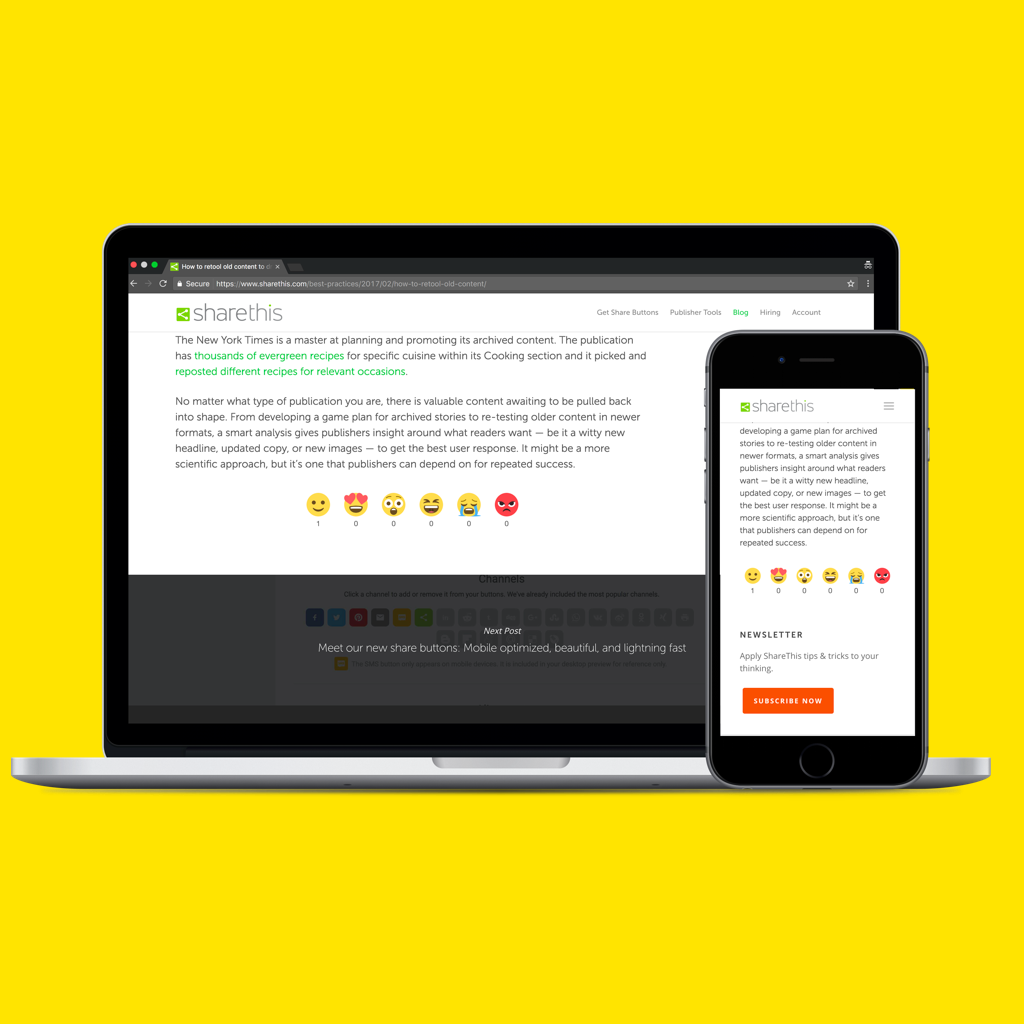
Mobile friendly Reaction buttons.

Register your Reaction buttons.
Faq
Install ShareThis Reaction Buttons just like any other plugin. Simply download the file directly from this page or search for us in the WordPress directory and click “Install”. After you install and activate the plugin, simply configure your buttons and create an account.
At the moment you’re not able to change your reaction button answer but we hope to make a redo option in a future release!
Yes! Once installed you’ll be able to fully see your reaction buttons on mobile.
Nope! The ShareThis Reaction Buttons plugin is a working standalone product.
Reviews
Emoticons are not displayed (не отображаются смайлы)
By 
After moving the site to a new server, emoticons stopped being displayed. The reason is unclear, the plugin is connected, on the site https://platform.sharethis.com/reaction-share-buttons - authorized, the code is inserted.
When you try to enter the settings, the inscription appears:
"Sorry, you are not allowed to view this page."
https://skr.sh/sIVCasIqkNi
---------
После переезда сайта на новый сервер перестали отображаться смайлы. Причина непонятна, плагин подключен, на сайте https://platform.sharethis.com/reaction-share-buttons - авторизован, код вставлен.
<div class="sharethis-inline-reaction-buttons"></div>
При попытке зайти в настройке появляется надпись:
"Sorry, you are not allowed to view this page."
https://skr.sh/sIVCasIqkNi
Muy bueno!!
By 
Great
By 
Third Party Tracking scripts added
By 
https://cl.ly/88c1f6116becChangelog
1.3.4
- Fix text domain error.
- Test up to wp ver 6.8.2.
1.3.3
- Test with wp ver 6.7.1.
1.3.2
- Fix php 8.2 deprecations.
- Test with wp ver 6.5.2.
1.3.1
- Remove global admin style enqueue.
1.3.0
- Remove registration step.
1.2.4
- Add source.
1.2.3
- Test with WordPress 6.0.2.
1.2.2
- Sanitize inputs/outputs and fix sniff warnings.
- Test with WordPress 5.9.1.
1.2.1
- Tested with WordPress 5.8.
1.2.0
- Fix admin/register config.
1.1.5
- Update endpoint fix.
1.1.4
- Add German to language list.
- Replace API endpoint.
1.1.3
- Fix is_plugin_active error.
1.1.2
- Add: Brand new gutenberg block to insert follow buttons in a post.
- Test: Tested functionality in new WordPress 5+.
1.0.2
- Added new language option to translate reaction names.
1.0.1
- Added loading gifs to registration to avoid user double clicks.
1.0.0
- Brand new plugin submission.