ShareWhere

ShareWhere
Description
Do you want to share any location? ShareWhere plugin shares the location you want.
You just have to select location in google map and insert that location into post/page.
Roadmap
- Share location in BuddyPress Comments
- Share location in bbPress Forums
- include map instead of location name
Installation
From your WordPress dashboard
- Visit ‘Plugins > Add New’
- Search for ‘ShareWhere’
- Activate ShareWhere from your Plugins page.
From WordPress.org
- Download ShareWhere.
- Upload the ‘sharewhere’ directory to your ‘/wp-content/plugins/’ directory, using your favorite method (ftp, sftp, scp, etc…)
- Activate ShareWhere from your Plugins page.
Screenshots

Add Location

Google Map

Search Places

Location Type

After insert into post/page

Location on frontend
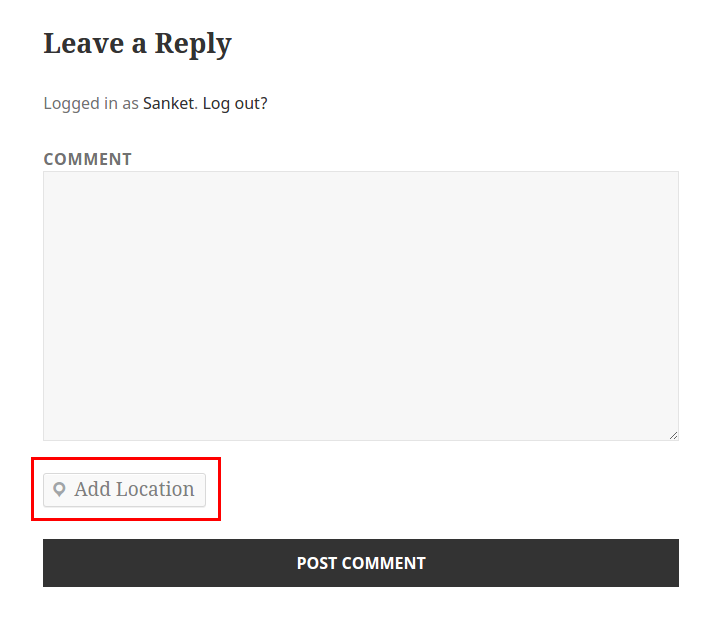
Add Location in WordPress Comment

Add Location in BuddyPress Activity
Faq
Can I use my existing WordPress theme?
Yes! ShareWhere works out-of-the-box with nearly every WordPress theme.
Reviews
I love this plugin
By 
Great work guys love it.
Nice Plugin.
By 
Nice Plugin ! I like it, Great work Guys 🙂
Changelog
1.2 – Oct 30, 2015
- Add Location in BuddyPress Activity
1.1 – Aug 31, 2015
- Add Location in WordPress Comment
1.0.1 – Aug 20, 2015
- Removed unwanted code
1.0 – Aug 20, 2015
- Inital Release
- Share location using google map in post/page
- Added Readme