SheetLink Forms
SheetLink Forms
Description
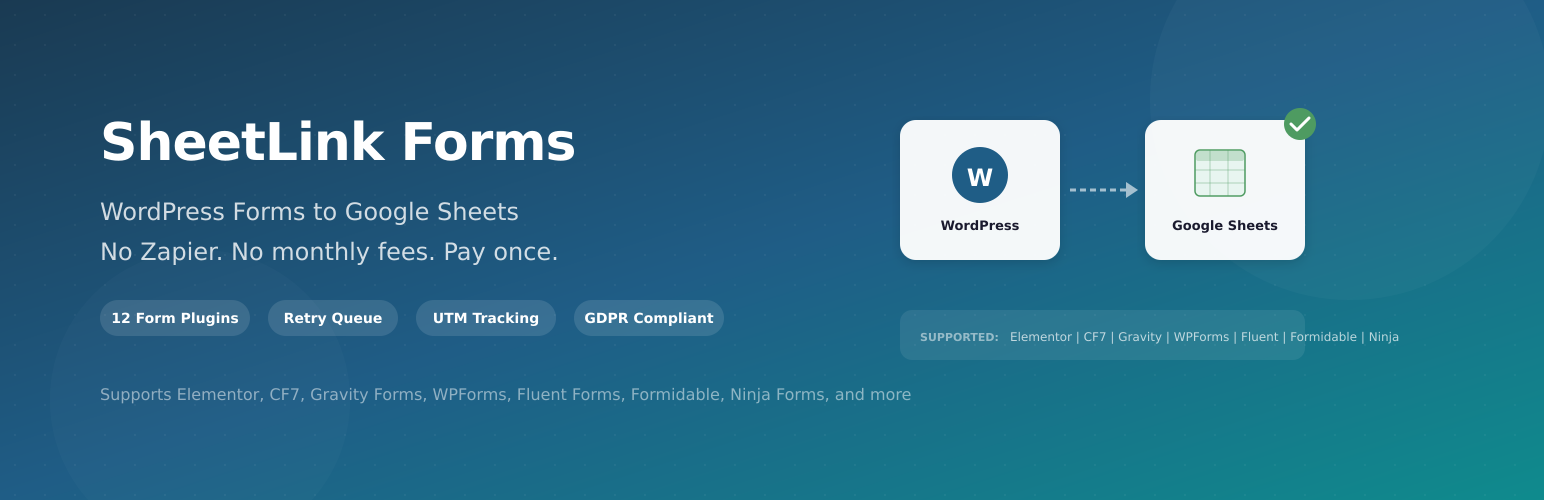
SheetLink Forms connects your WordPress forms directly to Google Sheets using a free Google Apps Script receiver. No middleware, no external service dependencies — data goes straight from your server to Google over HTTPS.
Works on any WordPress site without registration or account creation.
Supported Form Plugins
- Elementor Pro Forms
- Contact Form 7
- Gravity Forms
- WPForms
- Fluent Forms
- Formidable Forms
- Ninja Forms
- Forminator
- Everest Forms
- Beaver Builder
- Divi
- WS Form
How It Works
- Install SheetLink Forms
- Create a sync rule — pick your form plugin, map fields to spreadsheet columns
- Copy the generated Google Apps Script into your Google Sheet
- Deploy the script as a web app
- Every form submission automatically appears in your Google Sheet
Features
- All 12 form integrations — works with every major WordPress form builder
- Unlimited sync rules — different forms to different sheets
- Field mapping — choose exactly which fields go to which columns
- Auto-timestamps — optional timestamp column on every submission
- Delivery logs — see every submission with status and error details
- Automatic retry queue — failed deliveries are retried up to 3 times
- UTM & marketing data capture — auto-append IP, page URL, UTM parameters
- Conditional routing — route submissions to different sheets or tabs based on field values
- Test button — send sample data to verify your setup
- Script generator — generates the Google Apps Script for you, just copy & paste
- GDPR data export and deletion — integrates with WordPress privacy tools
- Multisite central management — network admin overview of all subsites
- Zero external dependencies — no SaaS, no tracking, no calls home. Pure PHP.
External services
This plugin sends form submission data to Google Apps Script endpoints that you deploy in your own Google account. This is the core functionality of the plugin — delivering WordPress form data to your Google Sheets.
Google Apps Script
- What it is: A user-deployed Google Apps Script web app that receives form data and writes it to your Google Sheet.
- What data is sent: The form field values mapped by the user, plus optional enrichment data (timestamps, UTM parameters, IP address, page URL) if enabled by the site administrator.
- When it is called: Each time a WordPress form submission matches a sync rule.
- Where data goes: User-deployed Google Apps Script web app URLs hosted at
https://script.google.com/orhttps://script.googleusercontent.com/. The plugin validates that all receiver URLs begin with these prefixes. - No account required: The plugin does not use Google API keys or OAuth. Users deploy a free Google Apps Script receiver in their own Google Sheet.
- Google Apps Script documentation: https://developers.google.com/apps-script
- Google Terms of Service: https://policies.google.com/terms
- Google Privacy Policy: https://policies.google.com/privacy
No other external services are contacted by this plugin. All processing is performed locally on your WordPress server.
Installation
- Upload the
sheetlink-formsfolder to/wp-content/plugins/ - Activate the plugin through the Plugins menu
- Go to SheetLink in the admin menu
- Click + Add Rule to create your first sync rule
Faq
No. SheetLink Forms works immediately after installation. No account, no registration, no license key required.
No. SheetLink Forms sends data directly from WordPress to Google Sheets via a free Google Apps Script. No third-party services needed.
No. This plugin makes zero external calls to our servers. Data goes only from your WordPress site to Google Sheets.
Elementor Pro Forms, Contact Form 7, Gravity Forms, WPForms, Fluent Forms, Formidable Forms, Ninja Forms, Forminator, Everest Forms, Beaver Builder, Divi, and WS Form.
SheetLink Forms generates the Google Apps Script for you. Click “Get Script” on any rule, copy the code, and paste it into your Google Sheet’s Apps Script editor (Extensions > Apps Script). Then deploy it as a web app.
Yes. Create multiple sync rules, each pointing to a different Google Apps Script URL (i.e., a different Google Sheet).
Data is sent directly from your WordPress server to Google’s servers over HTTPS. No third-party servers see your data. The plugin only allows Google Apps Script URLs as receiver destinations.
The submission is logged as failed and automatically retried up to 3 times (every 15 minutes). You can also retry manually from the Retry Queue page.
Reviews
Changelog
1.6.3
- Tested up to WordPress 6.8 (corrected from incorrect 6.9 tag)
1.6.2
- Removed client-side routing rules cap in admin JavaScript (completing the server-side fix in 1.6.1)
1.6.1
- Removed artificial cap on conditional routing rules (was limited to 10, now unlimited)
1.6.0
- All 12 form integrations now included and fully functional (added Forminator, Everest, Beaver Builder, Divi, WS Form)
- Removed all premium feature gating — every feature in the plugin works without restrictions
- Fixed text domain to match plugin slug (sheetlink-forms)
- Replaced all inline JavaScript with properly enqueued scripts
- Fixed output escaping in admin UI and sync rule templates
- Updated External Services documentation with complete disclosure
- Renamed main plugin file to sheetlink-forms.php per WordPress.org naming convention
- Retry queue now processes for all users (previously required license activation)
1.5.1
- WP.org compliance: replaced all inline JS/CSS with wp_enqueue_script and wp_add_inline_style
- WP.org compliance: added External Services disclosure for Google Apps Script integration
- WP.org compliance: consistent “SheetLink Forms” branding across all headers and readme
1.5.0
- WooCommerce bidirectional sync module
- AI Analytics with trend analysis and duplicate detection
- CRM Fan-Out connectors (HubSpot, Salesforce, Zoho)
- GDPR data export and deletion tools
- Multisite central management
- GCLID/fbclid/msclkid click ID enrichment
- Two-Way Sync echo suppression to prevent update loops
1.4.0
- Admin UI modernization with design tokens and CSS custom properties
- New component library: stat cards, badges, toggles, empty states
- Consistent card, table, and badge styling across all pages
1.3.0
- Free Single-Site Edition — all core features work without registration
- Added edition detection (Free / Agency)
- Removed license activation requirement for core delivery
- Renamed webhook labels to Receiver URL for clarity
- Updated admin UI with edition badge and upgrade page
- WP.org compliance: zero external calls in free edition
1.2.0
- Two-Way Sync admin UI with dedicated page and activity log
- White-label support for entitlement-based plans
- Multi-Node Fan-out Routing
1.0.0
- Initial release
- Support for 7 form plugins
- Field mapping with column assignment
- Google Apps Script generator
- Sync log with last 100 entries
- Test webhook button