Shibhu Custom Messages for WooCommerce
Shibhu Custom Messages for WooCommerce
Description
Shibhu Custom Messages for WooCommerce allows you to create and display custom messages on your WooCommerce product pages with powerful conditional logic. Boost conversions, create urgency, and enhance user experience with a variety of message types.
Key Features
-
Multiple Message Types:
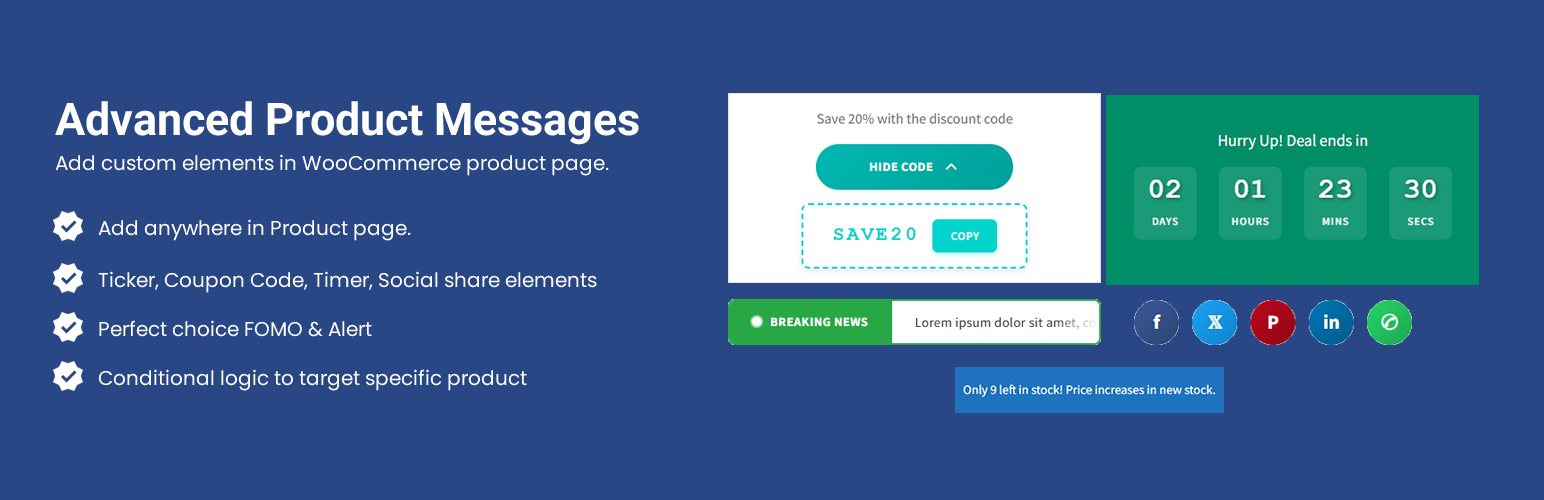
- Text Ticker – Animated scrolling text with customizable colors
- Real-time Stock Counter – Display remaining inventory
- Countdown Timer – Create urgency with time-limited offers
- Custom Images – Display promotional banners
- Custom Messages – Rich text content with shortcodes
- Discount Codes – Stylish discount code displays (3 styles)
- Social Share Buttons – Increase product visibility
-
Advanced Conditional Logic:
- Product Stock Status (In Stock, Out of Stock, On Backorder)
- Product Categories
- Product Tags
- Product Price
- Product Quantity
- Product Title
- AND/OR logic support for complex conditions
-
Flexible Display Options:
- 14 different display positions on product pages
- Priority ordering for multiple messages
- Custom background and text colors
- Enable/disable individual messages
-
Shortcode Support:
- {product_name} – Display product name
- {product_price} – Display formatted price
- {stock_count} – Display stock quantity
- {product_sku} – Display product SKU
- {product_url} – Display product URL
Perfect For
- Flash sales and limited-time offers
- Low stock alerts
- Product-specific promotions
- Category-based messaging
- Seasonal campaigns
- Social proof and urgency creation
- Product information highlights
Discount Code Styles
Choose from 3 beautiful discount code display styles:
- Default Style – Simple inline code with copy button
- Reveal on Click – Hidden code revealed with button interaction
- Percentage Badge – Eye-catching circular badge with gradient background
Support
For support, feature requests, or bug reports, please visit the plugin support forum or contact us through our website.
Credits
Developed by shibhuplugins
Installation
- Upload the plugin files to the
/wp-content/plugins/advanced-custom-messages-woodirectory, or install the plugin through the WordPress plugins screen directly. - Activate the plugin through the ‘Plugins’ screen in WordPress.
- Make sure WooCommerce is installed and activated.
- Navigate to “Product Messages” in your WordPress admin menu.
- Click “Add New” to create your first message.
- Configure your message settings, conditions, and display options.
- Save and enable the message.
Faq
Yes, WooCommerce must be installed and activated for this plugin to work.
Yes! You can display multiple messages on the same product. Use the priority setting to control the order in which they appear.
Conditional logic uses AND/OR logic:
* Conditions within the same group are joined with AND (all must be true)
* Different groups are joined with OR (at least one group must be true)
Yes! Use conditional logic to target specific products, categories, tags, or other criteria. Leave conditions empty to display on all products.
The plugin displays discount codes with a copy-to-clipboard feature. You’ll need to create the actual discount codes in WooCommerce > Coupons separately.
Yes! Each message has customizable background and text colors. The Text Ticker has extensive color customization options with quick presets.
14 positions are available:
* Before/After Title
* Before/After Price
* Before/After Add to Cart button
* Before/After Product Tabs
* Before/After Product Description
* Before/After Additional Information
* Before/After Product Reviews
Yes! Use the enable/disable toggle in the Display Settings to control when messages are shown without deleting them.
Reviews
Changelog
1.0.0
- Initial release
- Text Ticker with full customization
- Real-time Stock Counter
- Countdown Timer
- Custom Images with optional links
- Custom Messages with rich text editor
- Discount Codes with 3 display styles
- Social Share Buttons (Facebook, Twitter, Pinterest, LinkedIn, WhatsApp)
- Advanced conditional logic system
- 14 display positions
- Shortcode support
- Priority ordering
- Color customization