Sign-up Sheets

Sign-up Sheets
Description
Sign-up Sheets helps you organize sign-ups, events, shifts, and other scheduled tasks directly in WordPress. It offers a flexible way to coordinate people, time slots, and responsibilities without relying on a third-party service.
The free version of Sign-up Sheets includes core tools for building and managing sign-up sheets on your site:
- Add, edit, and clear sign-up spots as needed
- Copy a sheet or task to speed up setup
- Send confirmation emails after sign-up
- Let logged-in users view all of their sign-ups on one page with the
[user_sign_ups]shortcode - Create an unlimited number of sign-up sheets and spots
- Enable optional reCAPTCHA protection
- Export sign-up data for one sheet or all sheets to CSV
- Support WordPress GDPR privacy features for your sign-up sheets
- Built with accessibility in mind based on WCAG Guidelines. If you run into any accessibility issues, please report them to help make the plugin more inclusive for all users.
- See the full list of Sign-up Sheets features
The Pro version of Sign-up Sheets adds advanced tools for more complex scheduling and form needs:
- Create custom task fields and custom sign-up form fields
- Send optional reminder emails before an event
- Customize confirmation and reminder emails per sheet
- Assign categories to sign-up sheets and display current sheets for a specific category
- Let logged-in users edit their own sign-ups
- Enable Spot Locking to hold a spot for 3 minutes while a user completes the sign-up form
- Use Compact and Semi-Compact display modes to condense tasks with many spots into a single line
- Set sign-up limits per task
- See the full list of Sign-up Sheets features
Sign-up Sheets is used for church and nonprofit volunteer opportunities, school and PTO/PTA events, club sign-ups, meeting room reservations, photographer time slots, peronal gatherings, and more. It is a practical alternative to monthly paid services like SignUpGenius while keeping your sign-ups on your own WordPress site.
Installation
- Download the plugin
- From your WordPress Admin panel, click the Plugins Menu
- Deactivate and delete any previous versions of Sign-up Sheets including the free version.
- Within the Plugins menu, click the “Add New” button
- Click the “Upload Plugin” button from the menu at the top
- Select the Sign-up Sheets zip file you downloaded and click the “Install Now” button
- After installation is complete, click “Activate Plugin”
Manual Install – SFTP
1. Download the plugin and extract the files
2. Copy the sign-up-sheets directory and all its files to your /wp-content/plugins/ directory
3. Activate the plugin through the ‘Plugins’ menu in WordPress
4. Create a new blank page and add the [sign_up_sheet] shortcode (optional)
Screenshots

Frontend Sign-up Sheets Listing

Frontend Individual Sign-up Sheet

Frontend Sign-up Form

Admin Sign-up Sheets Listing

Admin Edit Sign-up Sheet Form
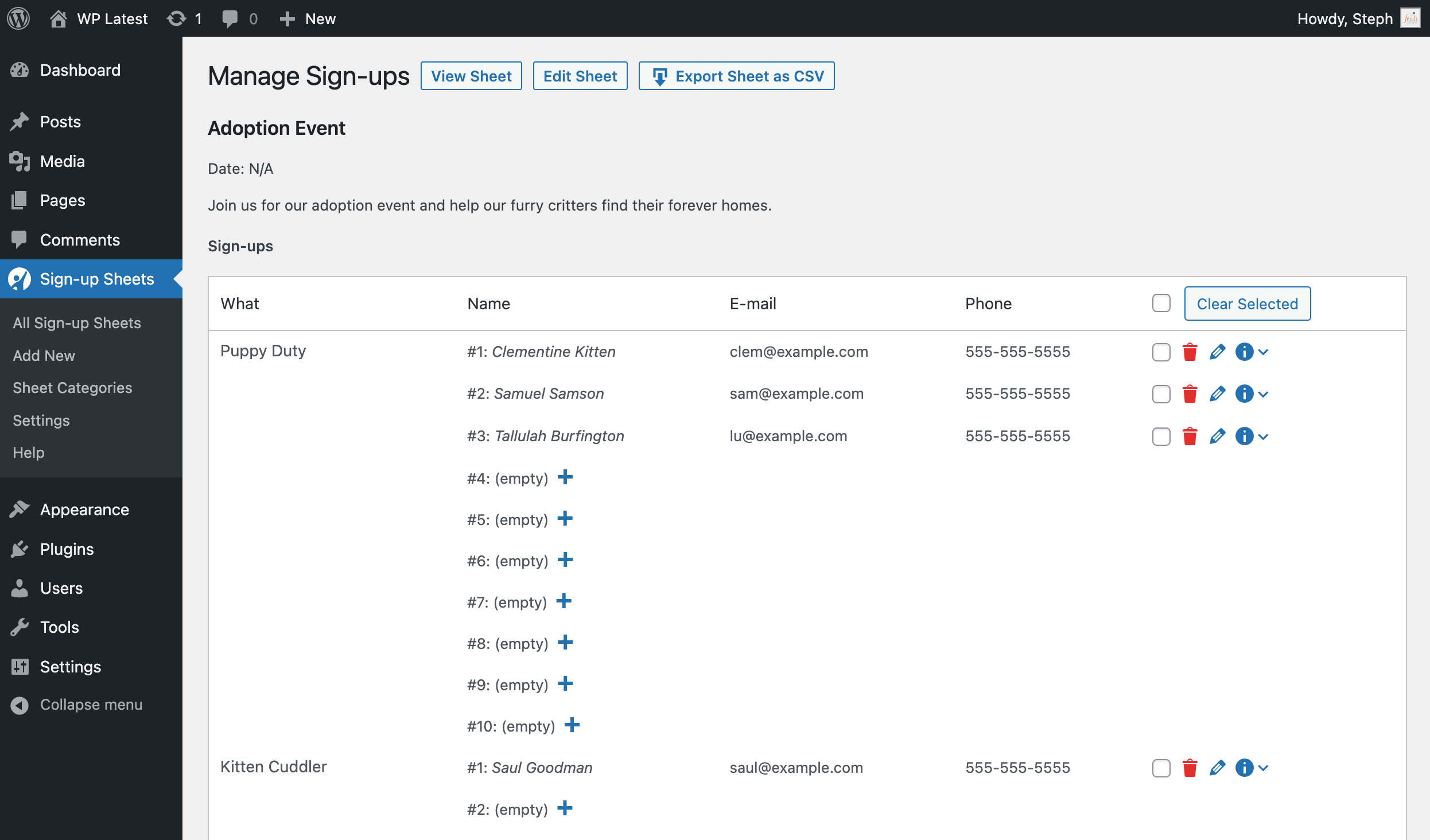
Admin Manage Sheet Screen with ability to add, edit and clear sign-ups
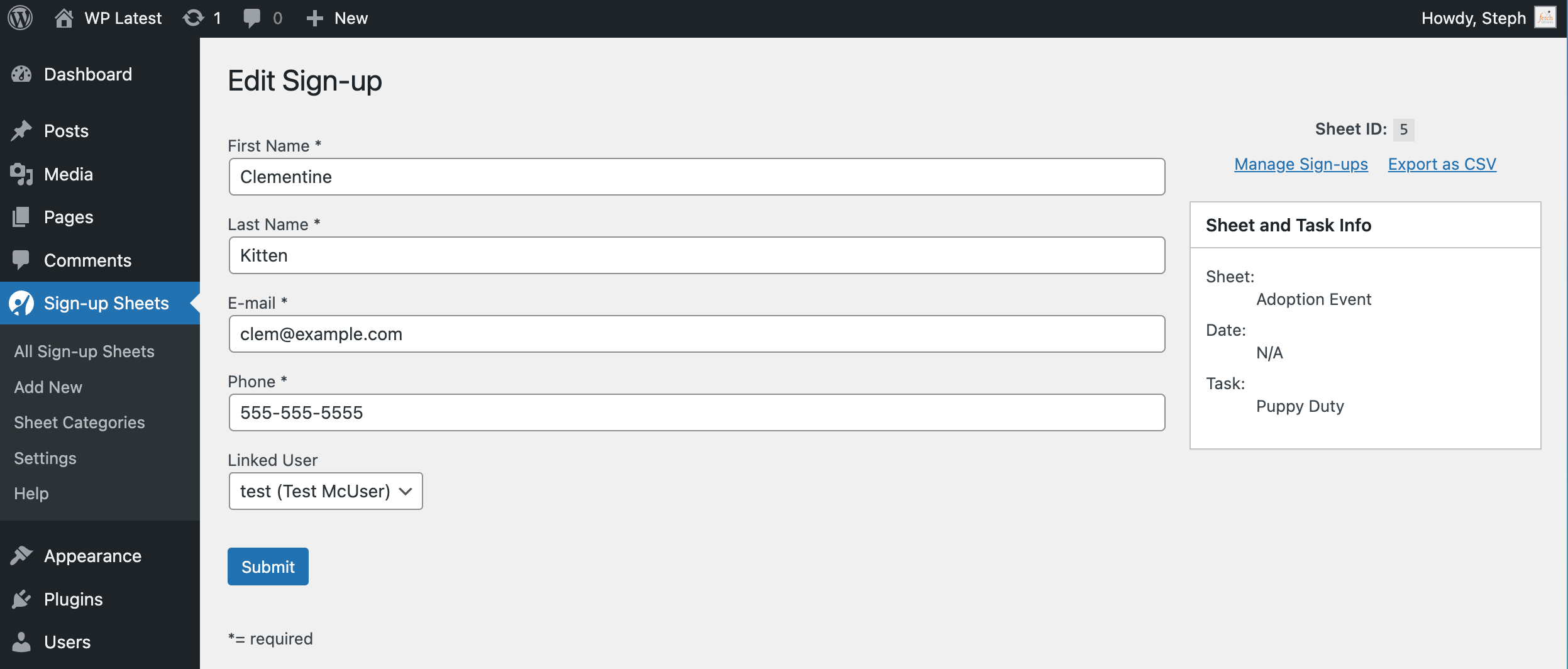
Admin Edit Sign-up Form
Faq
First you add a sheet under Sign-up Sheets > Add Sign-up Sheet. Then you can optionally create a Sheet listing page using the Gutenberg Block or the [sign_up_sheet] shortcode. To learn more, visit the Creating a Sign-up Sheet doc.
Please read our GDPR and Sign-up Sheets article for how to configure your sign-ups to adhere to GDPR.
No, you will not lose any information and will retain all of your current sign-up sheets and sign-ups.
Yes, in Settings > Sign-up Sheets you can specify any email you want. It defaults to the email address set in Settings > General.
Any and all feedback is greatly appreciated! Post your idea on the Sign-up Sheets Suggestions Forum or send an email through the website.
Custom Task Fields: (on the Sign-up Sheet) are fields that appear when you create or edit a sheet in the admin on each task that you create. They are for display purposes only on the front-end of the Sign-up Sheet.
Custom Sign-up Fields: (on the Sign-up Form) are fields that users fill out on the front-end on the form they use to sign-up for an open spot
To filter by category, you can include the category id # in the [sign_up_sheet] shortcode to determine which category will display on that page. As an example, the following shortcode would show all sheets associated with category #5… [sign_up_sheet category_id="5"]
When you have the “reminder” setting turned on in Settings > Sign-up Sheets, a WordPress event will be triggered to check for reminders needing to be sent out. This happens when someone visits your site, but no more than once per hour. You can set how many days prior to the event you would like reminders to go out.
The list title defaults to ‘Current Sign-up Sheets’. To customize this, you can add the option list_title to your [sign_up_sheet] shortcode (example: [sign_up_sheet list_title=""]). If you are using the Pro version and filtering by a specific category, you can also have this default to the name of the category by adding the option list_title_is_category (example: [sign_up_sheet category_id=4 list_title_is_category=true]).
You can report security bugs through the Patchstack Vulnerability Disclosure Program. The Patchstack team help validate, triage and handle any security vulnerabilities. Report a security vulnerability.
Reviews
Great Plugin with Excellent Support
By 
I've encountered a few questions here and there as part of a relatively new implementation of the Sheets plugin. The support responses are always fast and accurate. Based on a long history of WordPress and a large number of plugins along the way, this experience is wonderful. A genuine breath of fresh air.
THANK YOU!
Fast support!
By 
I submitted an issue with our sign-up sheets and Steph resolved it in less than an hour. That's quick! Thanks to the support team for being on top of your plugin and helping your folks resolve things.
Outstanding Support!
By 
Sign-up Sheets is very easy to use and considerably simplifies our service club's event registrations and email confirmations and reminders. Steph responded very quickly (and on a weekend) and was able to solve a couple of problems we encountered that were impeding sign-ups when we were getting close to a major fundraiser of ours.
Mediocre at best
By 
Pros:
Basic Signups are ok
Allows images
Allows some error checking in signups (email, double signups)
Allows hiding of personal information
Not sure there is anything better out there...
Cons:
Email notifications are spotty, sometimes they work sometimes they don't
Customizations for individual events are not intuitive and assume an in-depth understanding of how to manage the global settings
Debugging notification settings is a headache, especially if it's only a certain type of reminder (i.e., reminders before the event, removals, confirmation of signup, )
A non-technical person cannot easily manage the signup sheets
Support is slow to respond and sometimes doesn't respond at all.
Our organization had high hopes for this plugin but overall we are not happy with the notifications being the weakest link. We upgraded to a new ISP and upgraded our PHP and it did not help.
Excellent support
By 
Excellent Cutomer Service
By 
Very good support
By 
"Houston,We have a solution!! The answer is Fetch Tech Support"
By 
Absolutely Fabulous and eZ Plugin
By 
Great and easy
By 
Changelog
2.4.0 | 2026-09-16
- Added preview to the Gutenberg block with settings moved to the editor sidebar.
- Updated Gutenberg block to use block API version 3 (requires WordPress 6.0+).
- Updated Settings page to a redesigned layout with sidebar navigation and live search.
- Updated the default simple captcha to use a randomized answer instead of a fixed one.
- Added ability for sheet “Preview” to show preview of meta field values such as sheet date and tasks rather than just the sheet description WP offers natively.
- Added config to disable the default sheet “archive” page that lists all sheets the /sheet/ URL.
- Added setting to hide your theme’s default Previous/Next post navigation on sheet pages if theme implements it (hidden by default).
- Fixed an inverted honeypot anti-spam check that could allow spam submissions through.
- Fixed error when accessing Manage Sign-ups page with invalid post ID by adding validation check.
- Fixed cursor jumping to the end of task fields when clicking to edit them in the admin sheet editor.
- Fixed the confirmation email message field stripping the “<{removal_link}>” placeholder (and any other literal “<…>” text) on every settings save.
- Hardened nonce verification, capability checks, input sanitization, and output escaping across Settings, bulk edit, sheet preview, custom fields, and the Gutenberg block. [Security]
- Hardened an internal file-loading safeguard. [Security]
- Hardened access control for displaying full sign-up contact details on the front end. [Security]
- Hardened access control on sheet task save and the Manage Sign-ups deletion actions (single and bulk). [Security]
- Hardened debug logging to prevent unauthorized data exposure. [Security]
- Hardened access control on the Manage Sign-ups page and CSV export, and narrowed the Sign-up Sheet Viewer role to read-only capabilities. [Security]
- Hardened database migration state checks and re-run access control. [Security]
- Hardened signup meta field handling against tampering from submitted form data. [Security]
- Hardened role capability revocation on deactivation so previously granted capabilities, including Pro sheet-category taxonomy permissions, are fully removed. [Security]
- Hardened the Help page email test form with nonce verification, input sanitization, and output escaping. [Security]
- Hardened the public sign-up form against unpublished tasks and unauthorized field submissions. [Security]
- Hardened access control on the sign-up form and sheet shortcodes to enforce sheet visibility. [Security]
- Hardened output escaping for custom field metadata in the admin sheet editor. [Security]
- Hardened task capacity enforcement on the sign-up form submission handler. [Security]
- Hardened access control so individual tasks and sign-ups respect their parent sheet’s visibility. [Security]
- Hardened output escaping in the notice display system and signup form response template tag. [Security]
- Hardened reCAPTCHA verification against spoofing and bypass attempts. [Security]
- Hardened validation of the redirect destination after a successful sign-up. [Security]
- Hardened validation on the admin Edit Sign-up page. [Security]
- Fixed a PHP warning on the admin Add Sign-up page when neither a sign-up nor task parameter is present.
2.3.4 | 2026-03-14
- Added security checks to AJAX migration status endpoint.
- Fixed output escaping of admin notice CSS class names.
- Removed duplicate function definition
fdsus_scode_user_sign_ups_actions().
For the changelog of earlier versions, please see changelog.txt.