Simple Masonry Layout

Simple Masonry Layout
Description
A Simple Masonry Layout plugin. with simple shortcode, You can add Masonry Layout For Posts , custom post types .And Even Masonry Layout Gallery For Posts and custom post type. Very easy to Use with very simple shortcodes. Better Grid View of Posts, custom post types.
This plugin will modify your Blogs to better looking advance Masonry(Grid) Layout with use of simple available shortcodes.
- Masonry Layout Blog.
- Masonry Layout Blog from Specific Category.
- Masonry Layout custom post type.
- Masonry Layout Gallery For Posts
- Masonry Layout with Simple Responsive Gallery Popup.
- Simple Shortcode can be used for Masonry Layout.
- Shortcode can be either used in editor or can be used in template files.
Found this Plugin Useful or Not ? Please do not forget to review this Plugin.
Installation
- Upload “simple-masonry-layout” folder to the “/wp-content/plugins/” directory
- Activate the plugin through the Plugins menu into WordPress admin area
- Generate Shortcode in Admin-panel
Dashboard -> Simple Masonry.
Still Confused On Installation or need help ? Please Contact Me.
Screenshots
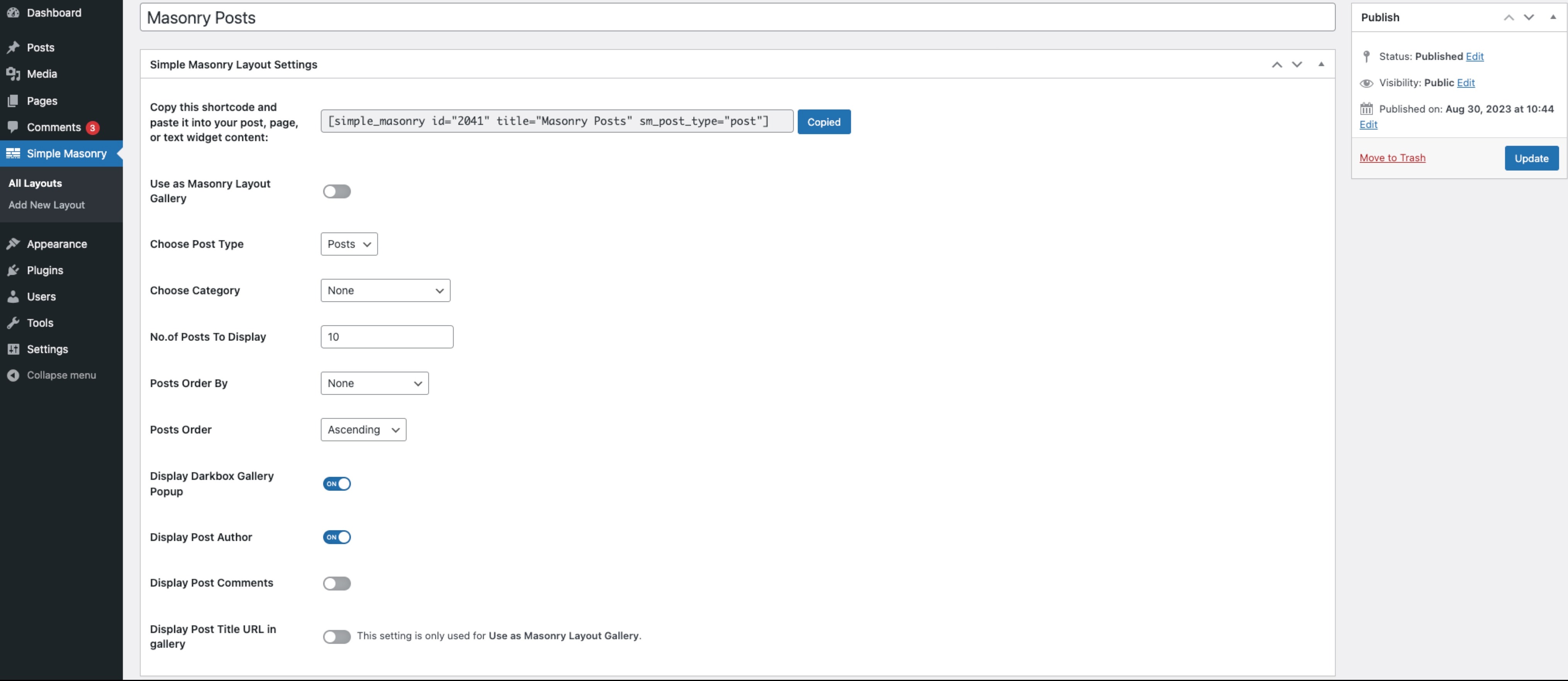
Screenshot displaying Shortcode Generator settings
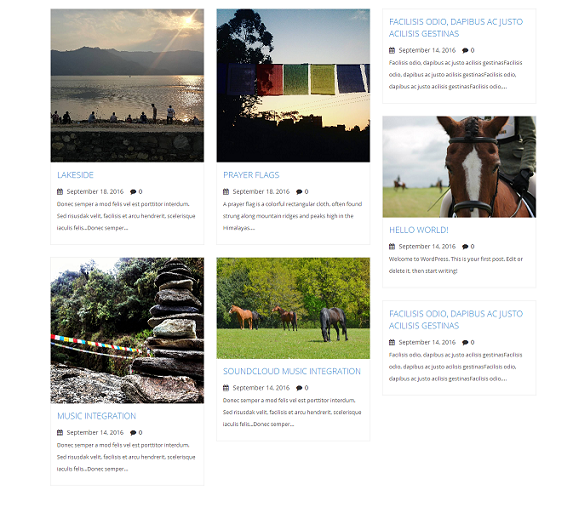
Screenshot displaying Simple Masonry Layout of Posts

Screenshot displaying Simple Masonry Layout Gallery

Screenshot displaying Simple Responsive Gallery Popup.
Faq
Yes, this plugin is 100% compatible with every free, custom and paid theme. You can even use this plugin to modify default WordPress theme into better looking Masonry(Grid) Layout theme with simple generated Shortcodes.
Yes, Masonry Layout is Responsive. It has Responsive Jquery popup too.
Reviews
No longer working.
By 
Very nice
By 
Simply Awesome
By 
Excellent work!
By 
simple and Easy
By 
Great plugin!
By 
Helps like a good mate.
By 
NIce
By 
Nice and easy
By 
Changelog
2.0.2
- prevent interfering on other CPT
2.0.1
- Shortcode fixed missing Category on Non-gallery Mode
2.0
- Shortcode Generator Settings added
- Simple Masonry Layout CPT added
1.3.3
- OOP Concept implementation
1.3.2
- Minor error fixings on Scripts
- cdn link added for font-awesome
1.3.1
- Minor Fixing on enqueue script and style
1.3
- Minor Fixing on Pagination
- Added setting for enable or disable Jquery Popup
- Added Featured Image link to post permalink
- jQuery version conflict resolved
- Fixed Overwritting wordpress default jQuery version with 1.8.2
1.2
- Added shortcode for Masonry Layout Blog from Specific Category
- Added Pagination
- Added allow multilanguage
1.1
- Added Grid Loading Effect/Animation on scroll
- Added Simple Responsive Jquery Popup
- Added Post Title URL link to Gallery
- Added Post Title URL setting
1.0
- This is initial version of the plugin.