Simple Pricing Table for Elementor

Simple Pricing Table for Elementor
Description
Pricing Table for Elementor is a dynamic and user-friendly plugin designed to enhance your Elementor-powered WordPress website. Create visually striking and highly customizable pricing tables effortlessly. Customize every aspect of your pricing tables to align them perfectly with your brand identity. Drive sales and conversions with beautifully designed pricing options.
Features
- Create good-looking pricing tables within seconds.
- Customize pricing tables as per your design.
- Choose from 3 different modern-looking pricing table styles.
- Offers 100% customization, for example, change typography, colors, margins, padding, icons, background, border, and much more.
Why Use Simple Pricing Table for elementor
The Simple Pricing Table for Elementor plugin offers an easy-to-use interface with 100% customization. It saves you time; instead of creating pricing tables manually, you can add well-crafted pricing tables within seconds. It can be easily customized to match your website theme.
Support
If you have any issues, feel free to ask questions in the support forum. I am here to assist you.
Installation
Please take note: This plugin is designed to work seamlessly with Elementor. Please ensure you have Elementor installed.
Here are the steps to install the “Simple Pricing Table for Elementor” plugin:
- Begin by downloading the plugin.
- Navigate to the Plugins page in your WordPress dashboard.
- Click on “Add New” and choose the plugin’s .zip file, which is named “simple-pricing-table-for-elementor.zip”.
- Alternatively, you can extract the contents of the zip file directly into your wp-content/plugins/ folder.
- To complete the installation, activate the plugin.
- You will now find the “Pricing Table” widget listed in the Elementor widget panel under “Pricing Table.”
These instructions will help you smoothly install and use the “Simple Pricing Table for Elementor” plugin.
Screenshots
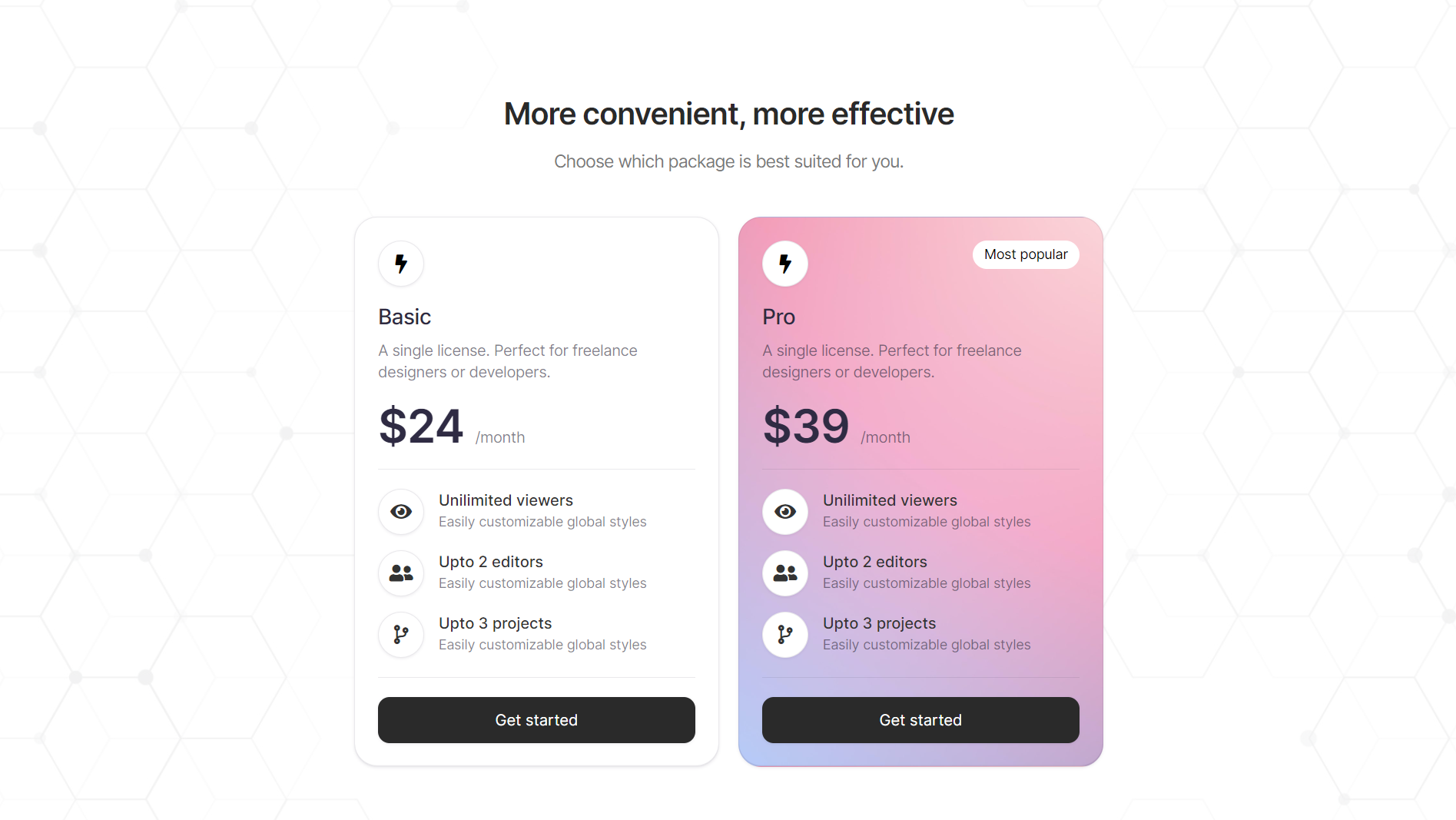
Pricing Table Style 1

Pricing Table Style 2

Pricing Table Style 3
Faq
Go to Elementor > Settings > Advanced > and set “Load Font Awesome 4 Support” to Yes.
Reviews
So Feature Rich - A must have for Elementor Users
By 
The enhanced pricing tables were one of the main reasons I was considering Elementor Pro. However, after discovering this plugin, I found that it offers all the functionality I could desire and more. The styling and icon integration options make it a must-have for any membership site. I highly recommend it and want to thank the author for making this plugin available!
Finally light but fully custom pricing table
By 
I been looking for simple yet powerful plugin to server as pricing table. A lot of them were heavy or paid. This is created for creators and I am happy for that. Thank you for your work, keep going!
Just What I needed
By 
Perfect plugin, just what I needed, no issues, and looks great! Easy to edit. Thanks for making this plugin! running on latest php and wordpress
Changelog
0.1.5 – 2024-11-11
- Fix: Fixed issue with description styles not updating
0.1.4 – 2024-06-13
- Fix: Fixed issue where removing an icon still displayed its background.
- Fix: Fixed issue with underline appearing on a tag element in some themes.
0.1.3 – 2024-05-20
- New: Added support for rendering HTML in the Pros & Cons description
- Fix: Fixed the issue with the SVG icon color not changing
0.1.2 – 2024-05-19
- New: Added custom duration field
- New: Added dynamic tags support to the button link
- New: Changed description textarea field to WYSIWYG
- New: Added suport to render HTML in description
0.1.1 – 2024-04-02
- New: Added New Style Pricing Table (Style 3)
0.1.0
- Initial Release